-
-
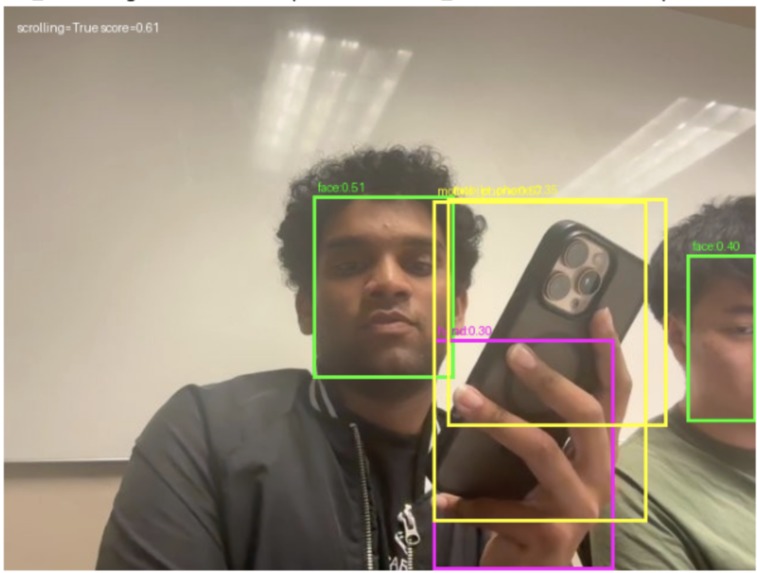
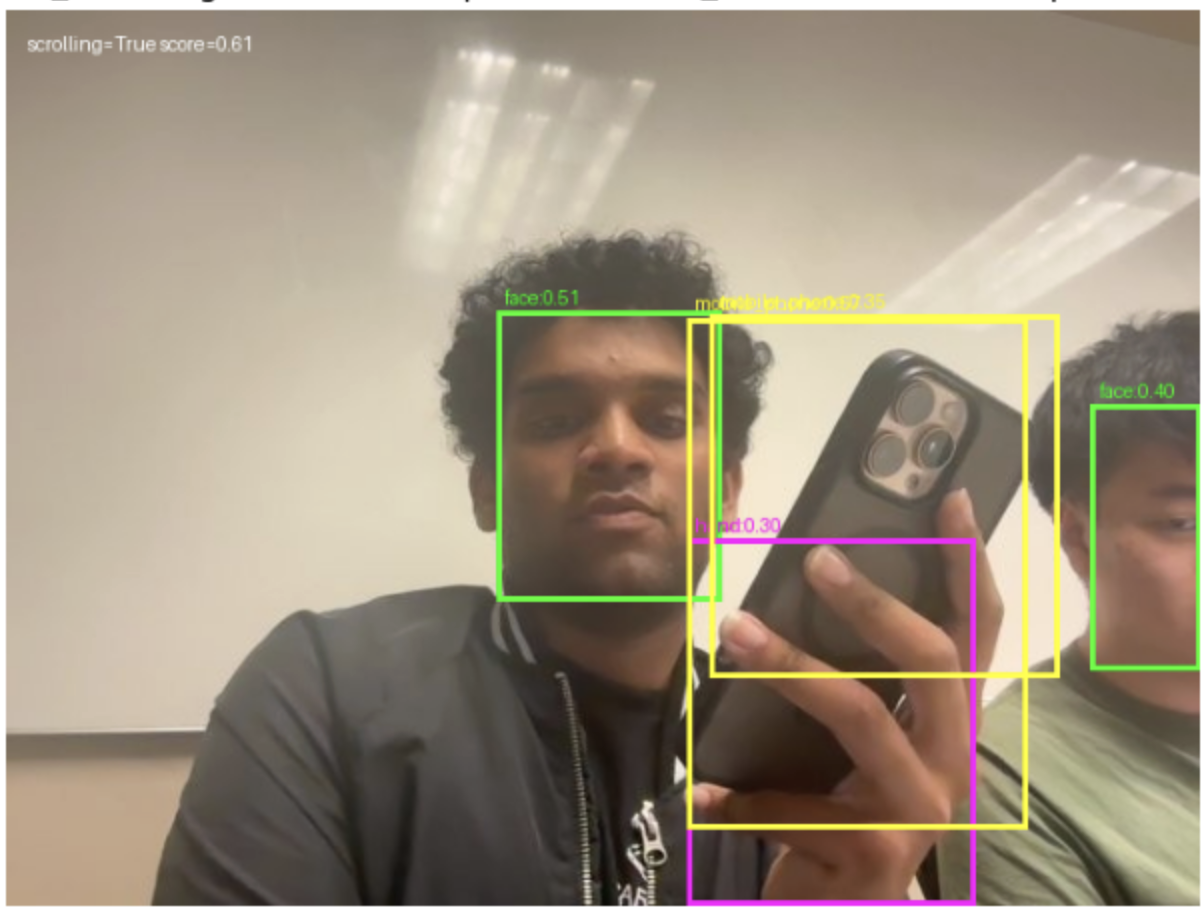
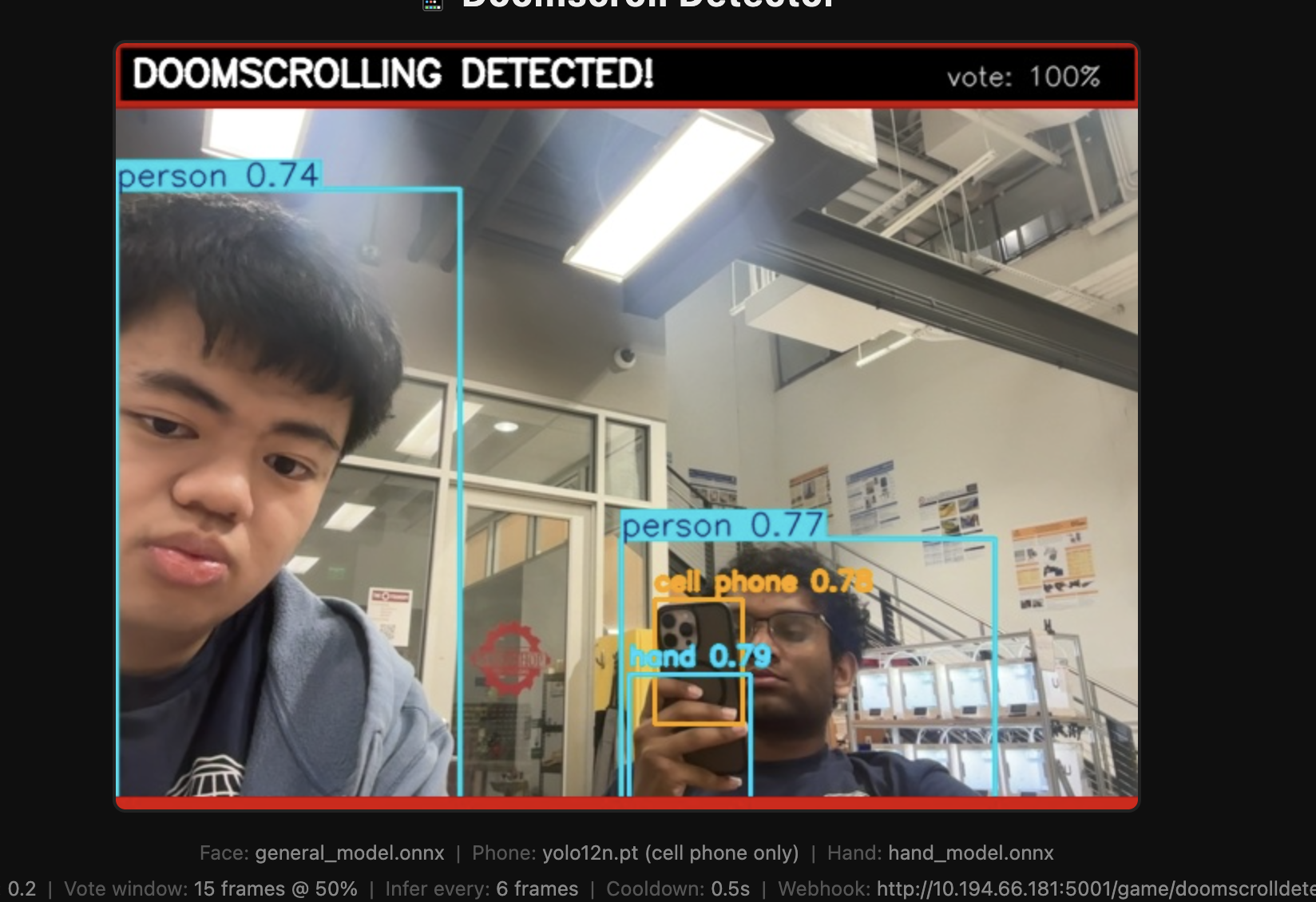
Bounding Boxes around people and showing someone scrolling
-
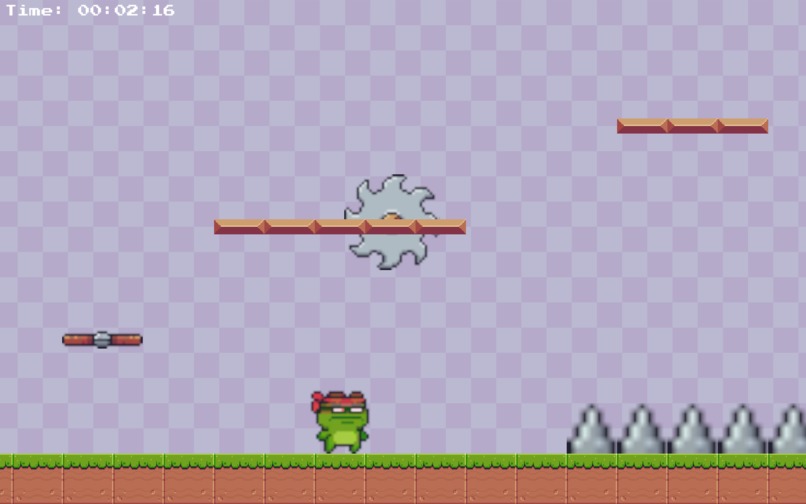
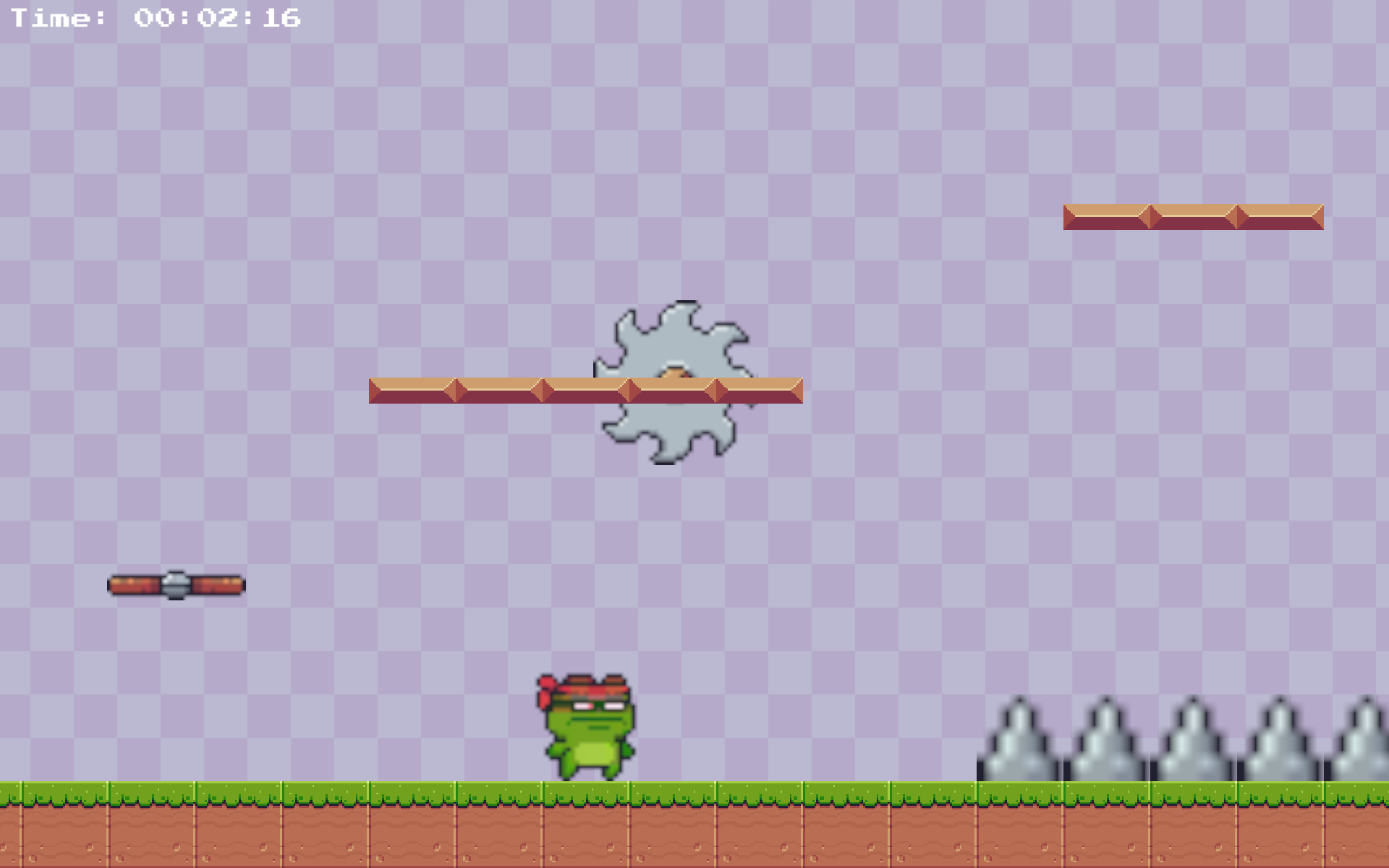
Video Game Preview
-
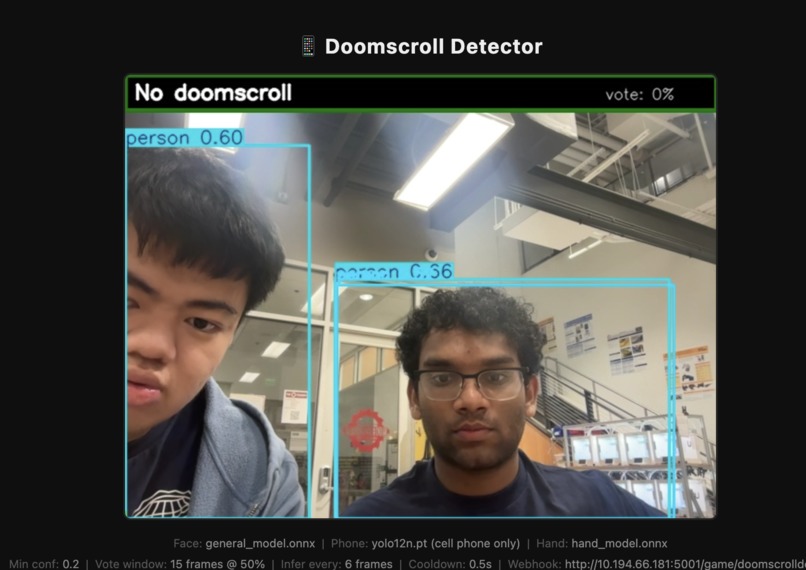
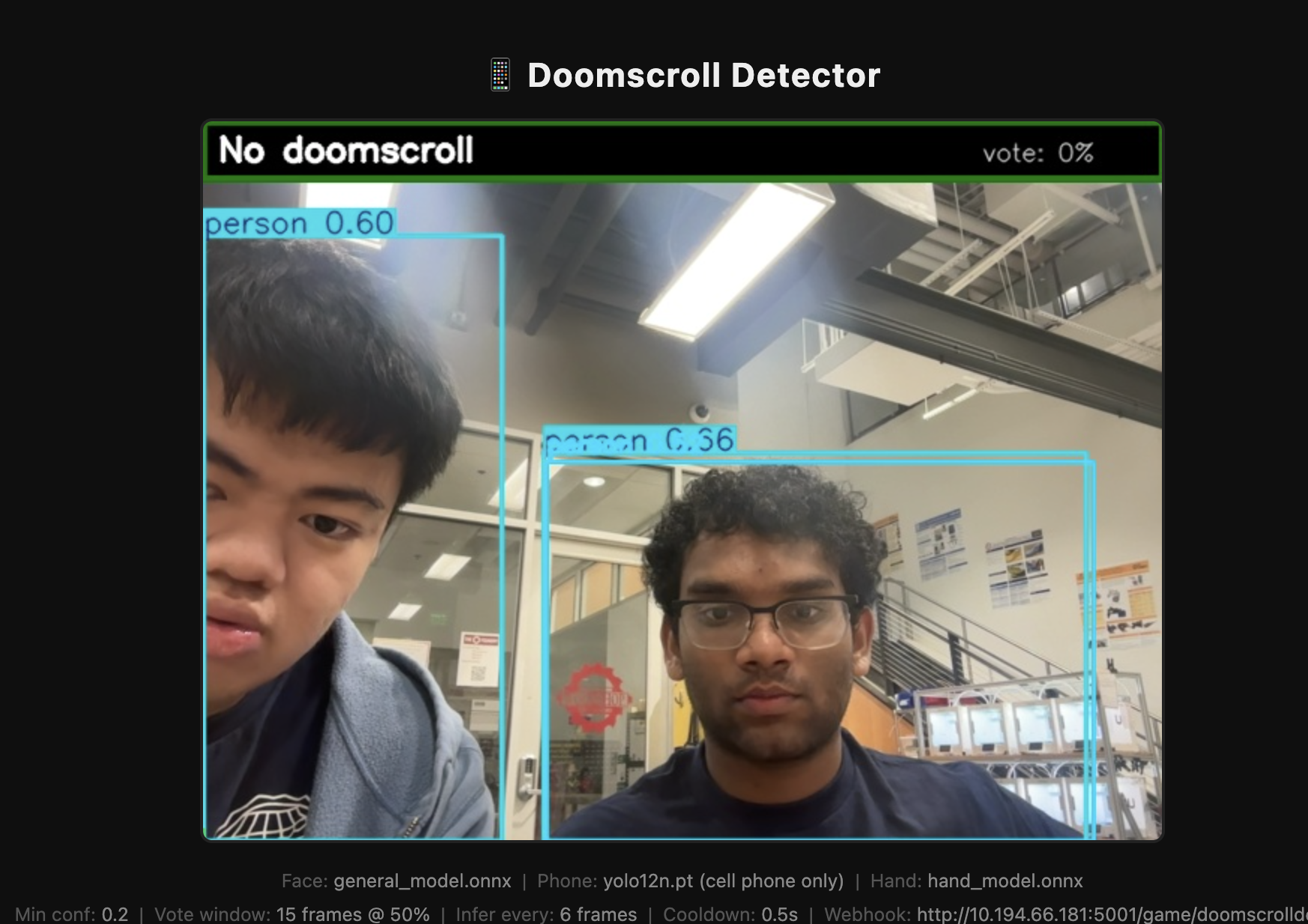
YOLO with no doom scrolling
-
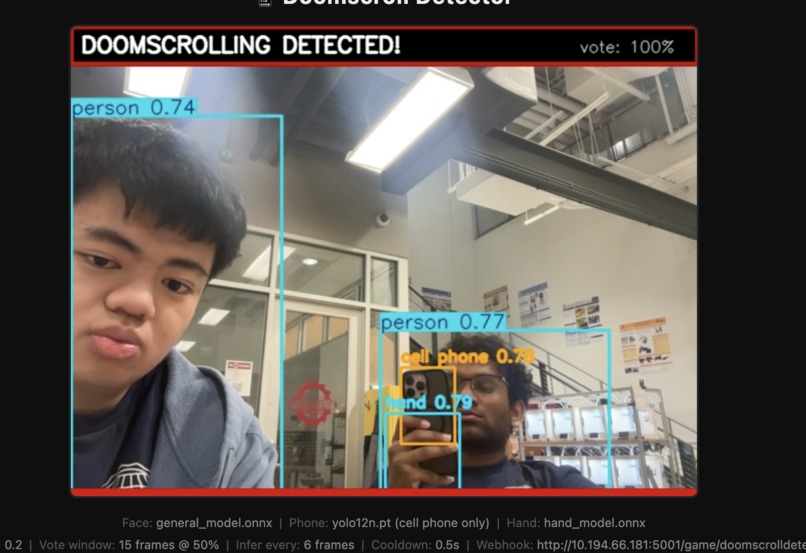
YOLO with doom scrollign
-
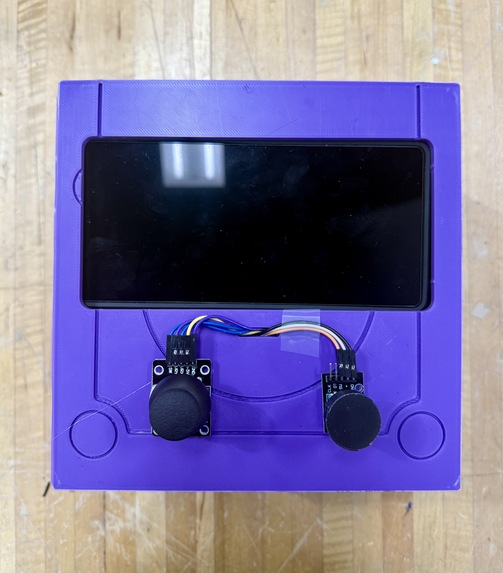
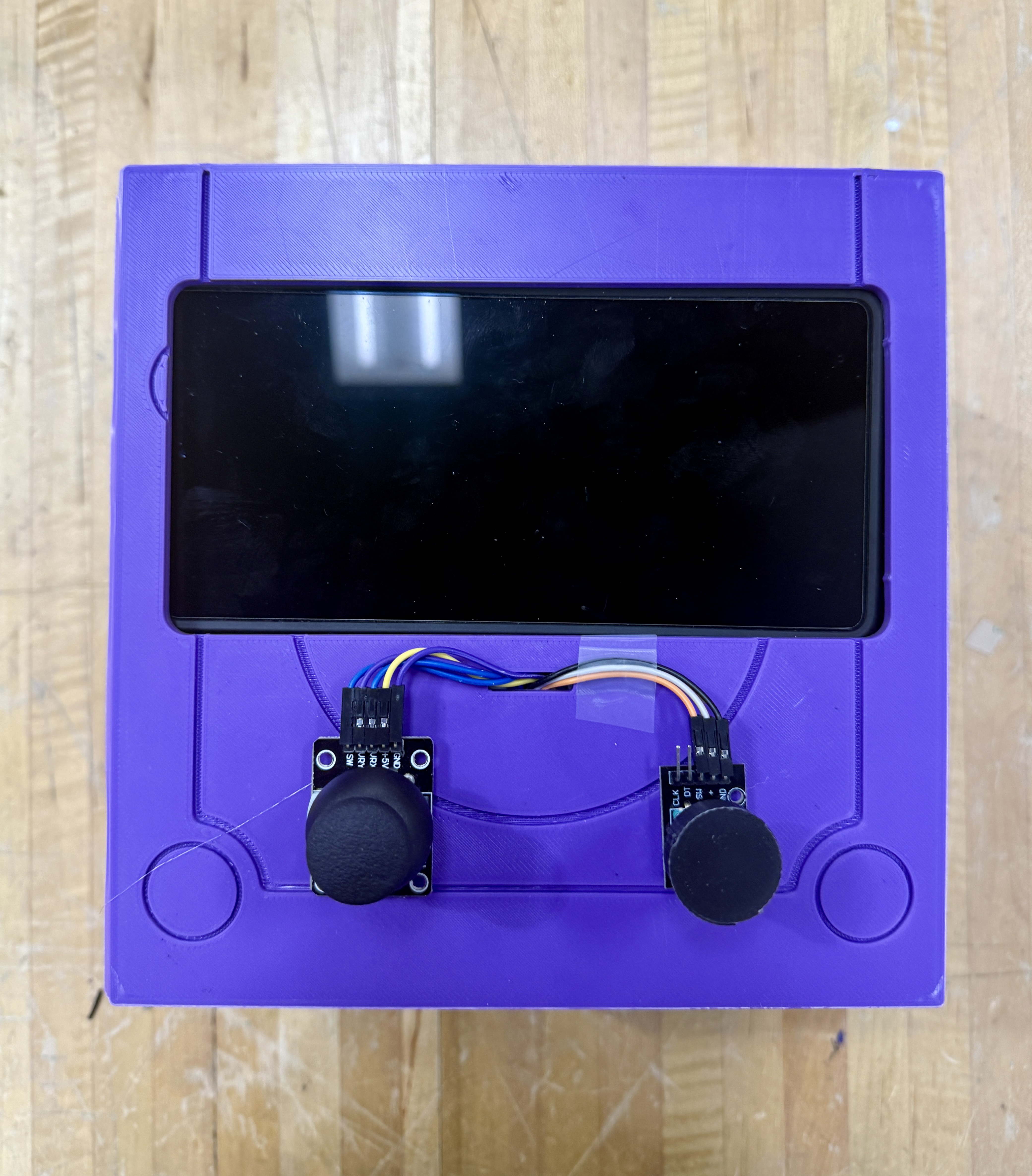
Top View of LockCube
-
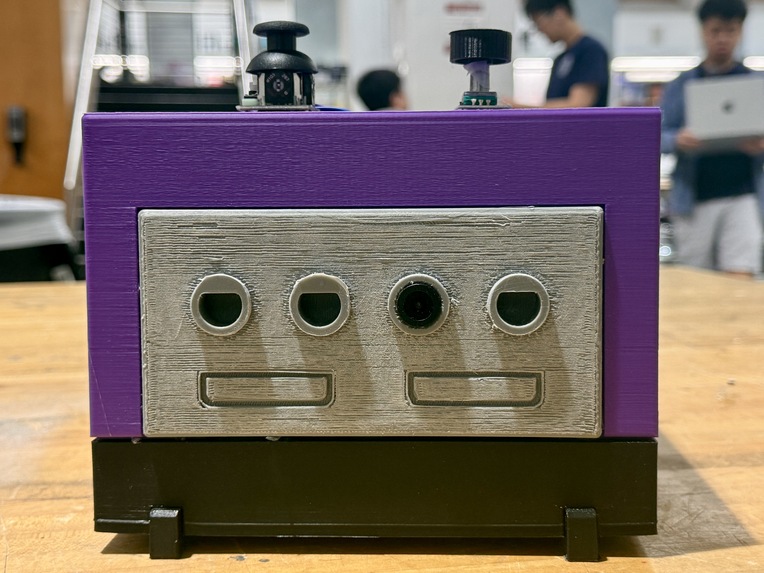
Front View of LockCube
-
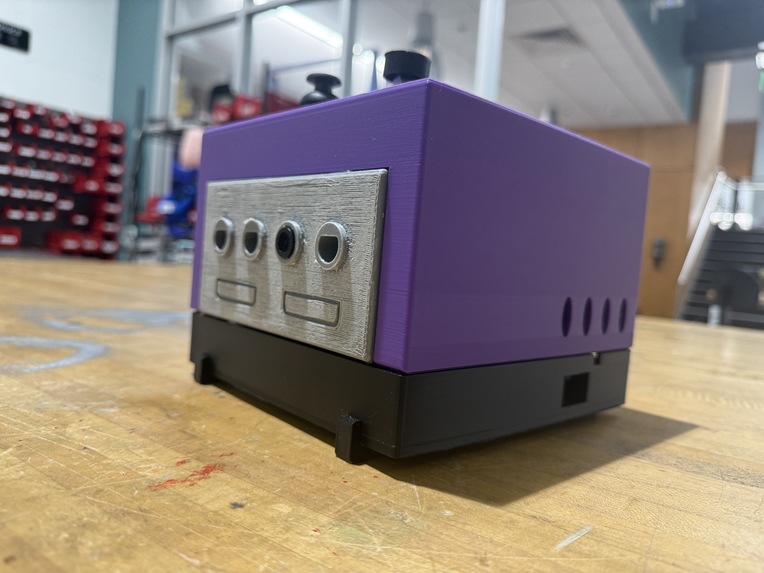
Side View of LockCube
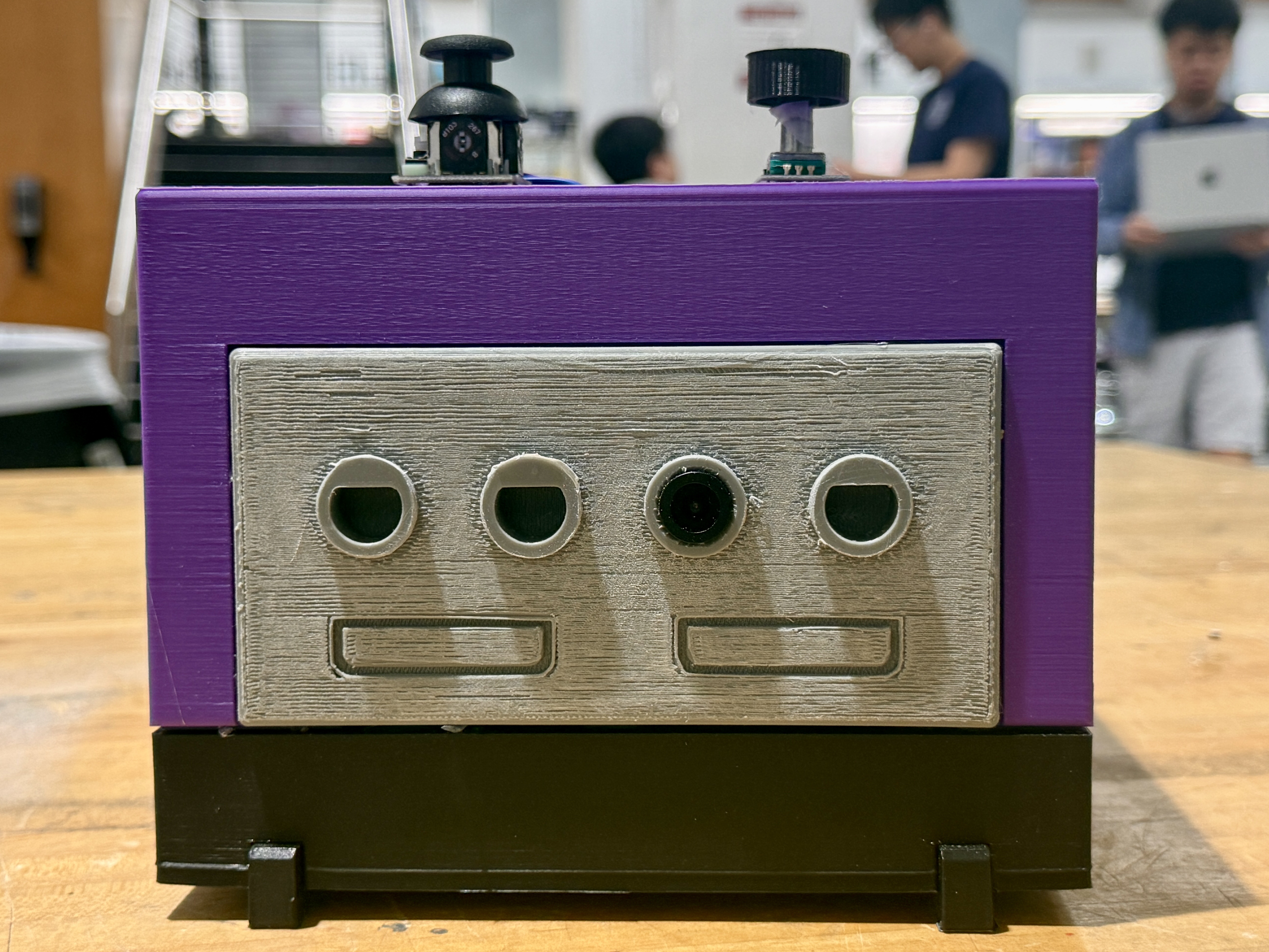
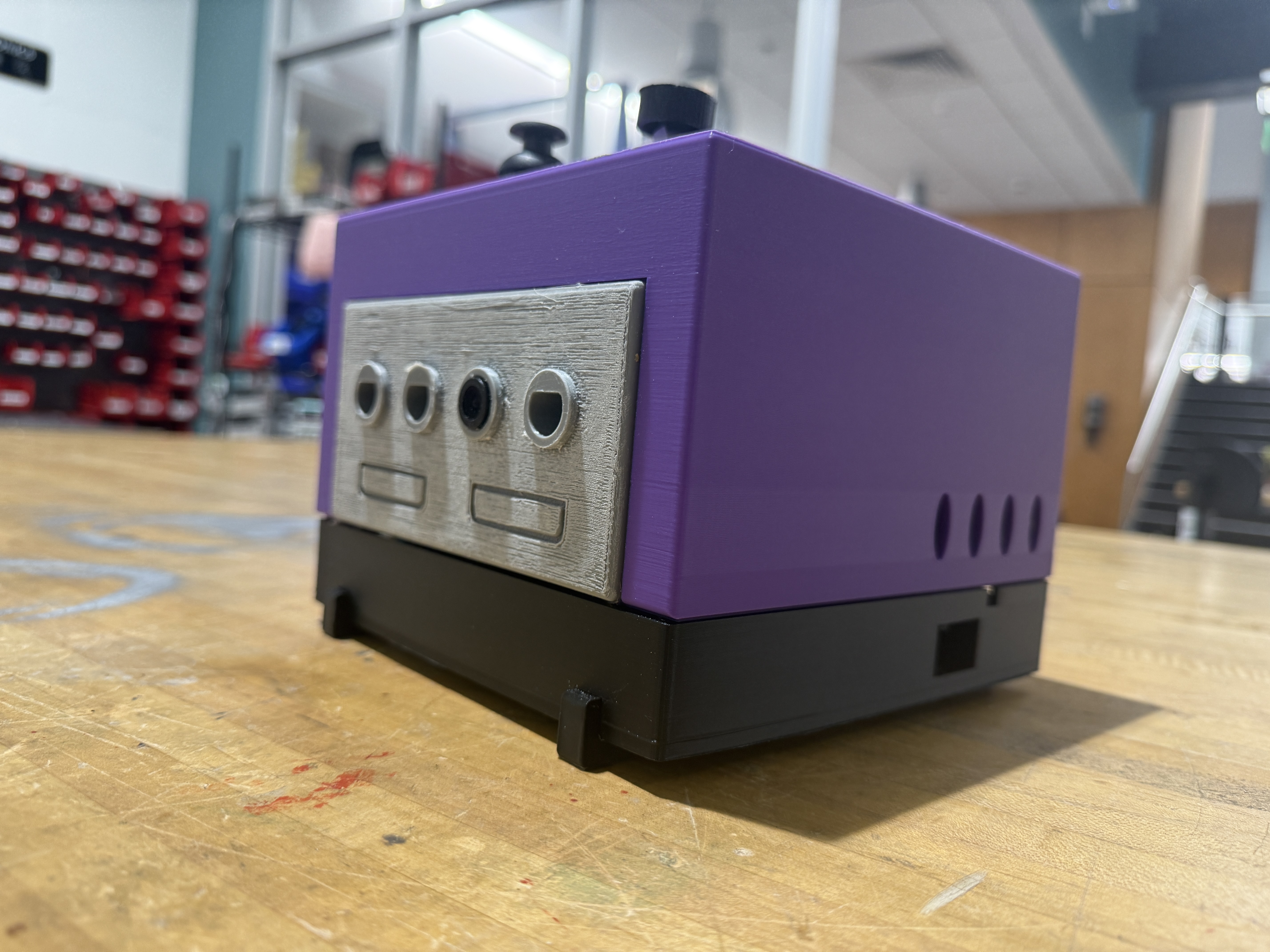
LockCube
Inspiration
If any of us were to show you our phone screentimes right now, we would probably be extremely, extremely embarrassed. It's obvious that spending our time scrolling on Instagram Reels or YouTube Shorts is extremely damaging to our brains and attention spans, but it's hard to stop. They are designed around maximizing dopamine and minimizing time spend away from our phones. So we wanted to make a new tool that helps people stop scrolling in a way which can actually break that routine and addiction, introducing LockCube.
What it does
LockCube is heavily inspired by the GameCube, and it contains multiple parts to break us away from addictive short form content. First, when it turns on, a CV model detects if you are doing work or doom scrolling. If you do end up to be doom scrolling, the LockCube reminds you that you shouldn't be on your phone so much through customized auditory prompts. As a refresher, you then play a short game on the LockCube before going back to work. And don't try to outsmart the Cube! If you play the game and then go straight back to scrolling, it will annoy you til you stop.
How we built it
We built the scrolling detection software using multiple YOLO models, which were either pretrained or we trained ourselves. These YOLO models were trained using Google Colab and then deployed with a Flask backend. They detect hands, phones, and faces, and use the bounding boxes to detect whether a person is scrolling or not.
We use Gemini to create personalized messages whenever LockCube detects phone usage, giving it context such as how long you've been scrolling, how many times you've scrolled, and more to create specialized roasts. This data is then sent to ElevenLabs for their TTS service, creating an audible voice nudging you to go back to work. The longer you ignore, the angrier it gets.
The hardware of the project was created using OnShape as a CAD Software. We found various components that we either previously owned or that were readily available to us. Then, we printed out the hardware and assembled it to create the box. As we couldn't access a display, we used a phone to mimic a display.
An STM32 is used as a bridge between the joystick and the raspberry pi, since the Pi lacks the required ADC to read an analog joystick. The STM32 was programmed in C++ and emulates a USB HID device.
The backend was written in node.js, and was a simple backend allowing for calls to certain APIs. This backend handled detections from the YOLO models to call the AI tools to make voice prompts. Then, the backend brought the game to the forefront. Furthermore, a Moore finite state machine was utilized to generate tailored prompts and voices corresponding to different situations (ie doomscrolling immediately after playing the game, doomscrolling for extended periods of time, etc).
The game was created using Unity 6000. This game used royalty free assets, mostly from itch.io, to make a brief experience which users can enjoy. The game features many interactive elements, and once completed the Raspberry Pi returns back to its original state.
We used our knowledge and technical skills accelerated through the use of AI agents or models such as Codex, Claude, and Gemini to create this project.
Challenges we ran into
We faced and overcame multiple challenges throughout this process. It was difficult to find appropriate datasets for the YOLO model, but once we did we were able to overcome the lack of labels in the original YOLO models for our purposes through transfer learning.
Unity did not play nicely with Raspberry Pis at all. Unity doesn't really support compiling to Linux architectures running on ARM, and Raspberry Pis struggle with emulating x86_64 files due to their limited processing power. Still, we were able to overcome this challenge using box64, lots of debugging, and lots of rebuilding Unity (D32 SFloat S8 UInt will forever give me nightmares).
To run our custom YOLO CV model, we attempted to convert the ONNX file to one the Hailo 8 NPU can understand since we had an AI hat for the Pi. But unfortunately we were not able to get this stack fully functional.
Accomplishments that we're proud of
Overcoming that Unity + Raspberry Pi issue was extremely satisfying. Also, getting YOLO deployed and using those CV detections to figure out whether someone was scrolling or not was very exciting.
What we learned
We learned a lot about integrated many different, basically unrelated components together. From transferring YOLO models trained on NVIDIA A100s to having to run them on a Raspberry Pi whose AI hat didn't work to generating appropriate prompts for a context-aware audio file generator, there were a million different things that had to go together for this to work. We learned a lot about communicating with each other to see where we were at, what needed work, and what needed testing to put together this final LockCube.
What's next for LockCube
Ideally better processors and hardware. Raspberry Pi does not handle all of the things we're asking it to do well. Maybe next time, we can use something with more power to provide a much smoother experience.

Log in or sign up for Devpost to join the conversation.