-
-

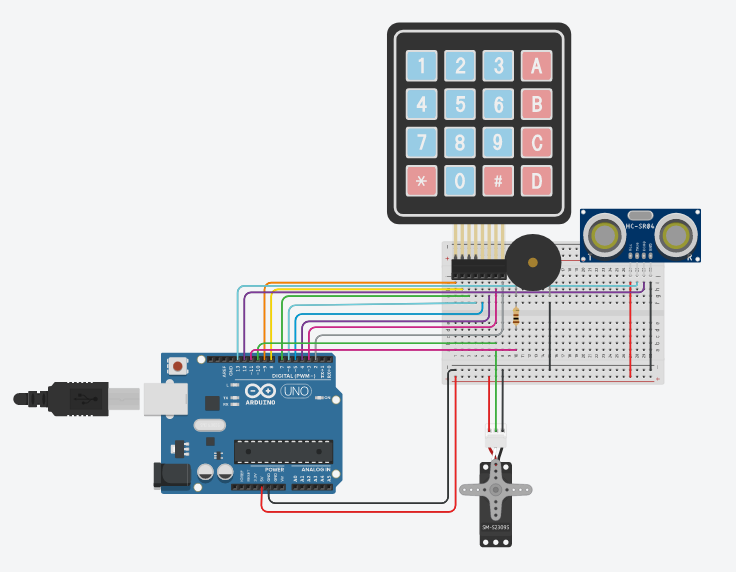
Electrical Setup
-
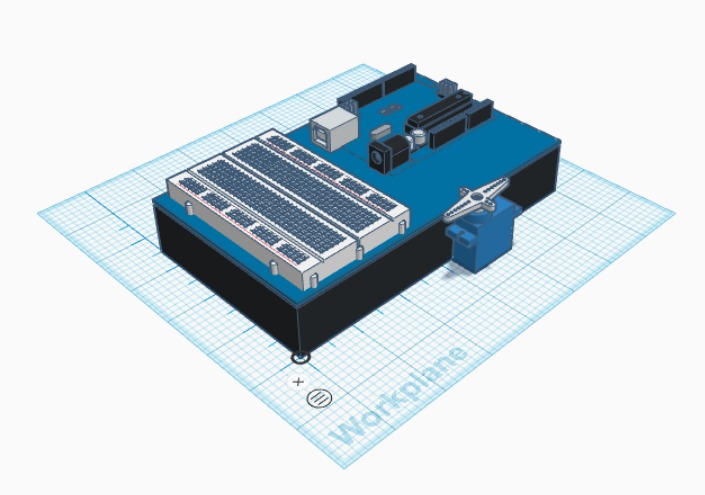
TinkerCAD 3D Design shows mechanics of servo lock
-
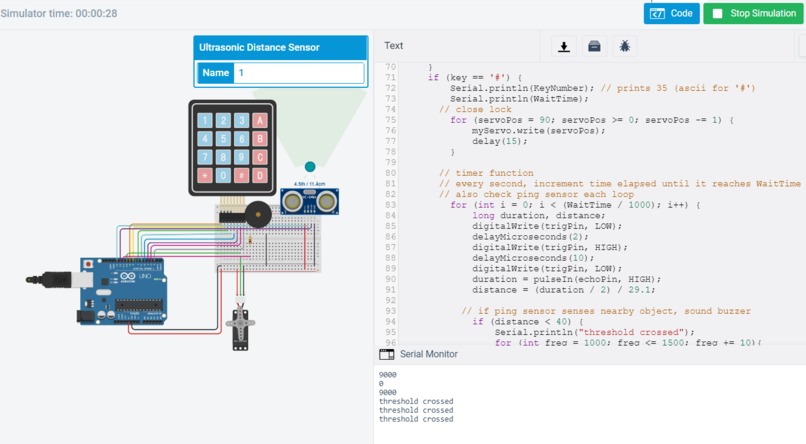
Testing the Threshold

What is your idea?
Our project is a locked box that acts as a “precommitment device” to increase productivity. The idea is that you lock your phone away for a set amount of time when you need to work or study, and the box can only be opened after the time that you set for yourself has expired. If you attempt to open the box before time is up, the ping sensor will sense the movement and the buzzer will beep to deter you from trying to do so.
What was the process like building your product?
The process included a lot of trial-and-error! We ran into two main issues, one was the Keypad library, which recommended programming in a specific function called keypadEvent, but this wouldn’t compile. With help from Kate, we decided to forego this and work with an “if” statement instead. Our second challenge was programming the timer function, initially using the delay function. However, this pauses the program as it counts down the time, which conflicted with the ping sensor that needed to activate simultaneously. Then, we tried to use millis(), which also proved to be difficult, so Kate advised us to switch to a “for” loop that would iterate for every second that passed. Ultimately we learned a lot more about Arduino and the debugging process, while also incorporated a lot of the skills we learned from class.
Explanation of the hardware/software
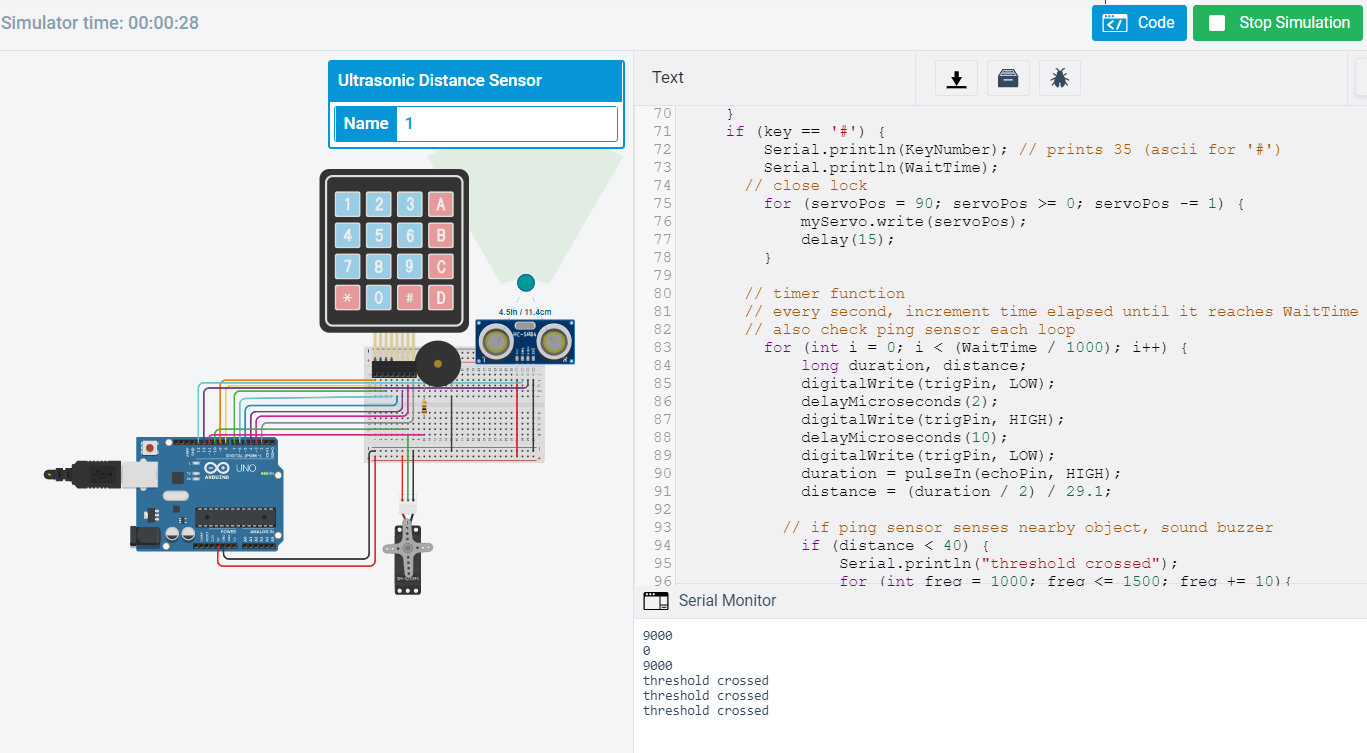
The final product consists of a box (which we weren’t able to construct physically but included images of) with a mounted servo as the locking mechanism. Also mounted on the box would be the ping sensor positioned near the lock, and a buzzer that responds to the ping sensor. An Arduino Uno controls the electronics, and our model uses a breadboard (as opposed to soldering components and creating a more custom chip for this project). In our Arduino code, we programmed for the keypad to intake a “WaitTime.” To lock the box, you must enter “#,” where the servo would then lock. If you made a mistake of what time you entered, you can clear WaitTime by hitting “*.” Then, we have a for loop that acts like a timer. When it is done running, the servo opens. We also have an active ping sensor that senses if you try to open the lock early, which buzzes loudly if you are within 40cm.
Full code is linked in the "Try it out" section below.
What would you add if you could have built this in person?
Most of our project is well represented in the TinkerCAD electronics model. The main thing that we couldn’t build in person is the actual box, which we would’ve laser cut. We also would’ve designed and laser cut or 3D printed a custom mount for the servo. We’ve included an image of a TinkerCAD 3D Design representation of how the servo lock would work, but most of the electronic components we used are not included on that platform.

Log in or sign up for Devpost to join the conversation.