-
-
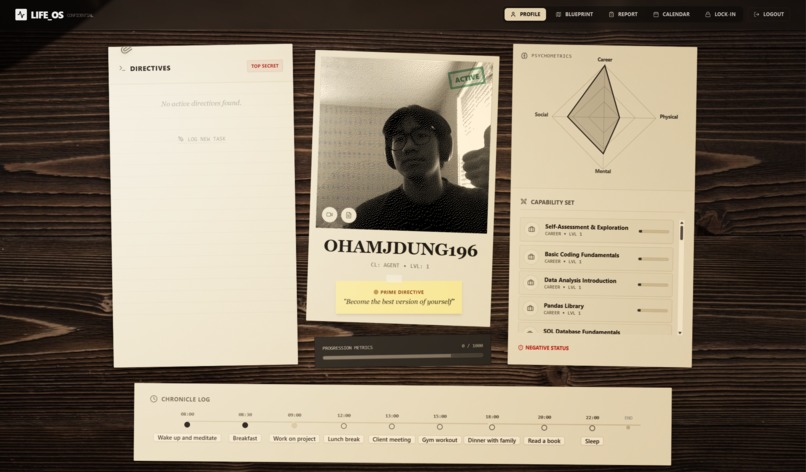
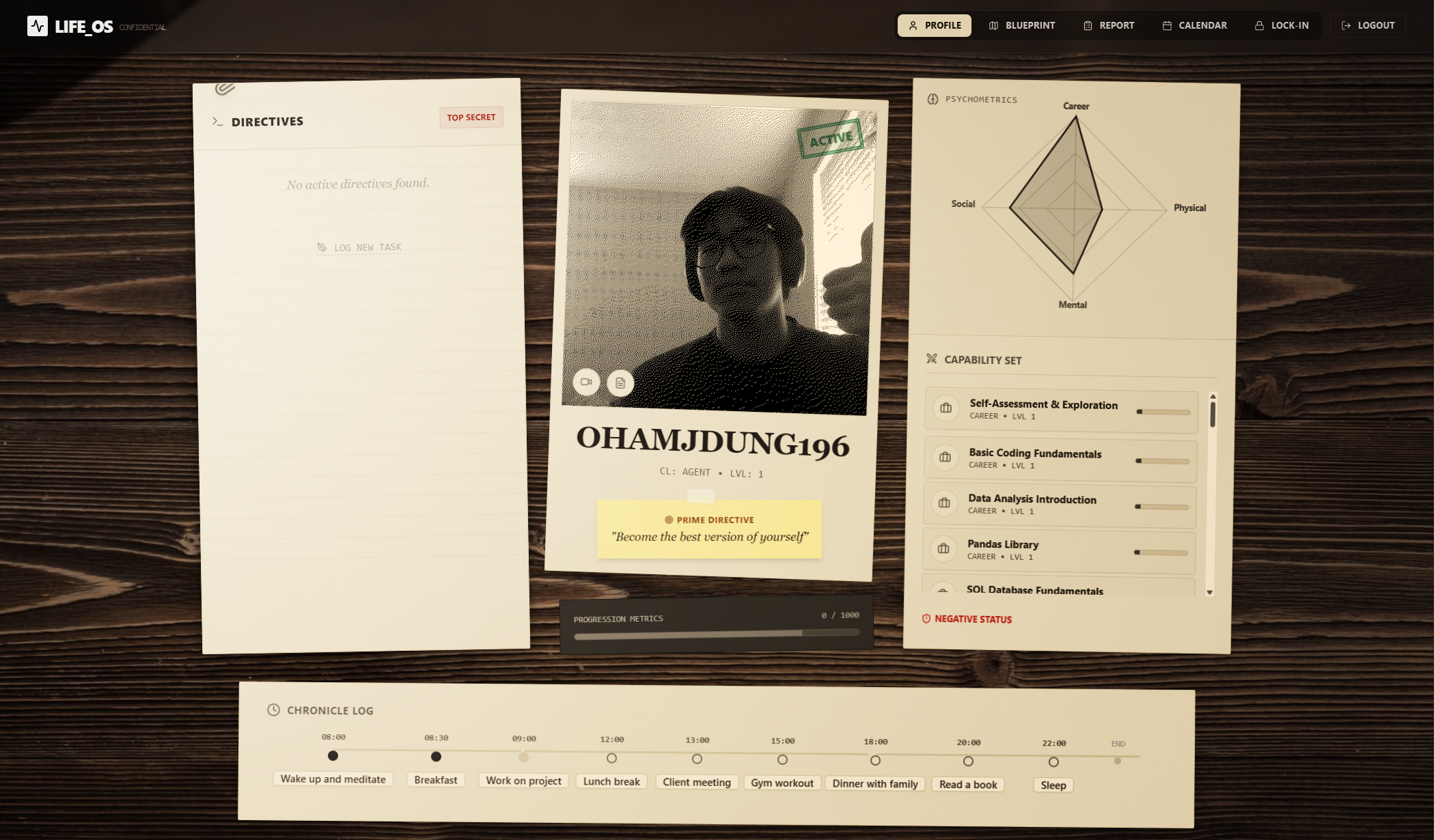
profile page
-
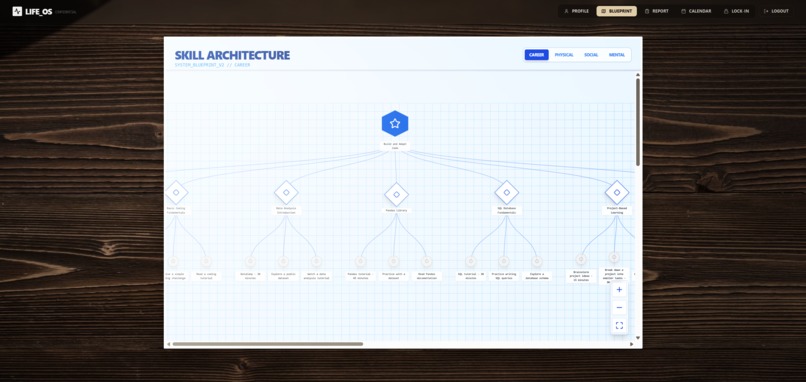
life skill tree
-
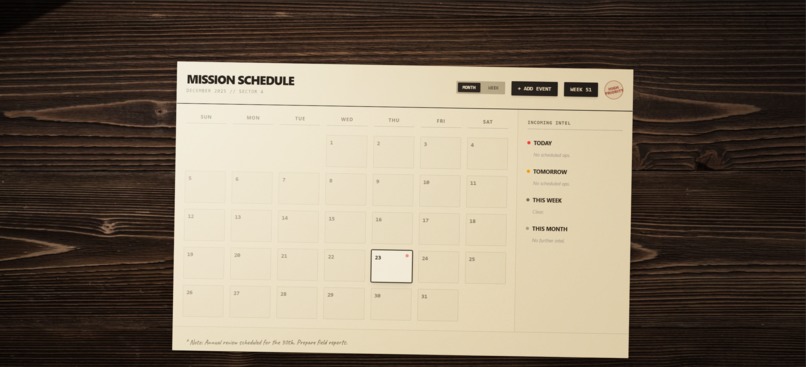
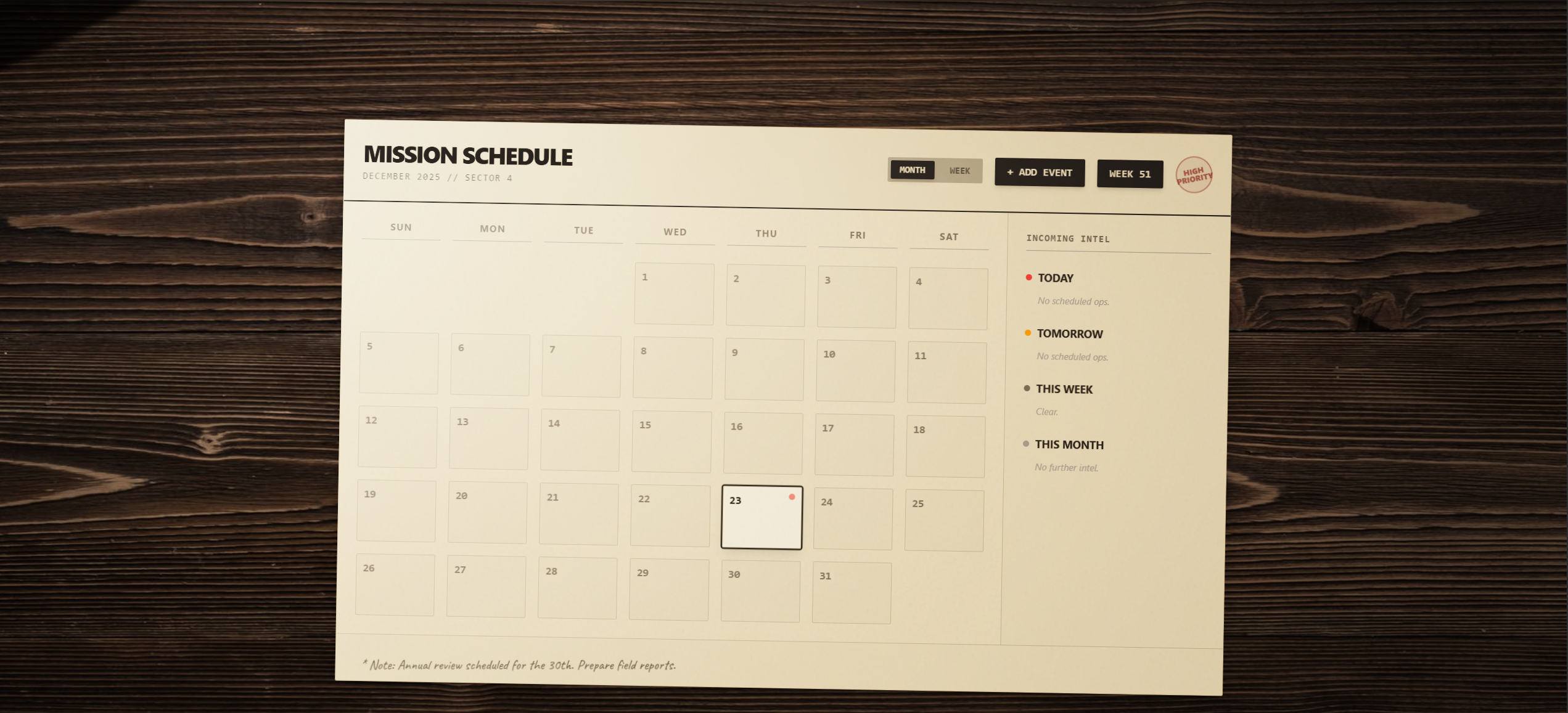
calendar + schedule
-
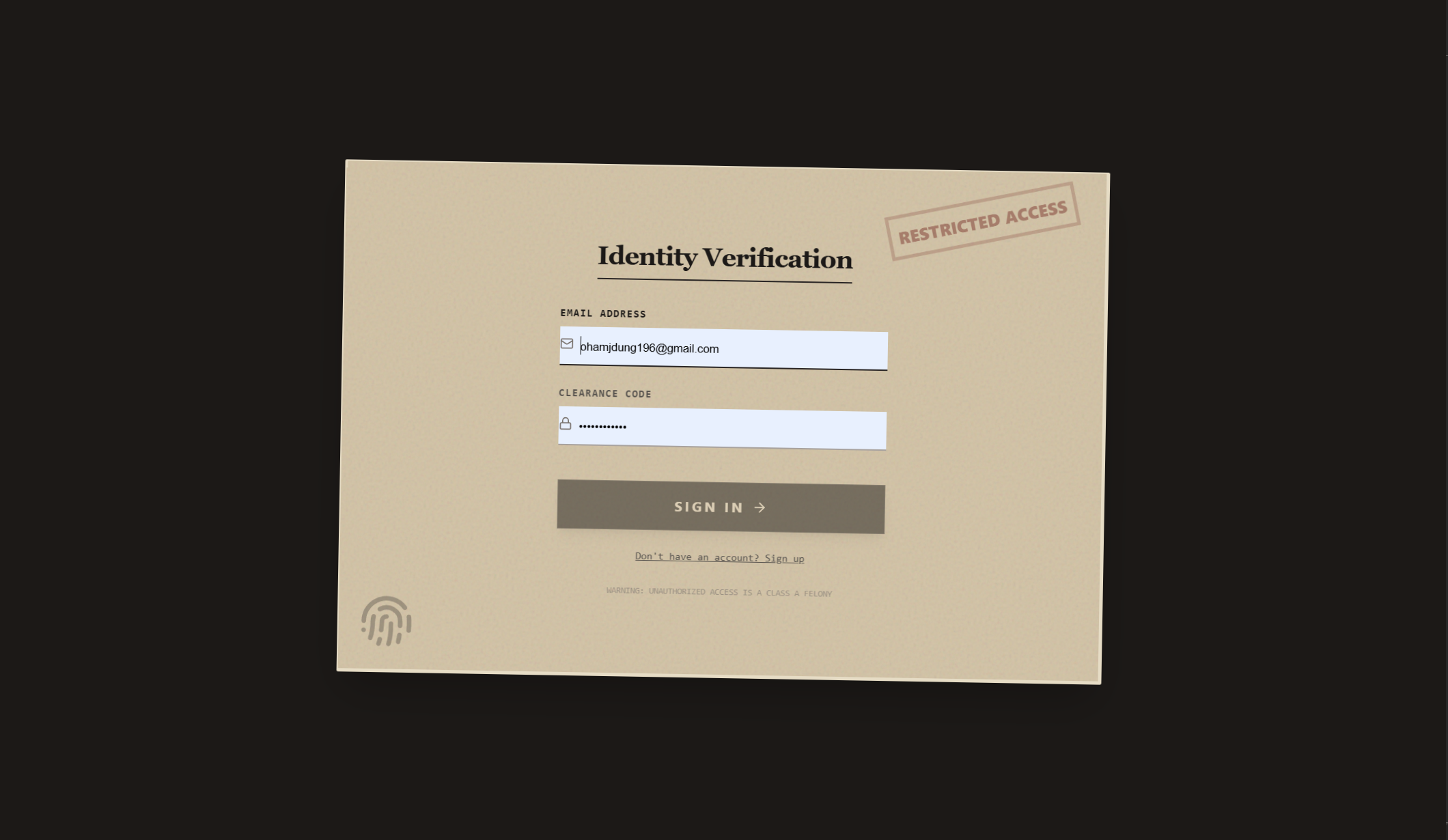
authentication
-
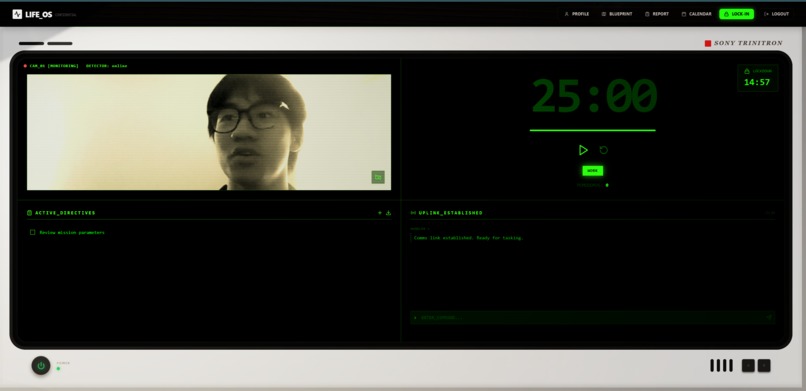
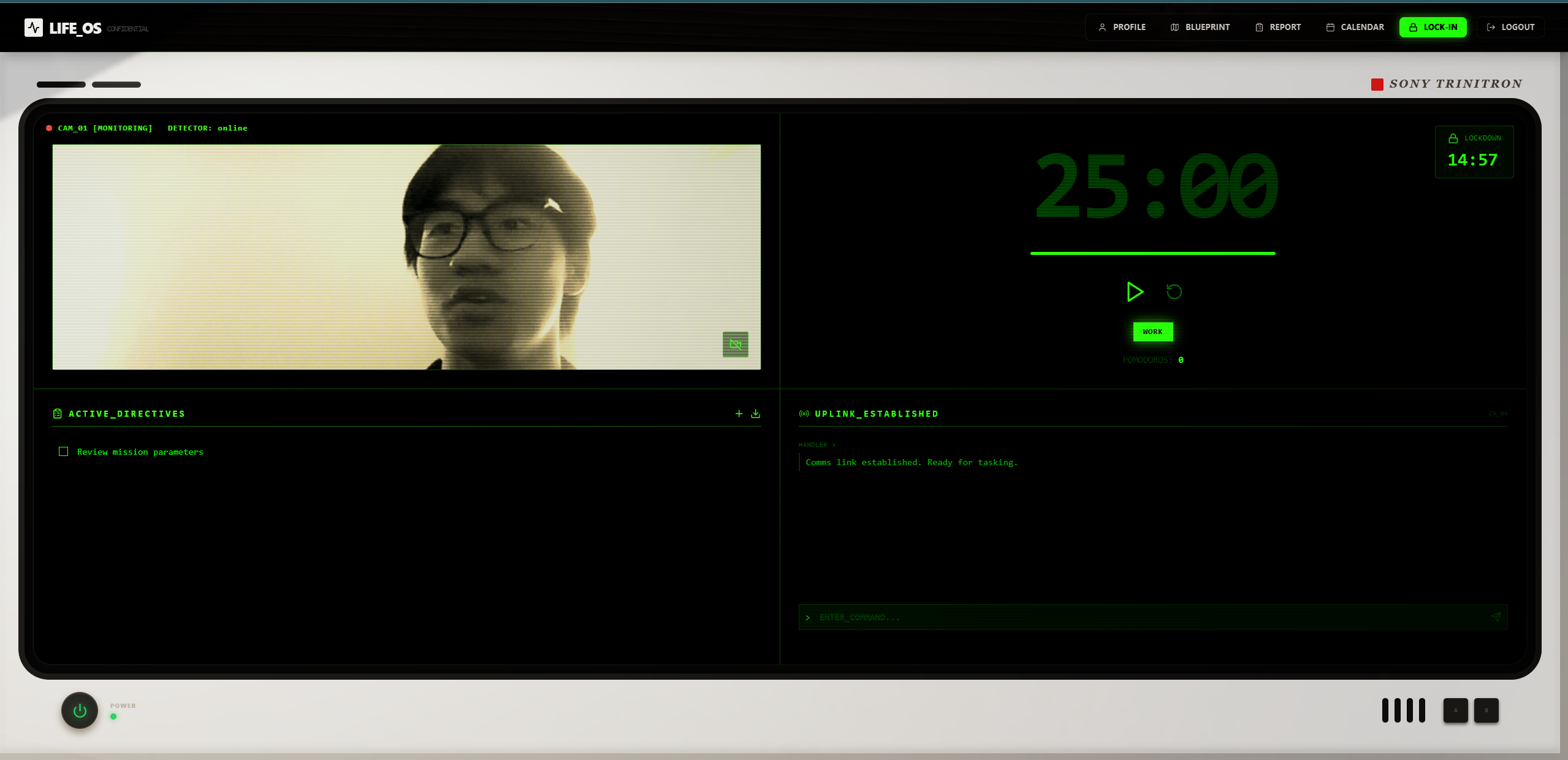
lock in mode
-
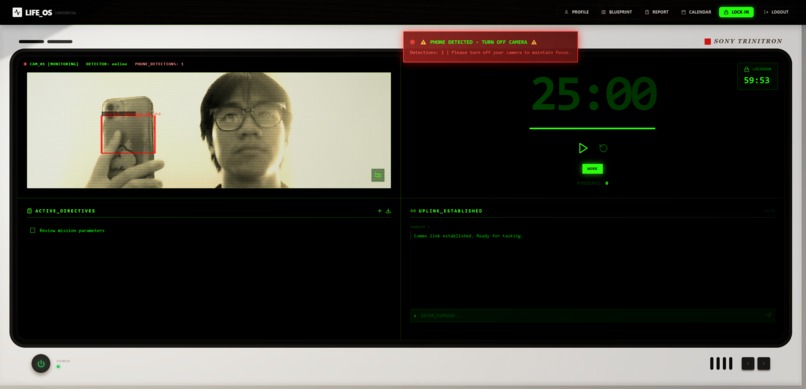
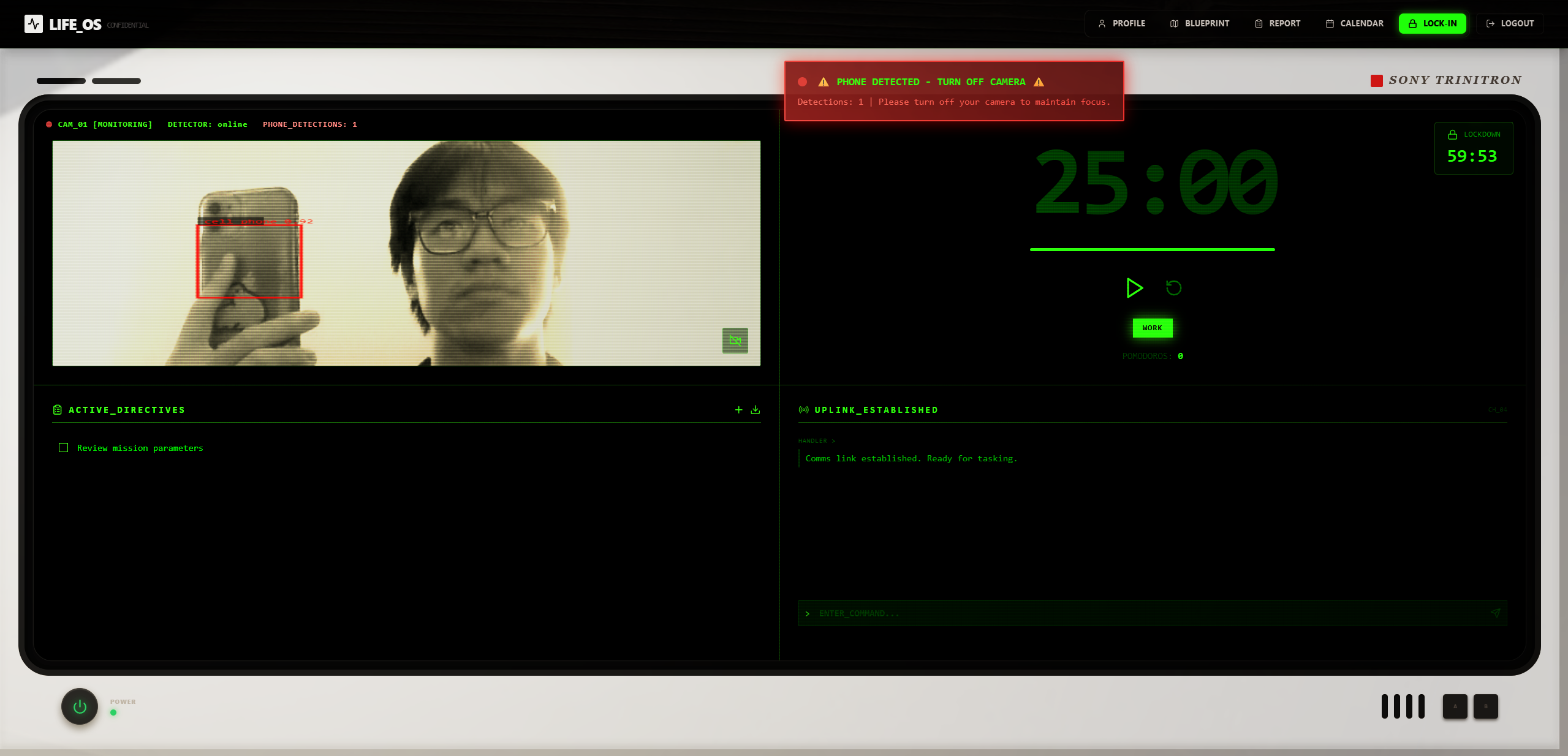
phone detected
-
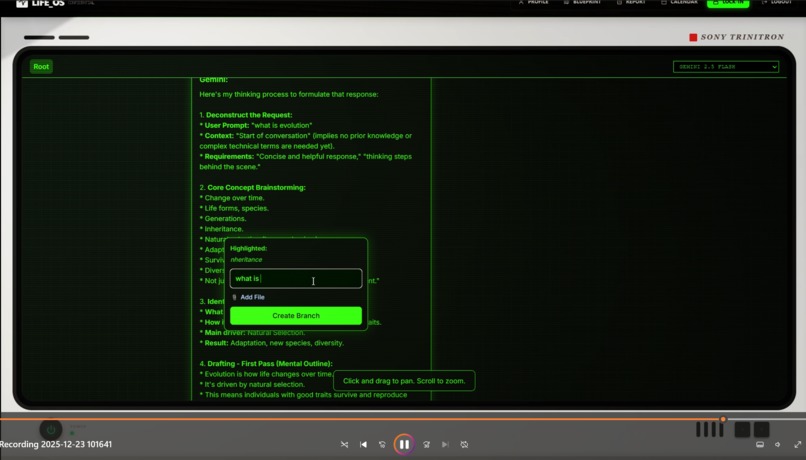
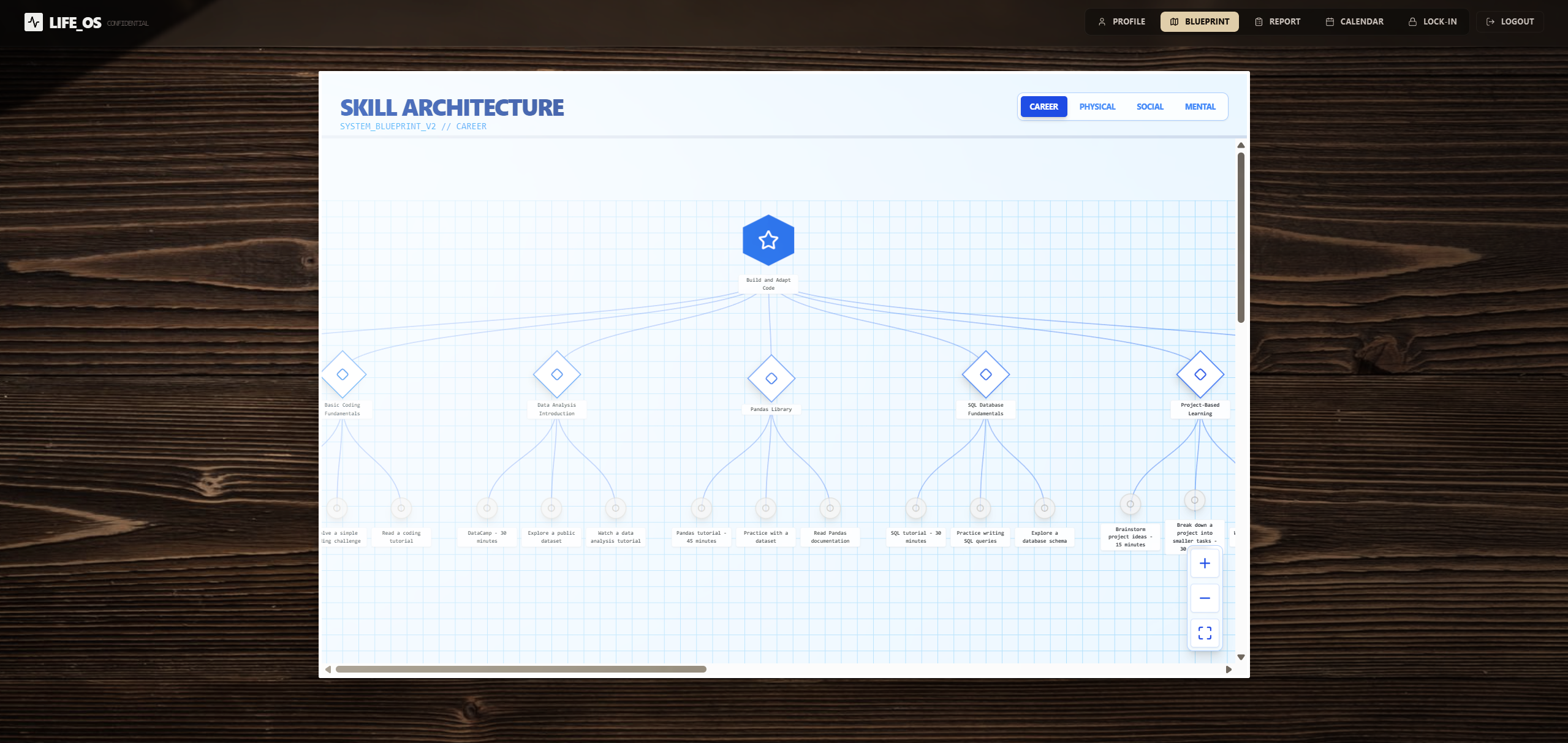
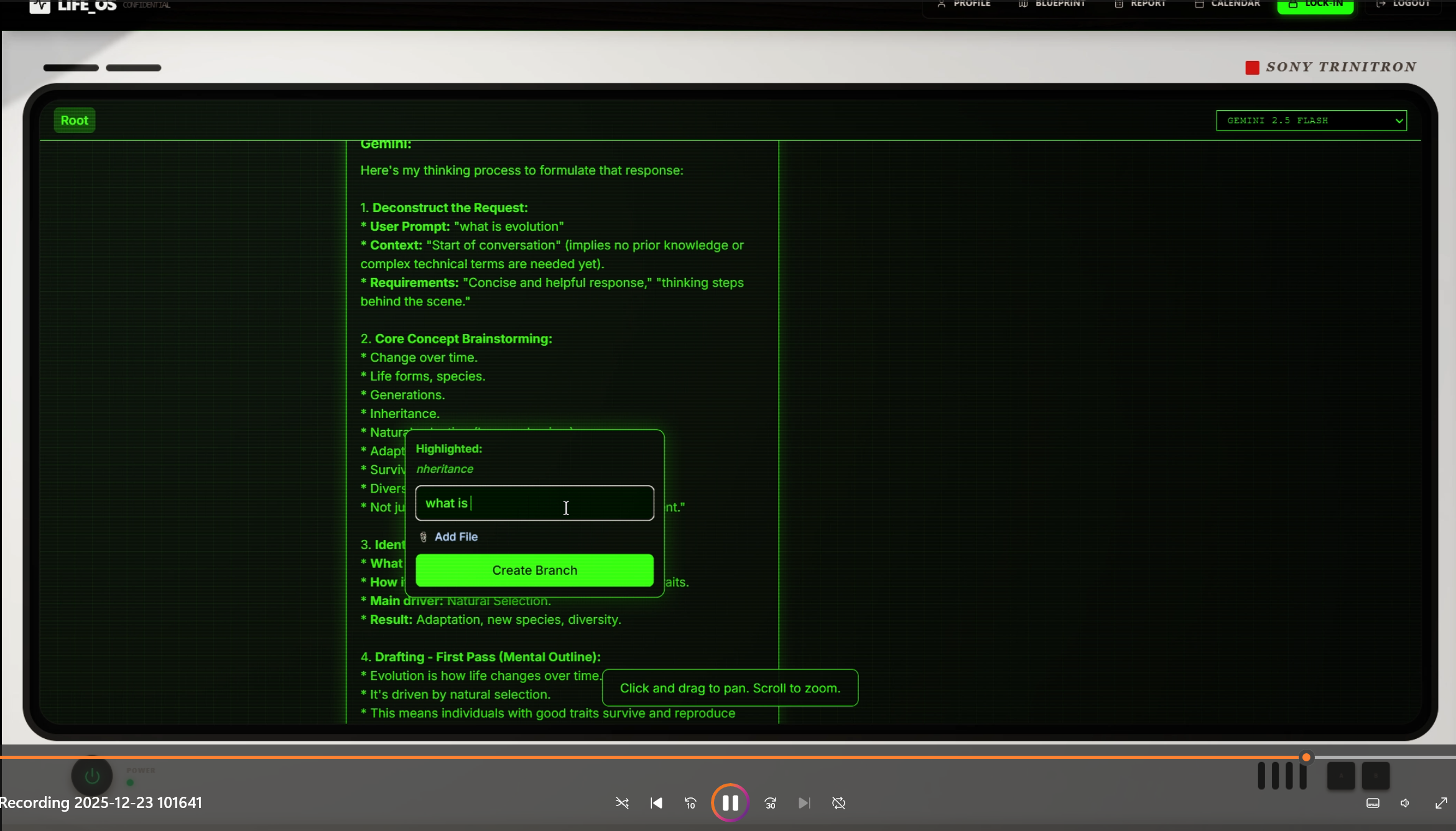
map view to understand concepts better
Lock In Labs - Project Description
Inspiration
When working towards life goals, the sheer number of possible paths can be overwhelming. Sometimes the best step you can take is just taking a step, but having guidance helps navigate the uncertainty. We built Lock In Labs to address this challenge: when you're overwhelmed by choices, having a voice that tells you what to do and guides your next steps can make all the difference.
The skill tree system and XP mechanics gamify personal development, adding a tangible sense of progress to daily life. Instead of feeling stuck or uncertain about your direction, you can see exactly how small habits connect to larger goals, making the journey from where you are to where you want to be feel achievable and rewarding.
What it does
Lock In Labs is a Life RPG that transforms personal goals into a structured, gamified journey. At its core are two powerful features:
Skill Tree System: Your goals are broken down into a visual skill tree where high-level aspirations (like "advance in career" or "run a marathon") decompose into sub-skills and ultimately into daily actionable habits. The system uses AI to automatically generate these trees based on your personal goals across four life pillars: Career, Physical, Mental, and Social. And each of the pillar is based on its own public database: O*NET Database - Career; ExerciseDB - Physical; VIA Character Strengths and CBT - Mental; Social Penetration Theory and NET Social Skills - Social; Each node in the tree has XP rewards, creating a sense of progression as you complete habits and unlock new skills.
Lock-In Mode: A focused work session tool that uses real-time computer vision (YOLOv11) to detect distractions—specifically phones—in your workspace. When you activate Lock-In mode, your webcam monitors your environment, alerting you if you pick up your phone during a work session. Combined with Pomodoro timers and task tracking, it helps maintain deep focus and builds better work habits. Theres also a map view so you can go deeper into any topic and have an organized view of the topics.
Auto-Scheduling: The platform also includes an AI-powered onboarding experience called "The Architect"—a detective-style conversational agent that guides new users through defining their goals and current habits. Daily reporting features let you reflect on progress, update your character stats, and schedule new tasks automatically. Everything is visualized through interactive dashboards showing your skill progression, XP gains, and timeline of achievements.
How we built it
Backend Architecture:
- FastAPI for the REST API and WebSocket server handling real-time communication
- Python with Pydantic models for type-safe data structures
- Google Gemini (genai) for LLM-powered conversations and skill tree generation
- Firebase Admin SDK for user data persistence and authentication
- YOLOv11 (Ultralytics) for real-time object detection in lock-in mode
- OpenCV for webcam frame processing and video handling
- WebSockets for low-latency communication between frontend and phone detection backend
Frontend Architecture:
- React 18 with functional components and hooks for state management
- Vite for fast development and optimized builds
- Tailwind CSS for responsive, modern styling
- Recharts for data visualization (radar charts, bar charts, timelines)
- Firebase SDK for client-side authentication and real-time data sync
- Lucide React for icon system
- Web Speech API for voice input during onboarding
Key Features Implementation:
- The onboarding flow uses a multi-phase conversational agent that extracts goals, current habits, and debuffs through structured dialogue
- Skill tree generation uses prompt engineering to transform user goals into directed acyclic graphs (DAGs) with proper prerequisite chains
- Lock-in mode streams webcam frames over WebSocket to a separate FastAPI endpoint that runs YOLO inference, returning detection results in real-time
- Daily reporting uses LLM-powered conversation summarization to extract task completions, XP gains, and stat changes
- Visual skill tree rendering uses a custom React component that displays nodes as interactive cards with progress indicators
Challenges we ran into
Real-time Video Processing: Getting YOLO inference to run smoothly without blocking the main event loop was tricky. We solved this by using FastAPI's threadpool executor and implementing frame skipping logic to maintain performance while still catching distractions reliably.
Prompt Engineering Complexity: The skill tree generator needed to create coherent dependency graphs without cycles, handle overlapping skills across multiple pillars, and ensure habits were genuinely actionable. This required extensive prompt refinement and validation logic to catch edge cases where the LLM might create invalid structures.
State Management Across Phases: The onboarding conversation has multiple phases (goal collection, habit gathering, prioritization), and maintaining conversation context while transitioning between phases without confusing the LLM was challenging. We implemented explicit phase tracking and structured state passing to keep the agent focused.
WebSocket Reliability: The phone detection WebSocket connection needed to handle network interruptions gracefully. We implemented exponential backoff reconnection logic and connection state management to prevent UI freezing when the backend was temporarily unavailable.
Debouncing Phone Detections: Initially, phone detection was too sensitive, triggering alerts constantly. We added frame streak requirements (needing consecutive detections) and cooldown periods to reduce false positives while still catching real distractions.
Accomplishments that we're proud of
Seamless AI-Guided Onboarding: Creating "The Architect" as a coherent, helpful conversational agent that doesn't make assumptions and guides users naturally through goal-setting was a major achievement. The agent maintains a consistent personality (a straightforward 1990s detective) while being genuinely useful.
Automatic Skill Tree Generation: Building a system that can take free-form user goals and automatically generate a complete, valid skill tree with proper prerequisite chains is something we're particularly proud of. The system handles complex scenarios like goals spanning multiple pillars and identifying shared skills (like "grit" or "focus") that serve multiple goals.
Real-Time Distraction Detection: Successfully integrating YOLOv11 for real-time phone detection with minimal latency was technically challenging but resulted in a feature that genuinely helps users stay focused. The WebSocket architecture allows for smooth real-time feedback without noticeable lag.
Gamification That Feels Meaningful: The XP and stat system isn't just cosmetic—it's tied directly to actual habit completion and skill progression. Users can see how daily habits feed into bigger goals, making the gamification feel integrated rather than tacked on.
Voice + Text Dual Input: Supporting both voice and text input during onboarding gives users flexibility in how they interact with the system, making it more accessible and natural.
What we learned
Prompt Engineering is Iterative: We learned that creating effective LLM prompts requires extensive testing and refinement. What seems clear to humans isn't always clear to models, and explicit instructions (like "DO NOT infer" rules) are necessary to prevent unwanted assumptions.
Real-Time Systems Need Robust Error Handling: When building features that depend on continuous data streams (like video processing), you need to plan for failures at every layer—network issues, model loading errors, device permission denials. Graceful degradation is essential.
Gamification Needs Clear Feedback Loops: Simply adding XP isn't enough. Users need to understand how their actions translate to progress, which is why we invested heavily in visualizations showing skill tree progression and habit mastery tracking.
Modular Architecture Pays Off: Separating concerns (onboarding agent, reporting agent, skill tree generator) made it easier to iterate on each feature independently and debug issues in isolation.
User Experience Trumps Technical Perfection: Initially, we focused heavily on the technical implementation, but we learned that the user experience—like the detective persona and smooth transitions between phases—matters just as much as the underlying technology.
What's next for Lock In Labs
Enhanced Lock-In Features: We want to expand beyond phone detection to recognize other distractions (people entering the room, switching browser tabs) and provide more granular focus analytics showing patterns in when distractions occur.
Social and Competitive Elements: Adding friend connections, skill tree sharing, and optional leaderboards could create community engagement and accountability. Users could see how friends are progressing on similar goals.
Smarter Task Scheduling: Currently, tasks are scheduled from all available habits. We plan to implement ML-based scheduling that considers user patterns, time of day preferences, and current energy levels to suggest optimal task timing.
Mobile App: A companion mobile app would allow users to log habit completions on the go, check daily tasks, and receive notifications for scheduled work sessions.
Advanced Analytics: Deeper insights into progress patterns, identifying which habits are most effective for goal achievement, and predictive analytics to forecast when users might struggle with consistency.
Integration Ecosystem: Connect with fitness trackers (Fitbit, Apple Health), calendar apps (Google Calendar), task managers (Todoist, Notion), and productivity tools to automatically sync data and reduce manual entry.
Adaptive Skill Trees: As users progress, the system should learn which paths work best for them and suggest refinements to their skill trees, unlocking new branches or adjusting prerequisites based on actual performance data.


Log in or sign up for Devpost to join the conversation.