localStorage gallery with Canvas resize nad multi-select
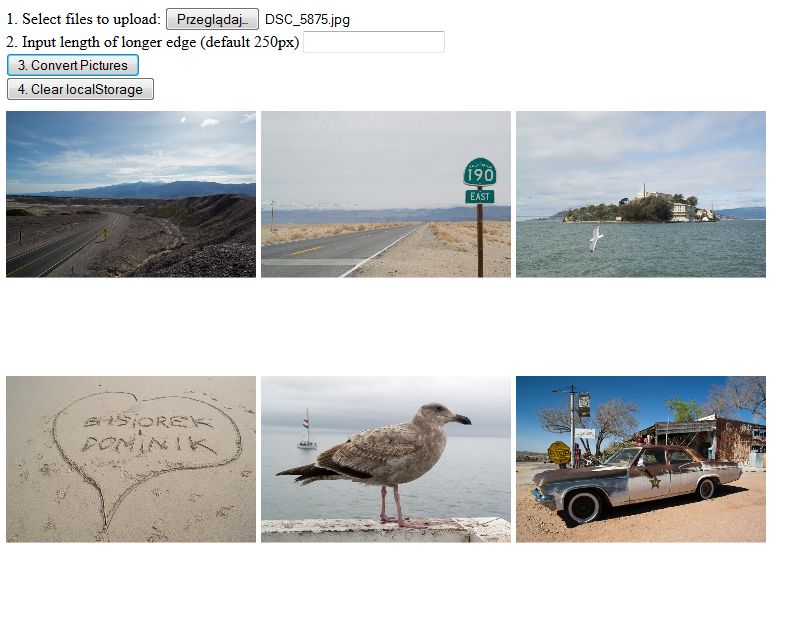
A simple Javascript code that allows to upload files from local machine, resize them and save in localStorage. After click the original image will be displayed.
Actual Code
function f(){for(var a=document.getElementById("fi").files,b=0,c;c=a[b];b++)
if(c.type.match("image.*")){var d=new FileReader;d.onload=function(){
return function(a){g(a.target.result,function(c){var d=a.target.result,
b=localStorage.getItem("i"),b=null!==b?JSON.parse(b):[];b[b.length]=[d,c];
localStorage.setItem("i",JSON.stringify(b));h()})}}(c);d.readAsDataURL(c)}}
function g(a,b){var c,d,e=new Image;e.onload=function(){
c=document.createElement("canvas");c.width=k;c.height=k;d=c.getContext("2d");
e.width>e.height?d.drawImage(e,0,0,k,e.height*k/e.width):d.drawImage(
e,0,0,e.width*k/e.height,k);b(c.toDataURL("j/png"))};e.src=a} function h(){
for(var a=localStorage.getItem("i"),b=document.getElementById("li");
b.firstChild;)b.removeChild(b.lastChild);if(null!==a){for(var a=JSON.parse(a),
c=document.createElement("span"),d=0;d<a.length;d++){c.innerHTML+='<a href="'
+a[d][0]+'" target="_blank" ><img src="'+a[d][1]+'" title="i_'+[d]+'"/></a>';
b.insertBefore(c,null)}}}function l(){localStorage.clear();for(
var a=document.getElementById("li");a.firstChild;)a.removeChild(a.lastChild)}
h();var k=250; window.File&&window.FileList&&window.FileReader&&(
document.getElementById("cP").addEventListener("click",function(){f()},!1),
document.getElementById("cS").addEventListener("click",l,!1),
document.getElementById("ld").addEventListener("change",
function(a){k=a.target.value},!1));
Watch it in action on JSFiddle
http://jsfiddle.net/2y2LcwhL/5/

Log in or sign up for Devpost to join the conversation.