-
-
-
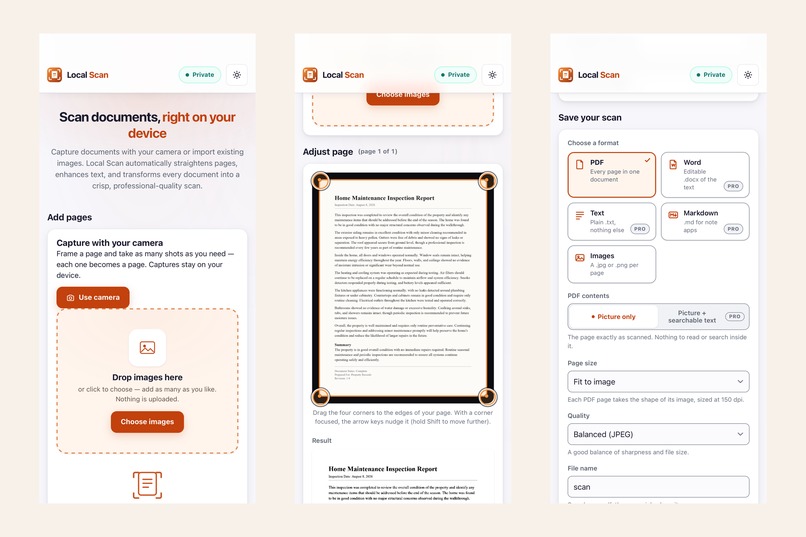
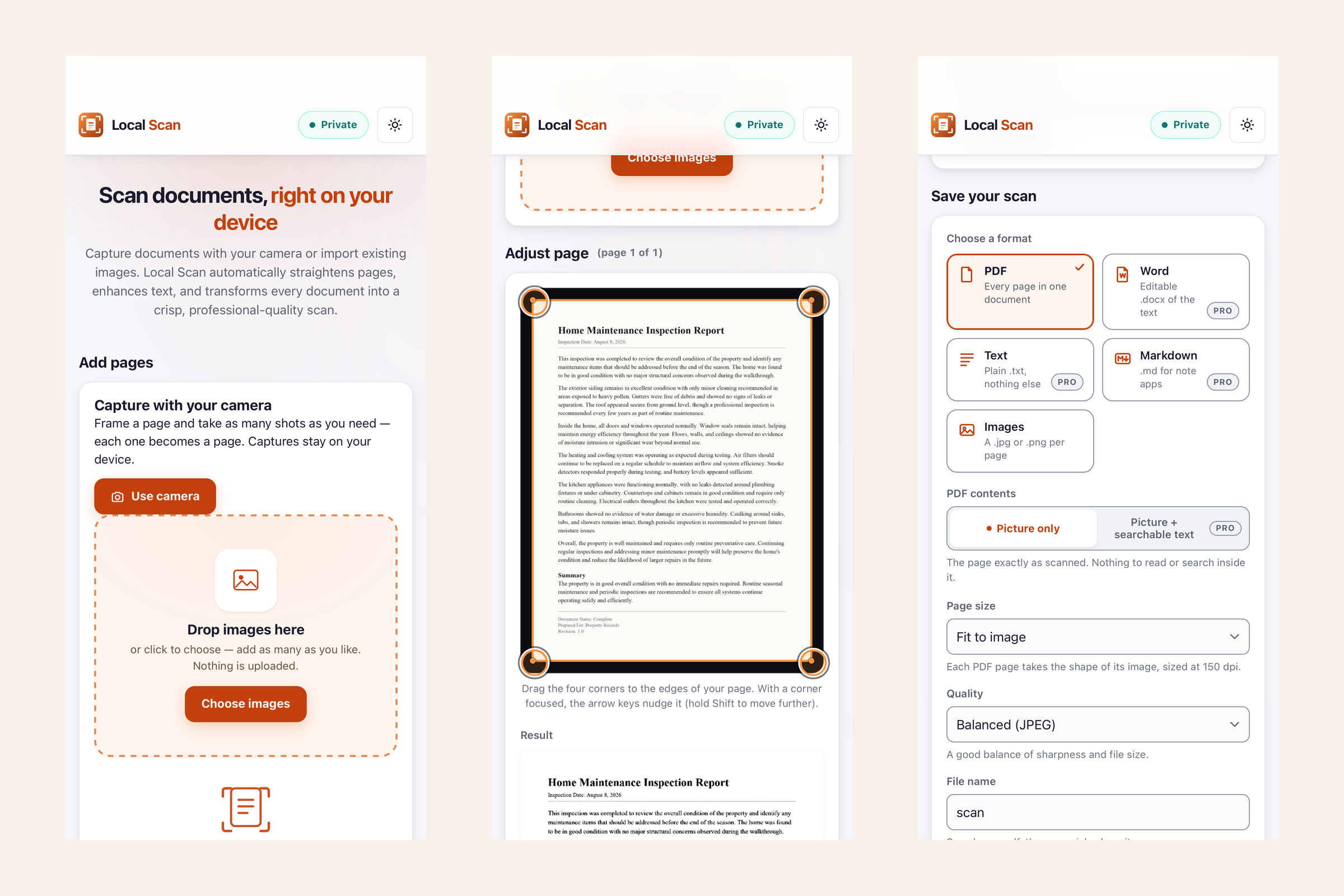
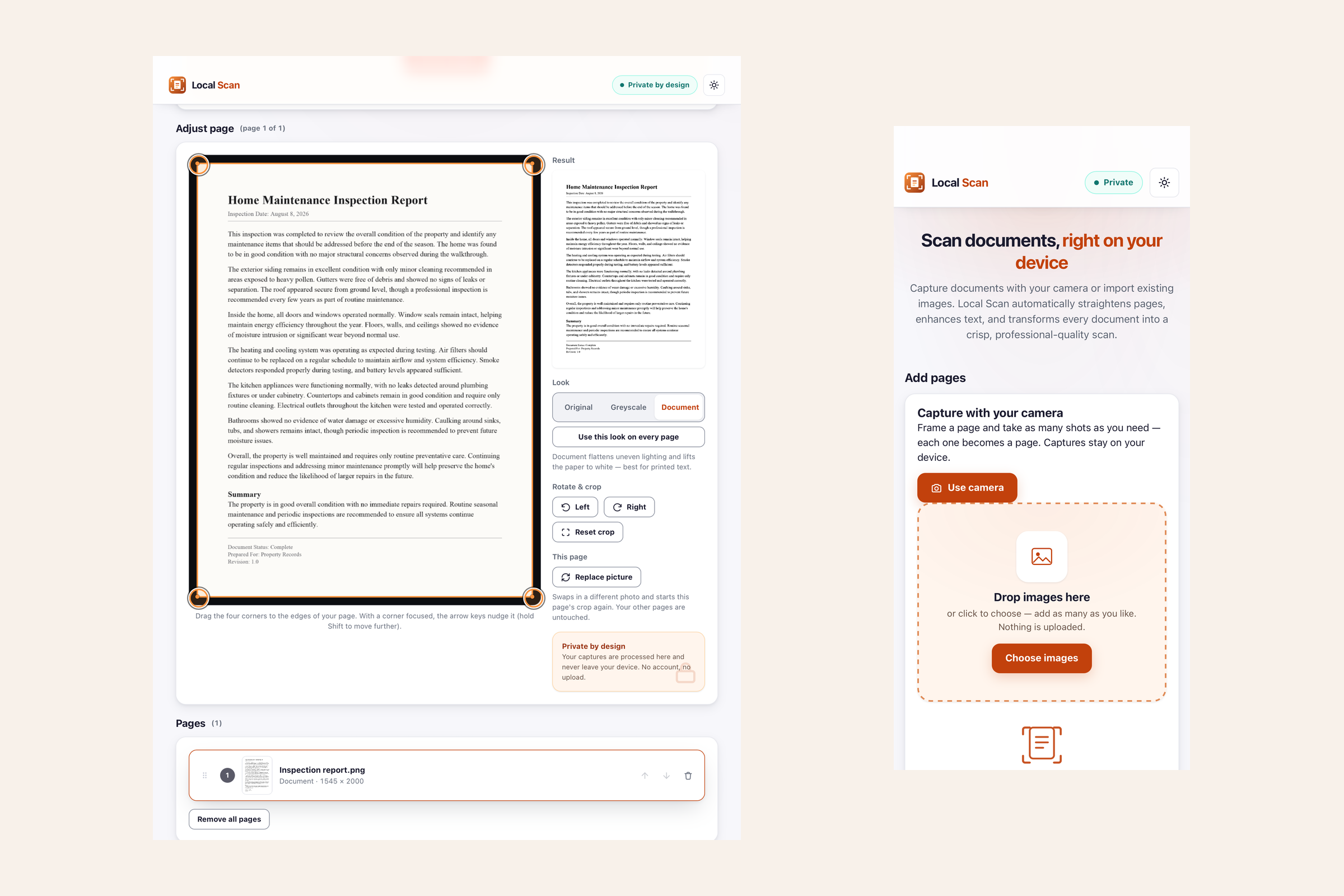
Capture, set the corners, choose a format.
-
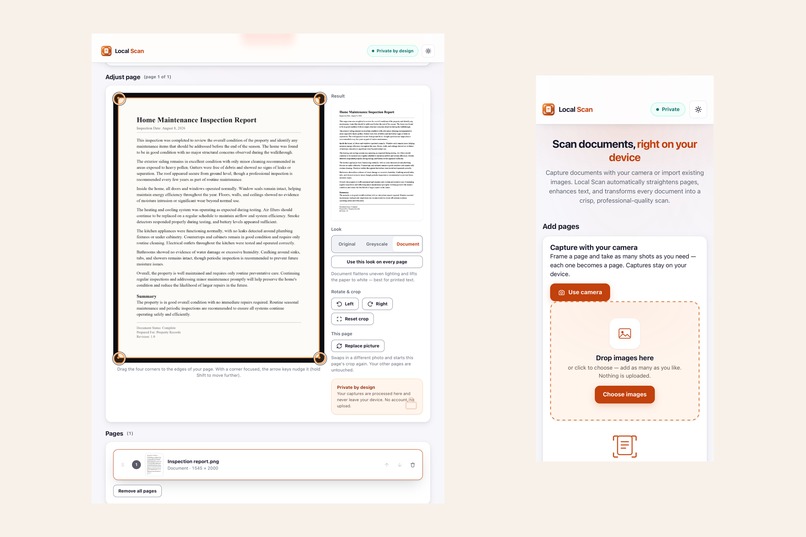
Local Scan on iPhone and iPad.
-
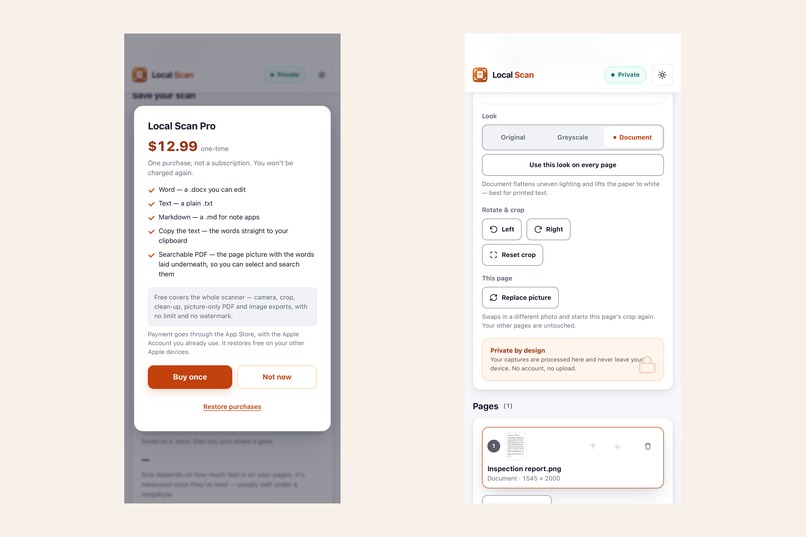
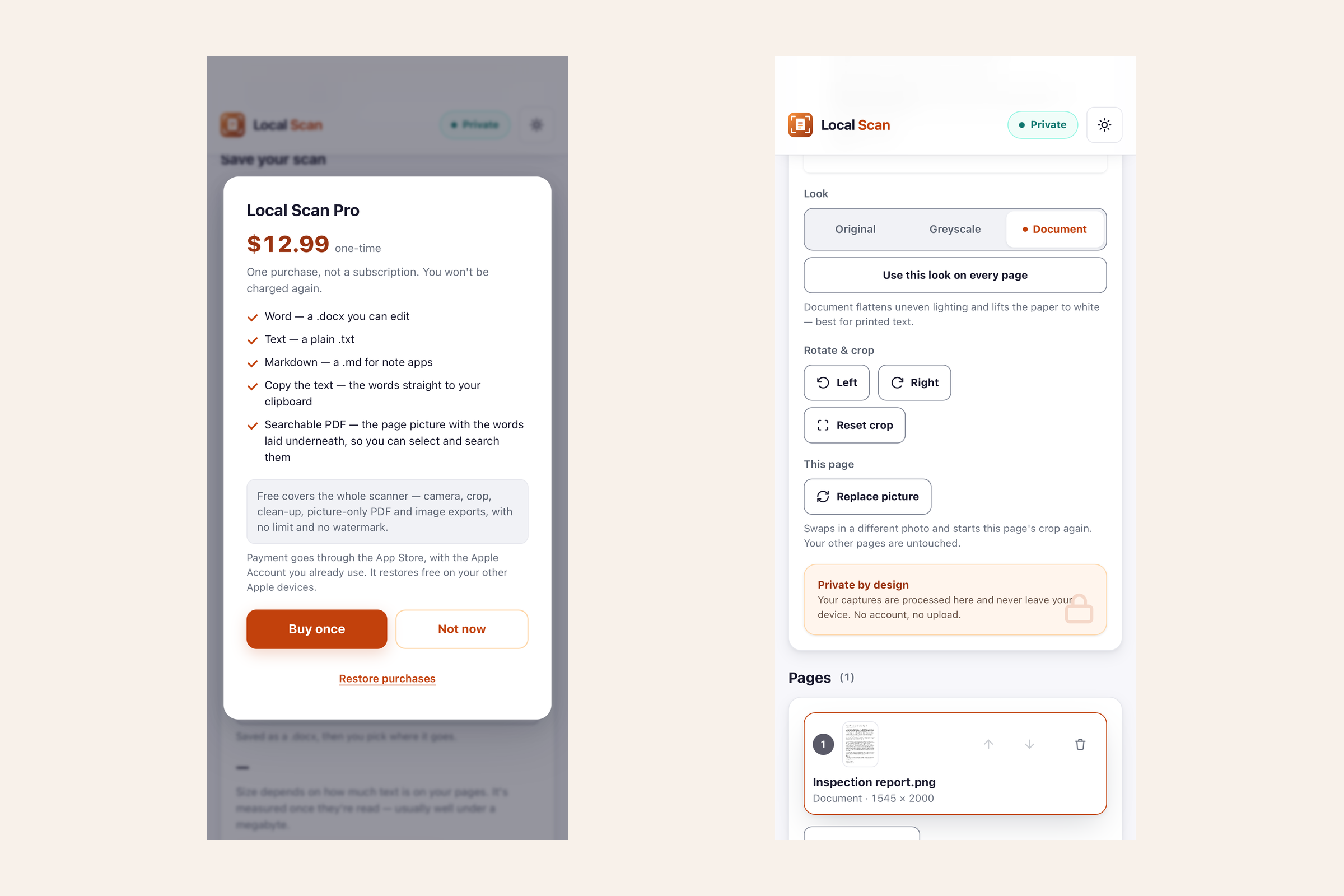
The Pro sheet: $12.99, one-time purchase. Beside it, the free Look controls and Pages.

Inspiration
Local Scan is an Eden Apps scanner for iPhone and iPad, built to make paper documents easy to capture, polish, and use.
Some documents still begin on paper. From receipts and contracts to handwritten notes and forms, scanning them should be as simple as taking a photo. I built Local Scan to make the whole process useful from start to finish, without adding unnecessary steps.
With Local Scan, you can take a photo or import an existing image, adjust the page, refine the scan, and export it as a PDF or image. If you need the text, Local Scan can turn the page into an editable Word document, plain text, or Markdown, or copy the text directly to your clipboard.
The essentials are available for free, so you can scan and save documents whenever you need to. Local Scan Pro adds text recognition and editable exports for a one-time $12.99 purchase.
There is no account to create, and your documents stay on your device.
What I learned
Building Local Scan made me think carefully about the entire path a document takes, from capturing a page to processing, saving, and exporting it directly on the device.
Building it as part of a family of apps also taught me the value of consistency while still giving each app its own purpose and identity.
Most importantly, I learned to keep Local Scan focused. It takes familiar tasks and makes them easier without making the experience more complicated than it needs to be.
How I built it
I built Local Scan with Capacitor for iPhone and iPad, with most of the work centered around making a photo feel like a proper scan.
Getting the page right was one of the most interesting parts. You set the corners of the document and Local Scan corrects the perspective, so even a page photographed at an angle can come out straight and properly shaped. I also worked on how the app handles uneven lighting, so shadows across a page do not have to carry into the finished scan.
For text recognition, I chose Tesseract and included it directly inside the app. I wanted that part of Local Scan to work without depending on an outside service. The same text recognition can also save your scans as searchable PDFs while preserving the original appearance of the page.
RevenueCat handles the one-time Pro purchase through Apple. It only receives what it needs to manage that purchase, never the documents being scanned. And when you decide to send a file somewhere else, Local Scan uses Apple’s share sheet and removes the temporary copy afterward.
Challenges I ran into
One challenge was making sure every description of Local Scan matched exactly how the app works. In the first version, you position the corners of the document yourself rather than having the app detect them automatically. Some of my early wording did not make that distinction clear enough, so I revised the copy to describe the experience accurately.
Privacy required the same attention. I wanted the App Store disclosures to match the way Local Scan actually handles data, particularly the limited purchase information used to manage Local Scan Pro. The documents you scan and their contents remain on your device.
Another challenge was deciding where to draw the line between the free version and Pro. I wanted the free version to be genuinely useful on its own rather than feel unfinished without an upgrade. Scanning, refining, and saving documents remain free, while Pro adds text recognition and editable text formats.
What's next for Local Scan
Local Scan was submitted to Apple on August 8, 2026, alongside Local Journal, another Eden Apps app. During its first review, Apple could not find the in-app purchase because the routes to it appeared after the export step, which only becomes available once a page has been added. I added a persistent Unlock Pro button to the top bar, verified the updated flow in the simulator on the same device model Apple tested, and submitted the change. Local Scan was approved the following day and released on the App Store on August 17, 2026.
That first release gave Local Scan the foundation I wanted: a simple, private scanner that works directly on iPhone and iPad. Future updates can build on that foundation while keeping the experience focused and easy to use.
Local Scan is now live on the App Store alongside twelve other Eden Apps so far: eight for iPhone and iPad and four for Mac, with more currently in review. Its landing page at localscanapp.com points to the App Store, while edenapps.app brings it together with the rest of the Eden Apps family.
There is room for Local Scan to grow, and I’ll keep listening to how people use it and what they find useful.
Built With
- capacitor
- css3
- html5
- ios
- javascript
- jszip
- pdf-lib
- revenuecat
- tesseract.js
- webassembly

Log in or sign up for Devpost to join the conversation.