
Inspiration
Receipts tell the story of where your money goes, what you bought, what you spent, and what belonged to work. I wanted a receipt app that could read each receipt directly on your phone, keep the original photo with it, and give you a private, organized record of your spending that stays with you.
What it does
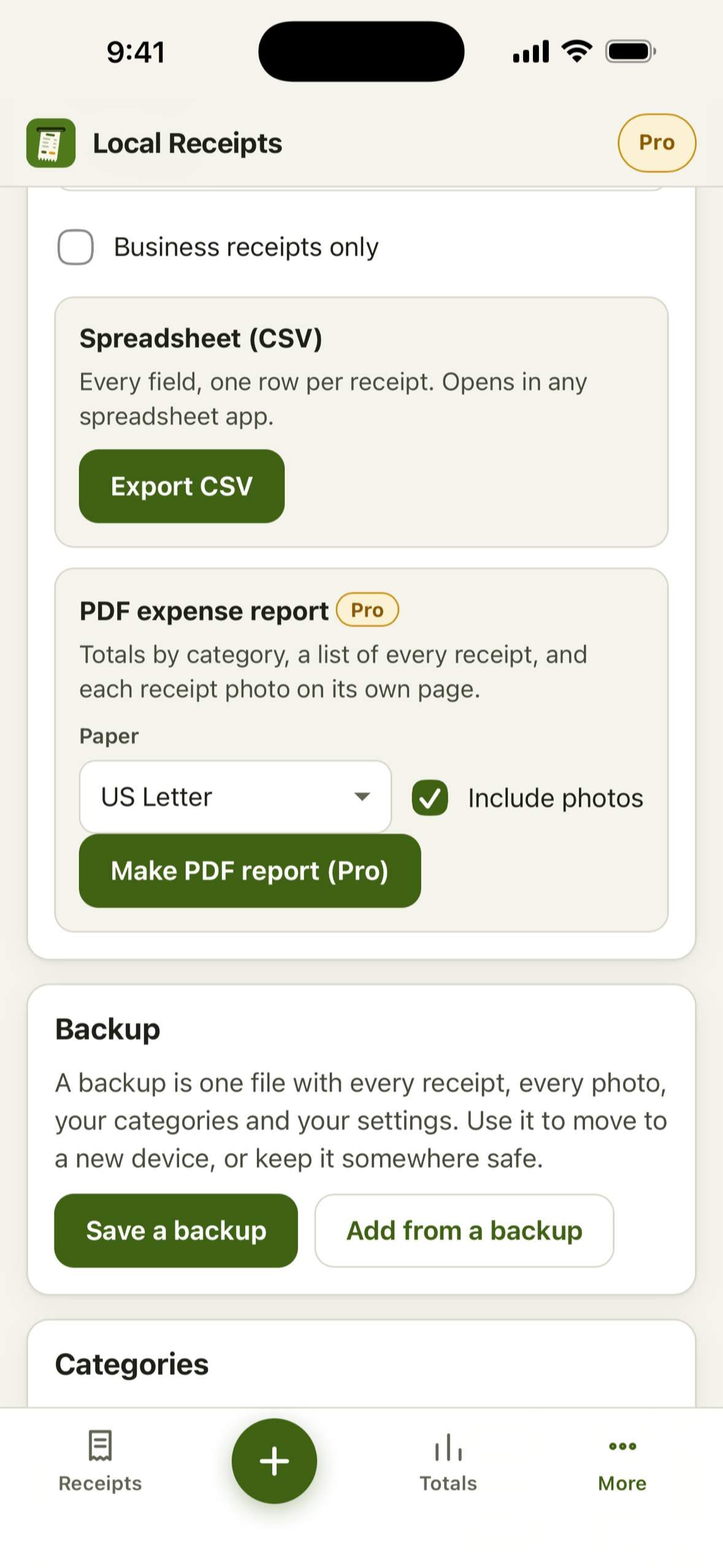
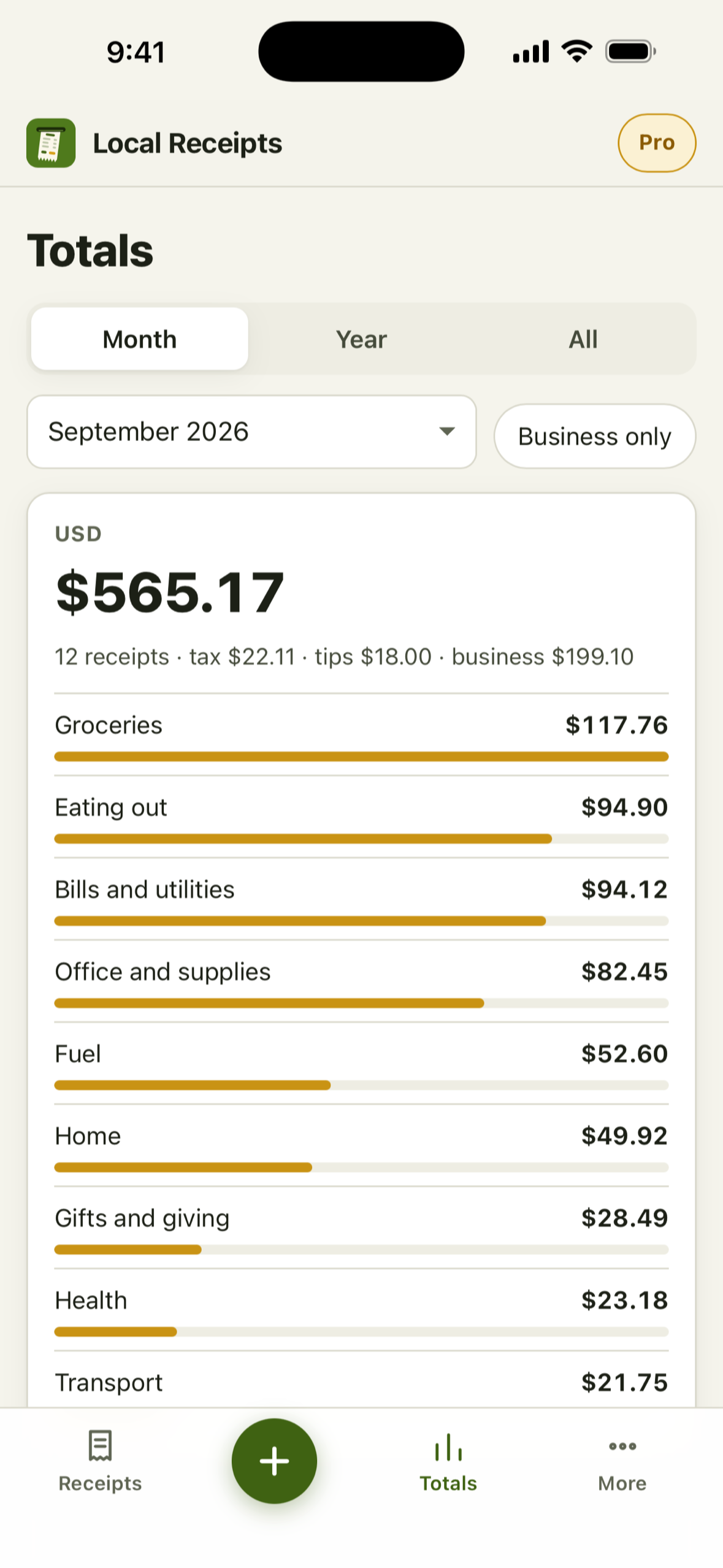
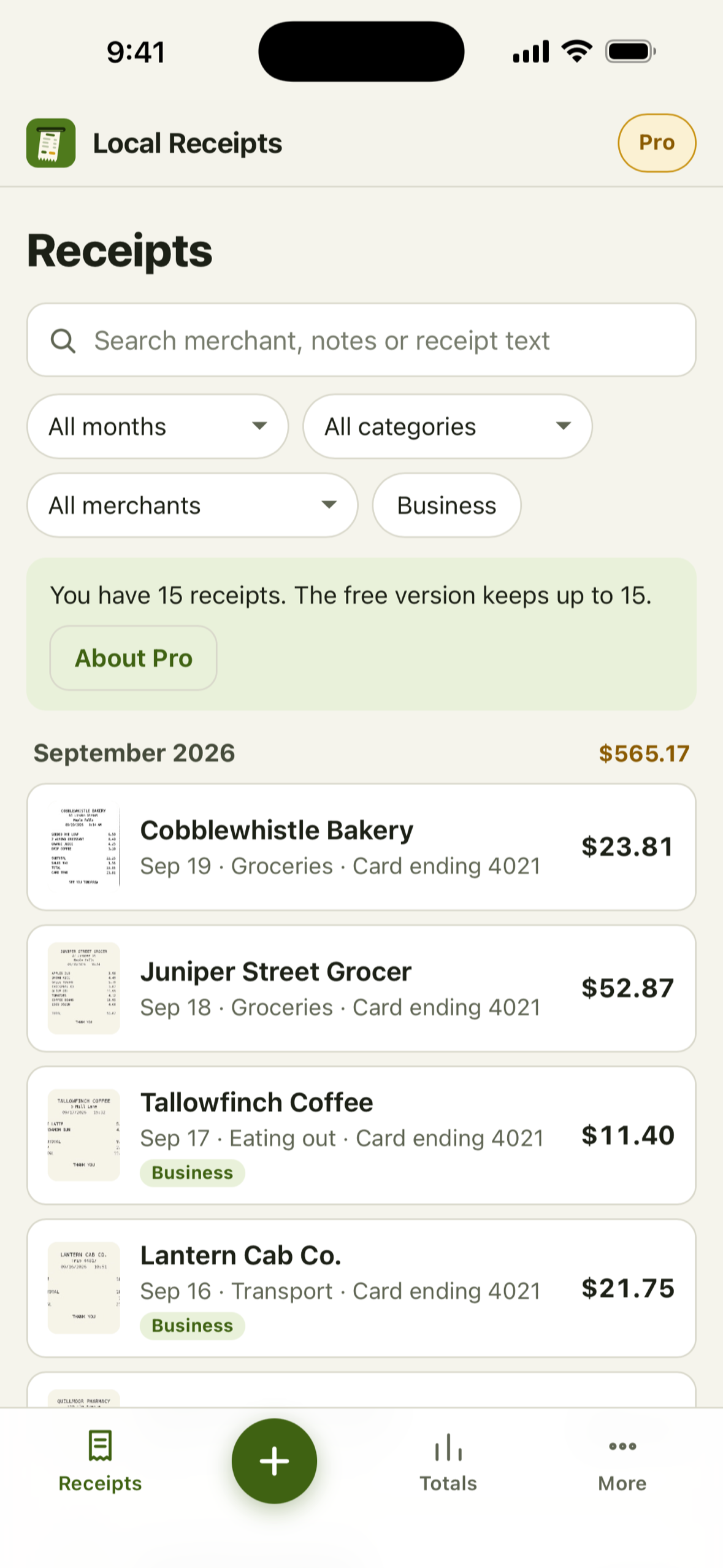
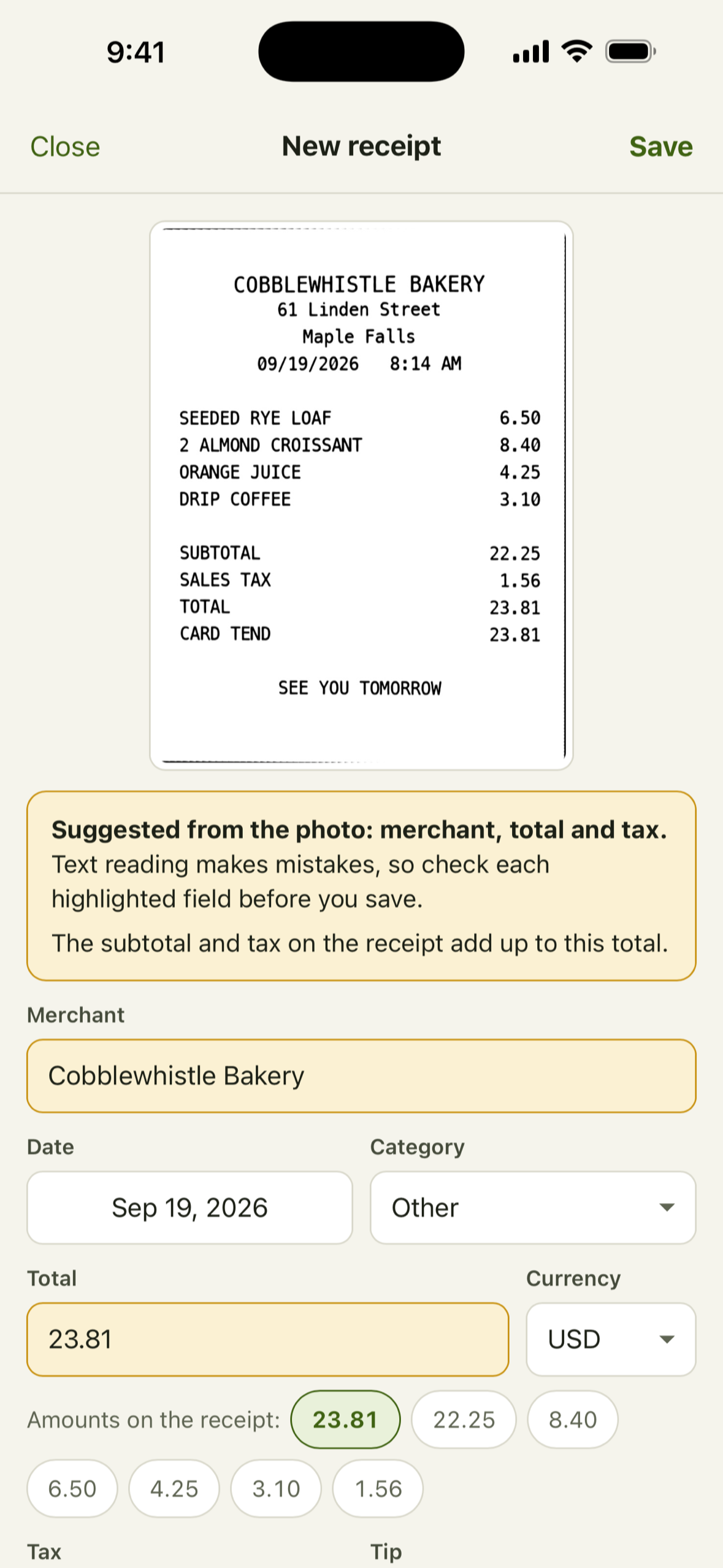
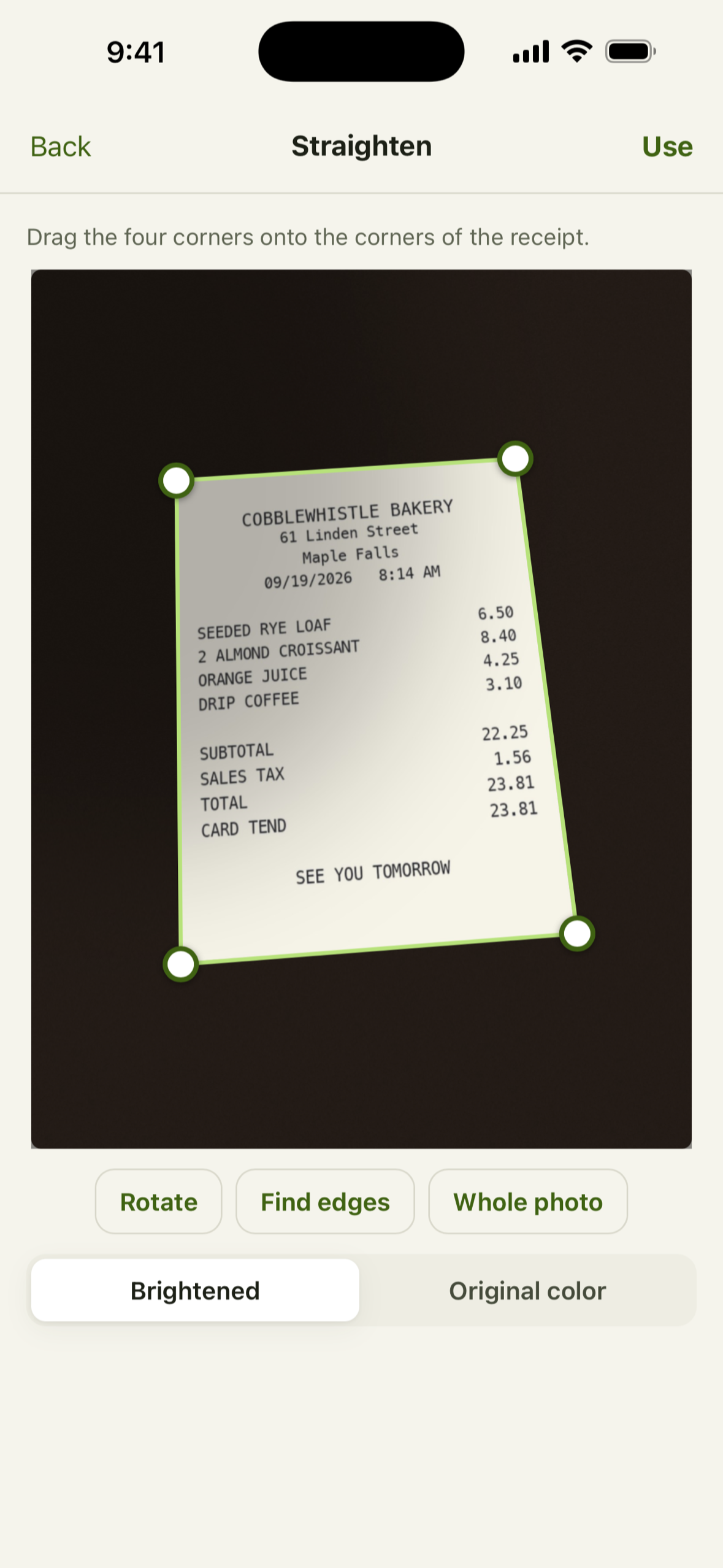
Local Receipts photographs a receipt, or takes one from your library, or lets you type one in. It finds the paper's four corners, straightens the photo, brightens shadows and faded print, and reads the text on the device. It suggests the merchant, date, total, tax and tip, highlights each suggestion, and waits for you to check them before you save. Then it keeps the record: search across everything printed on the receipt, filters by month, category, merchant and business, totals by category with the tax, tips and business share, each currency added up on its own. CSV export and a full backup with the photos are free. Pro adds a PDF expense report with the photos and lifts the 15 receipt limit.
How I built it
Local Receipts is an Eden Apps app for iPhone and iPad, built with Capacitor and AI agents as my technical teammates.
The image processing is built into the app, including perspective correction, paper detection, and image brightening. I built this separately from Local Scan rather than reusing its implementation.
For text recognition, I bundled Tesseract directly into the app and removed its download fallbacks so receipt text can be read without depending on an outside server. RevenueCat manages the one-time Pro purchase through Apple and does not receive the receipts or their contents.
Challenges I ran into
A receipt reader needs to understand which number actually matters. Subtotals, taxes, suggested tips, and final charges can look surprisingly similar, so the app looks for clear signals like “total,” “amount due,” and “balance due.” Suggested tips are treated as suggestions, not charges, and when the app isn’t certain, it tells you.
Different currencies stay separate too. Each currency is totaled on its own, so amounts that don’t belong together are never combined. And because text recognition isn’t perfect, suggested information stays clearly marked until you’ve had a chance to review it.
Accomplishments I'm proud of
One of the things I am proudest of is how much Local Receipts can do without depending on an internet connection. You can capture, straighten, read, search, export, and back up your receipts in Airplane Mode.
I also added a small privacy safeguard for payment information: if a long card number is entered into the payment label, only its last four digits are stored.
Pro is a one-time $12.99 purchase.
What I learned
Building Local Receipts taught me the difference between helping someone fill in information and deciding for them. Text recognition will not always interpret every receipt perfectly, so the app works better when it makes a suggestion, shows you where it came from, and leaves the final decision with you.
That changed the experience from trying to sound certain to simply being useful.
What's next
Local Receipts went live on September 23, 2026. As people begin using it, I want to learn which parts of managing their receipts matter most to them and where the app could be more helpful. Their feedback will help guide the improvements I make over time.
Built With
- capacitor
- css3
- html5
- ios
- javascript
- jszip
- pdf-lib
- revenuecat
- tesseract.js
- webassembly

Log in or sign up for Devpost to join the conversation.