Inspiration
PDFs often contain the most important documents we have: contracts, leases, medical records, IDs, tax forms, and more. I wanted a tool that handled those documents with the same level of care people expect from a filing cabinet on their own desk: private and dependable.
What it does
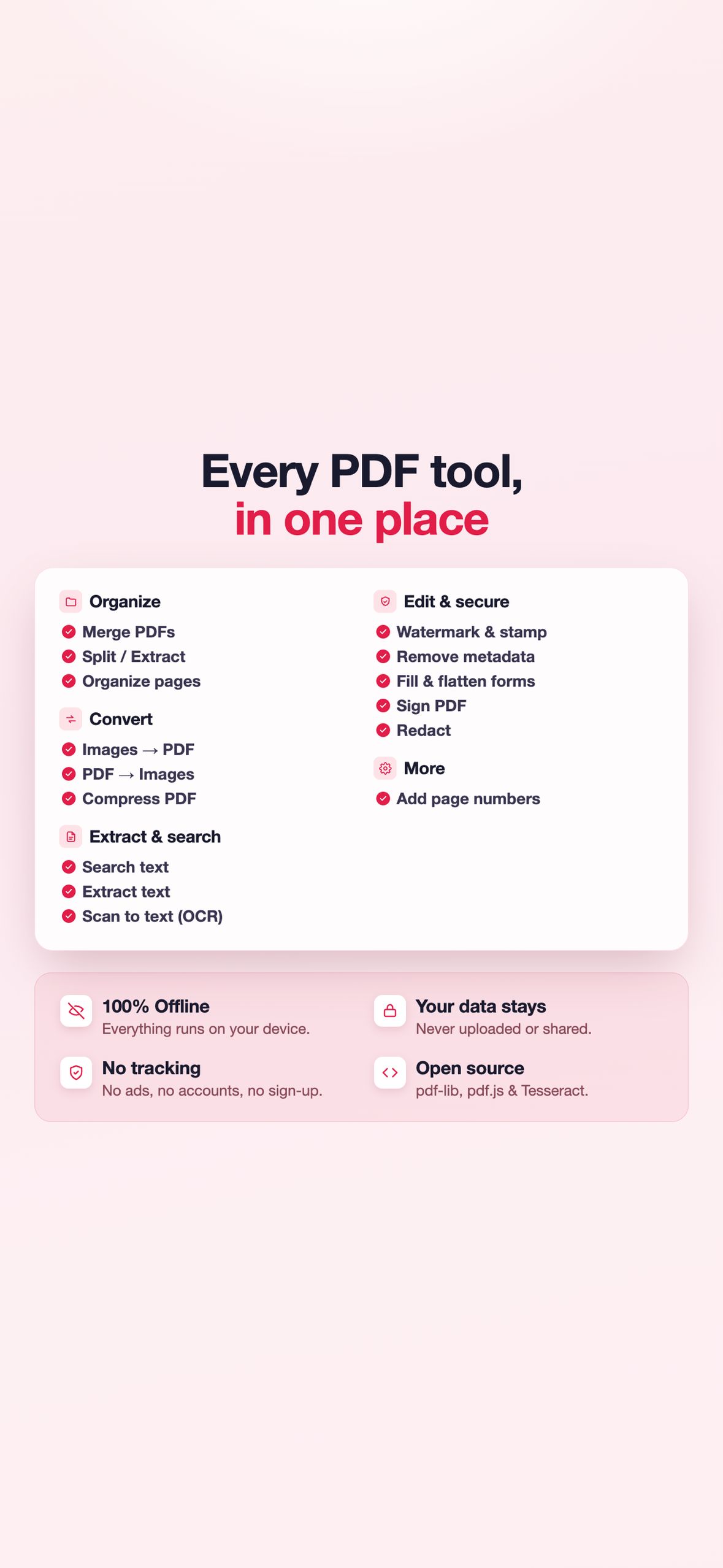
Local PDF merges, splits, signs, and compresses PDFs on your device, whether that is iPhone or iPad. A contract signed in Local PDF never travels anywhere until you send it yourself.
How I built it
Local PDF is the workhorse of Eden Apps, one of thirteen apps I have released so far, all built solo with AI agents as technical teammates, and it shares one engine with the three siblings it launched with (pdf-lib at the core, Capacitor for iOS, RevenueCat for the one Pro purchase). We design it and test every path together, as Eden Apps.
Challenges I ran into
Building a complete PDF toolkit that runs on the device: handling large merges and compression that keeps documents readable, all without relying on a server. Then applying the same accountless-Pro engineering as its siblings: a Pro purchase that comes back reliably through Apple's Restore Purchases, with no account to create.
Accomplishments I'm proud of
One of the things I am proudest of is that the core document tools do not depend on an internet connection. You can work with your PDFs in Airplane Mode because the document processing happens on your device. Pro is a one-time $9.99 purchase.
What I learned
Local PDF taught me to think about how each feature fits into the way someone actually uses the app. The more I built, the more I learned how to add capability while keeping everyday tasks simple and intuitive.
What's next
What comes next for Local PDF will be guided by what people need from the tools they use. I’ll pay attention to how the app is being used, what people find useful, and where there is room to make it better, using that feedback to guide future improvements.

Log in or sign up for Devpost to join the conversation.