About the Project
The Inspiration
Mint.com was the gold standard for personal finance management — you could upload a CSV, the app would learn from your corrections, and charts would show exactly where your money went. When it shut down in 2024, there was no real replacement. I tried Credit Karma and other tools, but they all missed the point: the ability to actually edit transactions and merchants, to see them visualized beautifully, and to have the tool learn from your behavior.
The real gap was that every modern finance app requires uploading your data to a cloud server. That's a privacy cost. So the idea became: what if we could rebuild Mint, but keep all the data local? Enter Ollama — a local AI model that runs on your machine. No cloud uploads, no data leaving your device, but still the intelligence to categorize transactions, recognize merchants, and surface insights. This project is that vision: Mint-style categorization and charts powered by AI that actually lives on your computer.
What It Does
Upload a CSV from any bank, credit card, or investment account, and the app handles the rest:
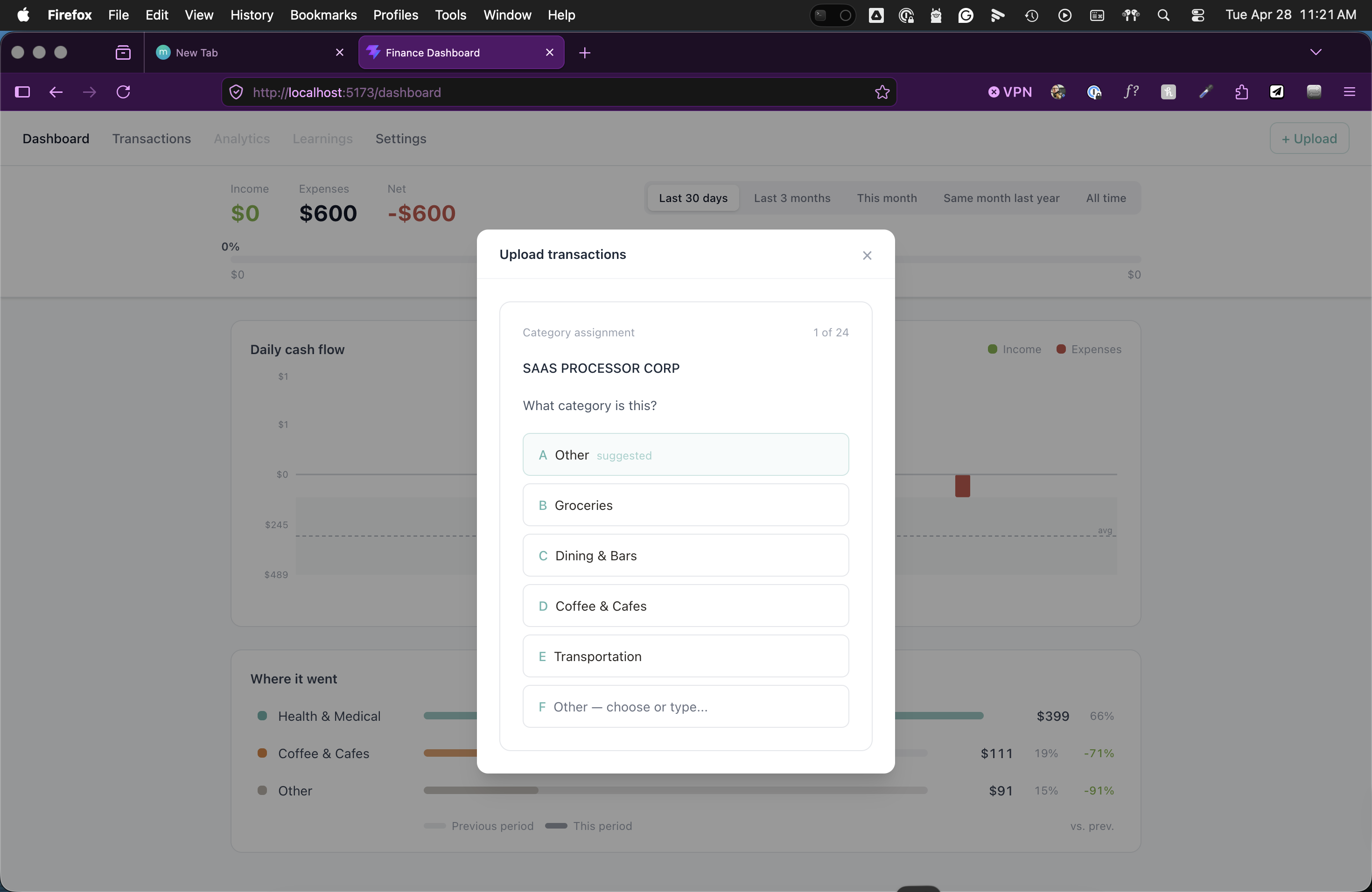
- AI-Powered Onboarding: Ollama scans your transactions and asks one question at a time. "Is this Whole Foods or something else?" High-confidence matches are auto-categorized; ambiguous ones surface as cards for you to confirm. The app learns from your answers and applies corrections to similar transactions automatically.
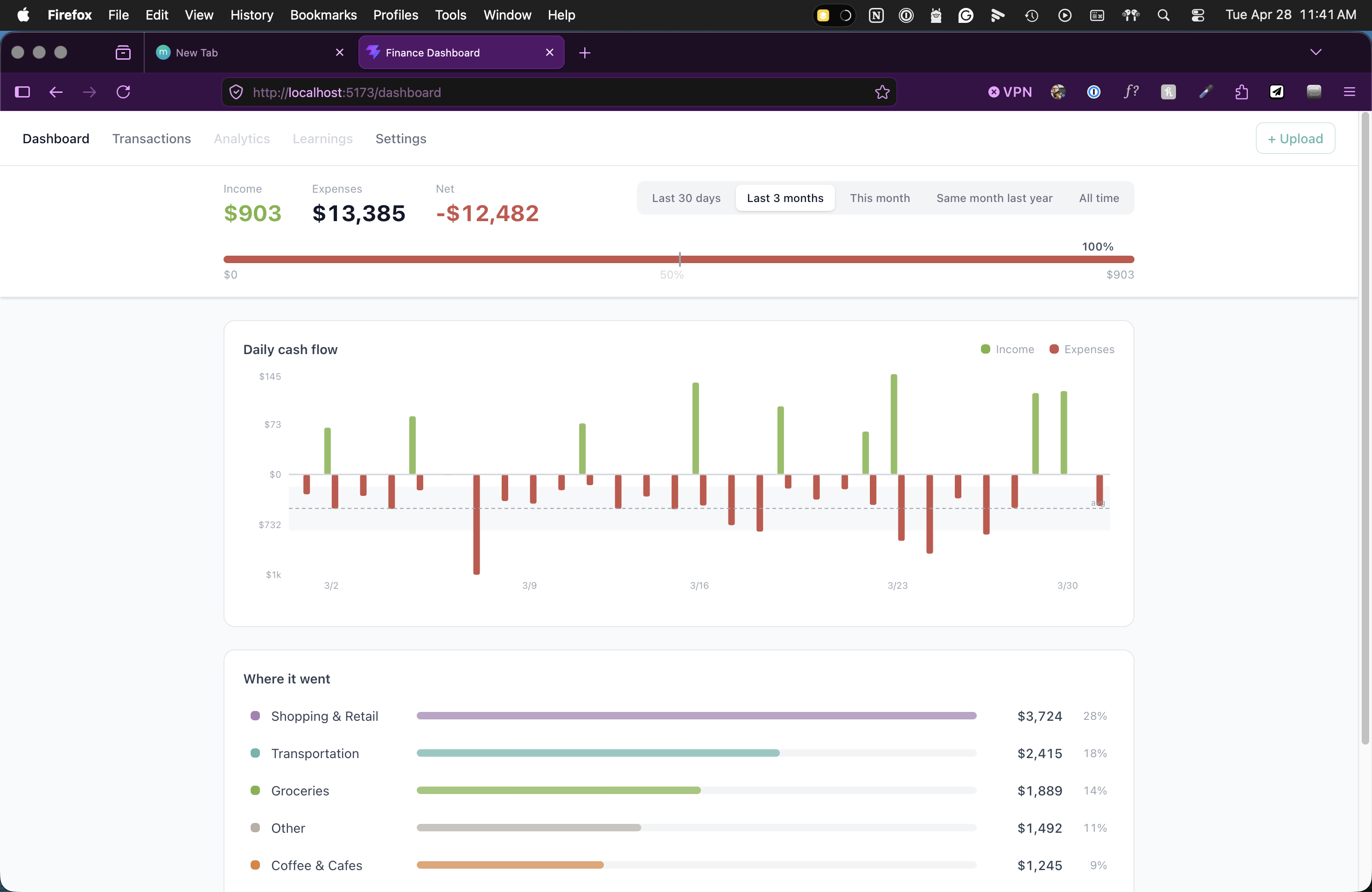
- Mint-Style Dashboard: Total spent, spending by category (donut/bar chart toggle), income vs. expenses, and trends over time. Time period selector changes all charts at once.
- Transaction Management: Full list with account tabs (renameable). Click a category to edit it inline — the app prompts to apply the change to similar transactions with one click.
- Smart Splitting: For multi-category retailers like Amazon or Target, split transactions into portions. Sub-transactions show inline with an expand icon.
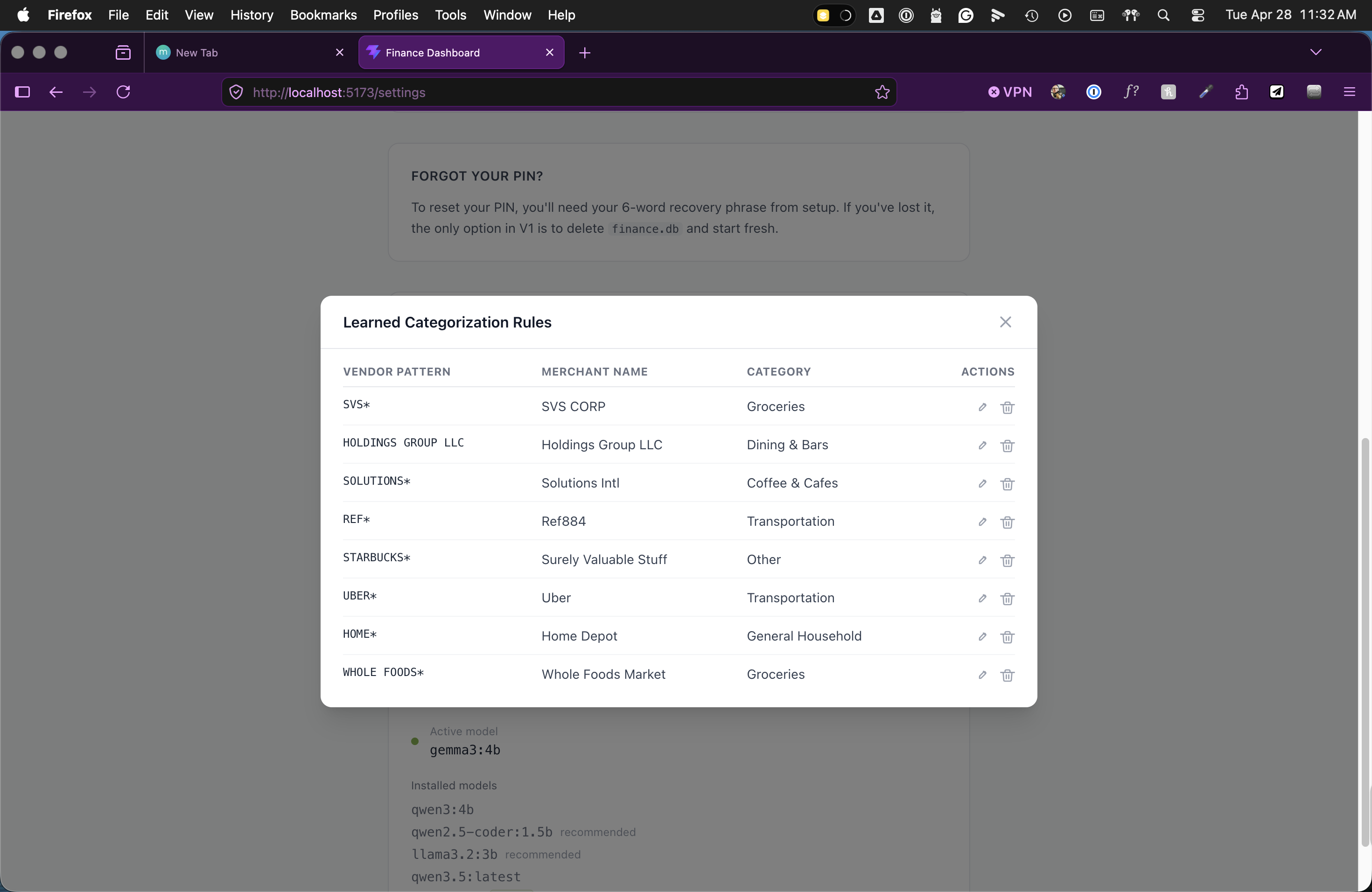
- Rules You Can See: Settings shows every categorization rule the app has learned. Edit or delete rules directly.
- AI Insights: After uploading, the app surfaces one non-obvious observation. It stays quiet if there's nothing new to say.
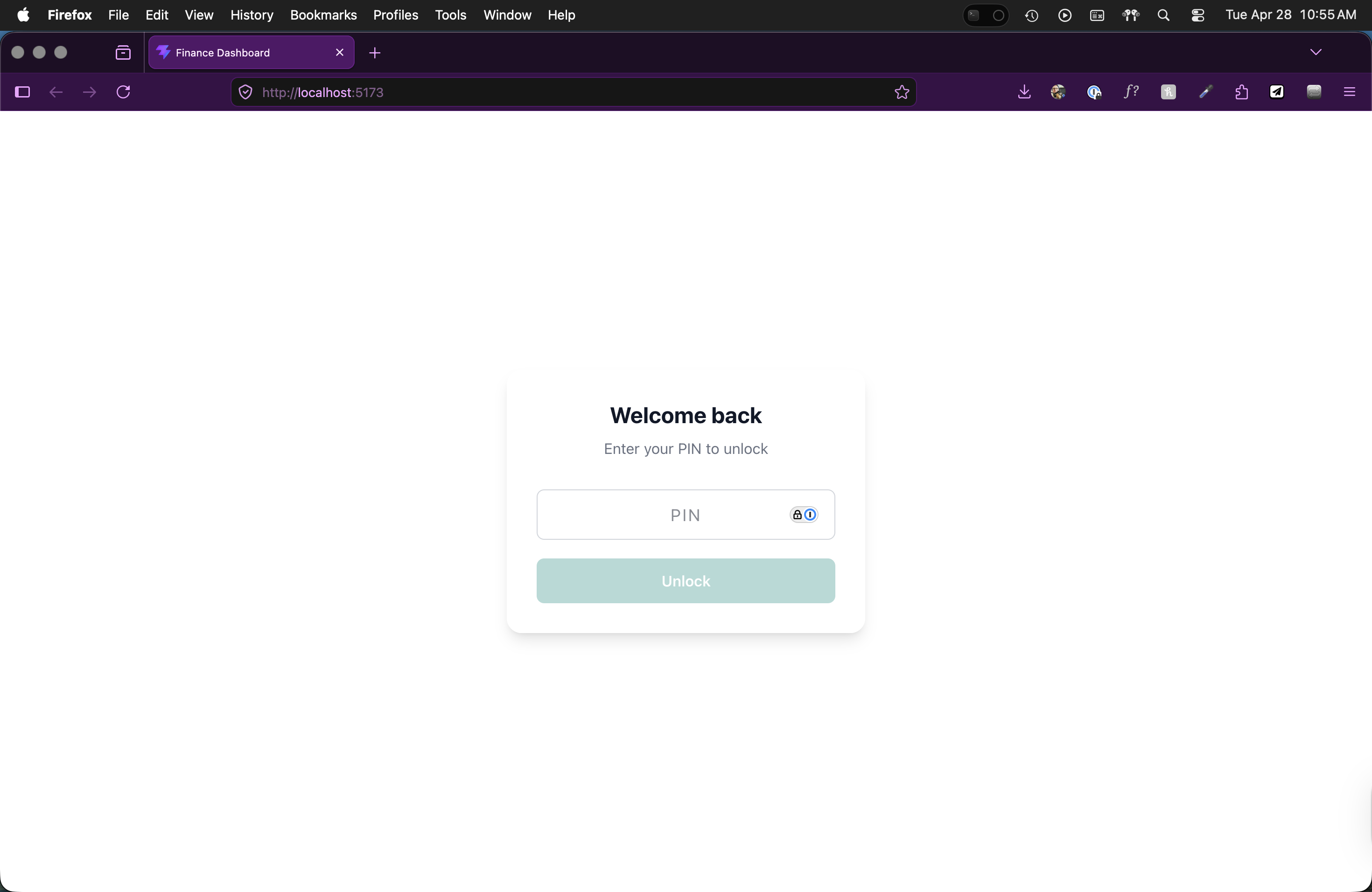
- Zero Cloud: Everything runs locally. PIN-protected, single local user (perfect for couples reviewing finances together).
How I Built It
Frontend: React + TypeScript + Vite + Tailwind CSS + Recharts for charts.
Backend: FastAPI + SQLite + Peewee ORM, structured around a clear data model: transactions, split items, categorization rules, insights, settings, and institutions.
AI: Ollama running locally handles two key tasks:
- CSV column detection: Scans uploaded files and identifies which columns are dates, amounts, merchants, transaction types — handling every bank's unique format.
- Categorization + Insights: Categorizes transactions, flags ambiguous ones for Q&A, and generates one observation per upload.
Launch: Apple Shortcuts on macOS (start/stop without touching the terminal) + a start.sh script that launches backend + frontend + browser in one go.
Why This Stack? React gives me the UI complexity needed (modals, tabs, inline editing, real charts). FastAPI is fast and clean for an AI-heavy backend. Ollama keeps everything local and private. SQLite is simple persistence that doesn't require external services.
Challenges I Ran Into
Vendor Pattern Matching: Getting the AI to reliably match vendor strings was hard. "STARBUCKS*", "STARBUCKS#1234", and "STARBUCKS" should all match the same rule, but the app was asking about each variant separately. I implemented vendor pattern normalization, but this revealed a deeper issue: the vendor pattern saved to the rules table didn't always match what was prompted in the Q&A. Documented for iteration.
Ollama Reliability: Ollama needs to be running for the app to work. I built a health check on every request that returns a clear error screen if Ollama is down ("Ollama isn't running. Start Ollama and relaunch the app.") rather than letting users see partial UI or confusing errors.
CSV Format Variability: Banks export CSVs differently. Chase uses "Trans Date", Amex uses "Date", Fidelity uses different column orders. Ollama identifies columns, which mostly works, but edge cases (garbled Unicode, missing columns, empty files) required specific error handling for each scenario.
UI Complexity: The transaction list has account tabs, inline editing, modal detail views, split transaction sub-rows with distinct styling, and bulk-apply prompts. Getting all that to feel smooth without state management bloat took careful component design.
The "So What" Insight: Making the AI surface genuinely non-obvious insights (not just "you spent more on restaurants") was tricky. The prompt had to explicitly tell the model: if you can only say what the charts already show, return null. Prompt engineering mattered more than code here.
Claude Code Knows Best: Often, Claude will change something unrelated or related but not the issue at hand, creating new issues to be cleaned up. For example, the plugin walked me through visual UI details that Claude later disregarded or changed because it "thought" that the new detail we were addressing superseded previous details and decisions.
What I Learned
Spec-Driven Development Works: Before writing code, I spent time on scope, PRD, and spec documents. That upfront thinking meant I didn't rethink features mid-build or discover missing requirements too late. I built this in ~4 hours (including all 10 features, not just the core) using a detailed checklist.
Local LLMs Are Ready: Ollama + a modern language model can handle real tasks (CSV parsing, categorization, insights) without the latency or privacy concerns of cloud APIs. Local AI is not a gimmick — it's genuinely useful.
Constraints Are Clarifying: "No cloud", "single local user", "CSV import only" — these aren't limitations, they're the design. They made everything simpler and more intentional. Privacy isn't a feature you toggle off — it's foundational. Once you decide "data never leaves this machine", all the architecture decisions follow naturally.
Users Care About Transparency: Showing categorization rules instead of hiding them, letting users edit/delete rules, letting them see exactly what the AI decided — that transparency matters more than a perfect algorithm.
What's Next
- Fix the vendor pattern bug to prevent duplicate Q&A prompts
- Improve Ollama model onboarding (show installed models, recommend best performance)
- Add reconciliation against bank statements
- Build the Analytics tab with custom date ranges
- Add a Learning tab with conversational AI chat
- Implement subscription detection
Built With
- fastapi
- ollama
- peewee
- python
- react
- recharts
- sqlite
- tailwind-css
- typescript
- vite
