Inspiration
When the "AI" was new, a lot of people said that it'll deprecate software developers. Me being proactive, bought a beefy machine and started experimenting mainly with local AI to save costs and see how much of my own job I can automate.
When the Prompt API was announced, I naturally saw a fit with my background as a front-end and Chrome extension developer to combine the two, share my learnings, and build something flexible that allows others test the model capabilities without having to code.
What it does
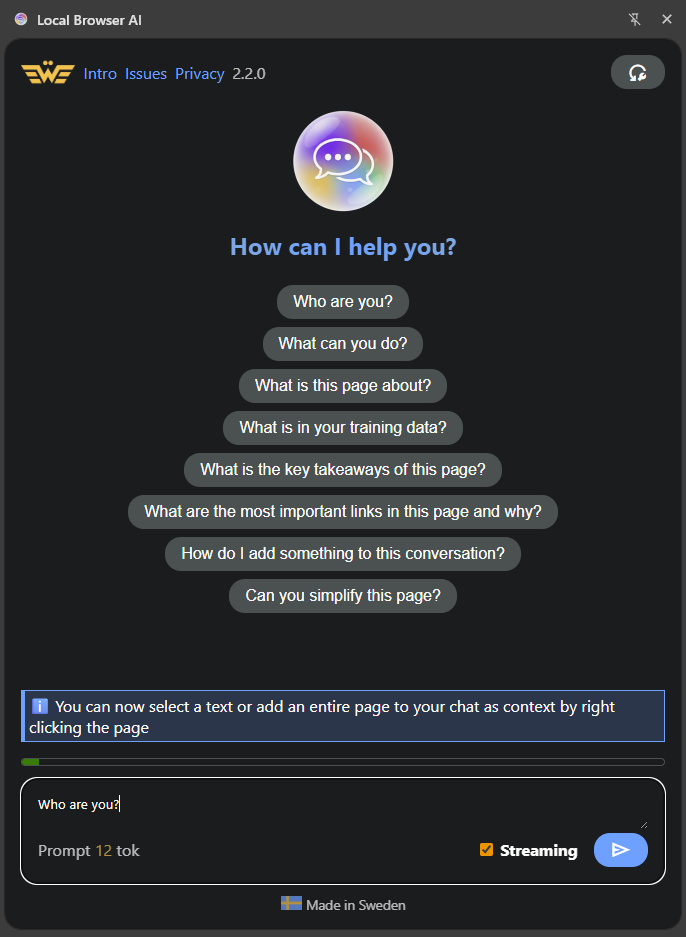
Think Gemini in a browser sidebar, albeit less powerful because it runs on a consumer machine.
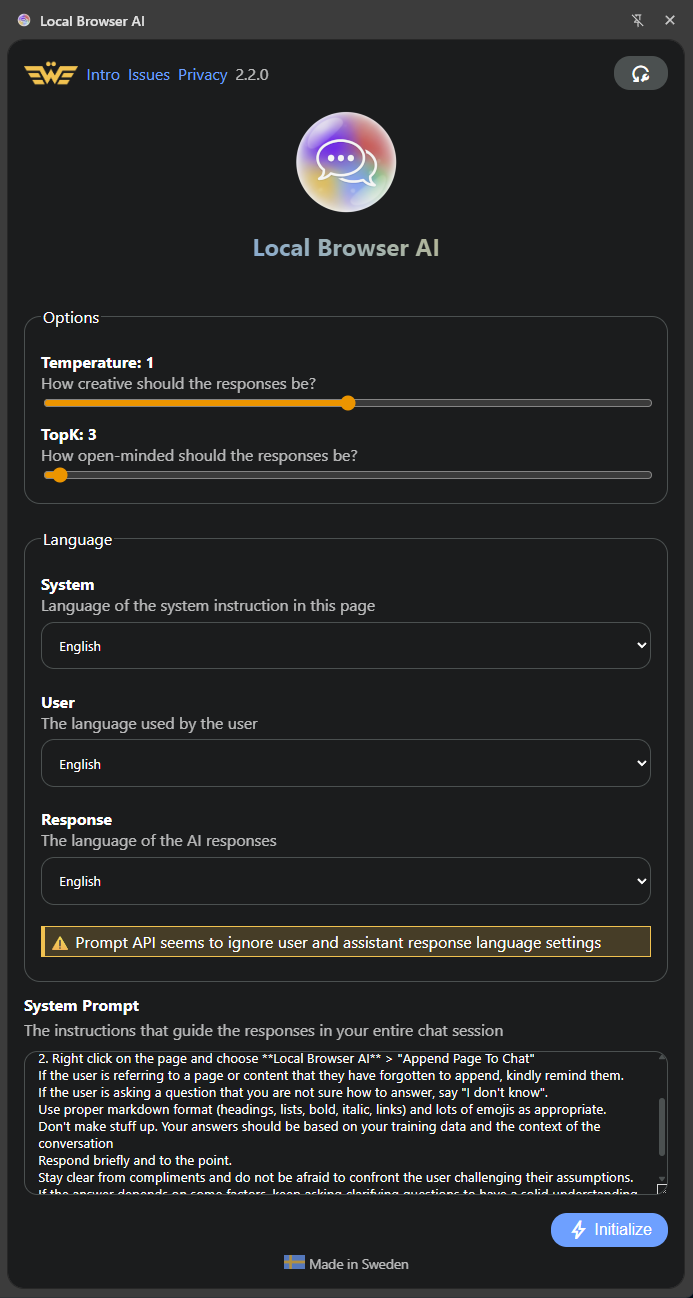
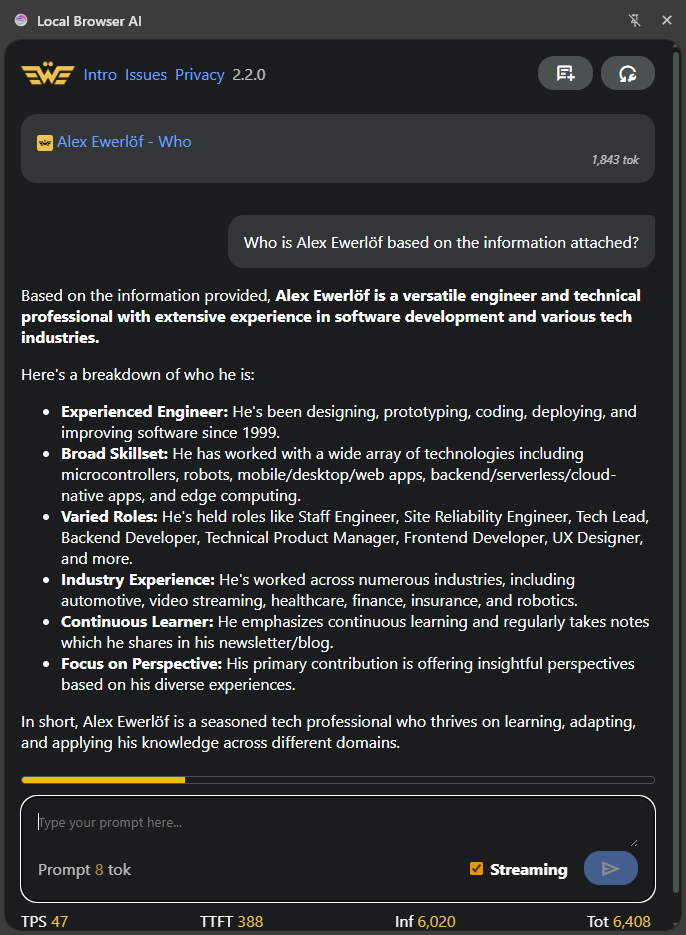
This extension is a UI on top of the Prompt API, allowing the user to download, initialize, tune, and use it. As a bonus, the user can add pages (that will be converted to Markdown behind the scenes) or a selection to the chat context (using Context menu).
As a bonus, it works on Edge too and since it's the same source code, you can compare the performance of Gemini Nano vs Phi Mini in this setup. TLDR; Gemini has larger context window, is faster, and takes less memory.
How we built it
Pure JavaScript, no compilation, just using the platform. You can check the source code: https://github.com/alexewerlof/local-browser-ai
To add content, I have run a temporary script to scrape the page HTML and then convert it to Markdown for efficiency. The rest is pretty straightforward, but I lost some time dealing with the bugs of the trial API.
Challenges we ran into
Poor documentation due to Prompt API being so new that it's not even on-call MDN. Lack of support for custom models. [Still] small context window. Interrupting downloaded left the app in limbo even after reinstalling. No official method to delete the model.
I took note of my experience as I was developing the app and prepared something to share with the Chrome team: https://github.com/alexewerlof/local-browser-ai/blob/main/feedback-on-prompt-api.md
Accomplishments that we're proud of
Praise from Jason Mayes, Kenji Baheux and others from the Chrome team. Also despite me not being super vocal about it while still in development, it got quite a traction with almost 50 users and 17 Github stars as the time of writing.
It seems there's clearly a demand for running models locally.
What we learned
The API despite its deficiencies in this trial stage is pretty powerful and well thought through. I've built with WebLLM but Prompt API is significantly easier to work with and uses idiomatic JavaScript constructs like Promises, Events listeners, etc.
What's next for Local Browser AI
It's been a side project and it's hard to monetize open source Chrome Extensions but if I make it through the Hackathon, I'm planning to add a few important features:
- Currently, adding long pages is impossible due to small context window. I have some workarounds in mind, but it takes time to try and improve
- The ability to define custom prompts. I suppose people want to re-use their working prompts instead of having to type it every time.
- Adding chat history (opt-in) so the users can save their important conversations or even export them.
- Adding memory: similar to custom prompts. Just helps produce more useful stuff for the user.


Log in or sign up for Devpost to join the conversation.