-
-
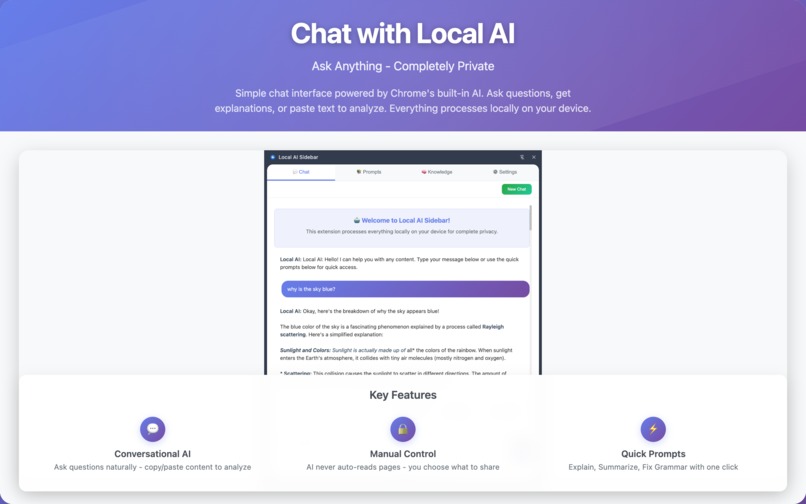
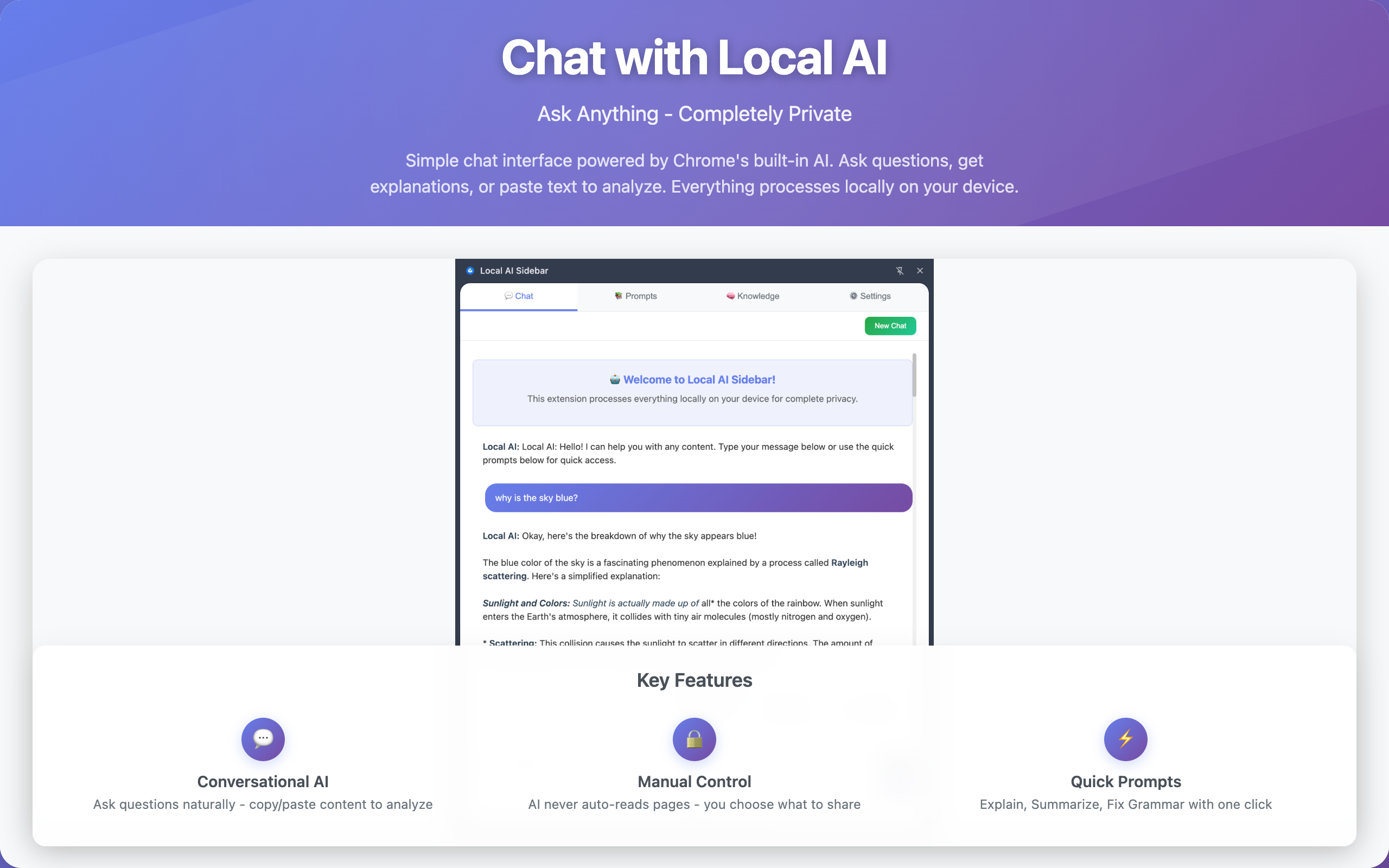
Main chat window
-
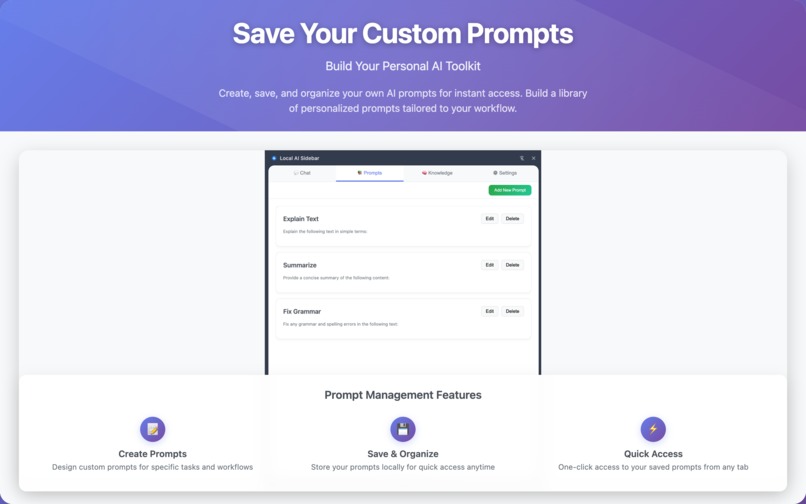
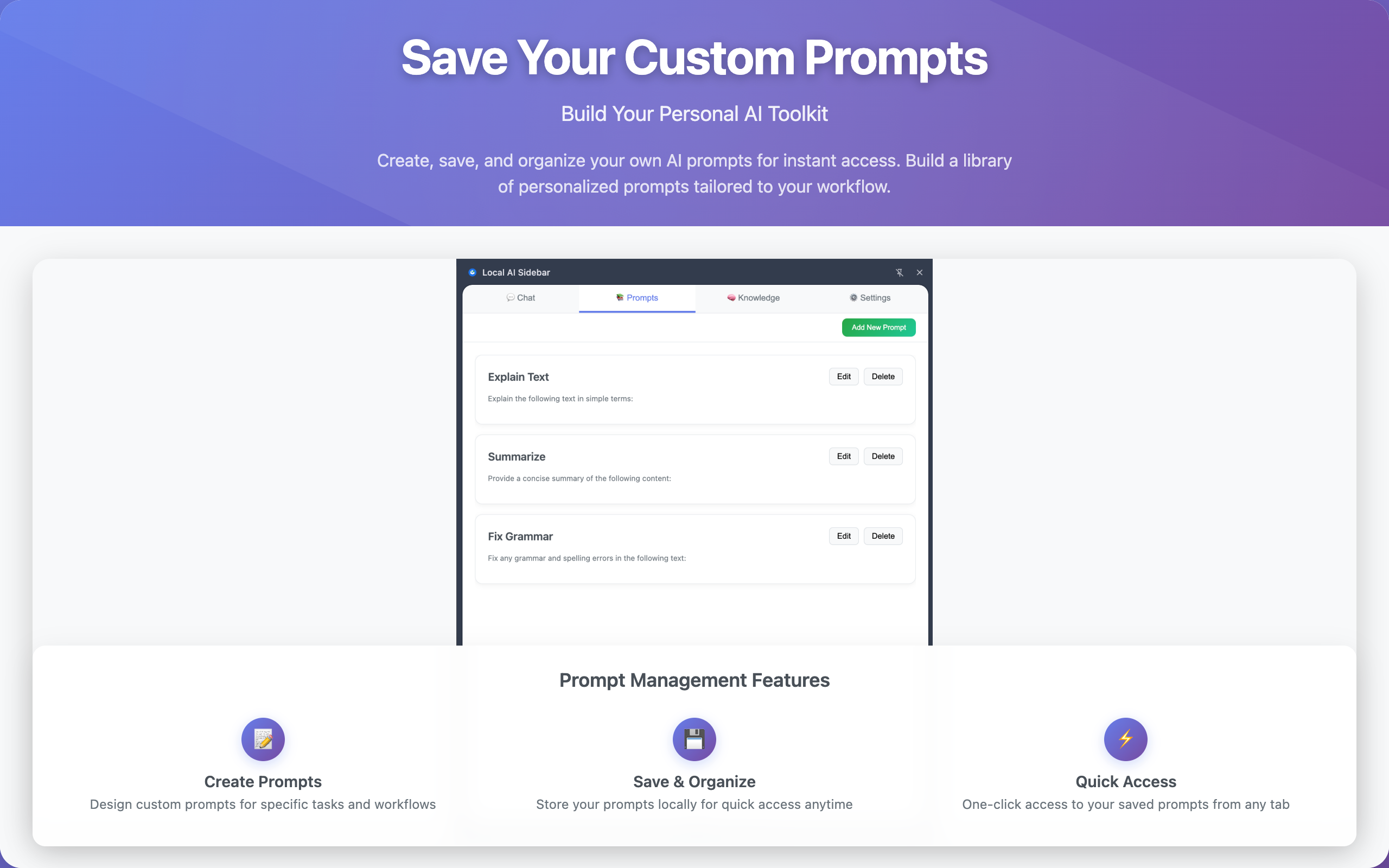
Custom prompts library
-
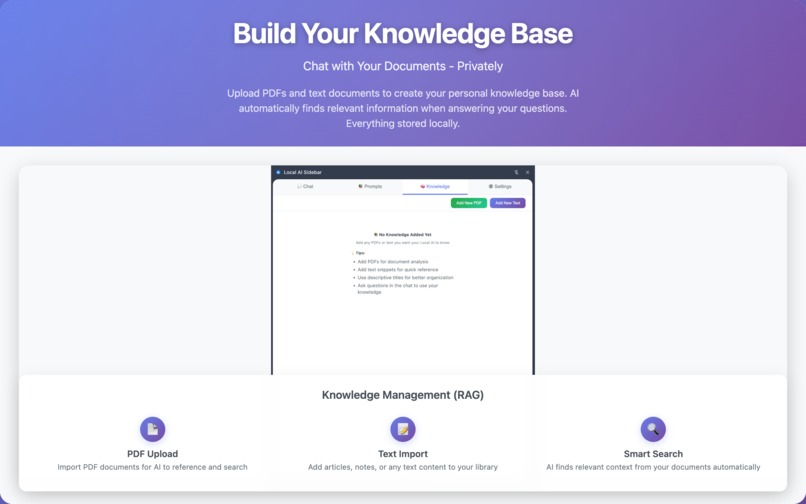
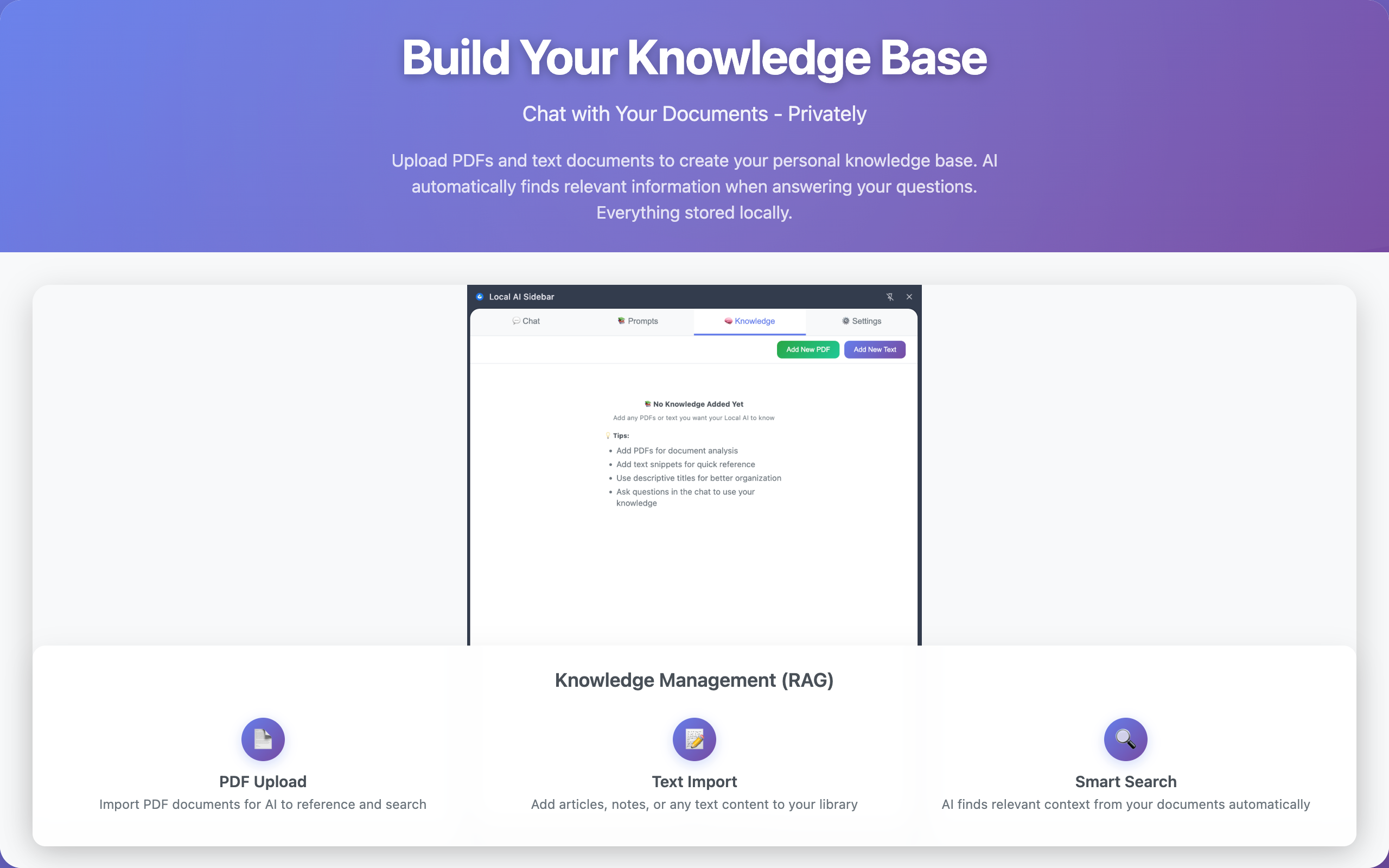
Knowledge base library
-
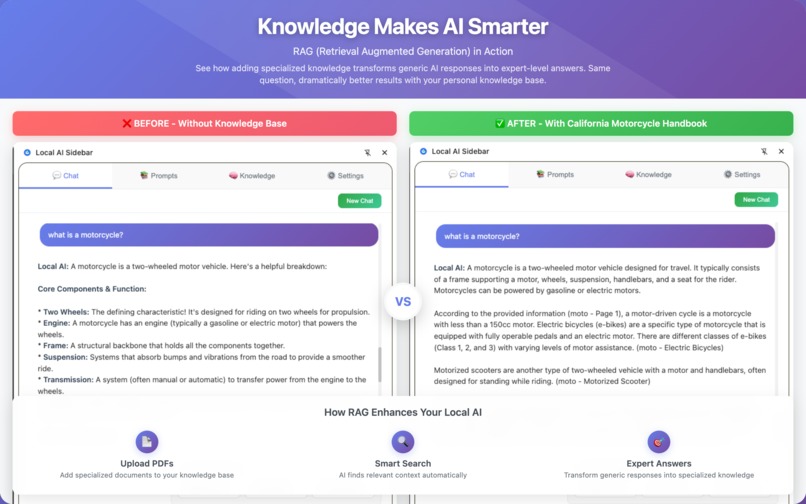
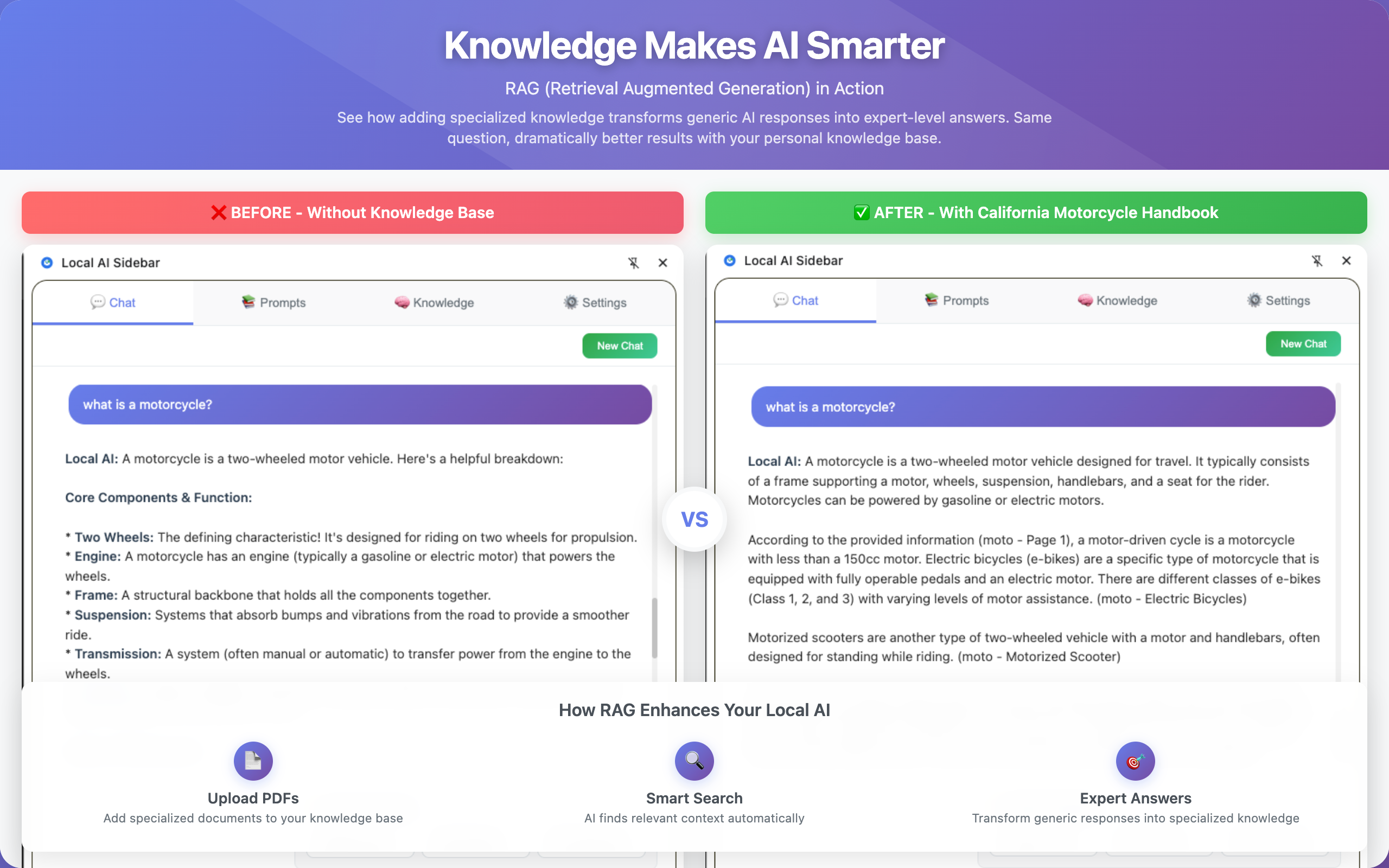
Using indexed knowledge (RAG)
Inspiration
I am a senior software engineer enthusiastic about GenAI and trying to keep up with emerging technology, looking for opportunities to experiment and adopt it. When I learned about the new Chrome Prompt API, I was very excited. I believe bringing AI capabilities locally to browsers opens the door to more sophisticated web applications in the future and explores new ways for users to interact with content.
What it does
Local AI Sidebar is a privacy-focused extension that works completely offline after the initial model download, relying on Gemini Nano's capabilities.
Data never leaves the browser, and the extension doesn't read or interact with page content in any way. Users intentionally copy and paste content they want to share with the AI.
The extension is fully customizable, allowing users to manage quick-access prompts and tweak AI settings.
More importantly, it allows users to add specialized knowledge, making this a local RAG (Retrieval Augmented Generation) system that runs entirely in the browser. This specialized knowledge enriches the small local AI model, making it significantly more powerful.
How I built it
I had multiple iterations. Initially, I thought about building the extension to read and interact with the webpage. However, I soon realized that interacting with page content was not trivial, and Chrome's Gemini feature already has that capability.
I focused on privacy, making the extension as easy to use as possible, and added the Quick Prompts library.
Since the local Gemini Nano model is very small, I thought adding a RAG system could make it more powerful by allowing users to add specialized custom knowledge. Also, since it's completely private and offline, it's more secure for users to have a local RAG system when dealing with private data.
Challenges I ran into
This is my first Chrome Extension, so I had to learn about permissions and how to make it work properly.
As mentioned earlier, my first version tried to access webpage content for convenience, but when I installed it and saw the alert that it "can read all pages," I realized this contradicted the idea of privacy.
I wanted to create a splash screen with instructions for downloading Gemini Nano. I had a few attempts to make it work—it wasn't always clear when the download was starting, and sometimes it would get stuck.
There were also challenges finding appropriate libraries for certain operations. For example, I previously learned to build RAG systems in Python with ChromaDB as a vector store and powerful libraries for reading PDFs, creating chunks, and generating embeddings. I found JavaScript equivalents, though some have certain limitations.
Accomplishments that I'm proud of
I'm very excited that I can use the Gemini Nano model in a Chrome extension, running everything locally.
I'm also proud that I was able to build a simple RAG system that works without any additional setup in a Chrome extension. Having specialized knowledge makes the extension much more useful than just chatting with a local AI.
What I learned
I think the biggest lesson is that GenAI capabilities are increasingly becoming available locally.
It's also exciting to see how many great JavaScript libraries are already out there, like TensorFlow.js.
What's next for Local AI Sidebar
First, I'm curious about feedback from users. It was recently published, and I've only shared it with a few people so far.
If the Chrome Extension receives positive feedback, I hope to find other collaborators to join forces on the open-source project and take it to the next level.
A few potentially interesting features could include:
- Capability to search within the Knowledge tab and see matched paragraphs
- Recording timestamps for when conversations occurred
- UI/UX improvements to make it look more professional
Built With
- chromepromptapi
- chromestorageapi
- html/css
- indexeddb
- javascript
- pdf.js
- rag
- tensorflow
- typescript

Log in or sign up for Devpost to join the conversation.