-
-
-
-
-
-
Architecture
Inspiration
As a solo developer, I constantly felt like I needed a colleague—someone to help me with my workflow and monitor things in the background while I focused on deep work. I was frustrated by the limitations of browser extensions and AI copilots that sit on top of existing browsers. They can read the page, maybe summarize it — but they can't truly act. They can't open new tabs, navigate autonomously, fill out forms on LinkedIn while I am reading Reddit, or monitor a website every 5 minutes and tell me what changed without interrupting my flow.
I asked myself: What if the AI wasn't bolted onto the browser — what if the AI was the browser?
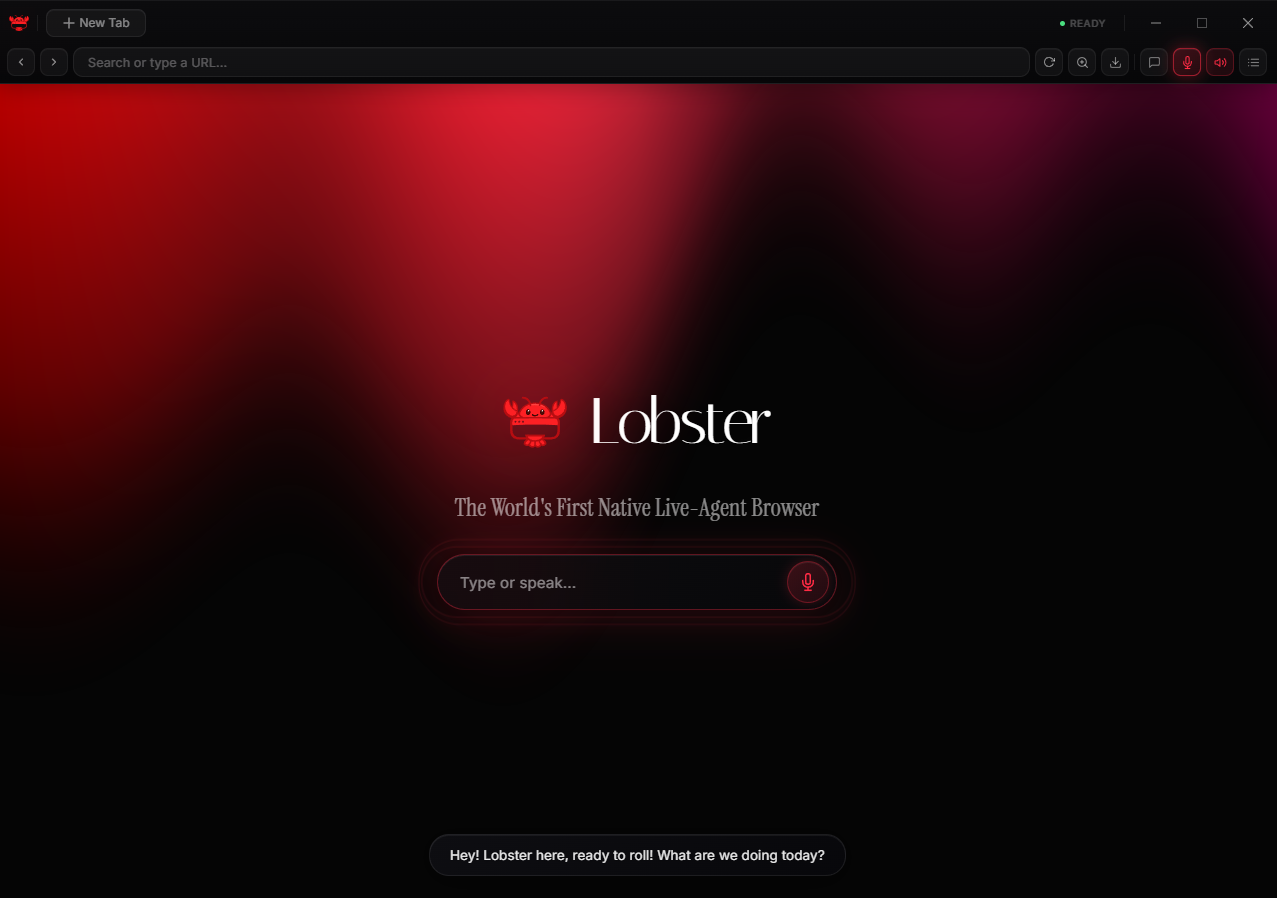
That question led me to build Lobster — a desktop browser built from scratch in Electron where the AI agent is a first-class citizen with its own tabs, its own vision, and its own voice. You talk to Lobster like talking to a real colleague. It talks back. And it works.
What it does
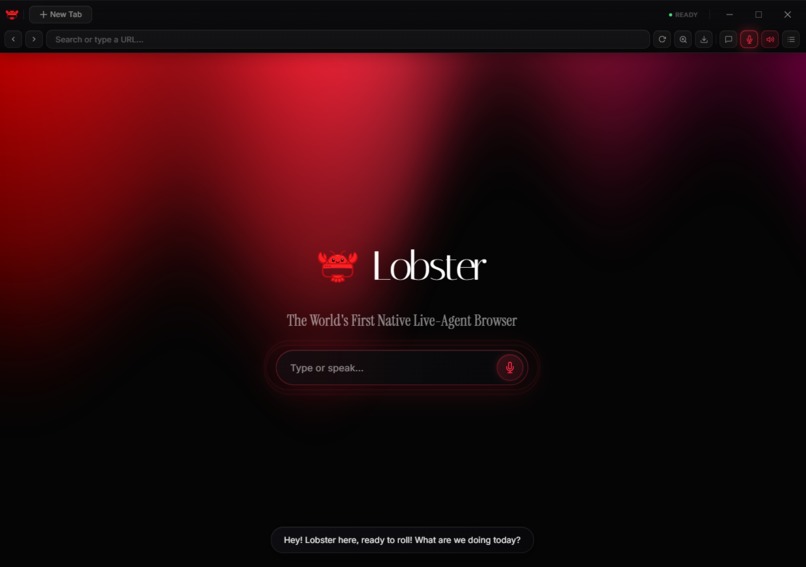
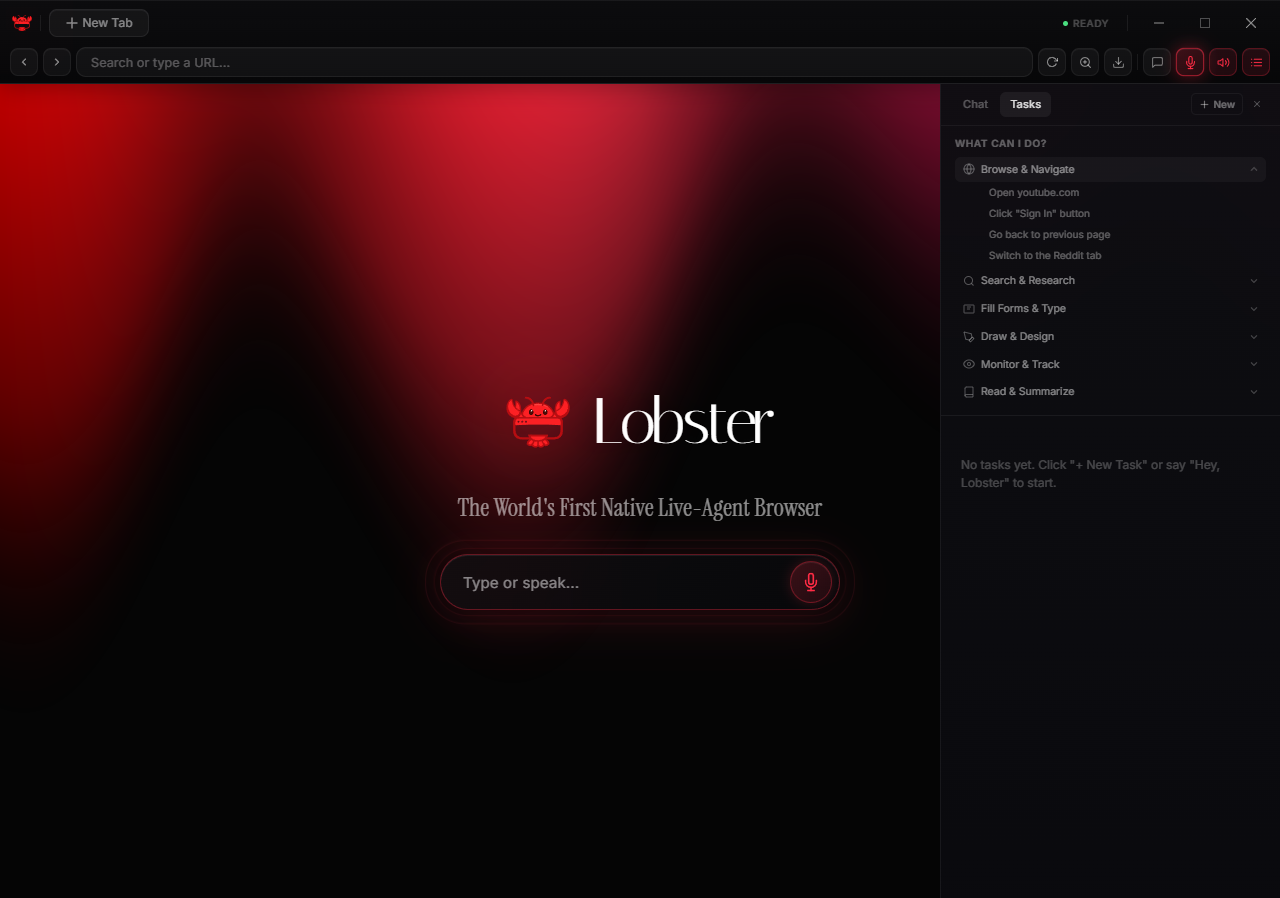
Lobster is the world's first native live-agent browser. It combines:
- Always-on voice conversation — powered by Gemini Live API's bidirectional streaming. No push-to-talk, no wake words needed. Just speak naturally. Lobster hears you, understands context, and responds with personality.
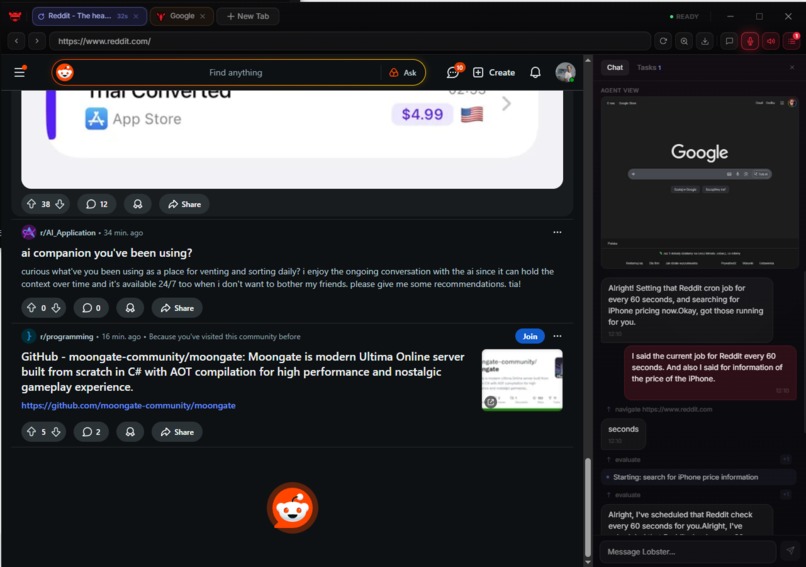
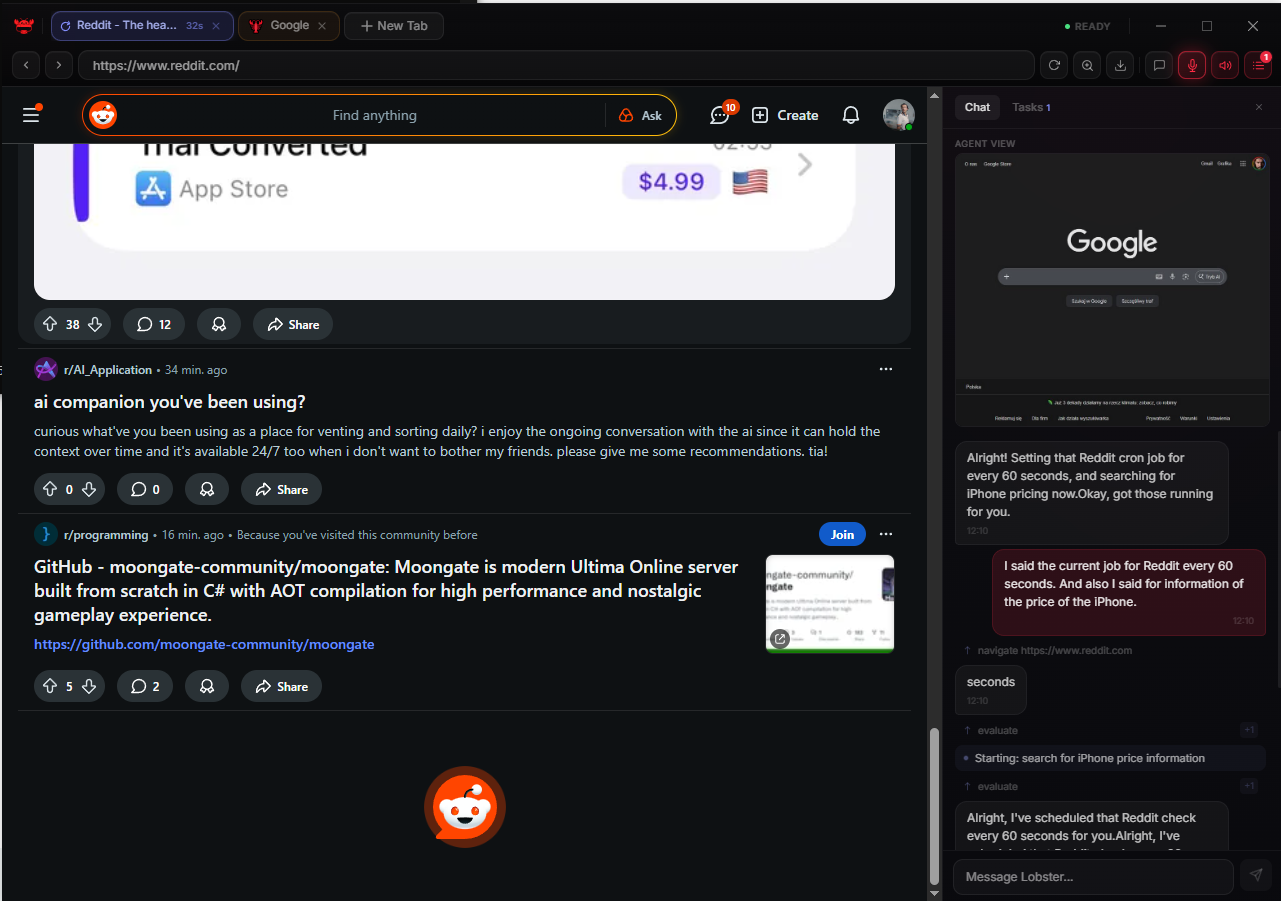
- Autonomous browser control — Lobster opens its own background tabs, navigates websites, clicks buttons, fills forms, types messages, draws on canvases, and scrolls pages — all without touching your active tab.
- Vision-based understanding — every action is guided by screenshots + a numbered DOM element map. The agent literally sees the page and clicks elements by reference ID — 100% accurate, no fragile CSS selectors.
- Multi-tab parallel execution (Tab Swarm) — say "Compare prices on Amazon, eBay, and Walmart" and Lobster opens 3 tabs simultaneously, gathers data in parallel, and synthesizes results.
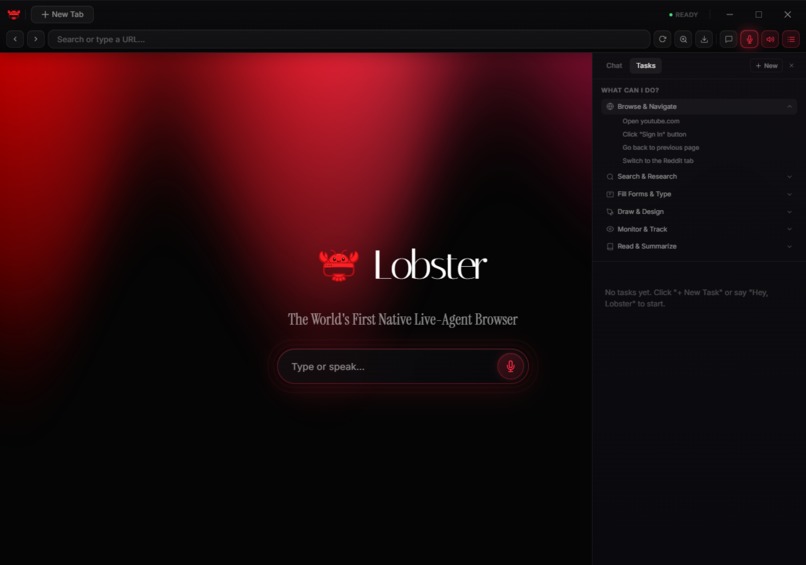
- Scheduled monitoring (Cron) — say "Check Reddit for new posts every 5 minutes" and Lobster runs the task on autopilot, proactively notifying you when something changes.
- Creative capabilities — Lobster can draw on Excalidraw, generate AI images via Gemini Imagen, and display results in a built-in Gallery.
How I built it
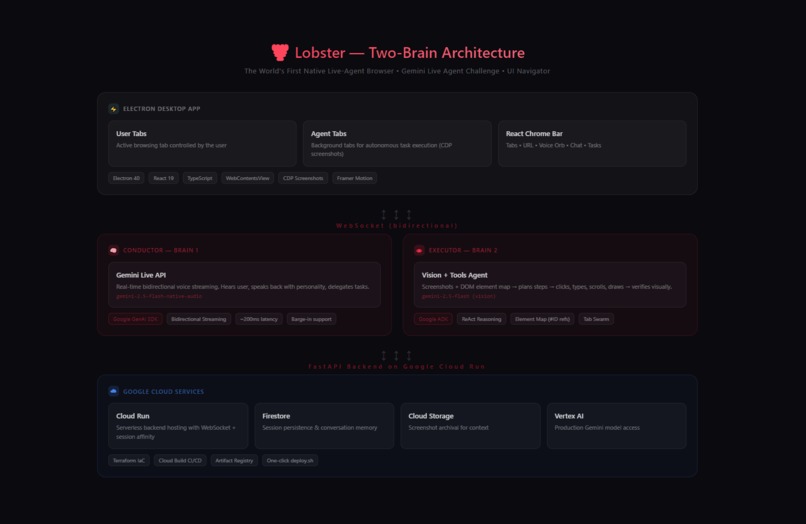
Two-Brain Architecture
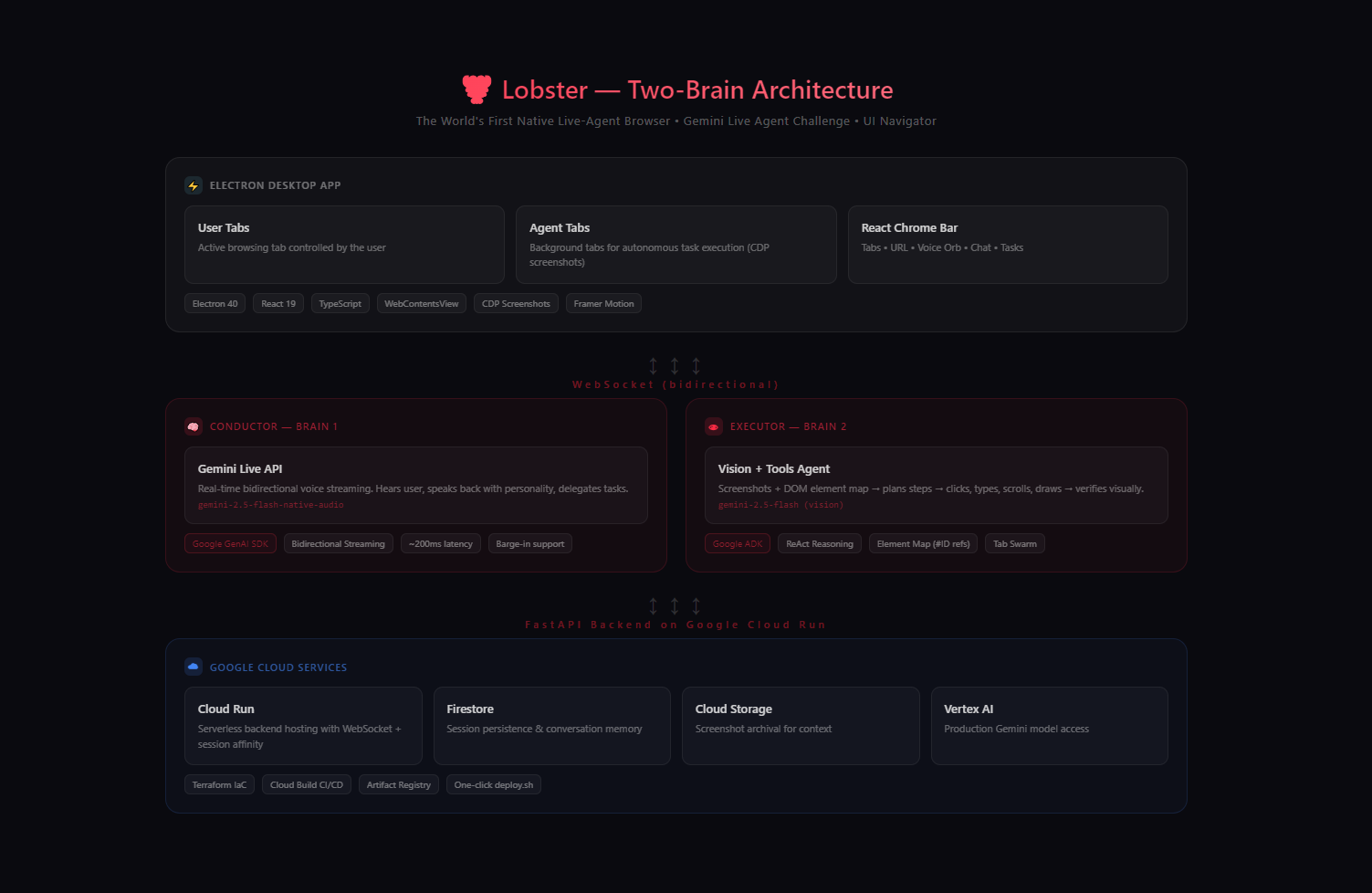
The core innovation is splitting the agent into two specialized brains:
Brain 1 — The Conductor (Gemini Live API, gemini-2.5-flash-native-audio)
- Maintains a real-time bidirectional voice conversation with the user
- Handles personality, context, and task routing
- Delegates browser tasks to the Executor via tool calls
- Receives screenshots from the Executor to stay visually informed
Brain 2 — The Executor (Google GenAI SDK, gemini-2.5-flash with vision)
- Receives screenshots + DOM element maps from browser tabs
- Plans and executes multi-step browser automation
- Uses ReAct reasoning (Observe → Think → Act → Verify)
- Reports results back to the Conductor, who speaks them to the user
Tech Stack
- Frontend: Electron 40 + React 19 + TypeScript + Framer Motion + Tailwind CSS 4
- Backend: FastAPI + Google ADK (Agent Development Kit) + Google GenAI SDK
- Cloud: Google Cloud Run (backend hosting) + Firestore (session memory) + Cloud Storage (screenshot archive) + Vertex AI (production model access)
- Infrastructure: Terraform + Cloud Build + deploy.sh one-click deployment
Element Map System
Instead of fragile CSS selectors or XPath, I built a numbered element reference system. Before each action, the browser scans the DOM and assigns every interactive element a data-lobster-id. The agent sees: a clean, simplified mapping of IDs to Actionable Items (e.g., [42] -> "Add to Cart" button, [15] -> "Search Input"). Instead of hallucinating complex XPath queries or guessing dynamic CSS classes, the agent simply returns {"action": "click", "target_id": 42}. This makes Lobster incredibly fast, highly accurate, and completely immune to website redesigns or React/Tailwind class obfuscation.
Challenges I ran into
Building a native AI browser from scratch as a solo developer brought completely different challenges than a standard web app:
- Handling the Live Voice Stream Sync: Keeping the Gemini Live API bidirectional audio stream open and highly responsive while the "Executor" brain was doing heavy DOM parsing and tab switching required complex asynchronous queuing. I had to ensure the "Conductor" didn't freeze or drop context while the Executor was working in the background.
- DOM Noise Reduction: Modern websites are incredibly noisy (hidden elements, ad trackers, complex SVG trees). I spent a significant amount of time refining my DOM parser to strip out the garbage and only send a semantic, actionable "Element Map" to the Executor. This prevented blowing through token limits and kept reasoning latency low.
- Swarm State Synchronization: Orchestrating multiple hidden browser tabs concurrently and aggregating their asynchronous results back into a single, coherent voice response from the Conductor was a massive state-management and orchestration challenge.
Accomplishments that I'm proud of
- True Zero-Click Browsing: Successfully completing end-to-end tasks (like executing a Tab Swarm to check prices across three different e-commerce sites and synthesizing the result) using strictly voice commands and agent autonomy.
- The "Interruption" Flow: Nailing the UX. You can interrupt Lobster mid-sentence, change its task while it's parsing a site, and have it seamlessly pivot to the new context via the Live API.
- Production-Ready Desktop App: I didn't just build a script; I shipped a full Electron desktop app backed by a scalable Google Cloud Run and Vertex AI infrastructure, proving the concept is viable for production.
What I learned
I learned that the true power of the Gemini Live API isn't just in making chatbots "sound human"—it's in using voice as the ultimate orchestrator. By separating the "Voice/Reasoning" brain from the "Execution/Vision" brain, I discovered a highly scalable, robust pattern for building agents that don't just talk about the web, but actively work on it.
What's next for Lobster
I am moving from a "web browser" to a "life orchestrator."
- OS-Level Control: Breaking Lobster out of the browser sandbox to manipulate local desktop applications, files, and terminal environments.
- Persistent Memory: Expanding the Firestore memory so Lobster remembers your preferences across sessions (e.g., "Always decline optional cookies," "I prefer dark mode," "Book middle seats on flights").
- Custom Executor Scripts: Allowing developers to write custom routines for the Executor brain, tailoring Lobster to specific, highly complex workflows.
Built With
- cloud-storage
- electron
- fastapi
- firestore
- framer-motion
- gemini-2.5-flash
- gemini-live-api
- google-adk
- google-cloud-run
- google-genai-sdk
- python
- react
- tailwind-css
- terraform
- typescript
- vertex-ai
- websocket

Log in or sign up for Devpost to join the conversation.