-
-
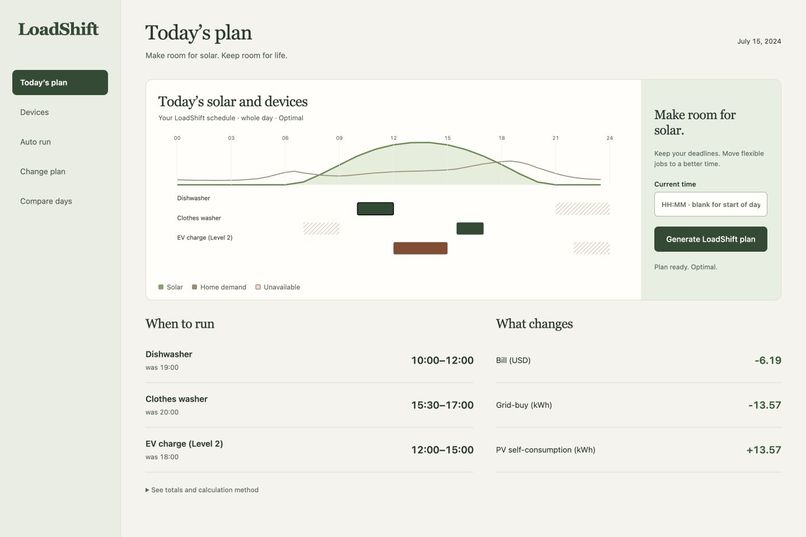
Plan around the sun — see when each device runs and how your energy use changes.
-
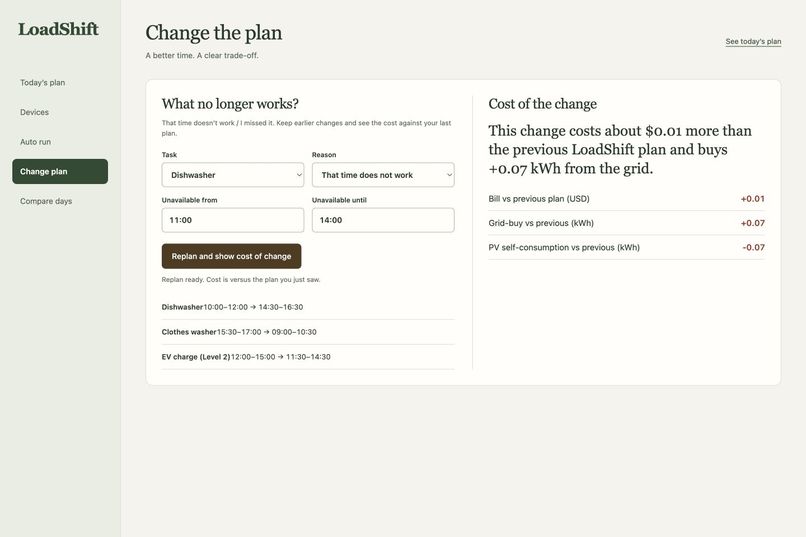
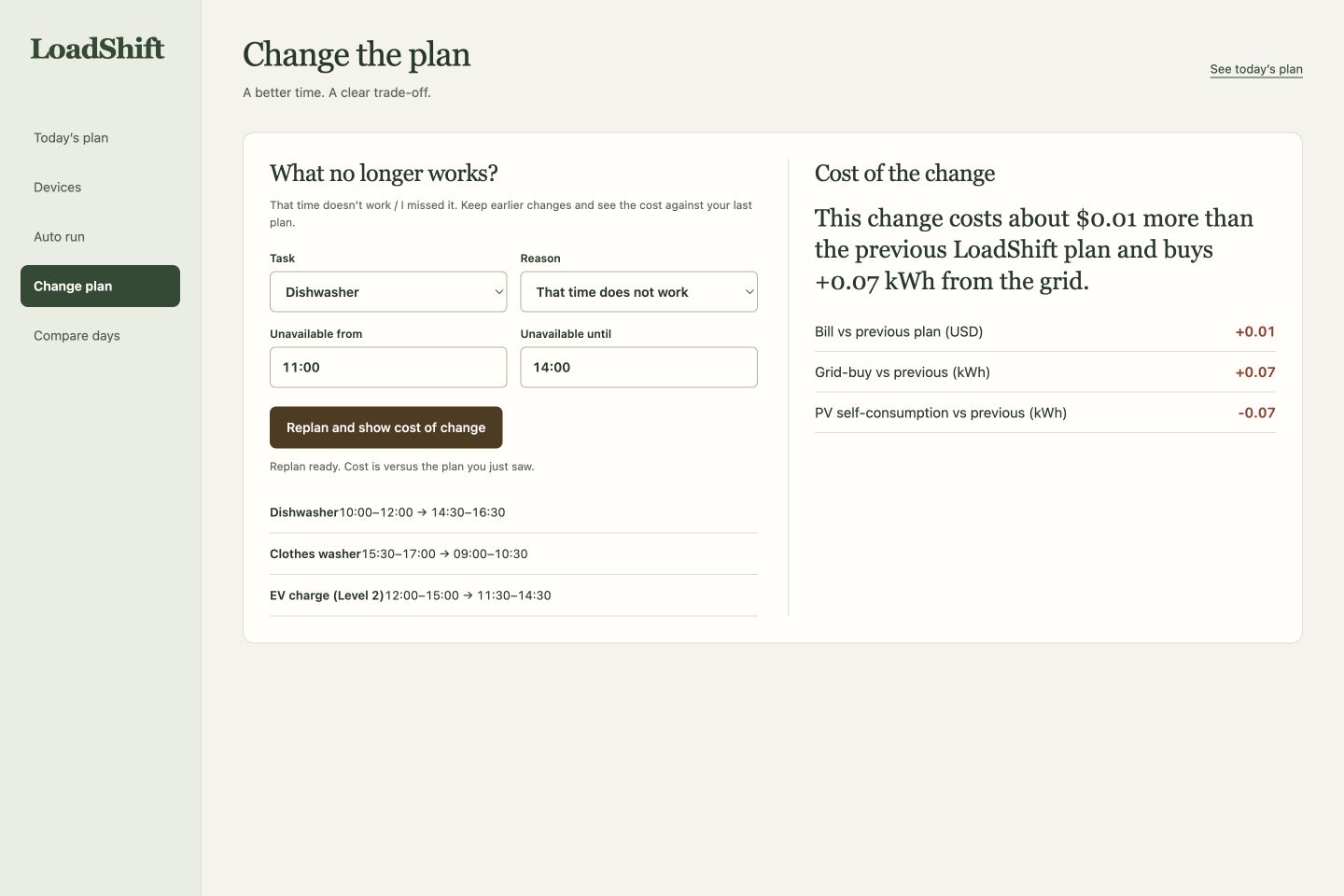
Life changes. Your plan adapts — keep your restrictions and see the cost of a better time.
-
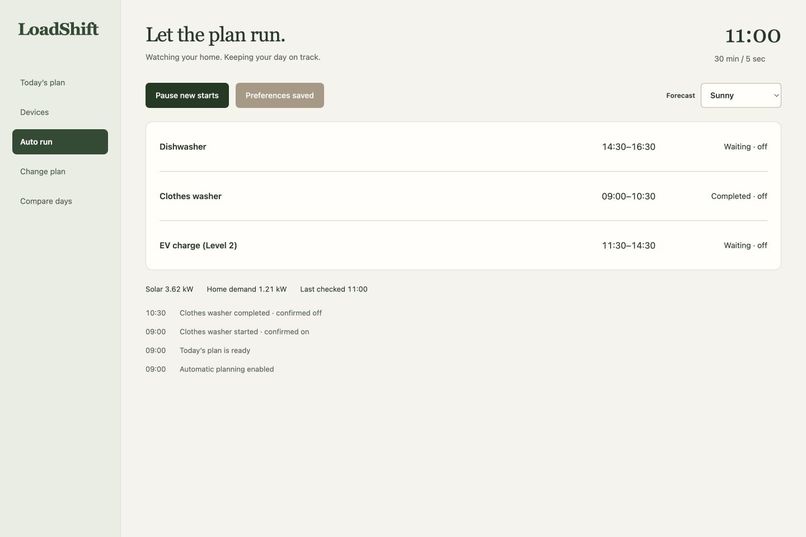
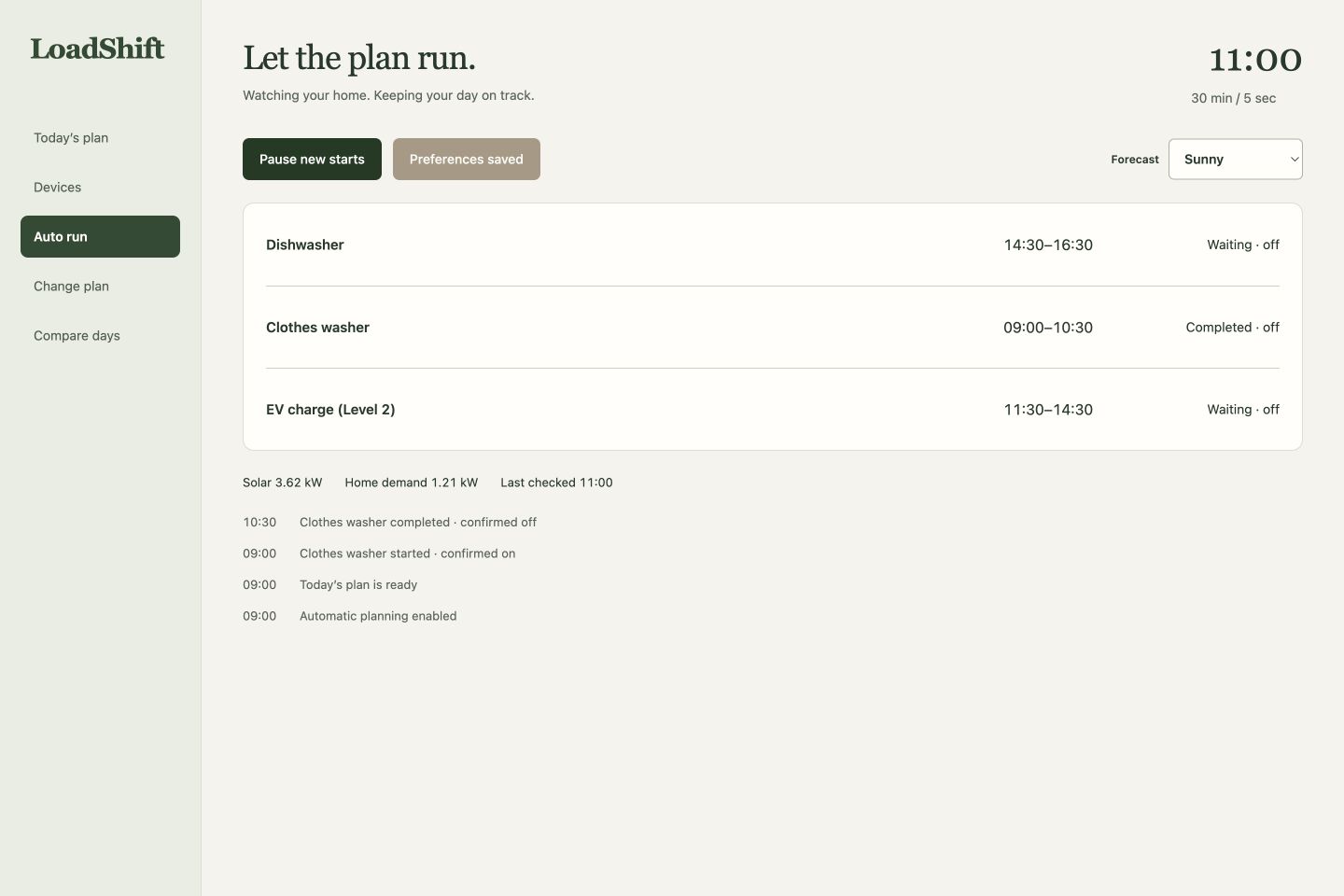
Let the plan run — follow device states and confirmed activity as the day unfolds.
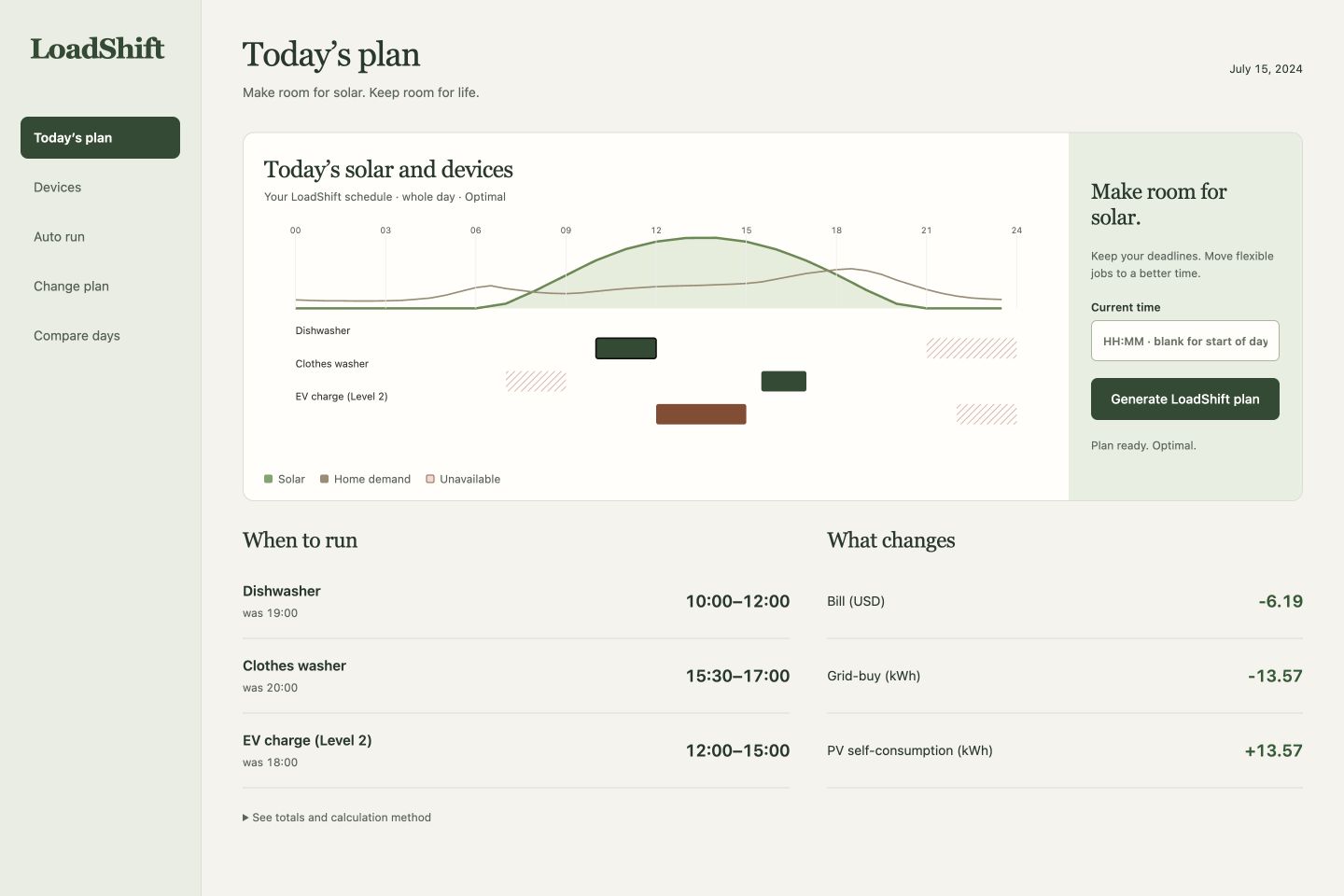
Inspiration
A solar home can produce electricity at midday while its dishwasher, laundry and car all wait until evening. Moving those jobs sounds simple until a deadline changes, someone needs the kitchen, or the forecast turns cloudy. LoadShift connects the energy plan to the household's actual availability.
What it does
Set each job's duration, deadline and unavailable times. LoadShift finds continuous run windows around rooftop solar, household demand and electricity prices, then shows the estimated bill and grid-use difference against the original routine.
When a time no longer works, change it and see the cost against the previous plan. Earlier restrictions remain in place. The automatic controller updates pending jobs as the forecast changes, preserves jobs already running, and checks device state after each start or stop. Pause prevents new starts while current jobs finish.
The built-in demo needs no account, paid API or hardware. A connected home uses Home Assistant forecasts, sensor readings and the on/off devices you choose.
How it was built
- Frontend: HTML, CSS and JavaScript for the responsive planning, device and automatic-control interface.
- Backend: Python and FastAPI for planning, saved preferences, replanning and control APIs.
- Optimization: CVXPY and HiGHS for scheduling household jobs around solar production, electricity prices and availability constraints.
- Device integration: Home Assistant REST APIs for forecast and sensor inputs, mapped device commands and state confirmation. Saved execution history lets the controller recover after a restart.
- Hosting: Vercel, with separate saved sessions for each visitor.
Challenges and lessons
The hardest part was making a plan survive everyday interruptions. Refreshing the page must not erase when someone needs the kitchen. A cloudy forecast must not interrupt a wash already underway. LoadShift now restores saved preferences after a refresh, uses the same forecast for planning and automatic operation, and remembers running jobs after a restart. It also checks that a device actually changed state before showing a start or stop as successful.
Testing taught us to ask a better question than whether one schedule is cheaper. A simpler planner that also considers electricity prices can reach similar costs. The useful difference is helping someone change a plan, keep earlier restrictions, understand the cost, and have their devices follow through.
Results and testing
Across all 14 days from July 8–21, the example household had a median estimated bill reduction of $6.18 per day compared with running its jobs in the evening. Three additional household scenarios cover the same dates to explore how solar availability and scheduling restrictions change the outcome.
An automated browser walkthrough covered 19 tasks. Device-control tests used Home Assistant 2026.9.3 with three virtual switches: sending start and stop commands, reading back switch states, recovering after a restart, and handling invalid credentials or outdated inputs. The test scripts and scenario results are included in the repository.
What's next
Validate device-specific behavior in a connected household, compare forecasts with actual metering, and measure whether the suggested schedule fits everyday routines over multiple weeks.
Try it
Open LoadShift — no installation or account needed.
Generate a plan, make 11:00–14:00 unavailable for the dishwasher, start Auto run, switch to Midday clouds, then pause and resume. Compare days evaluates the same preferences across 14 full days.
Source code and local setup: Yun-0000/Loadshift.
Built With
- cvxpy
- elevenlabs
- fastapi
- highs
- home-assistant
- javascript
- python
- remotion
- vercel
