-
-
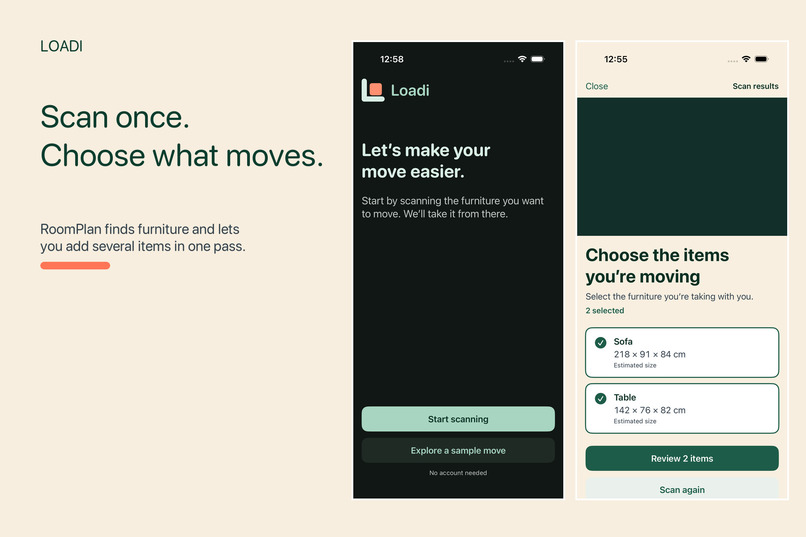
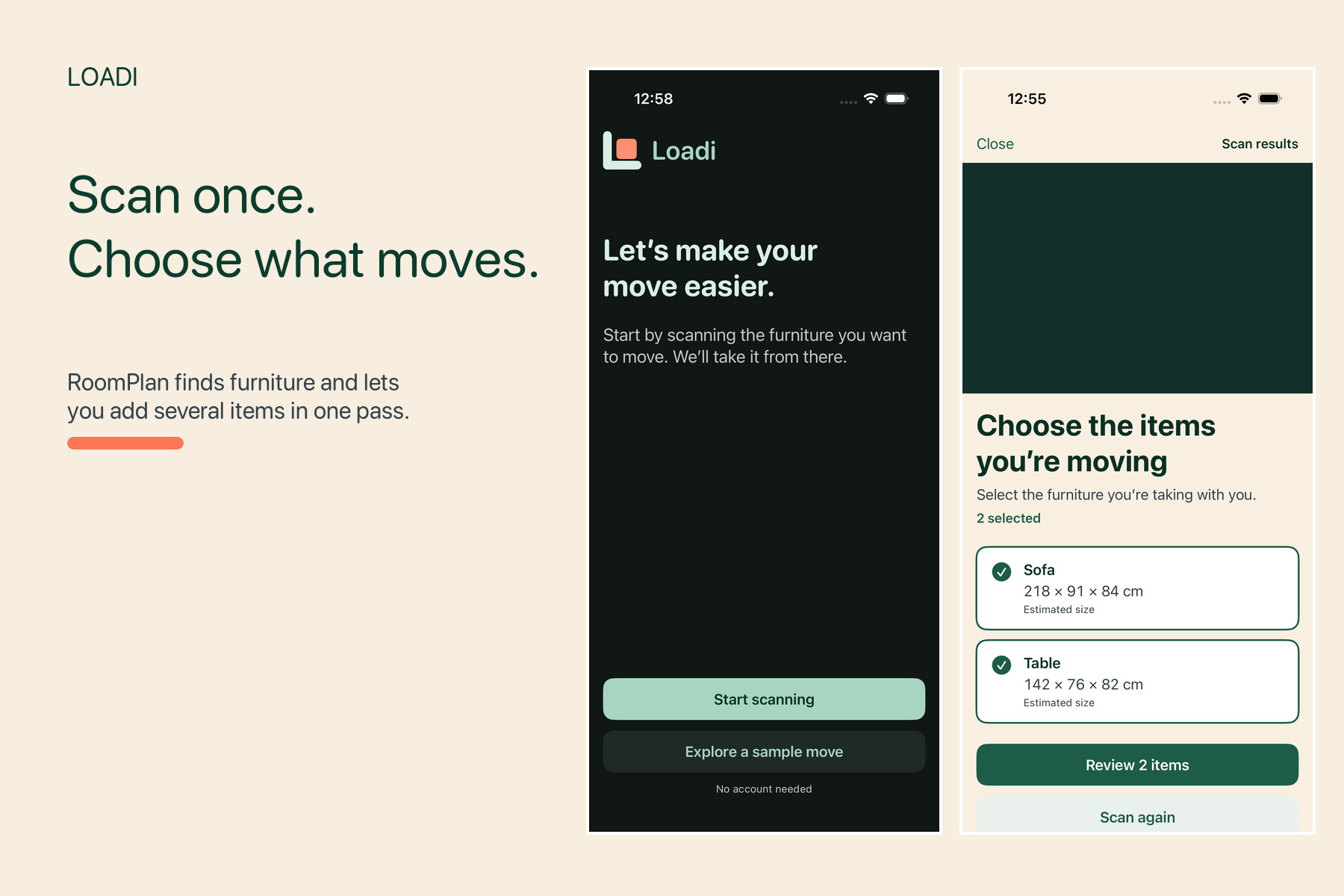
Scan with RoomPlan and select multiple furniture items in one pass.
-
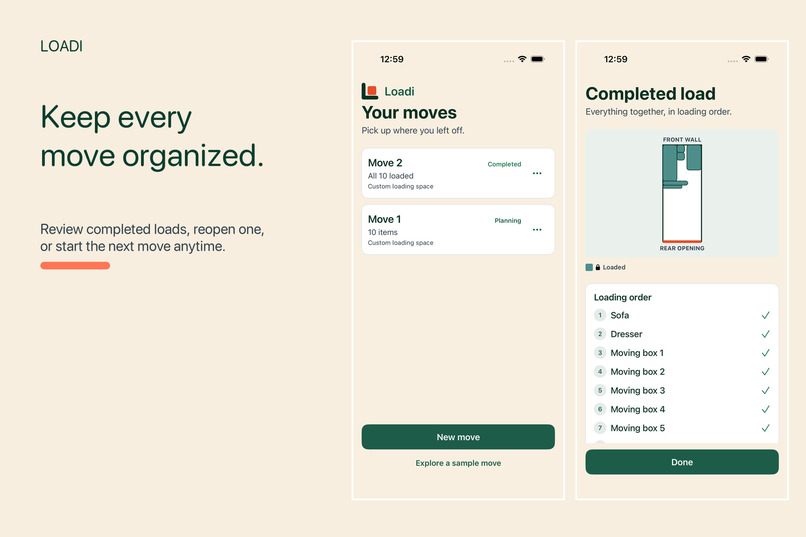
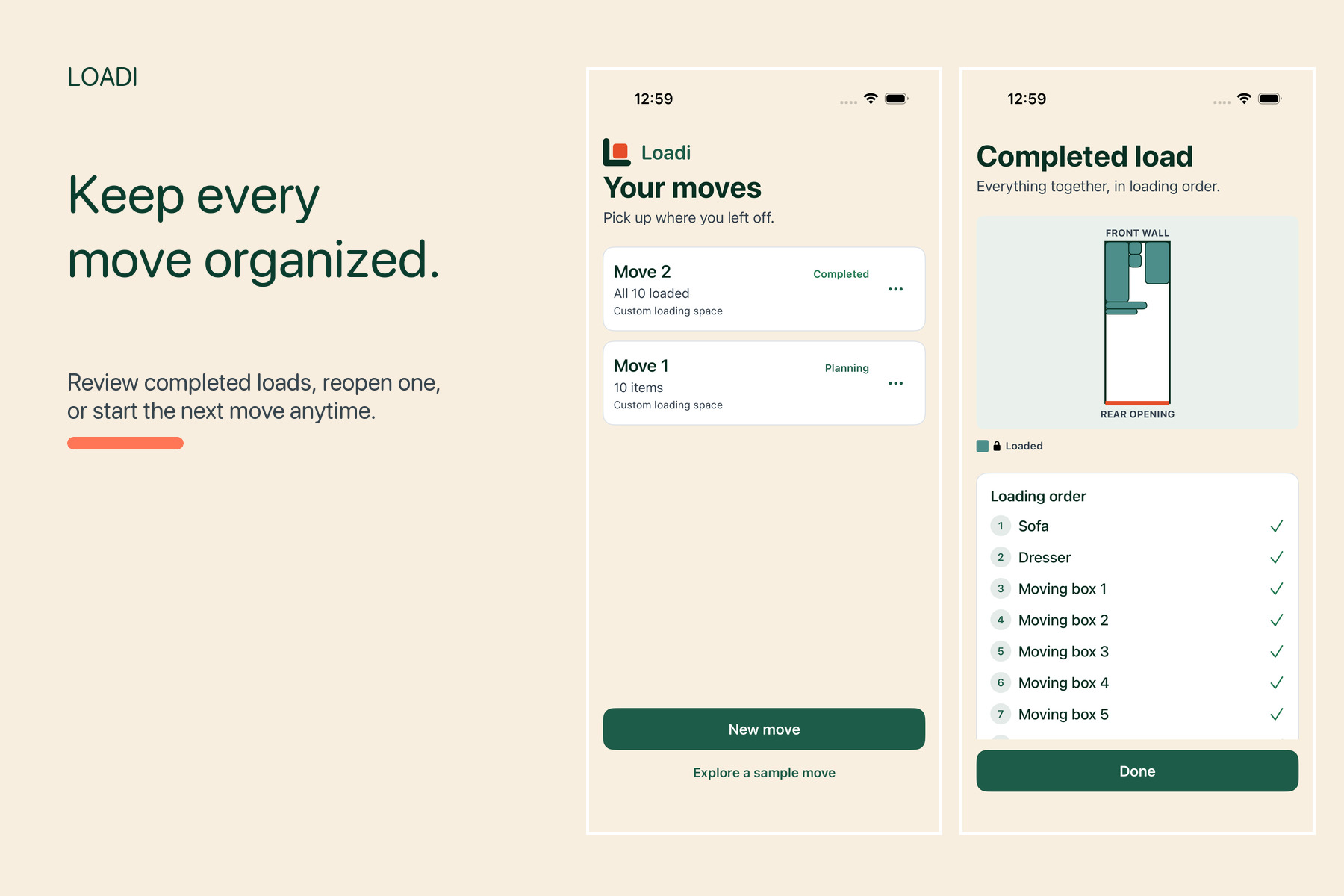
Manage multiple moves, review completed loads, and reopen them for changes.
-
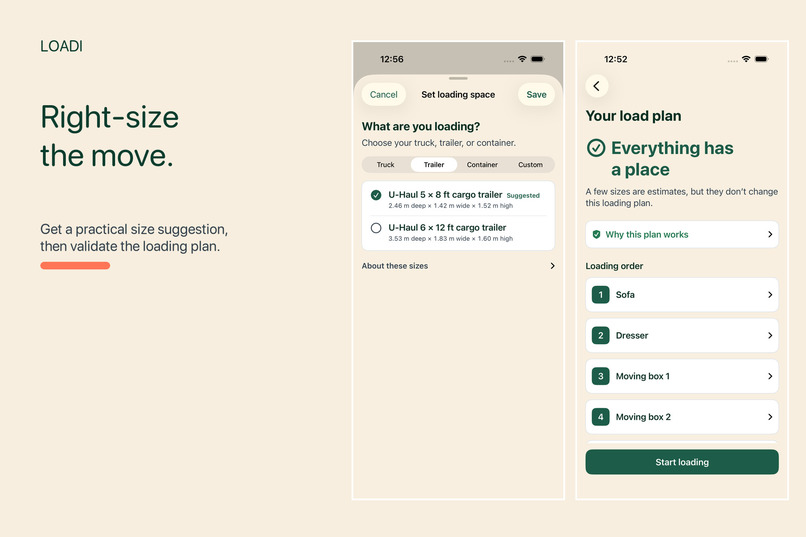
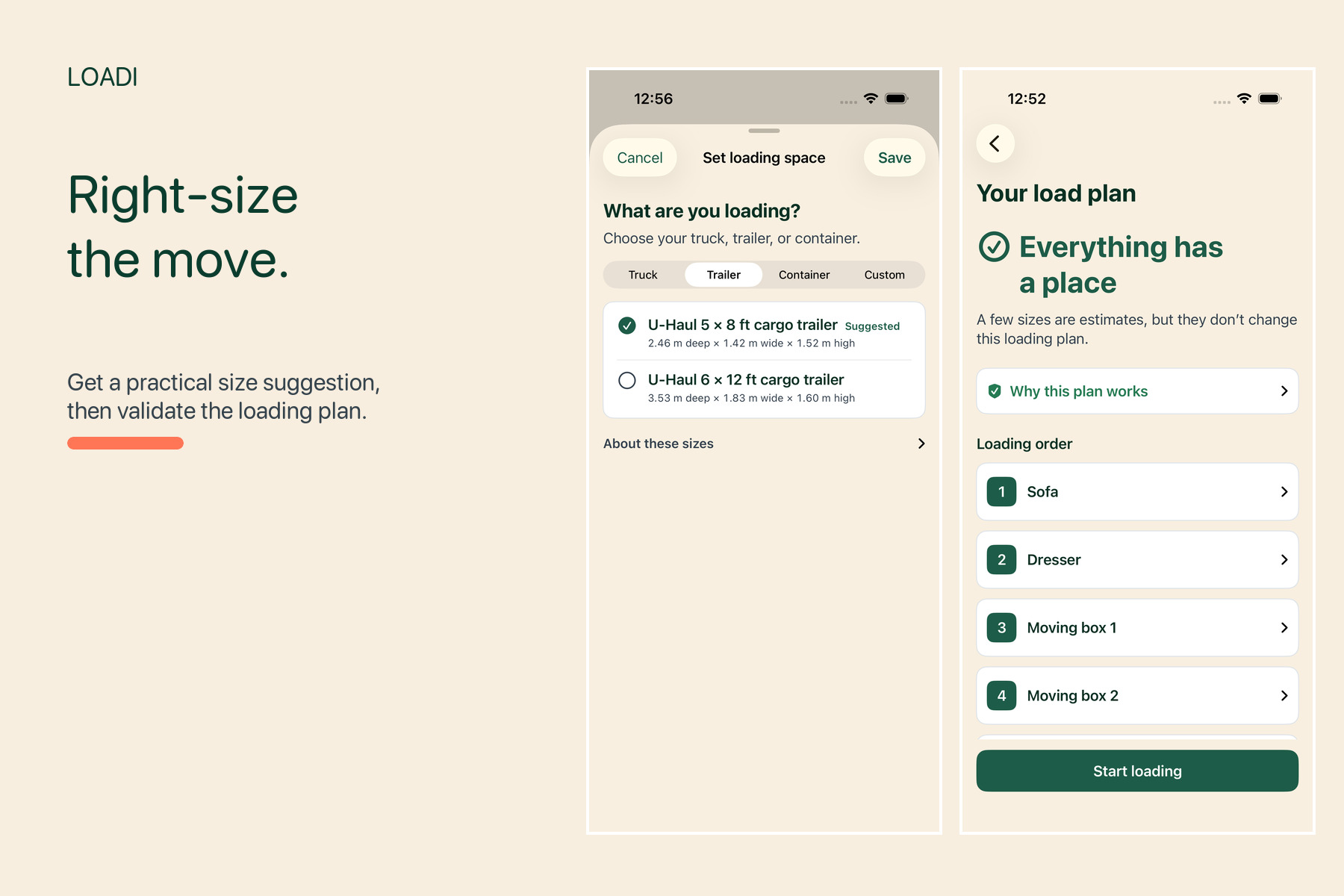
Get a practical loading-space recommendation and a validated plan.
-
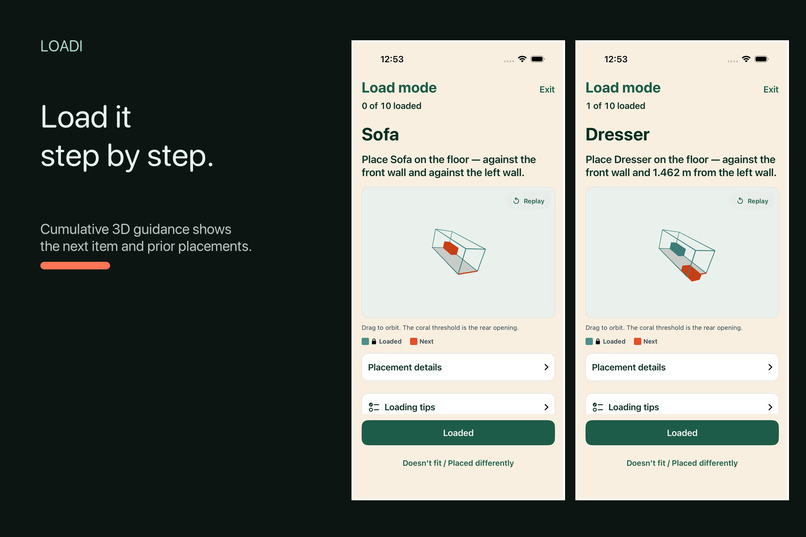
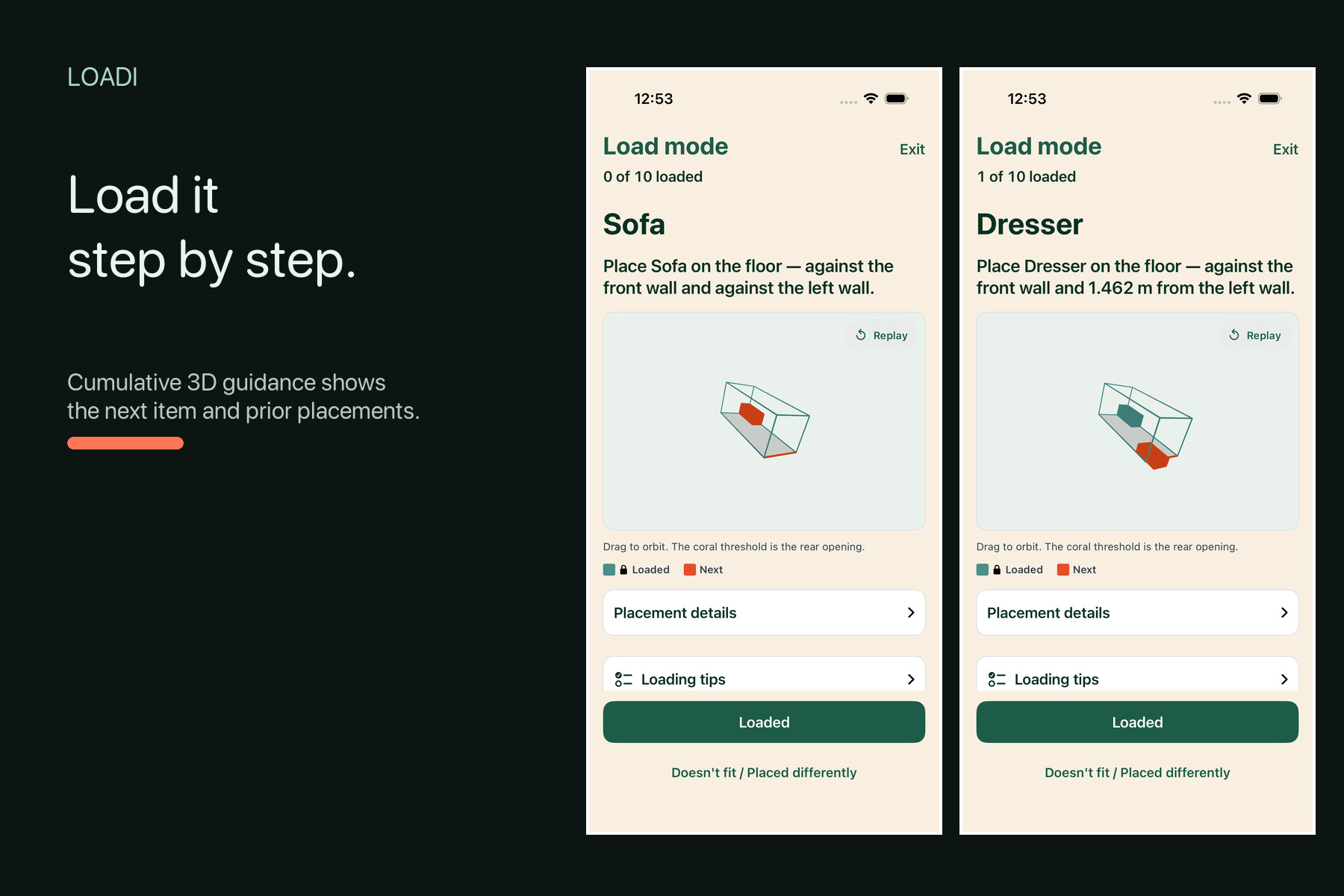
Follow cumulative, interactive 3D guidance—one placement at a time.
Inspiration
I have been overwhelmed planning a move from Ontario to Alberta later this month. Finding a truck/container size has proven to be a challenge. On top of that, Finding an optimal way to load items in saved me a bunch of time in planning and ensuring my items are secured.
What it does
Loadi is a native iPhone moving copilot.
Using Apple’s RoomPlan experience, a mover can scan several pieces of furniture at once, select the objects that belong to the move, and review their estimated dimensions. They then choose a common rear-loaded truck, trailer, or portable-container size. Or, if the user does not have a container solution yet, it can recommend sizes based on the scanned furniture.
Loadi generates a constraint-aware 3D arrangement and loading sequence. During Load Mode, an animated view shows what to load next, where it belongs, and everything already placed.
When an item does not fit or something was forgotten, Loadi replans the remaining load without silently moving completed placements. Users can maintain multiple moves, review completed loads, and reopen a completed move for editing.
RoomPlan dimensions remain editable estimates. Loadi provides practical guidance—not certified measurements, safety engineering, or guaranteed optimal packing.
How we built it
Codex with GPT5.6 did all the heavy lifting here writing Swift. Codex integrates nicely with Xcode and iterated fast on the app. We also utilized Figma to contain our design system and have a mockup of all the screens. The Figma MCP was useful for this as well. For the designs themselves, we used the SwiftUI-Agent-Skill here: https://github.com/AvdLee/SwiftUI-Agent-Skill. This was in combination with the tast skill: https://www.tasteskill.dev. Lastly, I used my personal iPhone to test the app end-to-end.
Challenges we ran into
Our first challenge was object capture. We initially built a custom ARKit depth interaction, but physical testing with a couch showed that its outline could not reliably identify the complete object. Instead of polishing an unreliable demo, we pivoted to Apple’s RoomPlan coaching and object model.
The second challenge was making the loading plan practical. Initially, the app spit out a really convoluted top down view of the container with the door on the widest side. I got GPT5.6 to pivot us to a working dynamic 3D sequence that can be viewed from any angle.
The third challenge was recovery. Real moves rarely follow the original plan exactly. Loadi therefore treats completed placements as fixed and replans only what remains.
Accomplishments that we’re proud of
- A complete physical-device flow from RoomPlan scanning through planning and loading.
- Selecting and adding multiple furniture items from one RoomPlan session.
- Common rear-loaded moving-space presets.
- Deterministic planning with hard-constraint validation.
- Animated cumulative 3D loading guidance.
- Recovery that preserves already-loaded items.
- A local library supporting multiple active and completed moves.
- 260 passing native tests, 33 passing UI tests, and passing Worker tests.
- Successful end-to-end testing on a iPhone 16 Pro.
What we learned
Researching available tools instead of re-inventing the wheel. For example, if we had known about Apple's RoomPlan feature, it would have saved us a chunk of time (and tokens!).
We also learned that movers need a sequence, not simply a finished diagram. Prior placements, the rear opening, and the next item’s path must remain visible throughout loading. It is awesome that a 3D animation is also shown to the user for the loading sequence (I wasn't sure if that would work!)
We got a bit too ambitious with the design before ironing out the main flows.
What’s next
Integrate GPT into the app to be used for features such as generating inventory-specific loading tips, Suggest editable handling notes (keep upright, don’t stack, protect glass, remove drawers, load with two people) and more!
improve dimension calibration, and test Loadi during my complete real-world household move.
add more loading-space configurations, obstacle-aware interiors, and finer editing of completed placements—while keeping the experience calm, honest, and easy to follow.


Log in or sign up for Devpost to join the conversation.