-
-
Evening Room Preview
-
Electronic Components
-
Iron Overload
-
Meter
-
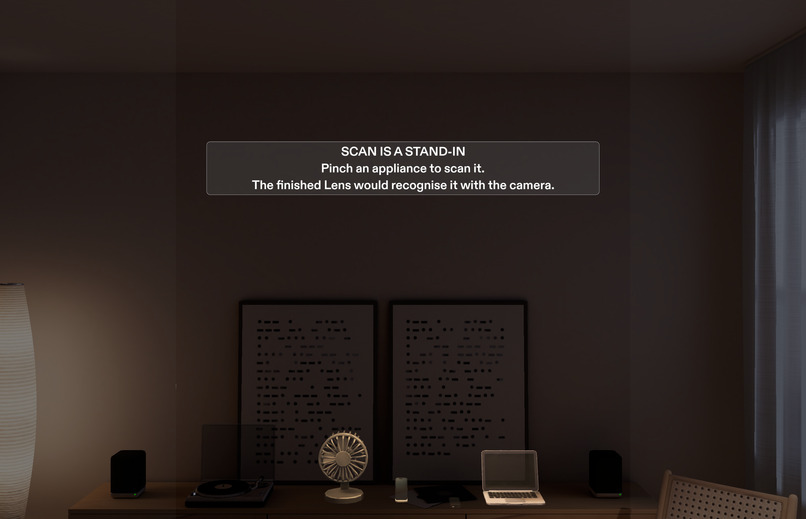
Start View
-
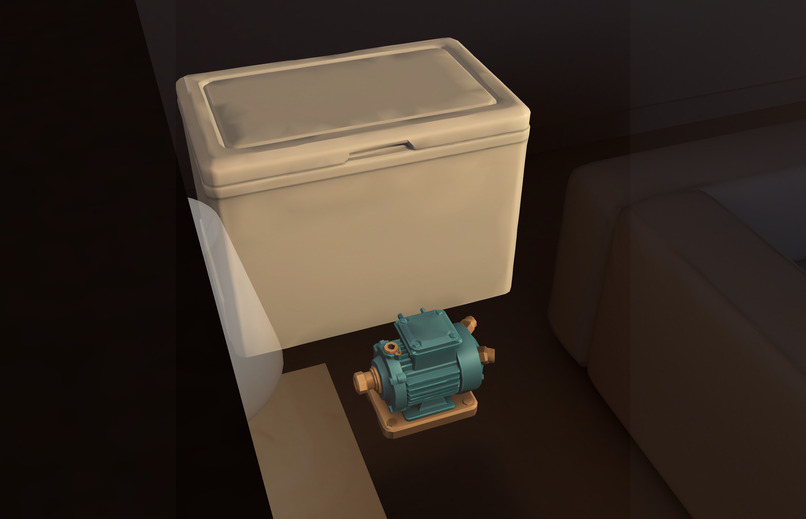
Freezer Pump
Inspiration
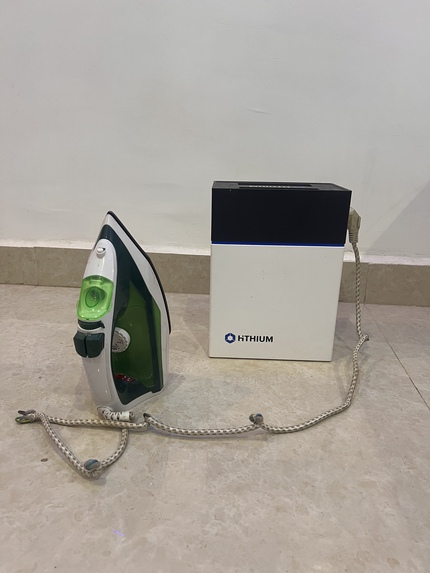
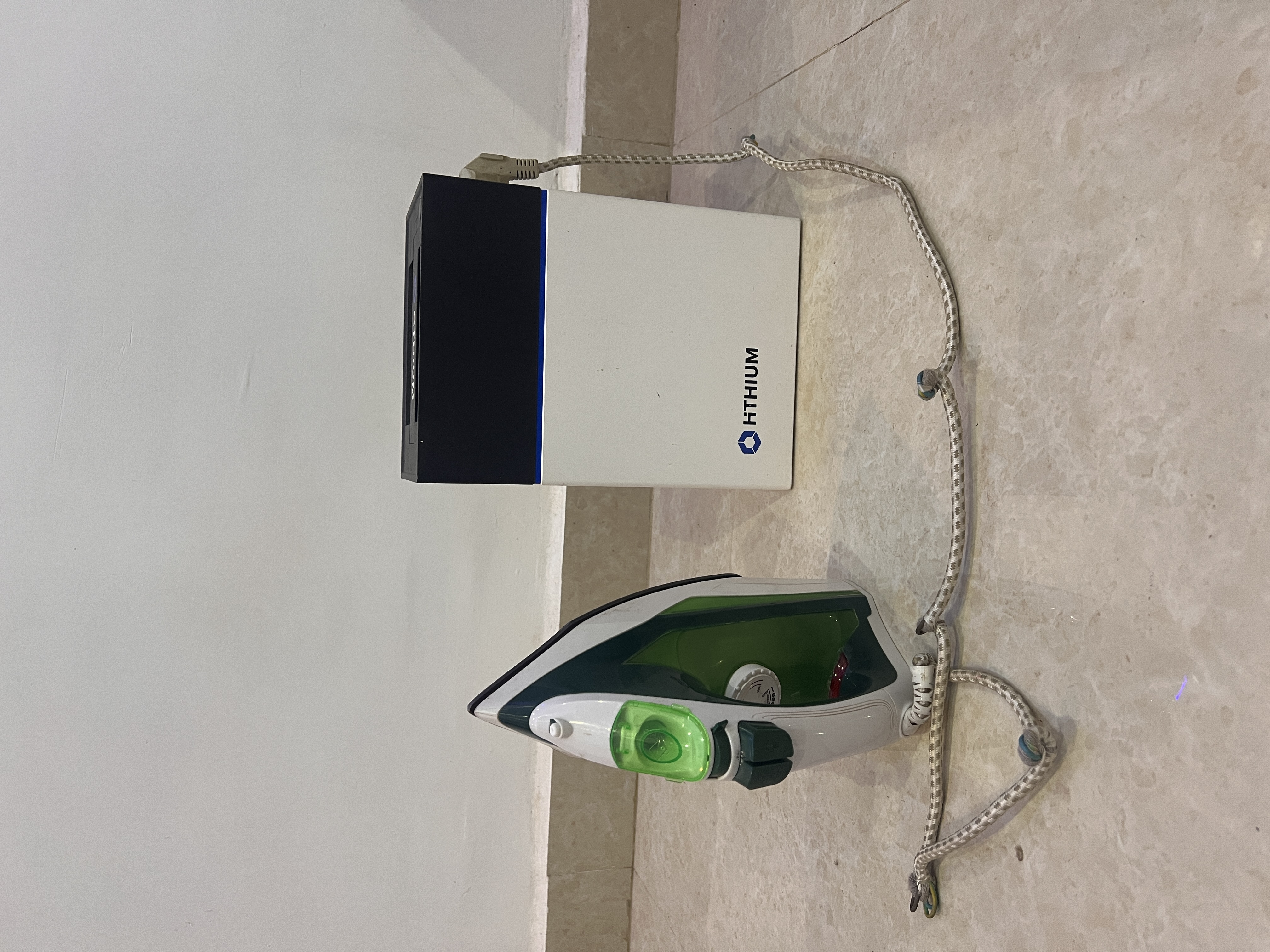
One night the power went out and I had to iron a shirt for work early the next morning. I plugged the iron into my inverter, it tripped, and I had no idea why.
The reason is simple once you can see it. My power station is a Home Power Dock HeroEE 1: 200 W output, 1 kWh battery. My iron wants about 1,100 W. It was never going to run. But nothing told me that, and the only tools I knew of were web calculators where you type in appliances by hand. Nobody is standing at a calculator when the power goes out. They're standing at the freezer with a torch.
Glasses can put the answer on the appliance itself.
What it does
Load Walk is a Lens for SPECS. You walk around your home and:
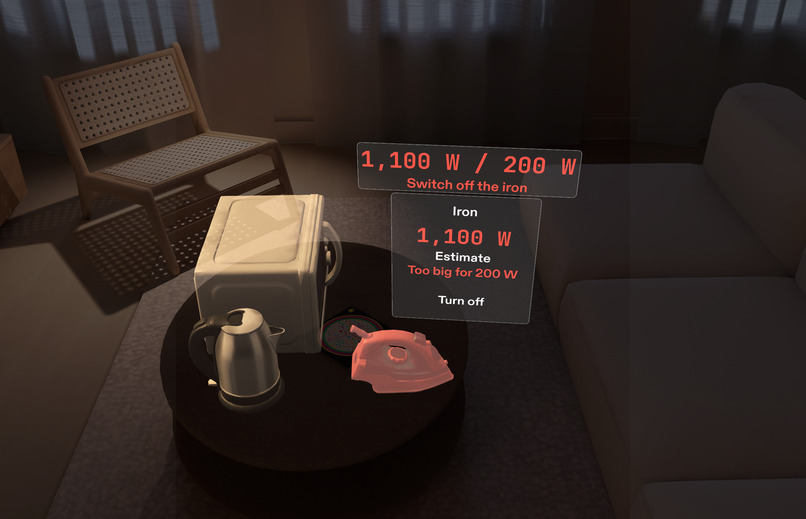
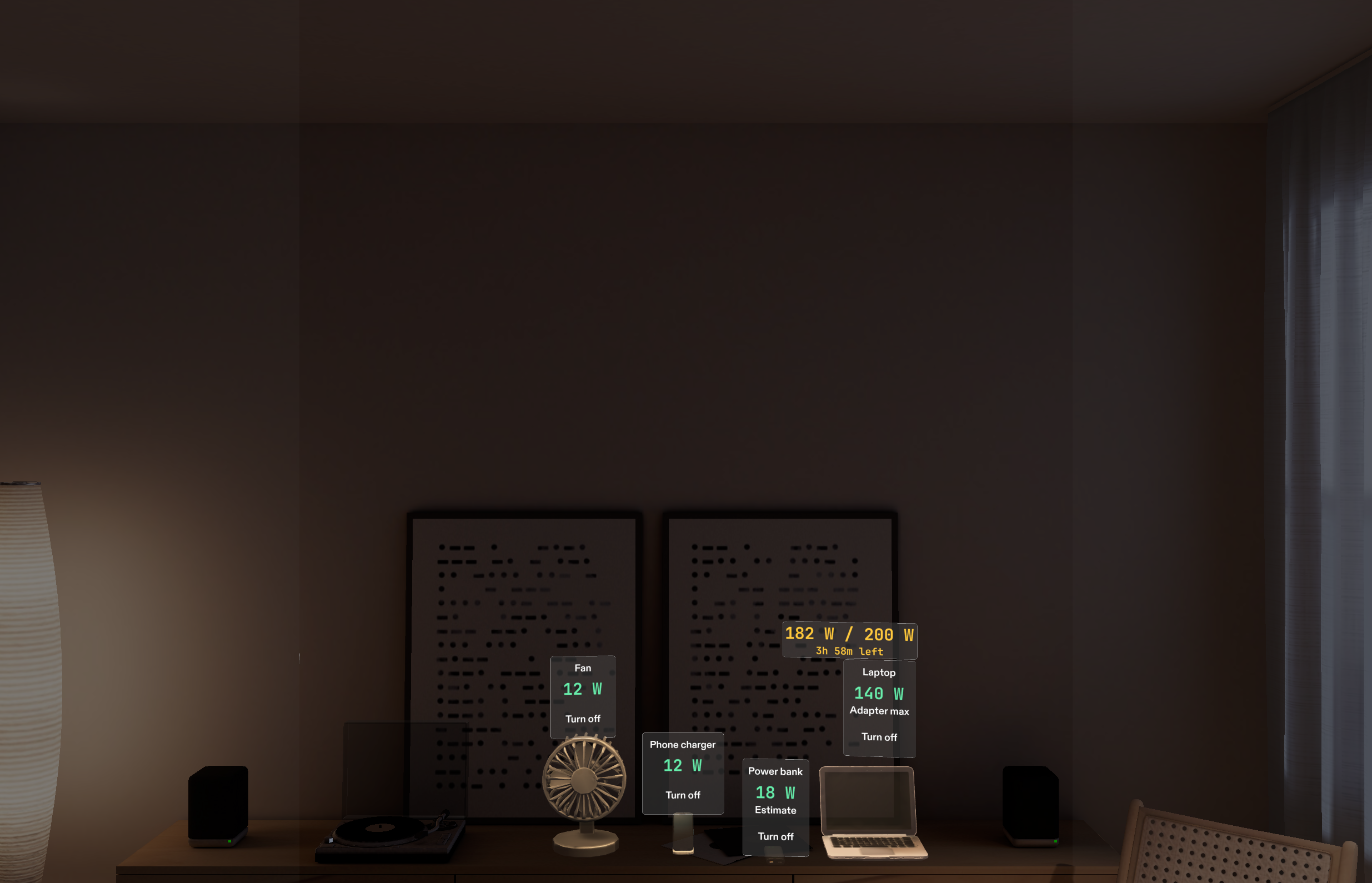
- Pinch an appliance and pick what it is from a short card. A tag appears on it with its wattage, and a red "Too big for 200 W" before you've switched anything on.
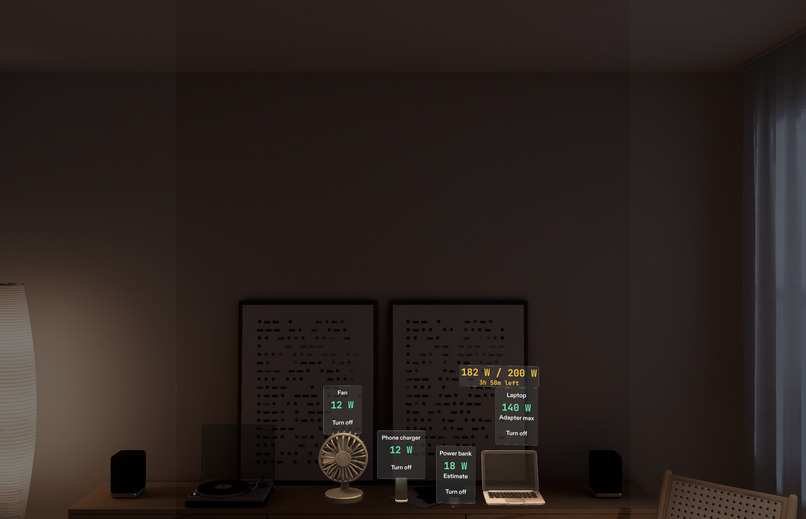
- Switch things on and off with a pinch, or by voice ("on the fan", "off the iron", "can I run the freezer?"). A chip beside the tag shows the running total and the battery hours left, like
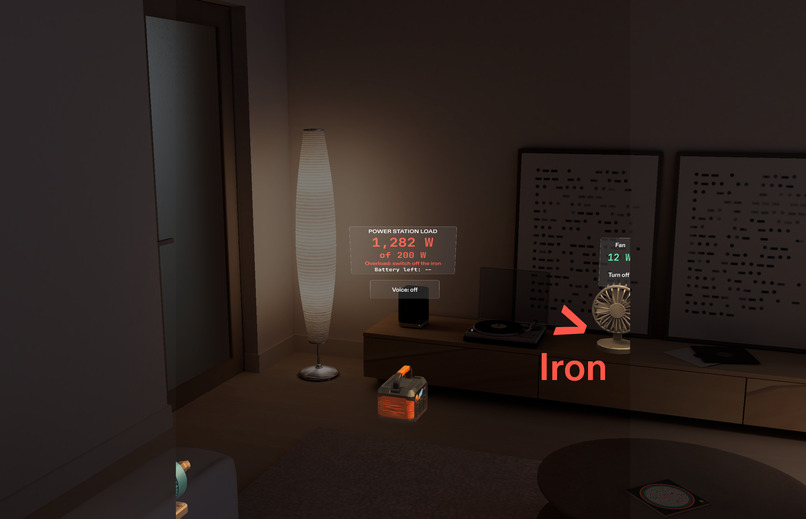
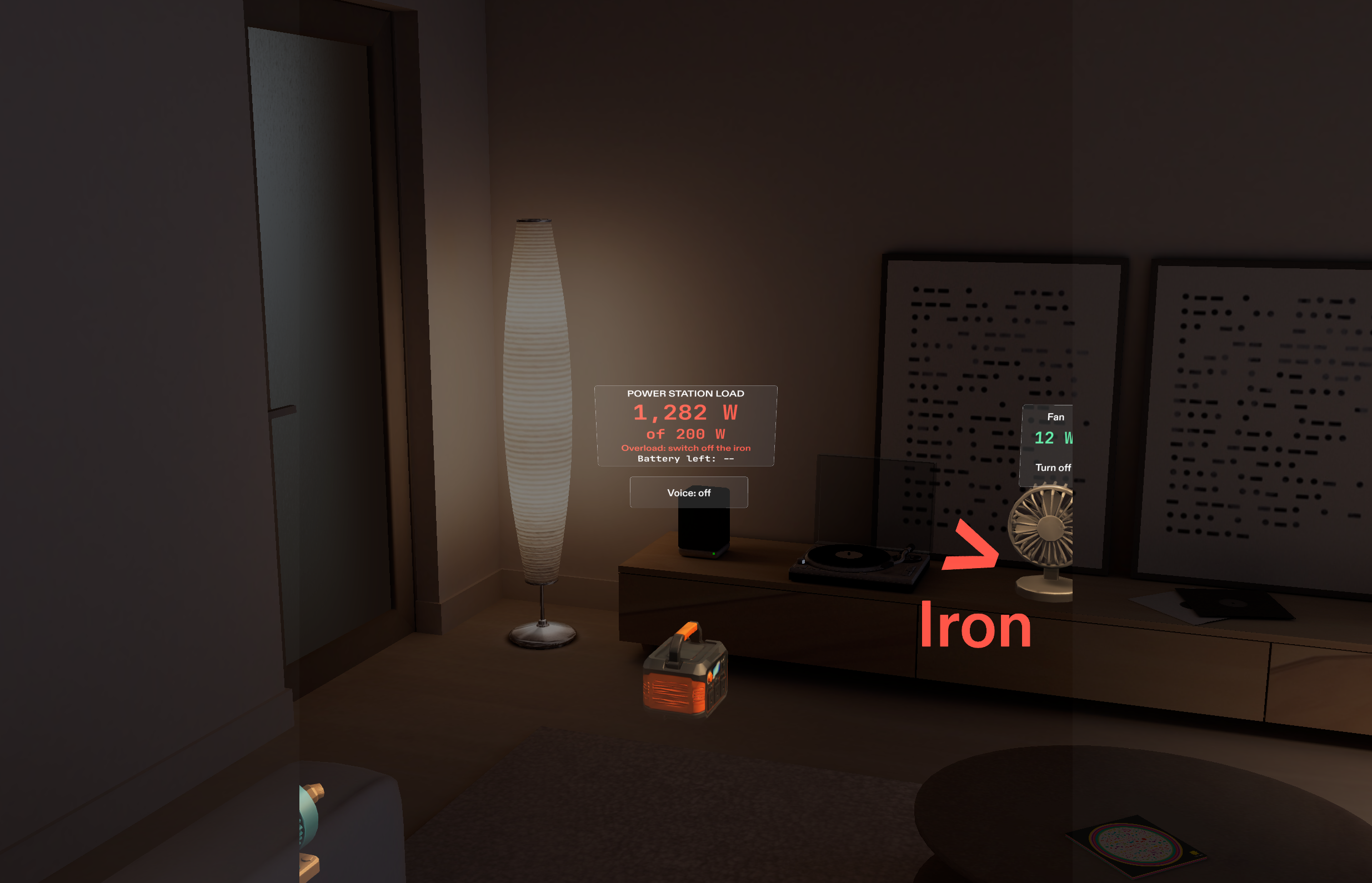
182 W / 200 W · 3h 58m. - Walk to the power station and read the meter floating above it: load, limit, status and time left.
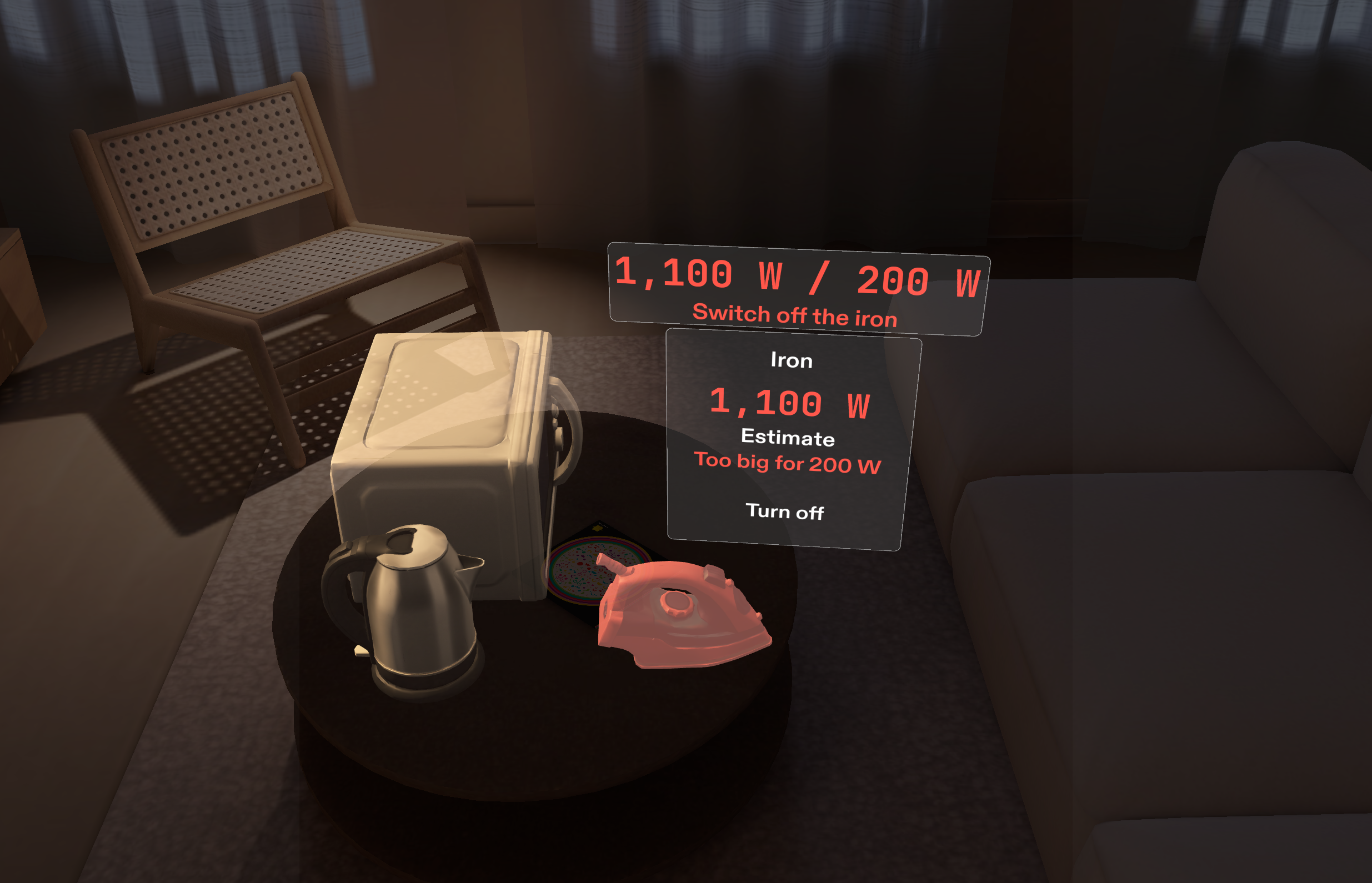
- Get warned before it trips. Switch on the iron and its own tag turns red, the chip says "Switch off the iron", a chime plays, and an arrow points to it from anywhere in the room.
My desk (fan, phone charger, power bank, laptop) takes 182 of the 200 W. That's what the Lens shows me before I add anything else.
How I built it
I followed the Devpost Learn process:
- Research and a problem check first: who has this problem, what exists, and why it needs glasses.
- The
plan-lensinterview turned my idea into a design brief with the one spatial moment, where things live, how hands work, and five checkable done criteria, using real numbers from my power station's label. Voice was added later as a sixth. - CLAD built the Lens in Lens Studio through the Lens Studio MCP, then four design rounds from preview captures and my own walk-throughs.
- LEAF tests pinch the Lens by themselves and check every done criterion (28 scenarios).
The load maths lives in one plain TypeScript file with 21 unit tests. The Lens uses the same file, and a test fails if the two copies ever differ:
$$\text{battery hours} = \frac{1000\,\text{Wh} \times 0.85_{\text{usable}} \times 0.85_{\text{conversion}}}{\text{load (W)}}$$
At 182 W that's 3 h 58 m. Pinch and voice both call the same setSwitch(), so they can't disagree.
Challenges
- The fan that kept becoming a power bank. Picking "Fan" tagged the fan as the wrong appliance. The phone charger's card opened over the fan, its buttons sat inside the fan's invisible click box, and the Interaction Kit sent my pinch to the nearest one. Buttons now outrank appliance bodies, and any tag can be re-picked. A LEAF scenario opens every card three times to guard it.
- The login that blocked everything. Lens Studio 5.24.1's sign-in failed in every browser. The SPECS team suggested downgrading to 5.23.2, so I rebuilt the project there.
- Readable on an additive display. The first build worked and was unreadable: grey boxes, tiny text. Three rounds later the wattage is the biggest thing on every tag, measured from rendered pixels.
- Voice with no language setting. Snap's speech module guesses the language, and a noisy room once came back in Russian. Voice is off by default, acts only on final transcripts, and restarts itself.
What I learned
- On glasses, information belongs on the thing it's about. My first version was a panel. It became a tag on each appliance, and a meter on the power station.
- The more exact the brief, the better the build. The interview made me write real numbers (200 W, 1,000 Wh, 182 W) and checkable outcomes. CLAD built almost exactly that.
- Keep the maths out of the engine you can't test. The pure engine file made the maths trustworthy, even while Lens Studio itself was flaky.
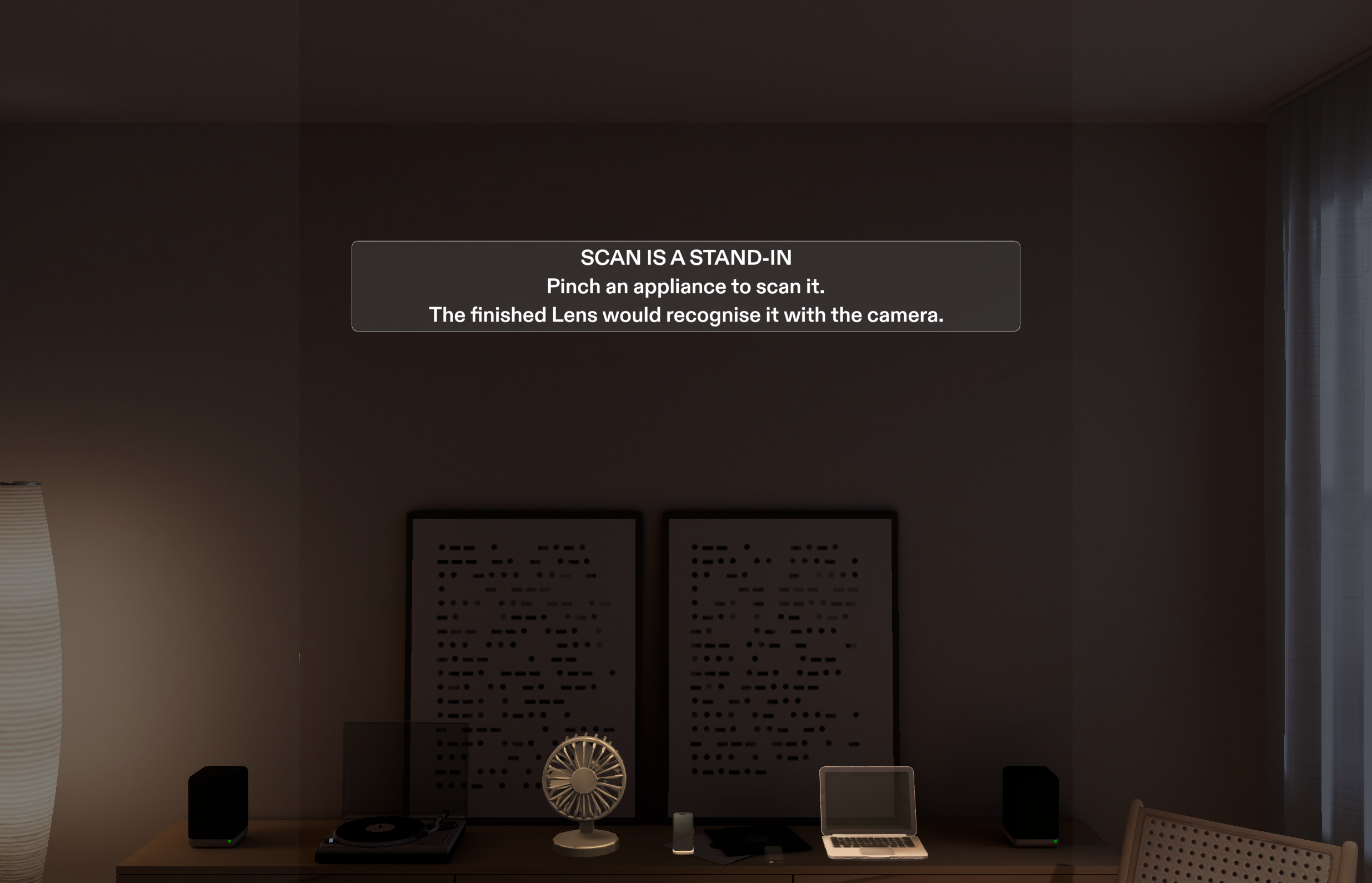
- Be honest about the stand-in. The preview can't recognise a real appliance, so the scan is a pinch-and-pick, and the Lens says so on screen. Wattages are the labels where I have them and marked estimates where I don't.
What's next
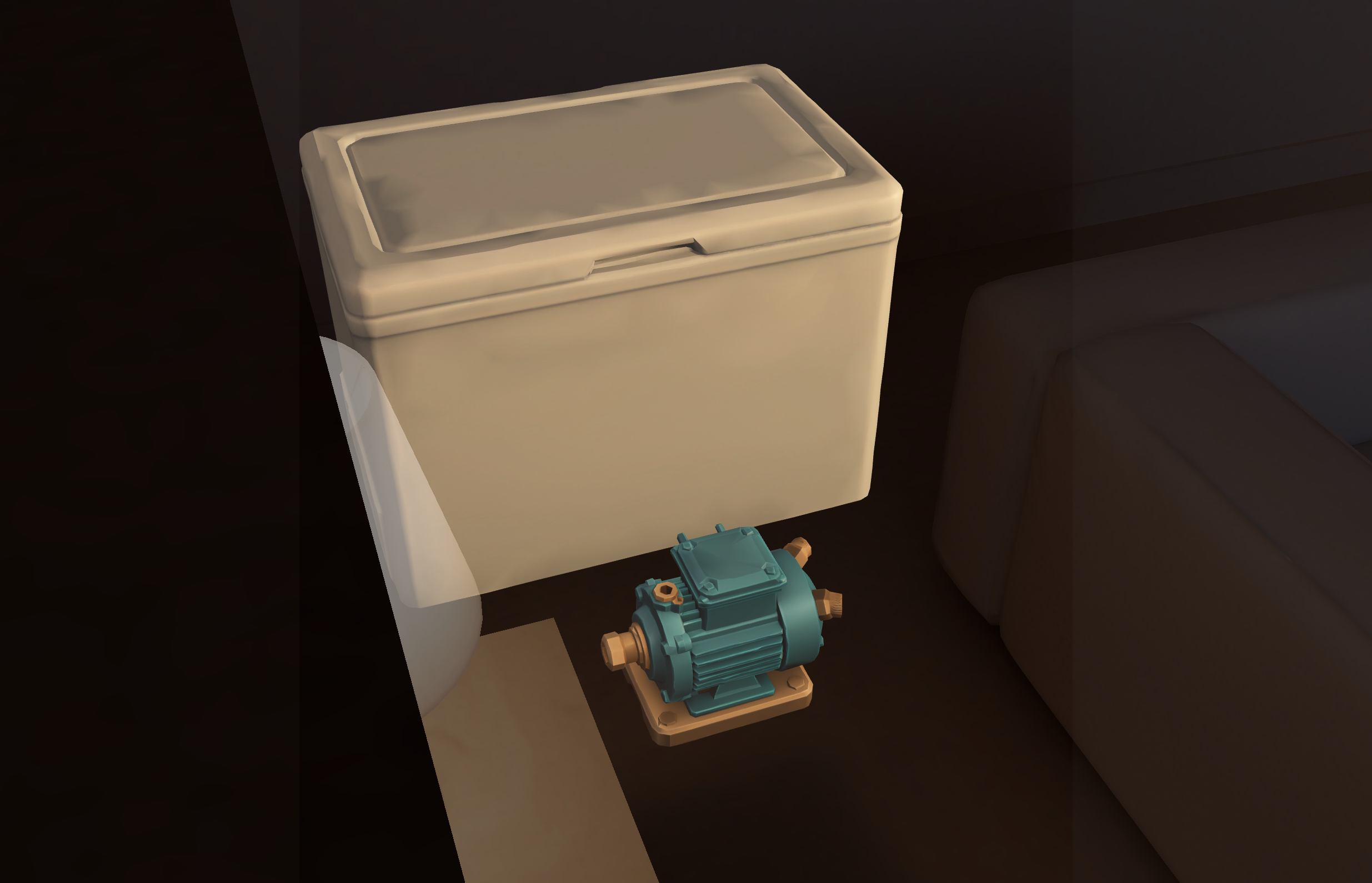
Real camera recognition of appliance labels on glasses, saving a household's appliances between sessions, and a surge check for motors (fridges, pumps) that start at three times their running power.
Built With
- asr
- clad
- claude
- code
- devpost
- interaction
- kit
- leaf
- learn
- lens
- mcp
- module
- pack
- plan-lens
- skill
- snap
- specs
- spectacles
- studio
- typescript
- ui

Log in or sign up for Devpost to join the conversation.