Inspiration
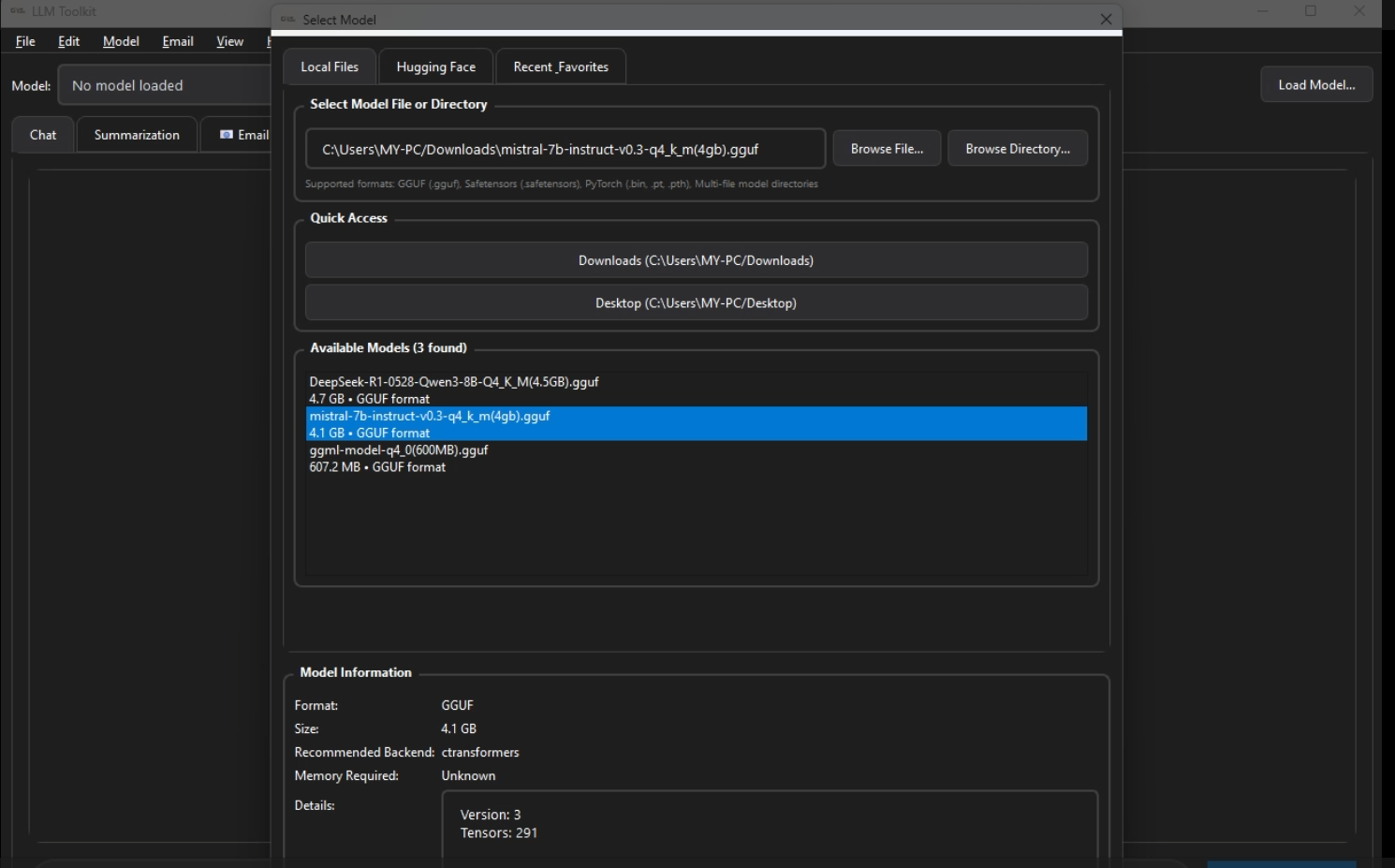
LLM-Toolkit was born from the need for a universal, lightweight desktop app that could load and manage local LLMs without format headaches or platform-specific complexity. With so many formats (GGUF, safetensors, PyTorch bins, Hugging Face) and so many hardware/driver variations (NVIDIA, AMD, Apple Metal, Intel/Vulkan), workflows often become messy. I wanted a tool that just works on a typical developer machine—like my RTX 4060 + 32GB RAM setup—without relying on cloud APIs or bloated installers.
What it does
LLM-Toolkit delivers a unified local experience for managing and running models:
Supports GGUF, safetensors, PyTorch bins, and direct Hugging Face Hub loading.
Automatically detects the model format and chooses the correct backend.
Intelligent hardware routing across CUDA, ROCm, Metal, Vulkan, or CPU fallback.
Clean PySide6 desktop UI for browsing, loading, and managing models.
Modular addon system for plugging in new features or backends.
Portable deployment that relies only on system drivers—no huge installs required.
How we built it
The project is structured around three core layers:
Core Logic
format_detector.py identifies model types via signatures and metadata.
Service modules (e.g., model_loader.py, hardware_detector.py, huggingface_service.py) unify loading, device checks, and caching.
Backends
GGUF via llama-cpp-python
Transformers backend for Hugging Face models
Support for safetensors and PyTorch weights
UI (PySide6)
main_window.py, model_info_widget.py, and addon_manager.py form a cohesive, responsive interface.
Setup & Testing
Cross-platform setup scripts configure GPU acceleration automatically.
A full test suite validates format detection, backend compatibility, and loading behaviors.
Challenges we ran into
Handling ambiguous model formats where “.bin” could mean multiple things.
Cross-platform GPU compatibility and managing different vendor drivers.
Memory constraints for large models requiring lazy loading or mmap techniques.
UI consistency across Windows, macOS, and Linux.
Designing a plugin system that stays robust as new backends and features plug in.
Replacing cryptic Python or CUDA errors with human-friendly messages.
Accomplishments that we're proud of
Achieved true multi-format support within a single desktop tool.
Fully automated hardware and backend detection.
Built cross-platform GPU setup scripts accessible to non-experts.
Implemented a clean, extensible addon architecture.
Established a reliable test suite for core functionality.
Delivered a portable, efficient solution aligned with local-AI philosophy.
What we learned
Model loading is far more complex than it appears—metadata quirks matter.
Cross-platform GPU support is full of hidden traps related to drivers and OS differences.
Designing modular interfaces upfront dramatically accelerates future expansion.
UX is not just UI—smart fallbacks and clear error messages make a huge difference.
Local-first AI tools require careful memory and resource management to remain usable.
What’s next for LLM-Toolkit
Add more backends: OnnxRuntime, DeepSpeed, MPS-accelerated inference.
Implement model offloading and streaming for ultra-large models.
Build an addon marketplace/registry for extensions (tokenizer tools, benchmarks, etc.).
Optional cloud/remote inference mode while keeping the toolkit local-first.
Advanced model introspection and benchmarking features.
More UI customization, themes, and import/export settings.
Community-driven documentation, sample addons, and video walkthroughs.
Native installers (Windows EXE, macOS DMG, Linux AppImage) for one-click setup.

Log in or sign up for Devpost to join the conversation.