Doomsday Clock — Canvas Assignment Tracker
Inspiration
Students often log into Canvas, jump between courses, and check assignment due dates individually. With multiple courses and Canvas Cloud notifications, it’s easy to miss something important. There’s no single dashboard that aggregates all assignments at a glance—so we built Doomsday Clock to solve this problem.
What it does
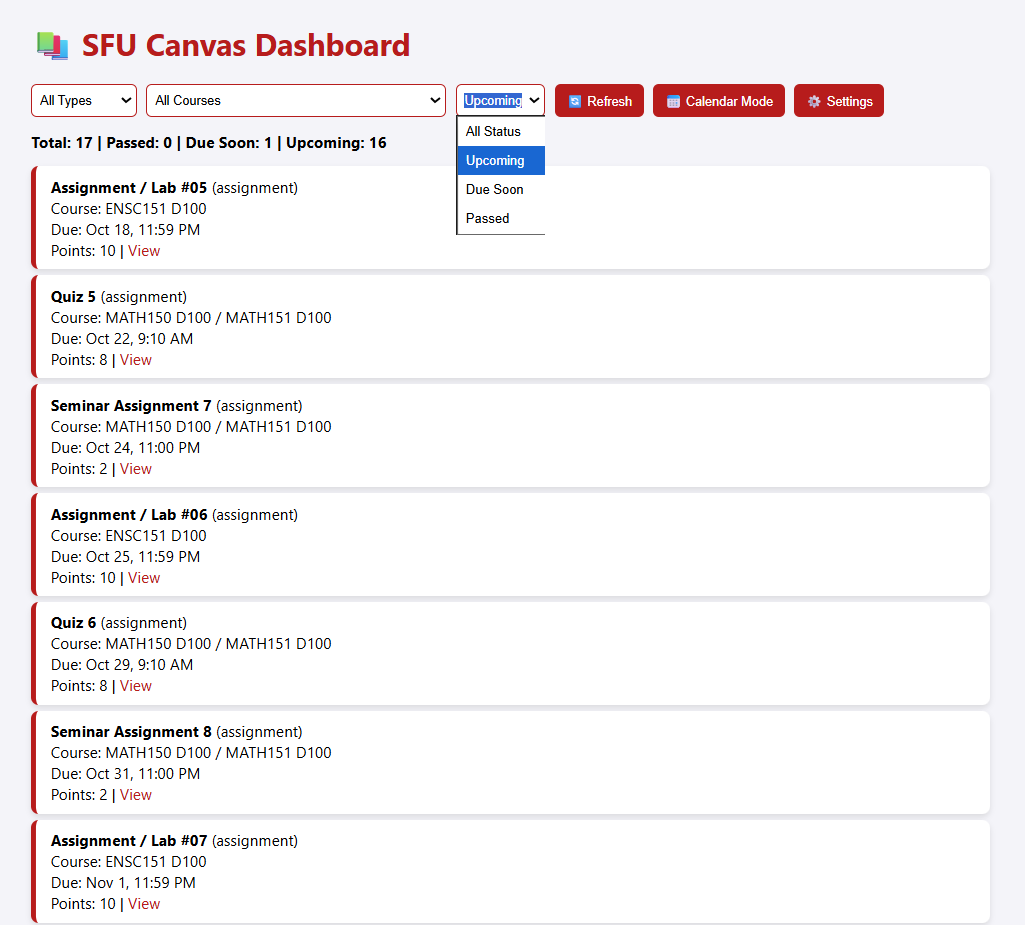
Doomsday Clock is a countdown timer that collects, organizes, and alerts students about upcoming assignments.
- Collects — Integrates with the Canvas API to fetch courses and assignments.
- Organizes — Sorts by due date, course (e.g., ENSC151, MATH151), type (assignment, quiz, exam), and status (past, due soon, upcoming).
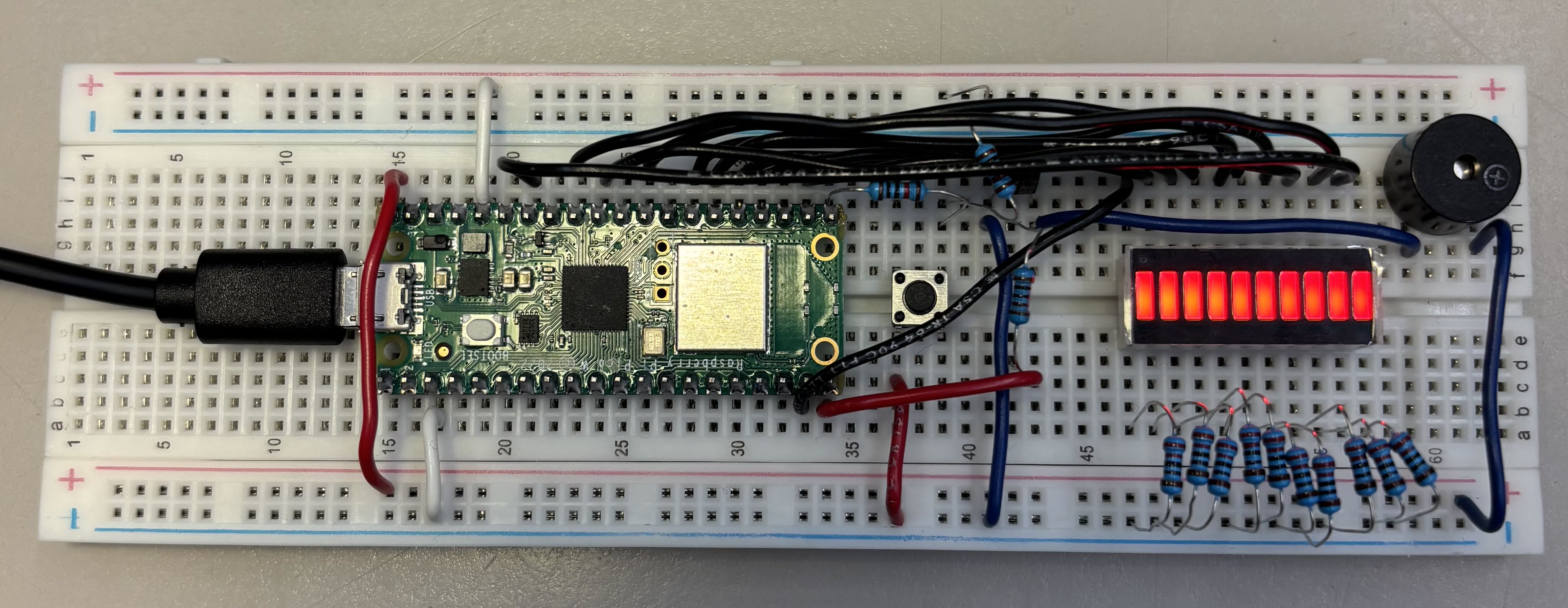
- Warns — Triggers visual and audio alerts when deadlines are near using an LED bar and alarm system on a Raspberry Pi.
How we built it
12-hour goals
- Display all assignments in a unified calendar view.
- Implement an alarm and LED countdown on a Raspberry Pi.
- Integrate the dashboard with the alert system.
Frontend
- HTML/CSS/JS with a React-like modular structure.
- Tailwind-inspired styling for clear visuals (colors, cards, calendar).
- Dynamic dashboard with filters by course, type, and status.
- Calendar view for easy visual tracking.
Backend
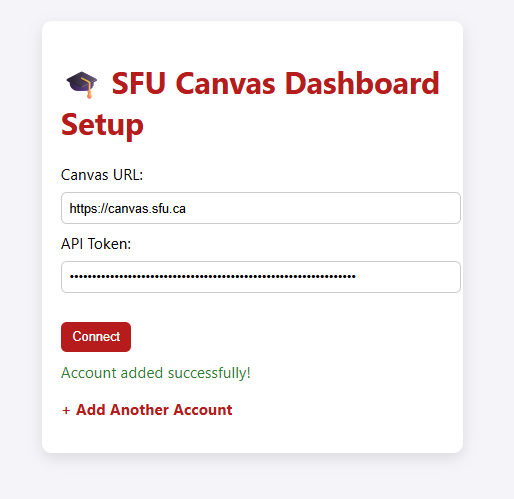
- Direct Canvas API integration to fetch courses and assignments.
- CORS proxy handling via
corsproxy.ioto bypass browser restrictions. - Assignment parsing and due date calculations in vanilla JS.
- Sorting assignments by course, type, and due status.
Module / Hardware
- Raspberry Pi (Pico W) for countdown, LED display, and alarms.
- Buzzer module for audio alerts.
- LED bar module to visualize upcoming deadlines.
Challenges we ran into
- API — Initial scripts couldn’t access Canvas data; resolved with a CORS proxy. Course matching across multiple APIs required building a reconciliation system.
- UI — Absolute coordinate system caused display issues; switched to a ratio-based scaling system for responsiveness.
- Raspberry Pi — We attempted to connect the webpage and the Pico using Wi-Fi, but wireless connection was beyond our payload. We opted for a wired connection through a serial port.
Accomplishments we’re proud of
- Successfully integrated Canvas API to fetch and display assignments.
- Built an organized, easy-to-read calendar dashboard.
- Fully functional Raspberry Pi alert system with LED and alarm.
What we learned
- Web development using modular HTML/CSS/JS.
- Raspberry Pi programming and hardware interfacing.
- Breadboarding, circuits, and connecting hardware modules to software.
What’s next
- Enable user-inputted data sources beyond Canvas.
- Refine UI/UX and visual design of the dashboard and module.
- Publish as a mobile or desktop application for wider accessibility.

Log in or sign up for Devpost to join the conversation.