-
-
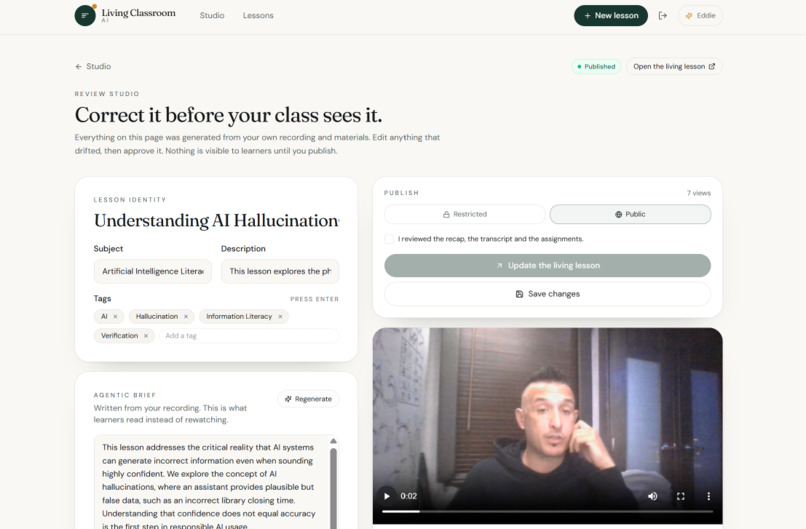
Screenshot of Lesson Dashboard
Inspiration
What it does
How we built it
Challenges we ran into
Living Classroom AI
What was taught, still teaching.
Inspiration
Every day, teachers deliver lessons filled with valuable explanations, examples, and insights. But when class ends, much of that experience disappears.
Students forget important details. Parents often don't know exactly what was covered. Students who miss class lose the teacher's actual explanation, not just the notes.
Even when lessons are recorded, videos remain largely passive. Students must search through recordings, replay sections, and piece together the information themselves.
We started with a question:
What if a lesson could continue teaching long after the teacher finished speaking?
What if a teacher could simply teach, and artificial intelligence could transform that instruction into a persistent, interactive learning experience?
That's the idea behind Living Classroom AI.
We didn't want to replace teachers with AI. We wanted to preserve their knowledge, amplify their impact, and make their instruction accessible beyond the classroom.
What It Does
Living Classroom AI transforms recorded instruction into interactive, AI-powered learning experiences called Living Lessons.
Instead of leaving students with only a recording, the platform creates a persistent educational space built around what the teacher actually taught.
The Teacher Experience
Teachers can:
- Record lessons using their camera and microphone.
- Transform recorded instruction into structured learning content using Google Gemini.
- Generate lesson summaries, study materials, and learning resources.
- Provide students with access to the original instruction and supporting materials.
- Share lessons so students and families can continue learning outside class.
The Student and Family Experience
Students and families can access a Living Lesson containing:
- Original instruction: The teacher's recorded lesson remains the foundation.
- AI-powered recap: A structured summary of the material covered.
- Study resources: Generated materials that reinforce the concepts.
- Interactive AI instructor: An opportunity to ask questions about the lesson.
- Private conversations: Individual participants can explore the material independently.
- Accessible learning: AI-assisted explanations make instruction easier to revisit and understand.
The goal is simple: turn a moment of teaching into a lasting learning resource.
How We Built It
Our primary hackathon implementation was built as a full-stack TypeScript application using Google Gemini and Firebase, with a serverless architecture designed for scalability, security, and minimal infrastructure complexity.
1. Google Gemini — The Intelligence Engine
We integrated Google's Generative AI SDK, @google/genai, using Gemini for:
- Lesson synthesis and structured summaries.
- Automated educational resource generation.
- Interactive lesson-based question answering.
- Multimodal content processing.
The application uses a Gemini Flash model with fallback resilience built into its AI execution pipeline.
All Gemini interactions run server-side through Firebase Cloud Functions. API credentials are maintained through Firebase's secret-management infrastructure and are never exposed directly to the browser.
2. Firebase — Serverless Application Infrastructure
Firebase powers the primary application's backend.
Firebase Authentication
- Email/password authentication for teachers.
- Google Sign-In.
- Anonymous authentication for students and participants.
Cloud Functions v2
- Six dedicated callable backend endpoints supporting lesson synthesis, study materials, question answering, sharing, email, and API-key verification.
- Node.js 20 execution environment.
- Server-side AI orchestration.
Cloud Firestore
- Persistent lesson data.
- Generated educational resources.
- Participant conversation histories.
- Application state management.
Cloud Storage
- Uploaded classroom recordings.
- Lesson media and associated files.
Firebase Hosting
- Deployment and delivery of the primary application.
Security Rules protect application data, while individual participant conversations remain private.
3. React, TypeScript, and Browser APIs — The Experience Layer
The frontend was built with:
- React 19
- TypeScript
- Vite
- React Router
- Tailwind CSS
- HTML5 browser media capabilities
Teachers can record video directly in the browser and upload it into Firebase Storage for processing.
We also integrated the native Web Speech API to support audio-based educational experiences, including distinct teacher and learner voices.
4. Deliberately Simple Architecture
One of our engineering priorities was avoiding unnecessary infrastructure.
Our primary implementation uses:
React → Firebase → Cloud Functions → Gemini
We deliberately avoided adding a separate Express server, PostgreSQL database, or external vector database.
Firestore handles application persistence and native querying, while Cloud Functions provide the trusted execution boundary for AI operations.
The result is a focused, serverless architecture designed around the actual teaching and learning workflow.
The Surprise: We Turned Our Own Presentation Into a Living Lesson
We wanted our hackathon demonstration to go beyond showing screenshots or walking through traditional application features.
We wanted the audience to experience the product firsthand.
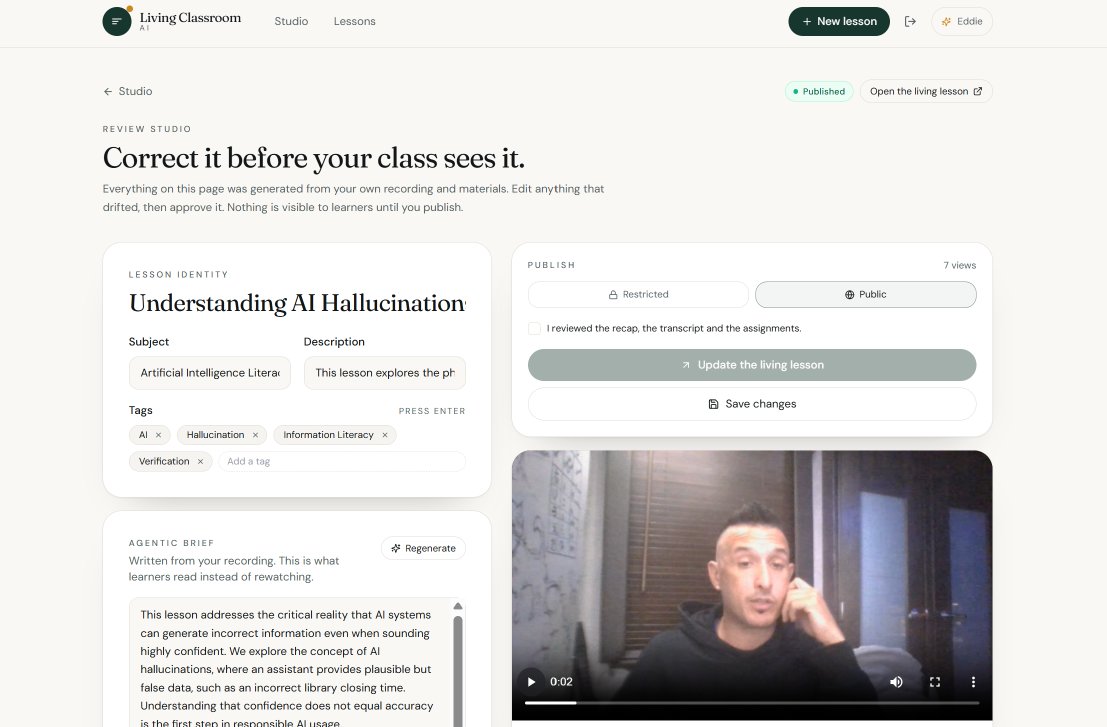
So we built a second implementation of Living Classroom AI using Base44, with Gemini-powered lesson synthesis and an integrated recording-to-publication workflow.
This gave us a way to create something special during our live presentation.
Rather than simply explaining how Living Classroom AI works, we recorded our own presentation as a lesson.
Then, at the end, we invited attendees to scan a QR code and explore that presentation as a Living Lesson.
The audience wasn't just watching a demonstration anymore.
They became the students.
And the presentation they had just experienced became the educational content they could revisit and interact with.
It was a demonstration inside a demonstration.
The first implementation showed the platform's core educational capabilities. The second allowed us to demonstrate the concept through the presentation itself.
Two implementations. Different infrastructure. One shared vision:
What was taught, still teaching.
Challenges We Faced
Building an End-to-End Educational Experience
Our biggest challenge was connecting multiple complex technologies into one coherent workflow.
Capturing recorded instruction, processing it with AI, organizing educational content, and supporting persistent participant interactions required coordination between the frontend, Firebase services, and Gemini.
We focused on making these components function as one application rather than presenting disconnected AI features.
Keeping AI Secure
AI capabilities needed to remain accessible without exposing credentials or privileged backend operations to the client.
We addressed this by routing Gemini operations through Firebase Cloud Functions v2 and managing credentials server-side.
Managing Scope Under Hackathon Time Constraints
Hackathons force difficult architectural decisions.
We had to balance ambitious ideas with the need to demonstrate a functioning product.
Rather than introduce unnecessary infrastructure, we concentrated on serverless services, a compact frontend architecture, and the essential learning experience.
Creating the Live Inception Moment
One of our most ambitious presentation goals was making the demonstration itself become a new lesson.
That required an additional implementation capable of recording, processing, publishing, and sharing a lesson during the presentation.
Base44 enabled us to pursue that experience without rebuilding the entire primary Firebase application.
Accomplishments We're Proud Of
1. Building a real Google Cloud-powered educational application.
Our primary implementation combines React, Firebase Authentication, Cloud Functions, Firestore, Cloud Storage, Firebase Hosting, and Google Gemini into a unified learning platform.
2. Preserving the original teaching experience.
The teacher's recording is the source of the educational experience, rather than having AI independently generate a lesson without human instruction.
3. Creating persistent AI-powered learning interactions.
Students can return to lesson content and engage with AI-generated study resources and interactive question answering.
4. Keeping the architecture serverless and security-conscious.
We separated frontend interactions from privileged AI execution and avoided unnecessary backend services.
5. Demonstrating the concept recursively.
We turned our own presentation into a Living Lesson and invited the audience to experience the result through a QR code.
For us, that moment captured the entire vision of the project.
What We Learned
This project reinforced something important about artificial intelligence in education:
AI is most valuable when it extends human capability rather than attempting to replace it.
A teacher already possesses the knowledge, context, and instructional intent.
The opportunity is to make that knowledge persistent and interactive.
We also learned the value of architectural flexibility.
By building a primary implementation with Google Cloud and Firebase, then creating a supplementary implementation with Base44 for the live experience, we explored two different paths toward the same product vision.
The underlying concept proved more important than any one framework.
What's Next
We see Living Classroom AI growing into a broader platform for persistent, personalized education.
Our roadmap includes:
- Teacher verification workflows: Stronger review and approval controls for AI-generated learning resources.
- Adaptive learning: Personalized practice based on student understanding.
- Multilingual accessibility: More ways for students and families to explore material in their preferred language.
- Learning analytics: Help educators identify concepts that require additional explanation.
- Richer educational assets: Interactive diagrams, concept maps, quizzes, and guided learning activities.
- Family engagement: Better visibility into classroom instruction and homework.
- Unified architecture: Consolidate the strongest capabilities of both hackathon implementations into one production-ready platform.
Our long-term vision is to create an educational environment where valuable human instruction doesn't disappear after a single class.
It continues teaching, helping, and reaching new learners.
Living Classroom AI
What was taught, still teaching.
Built for DevFest Florida Hackathon 2026.
Accomplishments that we're proud of
What we learned
What's next for Living Classroom Ai
Built With
- cloud-firestore
- cloud-functions
- firebase
- firebase-authentication
- firebase-hosting
- firebase-storage
- google-cloud
- google-gemini
- google-genai-sdk
- html5
- javascript
- node.js
- react
- react-router
- tailwind-css
- typescript
- vite
- web-speech-api


