-
-
-
-
-
-
-
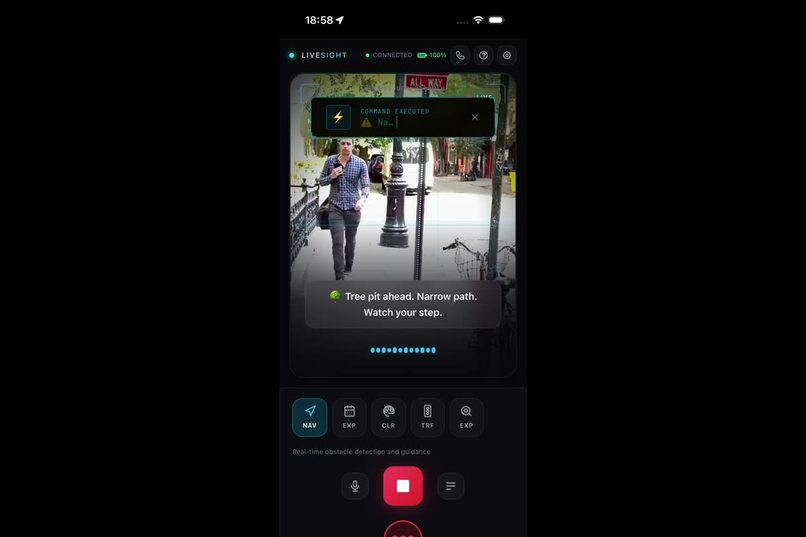
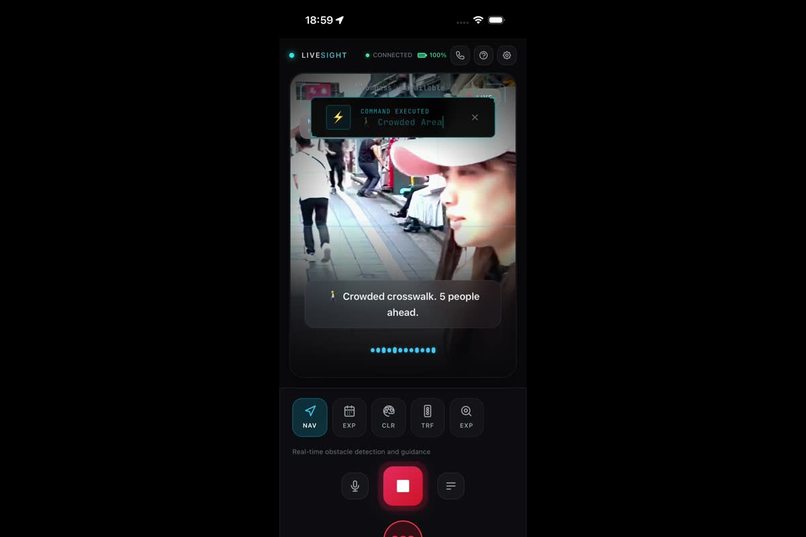
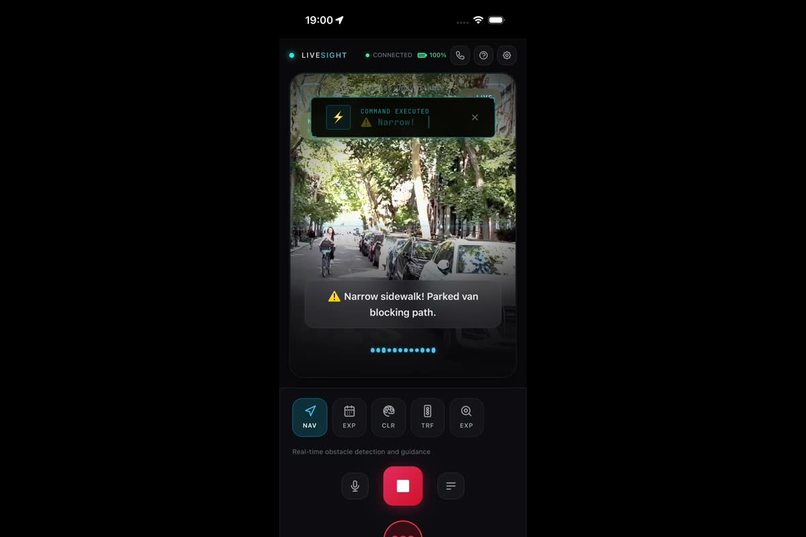
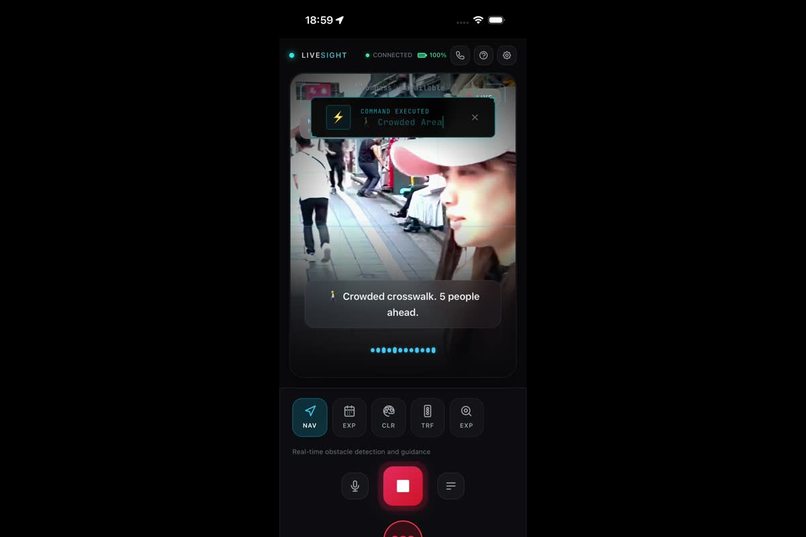
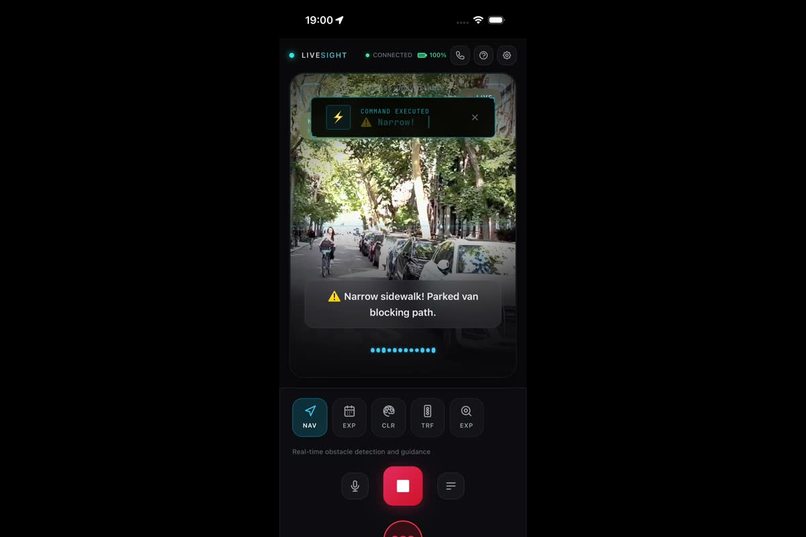
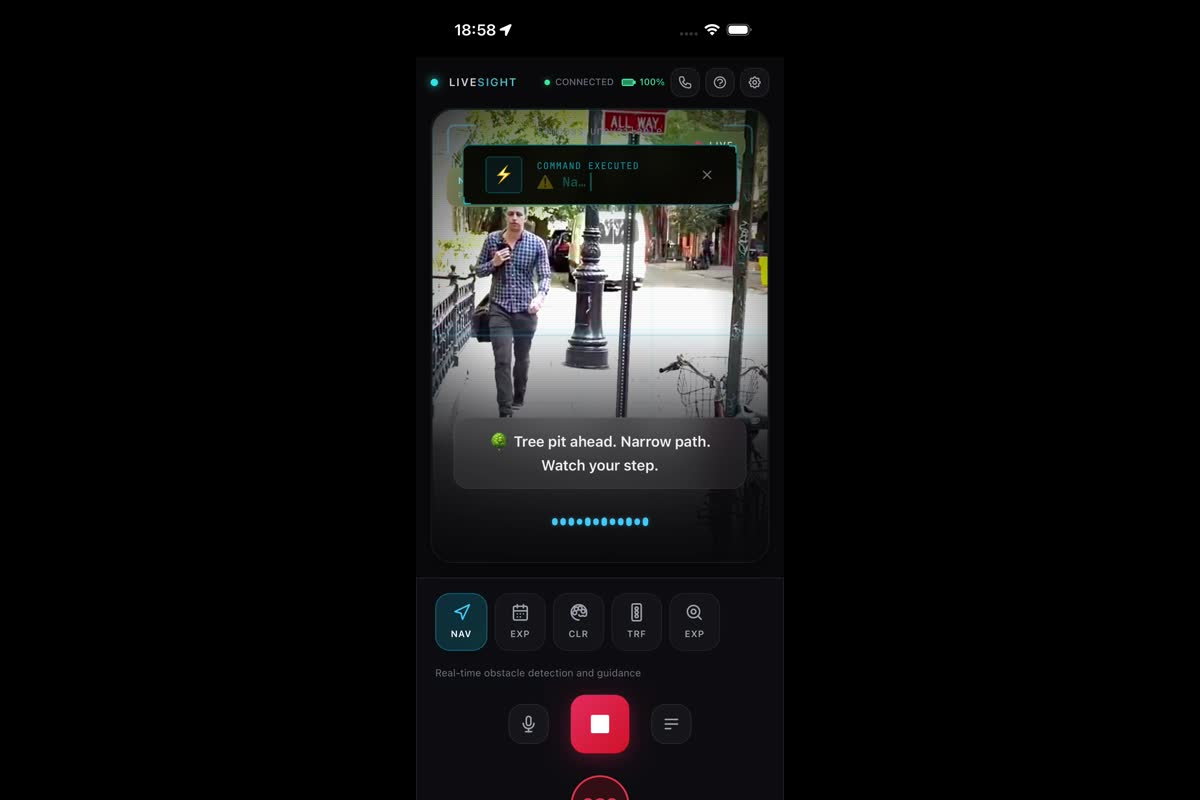
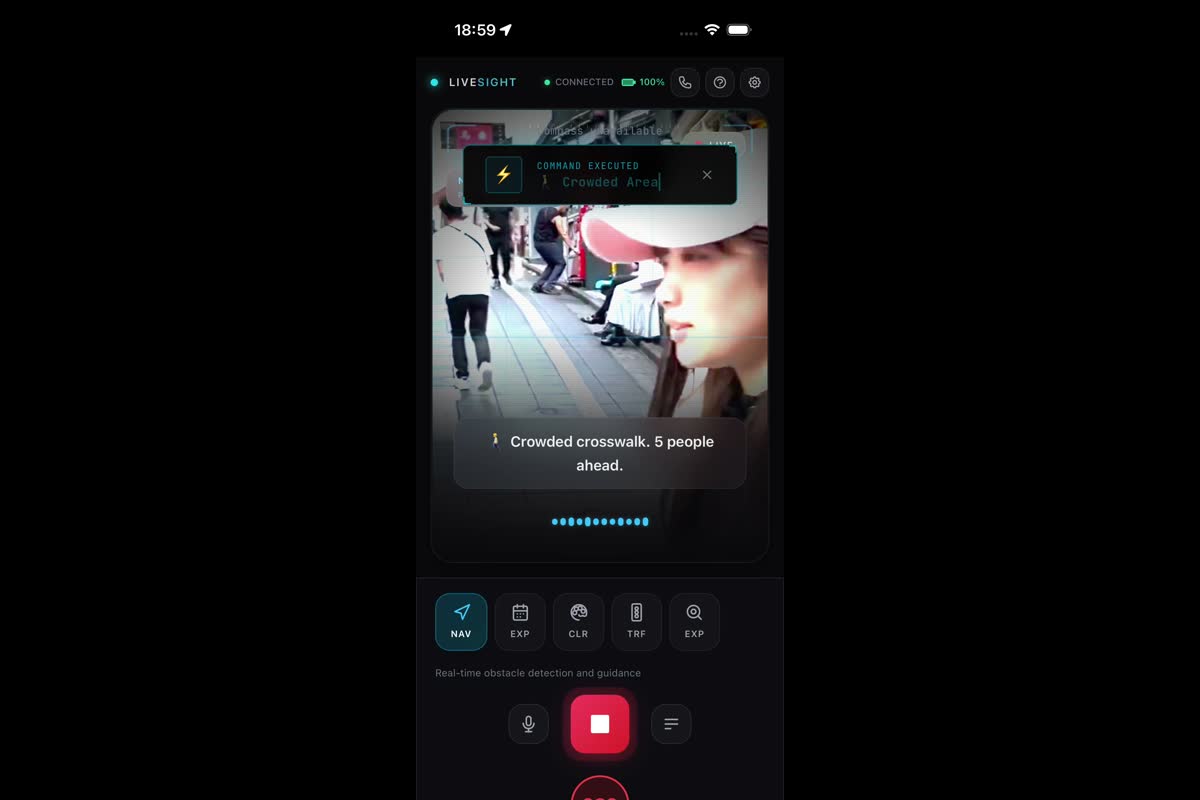
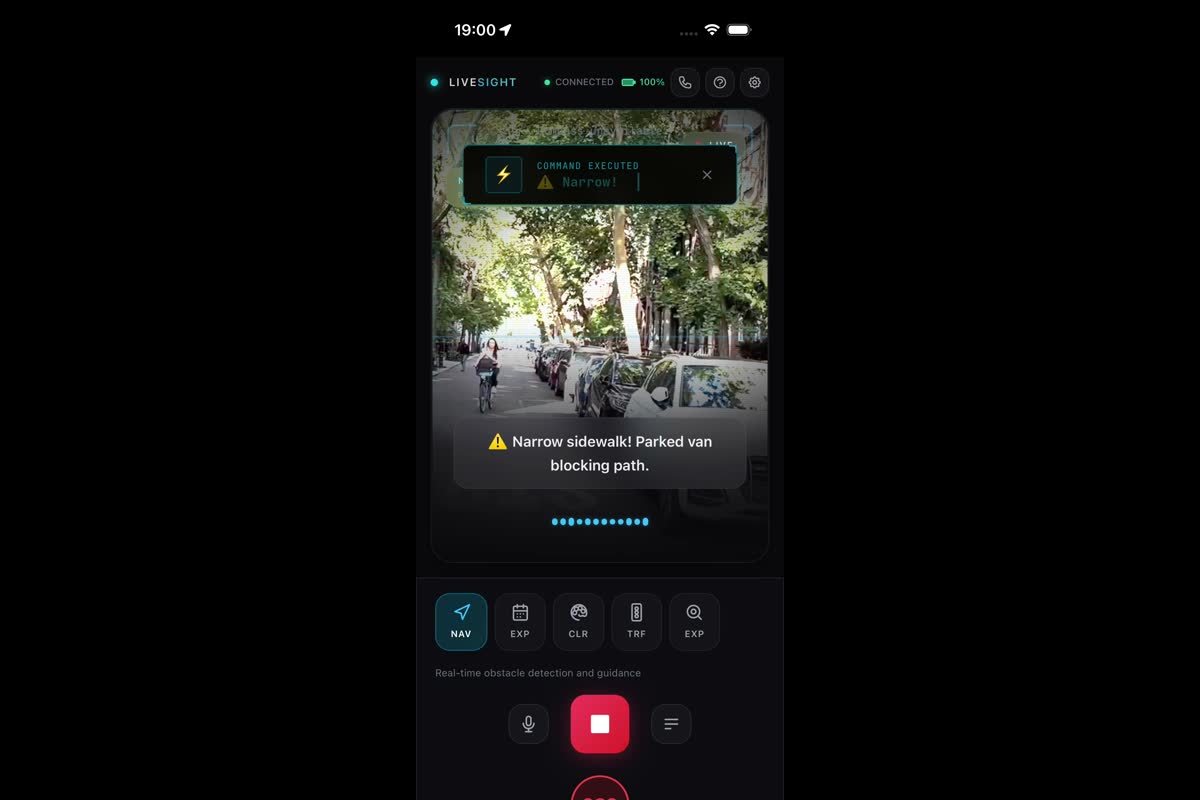
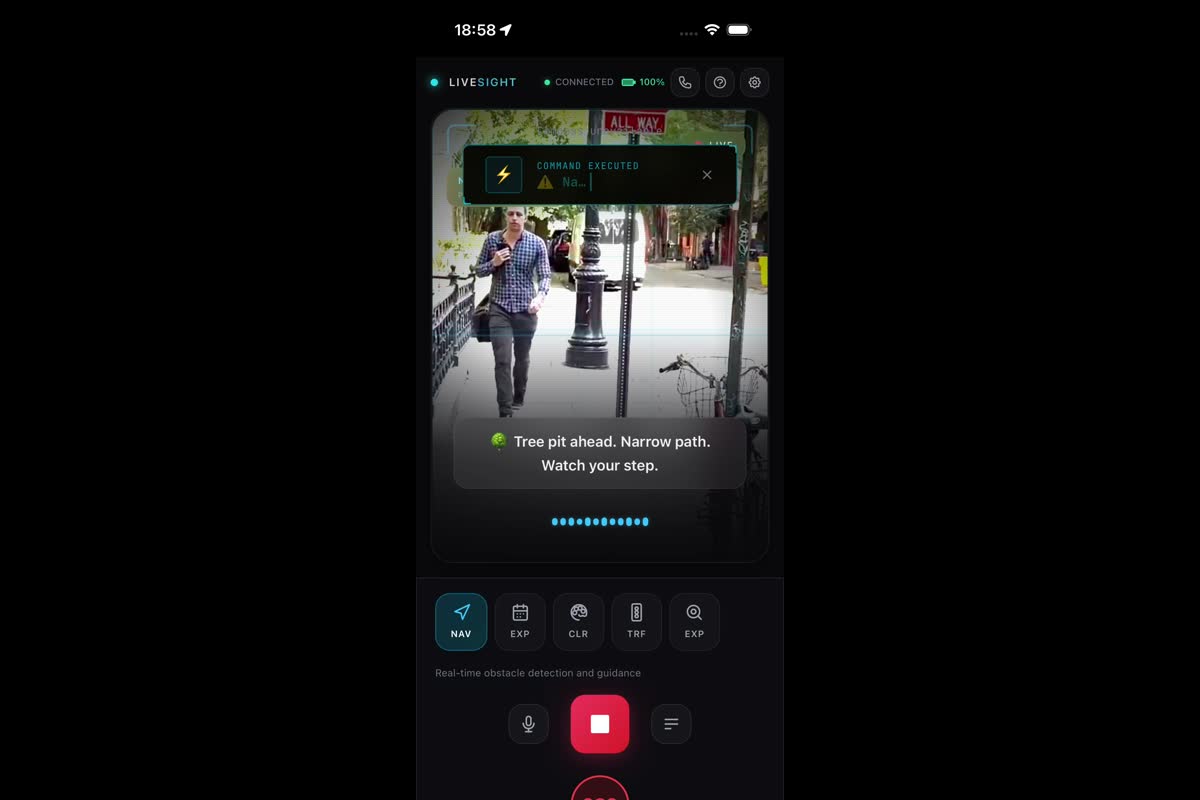
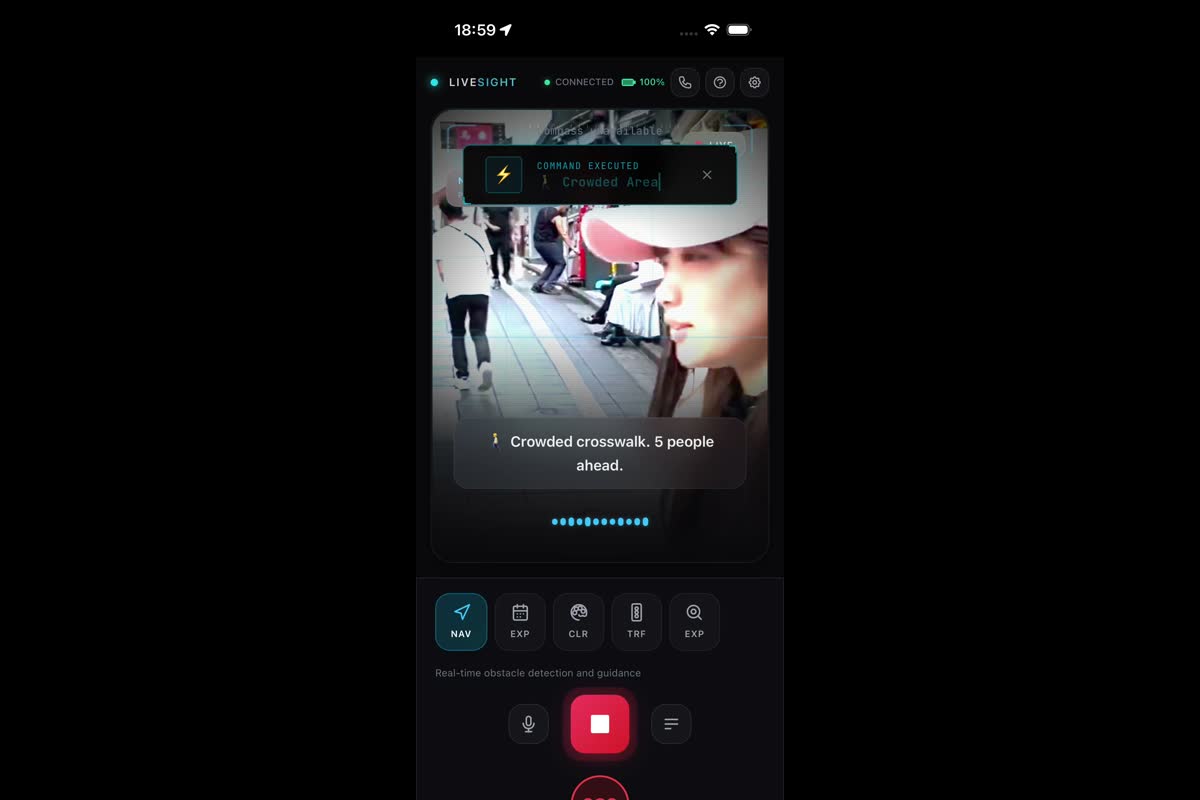
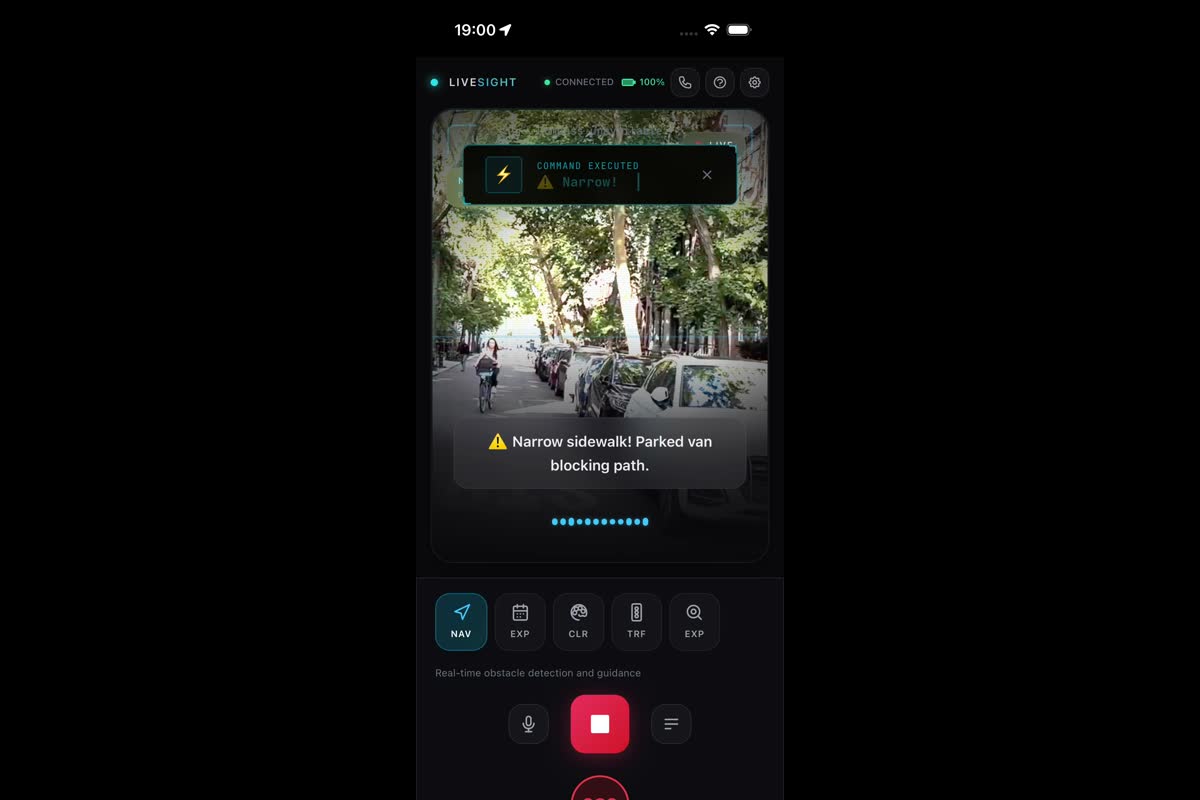
Navigation Mode: Real-time obstacle detection with clock-direction guidance for safe navigation
-
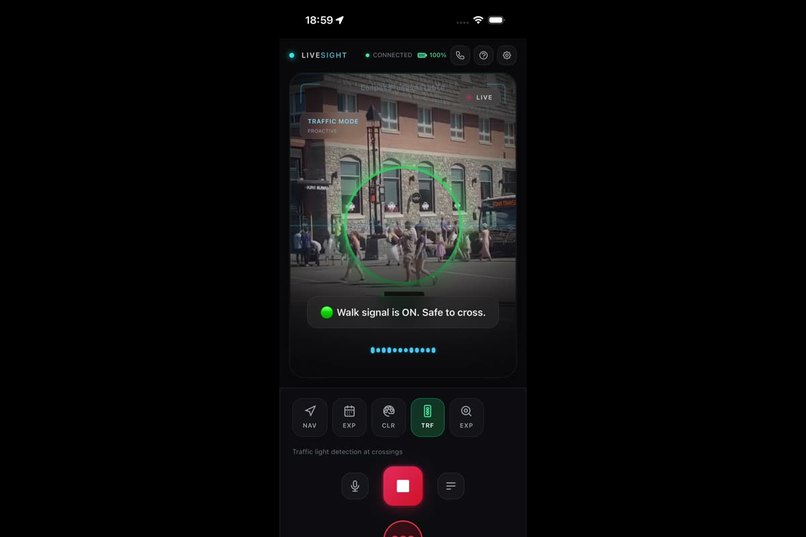
Vehicle Danger Detection: AI-powered 3-tier alert system detecting traffic hazards with haptic feedback
-
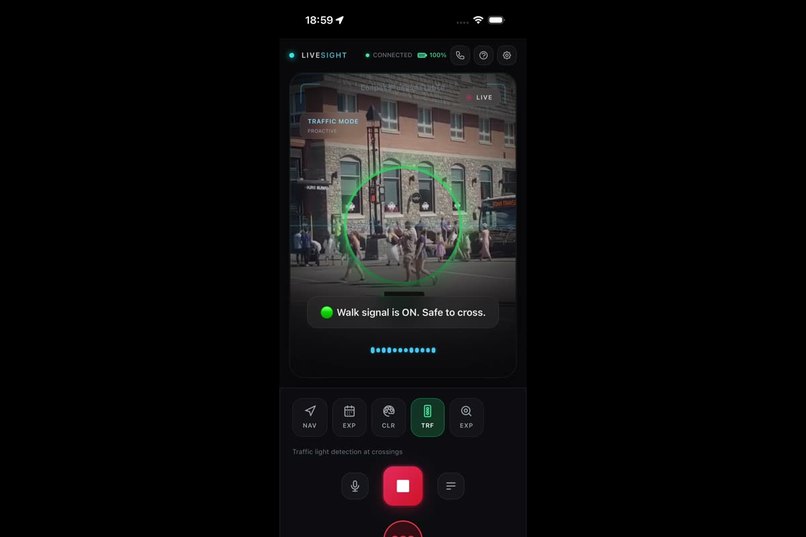
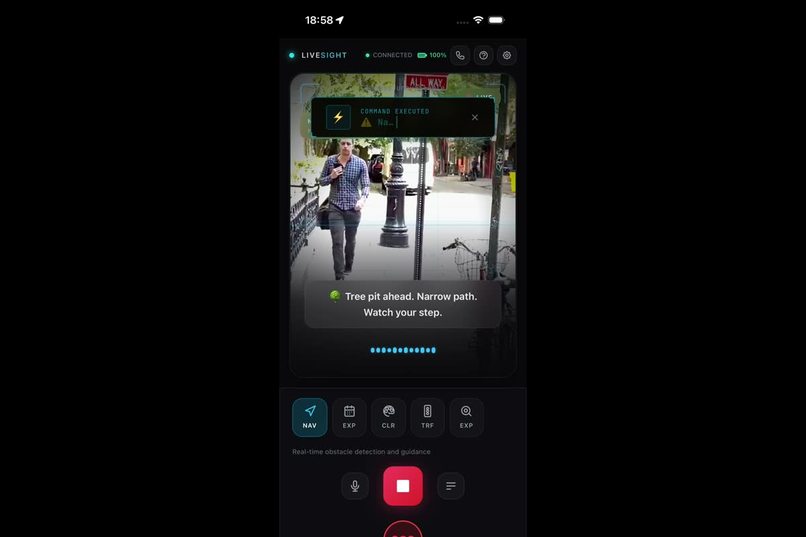
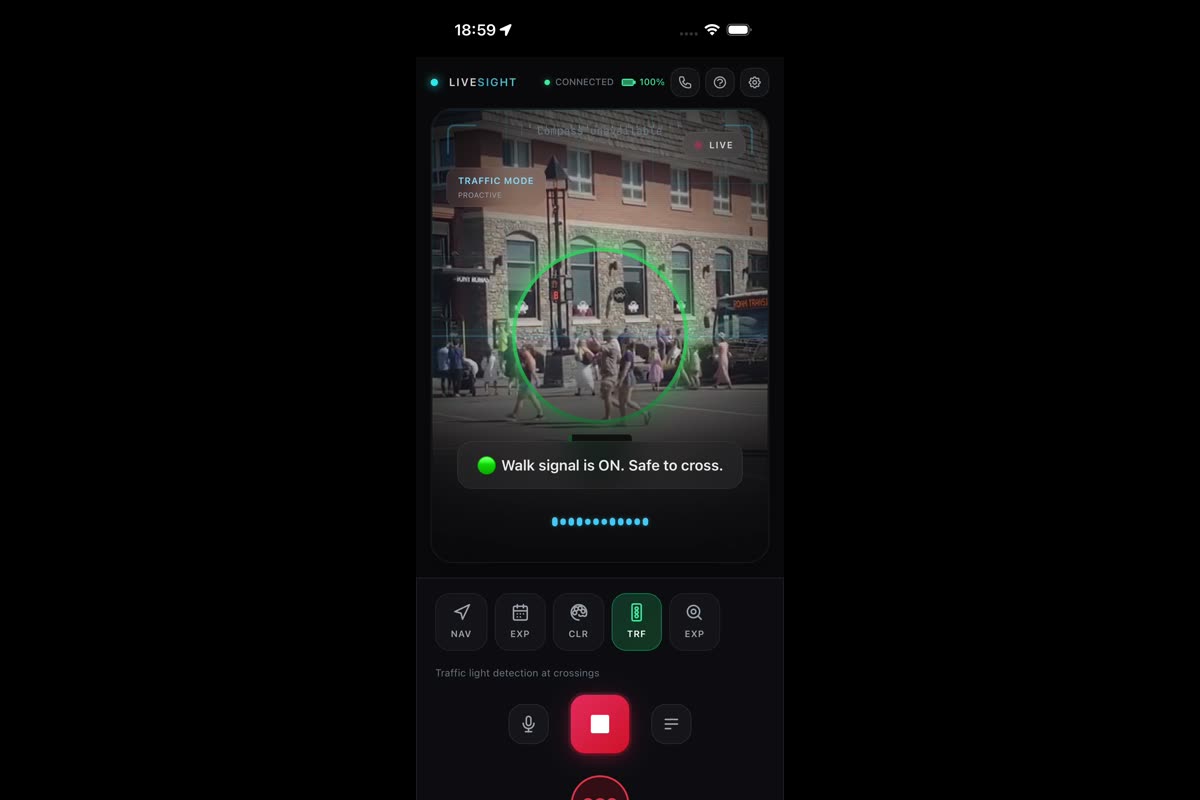
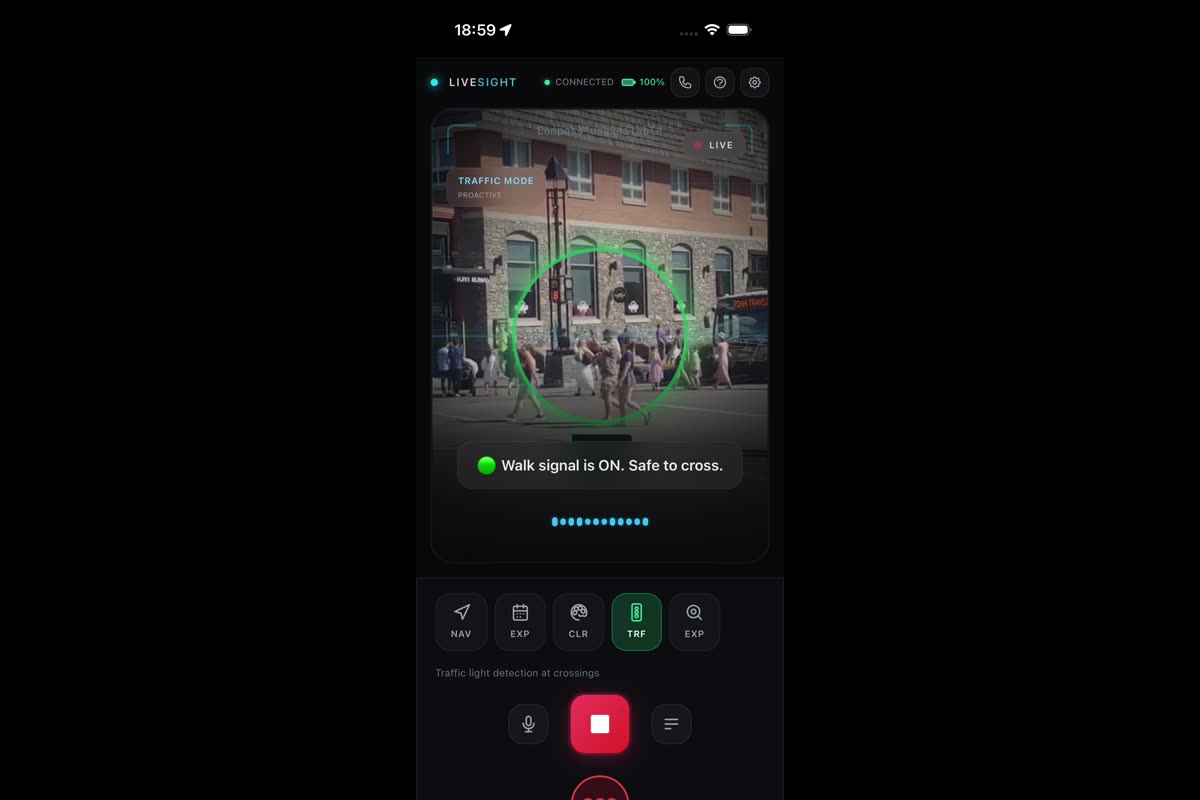
Traffic Light Detection: Real-time recognition of traffic signals and pedestrian crossing indicators
-
Color & Pattern Recognition: Intelligent clothing color and pattern matching for outfit coordination assistance
-
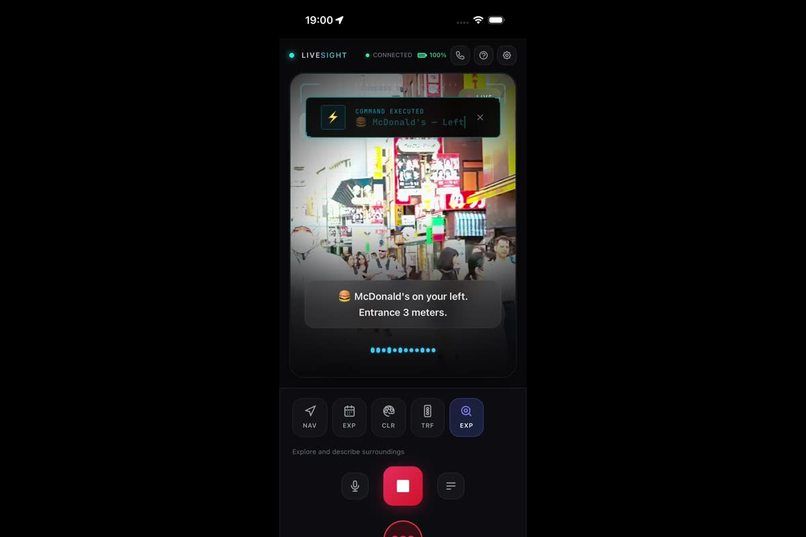
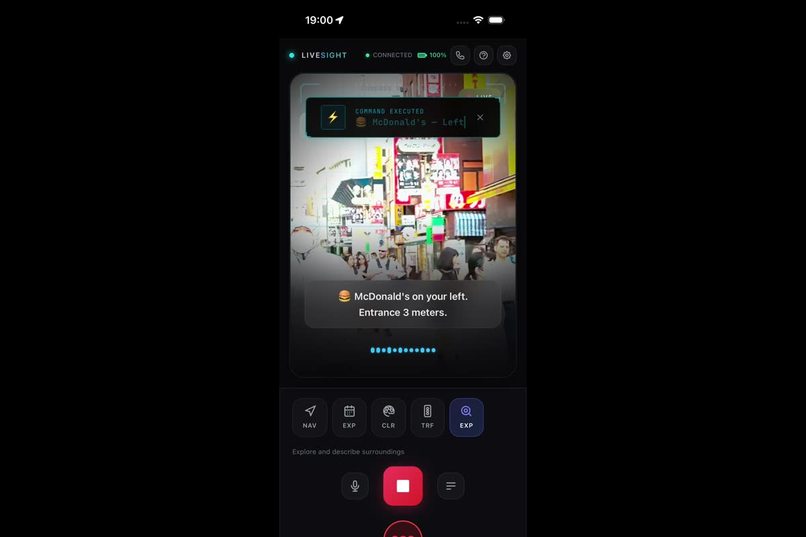
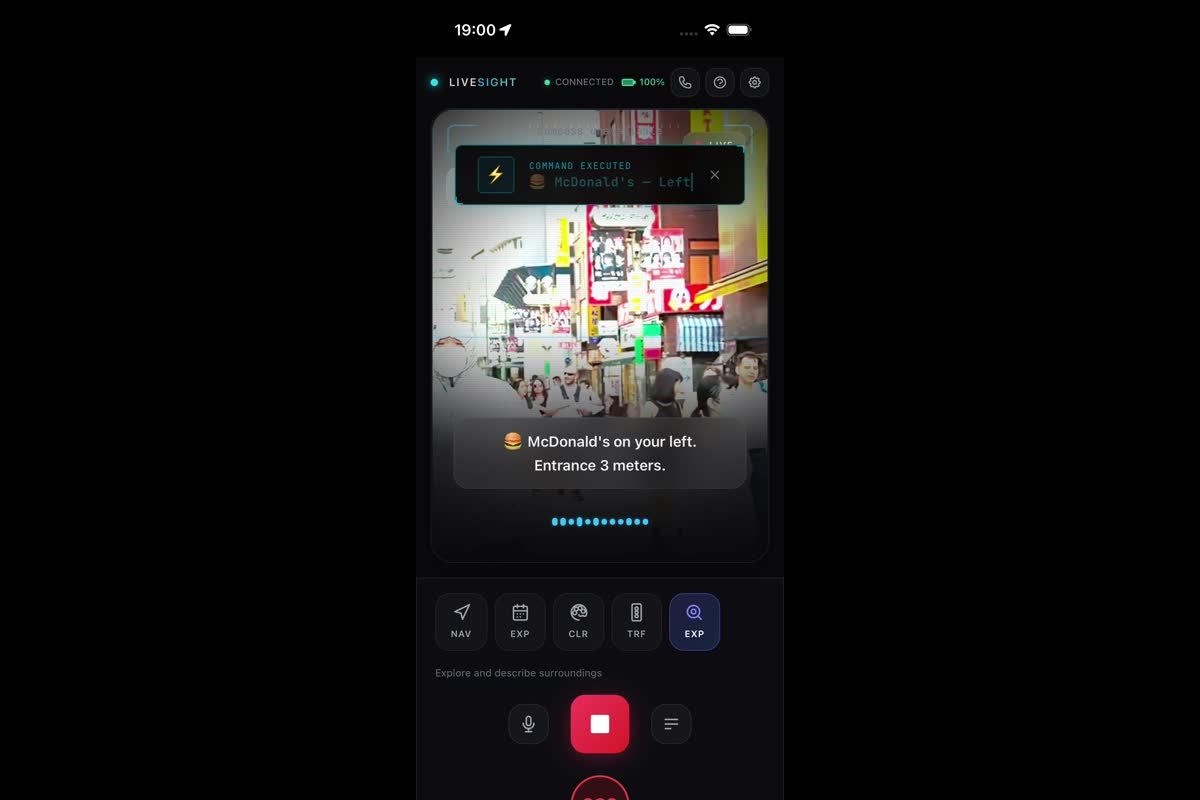
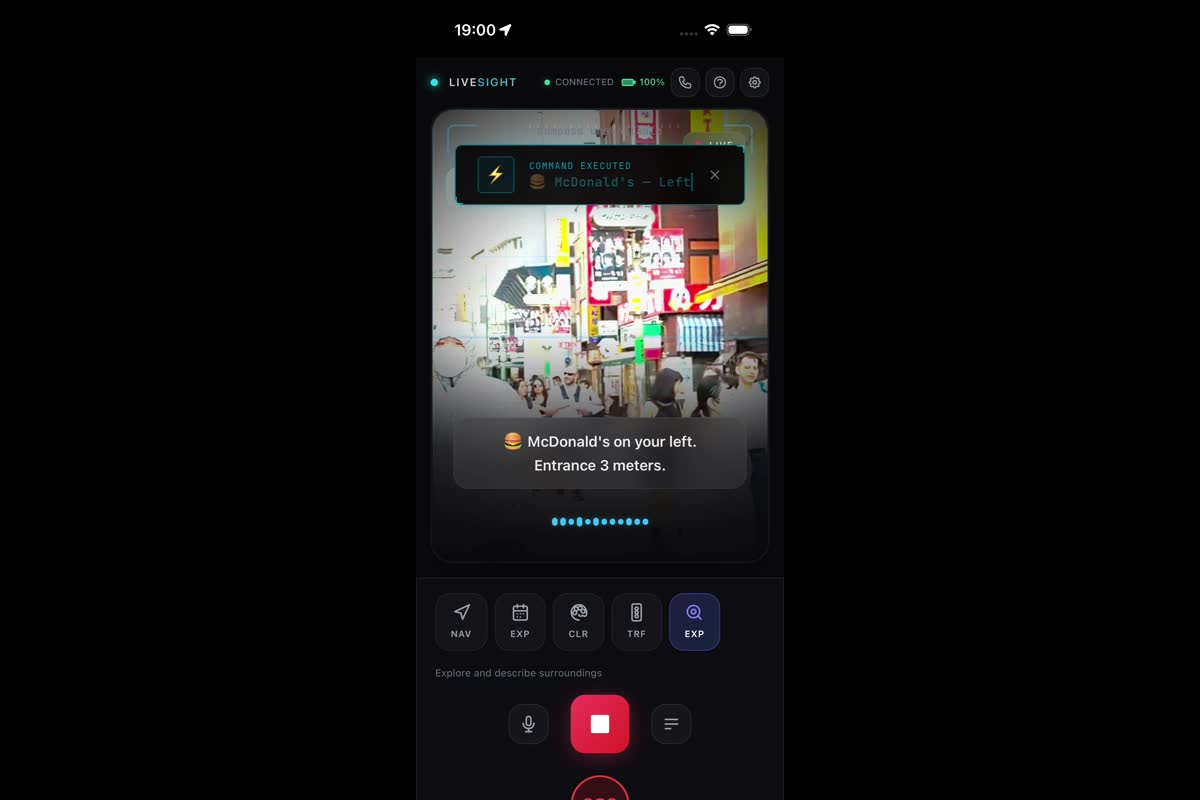
Explore Mode: Rich environment narration with sign reading and location identification powered by Gemini
## Inspiration
Every day, over 2.2 billion people worldwide live with some form of visual impairment. Simple tasks like crossing a street, reading an expiration date, or matching clothing colors become daily challenges. Existing solutions are either expensive, limited, or require specialized hardware.
We asked ourselves: What if your phone could be your eyes?
LiveSight was born from the belief that AI should serve humanity's most fundamental needs — independence, safety, and dignity. By combining Google Gemini's real-time multimodal capabilities with a smartphone camera, we created an assistant that doesn't just answer questions — it continuously watches, listens, and guides.
## What it does
LiveSight transforms any smartphone into an AI-powered navigation companion for visually impaired users. It runs 7 specialized modes, each powered by Gemini Live API:
- Navigation Mode — Continuous obstacle detection with clock-direction guidance ("Pole at 2 o'clock, 3 steps ahead")
- Vehicle Danger Detection — 3-tier alert system (Critical/Warning/Awareness) with distinct haptic vibration patterns
- Traffic Light Detection — Real-time recognition of traffic light states and pedestrian signals
- Color & Pattern Recognition — Identifies clothing colors and patterns for outfit matching
- Expiration Date Reader — Reads and classifies product freshness from packaging
- Explore Mode — Rich environment narration, sign reading, and place identification
- Emergency SOS — Fall detection with auto-activation, emergency contacts, and countdown system
All of this happens in real-time — no button pressing, no photo taking. Just point your phone and LiveSight speaks.
## How we built it
LiveSight is built on a Gemini Live API WebSocket connection that streams live camera frames (JPEG at 2-5 FPS) and microphone audio (PCM 16-bit at 16kHz) simultaneously to Gemini. The AI processes both modalities together and responds with natural speech — no text-to-speech engine needed.
Architecture highlights:
- React 19 + TypeScript frontend with a custom HUD overlay designed for accessibility
- Capacitor 8 bridges web to native Android/iOS for camera, haptics, geolocation, and fall detection
- Dynamic system instructions — each feature mode injects specialized prompts that shape Gemini's behavior without reconnecting
- Gemini Function Calling — 4 declared tools (
reportObstacle,switchMode,triggerEmergency,announceEnvironment) let the AI trigger structured app actions like haptic alerts or mode switches - Voice command system — natural language commands detected from user speech transcripts ("switch to traffic mode", "emergency", "what color is this")
- Gamification engine — XP, streaks, achievements, and levels to encourage consistent usage
The entire app runs client-side with a single API key — no backend server required.
## Challenges we ran into
WebSocket stability — The Live API connection would occasionally drop during extended sessions. We implemented automatic reconnection with exponential backoff and guards to prevent sending data to closed sockets.
Permission flow on Android — Capacitor requests each permission sequentially, causing users to see one dialog per app launch. We restructured to request camera, microphone, and location simultaneously using
Promise.allSettled.Audio pipeline complexity — Converting Gemini's PCM audio output to playable audio required careful handling of sample rates, buffer sizes, and Web Audio API contexts. We added a 2.5x volume boost to ensure audibility in outdoor environments.
Balancing verbosity — Visually impaired users need enough information to stay safe, but too much talking becomes overwhelming. We tuned system prompts extensively to prioritize urgent warnings while keeping routine guidance concise.
Real-time video streaming cost — Sending 2-5 frames per second to a multimodal AI is token-intensive. We optimized by dynamically adjusting FPS based on movement and using JPEG compression.
## Accomplishments that we're proud of
- Zero-infrastructure deployment — LiveSight works entirely client-side, making it accessible to anyone with a phone and an API key
- 7 fully functional AI modes — each with specialized prompts, parsers, and UI overlays
- Function Calling integration — Gemini doesn't just describe the world, it triggers app actions (haptic alerts, mode switches, emergency protocols)
- Sub-second response time — real-time enough for active navigation
- Gamification system — making accessibility fun and encouraging daily use
- Multilingual support — voice and language settings for global accessibility
## What we learned
- Gemini's native audio output is remarkably natural and eliminates an entire TTS pipeline
- Function Calling transforms an AI assistant from a "describer" into an "actor" that can control the app
- Real-time multimodal streaming opens possibilities far beyond chatbots — it enables truly ambient AI
- Accessibility-first design often produces better UX for everyone
## What's next for LiveSight
- Offline mode with on-device models for areas without connectivity
- Smart glasses integration for hands-free operation
- Community-sourced accessibility maps with crowd-reported obstacles
- Multi-language real-time translation of signs and documents
- Wearable haptic devices for more intuitive directional guidance
- Partnership with accessibility organizations for real-world deployment and testing
Built With
- android
- capacitor
- css3
- gemini-2.5-flash
- gemini-function-calling
- google-gemini-live-api
- html5
- javascript
- node.js
- open-meteo
- react
- tailwind-css
- typescript
- vite
- web-audio-api
- websocket

Log in or sign up for Devpost to join the conversation.