LiveMap Emergency: Real-Time Medical Emergency Response
Inspiration
In Switzerland, when someone suffers cardiac arrest, survival chances drop 7 to 10% per minute without CPR. Ambulances typically take 8 to 12+ minutes to arrive. But what if a trained nurse is sitting in the café next door? What if a paramedic lives in the apartment upstairs? They'd never know someone needs help because nobody told them.
Current Swiss first responder apps like Momentum, Save a Life, and First Responders Canton Vaud rely on dispatchers at 144 to push alerts. But dispatchers don't know if a qualified person is actually nearby. That gap, the 0 to 4 minutes between the emergency and the ambulance, is the difference between life and death.
I built LiveMap Emergency to close that gap.
What it does
LiveMap Emergency is a real-time medical response platform that connects patients with nearby doctors, nurses, and paramedics within seconds.
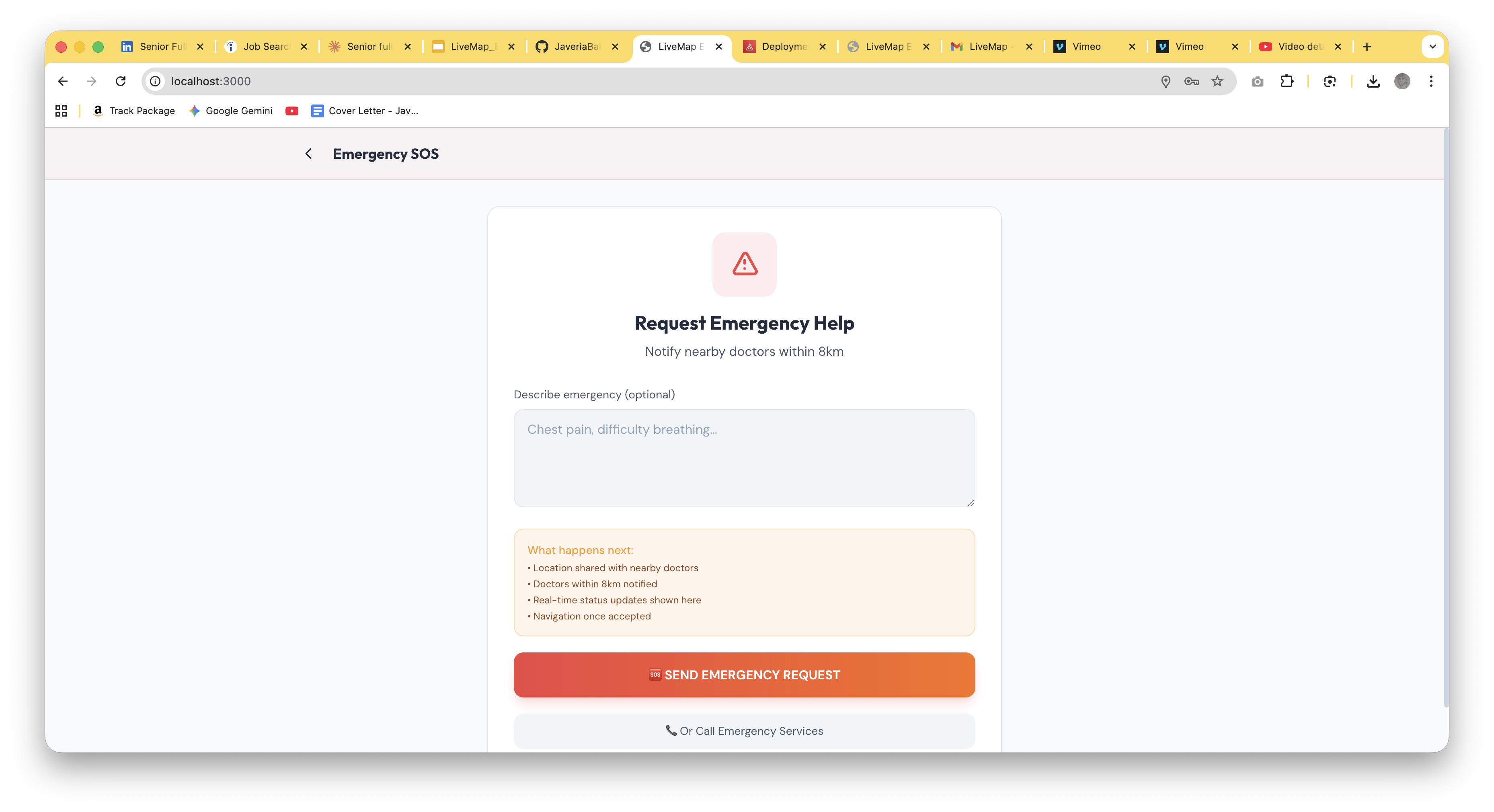
- One-Tap SOS: A patient presses the emergency button. Their GPS location is instantly broadcast to every medically trained person within 5km.
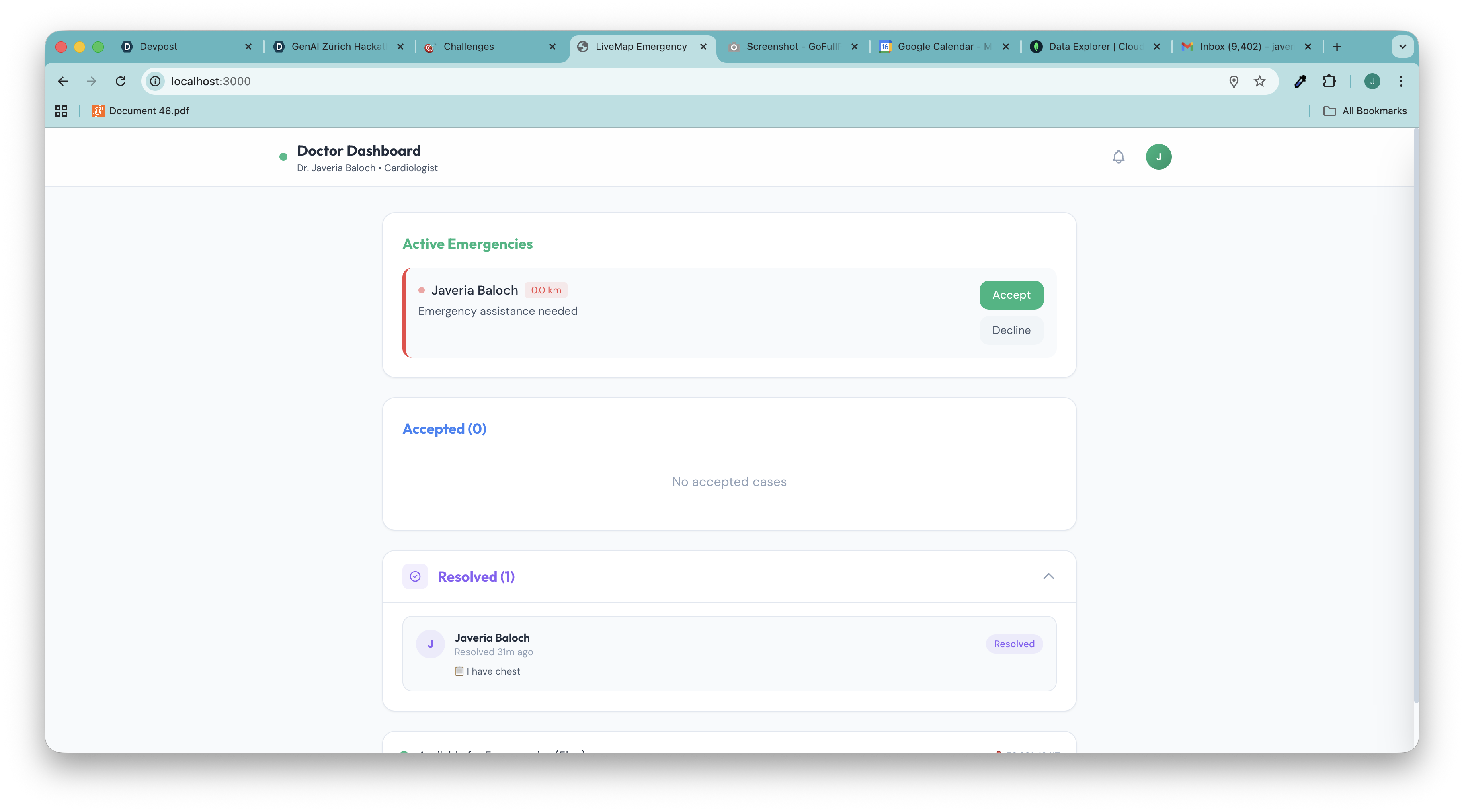
- Smart Matching: The system prioritizes responders by proximity, medical specialization, and availability. For cardiac emergencies, cardiologists get alerted first. The search radius escalates automatically: 300m → 400m → 600m → 1km → 2km → 5km → 8km.
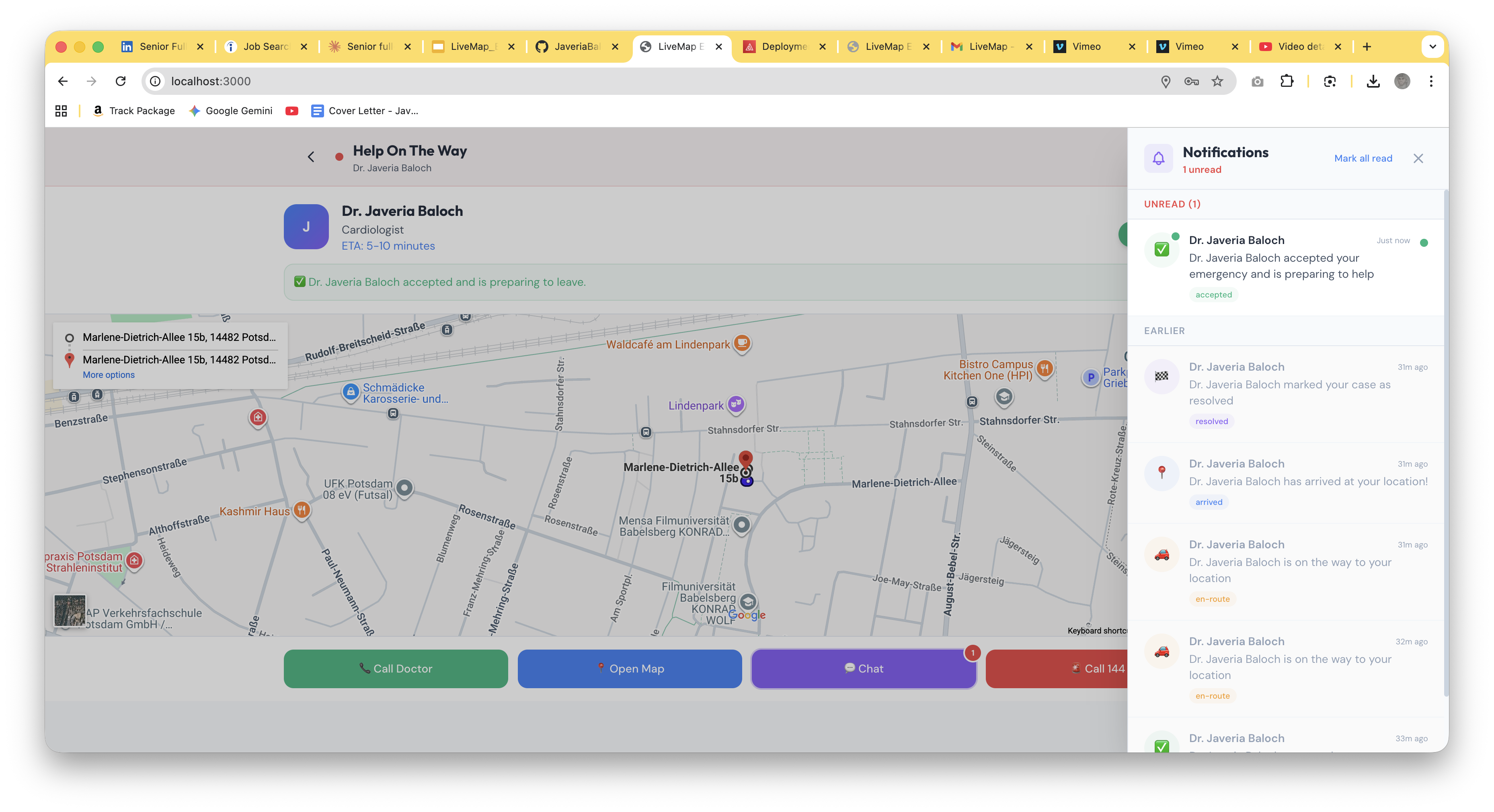
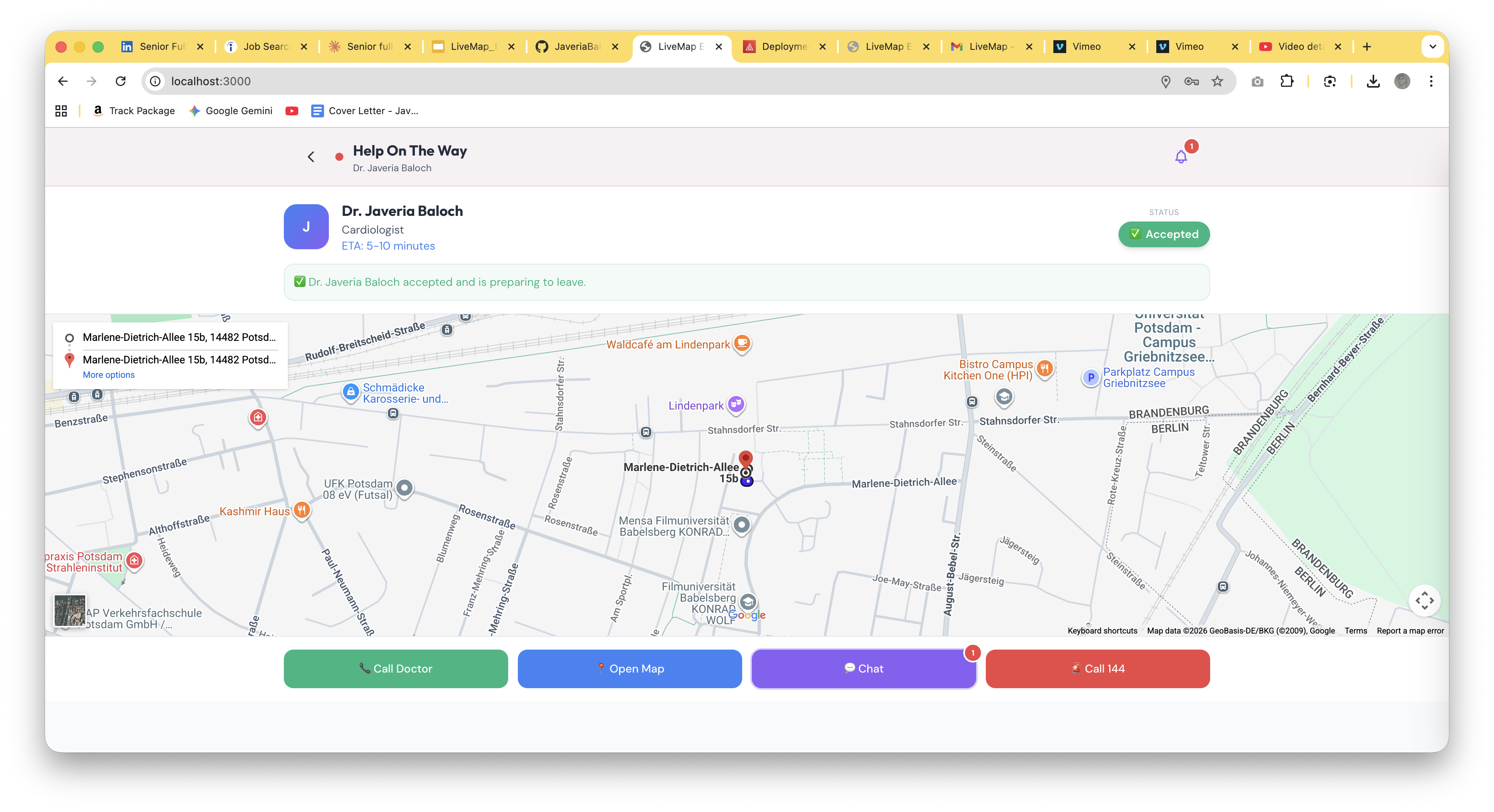
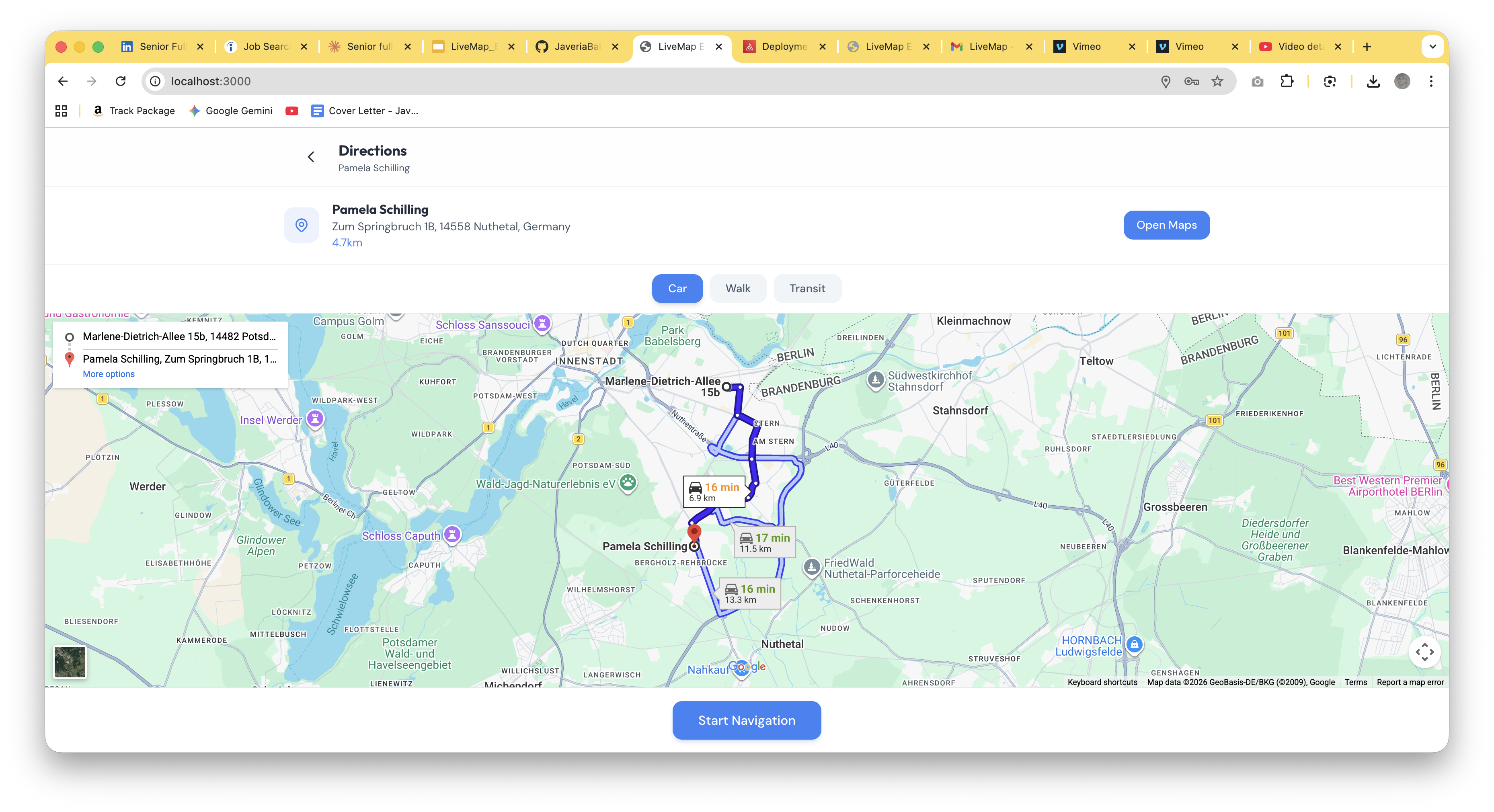
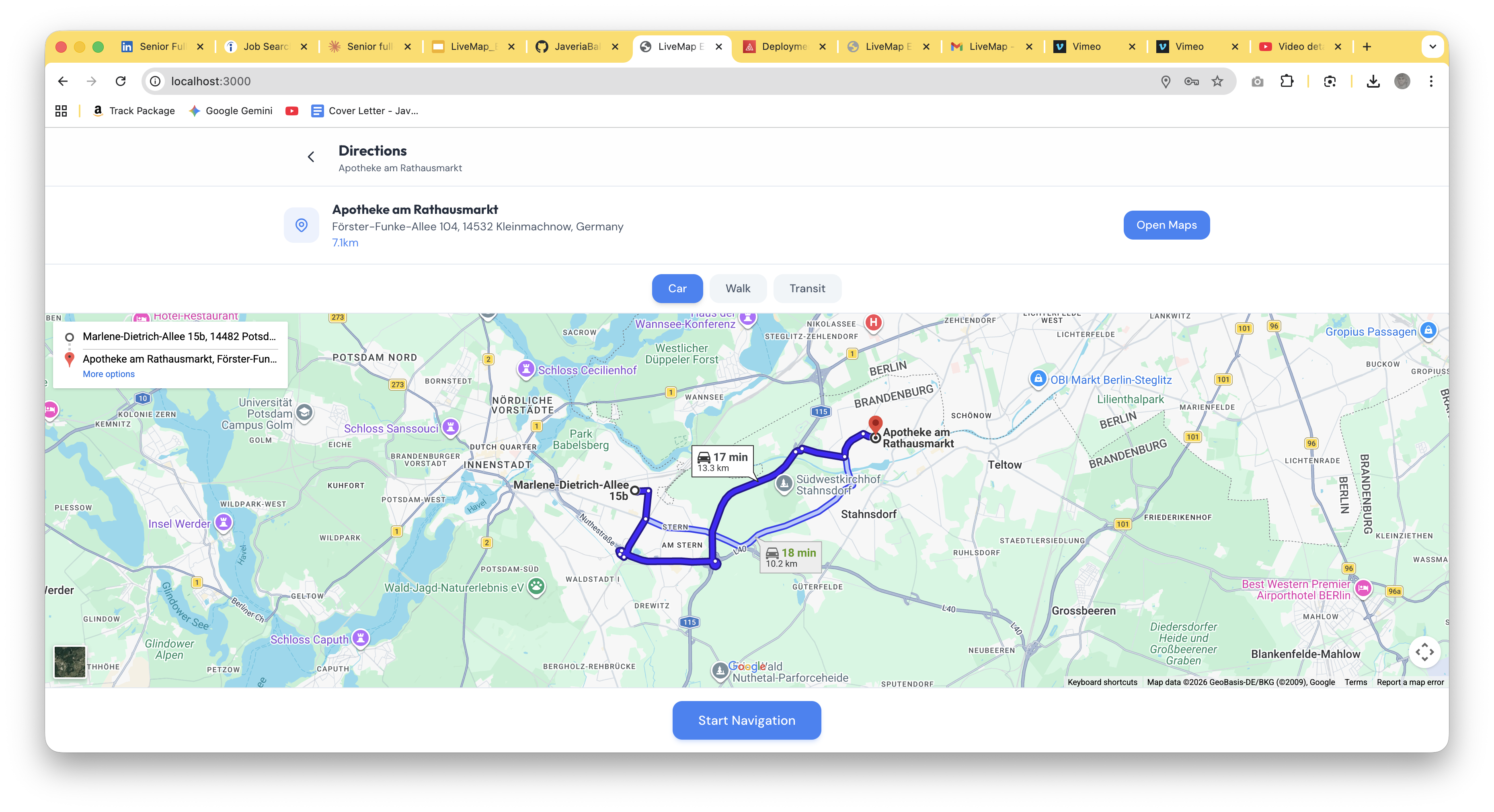
- Live Tracking: Once a responder accepts, the patient sees their name, specialization, ETA, and live route on an embedded Google Map.
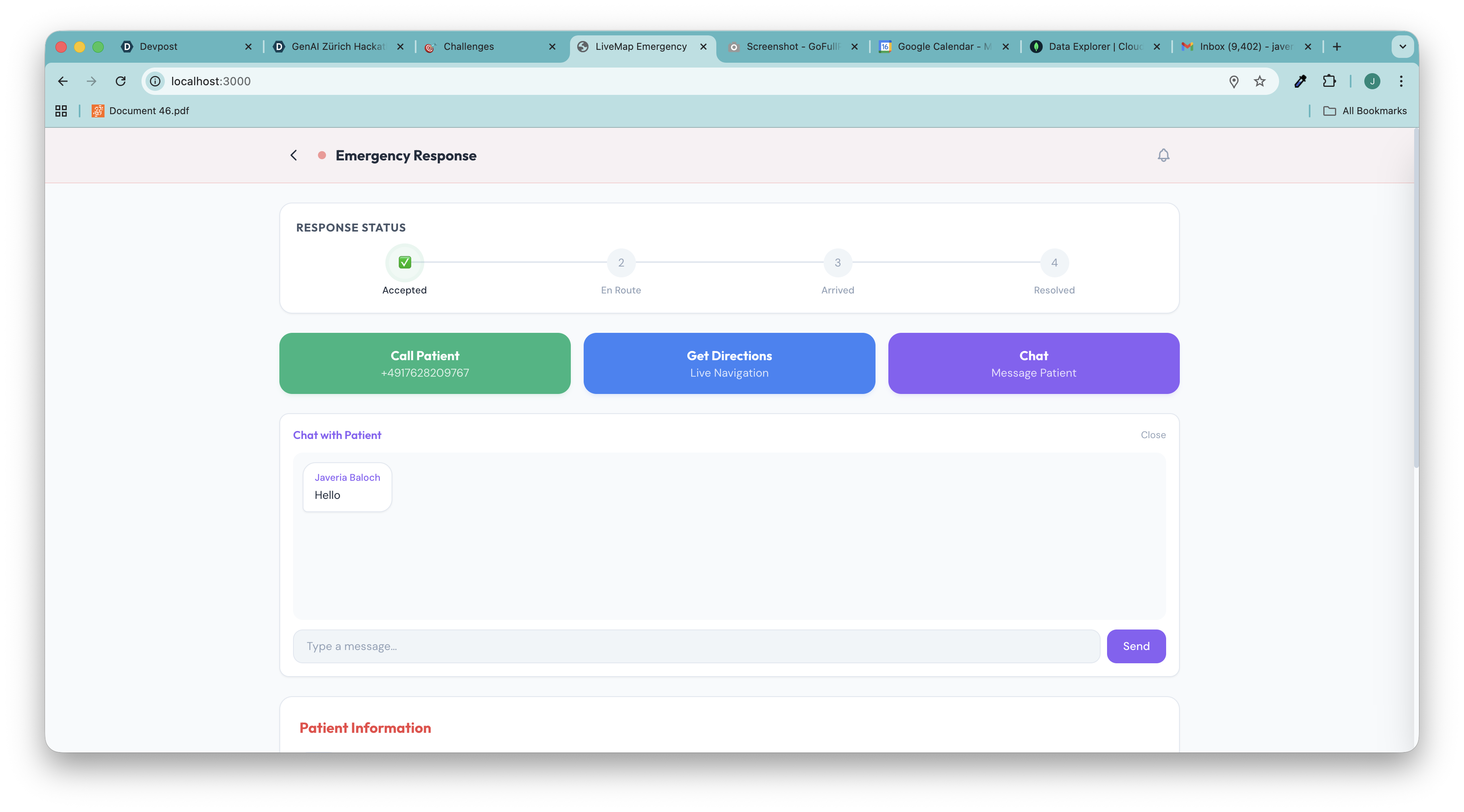
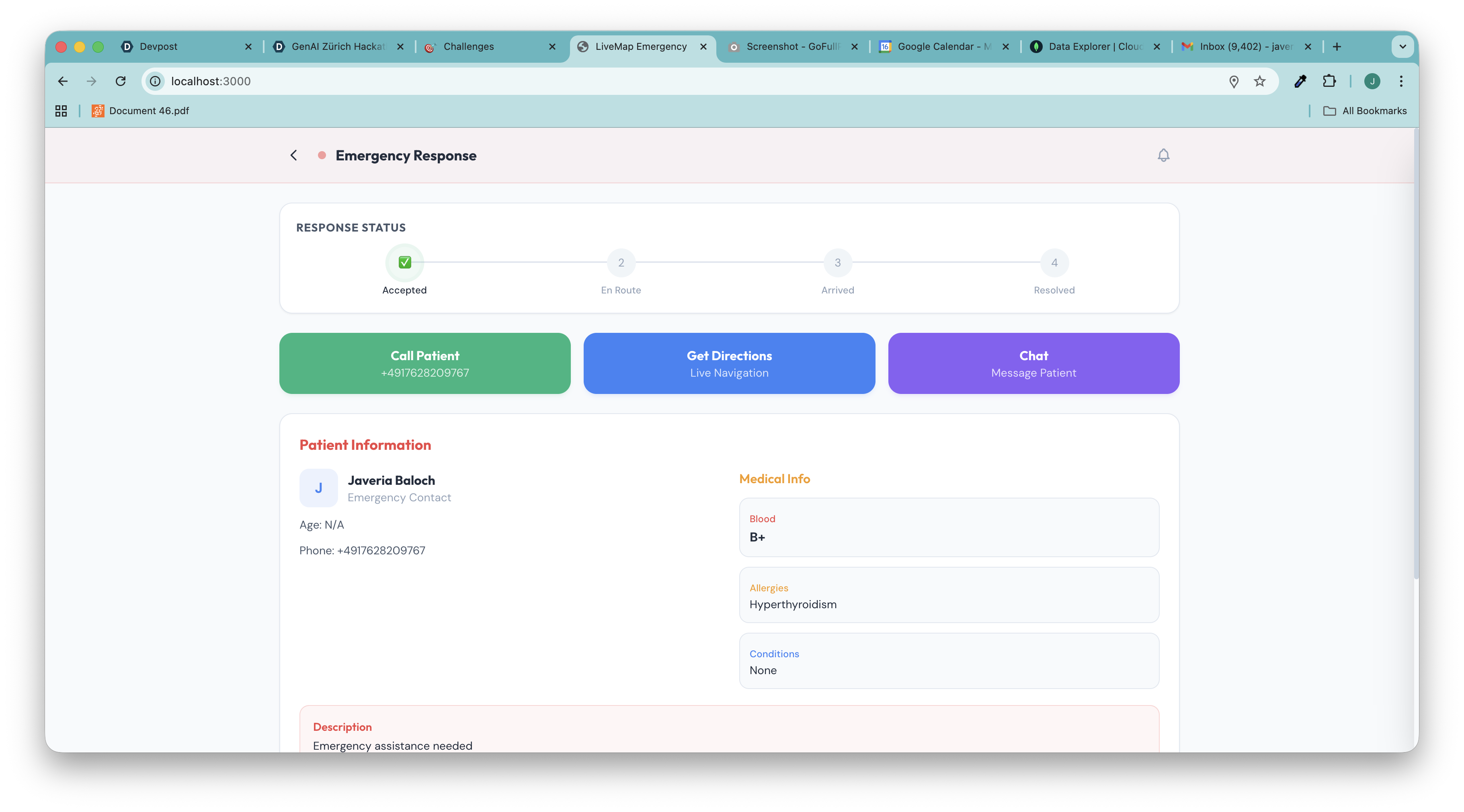
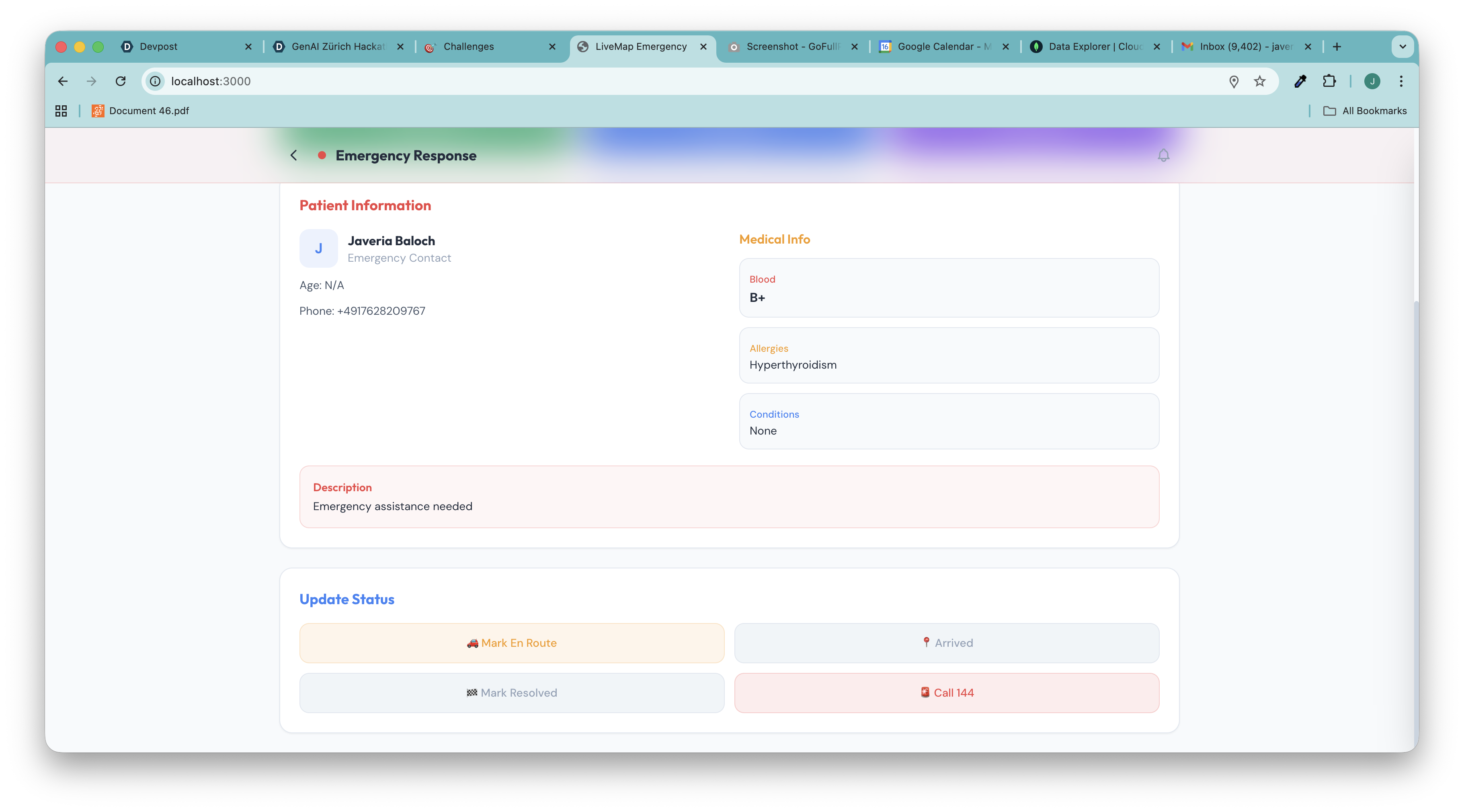
- Status Stepper: The responder progresses through Accepted → En Route → Arrived → Resolved. Every status change creates a persistent notification in the patient's sidebar.
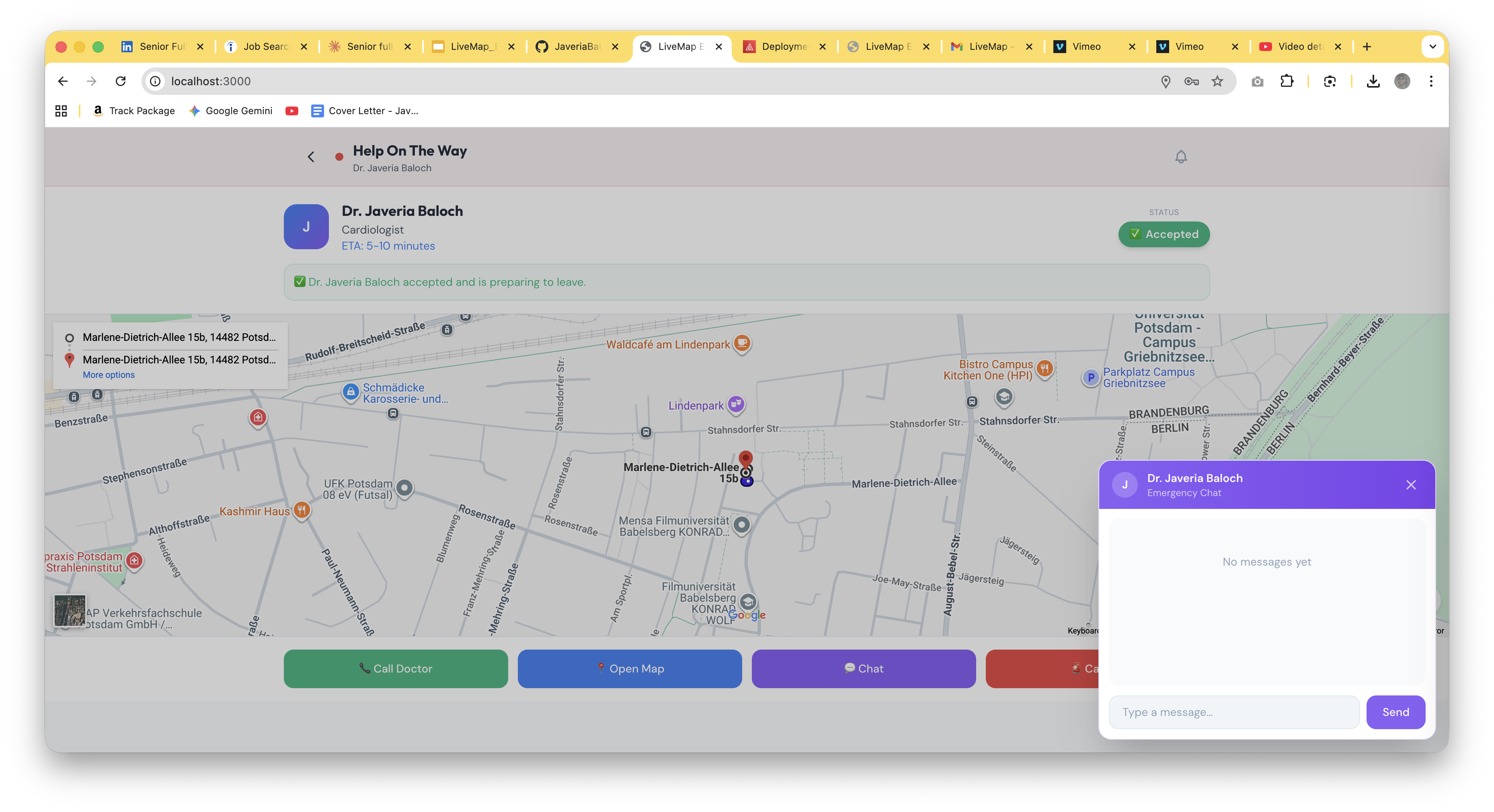
- Emergency Chat: Real-time messaging between patient and responder, with DB-backed notifications so neither side misses a message.
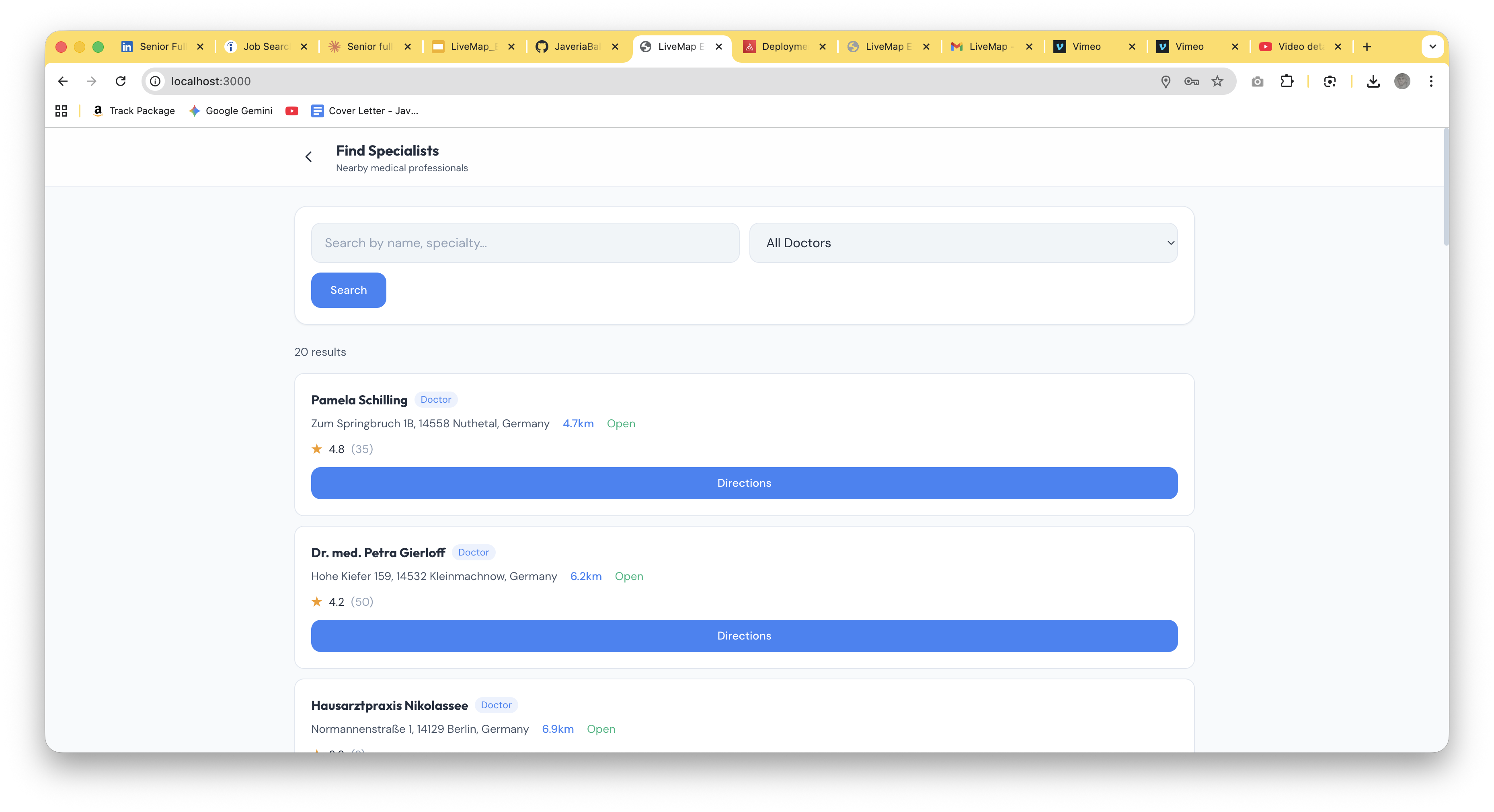
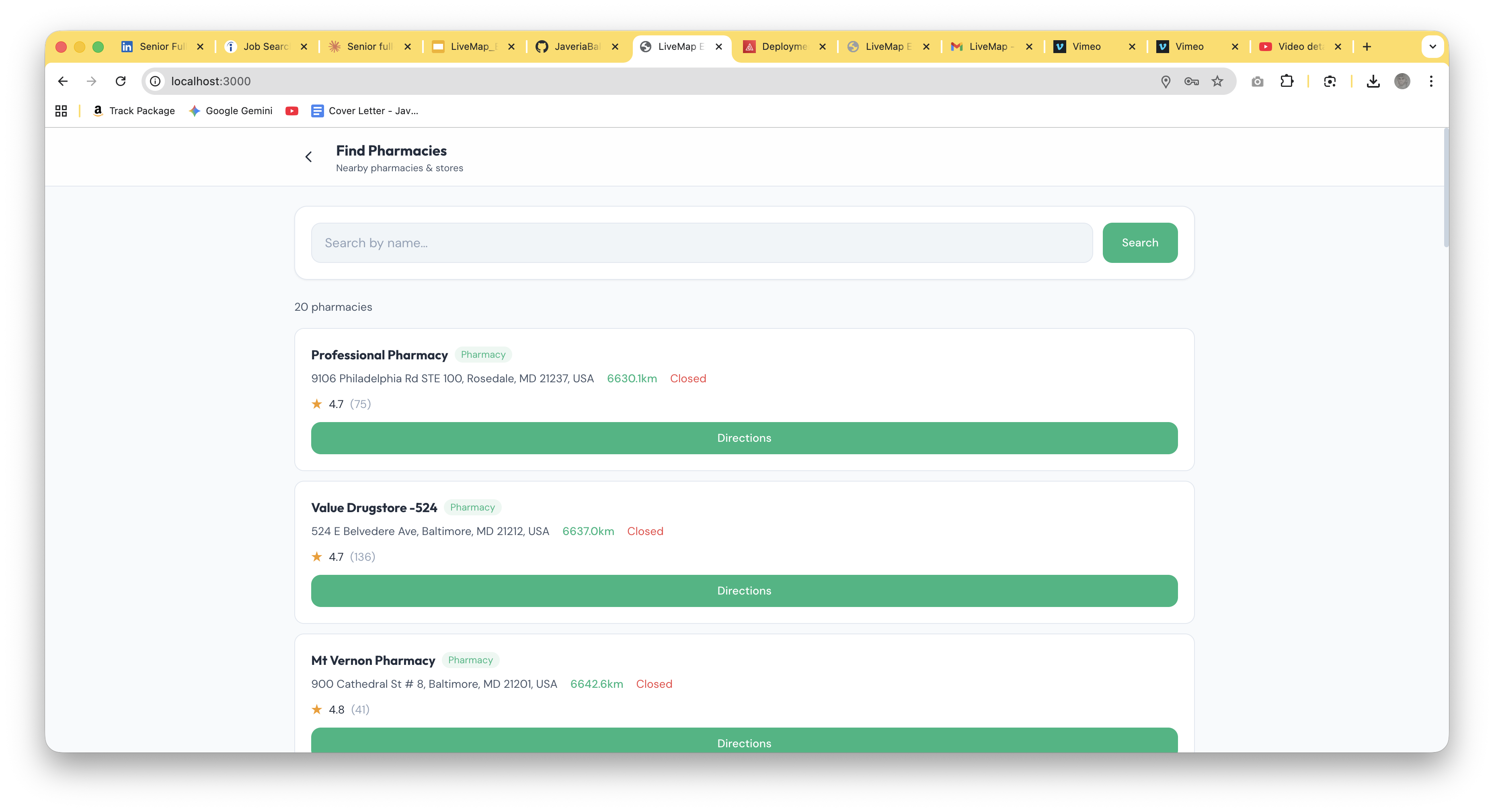
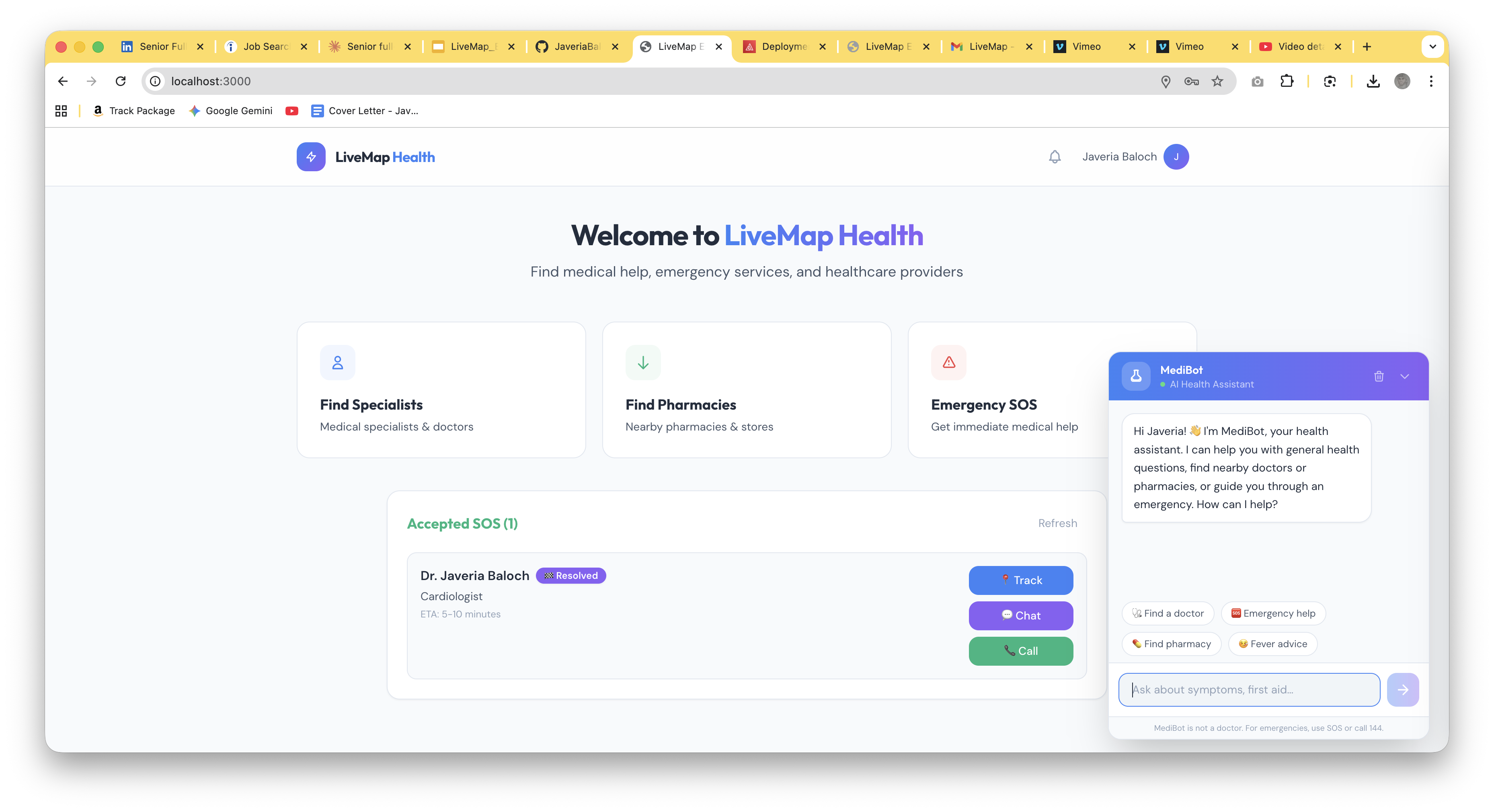
- AI Health Assistant (MediBot): A Gemini-powered chatbot on the patient dashboard that answers health questions, provides first-aid guidance, and can trigger SOS, doctor search, or pharmacy search directly from the conversation.
- Multi-Role Support: Doctors, nurses, and paramedics all have full access. Each role gets a labeled dashboard with emergency alerts, patient medical data, navigation, and chat.
How I built it
Stack: Next.js 14 (App Router), TypeScript, Tailwind CSS, Zustand, MongoDB Atlas, Firebase Auth, Google Maps Embed + Places API, Google Gemini AI (2.0 Flash), Nodemailer SMTP.
I built 25+ REST API endpoints covering authentication (with email verification), emergency creation and management, real-time chat, persistent notifications, doctor/nurse/paramedic dashboards, and AI integration.
Key architectural decisions:
- MongoDB with 2dsphere indexes for geo-queries: finding all active emergencies within a radius is a single
$nearSpherequery. - Persistent notification system: every status change and chat message creates a document in a
Notificationcollection, indexed onuserId + read + createdAt. The frontend polls every 5 seconds, plays a double-beep sound on new notifications, and supports mark-as-read via API. - Gemini AI with action tags: the system prompt instructs Gemini to include
[ACTION:SOS],[ACTION:FIND_DOCTORS], or[ACTION:FIND_PHARMACY]tags. The frontend strips these and renders colored action buttons below the AI response, creating a seamless triage-to-action flow. - Sequential status stepper: buttons are locked until the previous step is completed (can't mark "Arrived" before "En Route"), preventing accidental status jumps in high-stress situations.
- Escalating radius matching: emergency alerts start at 300m and expand outward, prioritizing the closest qualified responders first.
- Data model: 5 MongoDB collections:
Users(with 2dsphere location index),Emergencies(with status tracking and doctor references),Notifications(persistent read/unread),Chats(emergency-scoped rooms), andMessages.
Challenges I faced
- The emergency.id vs _id bug: MongoDB returns
_idbut my frontend expectedid. Status update buttons silently failed with no API call, no error. I tracked it down by adding logging to theupdateStatusfunction and found it was exiting on line 1 every time. - Stale notification imports: I migrated from a browser-only notification system to a full DB-backed one mid-build. Five different screens had imports pointing to deleted files. I had to trace every
useChatNotifications,chatToAppNotifications, andStatusToastreference across the codebase. - Next.js 14 build errors: TypeScript strict mode treats
catchvariables asunknown, and Mongoose.lean()returns generic types. I fixed 10+ files with type assertions during the production build. - Chat notification routing: Clicking a chat notification needed to open the chat popup (for patients) or navigate to the emergency response screen with chat auto-opened (for doctors). This required threading an
autoOpenChatflag through three components and the page router. - Gemini model deprecation:
gemini-2.0-flashwas deprecated mid-development. I updated togemini-2.0-flash-001and made the model configurable via environment variable.
What I learned
- Polling is underrated. WebSockets are the "correct" solution for real-time, but 5-second polling against MongoDB with proper indexes is fast, simple, and reliable. For a hackathon prototype that needs to work now, it's the right call.
- Notifications should be DB-first. My initial browser-only notification state was lost on page reload and couldn't sync across tabs. Moving to MongoDB made everything persistent and the frontend became a simple polling client.
- AI action tags are powerful. Instead of building complex intent detection, I let Gemini decide when to suggest actions and encode them as simple text tags. The frontend just does a regex match and renders buttons. Simple, effective, extensible.
- Multi-role systems need testing early. Adding nurse and paramedic support after building for doctors meant finding every
=== "doctor"check and replacing it with aMEDICAL_ROLES.includes()guard. There were more than I expected.
Figma Design
You can see all screens Figma interactions for Auth Screens, Patients Screen and Doctors, Paramedics, and Nurses Screens in this Figma prototype.
Live App Link:
What's next
- WebSocket upgrade: Replace polling with Pusher or Socket.io for true real-time updates
- Wearable integration: Apple HealthKit / Google Health Connect for automated emergency triggers (abnormal heart rate → auto-SOS)
- 144 integration: Notify Swiss emergency dispatch alongside nearby responders
- CPR guidance overlay: Step-by-step animated CPR instructions on the responder's screen during transit
- Offline mode: Cache critical data for areas with poor connectivity
Built for the GenAI Zürich Hackathon: Livemap Challenge
Built With
- next
- node.js

Log in or sign up for Devpost to join the conversation.