-
-
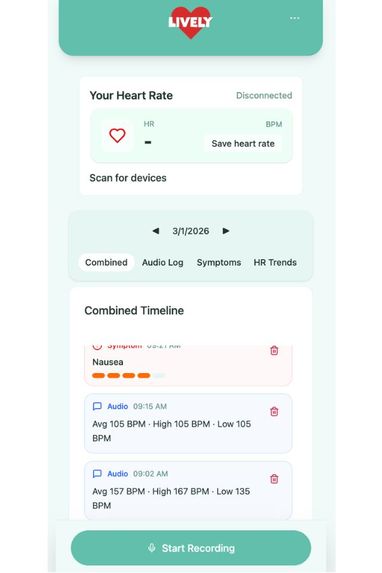
Home Screen
Inspiration
As someone living with an energy-limiting illness, I have spent a great deal of time trying to understand what helps my body and what makes it feel worse. While an online activity tracker seemed like the obvious solution, a quick app store search revealed that most tracking apps are designed for people who are well, focusing on calorie loss and fitness rather than symptom trends. They did not meet my needs. The few apps I did find for the chronically ill were overwhelmingly disappointing; their overly busy interfaces felt overwhelming and made it difficult to stay motivated to track consistently. For this reason, we designed our app, Lively, to help individuals with energy-limiting chronic illnesses track their day-to-day activities in the easiest way possible, so they can see patterns in their symptoms and behaviors over time.
What it does
One of the hardest parts of activity tracking was the amount of energy it requires. To address this, our app uses text-to-speech functionality, allowing users to log activities and symptoms on the go—or from bed—without needing to type or navigate through multiple buttons.
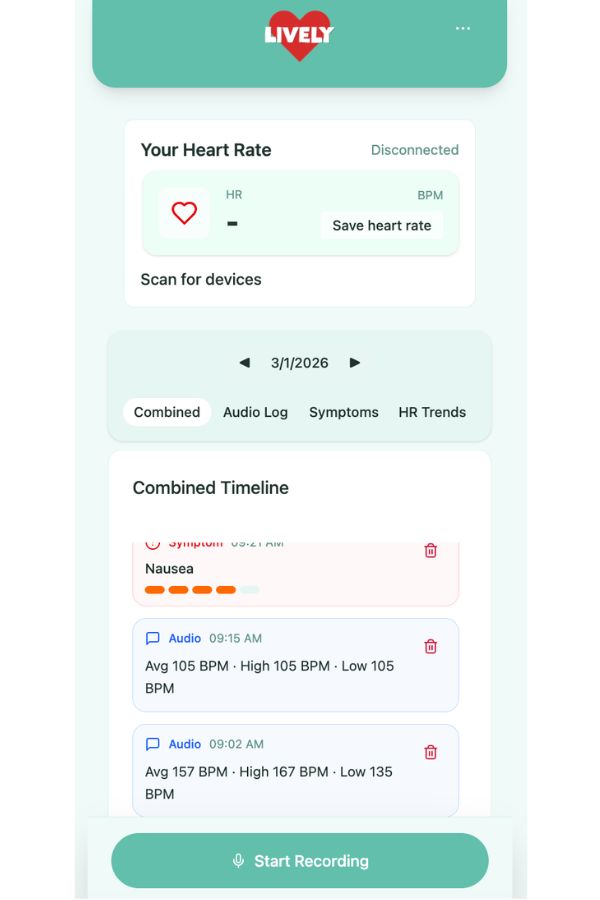
In addition, users have the option to connect a heart rate monitor to the app. Every thirty minutes, high, low, and average heart rates for that period are automatically logged and can be viewed alongside activities and symptoms to help identify trends. If a user is feeling particularly unwell, they can tap the Save Heart Rate button to capture a real-time snapshot of their vitals. The app will record their high, low, and average heart rates over the previous ten minutes.
Users can view their logged symptoms, activities, and heart rate data in a chronological timeline, either combined or filtered separately. Data can also be exported into an XML document for personal records or to share at medical appointments.
How we built it
We wanted our app to be as straightforward as possible, so we started our process with our UI design in Figma. Later, we transitioned to VSCode to add the backend code.
While our app should be capable of connecting with any BLE heart rate monitor, we designed it using a Circuit Playground Bluefruit, detecting differences in skin color as a way to monitor heart rate. In the future, we hope to design a minimalistic wristband to go with our app, streamlining Bluetooth connection and reducing discomfort from overly bulky and expensive smart watches designed for exercise.
Challenges we ran into
One of the biggest challenges when creating this app was finding the simplest way to accomplish a largely overwhelming task... tracking the day-to-day activities of a person in detail, without creating a significant time or energy burden for the person tracking. While we had many ideas, we had to work together to consolidate them into one, simple and straightforward plan for activity and symptom tracking.
What's next for Lively Activity Tracker
Future versions of Lively would love to incorporate AI analysis data to bring identification of activities, heart rate, and symptoms to the next level!

Log in or sign up for Devpost to join the conversation.