-
-
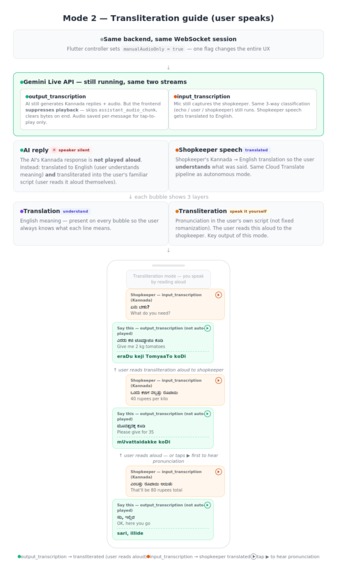
Mode1 Flowchart and example
-
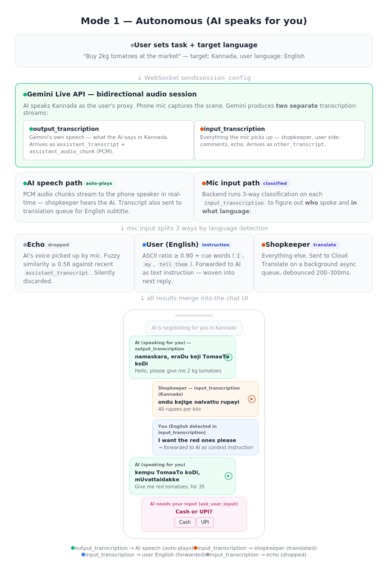
Mode2 Flowchart and example
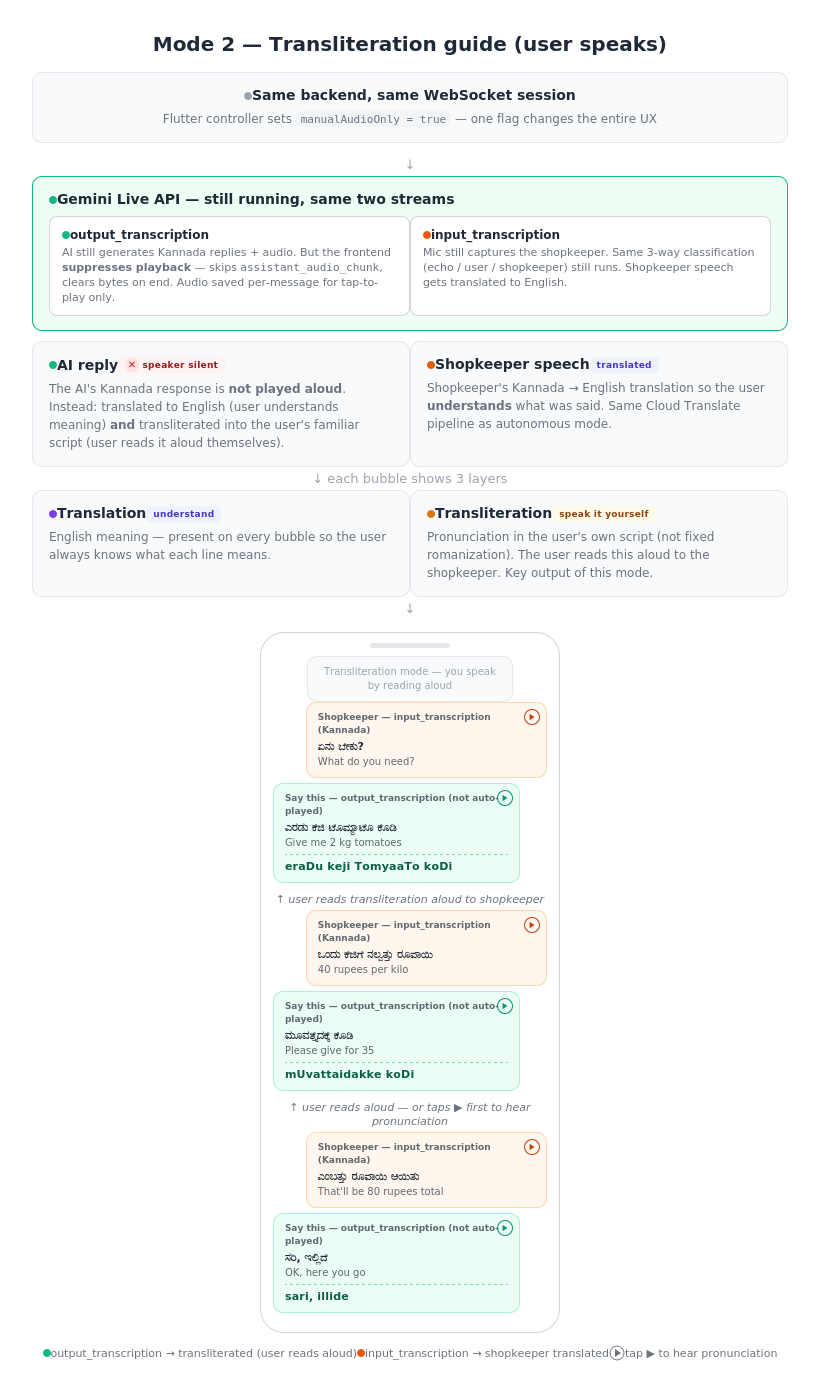
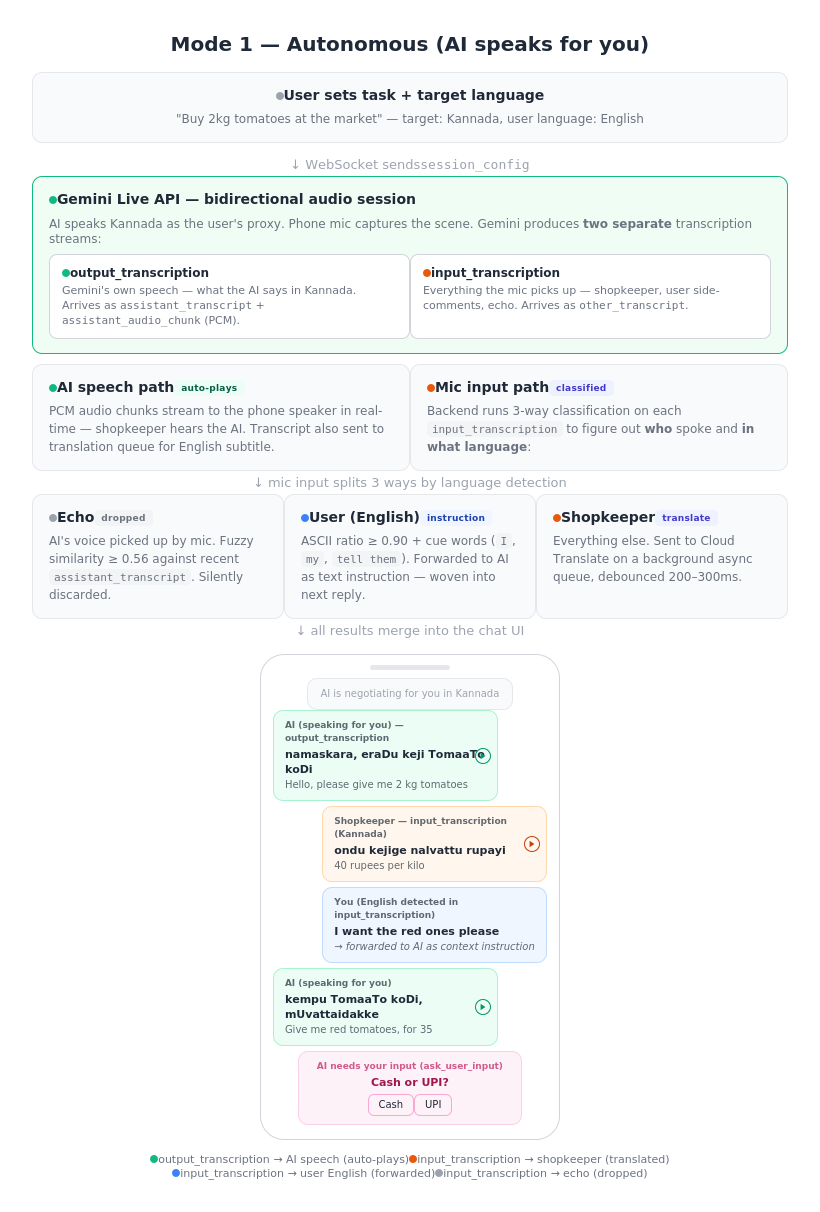
Inspiration Traveling across India highlights a challenge shared by globetrotters worldwide: the sheer, overwhelming variety of languages. In India alone, crossing a state border often means navigating an entirely new language and script. I’ve watched colleagues, tourists, and fellow travelers hit the same wall over and over. Whether you are at a bustling bazaar in Delhi, a coastal market in Kerala, or navigating a street stall in Tokyo or Marrakech, the core problem is identical. You know exactly what you want, but the language gap turns a simple two-minute transaction into an awkward ordeal of pointing and guessing. Standard translation apps exist, but they are fundamentally too slow for natural conversation. A busy shopkeeper asking "Cash or UPI?" won't wait fifteen seconds while you type, record, and tap through screens. I realized we needed something that could actually keep up with the rapid, dynamic pace of a real-world street market negotiation. I wanted to build an assistant that bridges this gap effortlessly—something that speaks for you in real time, or coaches you to speak the local language yourself, no matter where in the world your travels take you. What it does LiveLingo is a real-time AI language assistant with two modes. In autonomous mode, you tell the app your task — "Buy 2 kg tomatoes, negotiate the price down" — pick the target language, and hit start. The AI takes over: it speaks the local language through your phone speaker directly to the shopkeeper, listens to their replies through the mic, and handles the entire negotiation in real time. On your screen, you see a live translated chat so you always know what's happening. If the shopkeeper asks something only you can answer — "Cash or card?" — the AI pauses, shows you the translated question with options, waits for your tap, and continues. You can even speak aloud in English — "tell them I want the red ones" — and the AI picks it up and weaves it into the next thing it says in the local language. In transliteration mode, the AI doesn't speak for you — it coaches you. It shows what to say in three layers: the original script, an English translation so you know the meaning, and a transliteration in whichever script you're comfortable reading (not just romanized — a Hindi speaker gets Devanagari pronunciation guides for Tamil). You tap play to hear pronunciation, then speak it yourself. Over time, you start learning the language naturally. How we built it The core is the Gemini Live API (realtime Flash with native audio) handling one focused job: bidirectional audio streaming and transcription in the target language. The API produces two separate transcription streams — output transcription (what the AI says) and input transcription (everything the mic picks up). The backend classifies input transcription three ways: echo detection (AI's own voice bouncing back, caught via fuzzy similarity matching), user language detection (English instructions detected by script analysis and cue words, forwarded to the AI as context), and other person speech (shopkeeper's words, sent to translation). The critical architecture decision was not overloading the Live API. Early attempts to make it handle speaking, transcription, translation, and tool calls simultaneously produced poor results. The breakthrough: keep the Live API focused on speaking and transcription, and offload everything else to parallel services. Google Cloud Translate API handles real-time translation on background async queues with 200–300ms debouncing so it never blocks audio. The Gen AI SDK generates transliterations tailored to the user's reading language and serves as a translation fallback. Google ADK wraps the Gemini Live session lifecycle — connection management, the event pump dispatching transcription events, audio/video forwarding, and graceful shutdown — reducing what would be extensive bidirectional streaming boilerplate. The backend is FastAPI on Cloud Run with WebSocket support. Cloud Firestore handles per-user usage tracking with atomic increments. Firebase Authentication gates every endpoint. The frontend is Flutter, handling real-time PCM audio capture at 16kHz, streaming playback, per-message audio storage for tap-to-replay, and the single boolean flag that switches between the two modes. Challenges we ran into Overloading the Gemini Live API was the biggest early mistake. When the model handled speaking, transcription, translation, and tool management in one session, everything suffered — latency spiked, speech quality dropped, and translations were unreliable. Separating the Live API into a single-purpose role and offloading translation and transliteration to dedicated parallel threads was the turning point. Echo suppression was trickier than expected. The phone mic picks up the AI's own voice from the speaker. Exact string matching misses almost every echo because of room noise and compression artifacts. Fuzzy similarity matching with a tuned threshold was the solution. Tool call timing required careful handling. The AI's natural instinct is to ask clarifying questions constantly and sometimes mid-sentence while the shopkeeper is still speaking. We had to build deferral logic that holds tool calls until the other person finishes, plus extensive system instruction guardrails to prevent unnecessary tool invocations. Indian languages being low-resource for AI models meant transcription and translation quality varies more than with high-resource languages like Spanish or French. The three-tier translation fallback (Cloud Translate → Gen AI SDK → prompt-based fallback) exists specifically to handle these edge cases. Maintaining latency across the full pipeline — audio streaming, translation, transliteration, and UI updates all running simultaneously — required careful async queue design with debouncing to prevent any one path from blocking the others. Accomplishments that we're proud of The three-way audio classification system. A single mic stream gets cleanly separated into echo (dropped), user English instructions (forwarded to AI as context), and shopkeeper speech (translated) — all in real time, all without the user pressing any buttons. You can literally say "tell them I only want organic" while the AI is mid-negotiation and it works. The single-flag mode switch. Both modes run on the exact same backend pipeline and WebSocket session. The entire UX difference between "AI speaks for you" and "you speak with coaching" comes down to one boolean — manualAudioOnly — that suppresses audio auto-play. The architecture didn't need two separate systems. The transliteration in the user's own script. Not just romanization — actual pronunciation guides rendered in whichever language and script the user reads. This makes the coaching mode genuinely usable for non-Latin-script speakers. Real-time feel. The AI's speech plays through the speaker within milliseconds. Translations and transliterations arrive a beat later as subtitles without blocking anything. The conversation flows at natural speaking pace. What we learned Give the Gemini Live API one job. This was the single most impactful architectural decision. A focused model produces better speech and transcription than an overloaded one. Offload everything else. Parallel threads for everything that can run in parallel. Translation, transliteration, echo detection, audio playback — each in its own async task. The key metric is that audio never waits for translation. Transliteration should adapt to the user, not follow a standard. Rendering pronunciation in the user's own reading script rather than fixed romanization made the coaching mode dramatically more useful. Fuzzy matching beats exact matching for echo suppression. Real-world audio is messy. The similarity threshold approach catches echoes reliably without false positives on genuinely similar phrases. Low-resource languages work but high-resource languages would shine. Testing with Kannada, Hindi, Tamil, and Telugu proved the system works, but the experience would be even smoother with languages that have deeper model training data. What's next for LiveLingo Persistent conversation history — learning from past interactions to anticipate common phrases and improve suggestions over time. Increasing Reliability -- Consistent performance across trials.. right now the performance varies in pronunciation and in the vocabulary depending on languages used... Need to benchmark performance on various languages and create a system for increased accuracy Multi-party conversations — handling more than two speakers, useful for group negotiations or situations with an intermediary. Expanded language testing — pushing beyond Indian languages to validate the experience on high-resource pairs like English–Japanese, English–Arabic, and English–Mandarin where the underlying models are stronger. Offline phrase caching — saving commonly used phrases and their transliterations locally so users can access quick references even without connectivity.
Built With
- ai/ml:-gemini-live-api-(realtime-flash
- asyncio-frontend:-flutter
- camera
- dart
- fastapi
- firebase-authentication
- firebase-id-tokens-infrastructure:-docker
- google-adk-(agent-development-kit)-cloud-services:-google-cloud-run
- google-cloud-build-backend:-python
- google-cloud-firestore
- google-cloud-translate-api
- google-container-registry-other:-sharedpreferences-(local-state)
- google-gen-ai-sdk
- just-audio
- native-audio)
- pcm16-audio-at-16khz
- record-apis/protocols:-websocket-(bidirectional-audio-streaming)
- sqlite-(local-history)
- uvicorn

Log in or sign up for Devpost to join the conversation.