LiveDrop
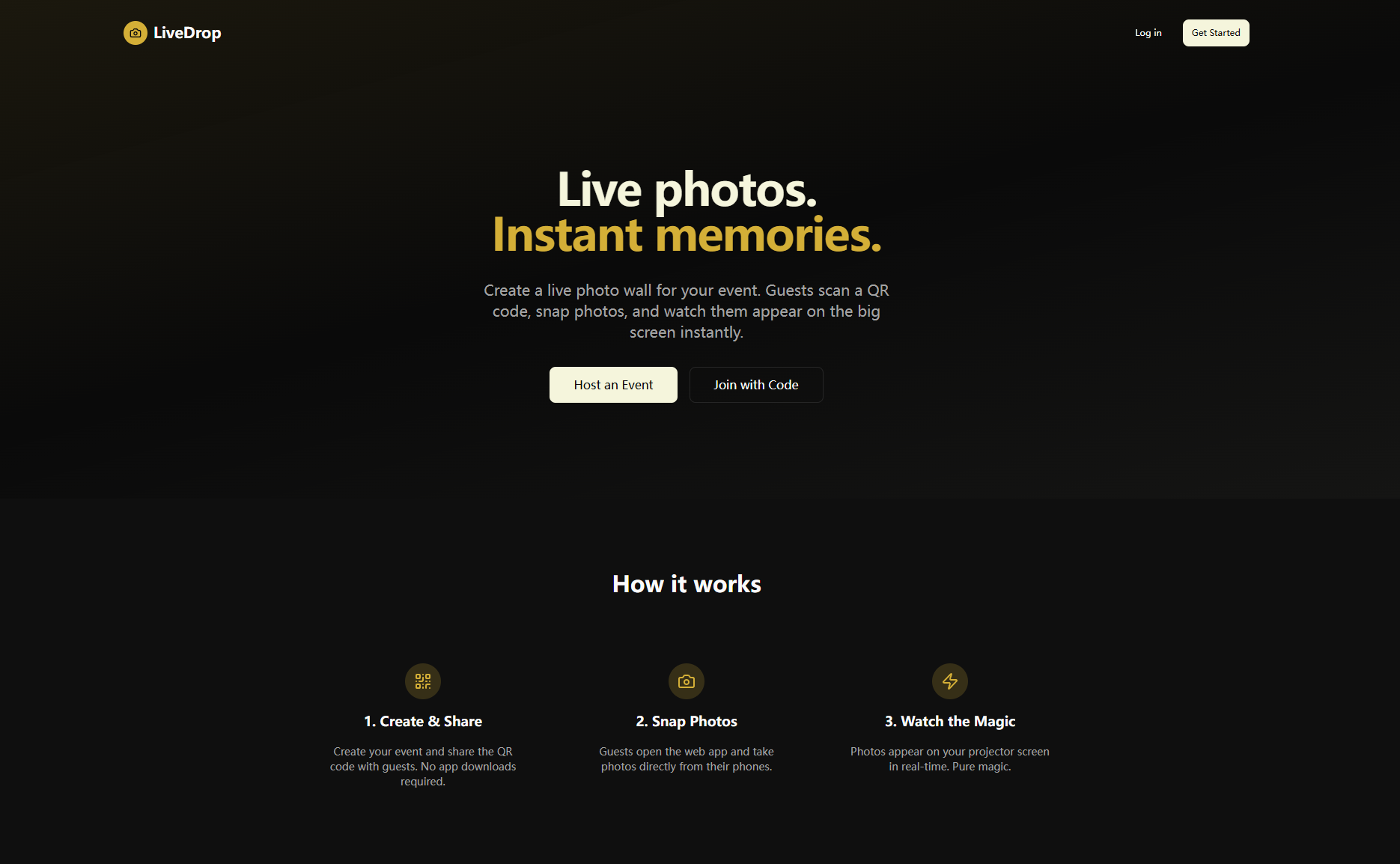
Real-time event photo sharing platform. Create a live photo wall for your event -- guests scan a QR code, snap photos, and watch them appear on the big screen instantly.
Inspiration
We've all been to weddings, conferences, and parties where someone says "share your photos in the group chat!" -- and half the photos never get shared, the other half get buried, and nobody sees them in the moment. We wanted to capture the energy of an event as it happens. The idea was simple: what if every guest could contribute to a live photo wall projected on a big screen, with zero friction -- no app downloads, no sign-ups, no hassle? Just scan, snap, and see your photo appear on stage in seconds. That instant, collective experience of seeing everyone's perspectives come together in real-time is what inspired LiveDrop.
What it does
LiveDrop is a real-time photo sharing platform built for live events. Here's how it works:
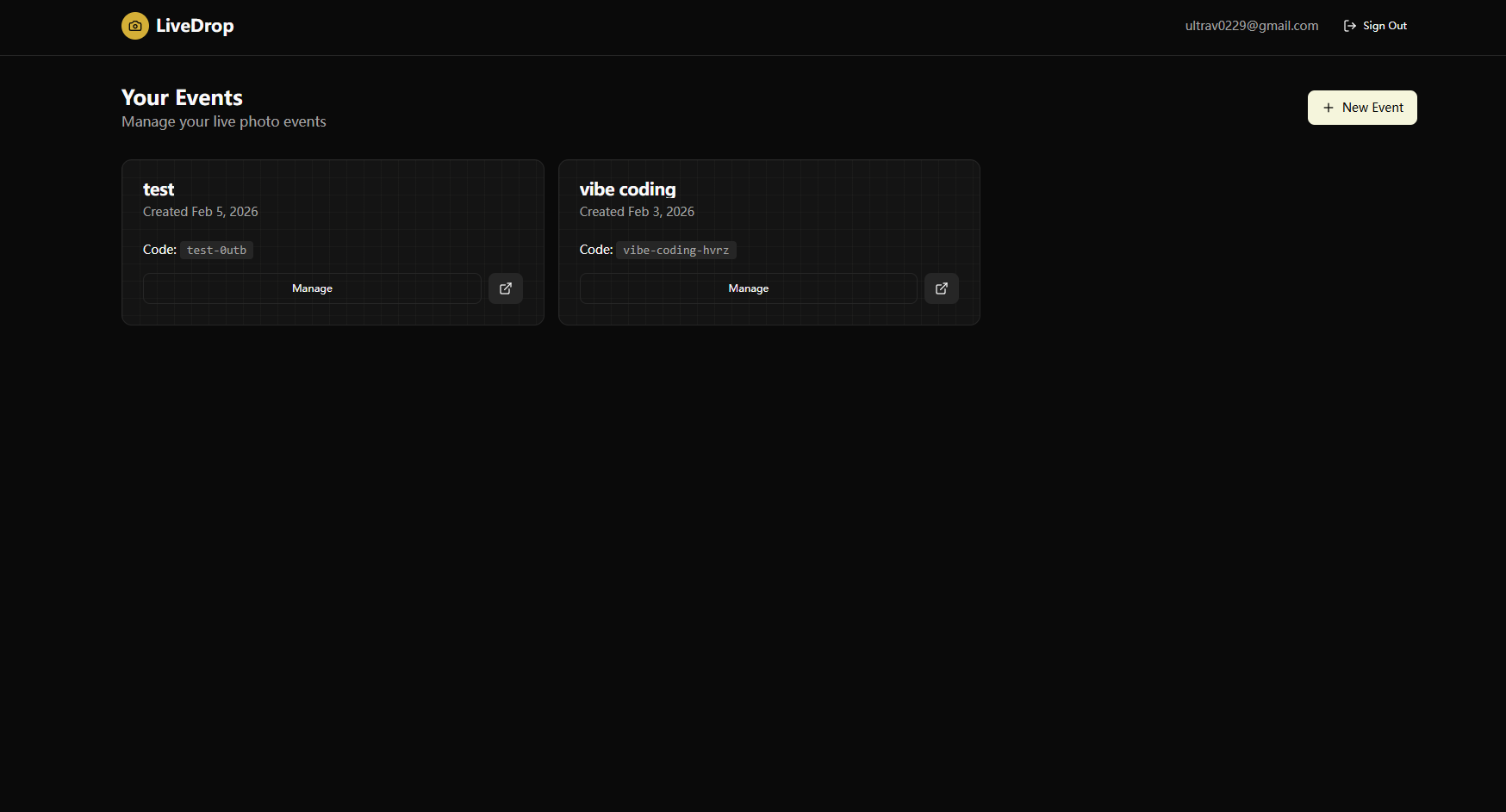
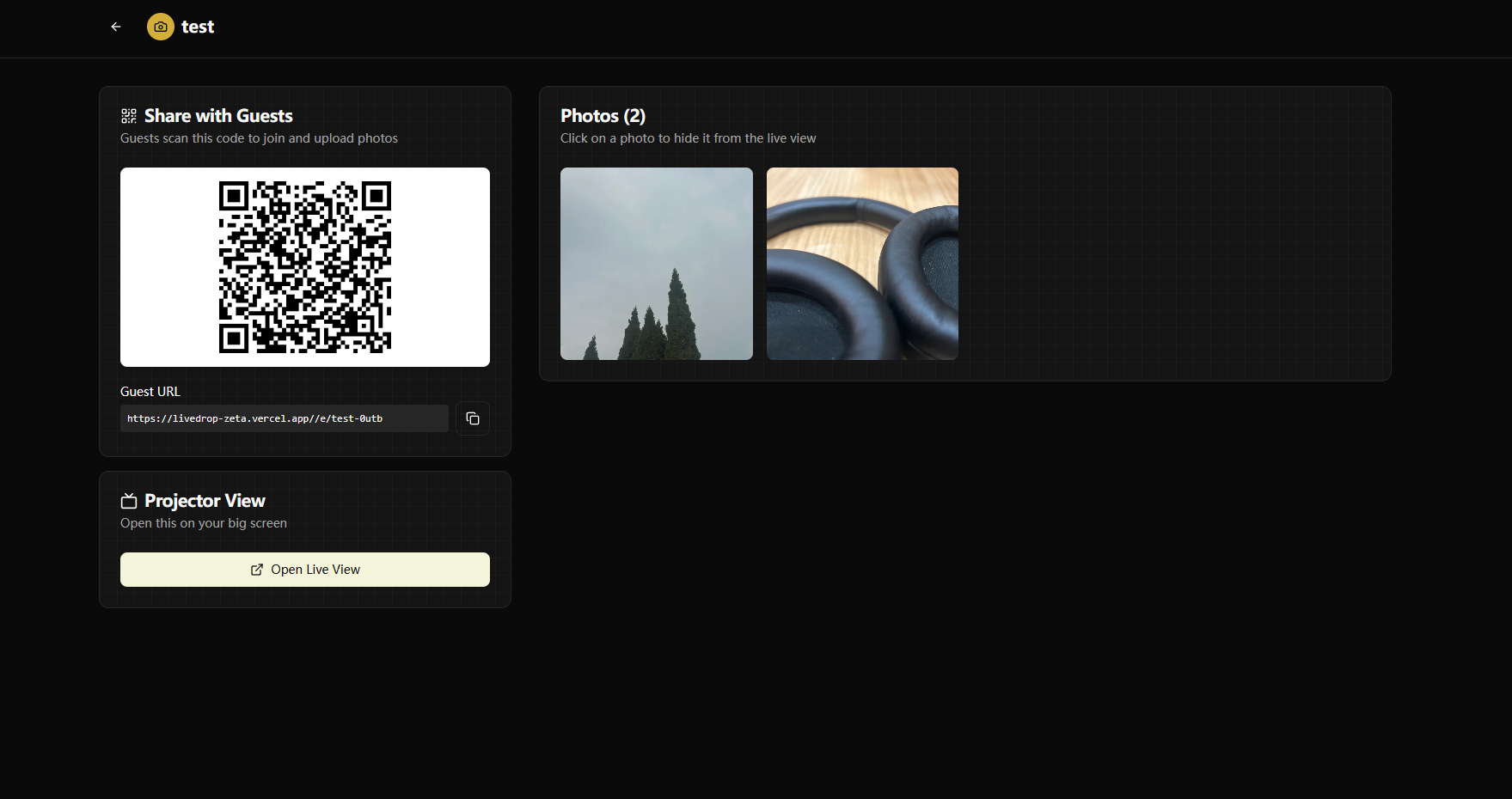
- Hosts create an event through a dashboard and get a unique QR code to share with guests.
- Guests scan the QR code with their phone -- it opens a web-based camera interface instantly. No app download, no account creation needed.
- Guests take photos (or pick from their gallery), and the photos are uploaded to the cloud.
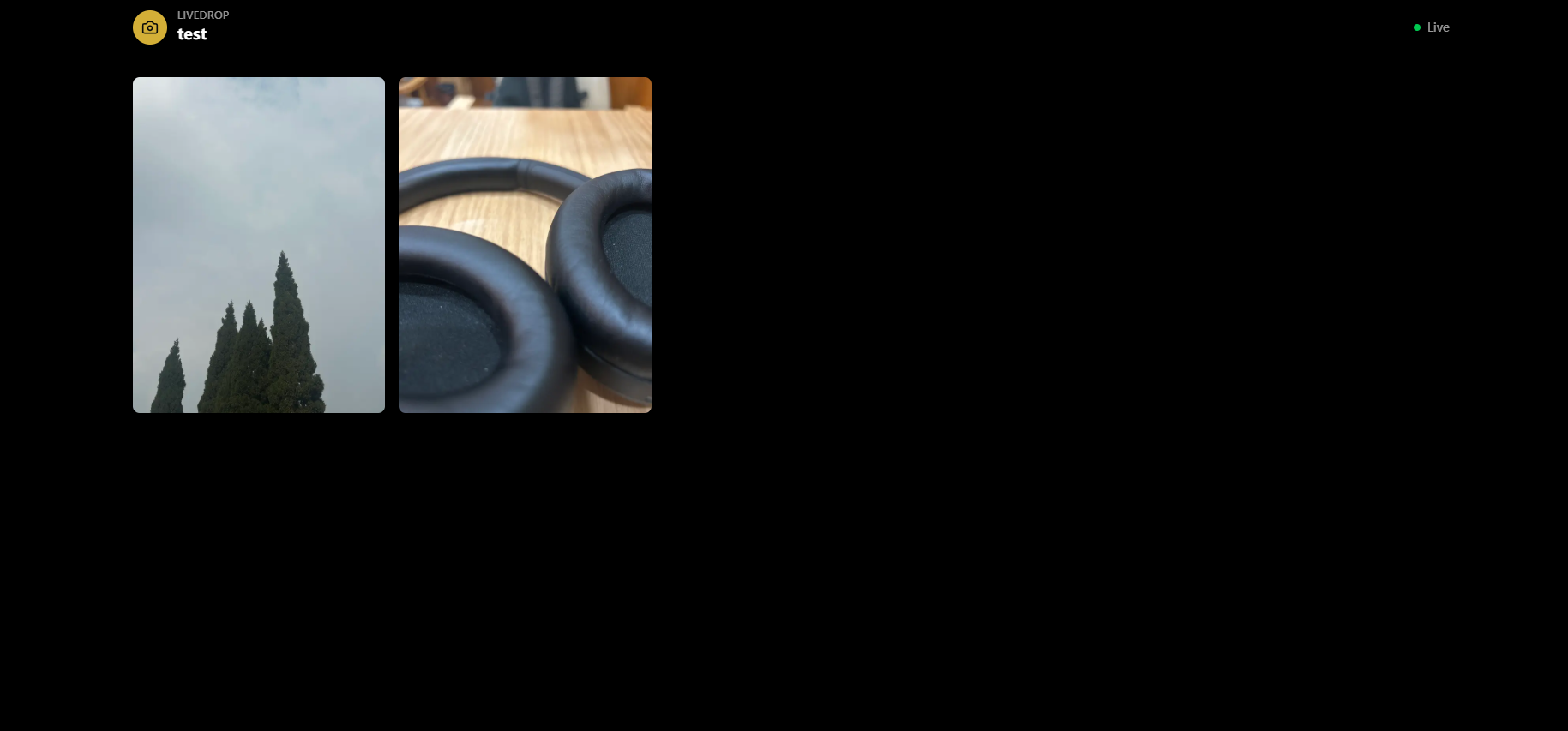
- A Live View page, designed to be projected on a big screen, displays every photo in real-time as it's uploaded -- with smooth animations as new photos pop in.
- Hosts can moderate photos from the dashboard, toggling visibility on any photo instantly.
Use cases include weddings, company events, conferences, birthday parties, meetups, and any gathering where shared moments matter.
How we built it
- Next.js 16 (App Router) as the full-stack framework, using both server components (dashboard, event pages) and client components (camera view, live gallery).
- Supabase as the entire backend:
- Supabase Auth for dual authentication -- email/password for hosts and anonymous sign-in for guests (zero-friction entry).
- Supabase PostgreSQL for the database with two core tables:
eventsandphotos, secured by Row Level Security policies. - Supabase Storage for photo uploads in an
event-photosbucket with public read access. - Supabase Realtime for live subscriptions -- the projector view listens for INSERT, UPDATE, and DELETE events on the photos table.
- Framer Motion for smooth, spring-based animations when photos appear, disappear, or rearrange in the live gallery.
- Serwist for Progressive Web App support, enabling guests to install LiveDrop on their home screen for a native-like camera experience.
- Tailwind CSS for styling with a consistent dark theme on the camera and live views.
- react-qr-code for generating shareable QR codes that link guests directly to the event's camera page.
How Supabase is Used in LiveDrop
This document explains the Supabase integration architecture in the LiveDrop project.
Architecture Overview
┌─────────────────────────────────────────────────────────────────┐
│                        AUTHENTICATION                           │
├────────────────────────────┬────────────────────────────────────┤
│   Host Auth                │   Guest Auth                       │
│   Email/Password           │   Anonymous Sign-in                │
└────────────────────────────┴────────────────────────────────────┘
                              │
                              ▼
┌─────────────────────────────────────────────────────────────────┐
│                      SUPABASE CLIENTS                           │
├─────────────────┬─────────────────────┬─────────────────────────┤
│ Browser Client  │   Server Client     │   Server Actions        │
│ client.ts       │   server.ts         │   actions.ts            │
└─────────────────┴─────────────────────┴─────────────────────────┘
                              │
        ┌─────────────────────┼─────────────────────┐
        ▼                     ▼                     ▼
┌───────────────┐     ┌───────────────┐     ┌───────────────┐
│   Database    │     │    Storage    │     │   Realtime    │
│  PostgreSQL   │     │ event-photos  │     │    Photos     │
└───────────────┘     └───────────────┘     └───────────────┘
1. Dual Client Pattern
The project uses two Supabase clients depending on the execution context:
| Client | File | Usage |
|---|---|---|
| Browser Client | lib/supabase/client.ts |
Client-side components marked with "use client" (photo uploads, realtime subscriptions) |
| Server Client | lib/supabase/server.ts |
Server components and server actions (uses cookies for auth persistence) |
Browser Client (lib/supabase/client.ts)
import { createBrowserClient } from "@supabase/ssr";

export function createClient() {
  return createBrowserClient<Database>(
    process.env.NEXT_PUBLIC_SUPABASE_URL!,
    process.env.NEXT_PUBLIC_SUPABASE_ANON_KEY!
  );
}
Server Client (lib/supabase/server.ts)
import { createServerClient } from "@supabase/ssr";
import { cookies } from "next/headers";

export async function createClient() {
  const cookieStore = await cookies();
  return createServerClient<Database>(
    process.env.NEXT_PUBLIC_SUPABASE_URL!,
    process.env.NEXT_PUBLIC_SUPABASE_ANON_KEY!,
    {
      cookies: {
        getAll() { return cookieStore.getAll(); },
        setAll(cookiesToSet) { /* ... */ },
      },
    }
  );
}
2. Authentication
The app implements a dual authentication system in lib/supabase/actions.ts:
Host Authentication (Email/Password)
- Sign Up:
signUp(formData)- Creates account and redirects to/dashboard - Sign In:
signIn(formData)- Authenticates and redirects to/dashboard - Sign Out:
signOut()- Logs out and redirects to/
Used on /login and /signup pages for event hosts.
Guest Authentication (Anonymous)
- Anonymous Sign In:
signInAnonymously()- Creates anonymous session
Used on /e/[slug] (camera view) to allow guests to upload photos without creating an account. The anonymous auth is triggered automatically when a guest opens the camera page.
3. Database Schema
Defined in supabase/migrations/001_initial_schema.sql:
Events Table
CREATE TABLE public.events (
  id UUID PRIMARY KEY DEFAULT gen_random_uuid(),
  created_at TIMESTAMPTZ DEFAULT now() NOT NULL,
  host_id UUID REFERENCES auth.users(id) ON DELETE CASCADE NOT NULL,
  name TEXT NOT NULL,
  slug TEXT UNIQUE NOT NULL,
  qr_code_url TEXT
);
Photos Table
CREATE TABLE public.photos (
  id UUID PRIMARY KEY DEFAULT gen_random_uuid(),
  created_at TIMESTAMPTZ DEFAULT now() NOT NULL,
  event_id UUID REFERENCES public.events(id) ON DELETE CASCADE NOT NULL,
  user_id UUID REFERENCES auth.users(id) ON DELETE SET NULL,
  storage_path TEXT NOT NULL,
  is_visible BOOLEAN DEFAULT true NOT NULL
);
TypeScript Types (lib/supabase/types.ts)
export type Event = {
  id: string;
  created_at: string;
  host_id: string;
  name: string;
  slug: string;
  qr_code_url: string | null;
};

export type Photo = {
  id: string;
  created_at: string;
  event_id: string;
  user_id: string;
  storage_path: string;
  is_visible: boolean;
};
4. Row Level Security (RLS) Policies
Events Table
| Policy | Action | Rule |
|---|---|---|
| Everyone can view | SELECT | true |
| Hosts can create | INSERT | auth.uid() = host_id |
| Hosts can update | UPDATE | auth.uid() = host_id |
| Hosts can delete | DELETE | auth.uid() = host_id |
Photos Table
| Policy | Action | Rule |
|---|---|---|
| View visible photos | SELECT | is_visible = true |
| Authenticated can upload | INSERT | auth.uid() = user_id |
| Hosts can moderate | UPDATE | Host owns the event |
| Hosts can delete | DELETE | Host owns the event |
5. Storage
Configured in supabase/storage_policies.sql:
Bucket Configuration
- Name:
event-photos - Public: Yes (for image viewing)
- File Size Limit: 5MB
- Allowed MIME Types:
image/jpeg,image/png,image/webp,image/gif
Storage Path Format
event-photos/{eventSlug}/{userId}-{timestamp}.{extension}
Storage Policies
| Policy | Action | Rule |
|---|---|---|
| Public read | SELECT | bucket_id = 'event-photos' |
| Authenticated upload | INSERT | Authenticated users only |
| Host delete | DELETE | Host owns the event (matched by slug) |
6. Realtime Subscriptions
Photos table is enabled for realtime updates:
ALTER PUBLICATION supabase_realtime ADD TABLE public.photos;
Live Gallery Implementation
The /live/[slug] page subscribes to photo changes:
supabase
  .channel('photos')
  .on('postgres_changes', {
    event: '*',
    schema: 'public',
    table: 'photos',
    filter: `event_id=eq.${eventId}`
  }, (payload) => {
    // Handle INSERT: Add new photo to gallery
    // Handle UPDATE: Show/hide based on is_visible
    // Handle DELETE: Remove photo from gallery
  })
  .subscribe();
7. Environment Variables
Required in .env.local:
NEXT_PUBLIC_SUPABASE_URL=https://your-project.supabase.co
NEXT_PUBLIC_SUPABASE_ANON_KEY=your-anon-key
NEXT_PUBLIC_APP_URL=http://localhost:3000
8. Setup Steps
- Create a Supabase project at supabase.com
- Run
supabase/migrations/001_initial_schema.sqlin SQL Editor - Create storage bucket
event-photos(public, 5MB limit, images only) - Run
supabase/storage_policies.sqlin SQL Editor - Enable Anonymous Sign-ins in Authentication > Settings
- Copy project URL and anon key to
.env.local
Challenges we ran into
- Anonymous authentication at scale: Letting guests upload photos without any sign-up required careful handling. We needed Supabase's anonymous auth to create sessions silently on page load, while still tying uploaded photos to a user ID for RLS policies. Getting this to work seamlessly without any visible auth flow was tricky.
- Real-time consistency: Ensuring the live gallery stayed in sync with the database when photos were being uploaded by dozens of guests simultaneously. We had to handle INSERT, UPDATE (moderation), and DELETE events correctly and avoid duplicate entries or flickers.
- PWA + Next.js build tooling: Serwist (the service worker library) doesn't support Turbopack, so we had to fall back to Webpack for production builds while still using Turbopack in development. Navigating this mismatch required careful configuration.
- Mobile camera integration: Using
capture="environment"on file inputs works differently across iOS and Android. Ensuring a consistent camera experience across devices -- including HEIC support from iPhones -- required thorough testing and validation. - Row Level Security design: Crafting RLS policies that allowed anonymous users to upload photos but only let event hosts moderate and delete them required nested queries (checking event ownership through a JOIN to the events table).
Accomplishments that we're proud of
- True zero-friction guest experience: A guest goes from scanning a QR code to uploading their first photo in under 5 seconds, with no sign-up, no app download, and no instructions needed.
- Real-time photo wall that just works: Photos appear on the projector within a second of upload, with smooth spring animations. The live gallery feels alive and responsive even with rapid uploads.
- Clean moderation system: Hosts can hide inappropriate photos instantly, and the change propagates to the live view in real-time -- no page refresh needed.
- Full-stack type safety: TypeScript types generated from the Supabase schema flow through the entire app, from database queries to React components.
- Installable PWA: Guests can install LiveDrop as a home screen app for an even more native-like camera experience.
- Responsive masonry gallery: The live view uses a CSS columns-based masonry layout that adapts from 2 columns on mobile to 5 on large screens, with a full photo viewer including zoom, navigation, and download.
What we learned
- Supabase Realtime is powerful but needs careful channel management: Subscribing to database changes filtered by foreign keys (like
event_id) is straightforward, but properly cleaning up channels and handling reconnections matters a lot for reliability. - Anonymous auth unlocks UX possibilities: The ability to authenticate users without any credentials opens up use cases that would otherwise require complex workarounds. Pairing it with RLS creates a secure yet frictionless system.
- PWAs are still worth it: Even though native app stores get all the attention, a PWA that opens from a QR code scan is a far better experience for a one-time event interaction. No install friction means higher adoption.
- Server components + client components complement each other well: Using server components for data fetching (dashboard, event pages) and client components for interactivity (camera, live gallery) gave us the best of both worlds -- fast initial loads and rich interactivity.
- Simple schemas scale better: Two tables (
eventsandphotos) with well-designed RLS policies handle the entire app. We resisted the urge to over-engineer the data model and it paid off in development speed and maintainability.
What's next for LiveDrop
- Photo filters and effects: Let guests add fun filters, stickers, or event-themed frames before uploading.
- AI-powered moderation: Automatically flag or filter inappropriate content using image classification, reducing the moderation burden on hosts.
- Event analytics: Show hosts stats like total photos, unique contributors, peak upload times, and most-viewed photos.
- Slideshow mode: A cinematic auto-playing slideshow for the projector view, cycling through photos with smooth transitions.
- Multi-event support with templates: Allow hosts to create recurring events or clone past event configurations.
- Photo download packs: Let hosts (and optionally guests) download all event photos as a ZIP archive after the event.
- Custom branding: Allow hosts to add their logo, custom colors, and event theme to the camera and live views.
- Video clip support: Extend beyond photos to allow short video clips (5-10 seconds) that play in the live gallery.
- Collaborative albums: After the event, convert the live gallery into a permanent shared album that guests can revisit and download from.
Built With
- nextjs
- supabase
- tailwindcss
- vercel

Log in or sign up for Devpost to join the conversation.