
Inspiration
Messaging someone who speaks another language usually means copying a message, opening a translation app, pasting the text, copying the result, and returning to the conversation. Repeating this process for every reply makes even a simple chat slow and unnatural.
We wanted translation to become part of the conversation instead of a separate task. That idea became Live Text Translator: a privacy-first Android app that lets people translate, send, and read messages without leaving their chat.
What it does
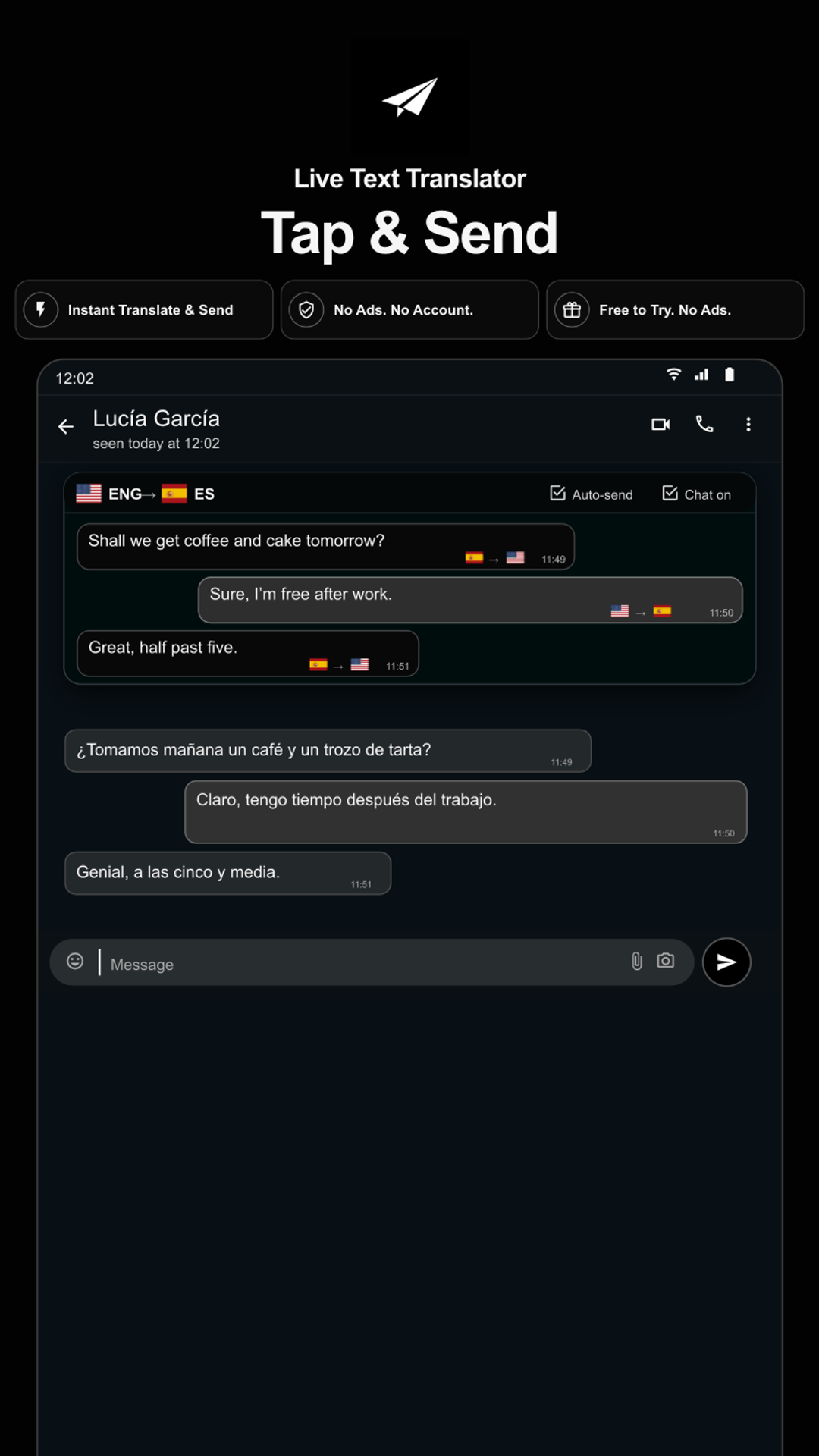
Live Text Translator adds a small paper-plane button next to the message field in supported messaging apps.
The user writes naturally in their own language and taps the translator button. The app then:
- reads only the message the user has chosen to translate;
- translates it into the selected target language;
- places the translation back into the message field;
- sends it after the user’s deliberate action.
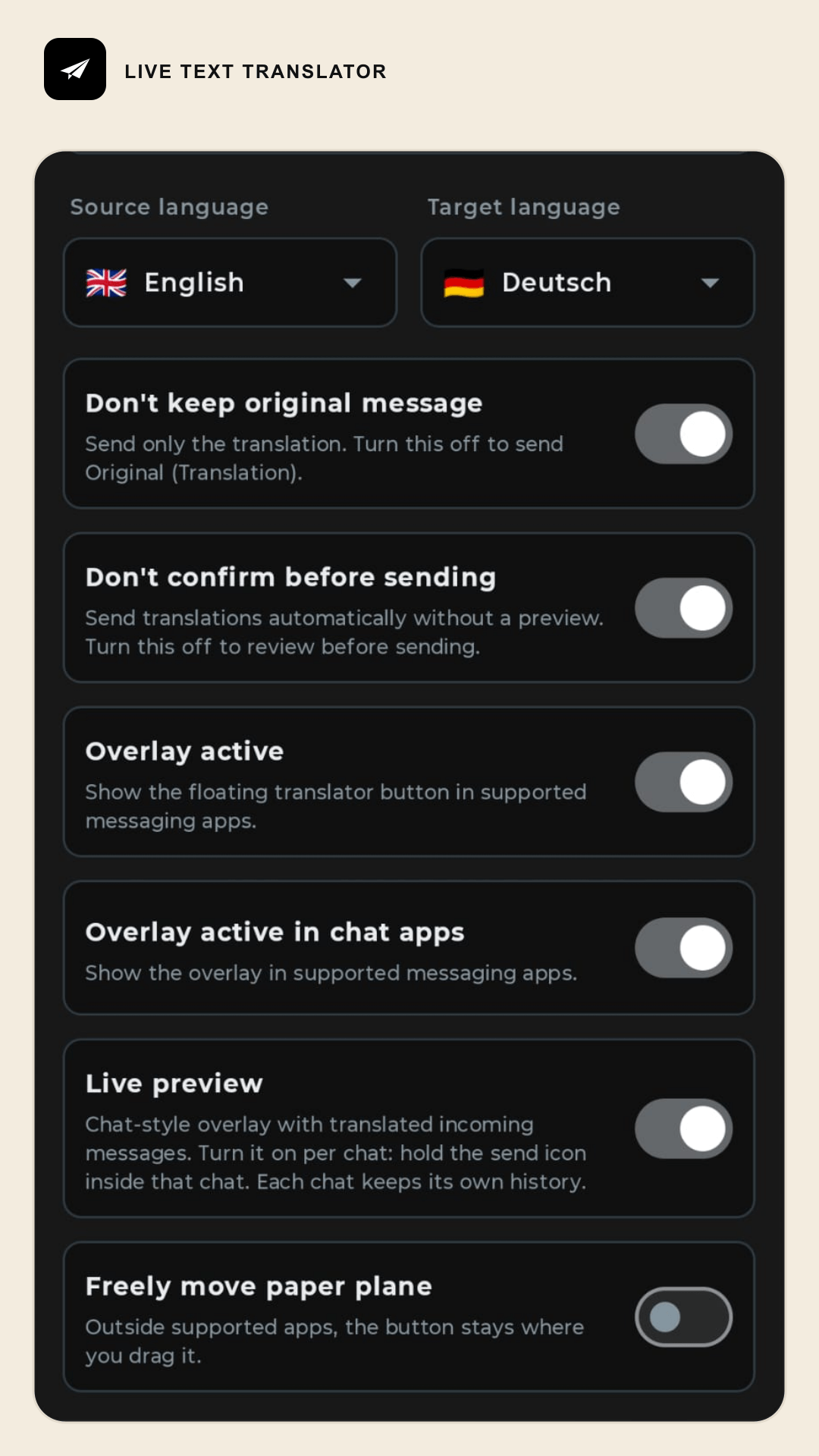
An optional Live Preview can also display translated incoming messages directly inside the conversation. Settings are stored separately for each chat, so users can enable Live Preview only where they need it or exclude selected conversations.
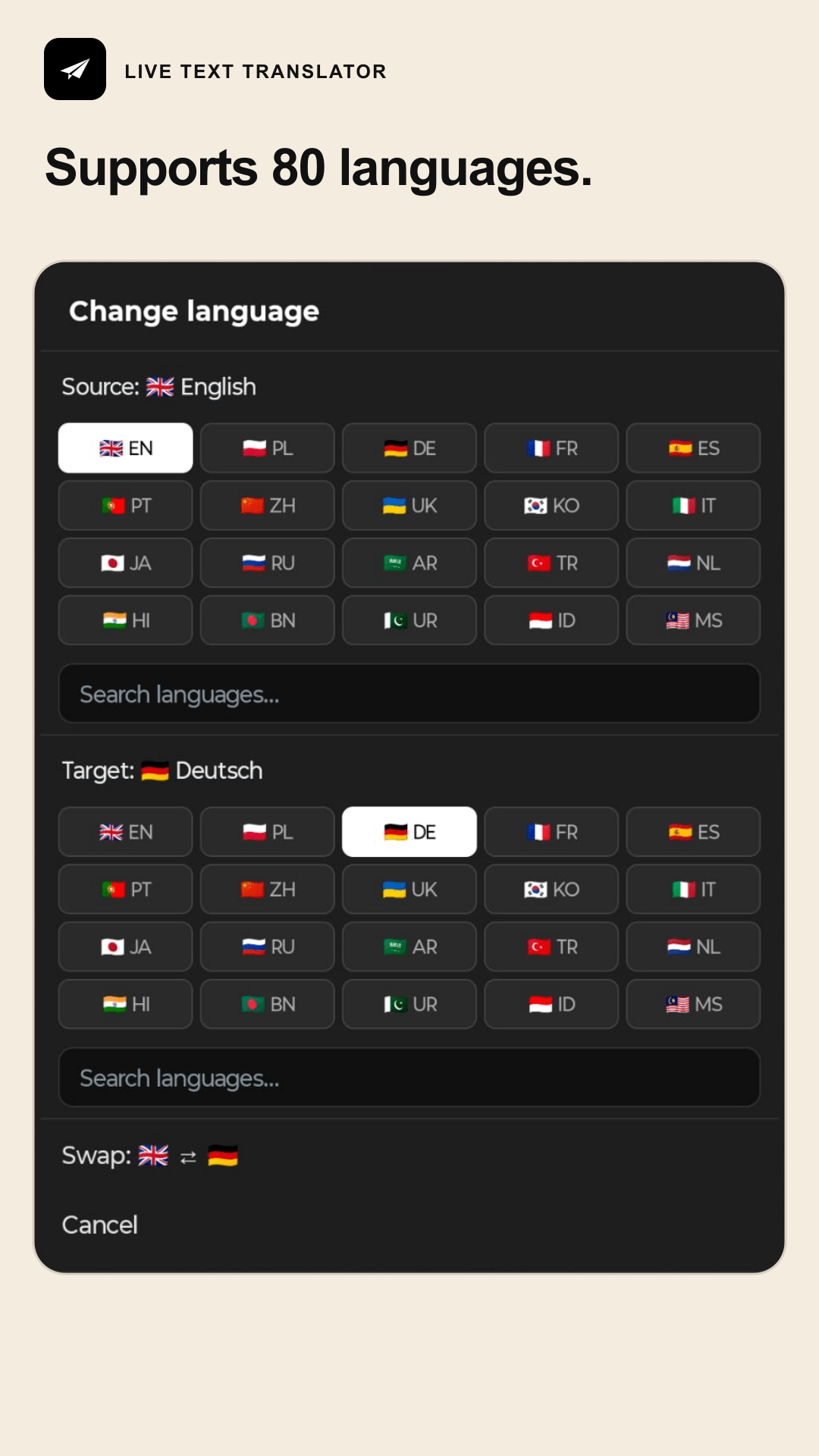
The app supports 80 languages, provides 200 free translations, and requires no account. It contains no advertising or analytics SDKs, and message history is not stored on our servers.
How we built it
The Android application is written in Kotlin using Jetpack Compose and Material 3.
The core interaction is powered by Android’s Accessibility Service. It identifies the active supported chat, locates the message composer and send control, and renders an accessibility overlay close to the original send button. The service only processes outgoing text selected by the user and visible incoming text when Live Preview is enabled.
Because every messaging app exposes a different accessibility structure, we created separate detection and interaction policies for different chat interfaces. These policies distinguish real messages from timestamps, system notices, reactions, quoted replies, attachment panels, link previews and other interface elements.
Translation requests are sent over HTTPS to a Node.js proxy server. The proxy keeps the translation API credentials outside the APK, validates requests, applies usage limits and returns only the translated text. Google Play Billing is used for subscription verification.
Our stack includes:
- Kotlin and Android SDK
- Jetpack Compose
- Android Accessibility Service and accessibility overlays
- Node.js
- REST APIs and OkHttp
- machine-translation API integration
- Google Play Billing
- Gradle and automated Kotlin/Node.js tests
- internationalization and localization tooling
Challenges we faced
The greatest challenge was making the app reliable without controlling the messaging applications underneath it. Their accessibility trees can change between versions, devices and interface states.
A text element visible on screen may be a message, timestamp, sender name, quoted reply, deleted-message notice or link-preview description. Incorrectly identifying one of these elements could produce duplicate or meaningless translations. We built bounded message extraction, filtering, deduplication and per-app adapters to handle these cases.
Overlay positioning was another challenge. The translator button must remain easy to reach without covering the original send button, keyboard, attachment controls or message content.
Privacy and transparency were equally important. Accessibility access is powerful, so we designed a prominent disclosure explaining exactly what the app reads and why. Chat-specific settings and history remain on the device, while only text selected for translation is sent through the encrypted translation service.
Accomplishments that we are proud of
We are particularly proud that translation works inside an existing conversation instead of forcing users into another application.
The result combines:
- one-tap translation and sending;
- live translation of incoming replies;
- support for 80 languages;
- per-chat controls;
- local-only chat settings;
- no account and no advertising;
- a simple interface that stays out of the way of the conversation.
We also built automated tests around message recognition, overlay behaviour, language handling, billing and the translation proxy. This helped us fix edge cases without repeatedly breaking previously supported chat scenarios.
What we learned
We learned that reliable accessibility integration requires much more than searching for a text field and a send button. Each messaging app needs its own semantic adapter, defensive filtering and carefully tested fallback behaviour.
We also learned that privacy explanations are part of the product experience—not only a legal requirement. Users should understand what happens to their messages before enabling any sensitive permission.
Most importantly, we learned that the best translation interface can be almost invisible. Users do not want another complicated translation tool; they want their existing conversation to keep flowing.
What’s next
Next, we plan to:
- improve compatibility across more messaging apps and Android devices;
- expand automated device and interface testing;
- improve the handling of slang, informal language and conversational context;
- introduce privacy-preserving measurements for activation and translation quality;
- continue refining Live Preview and per-chat controls based on user feedback;
- explore on-device translation options where quality and device performance allow it.
Our long-term goal is simple: let people communicate naturally, even when they do not share the same language.
Built With
- android
- gradle
- https
- internationalization
- javascript
- jetpack
- junit
- kotlin
- localization
- mobile
- node.js
- okhttp
- rest

Log in or sign up for Devpost to join the conversation.