-
-
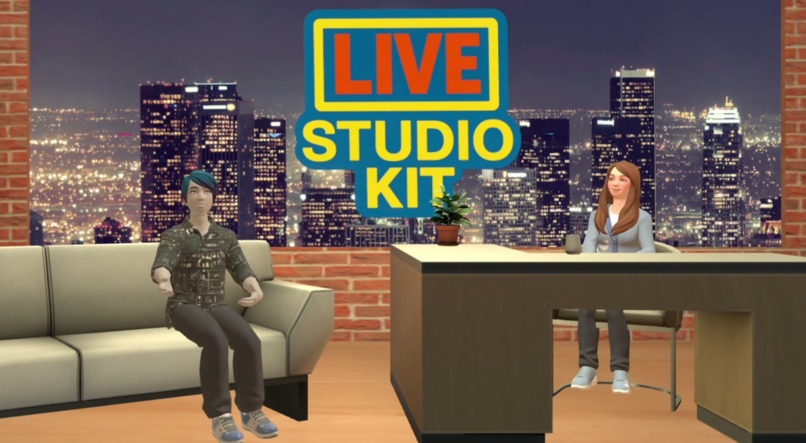
We’ve built the tools. Now it’s your turn to create.
-
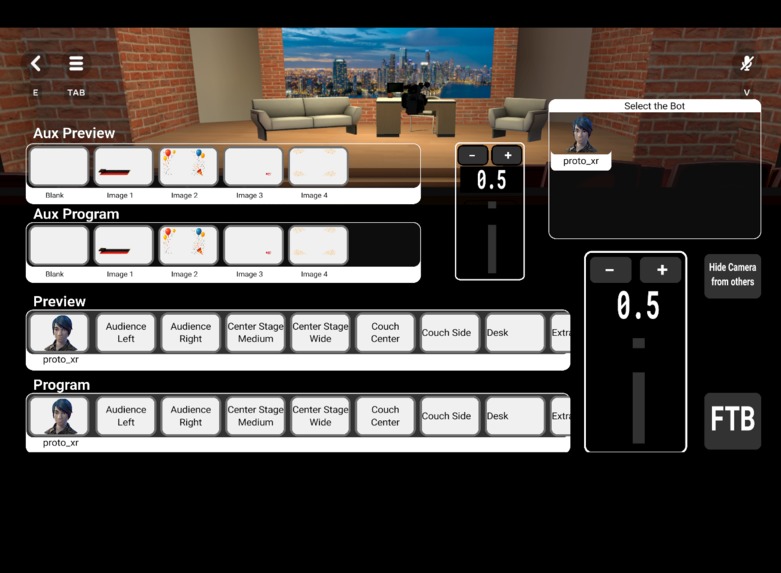
Camera Control Surface
-
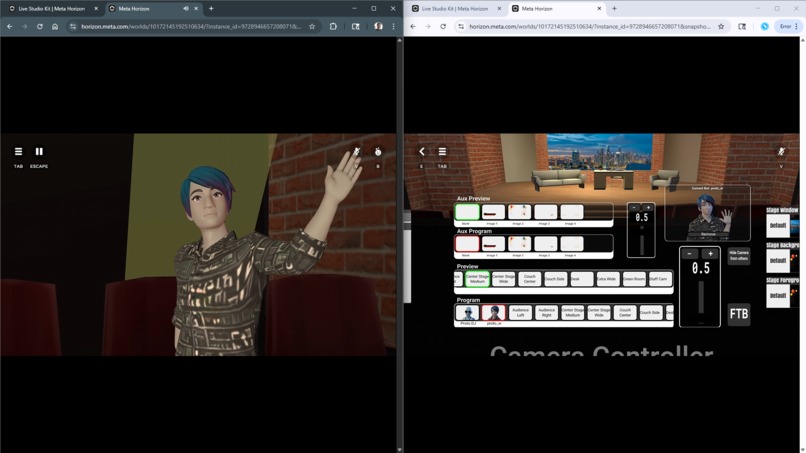
Professional Control over a Mobile/Web Player's Perspective
-
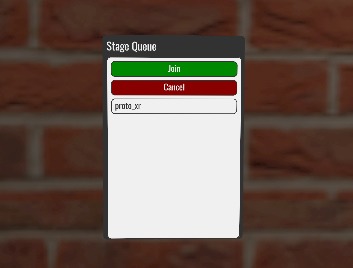
Simple Signup for the Audience
-
Full Control over the Stage Queue
-
And Much More!
-
In-World Tutorials for Creators and Users
Inspiration
Hosting and participating in live shows and events in Horizon Worlds has been a popular form of entertainment for years. While venues have continued to evolve and grow in complexity, the scripts and tricks used to produce these events today have not changed much since the early days. These methods often relied on an arrays of trigger areas, grabbable objects, or complex moderation tools that consumed significant simulation resources.
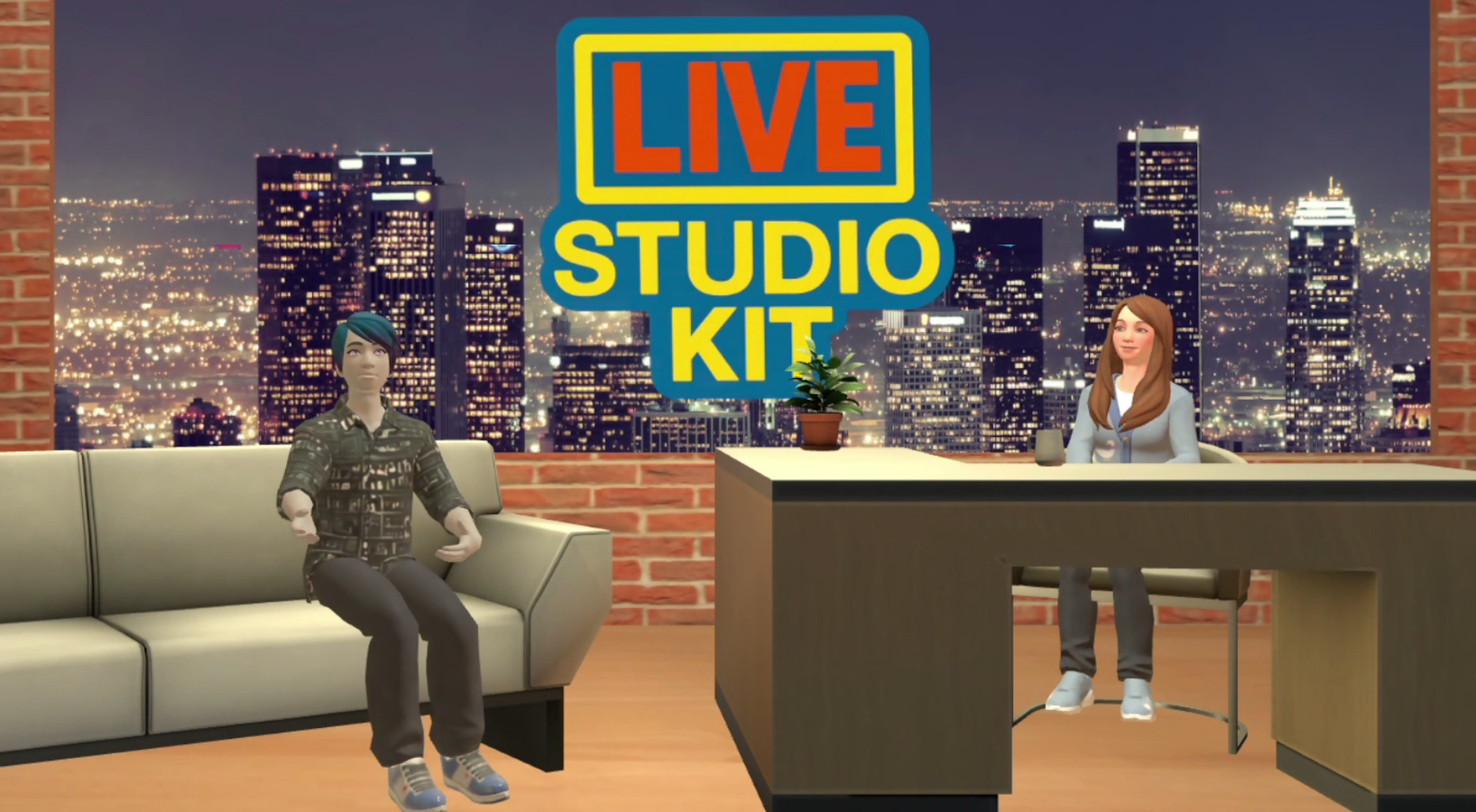
A few months ago I set out to build and release to the public a modern, professional, and efficient toolset for producing events for live audiences, online streaming, and recording. With the release of remix worlds and the public asset library, the difficult task of distribution was solved. Once this contest was announced I enlisted the help of gungangoose to build a ready-made kit for a live talk show example and demonstration. While I already had a couple tools in mind, her experience with these types of events in Horizon Worlds led to many more ideas and significantly expanded the toolset. Today the current tools included are as follows:
Camera Controller
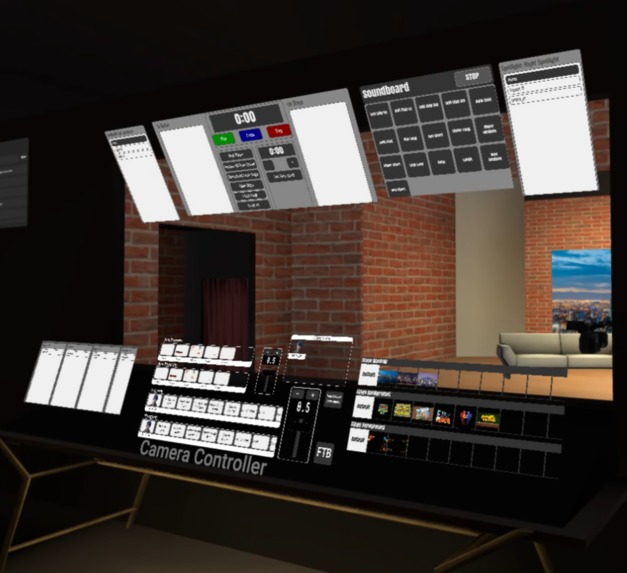
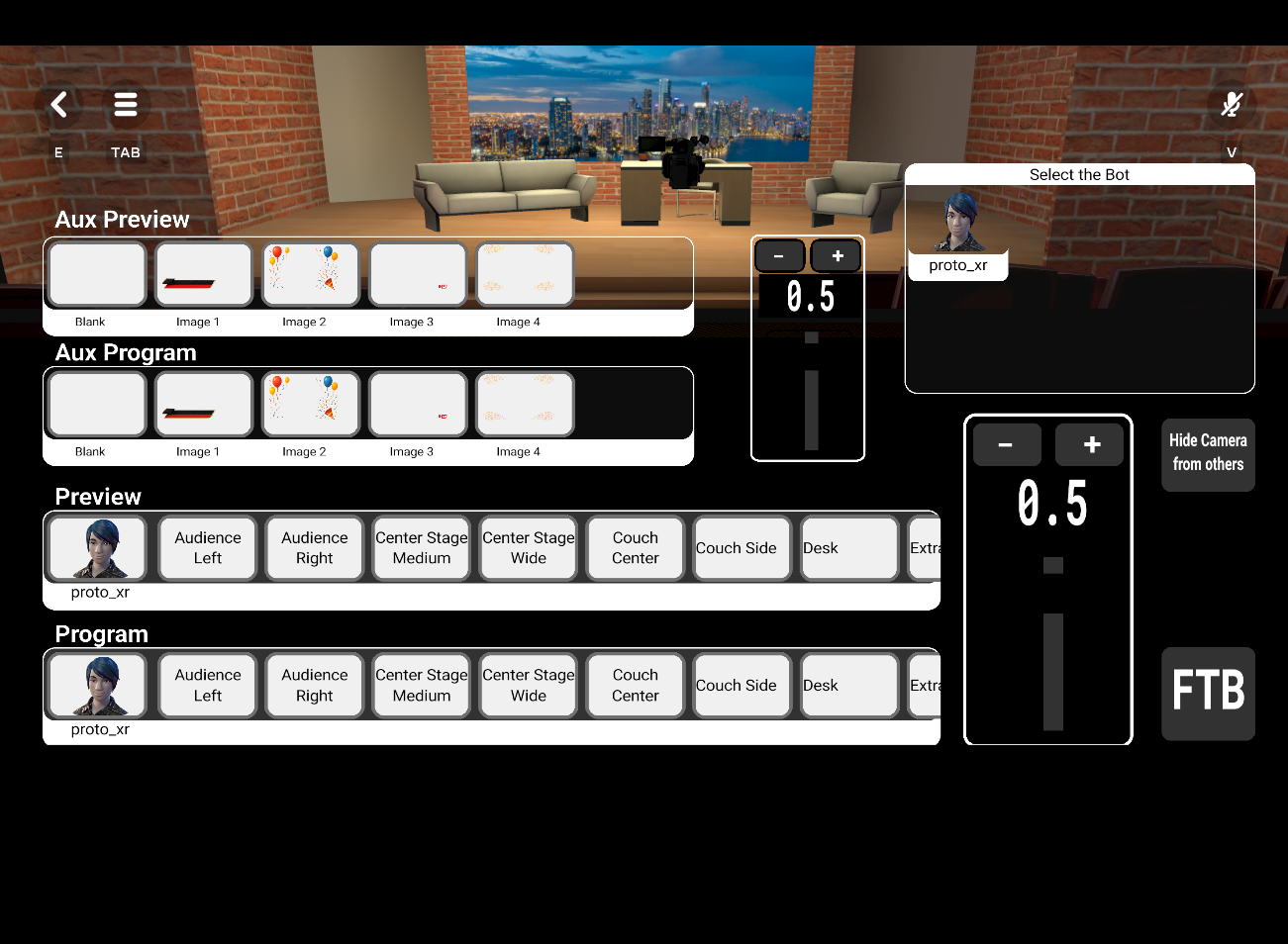
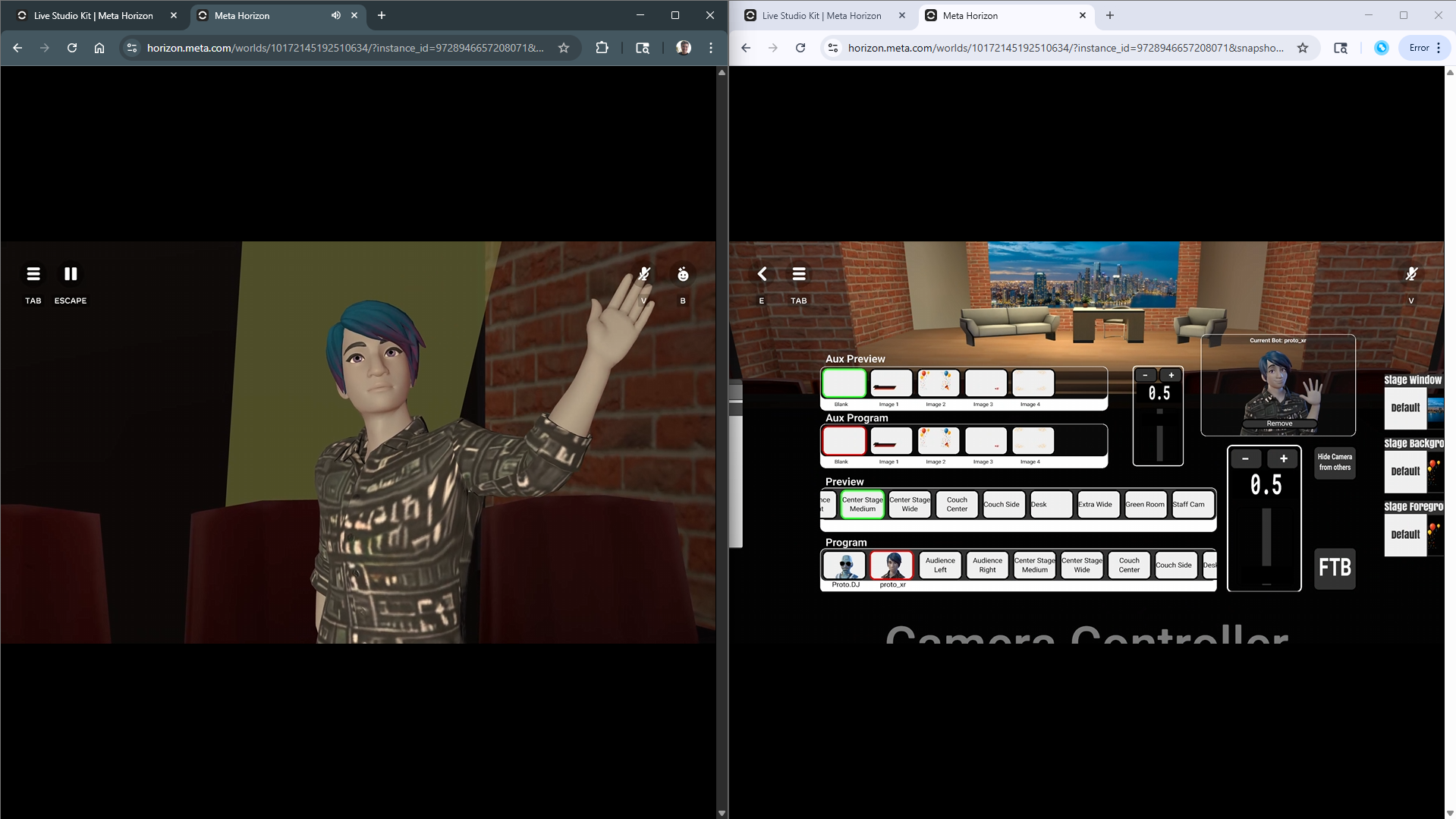
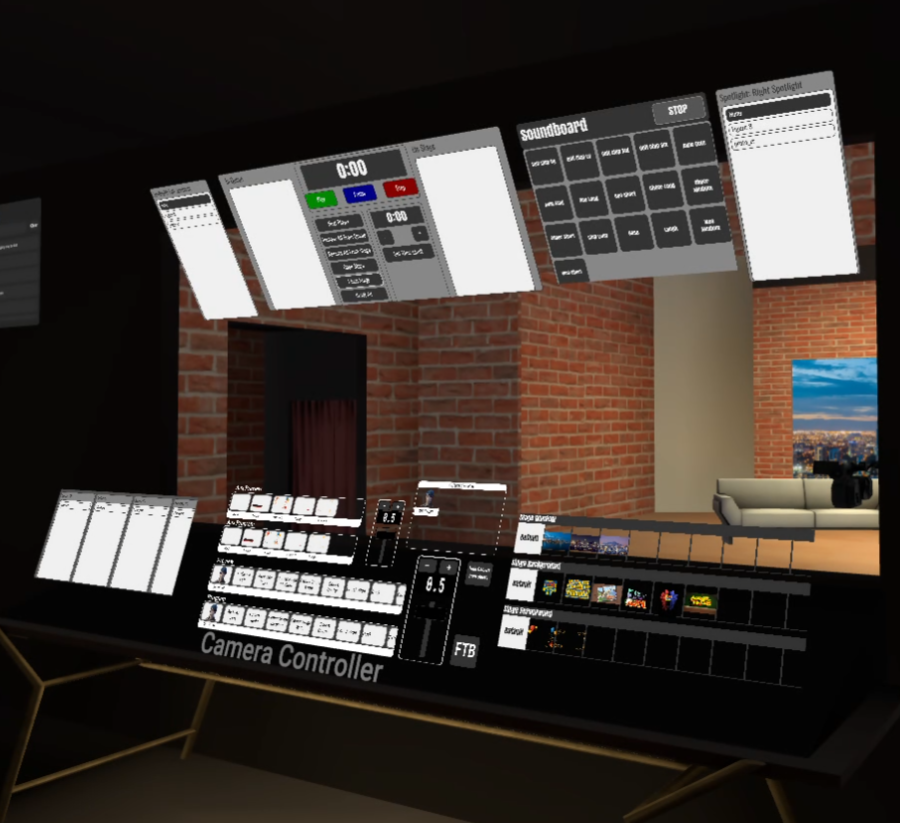
The camera controller is a powerful tool for controlling the camera perspective of a designated mobile or web player. Live productions in Horizon Worlds are typically produced using bot accounts. The view from these users is usually streamed either directly through a web service or through additional software such as OBS. For those familiar with live studio production, the operator console will feel very intuitive. From a creator's perspective, this is simple to configure with as many custom camera angles as needed. Additionally, creators can add custom graphics as overlays such as lower thirds. Unlike older methods of producing live broadcasts, this does not require physically moving the bot's avatar around the studio. Instead they share the perspective of the video camera moving around the world, which can also be hidden from everyone except the operator to reduce audience distractions.
Stage Queue System
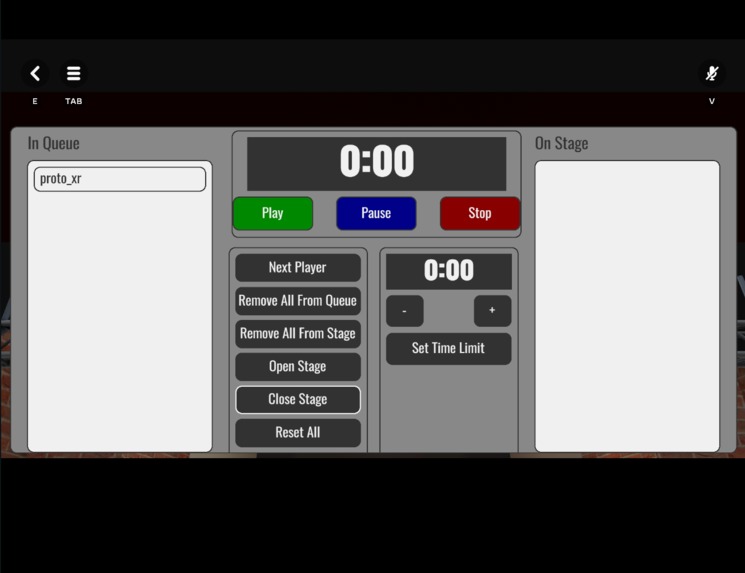
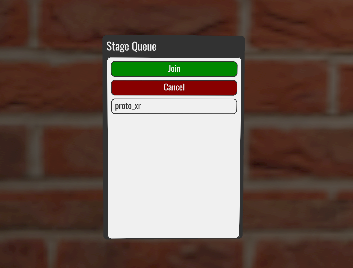
Simple panels can be placed around the world allowing the audience to sign up to go on stage. This could be used for the stage itself, an open mic area for questions, or any other application where players must wait their turn. The audience panel provides the ability to join the queue, cancel their request, and see their position. If it is the player's turn and they are away from their headset, the system will instead advance to the next person without losing their place in the queue.
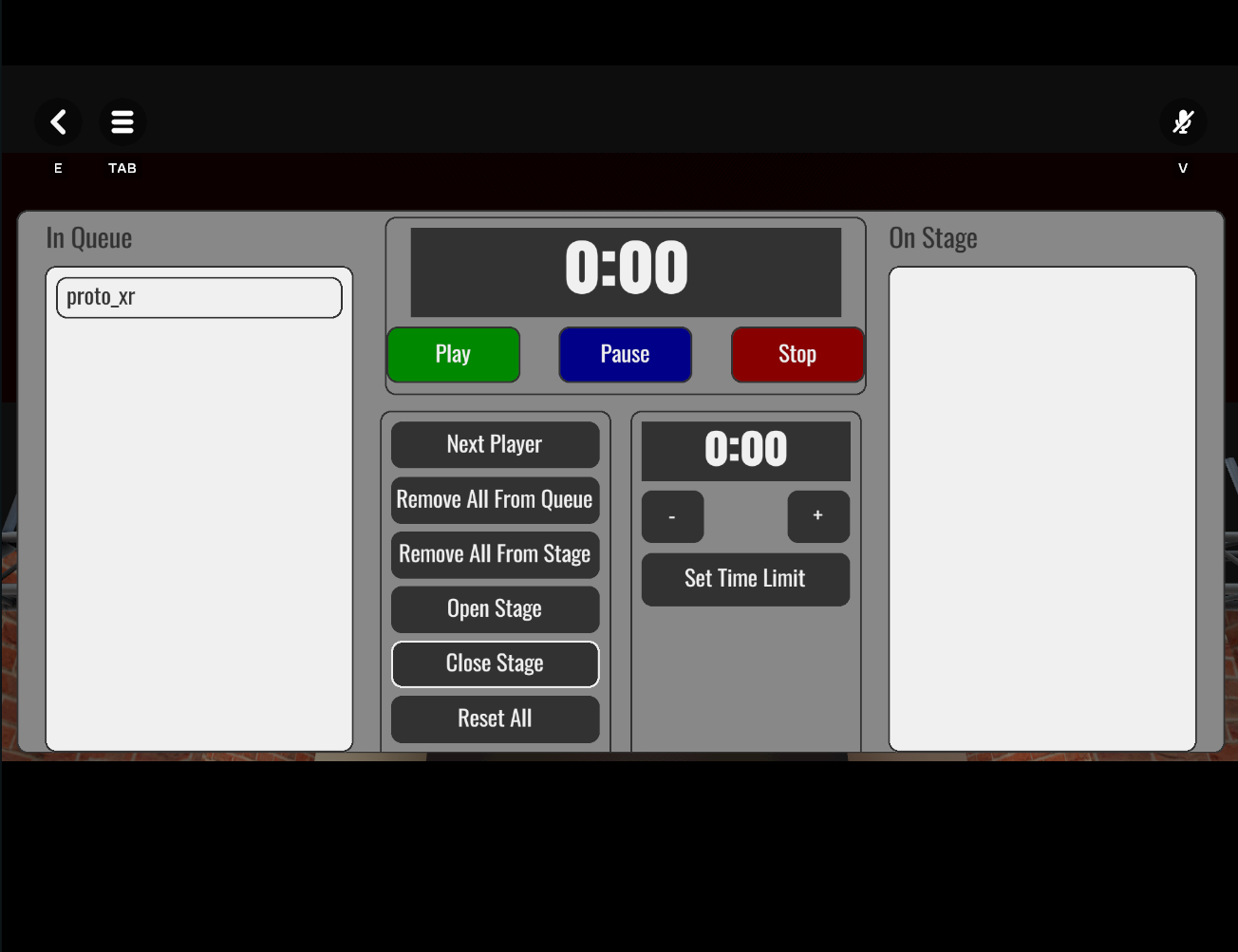
The operator has a separate control panel that lists all players in the queue and on the stage. Selecting any of these players shows the options to either add them to the stage or remove them from the queue or stage. This can be used to add multiple people to the stage when needed and to preserve the momentum of the live event. The control panel also provides the ability to set a time limit for each player or group while they are on stage, which is visible at the top of their view. This timer turns red once only 10 seconds remain, and at the end of the timer they are automatically removed and the next player is brought in. The stage can also be opened or closed, allowing players to join the queue ahead of time without disrupting the event.
Voice Setting Controller
Familiar scripts have been available to attach to trigger gizmos placed around the world that set the voice setting for any player that enters the area. These now tie into a central controller that allows the operator to view each player's voice setting. The controller also provides the ability to change the voice setting of any individual player or group. This replaces the need for a live sound system and can be used to reduce distractions during productions.
Backdrop and Wall Art Controller
Change backdrops on the stage or artwork around the world from a single control panel. These can be controlled individually or together as a group to apply any PNG texture configured on the controller. In this example world the operator can change the window scenery as well as the background and foreground images on the stage. Other examples include changing the artwork in the lobby, the overlay on the photobooth, and even switching the green screen room from green to blue. There are more creative applications than can be covered, but this could be used to change the entire theme of the world, from walls and furniture to effects like breaking the window.
Soundboard
Use a control panel for playing sound effects during the event. Any audio gizmo attached will add a button to the panel. The panel can be customized to show as many columns of buttons as needed for larger or smaller soundboards.
Spotlight Control
Not just for decoration anymore, these controllers point a spotlight at any player in the world. A sideways figure-8 path animation has been added to bring attention to the stage. There is also a button to turn off the spotlight when needed. As a bonus, red, green, and blue spotlights are available outside of the building which can be used as decoration or for lighting effects during the event.
Access Control
To restrict access to sensitive areas such as backstage or the control room, an access control system is included in this remix world. This includes a crew manager panel to add and remove permissions to enter these areas, and a script that respawns any player not on the crew list. The controller also has the option to lock and unlock these areas for the audience. Unlike older systems, this uses a World Persistent Variable to maintain the list of players with access to restricted areas.
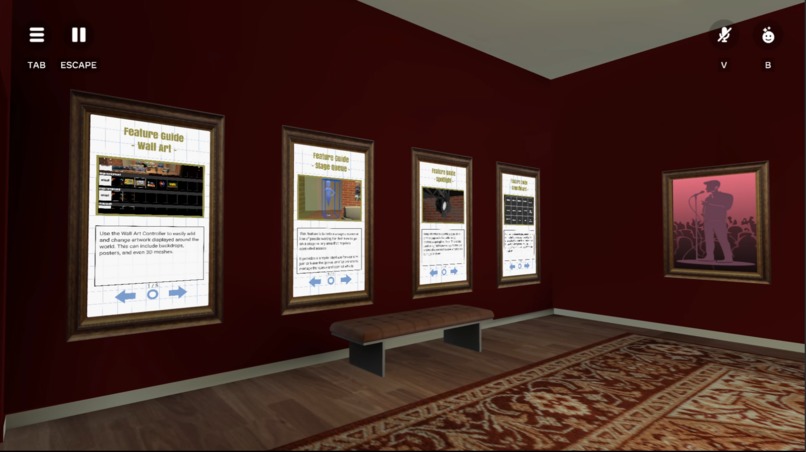
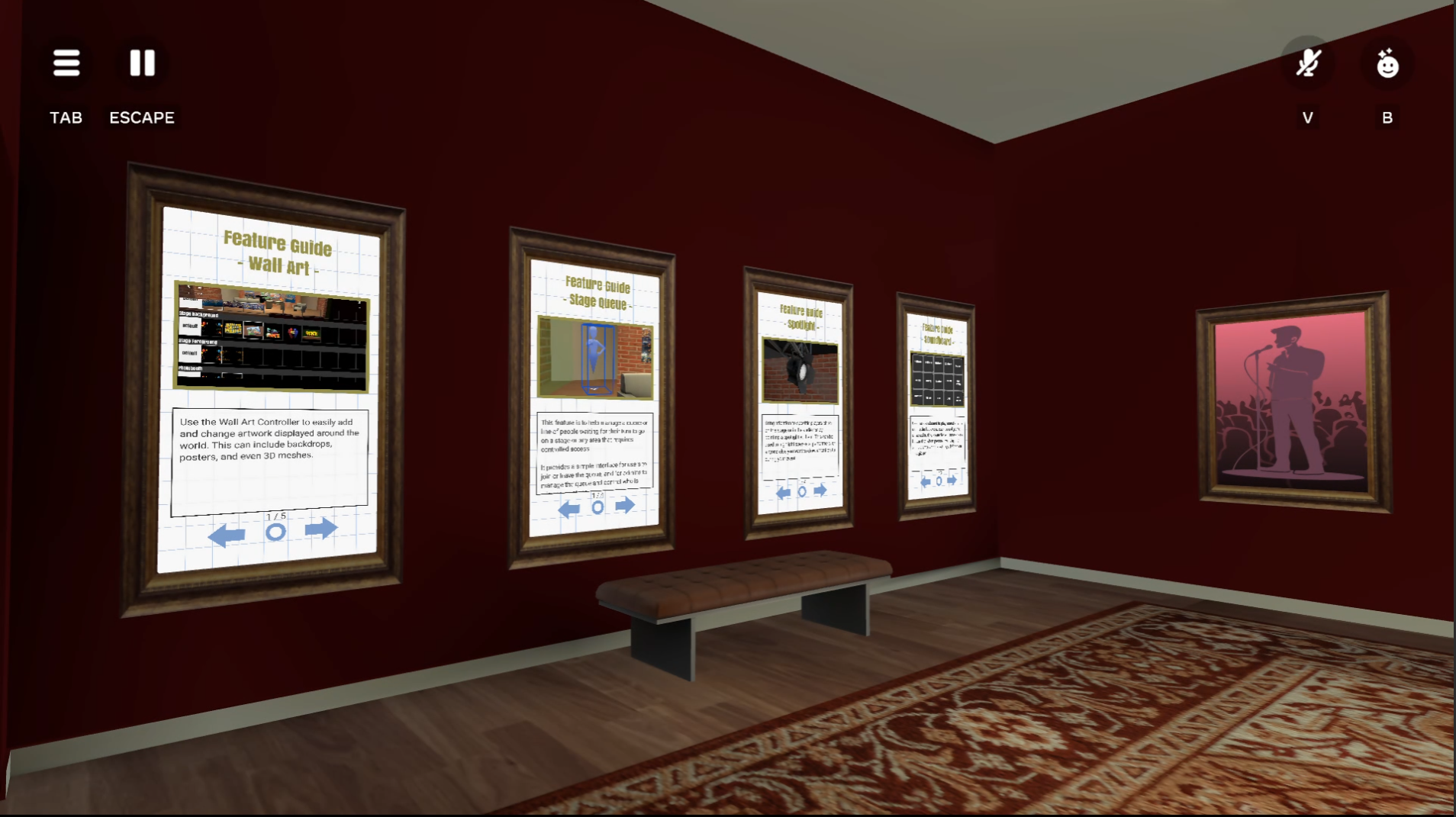
Also included, though not a primary feature, are the Tutorial Slides showcased in the lobby and explained in the Ultimate Starter Kit - Parkour remix world. In the Live Studio Kit world I am using these to provide in-world documentation, which can also be updated in every copy of the remix world. This feature can be adapted by any creator for their own remix worlds and follows a simple JSON text file format.
How we built it
This was another great example of collaborative building using asset templates and teamwork. While I, Proto, was starting and testing the programmed mechanics, Goose designed a shell or mockup of the layout in the world. I then moved everything in and began placing control panels and camera preset locations. While I continued to develop these abilities further, Goose built assets in Maya and imported them into Horizon Worlds as templates. Once we both completed our tasks, the final models were brought into the world, and the scripted gizmos and objects were positioned in the new space.
Initially we had a number of ideas and narrowed them down to those that would be most useful in a remix world. This meant avoiding niche elements for game shows which are each unique. Throughout the project additional features were added, with each idea following the same decision-making process. Together we focused our expertise on performance without sacrificing quality. As a result this example world supports 32 players and still leaves plenty of room for creators to add their own artistic flair and make the space their own.
Challenges
There were multiple challenges, most notably the accelerated timeline required to submit this remix world for the competition. Another major challenge was navigating the different experiences for VR versus mobile players. The next was making the world modular and easy to customize for other creators.
From a 3D modeling perspective, the first instinct was to use as few pieces as possible. For a template, however, the world needed to be modular and slightly less optimized to allow for customization.
From a programming and user experience perspective, the first limitation was that the Camera API for controlling a player's perspective is limited to mobile or web users. In addition, Avatar Images on custom UI are restricted to local scripting and are only visible to mobile and web players. This resulted in a weaker experience for VR camera operators, though still completely functional. Also, the Easing provided in the Camera API is unpredictable. While fine for gameplay, it was not acceptable for live production. Instead, I attached the bot's perspective to a 3D model of a video camera and used smooth, controlled, linear movements and rotations.
Accomplishments
This was by far the most complex camera script I have ever produced and used every trick I have learned in my other custom UI projects. The final product is a camera controller that resembles a basic live studio production switcher, typically used for video or stage performances.
I am also proud of the stage queue system. I have seen many variations in other worlds, and combined the best ideas to create a modern version with features that apply to a wide range of events. Beyond talk shows I see this being used in performance venues, comedy clubs, and game shows. This is another mechanic I am excited to see used by the community of innovative creators out there.
Next Steps for the remixable world
Besides bug fixes and documentation updates, this remix world may not see many updates until more features become available. More likely there will be additional public assets developed to further customize this world for the many types of live events.
Otherwise, next steps would be to remix this world ourselves for making videos and hosting live events.



Log in or sign up for Devpost to join the conversation.