-
-
Logo
-
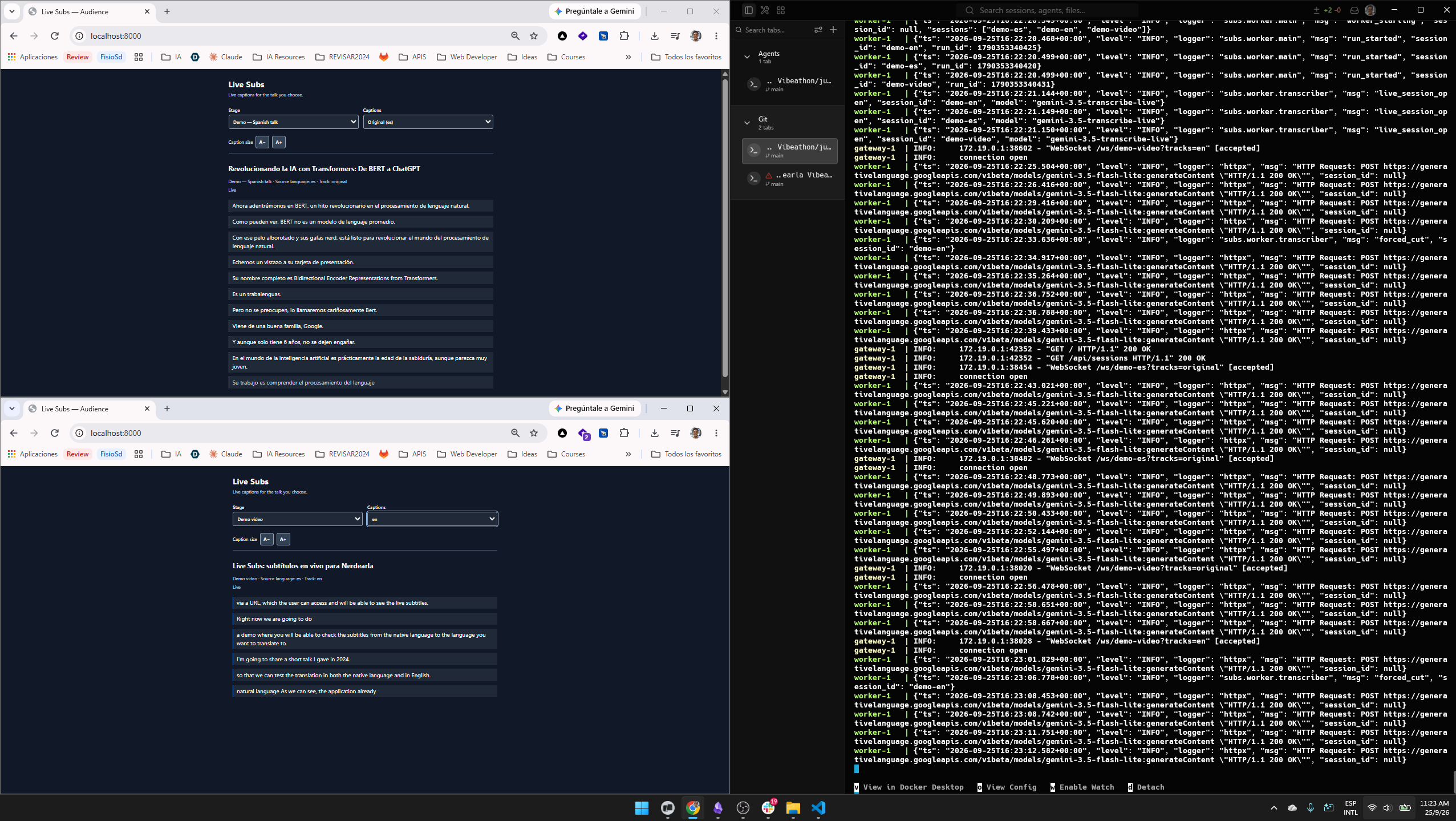
2 live session
-
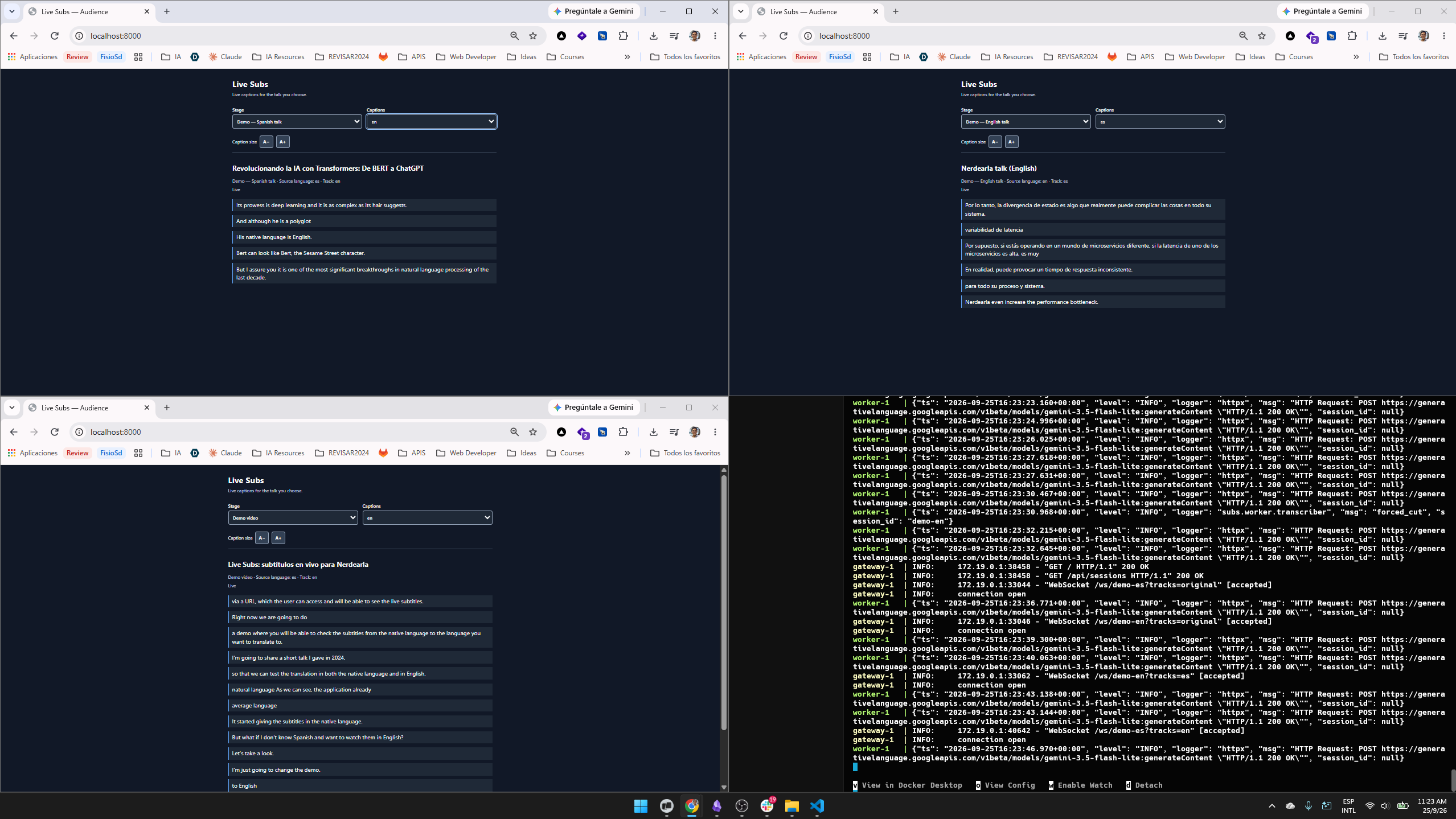
3 live sessions
-
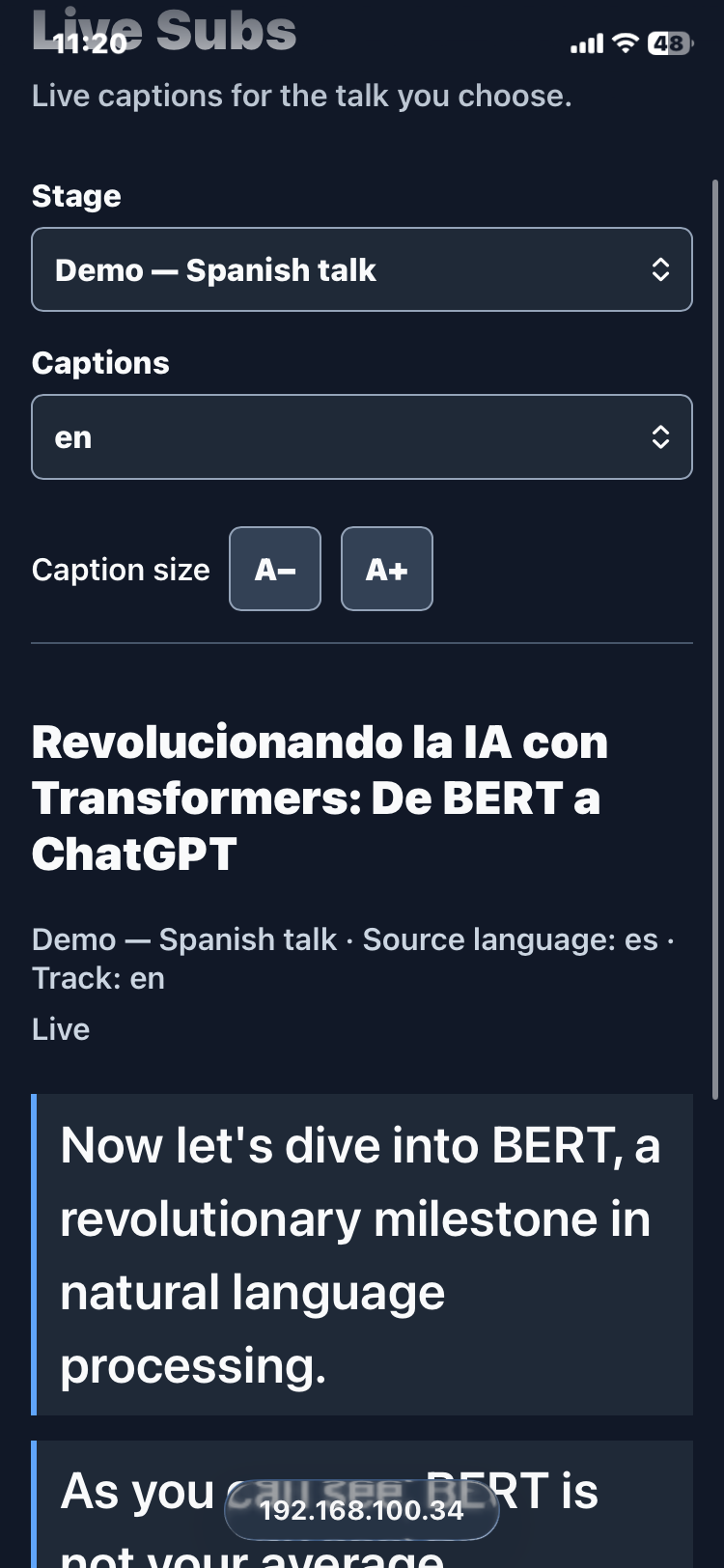
Mobile version session 1
-
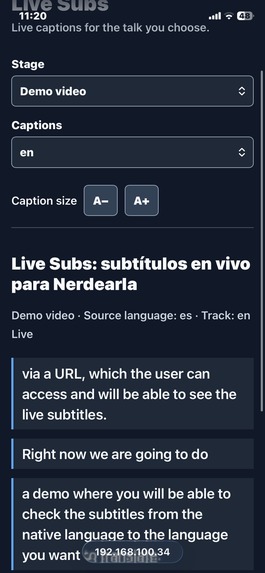
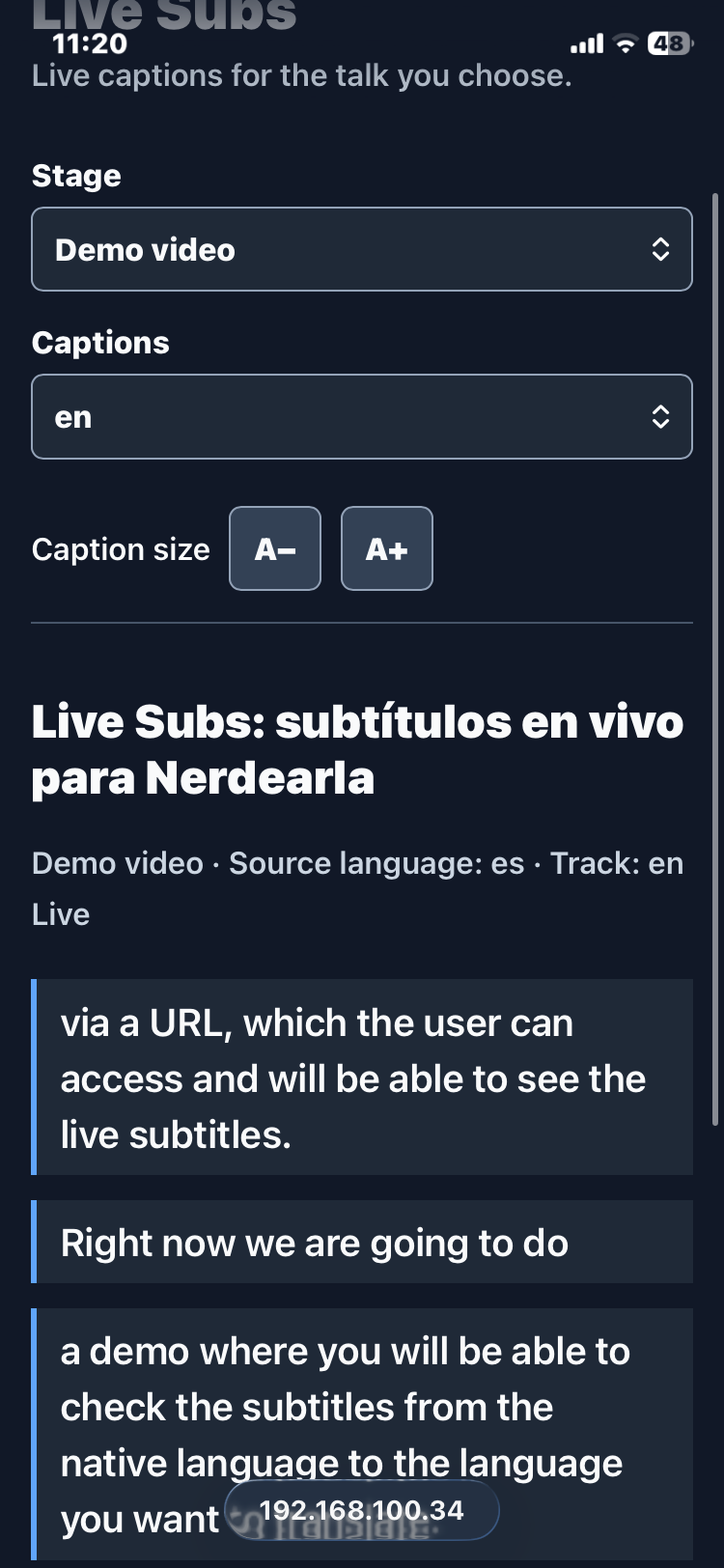
Mobile version session 2
Inspiration
Nerdearla runs many talks at the same time, often in both Spanish and English. That means a talk can be technically accessible while still being inaccessible to a large part of the audience.
Someone might not speak the speaker's language, have difficulty hearing in a crowded room, or simply arrive late and miss the context.
We wanted to build an open-source solution that could give every stage live subtitles and translation, without requiring a human captioner or a separate setup for every room.
That became Live Subs: a system that takes audio from multiple conference stages, transcribes it in real time, translates it between English and Spanish, and makes the subtitles available to anyone with a phone.
Our goal was not just to make live transcription work once. We wanted something a conference could actually deploy and scale through configuration.
What it does
Live Subs turns each conference stage into its own live subtitle stream.
- Takes audio from a file or stream URL.
- Transcribes speech in real time with the Gemini Live API.
- Shows partial subtitles while the speaker is talking and settles them into final sentences.
- Translates final sentences between English and Spanish.
- Publishes the original and translated subtitles as separate tracks.
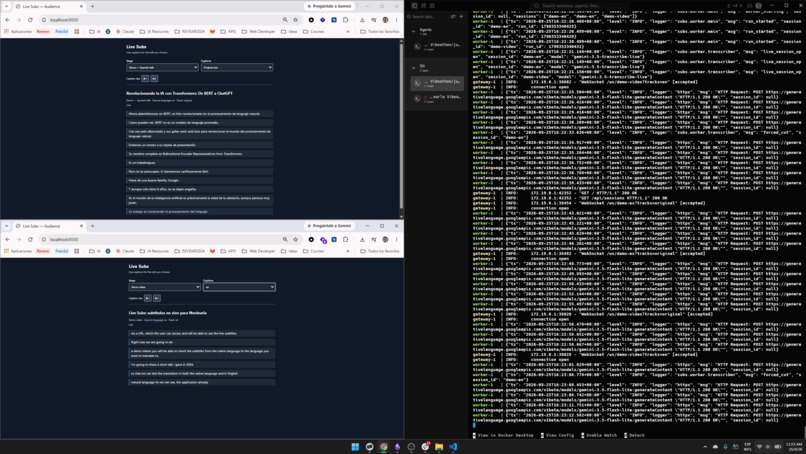
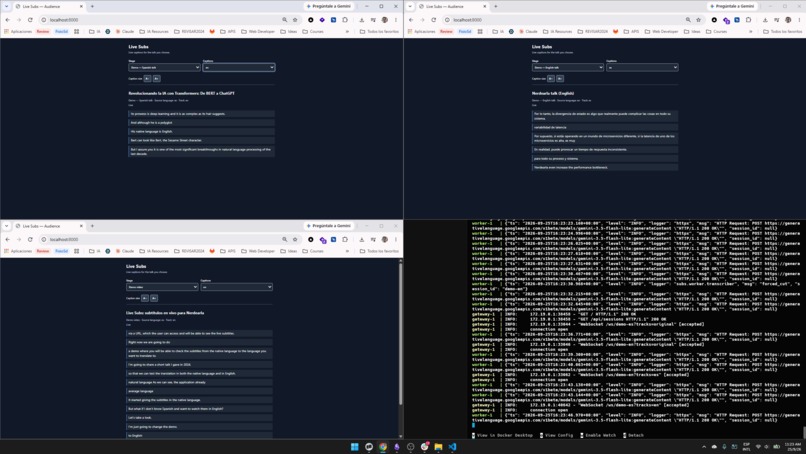
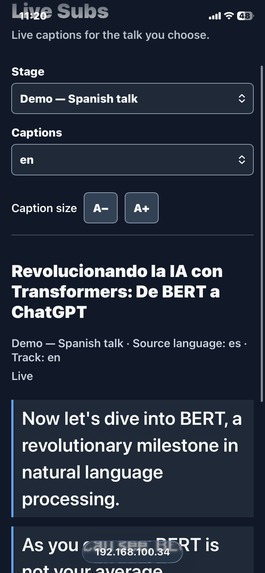
- Lets anyone in the audience open a URL on their phone, select a stage and language, and read.
- Keeps the latest five final sentences so latecomers immediately see context.
- Burns subtitles into livestreams with an OBS/vMix overlay: transparent background, up to two lines of outlined text, and size, position and partials set in its URL.
- Runs multiple stages in parallel, isolated from each other.
- Can be deployed with a single
docker compose up. - Includes sample English and Spanish clips (synthetic, license-clean) that loop, so a fresh clone can demonstrate the system immediately.
- Recognizes proper nouns and technical terms (like "Nerdearla") with a configurable custom vocabulary, and keeps them untranslated.
The audience does not need an app. They simply open the web page, choose their stage and language, and start reading.
How we built it
The architecture is intentionally simple:
Audio → Gemini Live transcription → final sentence → translation → Redis → WebSocket → browser
Audio is processed with ffmpeg into 16 kHz mono PCM and streamed continuously to the Gemini Live API using gemini-3.5-transcribe-live.
The transcription produces both partial and final text. Partial text is displayed immediately as the speaker talks, while only final sentences are sent to the translation pipeline.
For translation, we use gemini-3.5-flash-lite with minimal thinking. The prompt includes the talk title and previous sentences as context, which helps with technical terms and fragments.
Every subtitle is represented as a versioned SubtitleEvent and published through Redis Pub/Sub. Each stage and track has its own channel.
A FastAPI gateway subscribes to those events and sends them over WebSockets to the audience page and to the OBS overlay. The frontend is plain HTML and JavaScript, with no build step.
The application runs as two processes:
- A worker that manages audio streams, Gemini Live sessions, transcription, and translation.
- A gateway that delivers subtitle events to viewers.
Stages are defined in sessions.yaml, making scaling primarily a configuration task.
We also used Spec-Driven Development with Spec Kit:
constitution → specification → plan → tasks
Claude Code and Codex implemented the project one task at a time, with a test or runnable "done when" check for each task.
Challenges we ran into
Sentences that never ended
Our first clean-clone validation exposed a major problem.
With the default voice detection settings, the Spanish stage produced 133 partial transcriptions and zero final sentences in 75 seconds.
The original subtitles appeared, but because there were no final sentences, the translation track stayed empty.
Instead of guessing, we built a small probe and compared four different strategies using the same audio.
We chose a more sensitive 300 ms silence threshold, combined with a forced cut using audio_stream_end when a sentence remains open for 8 seconds.
This gave us much more reliable sentence finalization while keeping the audio stream continuous.
Translating half sentences
Forced cuts can happen in the middle of a sentence, and language models tend to complete unfinished text. To prevent that, the translation prompt explicitly says the input may be a fragment and must be translated as one, using previous sentences as context.
An empty screen for latecomers
Translated tracks only receive final sentences. A viewer who opened the page at the wrong moment could therefore wait almost a minute before seeing anything.
We added an in-memory history buffer containing the last five final sentences for every track.
When a viewer connects, those sentences are sent immediately.
This reduced the time until the first translated line from 54.9 seconds to under 1 second.
Measuring timing without timestamps
The Live API did not provide the per-utterance timestamps we needed.
We built an audio clock using energy-based voice detection so we could measure latency from the end of speech.
That gave us meaningful numbers to optimize against instead of simply measuring server processing time.
Live session limits
Gemini Live sessions have a limited duration.
For our looping demo audio, every new loop starts a new run and a new Live session. This allows the demo to run continuously without hitting the session limit.
Accomplishments that we're proud of
We are especially proud that the project is not just a prototype that produces subtitles, but a complete multi-stage system that we could actually deploy and measure.
We measured (latencies on real Nerdearla talk audio):
- ~1 second for partial subtitles (P50)
- ~1.75 seconds for final sentences (P50)
- ~2.4 seconds for translations (P50)
- <1 second for the first translated line after opening the page
- 34 seconds to 3 minutes 18 seconds from a clean clone to live subtitles, depending on Docker build cache
- 2 stages running in parallel from a single deployment
We are also proud of how quickly the system can go from configuration to a working conference setup.
A new stage is essentially a configuration entry rather than a new application.
We also built the system so that one failing stage does not stop the others, which is important when dealing with multiple independent conference rooms.
Most importantly, we measured problems before deciding how to solve them. The probes we built during the hackathon directly changed the architecture and model configuration.
What we learned
Our biggest lesson was that building a real-time AI application is not just about choosing a good model.
The difficult problems were around the model:
- When is a sentence actually finished?
- How should a fragment be translated?
- How do you preserve enough context?
- How do you measure latency when the API does not provide timestamps?
- What happens when a viewer joins late?
- How do you isolate failures between multiple stages?
- How do you deal with long-running Live sessions?
We also learned that measuring before deciding pays off.
A one-hour technical probe helped us choose the translation model, while another probe helped us choose the sentence-cutting strategy.
Using Spec-Driven Development also helped us work effectively with AI coding agents. Breaking the project into small, verifiable tasks made it much easier to keep the implementation predictable.
The overall lesson was simple:
AI can generate code very quickly, but measurements tell you whether the system actually works.
What's next for Live Subs
Our next priorities are focused on making Live Subs more production-ready for real conferences.
Next
- Automatic reconnection of Gemini Live sessions for talks longer than 10 minutes.
- Per-stage glossaries with term mappings, building on the custom vocabulary.
- Full subtitle history for latecomers.
- SRT, VTT, and TXT export.
- A production panel showing room status and latency.
- Portuguese support.
Later
- A bilingual view showing both languages simultaneously.
- Automatic source-language detection.
- Hot reload of
sessions.yaml. - Microphone and YouTube audio sources.
- Session resumption without subtitle gaps.
The long-term goal is simple:
Give every stage at a conference a live, accessible subtitle track that anyone can open from their phone.
Live Subs is open source under the Apache 2.0 license.
Built With
- asyncio
- claude-code
- codex
- css3
- docker
- docker-compose
- fastapi
- ffmpeg
- gemini
- gemini-flash-lite
- gemini-live-api
- github
- google-genai
- html5
- javascript
- obs-studio
- pydantic
- pytest
- python
- redis
- spec-kit
- uvicorn
- websockets
- yaml


Log in or sign up for Devpost to join the conversation.