-
-
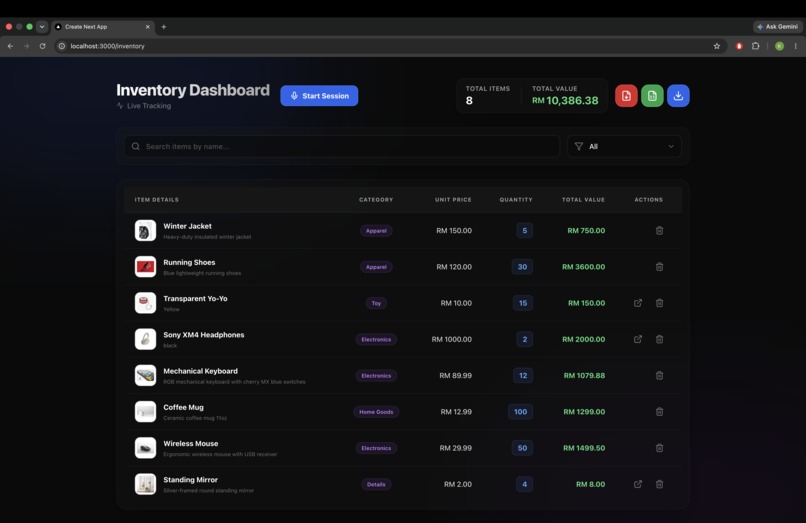
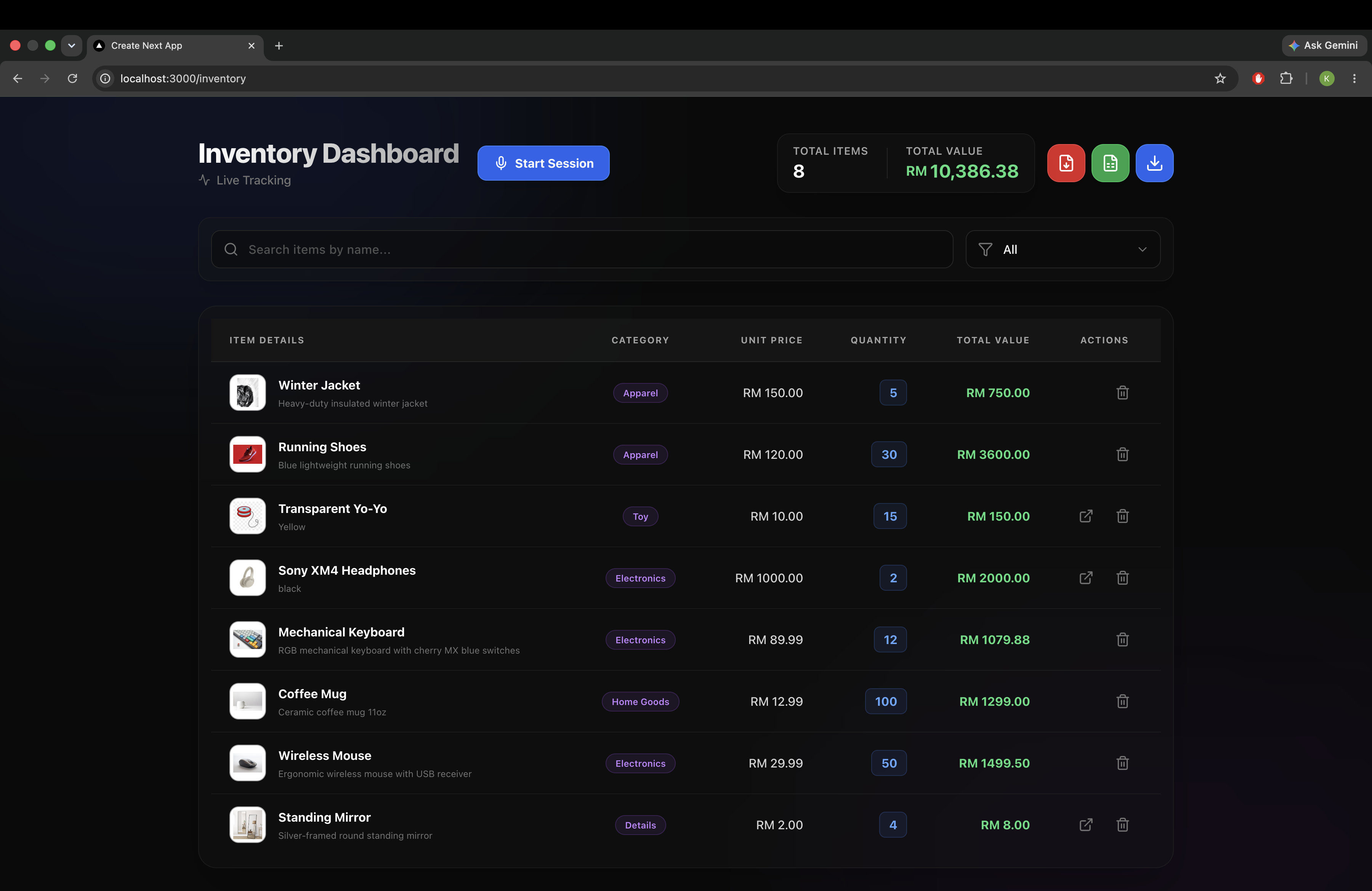
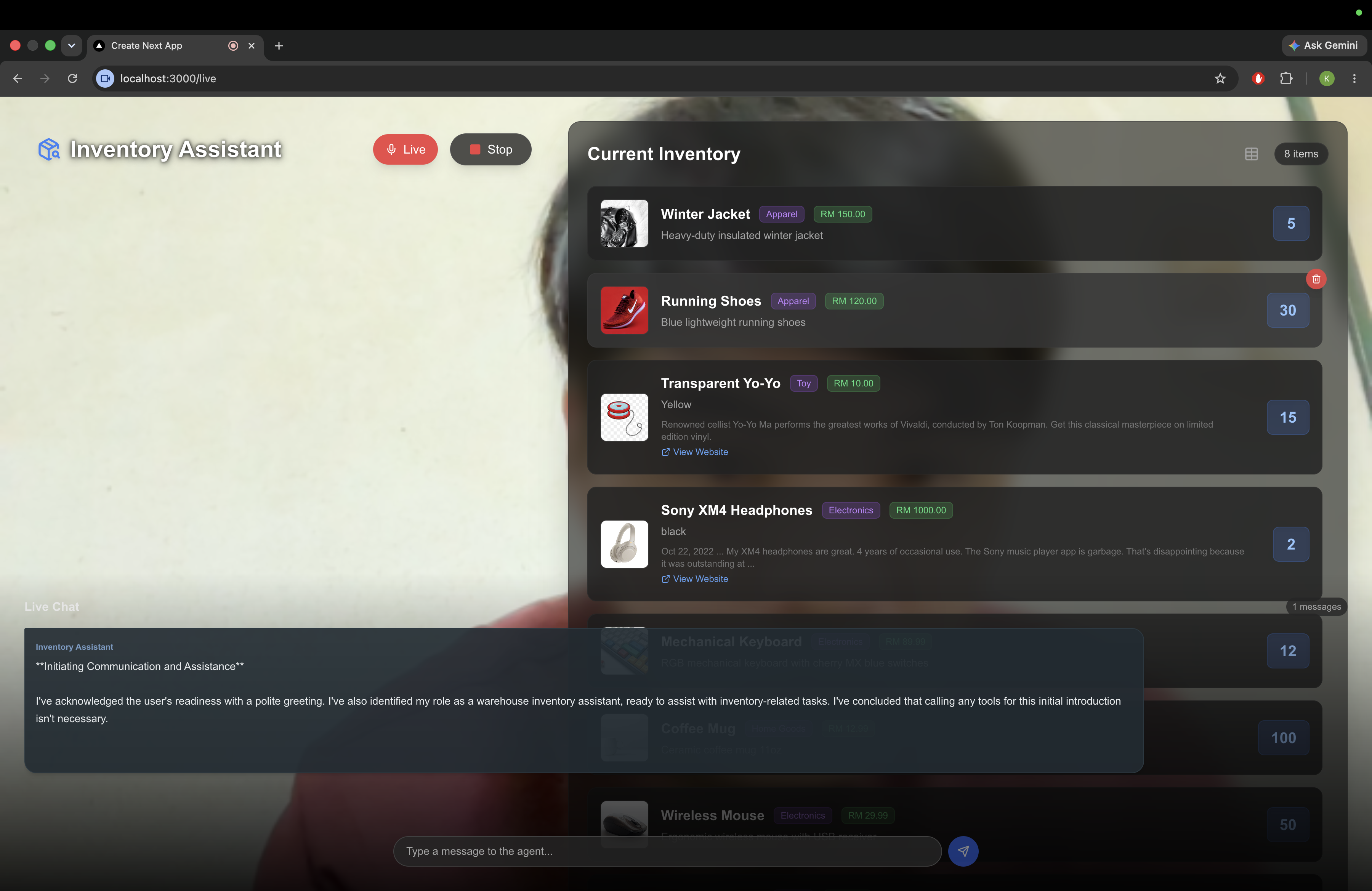
Inventory list page
-
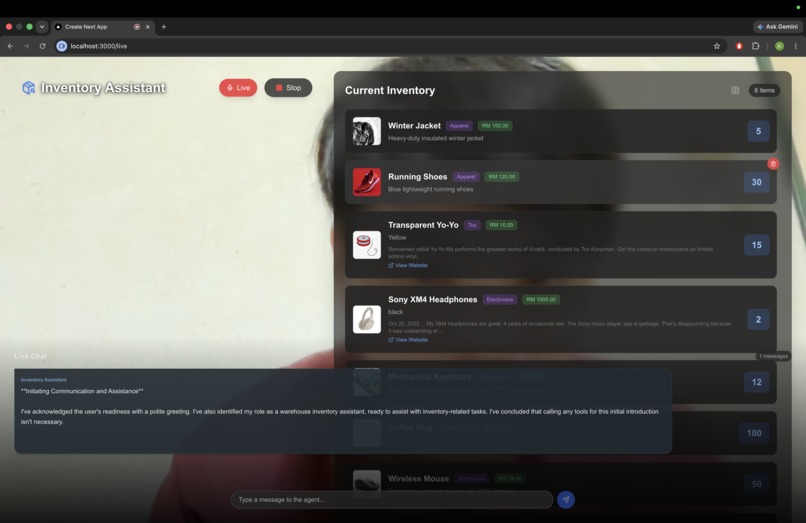
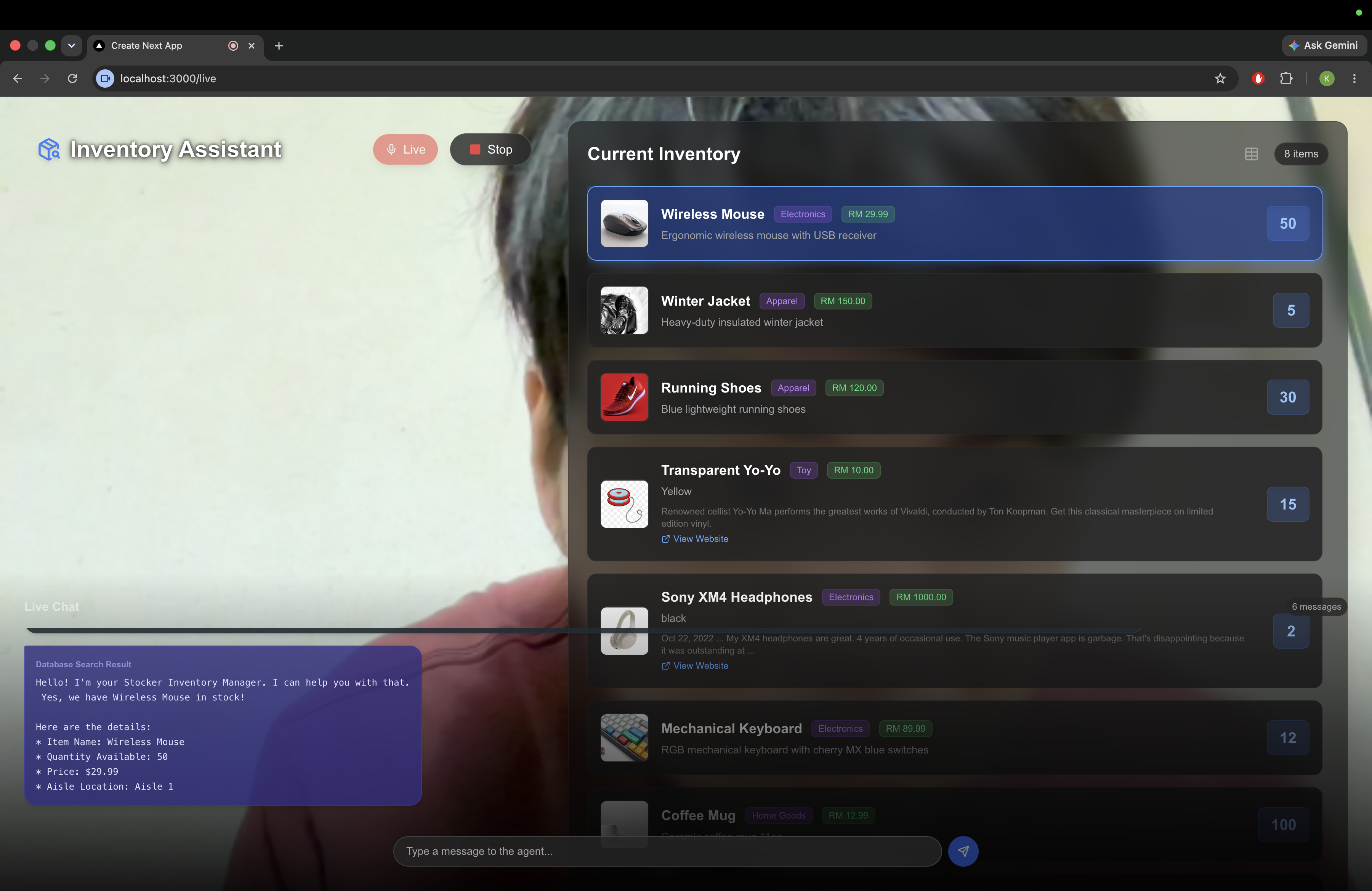
Agent Live page
-
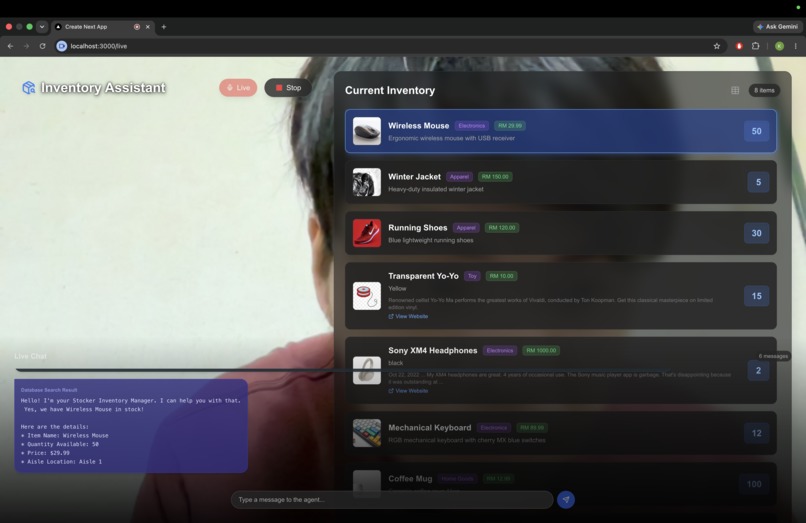
Agent search and get data from Elastics
Inspiration
I have a relative who own a Hardware shop, and I do some part time job during summer break. During the year end, the owner will request all the staffs do the stock checking for all the items inside and outside the shop. The shop contain many items with almost similar size or shape but different brand, and different brand will sell different price due to branding or quality. Normally will toke 1 months to complete it, with just writing down some important information into books like item name, brand, size, price, barcode number, current quantity etc...
We were inspired to change this by asking a simple question: What if you could just talk to your inventory system and show it what you have?
We wanted to leverage the latest advancements in real-time, multimodal AI to create a truly hands-free, intuitive warehouse assistant. This led to the creation of Stocker—a Live Inventory Assistant that sees, hears, and acts in real-time.
What it does
Stocker is a modern, real-time inventory management platform powered by a Voice and Vision AI Agent.
- Hands-Free Multimodal Interaction: Using the Live Chat interface, a user can simply hold up an item to their webcam and say, "I am adding 10 of these Logitech mice for RM 299 each." Stocker identifies the item visually, understands the intent, and automatically updates the database.
- Intelligent Database Querying: Need to know what's in stock? Just ask! "Do we have any mechanical keyboards left?" Stocker seamlessly queries the enterprise database using an Agent Builder and highlights the exact item on your dashboard while speaking the answer back to you.
- Automatic Product Enrichment: When a new item is added via the Live Agent, Stocker automatically searches the web to fetch official product images, descriptions, and reference links to enrich the inventory record.
- Real-Time Dashboard & Reporting: A beautifully designed dashboard that tracks KPIs, total value, and quantities. It includes powerful export features allowing users to download inventory reports as PDFs, CSVs, or directly export them to Google Sheets with a single click.
How we built it
We built Stocker using a modern, cloud-native tech stack centered around Google Cloud's AI offerings:
- Multimodal AI Engine: We integrated Google's Gemini 2.5 Flash Native Audio via WebSockets (Gemini Live API). This allows bidirectional, low-latency streaming of both audio (from the user's mic) and video (captured frames from the webcam) directly to the model.
- Enterprise Search & Retrieval: We utilized Google Cloud Agent Builder (Dialogflow CX) connected to an Elasticsearch backend. When the user asks a question about the inventory, Gemini calls the
ask_agent_buildertool to securely search the enterprise database. - Tool Calling / Function Calling: We heavily relied on Gemini's function calling capabilities. The model is instructed to call specific tools like
update_inventorywhen it detects an intent to add/modify stock, parsing the item name, quantity, category, and price directly from natural conversation. - Product Enrichment: We integrated the Google Custom Search API to automatically scrape high-quality images and product snippets based on the item name determined by the AI.
- Frontend & UI: The application is built with Next.js, React, and Tailwind CSS. We focused on a dynamic, glassmorphic UI with real-time feedback (like highlighting rows when the agent mentions them).
- Integrations: Google OAuth was implemented for seamless one-click exporting to Google Sheets, alongside
html2pdf.jsfor on-the-fly PDF report generation.
Challenges we ran into
- Real-time WebSocket Streaming: Handling raw PCM audio streams and base64 video frames concurrently over WebSockets to the Gemini Live API was complex. We had to ensure the browser's AudioContext and MediaStream were meticulously managed to prevent latency and echo. Especially use this application in a environment with many background sounds.
- Orchestrating Multiple AI Systems: We had to carefully design the system prompt so that the Gemini Live model wouldn't hallucinate inventory answers from its own training data, but would strictly use Function Calling to pass queries to the Agent Builder/Elasticsearch backend.
- State Synchronization: Keeping the React UI perfectly in sync with the asynchronous tool calls triggered by the WebSocket server—such as automatically expanding the inventory list and glowing the specific row of an item the AI just found—required precise state management.
Accomplishments that we're proud of
- Achieving a genuinely "wow" user experience where you can hold up an item, speak naturally, and watch the system automatically fetch a high-res image from the web and add it to the database without a single keystroke.
- Successfully building a voice interface that feels like you are actually having a conversation with your warehouse system.
What we learned
- We learned how to deeply integrate Gemini's BidiGenerateContent WebSocket API for real-time multimodal streaming.
- We gained a deep appreciation for the power of Function Calling. It bridges the gap between conversational AI and deterministic database operations.
- We learned how to effectively combine Generative AI (Gemini) with traditional Enterprise Search (Elasticsearch + Agent Builder) to ground the AI in factual, private data.
What's next for Live Stocker
- Mobile Application: Bringing Stocker to mobile devices so warehouse workers can walk the floor with their phone cameras.
- AI Surveillance Mode (Gemini 3.1): The Agent will silently monitor the environment via camera to automatically track item movements. For example, if a staff member moves an item from Shelf A to Shelf B, the AI Agent will autonomously update its location in the database.
- Automated Checkout Assistant: Expanding the visual AI to the checkout counter. If a client is holding items they wish to purchase, the AI Agent will visually identify them and pre-calculate the total cost before the staff even needs to scan them.
Built With
- agent-builder
- dialogflow-cx
- elasticsearch
- gemini-2.5-flash
- gemini-live-api
- google-cloud
- google-custom-search-api
- google-sheets-api
- next.js
- react
- tailwind-css

Log in or sign up for Devpost to join the conversation.