
About the project
Inspiration
Japanese video can be difficult for Chinese-speaking viewers to follow in real time. Pausing after every sentence breaks the experience, while sending every spoken line to a cloud translation service can be an uncomfortable privacy tradeoff. I wanted a small macOS tool that could turn the Japanese text already produced by the system into an unobtrusive Chinese subtitle overlay, including when video is full screen.
What it does
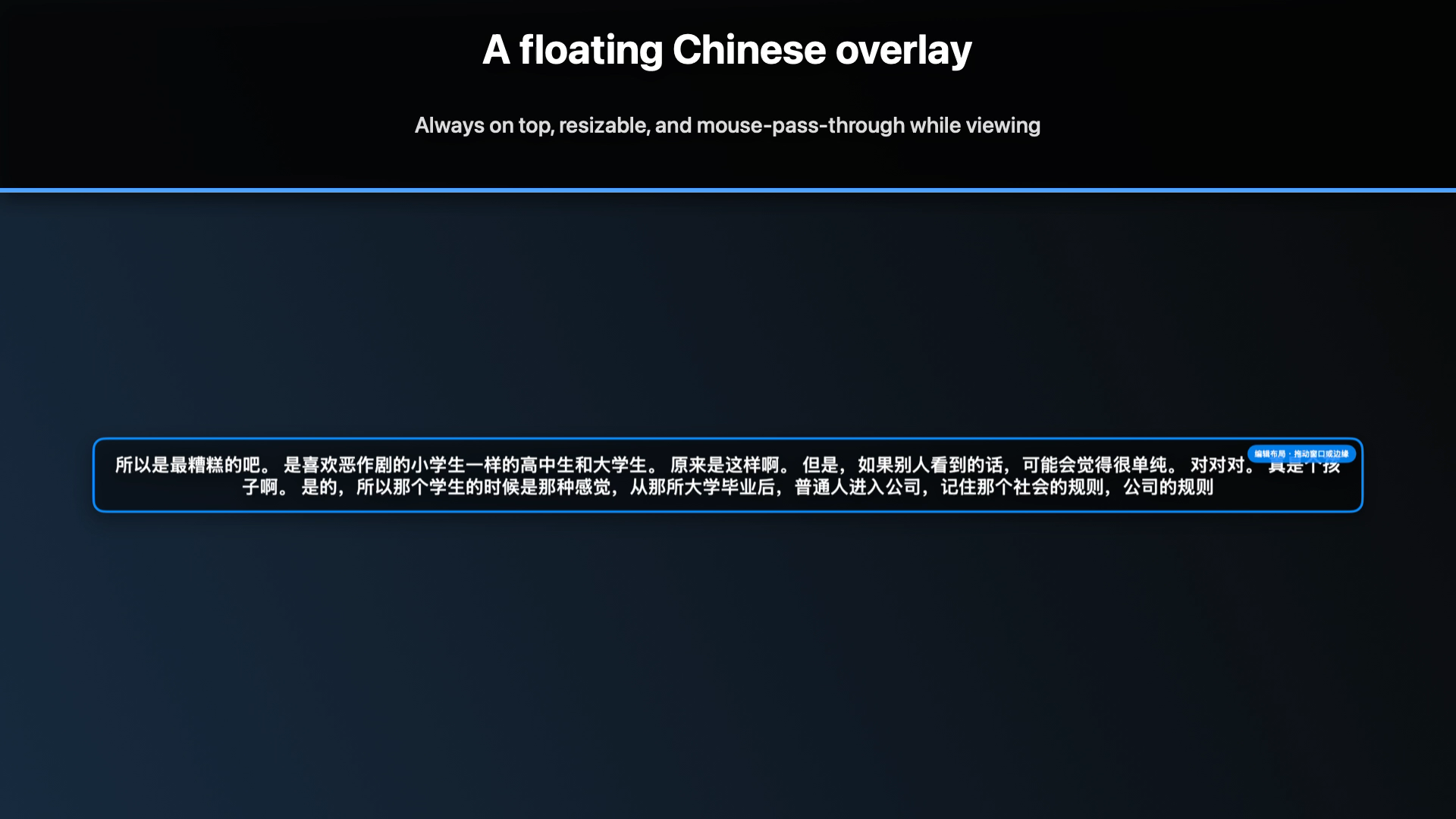
Live Caption Translator for macOS reads Japanese text exposed by macOS Live Captions, translates it into Simplified Chinese with the installed on-device Translation framework, and displays a draggable, resizable floating subtitle panel. The panel can show Chinese only or bilingual Japanese and Chinese captions. In normal viewing mode it is mouse-pass-through, so video controls remain usable; in Edit Layout mode it can be moved and resized.
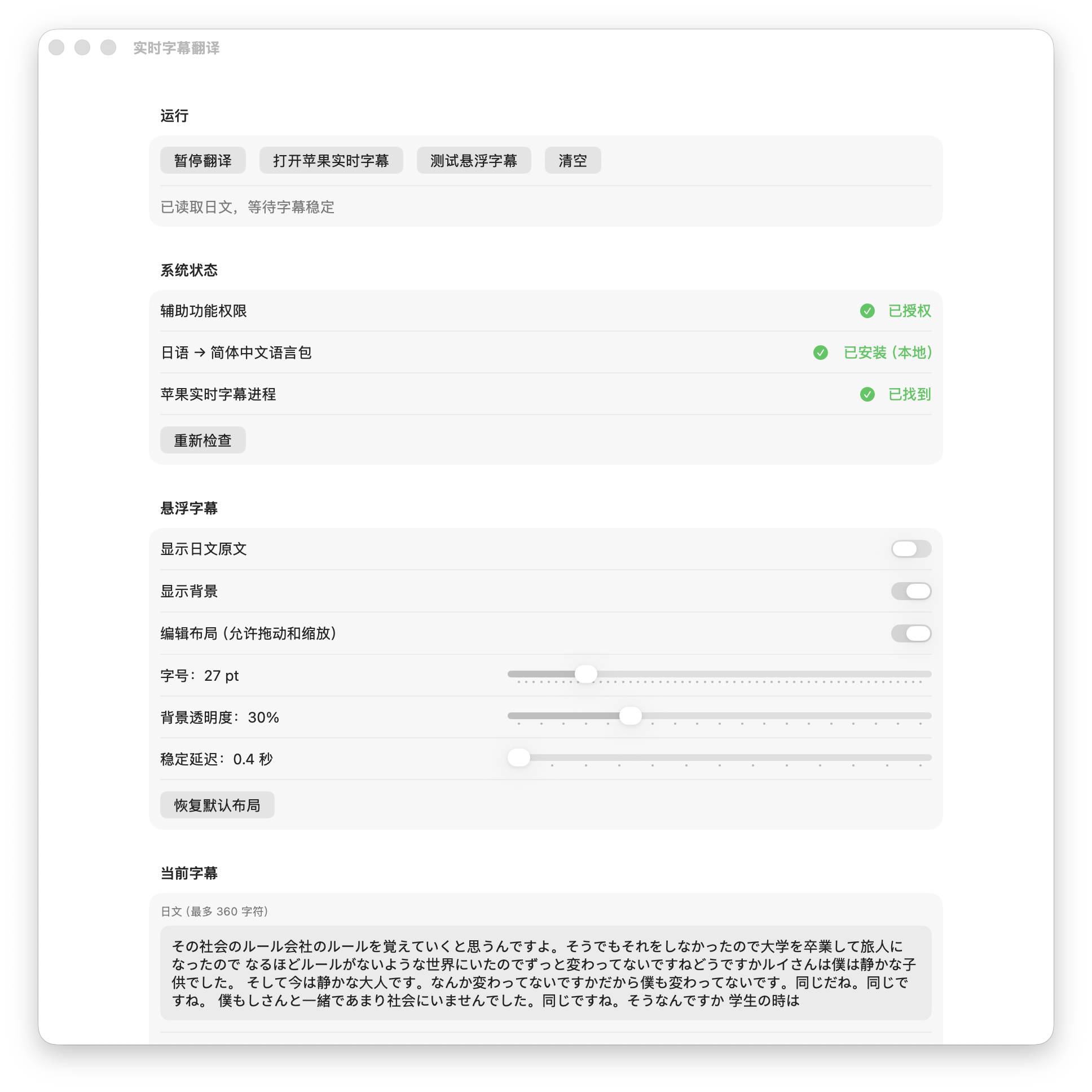
The control window clearly shows Accessibility permission status, the Japanese-to-Simplified-Chinese language-package status, whether the system Live Captions process is available, and the current source and translated captions.
How I built it
I rebuilt the app from scratch during OpenAI Build Week with Codex and GPT-5.6. I used Codex to plan the SwiftUI control window and AppKit NSPanel overlay architecture, inspect the macOS Translation APIs, implement Accessibility traversal safeguards, investigate a real crash report, and iterate through compilation and UI testing. GPT-5.6 accelerated the engineering and product decisions throughout that Codex workflow.
At runtime, the product deliberately uses Apple's on-device Translation framework rather than an online translation API. The app reads only AXStaticText from the exact system process named Live Captions or 实时字幕, excludes its own PID and bundle identifier, and does not read its own windows. This prevents a subtitle feedback loop.
Privacy and reliability decisions
The app does not save a movie-length transcript. Its source buffer is capped at 360 characters, each translation input at 160 characters, the in-memory translation cache at 40 entries, and the diagnostic log at 1 MB. Stale translation tasks are cancelled when fresh captions arrive, and pausing releases the translation session and temporary cache.
Challenges and what I learned
The hardest parts were making a floating subtitle window remain visible over full-screen video without blocking mouse input, safely reading only the intended Accessibility process, and avoiding recursive settings persistence that caused a real crash during testing. I learned that a small, local-first tool can still benefit from careful boundaries: narrow process matching, bounded state, cancellation, and explicit permission feedback make the experience much more dependable.
Built With
- gpt-5.6

Log in or sign up for Devpost to join the conversation.