-
-
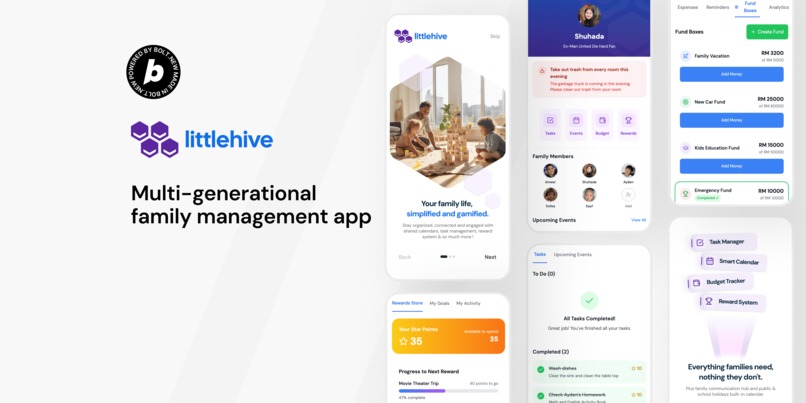
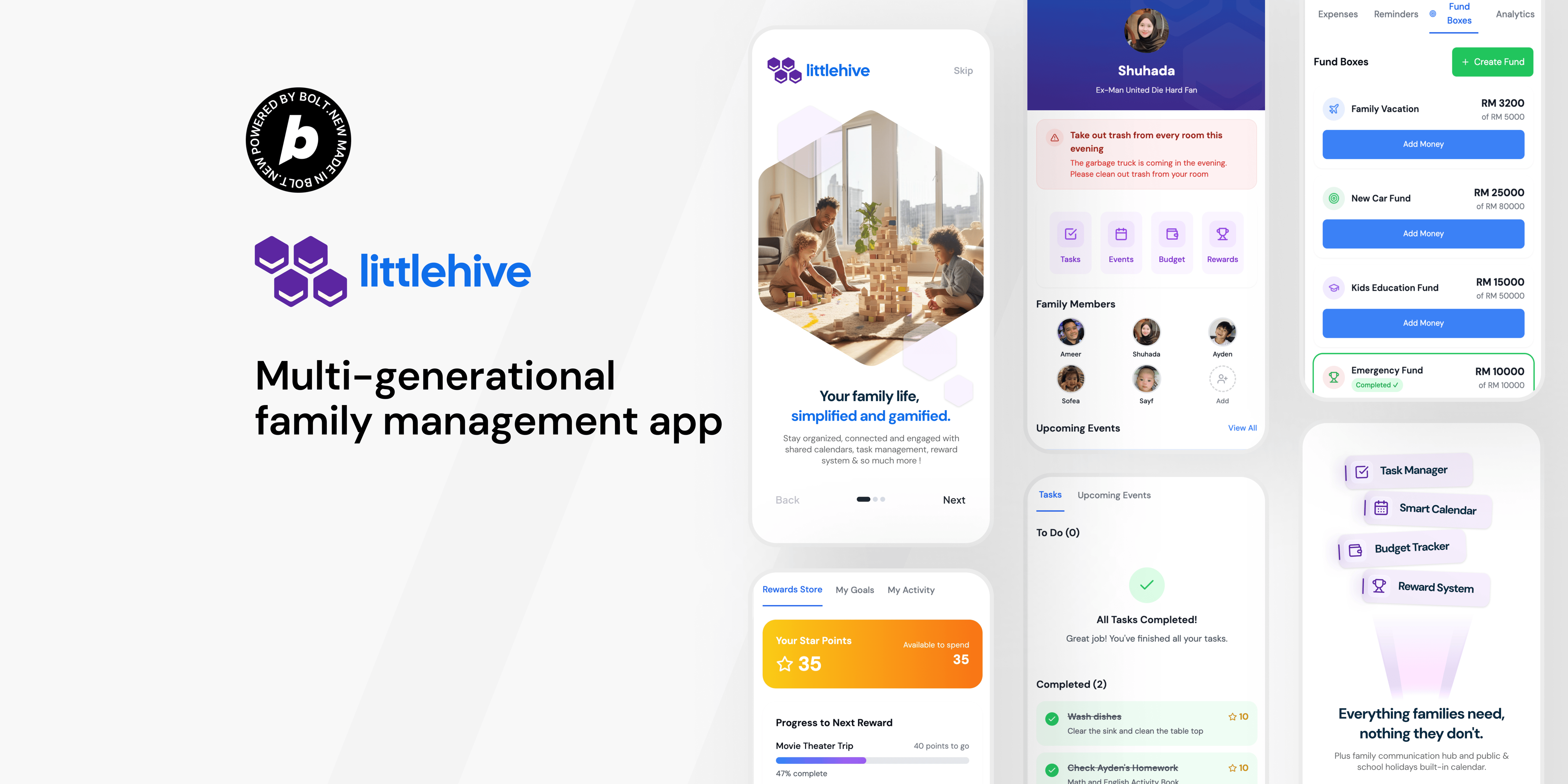
App cover page
-
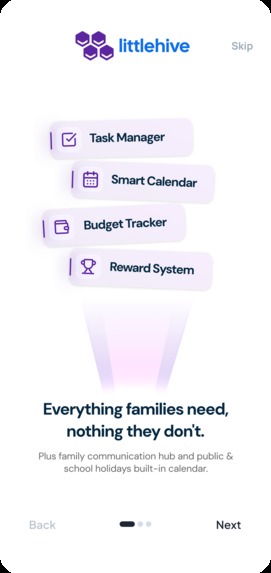
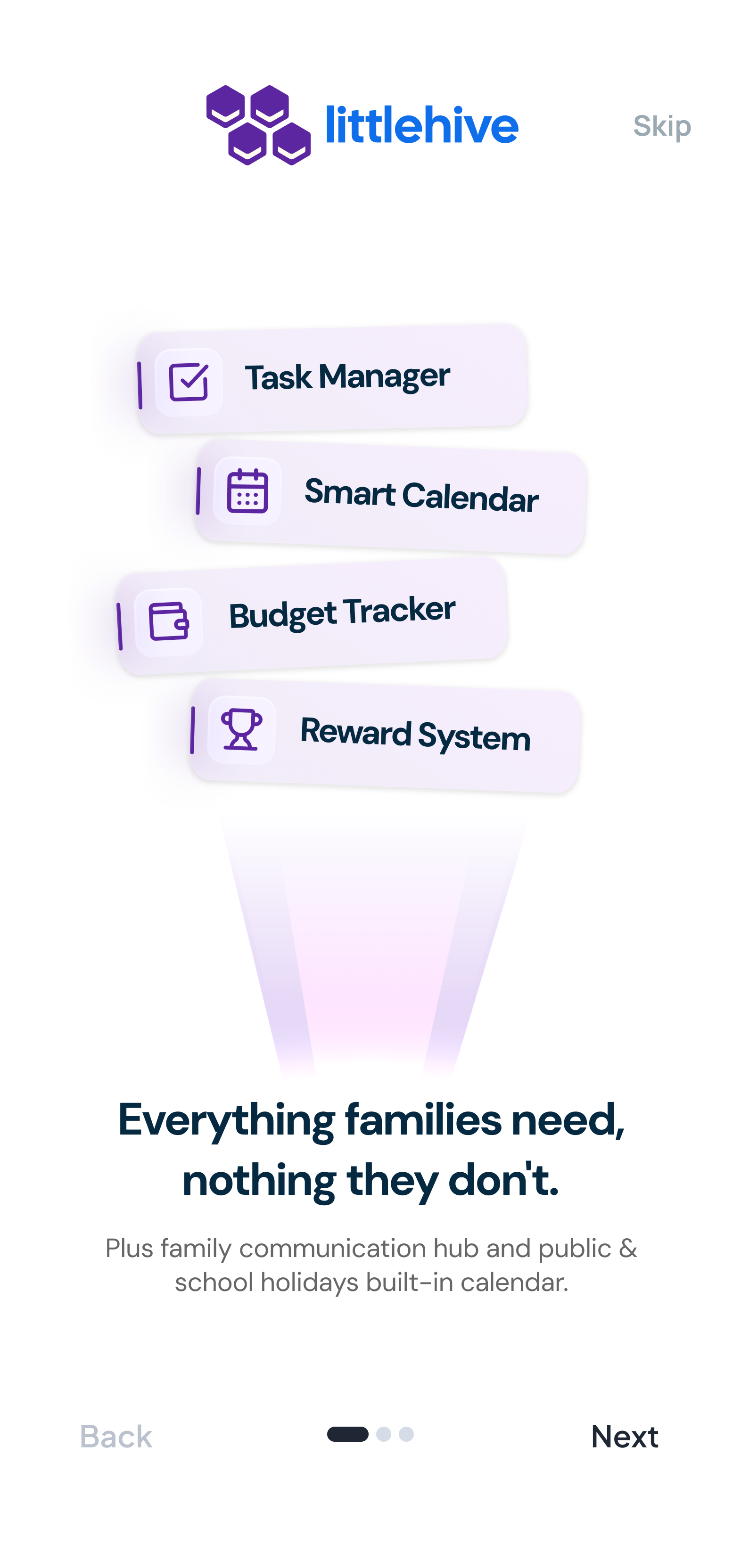
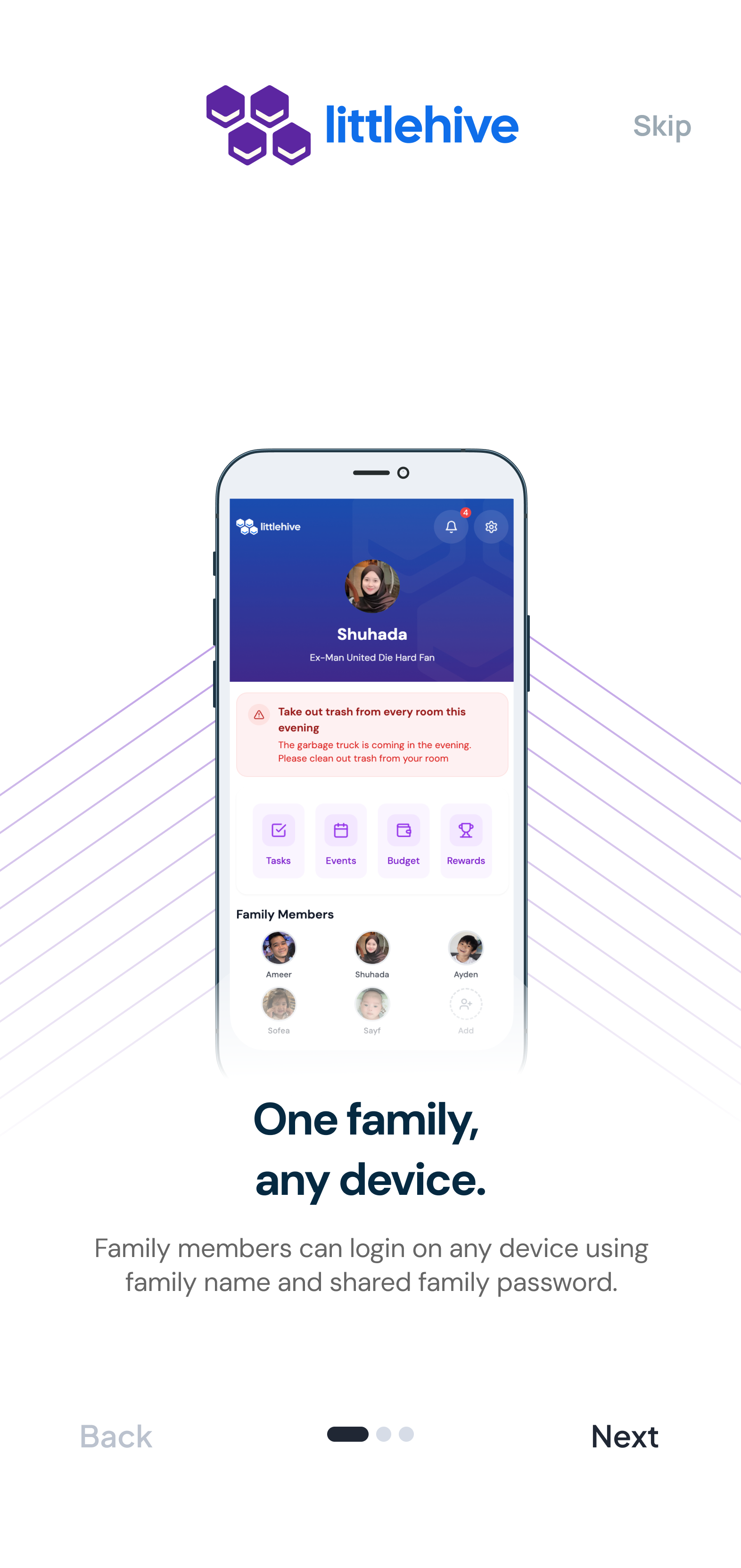
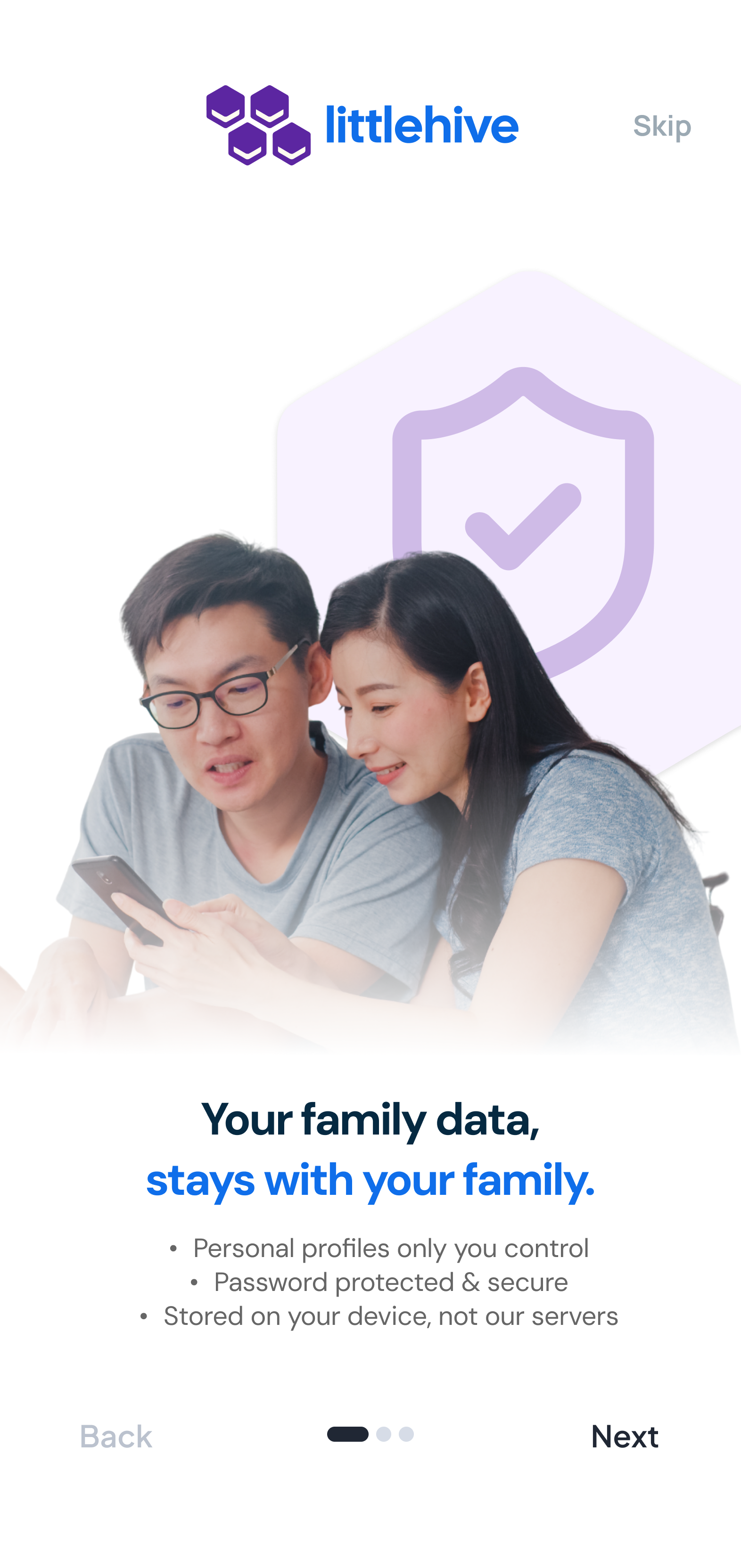
Onboarding screen 2
-
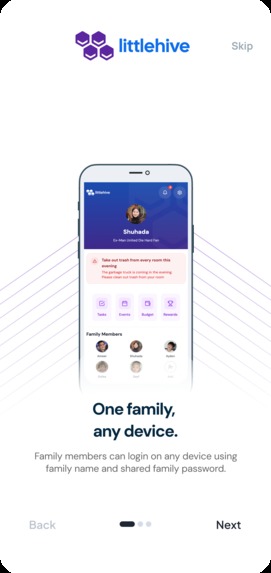
Onboarding screen 4
-
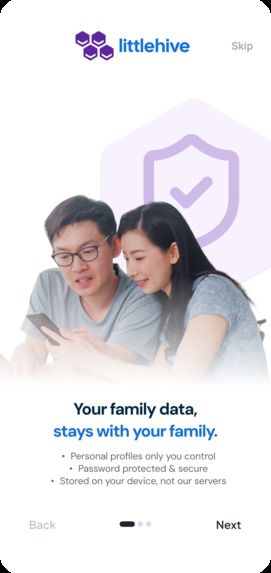
Onboarding screen 3
-
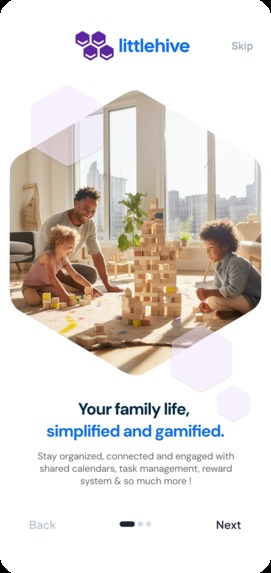
Onboarding screen 1
-
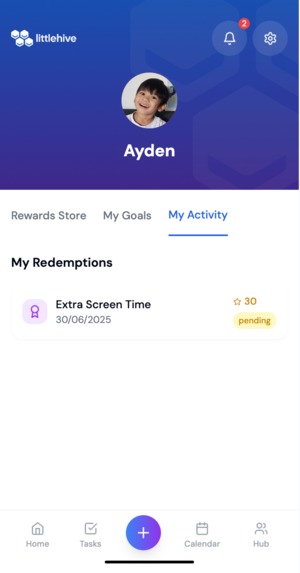
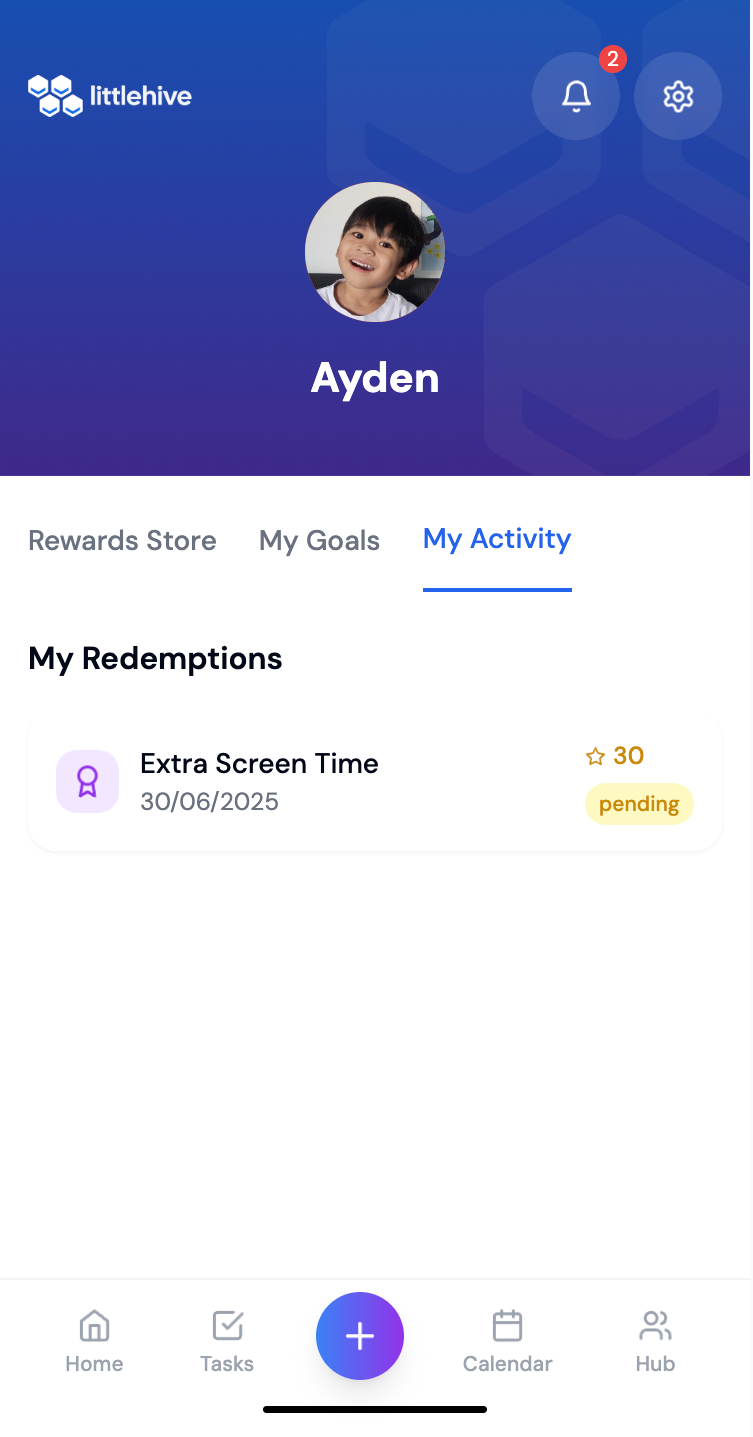
History of reward redemption displayed here
-
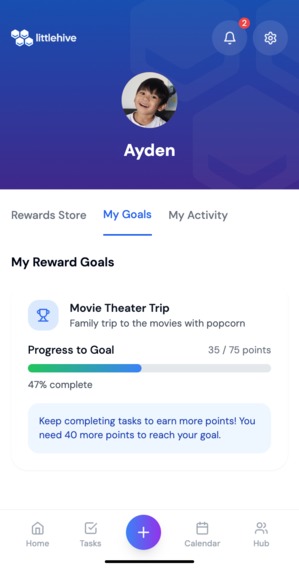
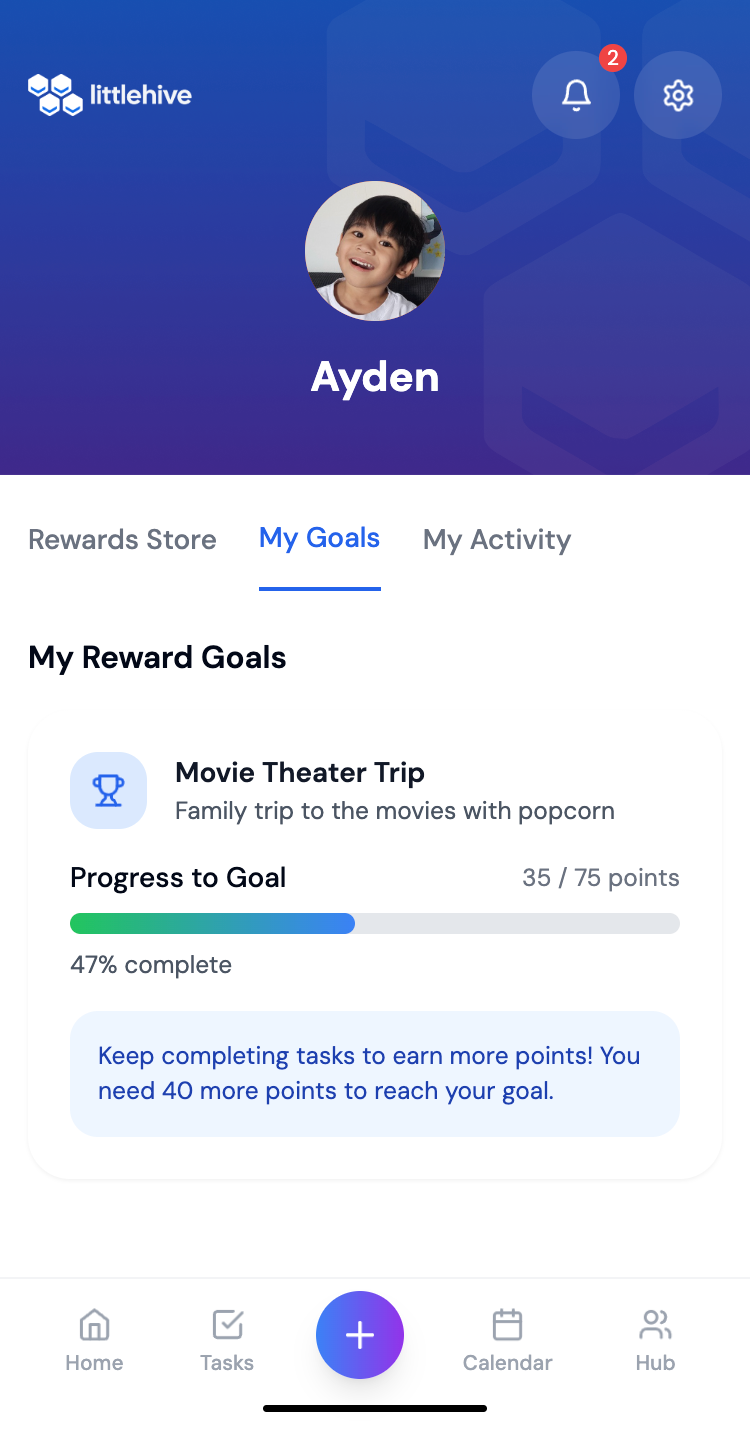
Progress tracking for the kid's goal
-
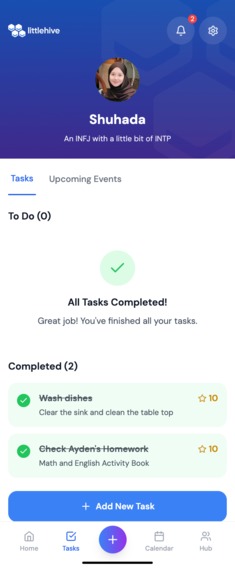
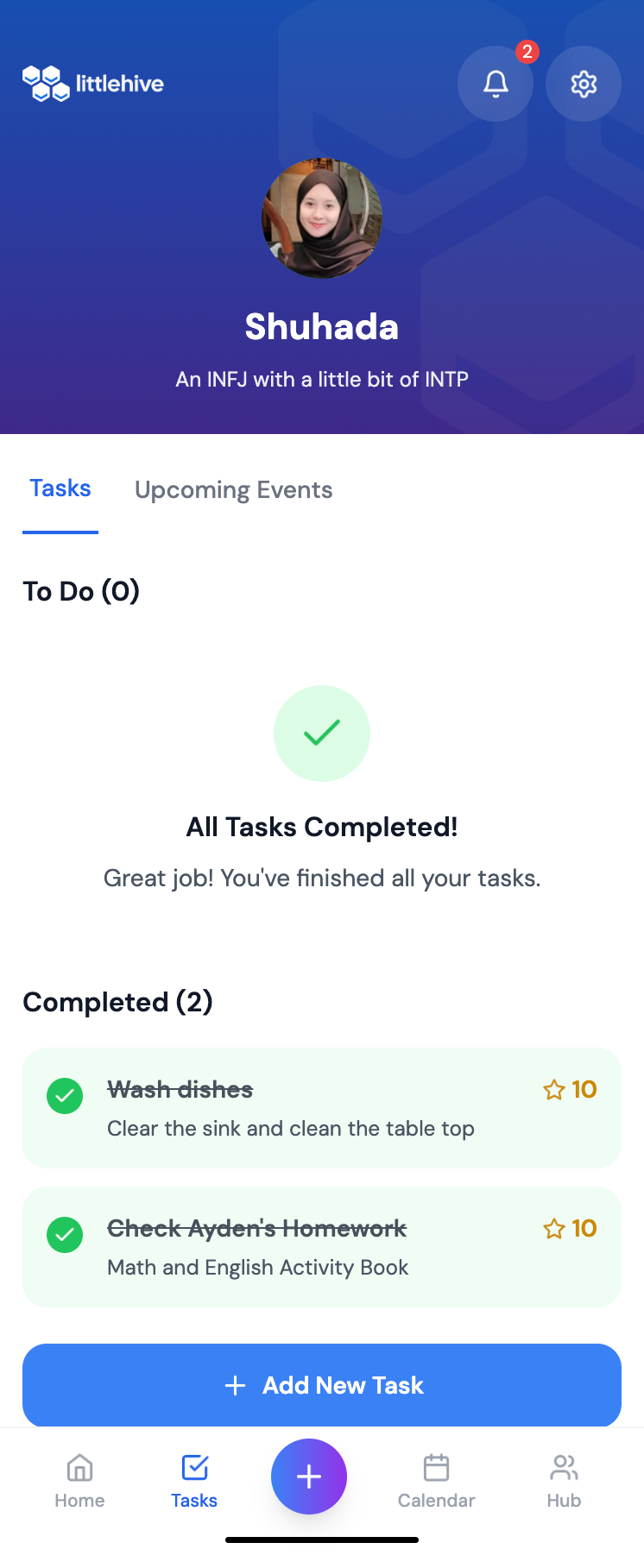
Task management with status tracking
-
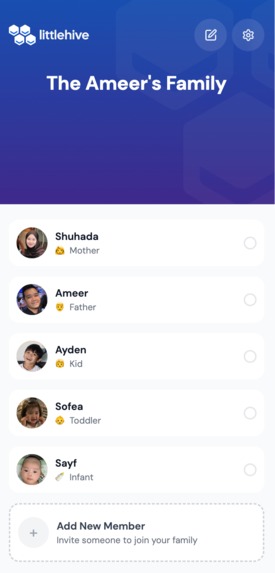
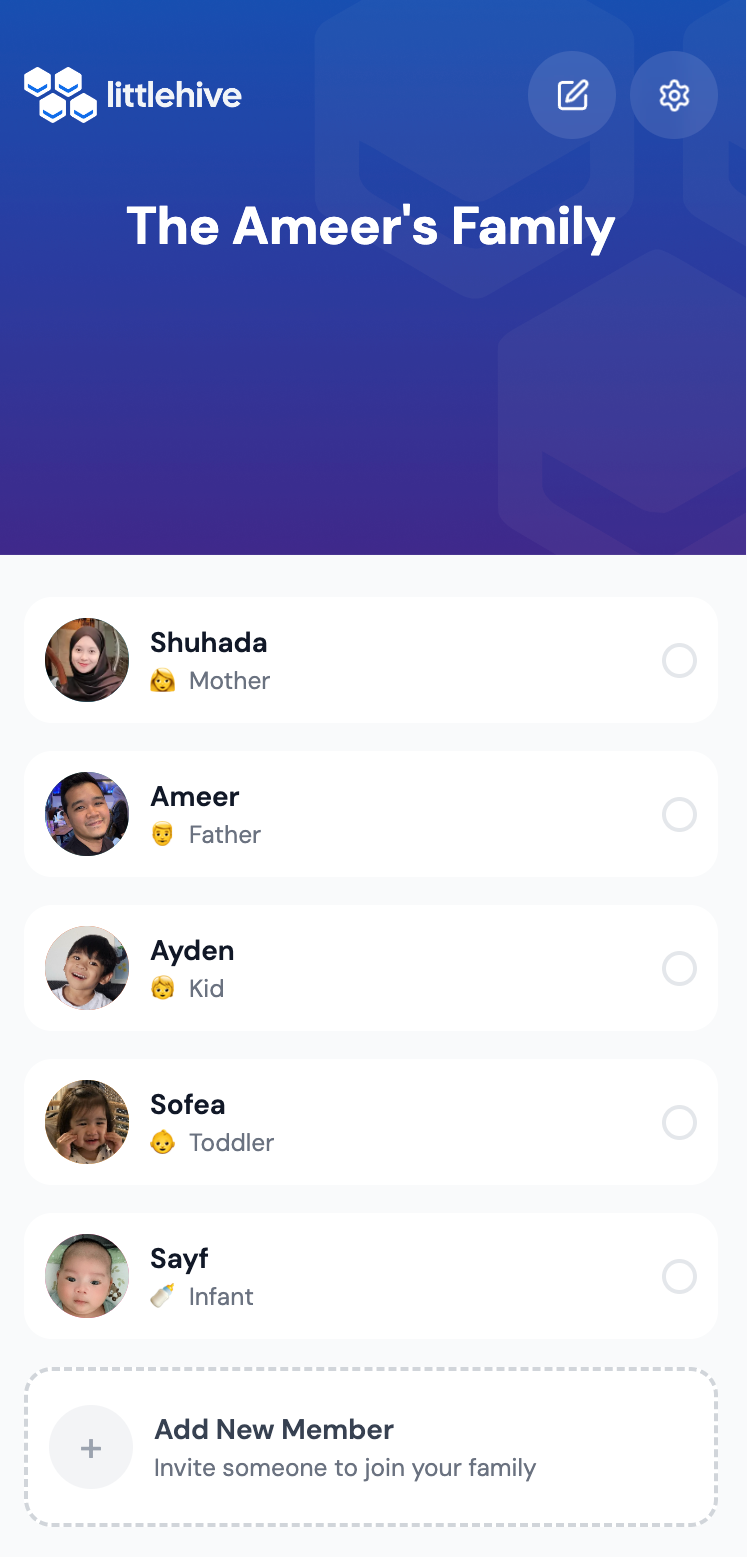
Choose profile/Login profile of family members. password protected
-
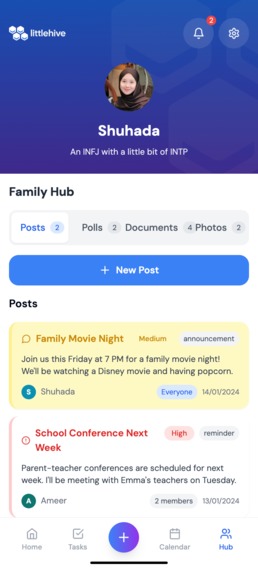
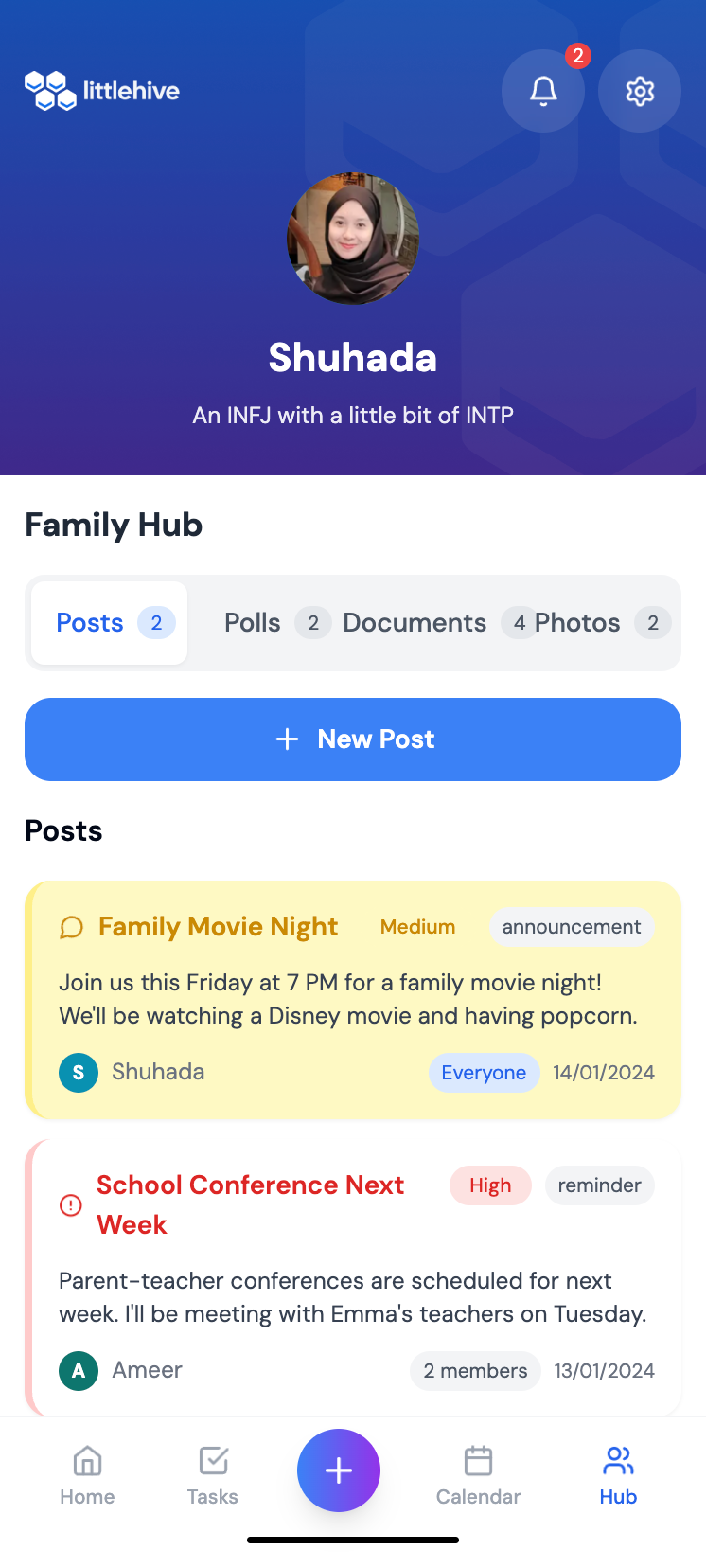
Family communication hub with 4 main features : Posts & announcements,polls,document and photos sharing
-
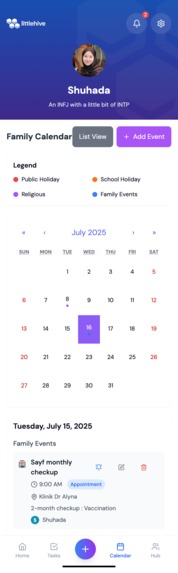
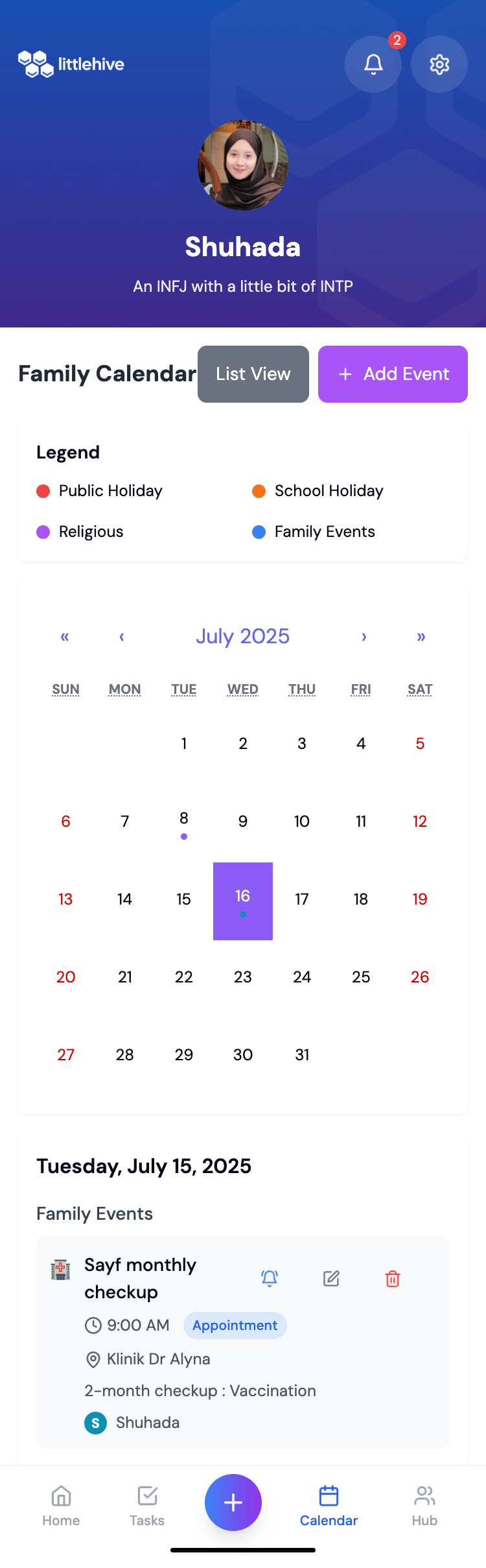
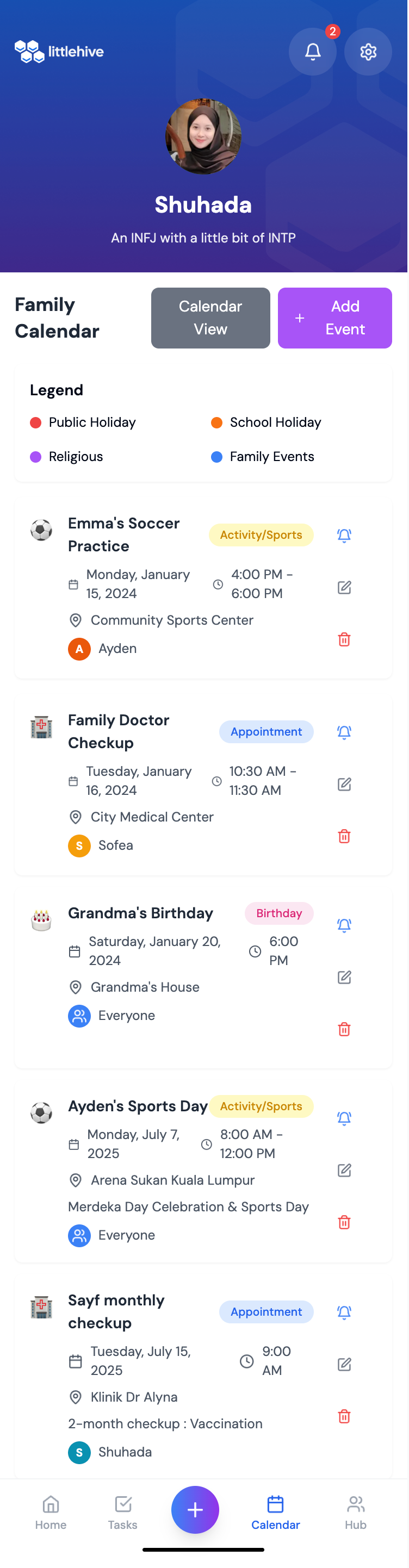
Events ( Calendar view) with add event function
-
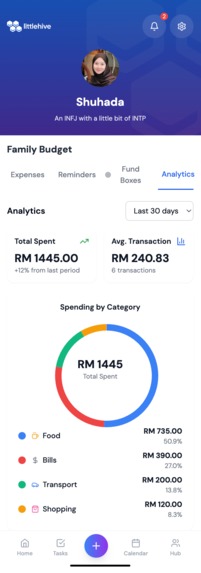
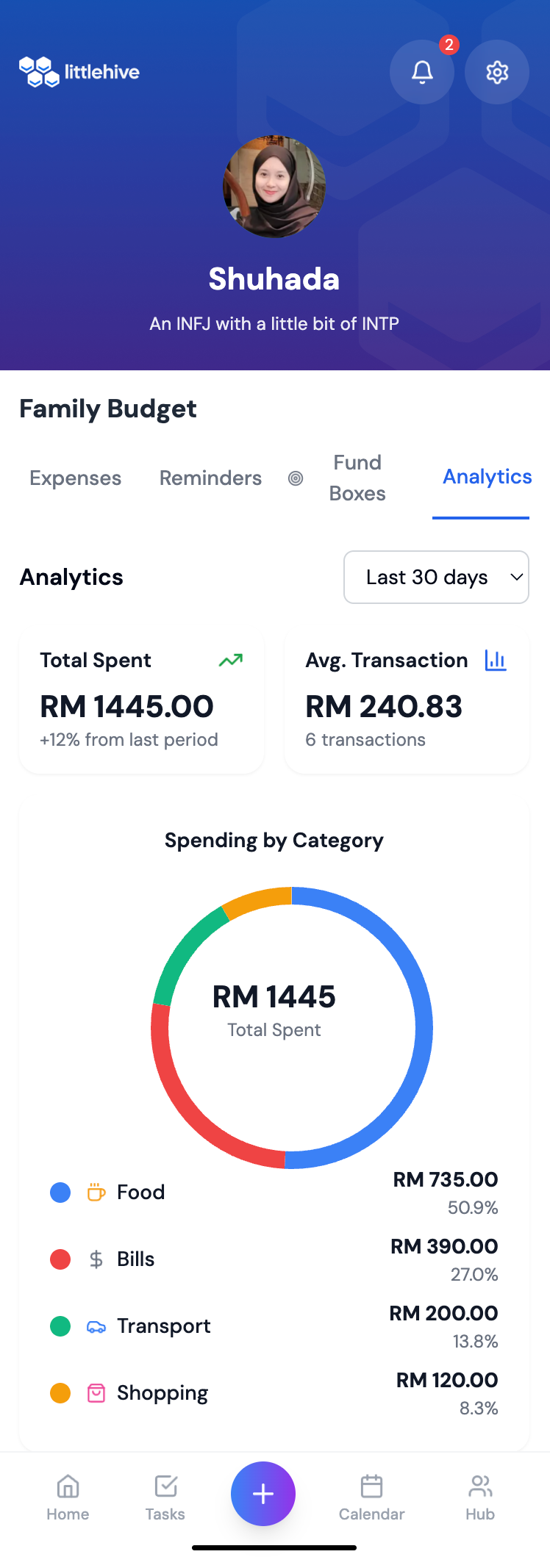
Budget tracking that can summarize expenses and analyze them
-
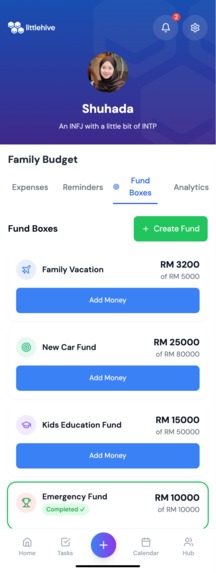
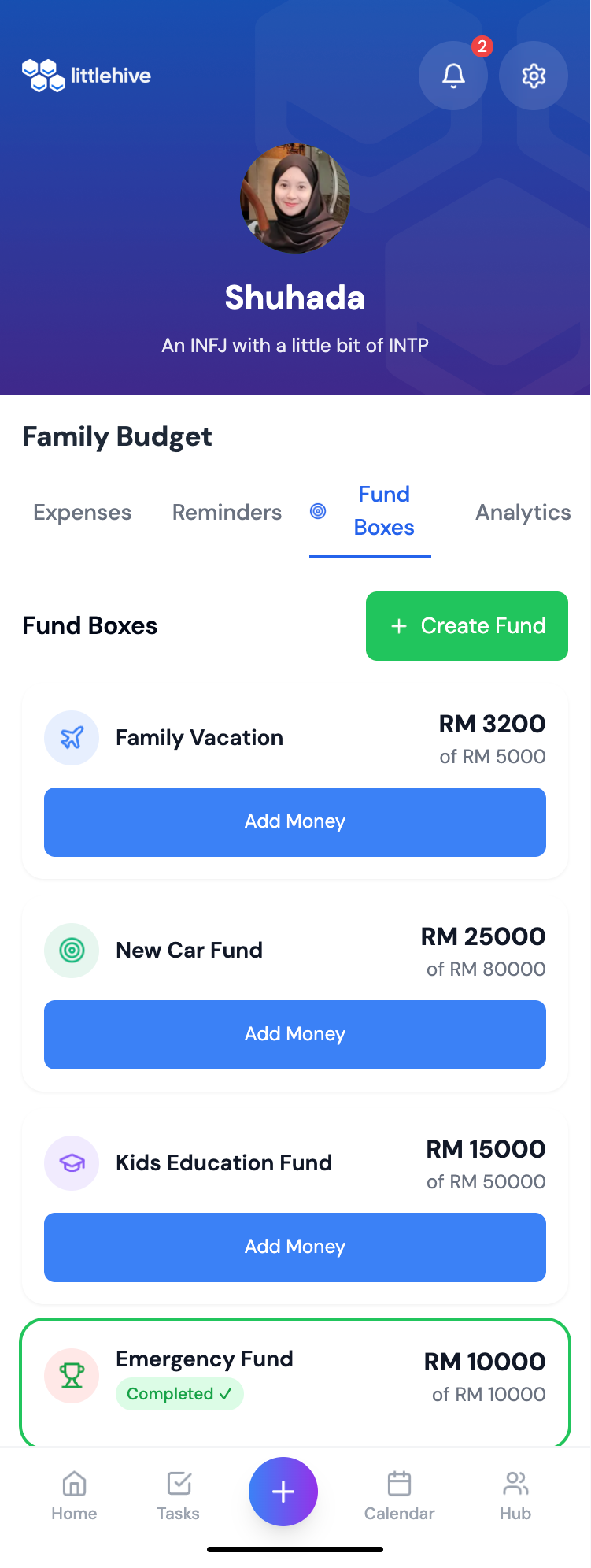
Family fund box with 'create fund' function and 'add money' function,
-
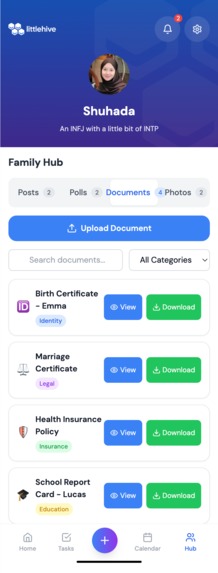
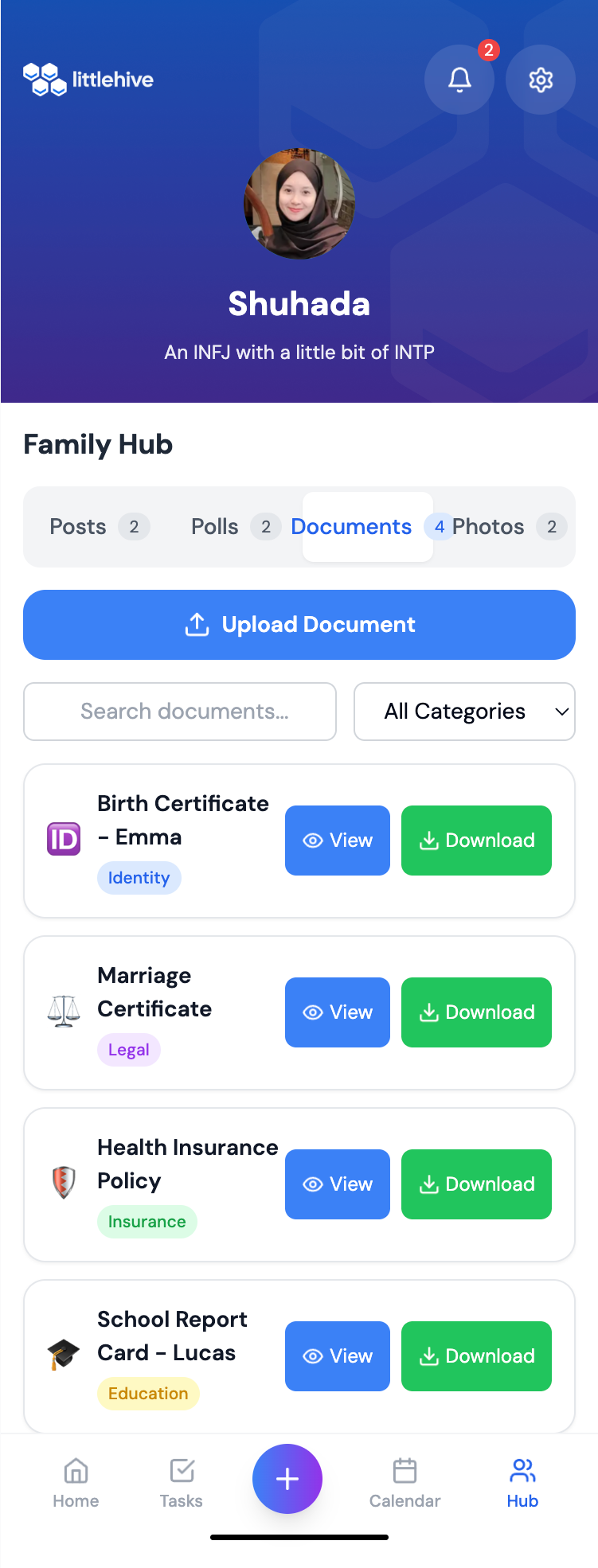
Document hub for easy access when needed. Password requested upon viewing or download -to maintain privacy
-
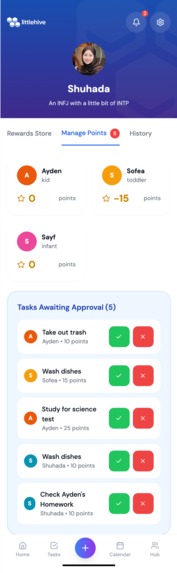
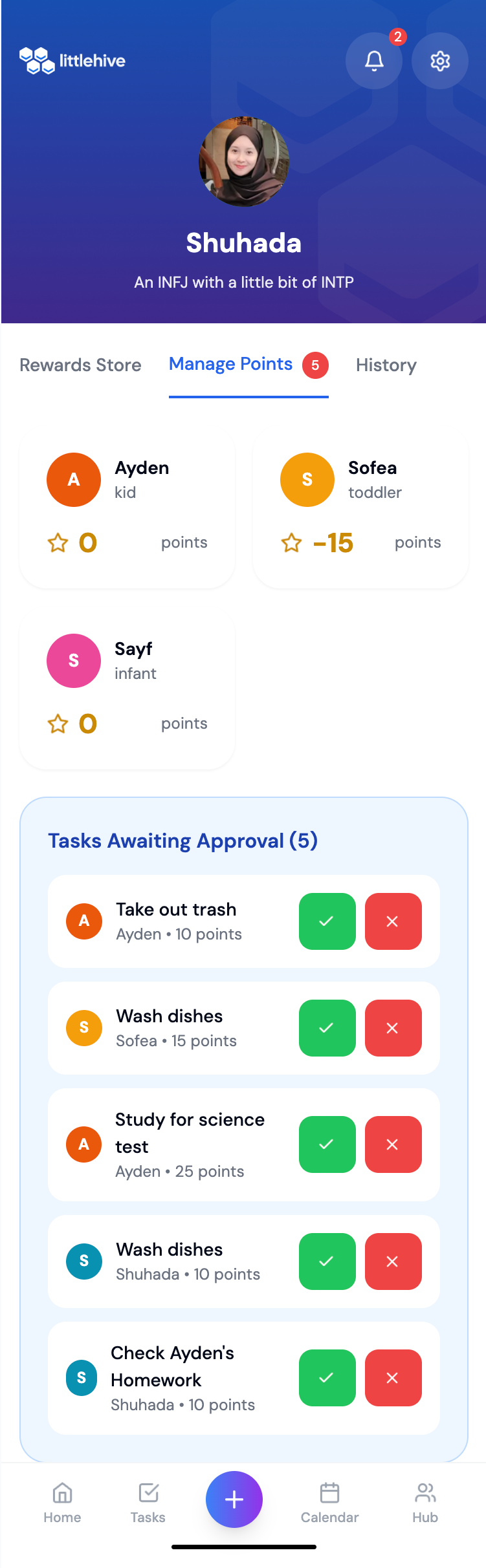
Parents have to verify the tasks completion by the kids
-
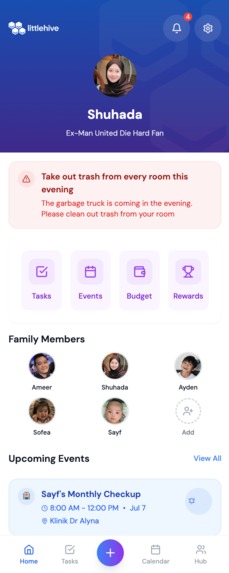
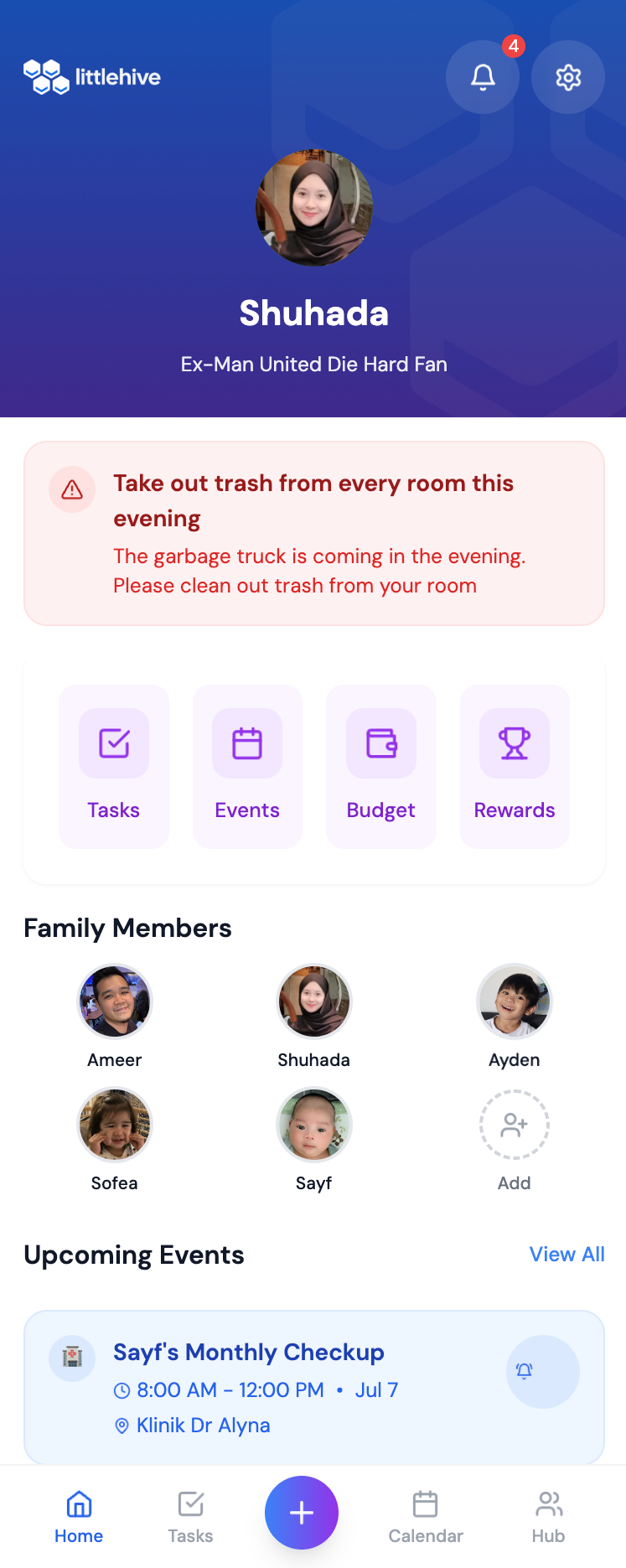
App homepage
-
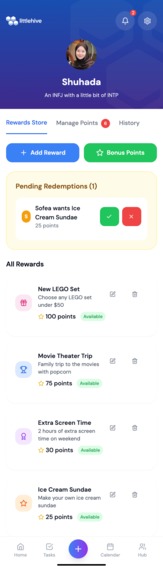
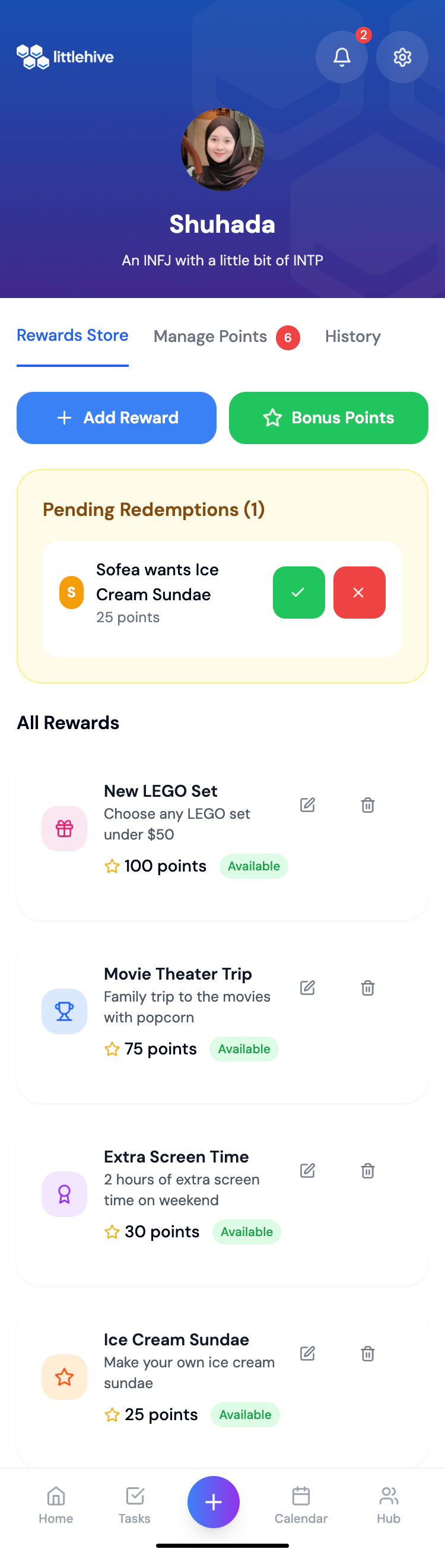
Add or delete types of rewards for kids. Parent have to approve rewards redemption
-
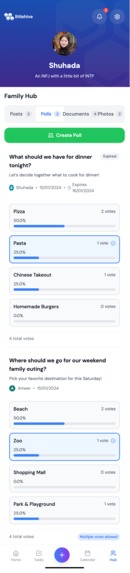
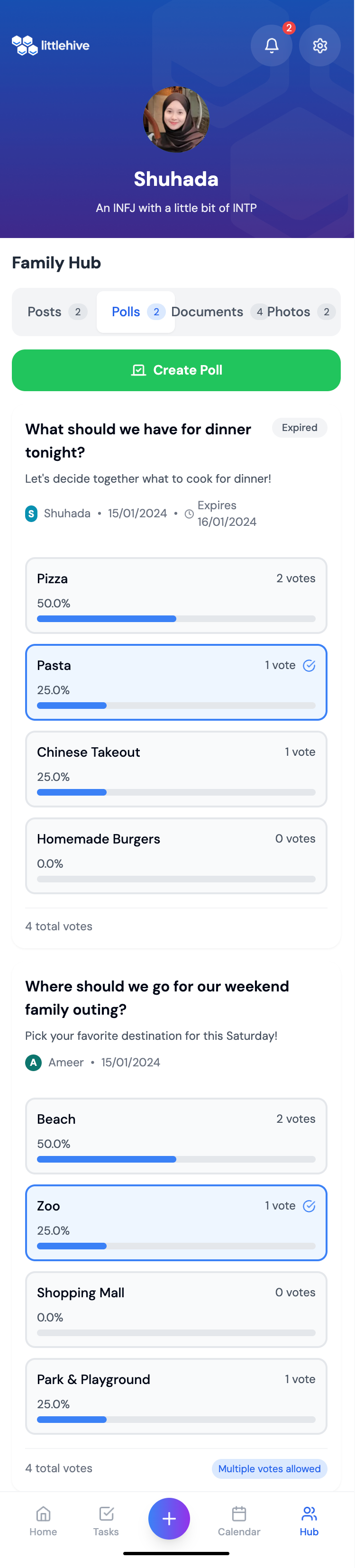
Family poll function to engage everyone when deciding on something for family - allow one or multiple votes
-
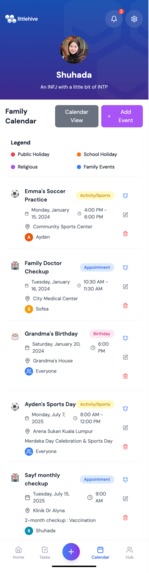
Events (list view) with add event function
-
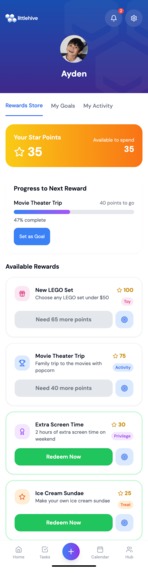
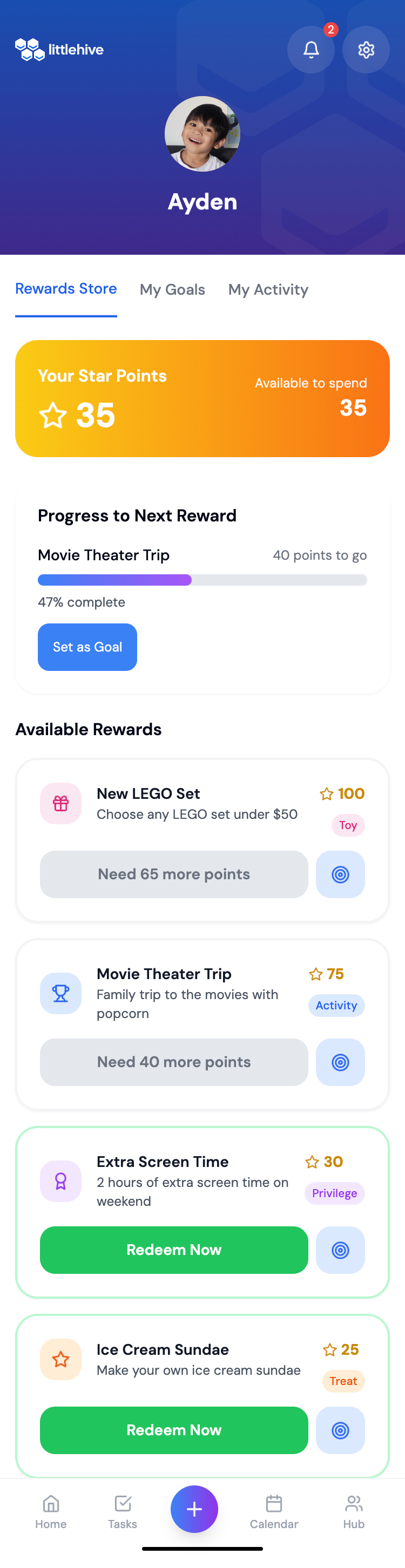
Rewards tracking page for the kids - can monitor points collected, browse rewards setup by parents, and set a goal
-

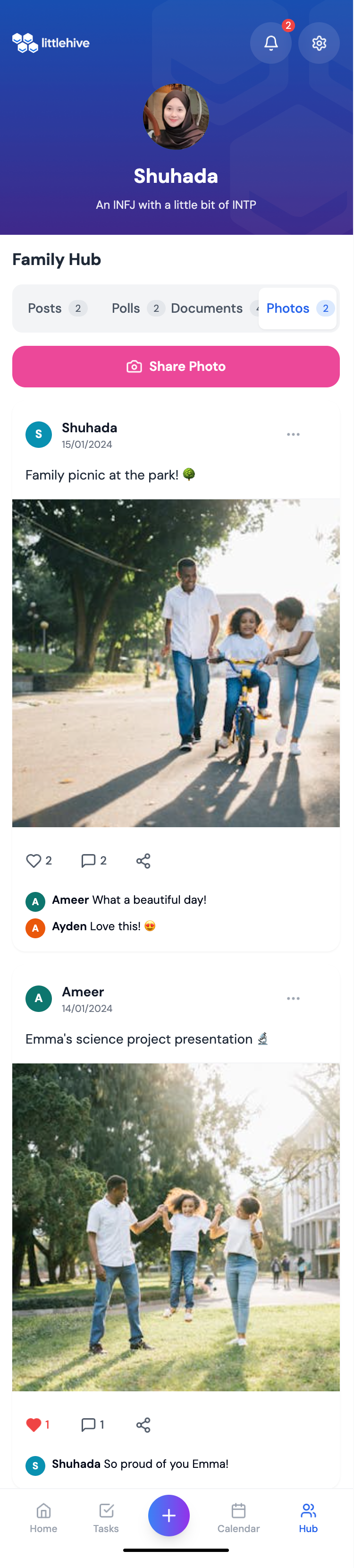
Photo sharing section with likes and comments
Inspiration
The inspiration for LittleHive came from my own overwhelming experience as a mother of three young children - ages 6, 2, and just 1 month old. As a housewife juggling freelance website design and UX/UI work, I found myself drowning in the mental load of managing everything for our family.
The breaking point came when I left my 6-year-old son waiting at school after his 3pm gym class because I had completely mixed up the dates in my head. Sitting in my car afterward, feeling like the worst mother in the world, I realized I couldn't be the only one struggling with this invisible burden of family organization.
I was constantly forgetting crucial things - pediatric checkup appointments, school events, bill due dates - not because I didn't care, but because I was mentally exhausted from trying to keep track of everything alone. The guilt was overwhelming. I had internalized this belief that as a mother, I was supposed to multitask effortlessly and remember every detail of our family's life. When I inevitably failed, it felt like my fault entirely.
I tried existing family management apps, but they either overwhelmed me with features I didn't need or had such outdated, confusing interfaces that adding tasks felt like more work than just keeping everything in my head. None of them addressed the real issue - that family organization shouldn't fall entirely on one person's shoulders.
As a UX/UI designer, I knew there had to be a better way. I envisioned a tool that could distribute the mental load across our household, making my husband and even my older child active participants in our family's organization. I wanted something that felt supportive rather than judgmental, engaging rather than overwhelming.
LittleHive was born from my desire to transform that crushing sense of sole responsibility into shared family ownership. It's my answer to the question: "What if managing a family could be a team effort where everyone - including the kids - feels motivated to contribute?" Because no parent should have to carry the weight of remembering everything alone.
What it does
LittleHive is a comprehensive Progressive Web Application that transforms family management into an engaging, organized experience:
Unified Family Hub: Creates individual profiles for each family member with role-based access (Parents, Teens, Kids, Extended Family) while maintaining privacy controls.
Gamified Task Management: Converts chores and responsibilities into point-based challenges with difficulty levels, categories, and approval workflows that motivate completion.
Smart Family Calendar: Integrates Malaysian holidays, school events, and family activities with location tracking and customizable reminders for seamless coordination.
Communication Center: Provides targeted family announcements, document sharing, photo memories, and priority-based messaging that keeps everyone informed.
Rewards Ecosystem: Implements a family economy where earned points can be redeemed for customizable rewards, fostering responsibility and achievement.
Budget Tracking: Helps families manage expenses, track savings goals, and teach financial literacy through transparent fund management.
Emergency Preparedness: Maintains quick-access emergency contacts, medical information, and safety protocols for family security.
Milestone Celebration: Records and celebrates family achievements, creating a digital timeline of growth and memories.
How we built it
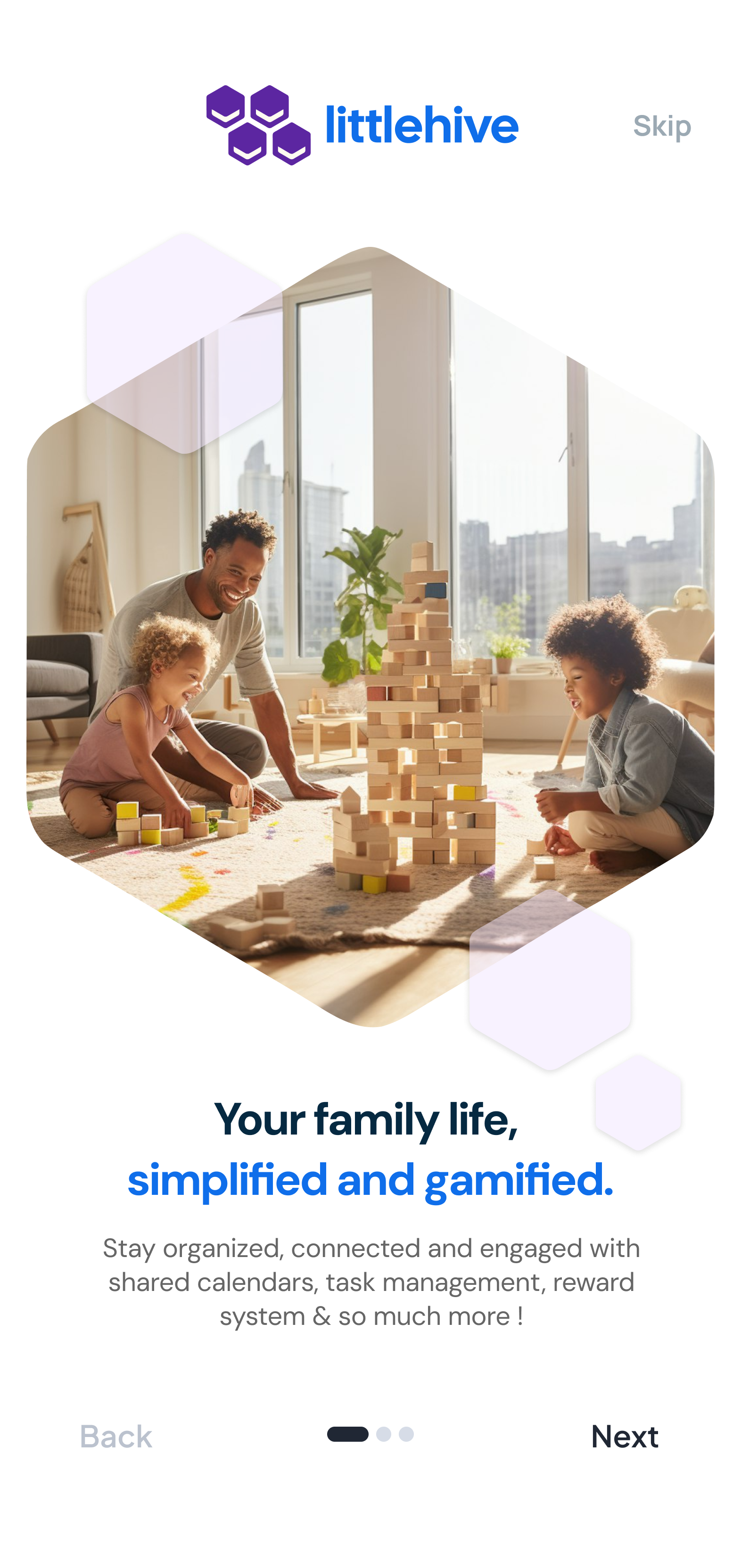
I built LittleHive, a comprehensive family management platform designed to help families stay organized, connected, and engaged. The app serves as a digital hub for managing family life with features like shared calendars, task management, rewards systems, communication tools, and more.
Tech Stack & Architecture
Core Technologies -React 18 with TypeScript for type safety -Vite as the build tool for fast development -Tailwind CSS for responsive, utility-first styling -Lucide React for consistent iconography -React Calendar for calendar functionality -Local Storage for data persistence (demo purposes)
Design System -Responsive Design: Mobile-first approach with tablet and desktop breakpoints -Custom Color System: Purple/blue gradient theme with opacity variations -Typography: DM Sans font family for modern, clean aesthetics -Component Architecture: Modular, reusable components with clear separation of concerns
Key Features Implemented
User Authentication & Family Management -Multi-step onboarding flow -Family registration with shared password system -Individual user profiles with personal passwords and security questions -Role-based access (parents, teens, kids, grandparents, etc.) -Profile customization with avatars and personal information
Dashboard & Navigation -Personalized dashboard with user-specific content -Important announcements with red opacity theme -Upcoming events with blue opacity theme -Quick action navigation with purple theme -Family member profiles display -Responsive bottom navigation with floating action button
Calendar System -Integrated Malaysian holidays (public, school, religious) -Event creation with multiple types (appointments, birthdays, activities) -Visual calendar with event indicators -List and calendar view modes -Event reminders and notifications -Location and description support
Task Management -Task assignment with point-based rewards -Parent approval system for completed tasks -Different task categories (chores, homework, personal) -Difficulty levels affecting point values -Progress tracking and completion status
Communication Hub -Family announcements with priority levels -Polling system for family decisions -Document storage with secure access -Photo sharing capabilities -Targeted messaging to specific family members
Rewards System -Point-based economy for task completion -Reward store with different categories -Parent approval for redemptions -Goal setting and progress tracking -Bonus point system for good behavior
Budget Management -Expense tracking with categories -Transaction reminders -Fund boxes for saving goals -Analytics and spending insights
Additional Features -Profile management with detailed personal information -Notifications system with unread counts -Multi-device family account support
Technical Highlights
State Management -React hooks for local state management -Custom useLocalStorage hook for data persistence -Prop drilling for component communication (suitable for app size)
Component Architecture -Modular Design: Each feature as a separate component -Reusable UI Elements: Consistent button, card, and form components -Type Safety: Comprehensive TypeScript interfaces for all data structures
Mobile-First Approach Touch Targets: Minimum 44px touch targets for mobile Safe Areas: iOS safe area handling Responsive Typography: Scalable text across devices Gesture-Friendly: Swipe and tap interactions
Data Structure
Core Entities -Users: Family members with roles, profiles, and authentication -Events: Calendar events with Malaysian holiday integration -Tasks: Assignable tasks with point values and approval workflow -Announcements: Family communications with targeting and priorities -Polls: Democratic decision-making tools -Rewards: Point-based incentive system -Documents: Secure family document storage
Security Features -Individual Authentication: Personal passwords and security questions -Document Protection: Password-required access to sensitive documents -Role-Based Access: Different permissions for parents vs children -Local Storage: Data stays on device for privacy
Design Decisions -Local Storage: Chosen for demo purposes and offline capability -Component Structure: Balanced between reusability and specificity -Styling Approach: Tailwind for rapid development and consistency -Type Safety: Comprehensive interfaces for all data structures
Deployment -Platform: Netlify for static site hosting -Build Process: Vite for optimized production builds -Domain: Custom domain (littlehive.site) for professional presentation
Future Enhancements The architecture supports easy expansion for: -Real-time synchronization across devices -Push notifications -Cloud storage integration -Advanced analytics -Third-party integrations (Google Calendar, etc.)
Challenges we ran into
Cross-Device Synchronization: Without cloud storage, maintaining data consistency across family members' devices required innovative local storage strategies and manual backup/restore features.
Multi-User UX Design: Creating intuitive interfaces that work for 5-year-olds and 50-year-olds simultaneously demanded extensive user testing and iterative design refinement.
3.Performance Optimization: Balancing rich functionality with fast load times, especially on older mobile devices
Accomplishments that we're proud of
- Successfully built a fully-functional family management platform that operates entirely locally, addressing growing privacy concerns in family apps.
2.Developed a point-based reward system that increases task completion rates by making chores engaging rather than burdensome.
3.Cross-Platform Consistency: Delivered identical functionality across mobile, tablet, and desktop devices through thoughtful PWA implementation.
4.Security Implementation: Built robust local encryption and role-based access controls that protect family data without sacrificing usability.
What we learned
Through building Littlehive with Bolt's assistance, I explored local-first development and Progressive Web App techniques as a UX/UI designer venturing into full-stack development. Bolt helped me implement React optimization techniques, service workers, and offline functionality that I could envision as a designer but needed guidance to execute as code. This experience bridged the gap between my design skills and technical implementation.
This project also challenged me to design for families like my own, teaching me about multi-generational UX that works for both my 6-year-old and myself. This experience deepened my understanding of how technology can either unite or divide households, reinforcing my belief in empathetic design.
What's next for littlehive
-Optional cloud synchronization for families who want multi-device sync -Advanced analytics dashboard showing family productivity patterns -Voice command integration for hands-free task management -Calendar integration APIs connecting with school and work systems
Built With
- bolt.new

Log in or sign up for Devpost to join the conversation.