-
-
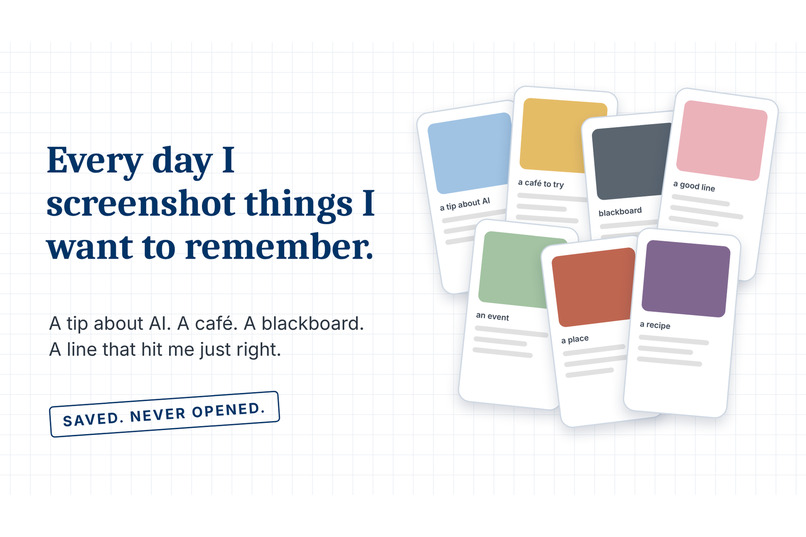
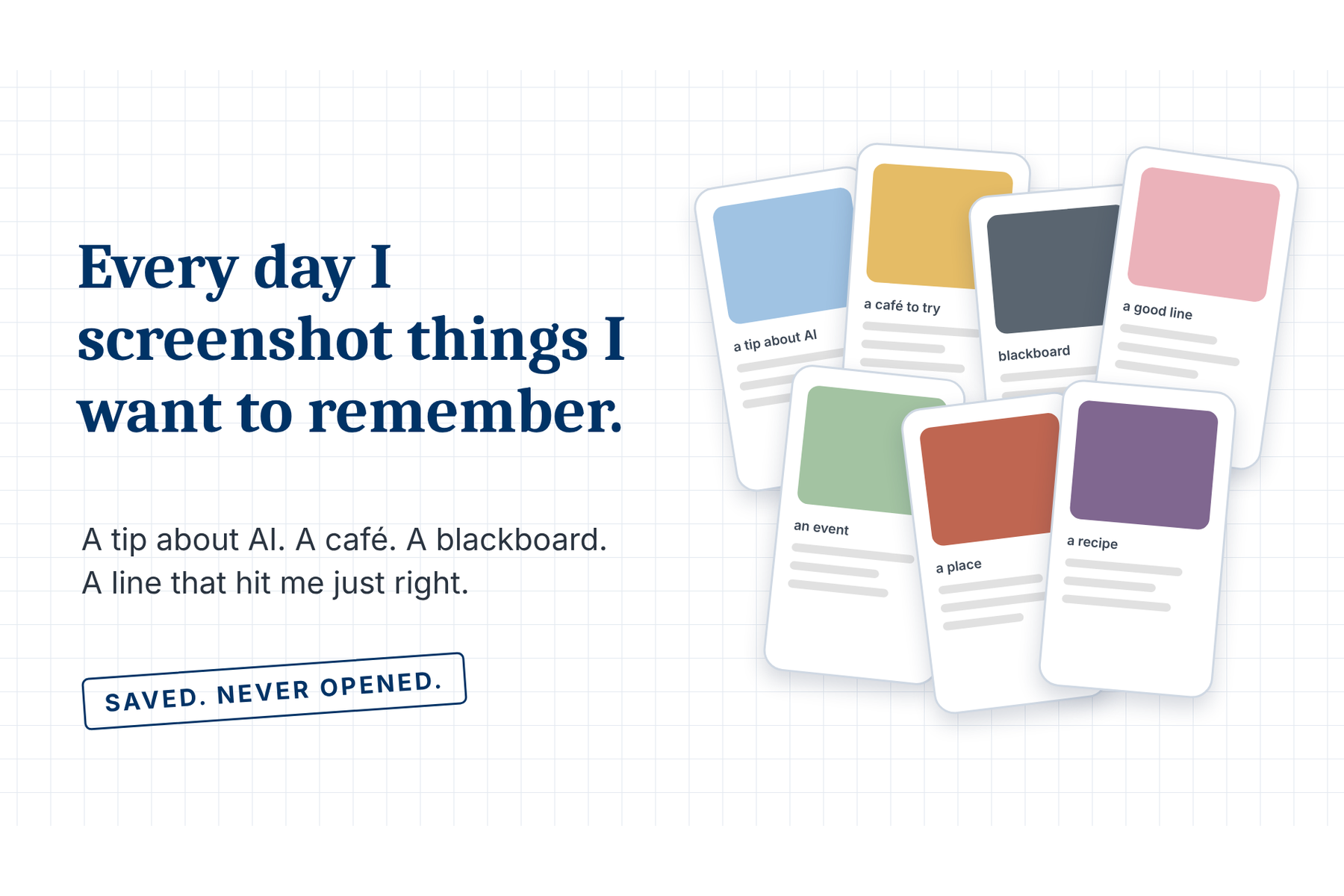
The problem: I screenshot things I want to remember, and never open them again.
-
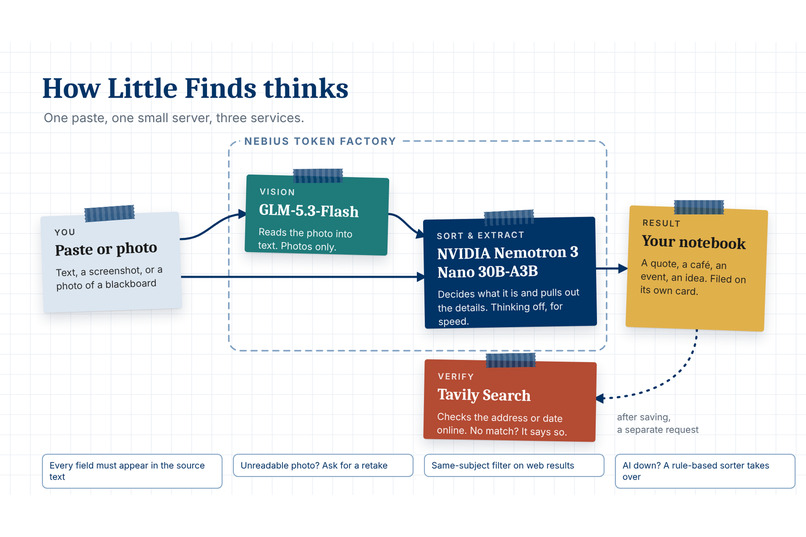
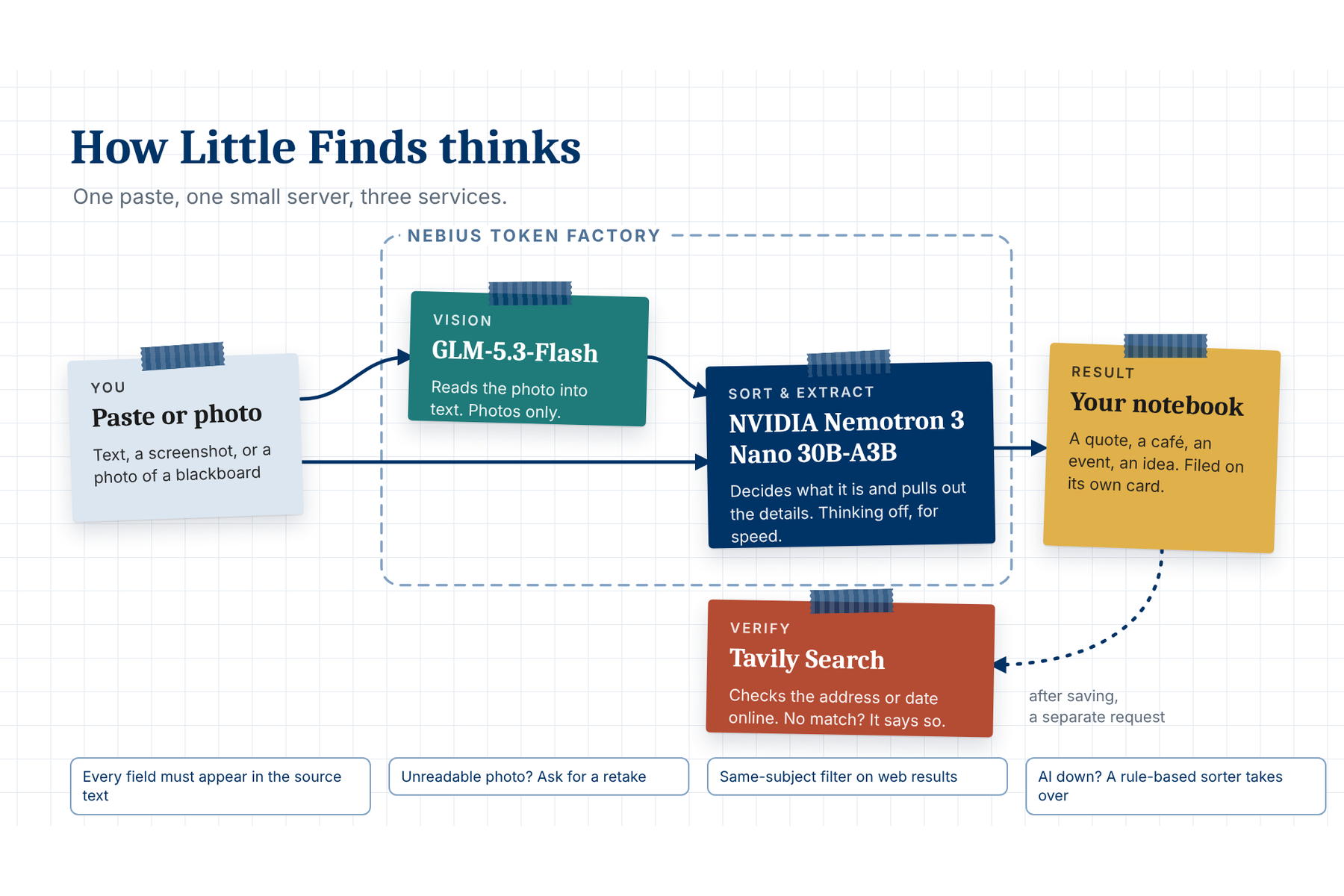
How it works: GLM-5.3-Flash reads photos, Nemotron decides what each item is, Tavily checks the facts, all on Nebius Token Factory.
-
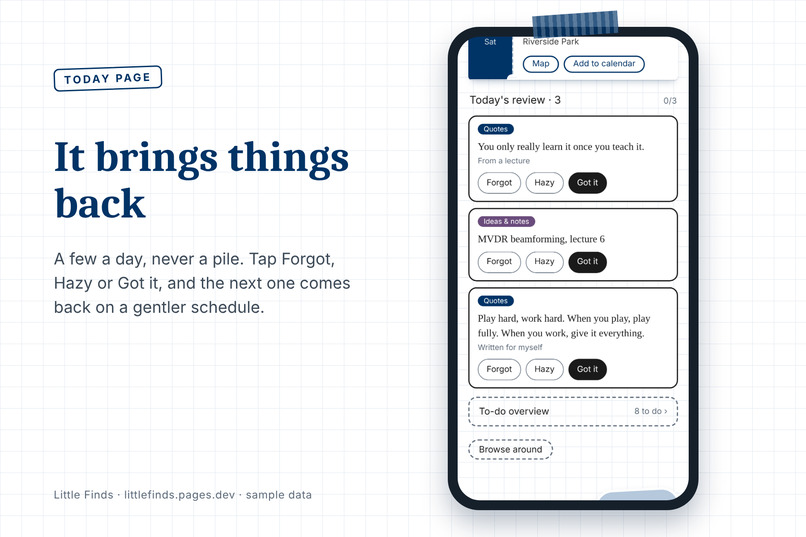
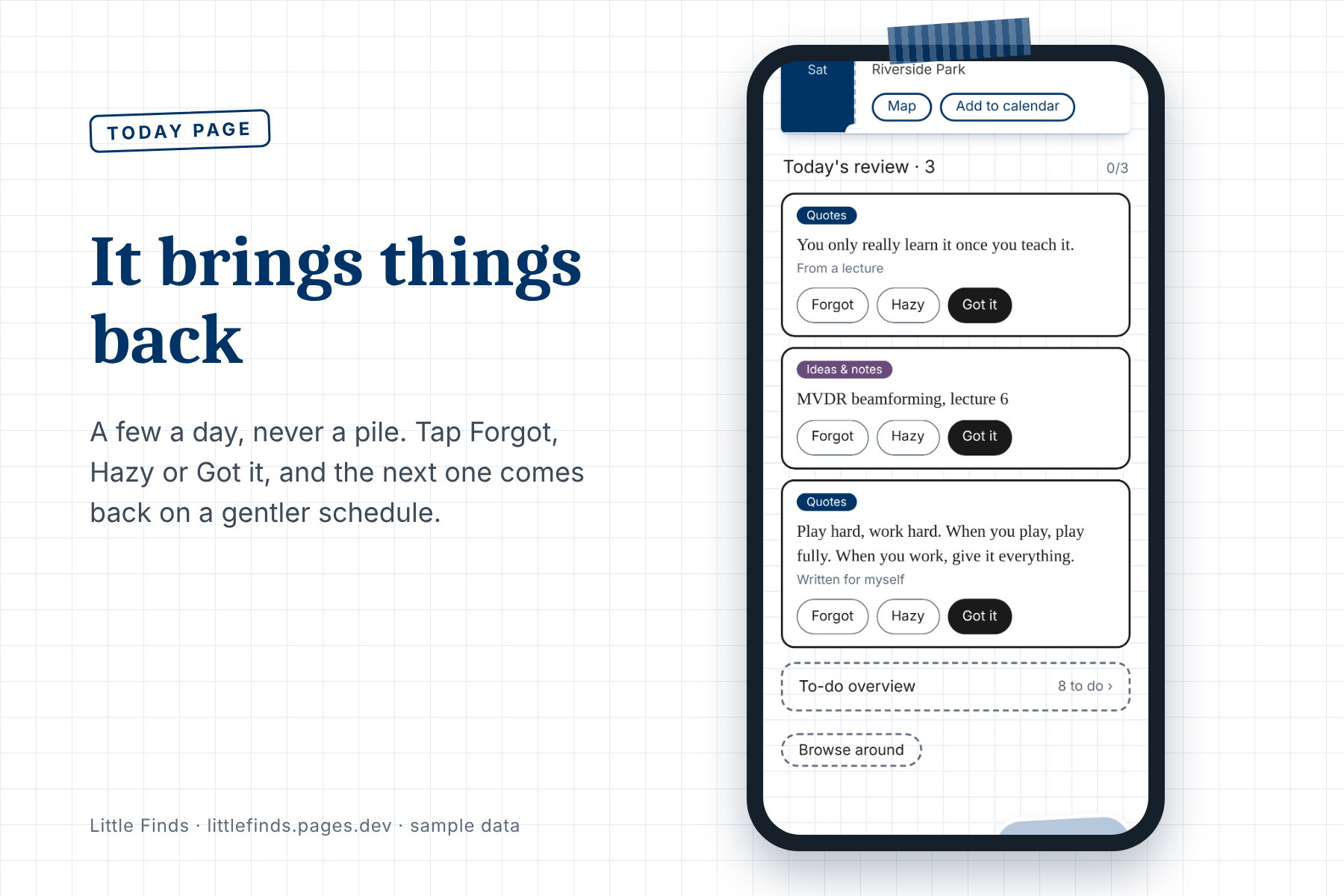
The Today page brings back just a few things a day. Tap Forgot, Hazy or Got it. No pile, no pressure.
-
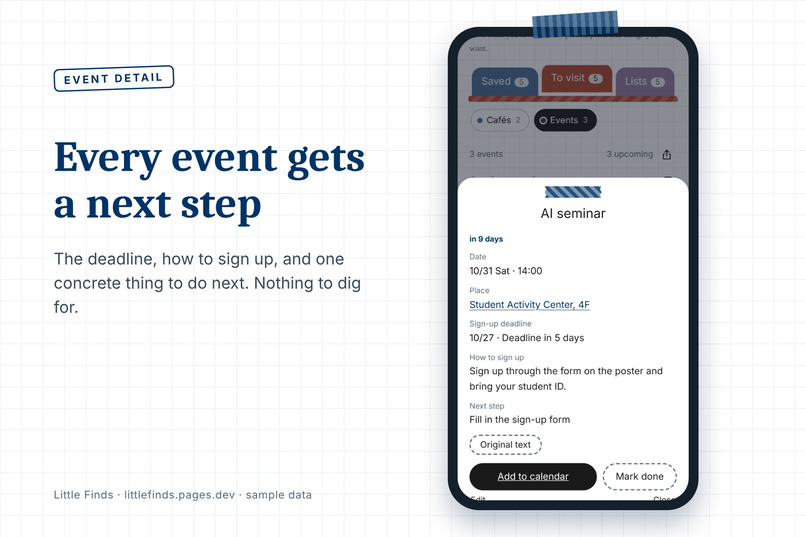
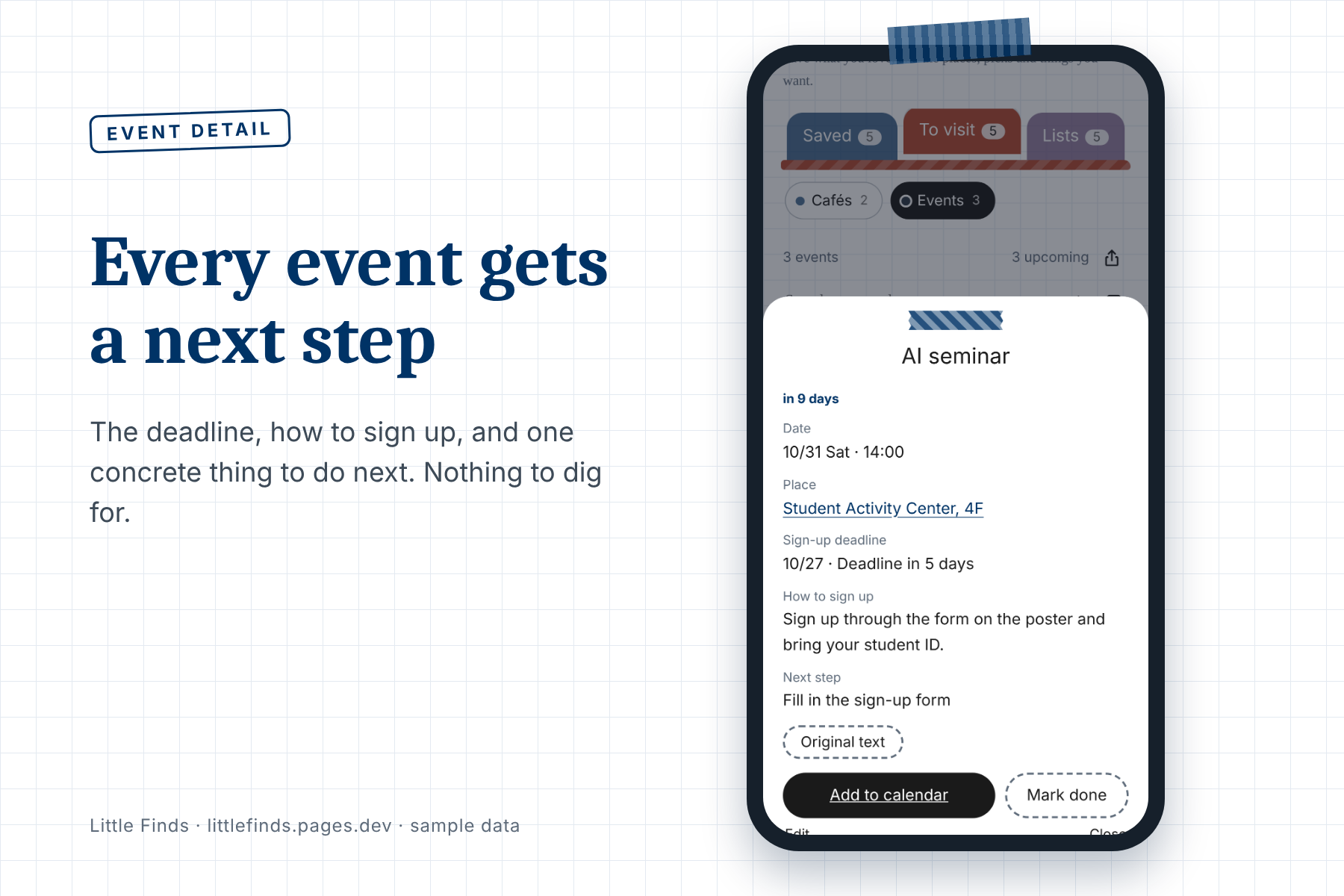
Every event gets a deadline, how to sign up, and one concrete next step.
-
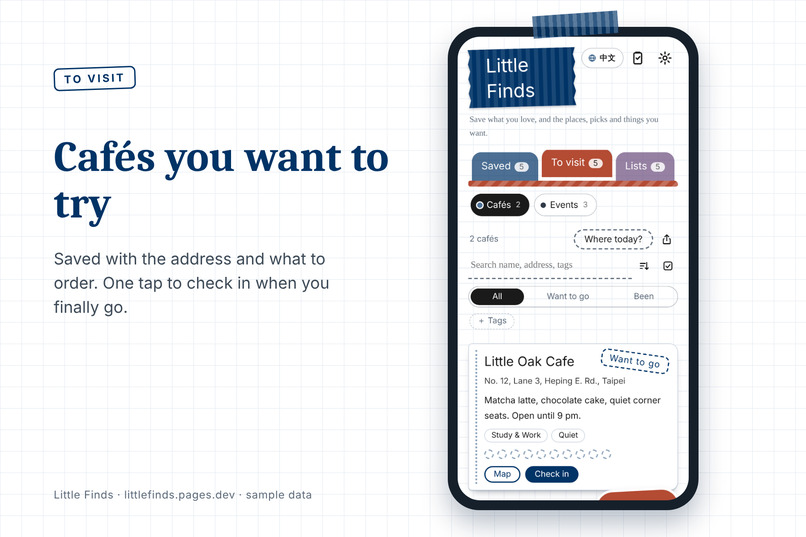
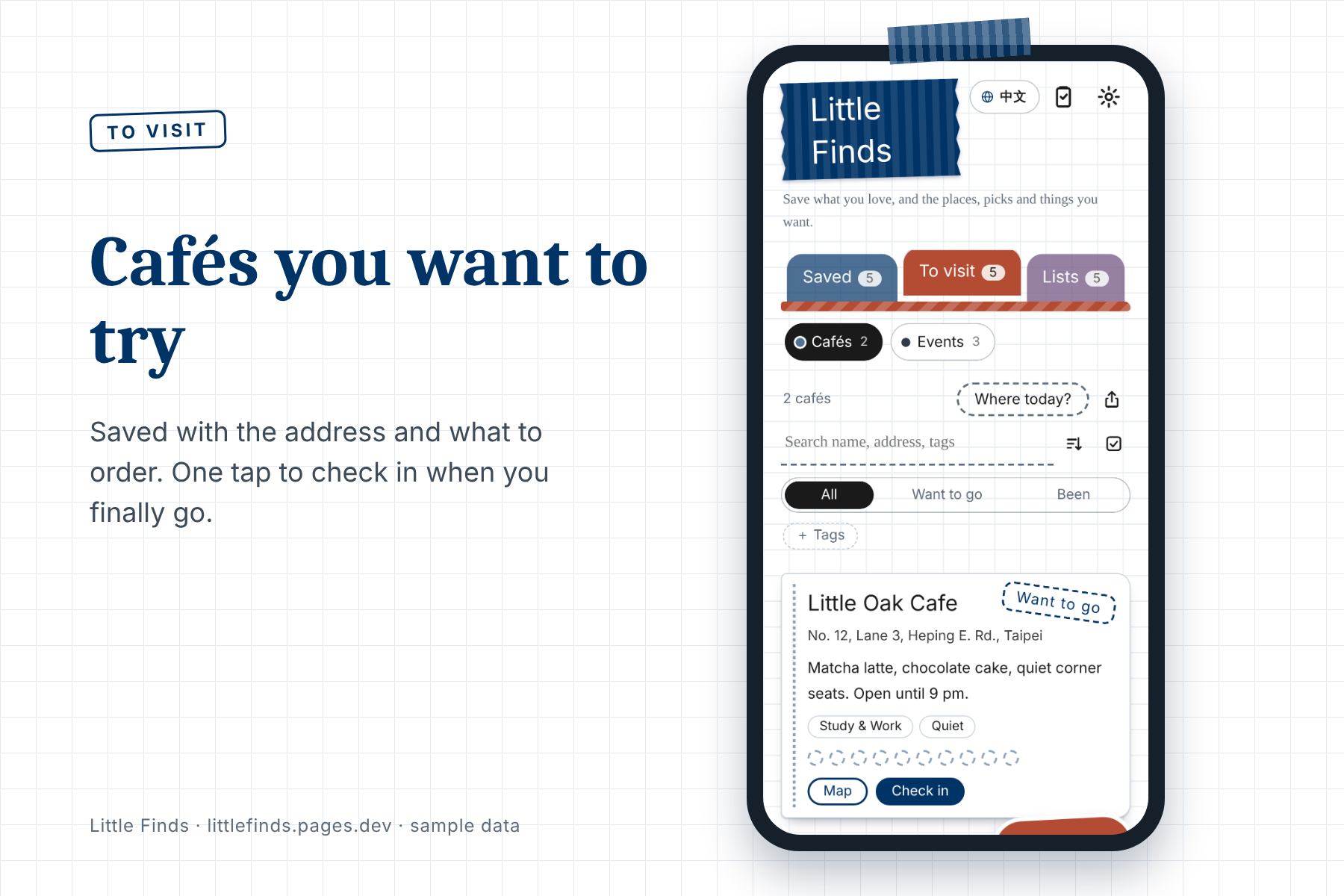
Cafés you want to try, saved with the address and what to order. One tap to check in.
-
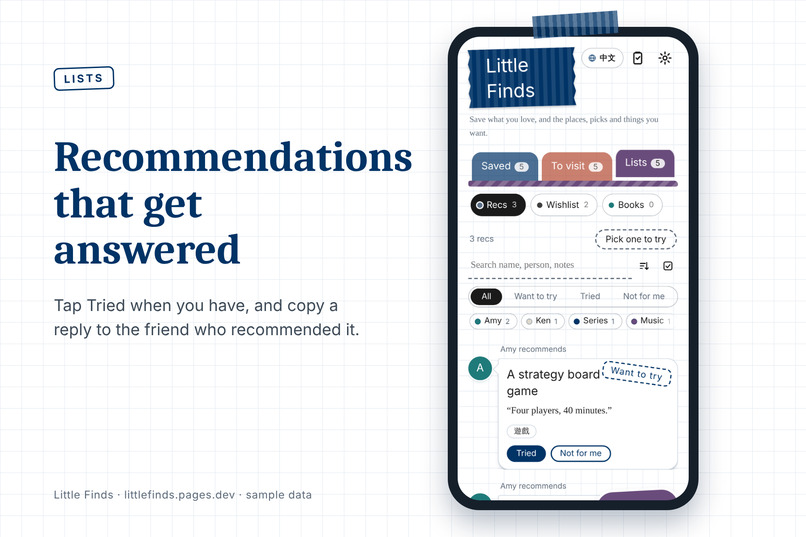
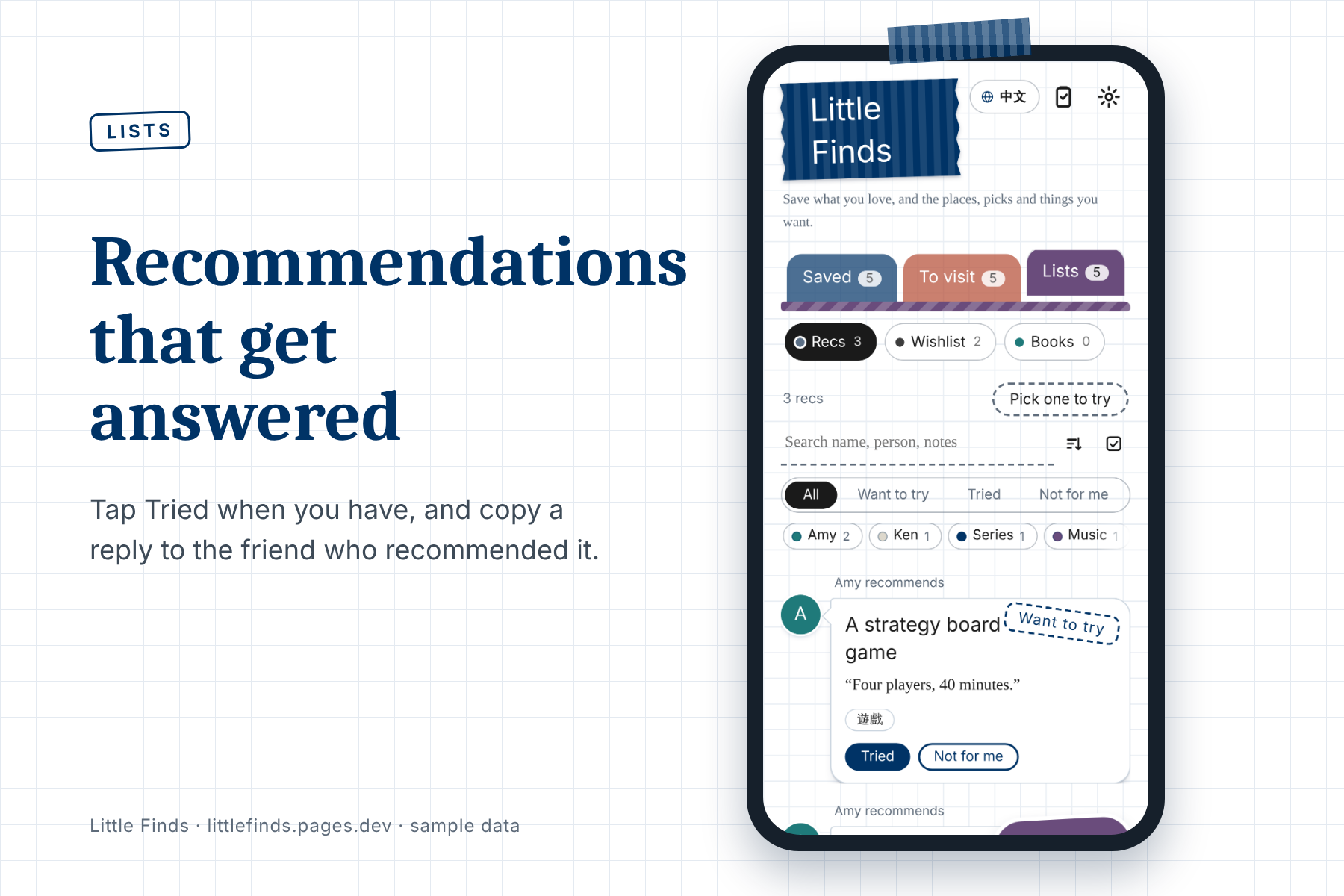
Recommendations from friends. Tap Tried when you have, then copy a reply to the person who suggested it.
-
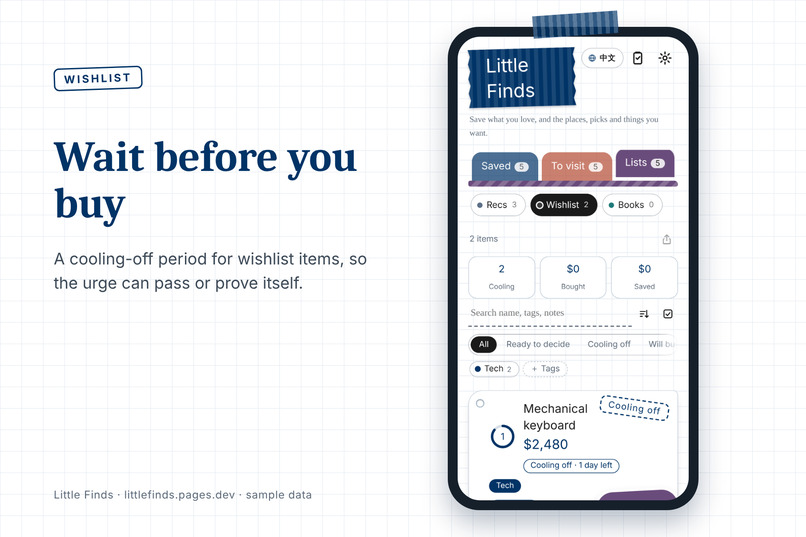
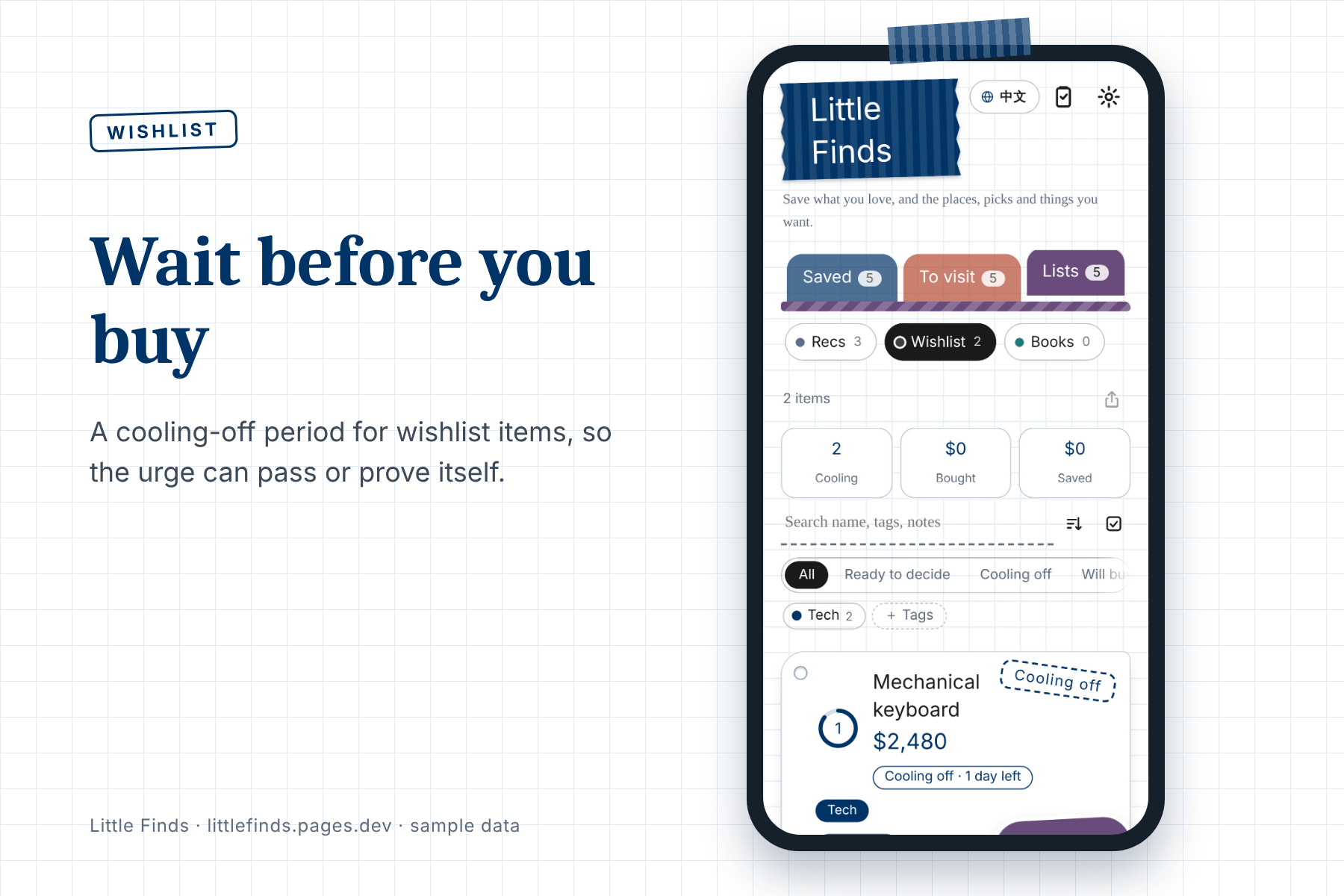
A cooling-off period for wishlist items, so the urge can pass or prove itself before you buy.
-
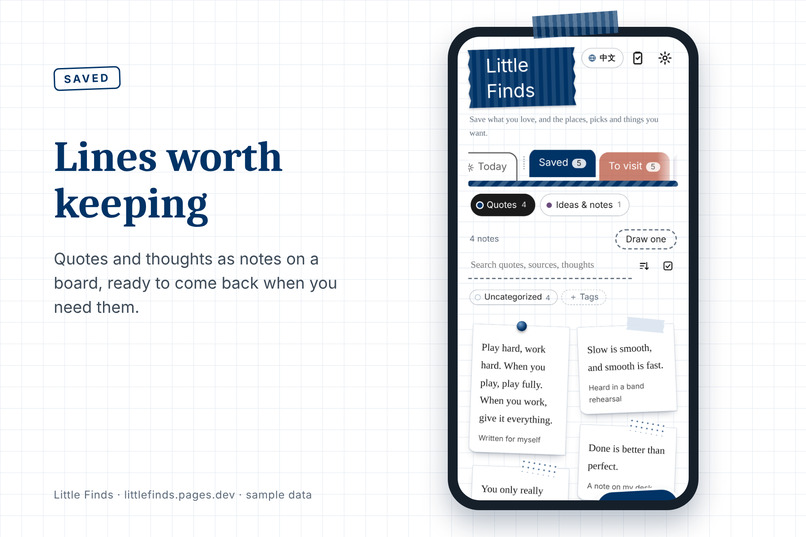
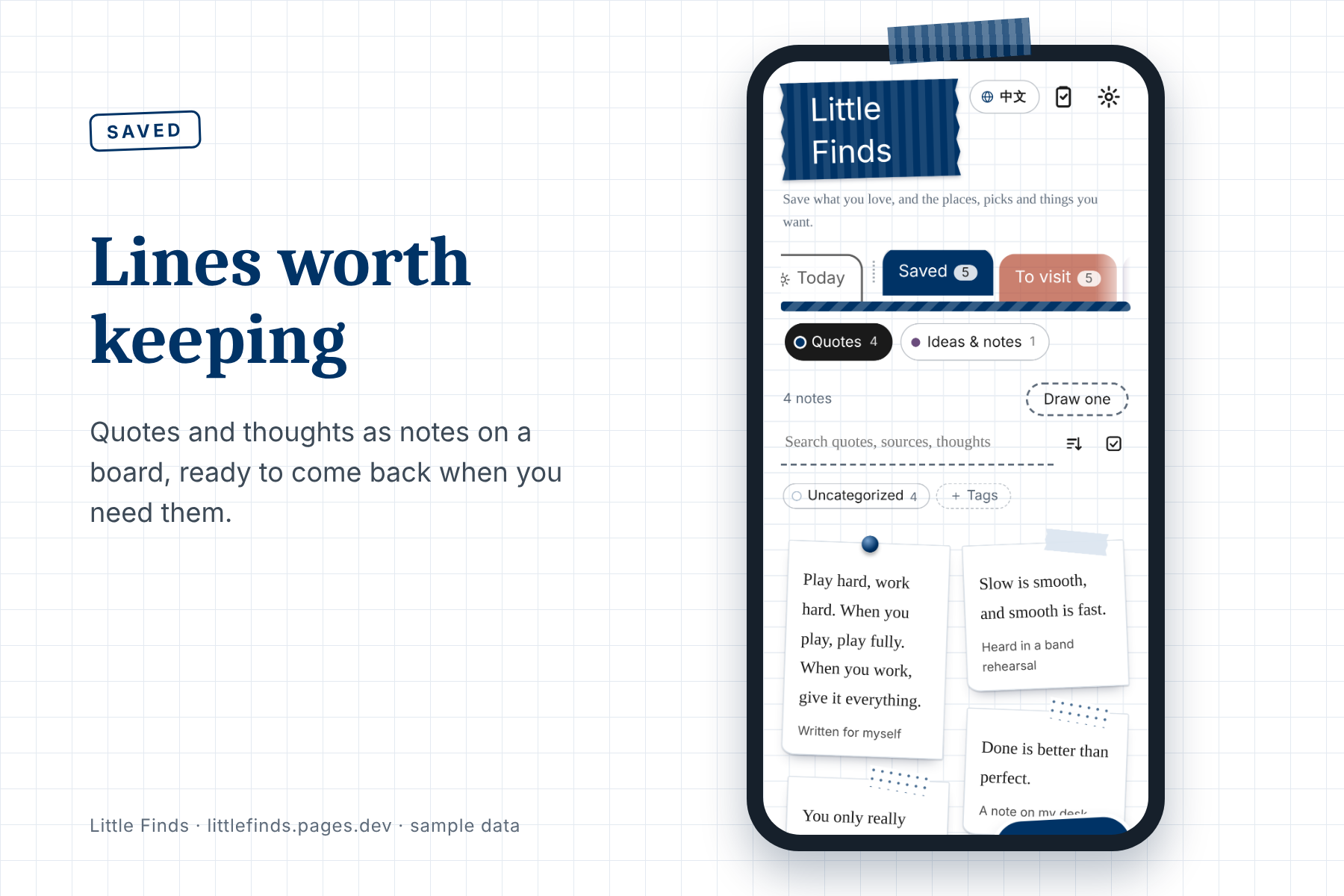
Quotes and thoughts kept as notes on a board, ready to come back when you need them.
-
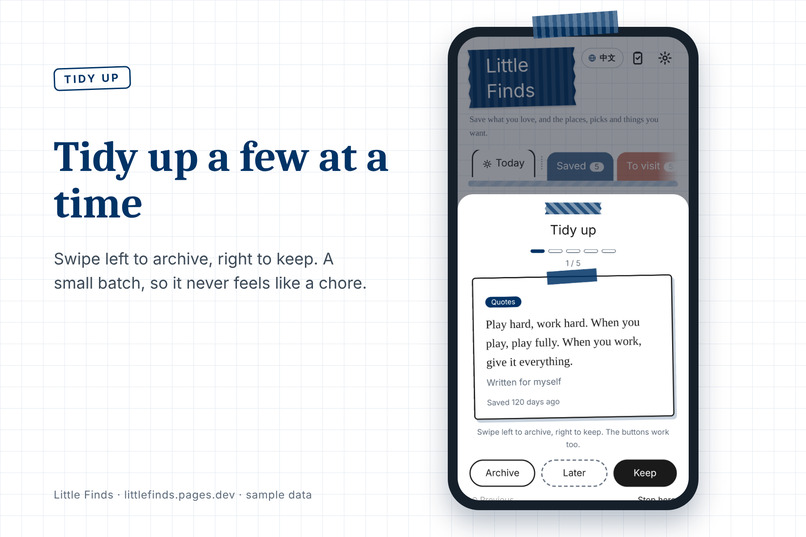
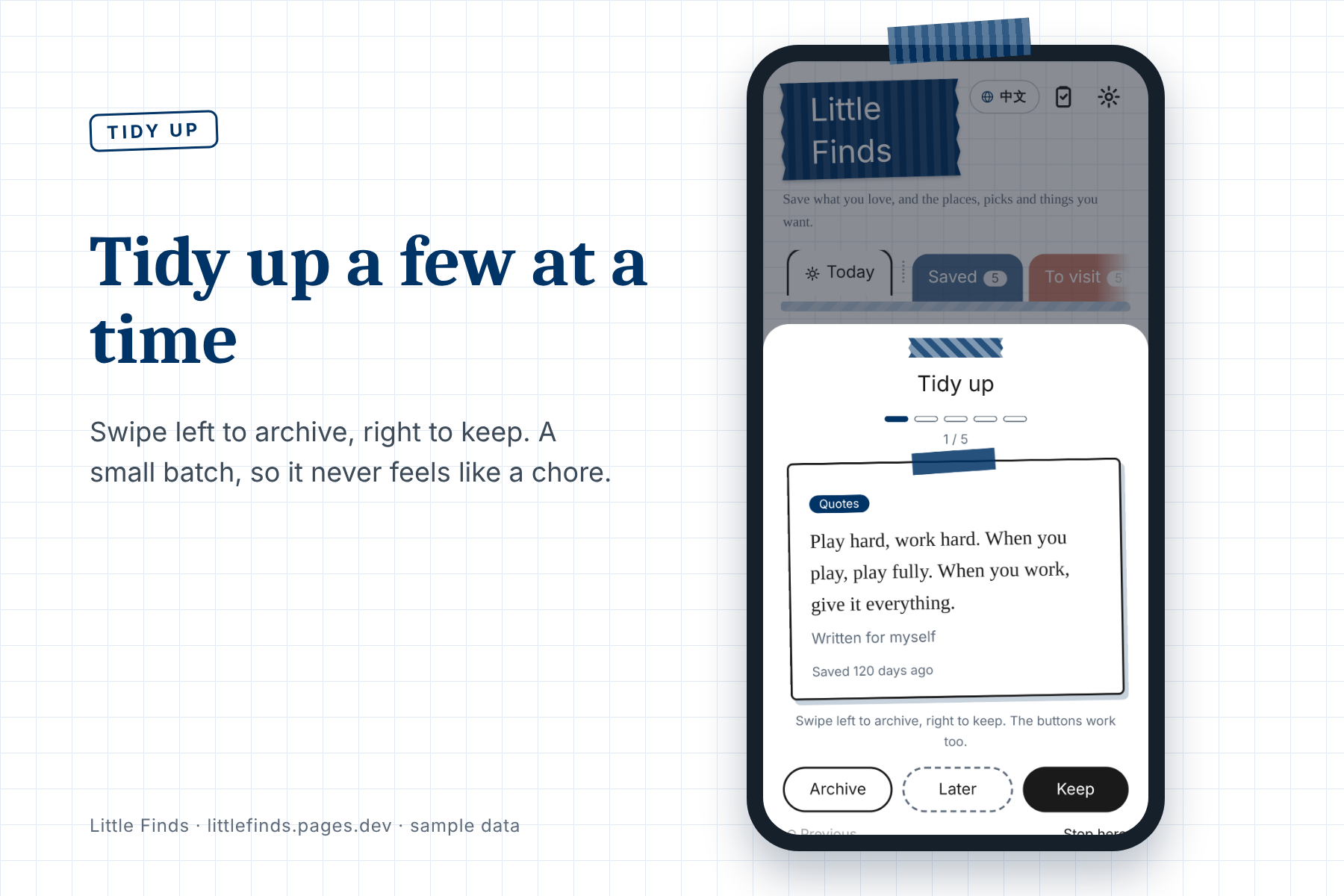
Tidy up a few at a time. Swipe left to archive, right to keep, so it never feels like a chore.
-
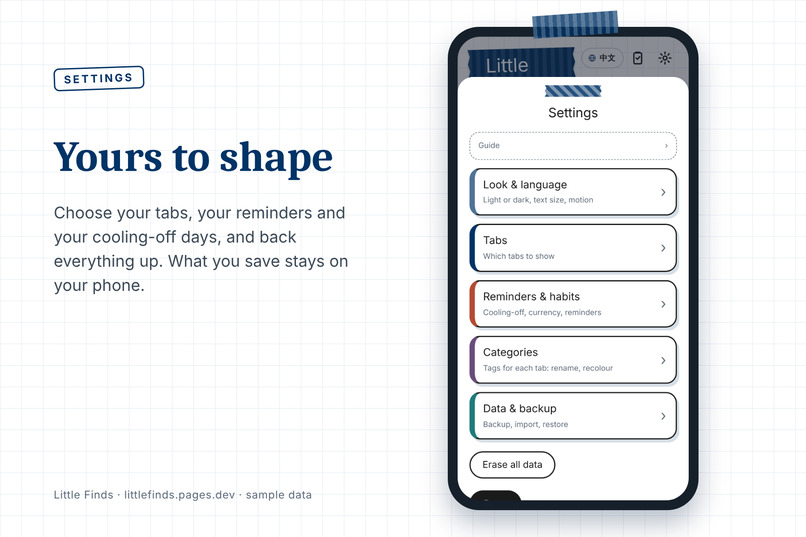
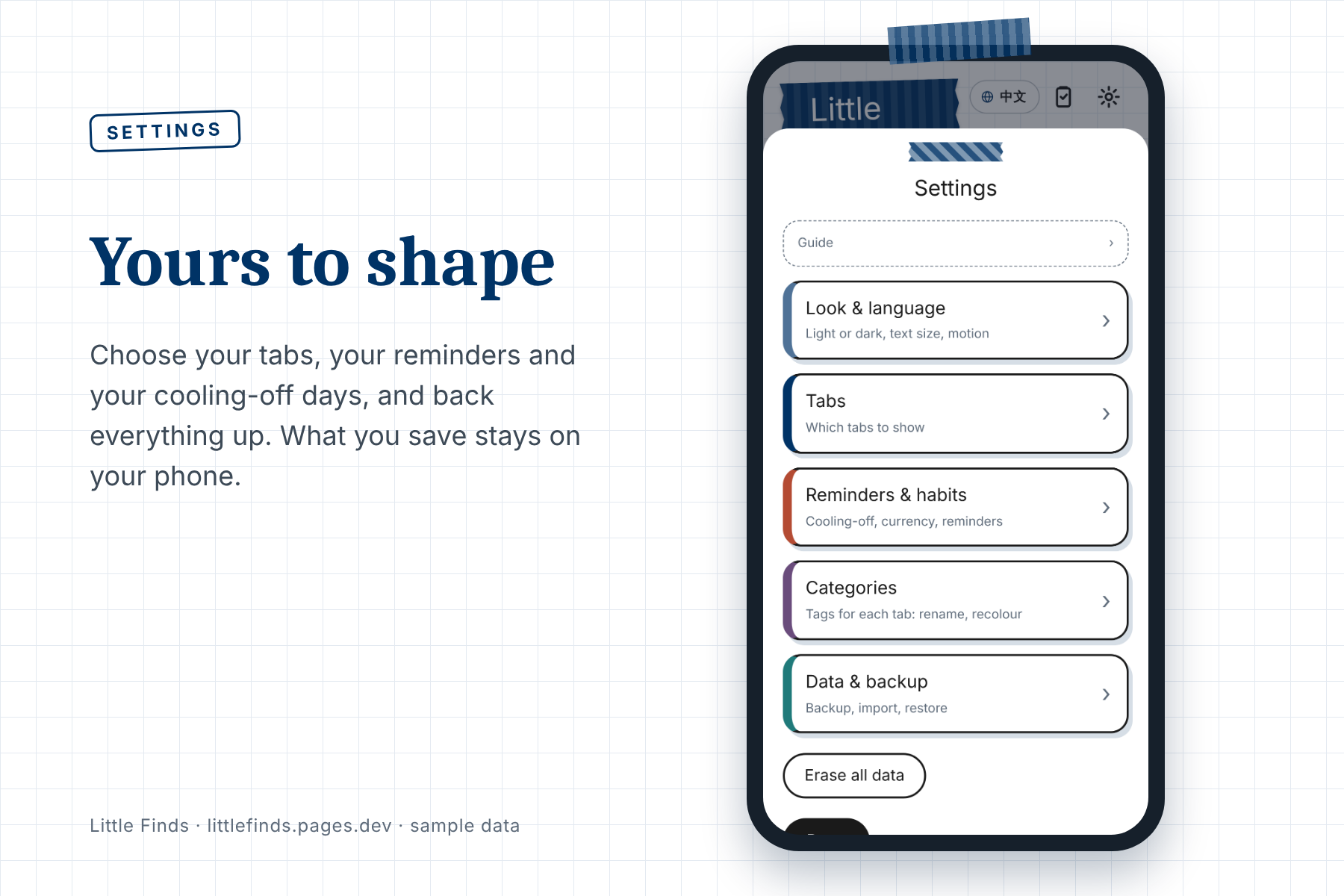
Yours to shape: choose your tabs, reminders and cooling-off days, and back everything up. Your data stays on your phone.
-
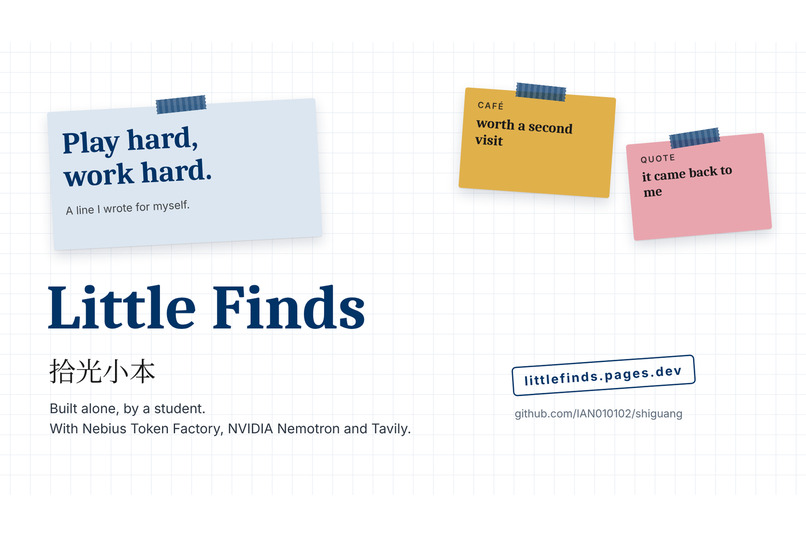
Little Finds. Built alone, by a student, with Nebius Token Factory, NVIDIA Nemotron and Tavily.
Try it in 30 seconds
No sign-up. Open littlefinds.pages.dev, tap AI paste at the bottom right, and paste a message, a café, or an event. You can also upload a photo of a blackboard. Within a few seconds it files the item in the right place, and for cafés and events it checks the facts on the web, or tells you it found nothing.
The problem
In one day I see a tip about AI, a good line on Threads, a café worth trying, and a blackboard full of notes. I screenshot all of it, and I never open it again. Taking the photo feels like learning it. It isn't.
I started Little Finds in early September because the good lines I found on Threads and Instagram had no good place to live. It began as a small notebook for quotes, cafés and ideas. At first it sorted things with plain rules, because as a student I could not afford AI API costs, and I wanted saving to take almost no effort. Then I saw what a wrong sort does: people are busy, a mistake is one more thing to fix, and they stop using the app. Better sorting needed real AI, and this hackathon, with Nebius Token Factory, was the push to do it properly.
I am an Electrical Engineering student at Yuan Ze University in Taiwan, and I built this alone. Most note apps are good at the saving. Mine is built around the coming back.
What it does
It files things for you. Paste text or upload a photo. AI reads it, decides what it is (a quote, a café, an event, a study note, a recommendation, a wishlist item), pulls out the details, and puts it in the right tab. One message with two events becomes two cards. A photo of a blackboard becomes a study note, and handwriting it cannot read is marked, not guessed.
It checks the facts, and it stays honest. After an item is saved, it searches the web for the address or date. If the web disagrees with what you saved, it shows you what it found and lets you choose. It never overwrites you. If it finds nothing, it says so.
It brings things back. This is the part I care about most. Each day the Today page brings back just a few things: a café you have not visited, a place that finished its cooling-off period, a line you saved months ago and forgot. No pile, no pressure. When that happened to me, it moved me all over again. Things don't pile up. They come back.
How it works
Little Finds is a small agent. It looks, decides, checks, and then acts.
photo or text → GLM-5.3-Flash reads it → NVIDIA Nemotron 3 Nano 30B-A3B decides what it is and extracts the fields → Tavily checks the web → a card in the right tab
- Nebius Token Factory serves both models through one OpenAI-compatible endpoint, called from one Cloudflare Pages Function. API keys live in Cloudflare secrets, never in the code.
- Nemotron makes every sorting decision. I turn its thinking mode off for classification, which saved me roughly ten seconds or more per request, and retry without the flag if a model rejects it.
- Tavily is a separate request, so the card appears first and the check fills in when it arrives. Saving never waits for the web.
Why you can trust it
The model's answer is a draft. Everything around it is the product.
- Every extracted field must appear in the source text, or it is dropped.
- Addresses are compared in code, not by the model, so a wrong address cannot be waved through.
- A web result only counts if it is about the same place or event, so an unrelated article cannot create a false conflict.
- A photo the model cannot read returns a retake prompt, not an invention.
- If the AI is slow or unavailable, a rule-based sorter takes over, so the app never just stops.
- Everything you save stays in your own browser. Only what you send to AI paste is sent to be read, and my server does not keep it.
What I tested
I tested with my own real inputs, not mocks: cafés, event posters, a message with two events, lecture-board photos, quotes, and deliberately wrong or made-up events. In my own informal timings, text took about 1.3 to 2.8 seconds and photos about 3.7 to 7.5 seconds. My whole month of testing across both models cost about two cents, according to the Usage page. The result I did not expect: it sorted a busy event poster correctly, and split one photo into several events.
Every fix below came from a real failure:
- An unreadable photo came back as a coffee chain that was nowhere in the image. Now there is a retry, a grounding check, and an explicit "unreadable" result.
- Lecture-board photos were filed as recommendations, then as books. Now study material gets its own re-sort.
- Tavily took four or five rounds of testing with wrong inputs before it behaved, and making it more accurate made it slower, so I changed the structure instead of accepting the wait.
- One early generation step took over a minute, which is slower than typing the note. I cut it down, and the wait screen now shows a plain human message that changes as time passes.
Known limits
Handwriting is not read perfectly, so uncertain text is marked. Chain stores can match more than one address. Event dates come from a model reading search results, so they are a check, not a guarantee. The AI runs on limited credits, and if they run out the app falls back to the simpler sorter, which is less accurate but still works.
What's next
I will keep maintaining Little Finds after the hackathon: hosting, new features from people's feedback, and better sorting. The open question is AI cost. As a student I cannot carry it alone for long, so I am considering a paid option for the AI features, while the rule-based sorter keeps working without AI.
Built With
- cloudflare-pages
- cloudflare-workers
- css3
- glm
- html5
- javascript
- nebius-token-factory
- nvidia-nemotron
- tavily


Log in or sign up for Devpost to join the conversation.