-
-
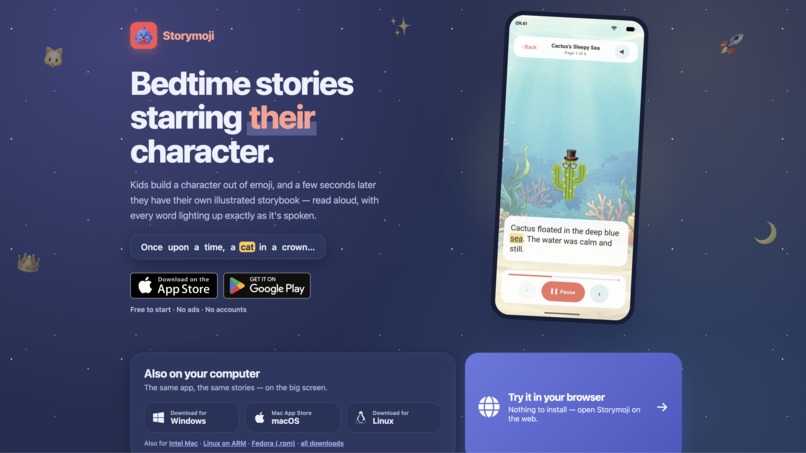
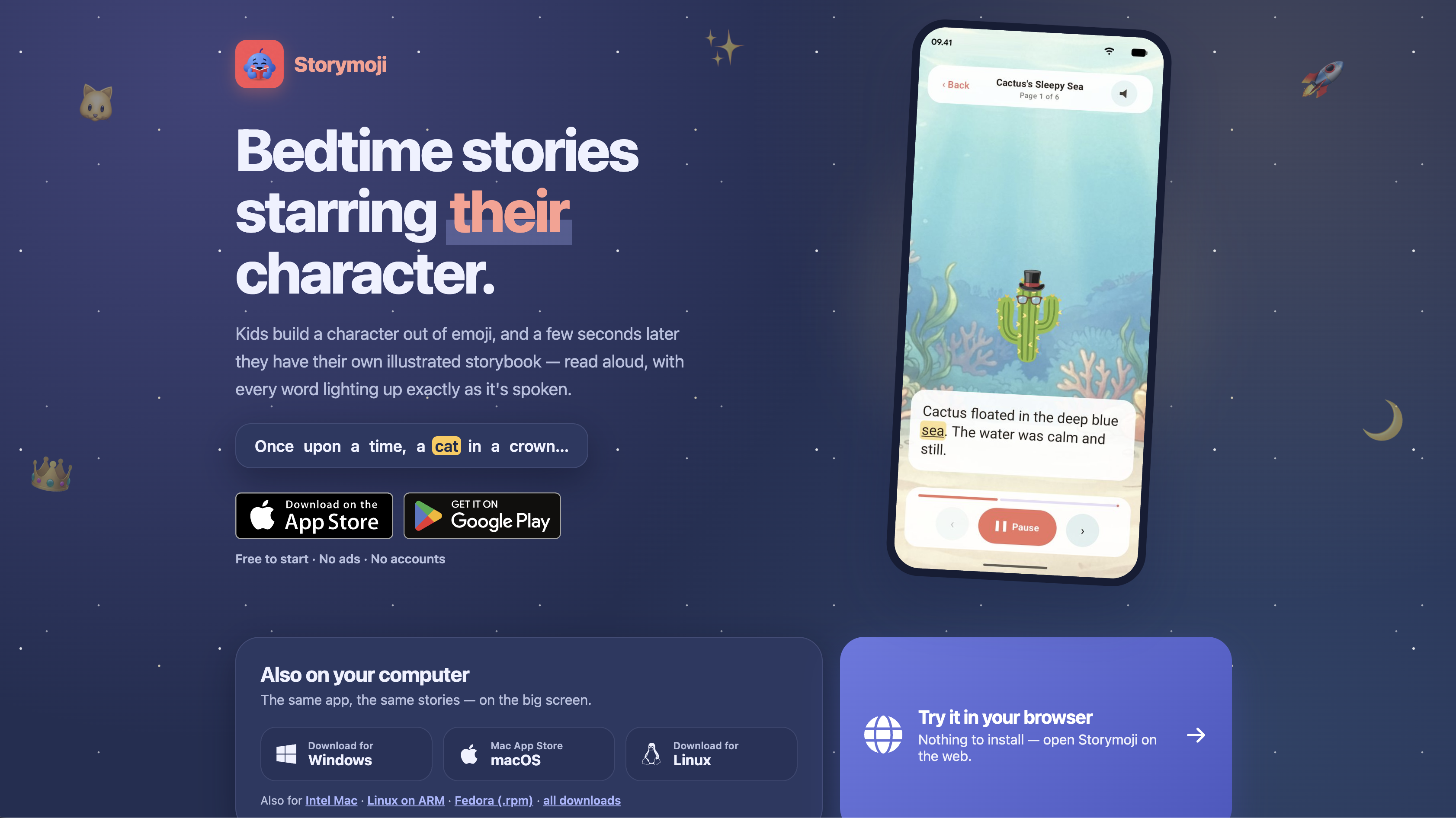
Storymoji Landing Page
-
Storymoji Logo
-
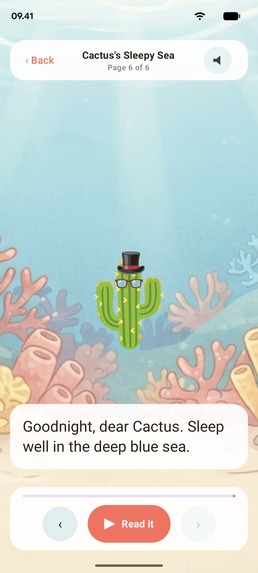
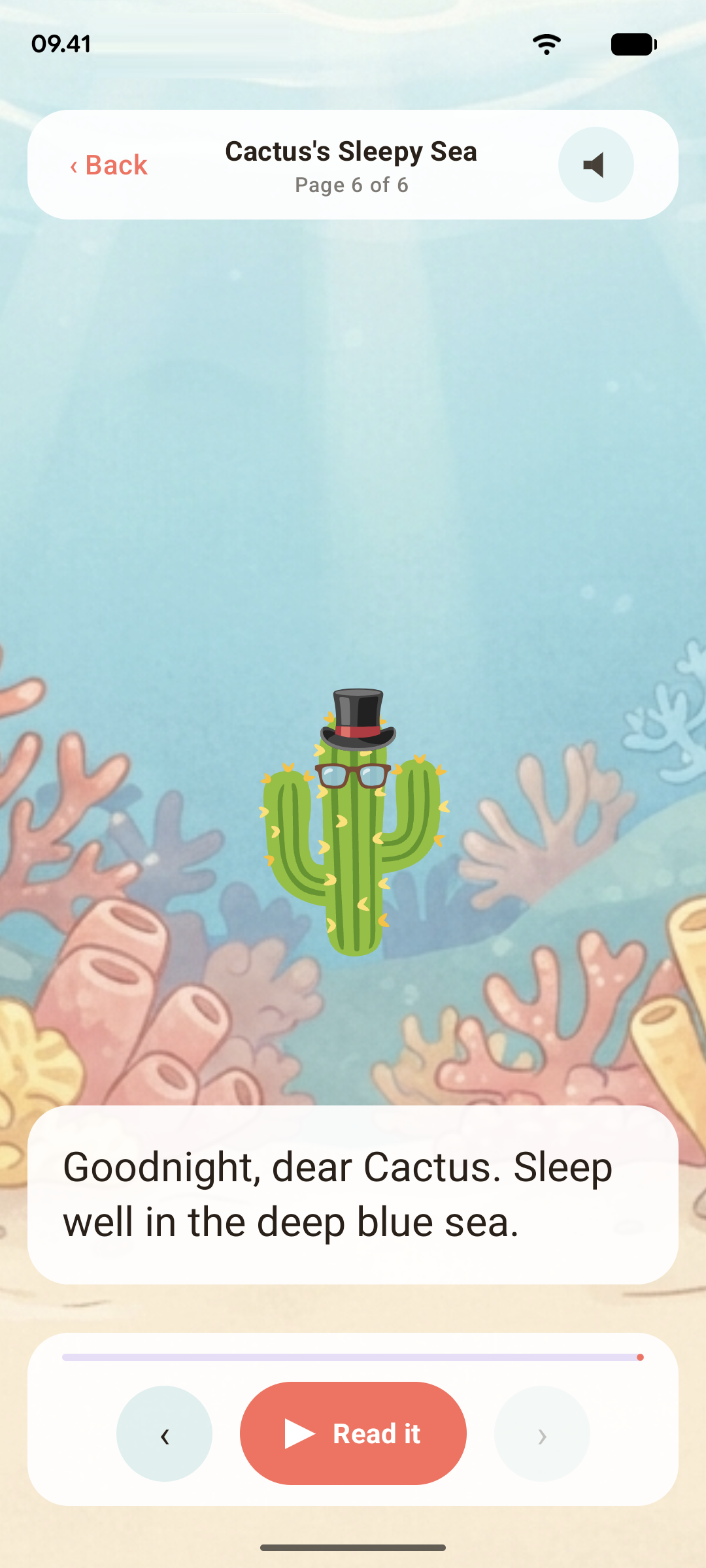
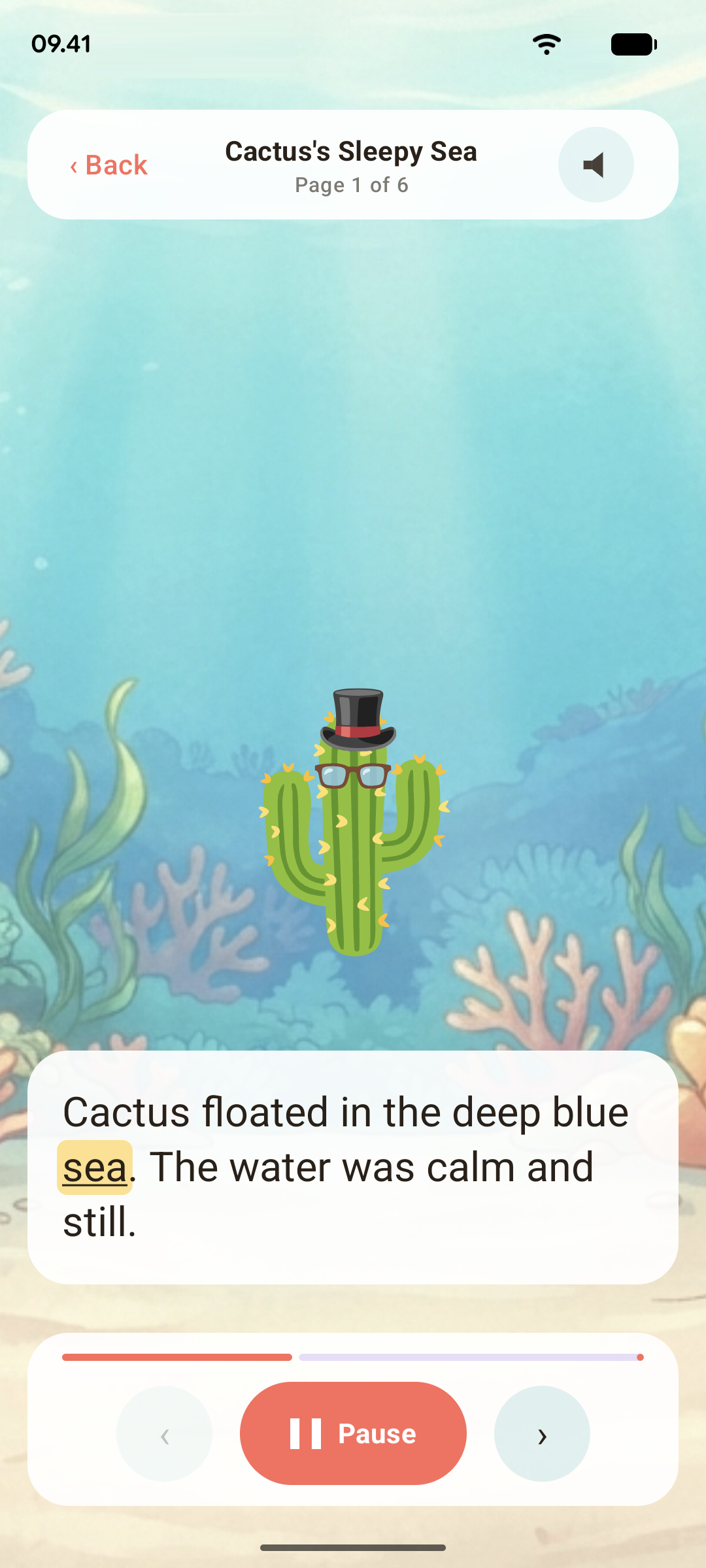
Child friendly reader, highlights each word, themed background music.
-
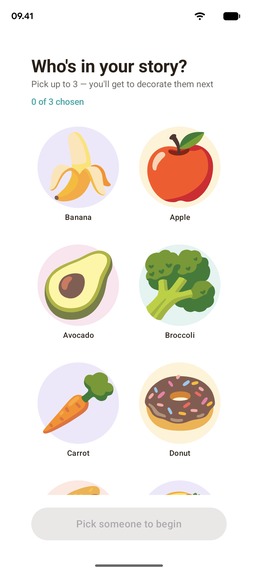
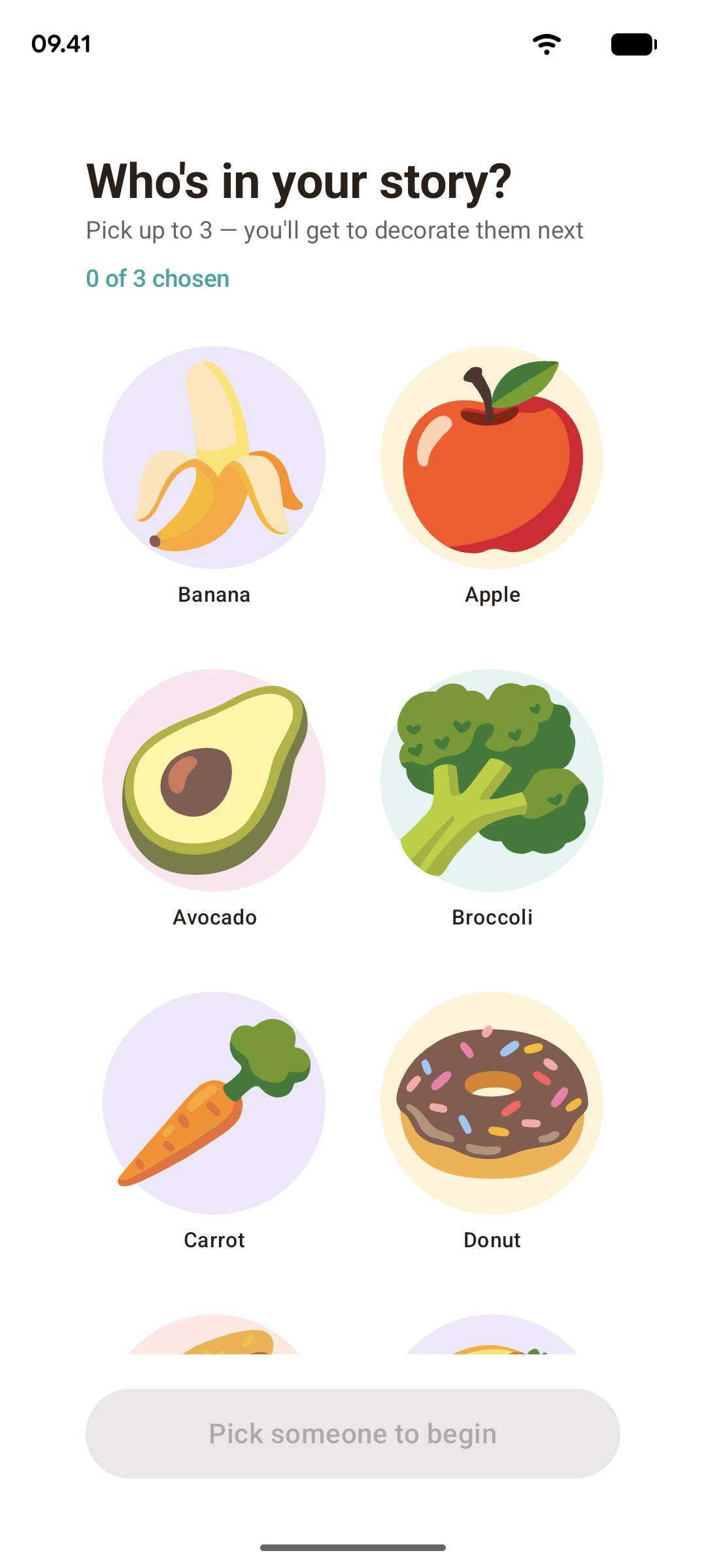
Select your emoji character
-
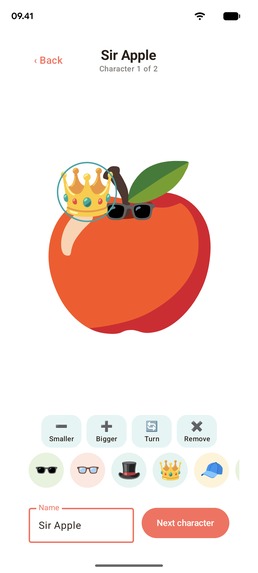
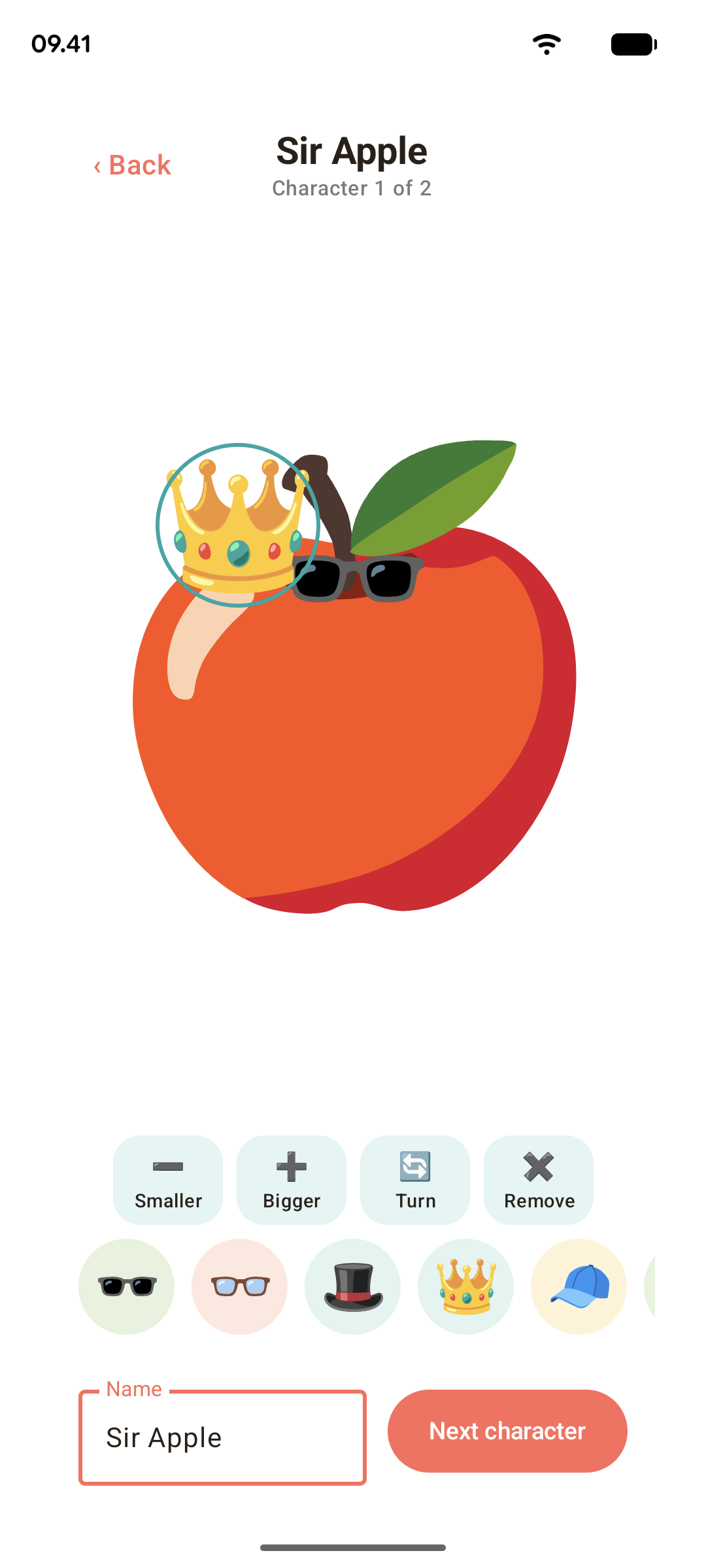
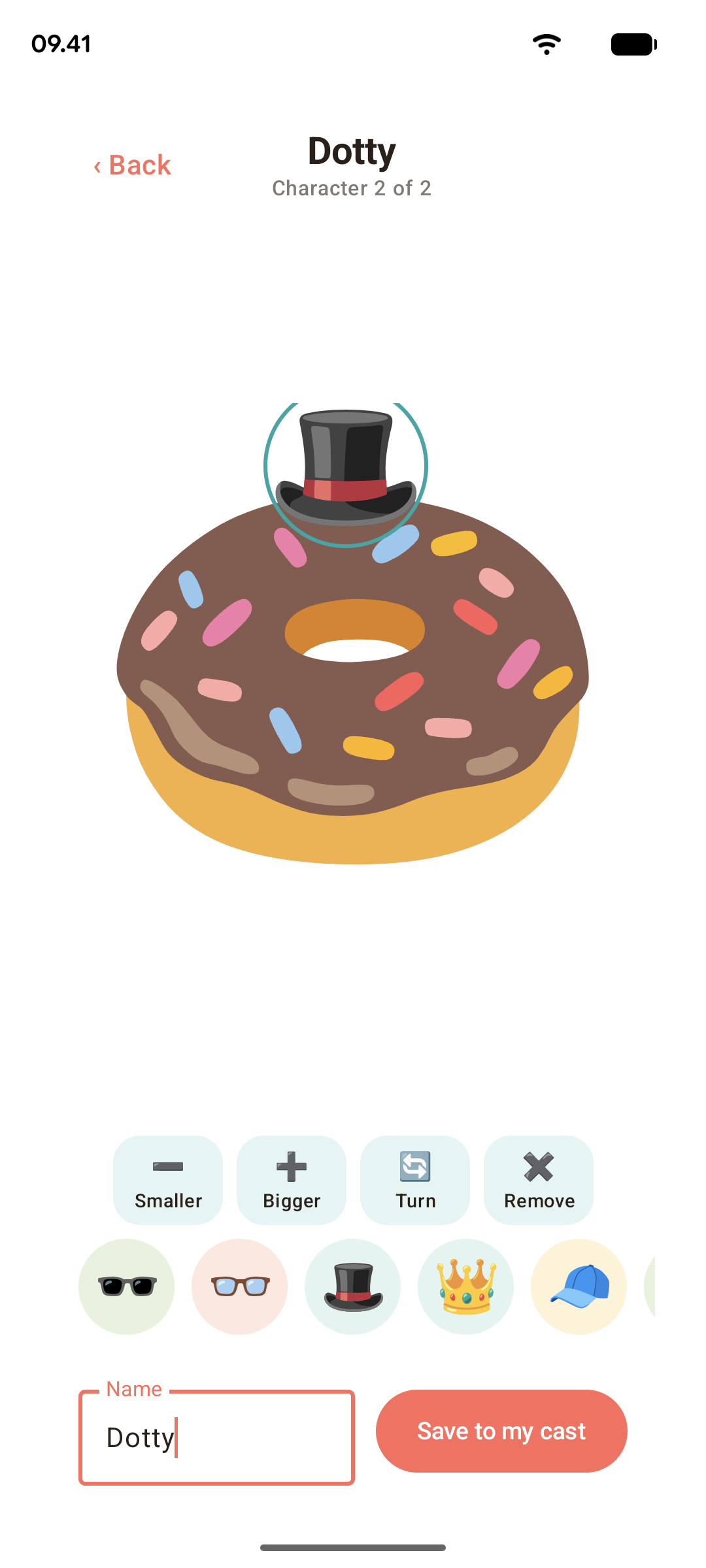
Decorate your character with many add-ons
-
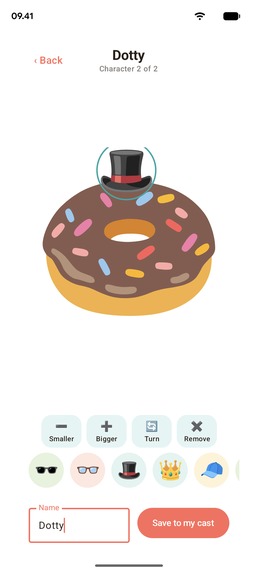
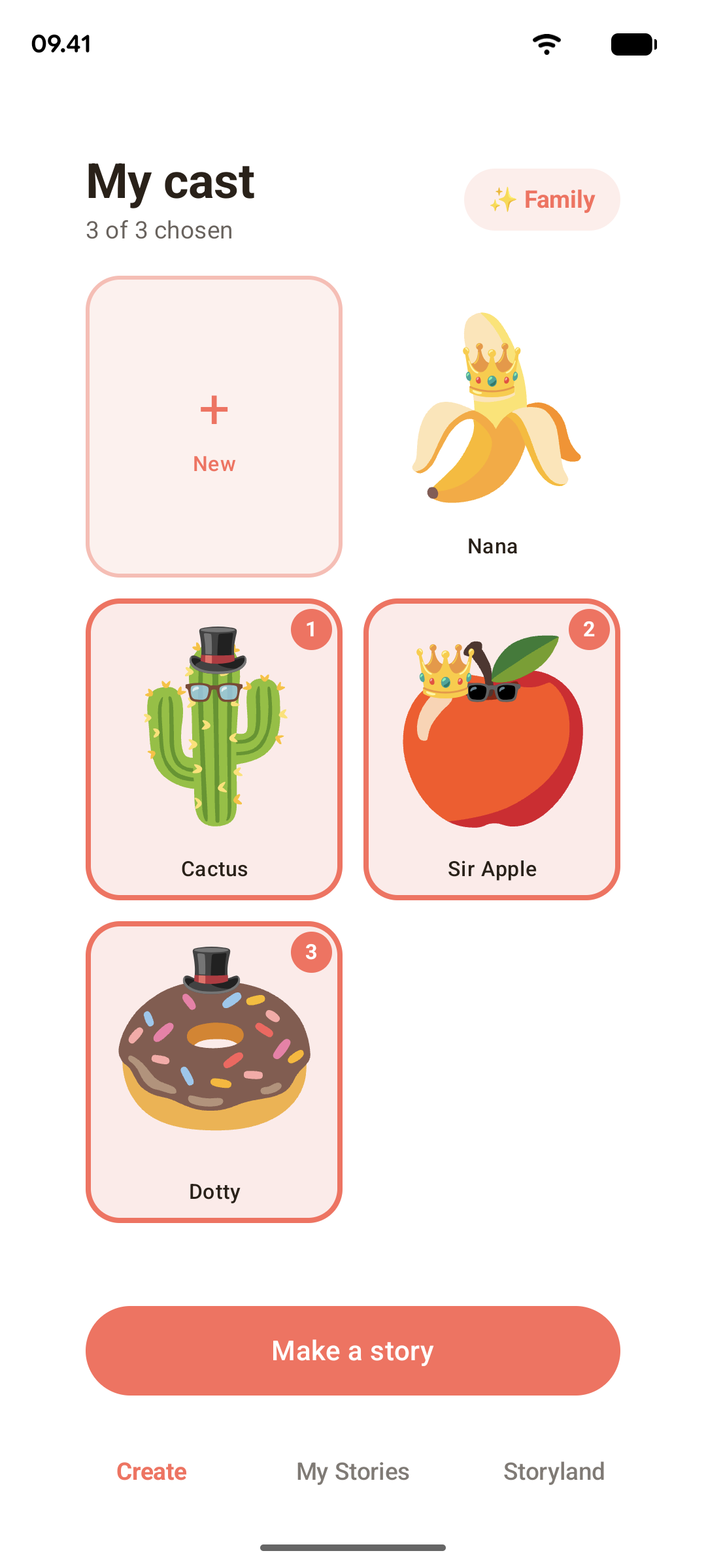
Create many different characters
-
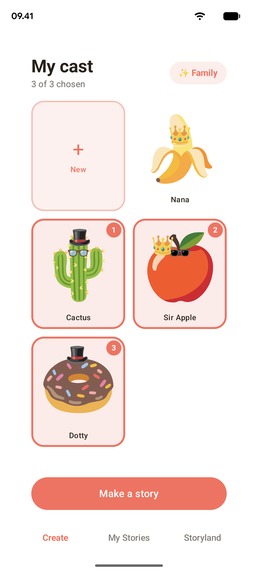
Select the cast of your story
-
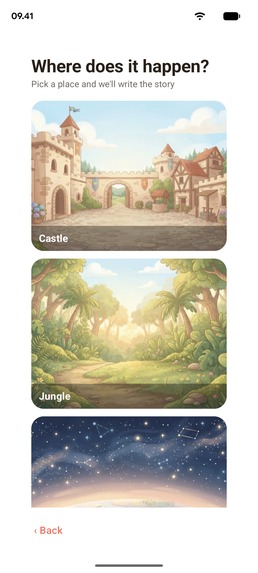
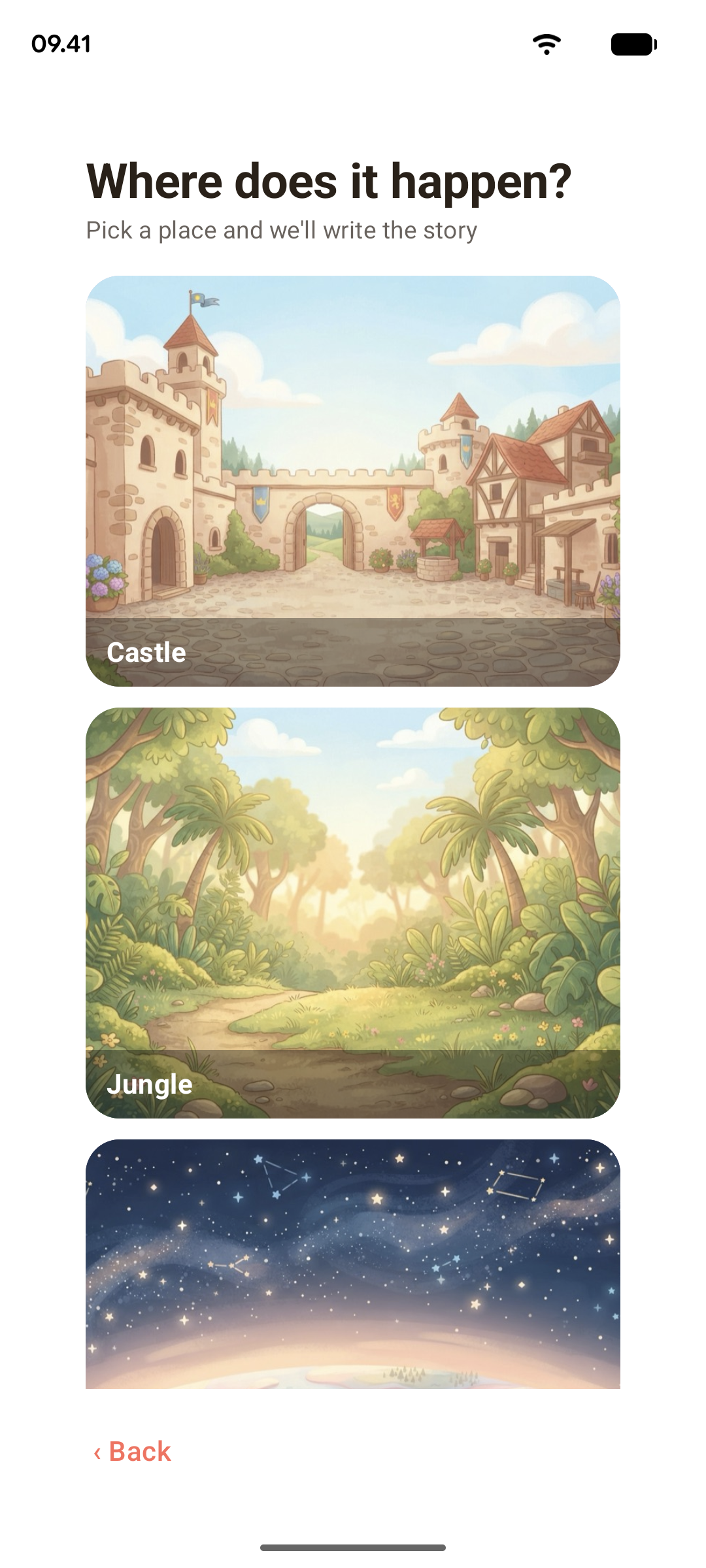
Choose the scenario for your story
-
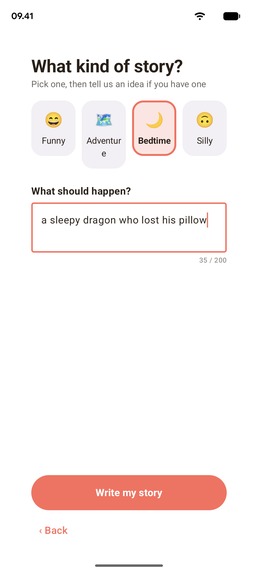
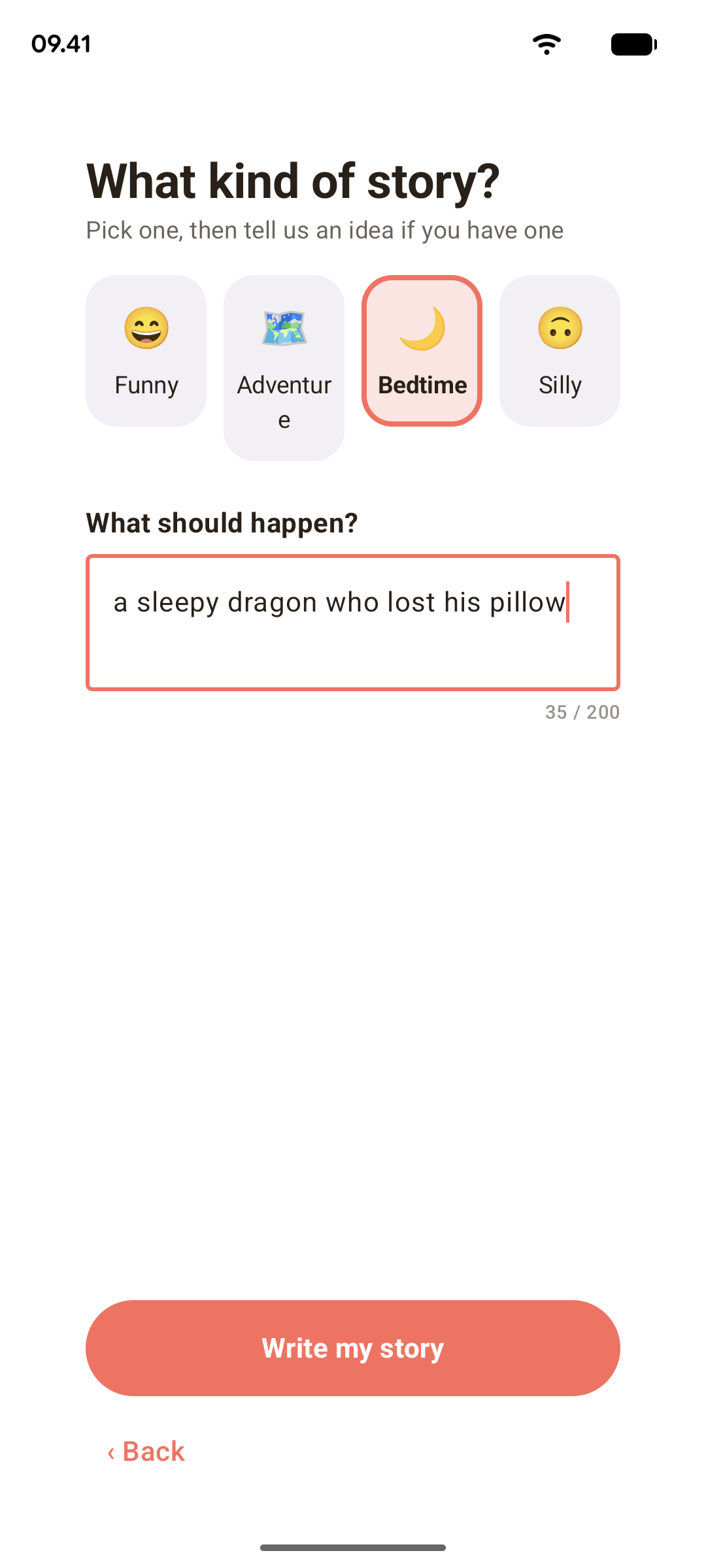
Choose the mood of your story and add any idea you have in mind
-
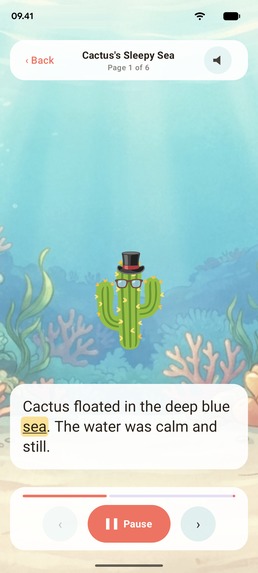
You can stop and go as you want.
-
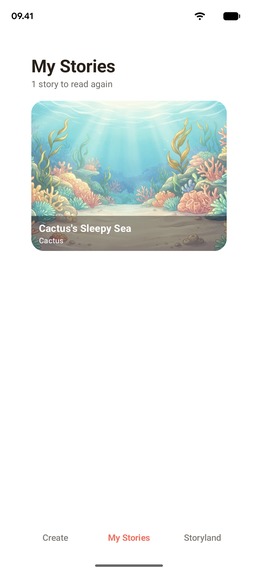
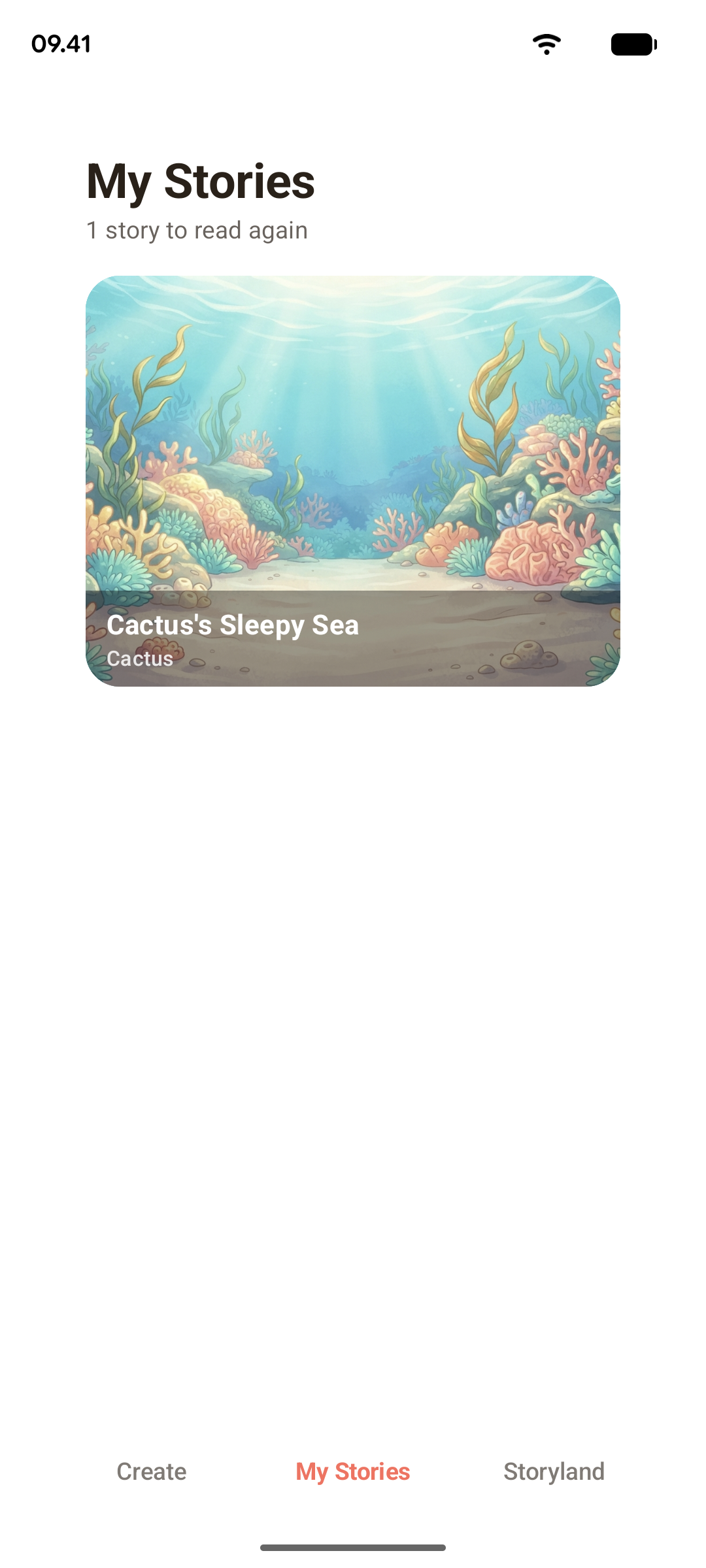
Replay as many times as you want all your favourite stories
Inspiration
I watched a kid learn to read by following a parent's finger under each word. That's the entire trick: the word you hear and the word you see have to light up at the same time. Most "read-along" apps fake this, they scroll, or they highlight a whole line, or the timing drifts. I wanted the real thing: word-perfect highlighting, on a story that is about the child's own character, so they actually care what happens next.
It was also a deliberate engineering bet. The Shipaton has a "Ship Kotlin Everywhere" award, and I wanted to make the strongest honest version of that argument: one piece of read-along logic that behaves identically on Android, iPhone, desktop, and the web, not four apps that look similar.
What it does
Storymoji is a bedtime-story app for little kids. A child picks an emoji as a base: a cat, a robot, a ghost, decorates it with more emoji stickers, gives it a name, and says what kind of adventure they want. A few seconds later they have their own illustrated storybook, and the app reads it to them out loud, highlighting each word exactly as it's spoken so they can follow along. Stories are saved to the child's own shelf to re-read, and a family can choose to publish one to Storyland, a feed of stories other families have shared.
The reader is the whole point. Everything else exists to get a kid to that screen.
How we built it
The app is one shared Kotlin codebase that runs on four platforms. Every screen, the character editor, the story reader, the paywall, is written once in Compose Multiplatform. Each platform (Android, iOS, Desktop, Web) is a tiny shell whose only job is to call App().
Concretely, of the app's production code:
$$ \text{shared} = \frac{8{,}844 \text{ lines in commonMain}}{9{,}993 \text{ total lines}} \approx 88\% $$
The remaining ~12% is the stuff a platform genuinely has to answer for itself, playing audio, making network calls, finding a folder to cache files in, talking to the app store, plus four almost-empty entry points (the whole iOS host is 26 lines of Swift; the web host is 10 lines of Kotlin; desktop is 27, most of which is loading the window icon).
The pieces:
- The character is a vector, never a picture. A character is stored as
CharacterDoc(baseId, name, stickers = [...]), and every coordinate is a number from $0$ to $1$ measured against the character's own box. That's what lets the same character render pixel-identical as a tiny thumbnail in the picker, at full size on a storybook page, and in the web viewer and stay identical on page 1 and page 8 while the AI background art changes around it. - The words come from Claude. The backend asks Claude Sonnet 5 to write a short story starring the child's exact character, then runs it past a word blocklist and Claude Haiku 4.5 as a safety check before a kid ever sees it. Moderation fails closed: if the checker times out or errors, the child gets a safe canned story, never unchecked model output. (Gemini is wired in as a drop-in alternative behind the same interface.)
- The voice comes with timings. Free stories are read by Amazon Polly Neural, paid stories by ElevenLabs. Both return not just the audio but when each word is spoken, in one shared format, so the app never knows which one ran. It plays the audio and, on every frame, asks "what millisecond are we at?" and lights up the matching word. Because that logic lives in shared code above the audio player, all four platforms highlight identically.
- The art arrives in beats. A story gets 3–6 background pictures, not one per page. Free stories use a hand-reviewed pack of scenes that appears instantly. Paid stories get backgrounds generated by Gemini. Until a picture is ready, or if one fails, the page shows the scene the child picked (bundled in the app), so a story is never blocked on a picture.
- Soft background music plays under the story and dips automatically while the narrator speaks.
- The paywall is RevenueCat. One hand-written Compose paywall, shared across platforms, backed by RevenueCat's Kotlin Multiplatform SDK on mobile.
The client and the backend even share the same Kotlin file for the network contract, the DTOs (data shapes) are defined once in the backend repo and pulled into the app as a Gradle composite build. So "Kotlin on the client and the server sharing definitions" isn't a slogan; it's literally the same source file compiled into both.
Challenges we ran into
The hardest bugs were the quiet ones:
- Page one narrated in silence. The reader opens before the audio finishes loading, so page one grabbed a silent placeholder player and never let go of it. The fix was keying the audio effect on the narration itself, not just the page number.
- A caching bug that gave away free stories. Each device gets a monthly story allowance tied to a token. Registering a second time mints a new token, a fresh free allowance. I had to make registration read from disk first and only ever happen when there's genuinely no token, and be very careful never to re-register just because the network hiccuped.
- Auto-advanced pages read on with nothing lit. Right after
play(), every platform's player says "not playing yet" while it warms up. The reader copied that answer, so the next page read aloud with the button still saying "Read it" and no word highlighted. Now the reader tracks what it meant to do and checks that against the platform each frame. - RevenueCat's iOS library only links on one specific machine, unless you fix it. Its prebuilt library hardcodes a path to someone else's Xcode. On any other Mac the build fails with an error that mentions neither Xcode nor RevenueCat. The build script now discovers this machine's own toolchain path and patches it in.
None of these show up in a demo. All of them would have shown up to a parent.
Accomplishments that we're proud of
- It's actually out. Not a prototype, not a video of a prototype. You can download Storymoji from the App Store and Google Play, install it on Windows, macOS or Linux, or open it in a browser at storymojiapp.com/app/. Four platforms, all live, built by one person.
- One app, not four copies of one. About 88% of the code is written once and runs everywhere. When I fix a bug in the reader, it's fixed on your phone, your laptop and the web at the same time. Nobody has to remember to fix it three more times.
- The highlighting really is word-perfect. Every word lights up the moment the narrator says it, and it does that the same way on every device. It's the hardest thing in the app, and it's the thing I wanted most to get right.
- Free stories cost about one cent to make. Early on, every free story cost real money, so the more kids used it, the more it cost. Switching the free voice to Amazon Polly and the free pictures to a hand-checked set brought that down to about $0.011 a story. That means the free version can stay genuinely good instead of being a cut-down teaser.
- The paywall can't lie. It only lists things a purchase actually gives you today. That's not just a promise: there's a test that fails the build if the screen ever advertises something that isn't switched on yet.
- Safety fails closed. If the AI checker is slow or broken, the app shows a safe story, never an unchecked one. For a kids' app, "when in doubt, don't" is the only acceptable default.
- All the app's artwork fits in 84 KB. The web version had no emoji at all, so every character was an empty box. Instead of shipping a 24 MB font, I cut it down to just the ~60 emoji the app uses.
What we learned
A lot of this project was learning where "write once, run anywhere" quietly stops being true, and fixing each spot on purpose instead of by accident:
- Compose on the web ships no emoji font. Every emoji, and since the artwork is emoji, that's the entire app, rendered as an empty box in the browser. Fix: I subsetted Noto Color Emoji down to just the ~60 glyphs the app uses and bundled it. Whole font: 24 MB. The subset: 84 KB.
- The desktop JVM can't decode MP3 out of the box. The Java sound system ships every format except the one everybody uses. It needs a plug-in registered at runtime that no line of code imports, delete it as an "unused dependency" and narration breaks with a runtime error, not a compile error.
- Position reporting has to be precise or the highlighting looks broken. Android's default media player reports playback position in ~100 ms jumps. Invisible behind a progress bar; very visible when that number is choosing which word lights up. Switched to ExoPlayer for finer timing.
- A "debug build" is a fact each platform has to tell you itself, and I spent real time making sure a release build can never accidentally think it's a debug build and leak story text to a child's device.
The theme: shipping to four platforms honestly means meeting four sets of surprises, and writing them down so the next person (me, in a week) doesn't rediscover them.
What's next for Storymoji: Bedtime stories
Things I'd rather finish properly than rush for a deadline:
- More stories for subscribers. Right now everyone gets the same number of stories a month, and paying only changes the voice. Paying families should get more stories too. That needs the server to track each family's plan first, which is why the paywall doesn't promise it yet.
- Your character inside the picture. Today your character stands in front of the background. The next step is drawing them into the scene, climbing the tree or riding the rocket the page is talking about. It's already built and switched off while I make sure it looks right every time.
- Spanish. Stories, narration and the app itself in Spanish, so more families can read along in the language they speak at home.
- Drawing your own character. Right now you decorate an emoji with stickers. Next you'll be able to paint on it with your finger. The character format was designed with room for drawings from day one, so this adds to the app without breaking any character a kid has already made.
- More places to visit. A bigger set of hand-checked scenes that change with the mood of the story, so a spooky space adventure and a silly one don't look the same.
- Different voices for different stories. A calm voice for a sleepy story, a lively one for an adventure.
Built With
- amazon-cloudfront
- amazon-polly
- amazon-web-services
- android
- anthropic-claude
- aws-dynamodb
- aws-elastic-beanstalk
- compose-multiplatform
- elevenlabs
- google-gemini
- gradle
- ios
- kotlin
- kotlin-multiplatform
- kotlin/native
- kotlin/wasm
- kotlinx.coroutines
- kotlinx.serialization
- ktor
- material-3
- media3-exoplayer
- okio
- revenuecat
- swiftui


Log in or sign up for Devpost to join the conversation.