-
-
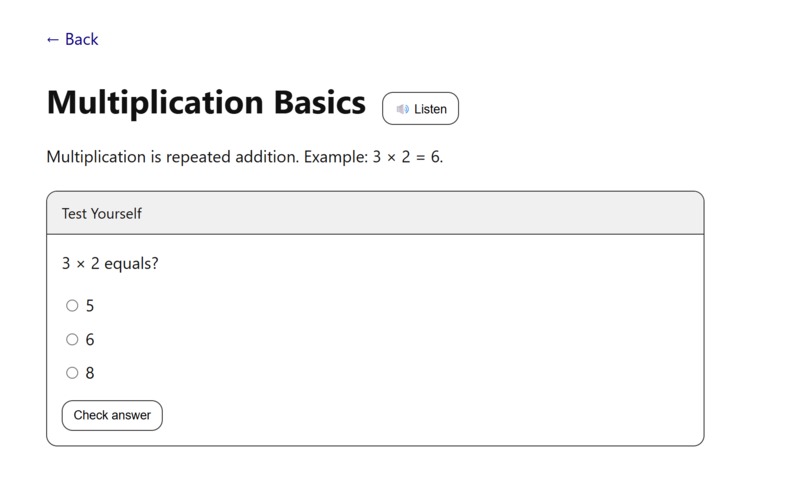
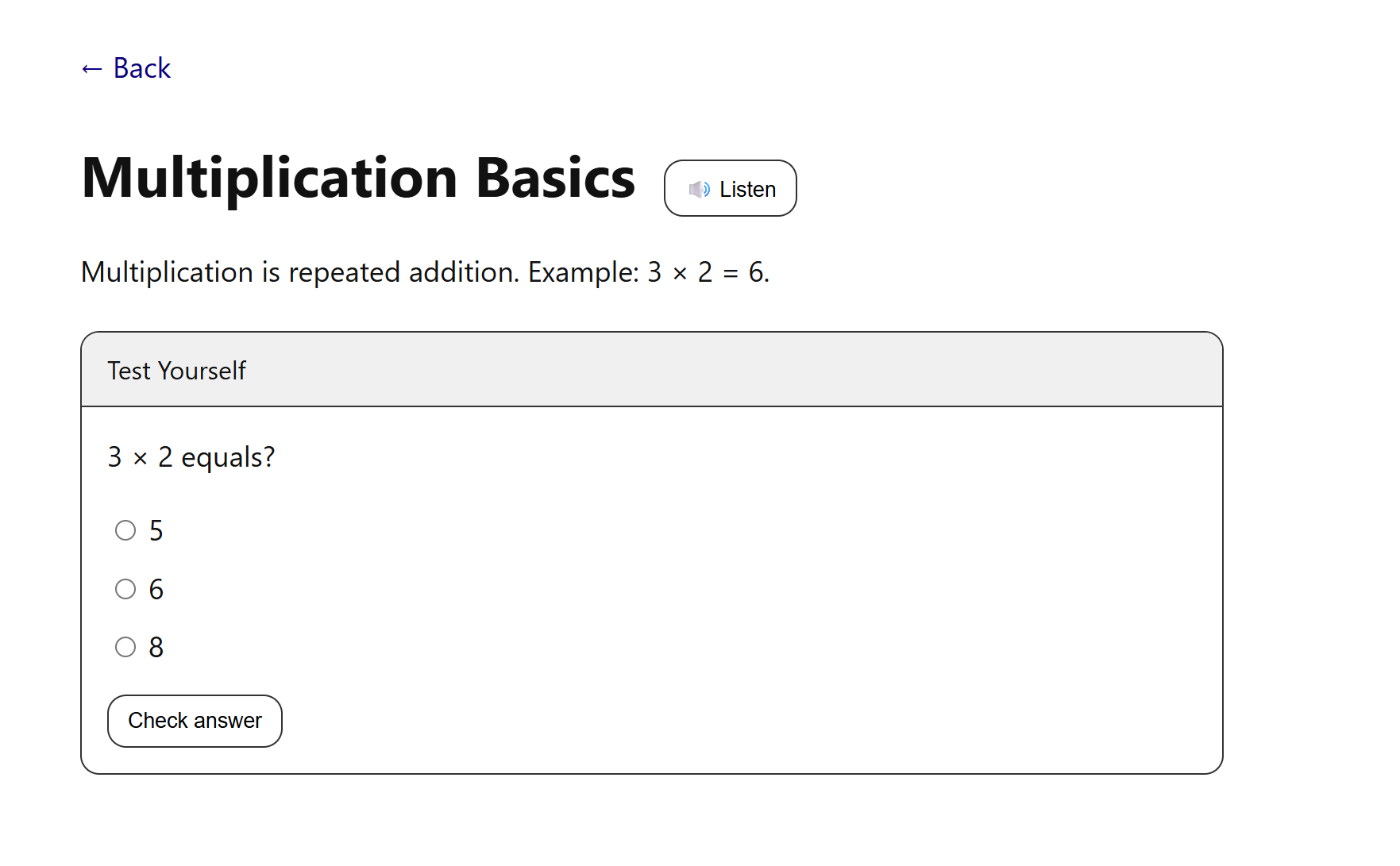
Lesson screen shows title, content, Listen button, and quiz with multiple-choice answers and instant feedback.
-
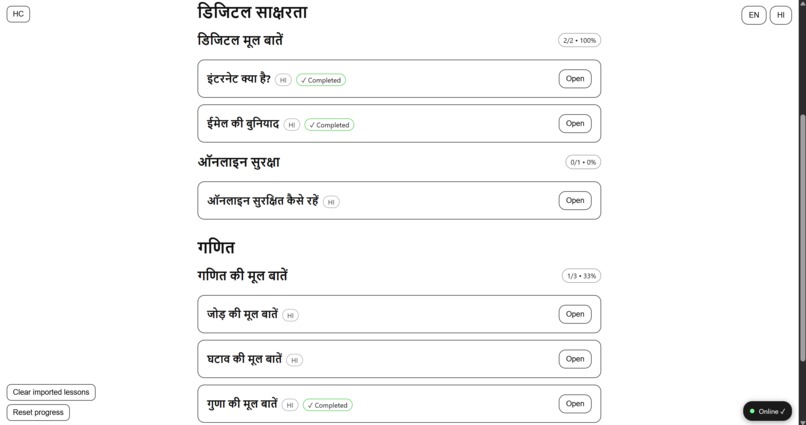
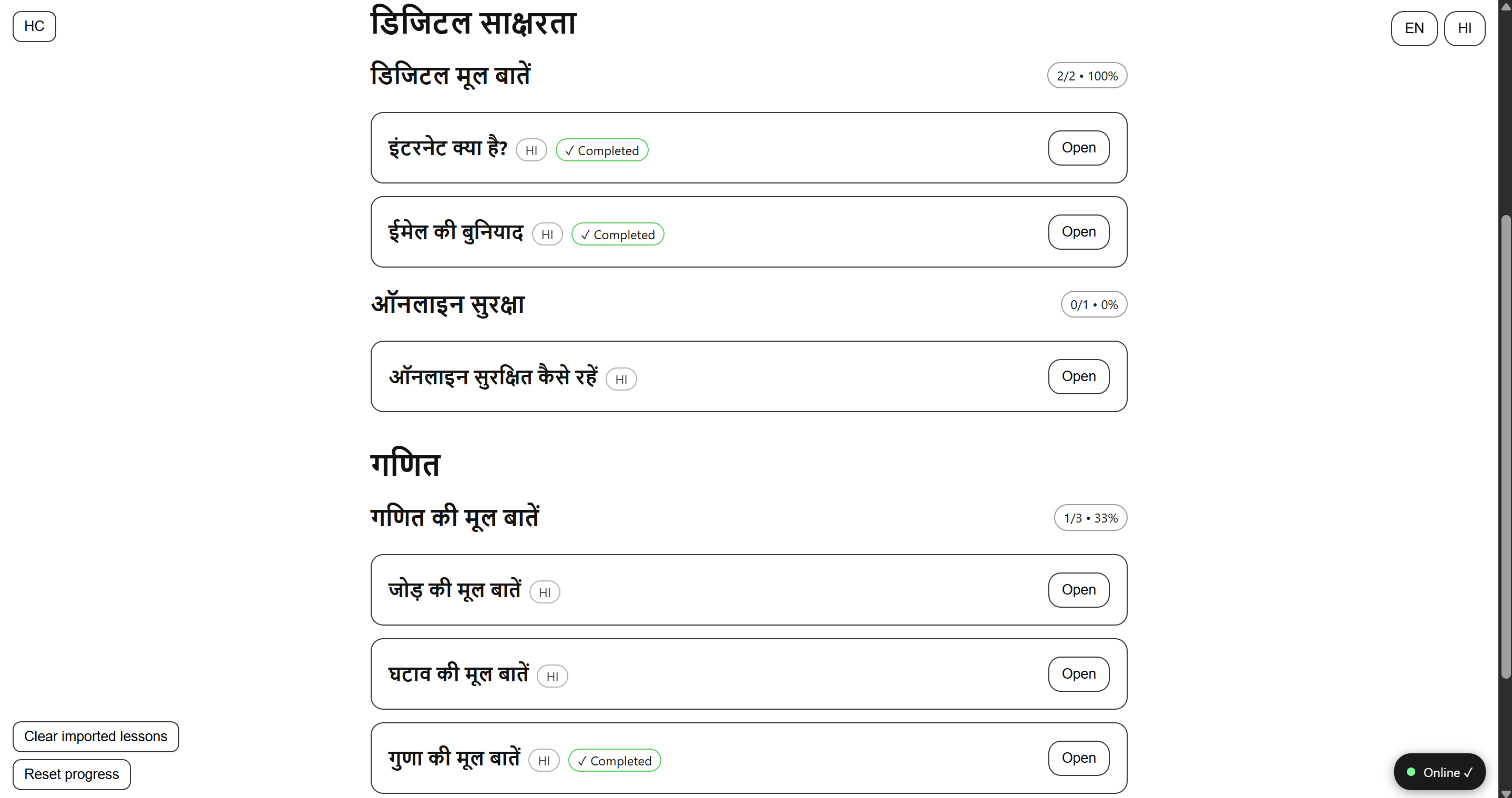
Bilingual view: lessons shown in Hindi with synced progress, Completed ✓ and बाद में badges for adaptive practice.
-
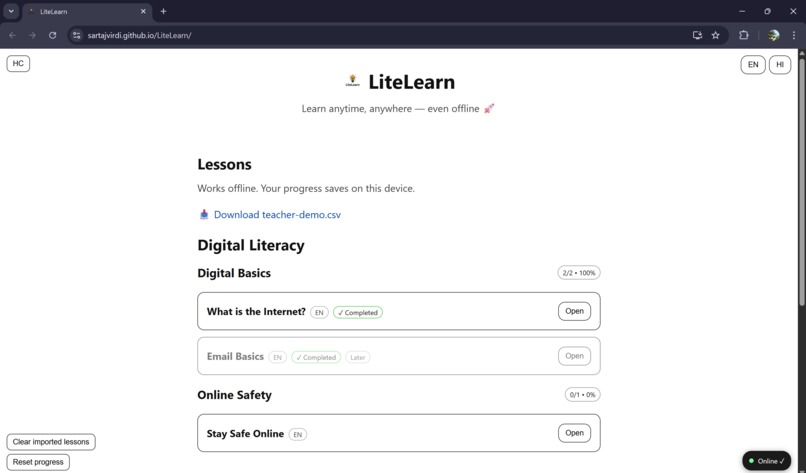
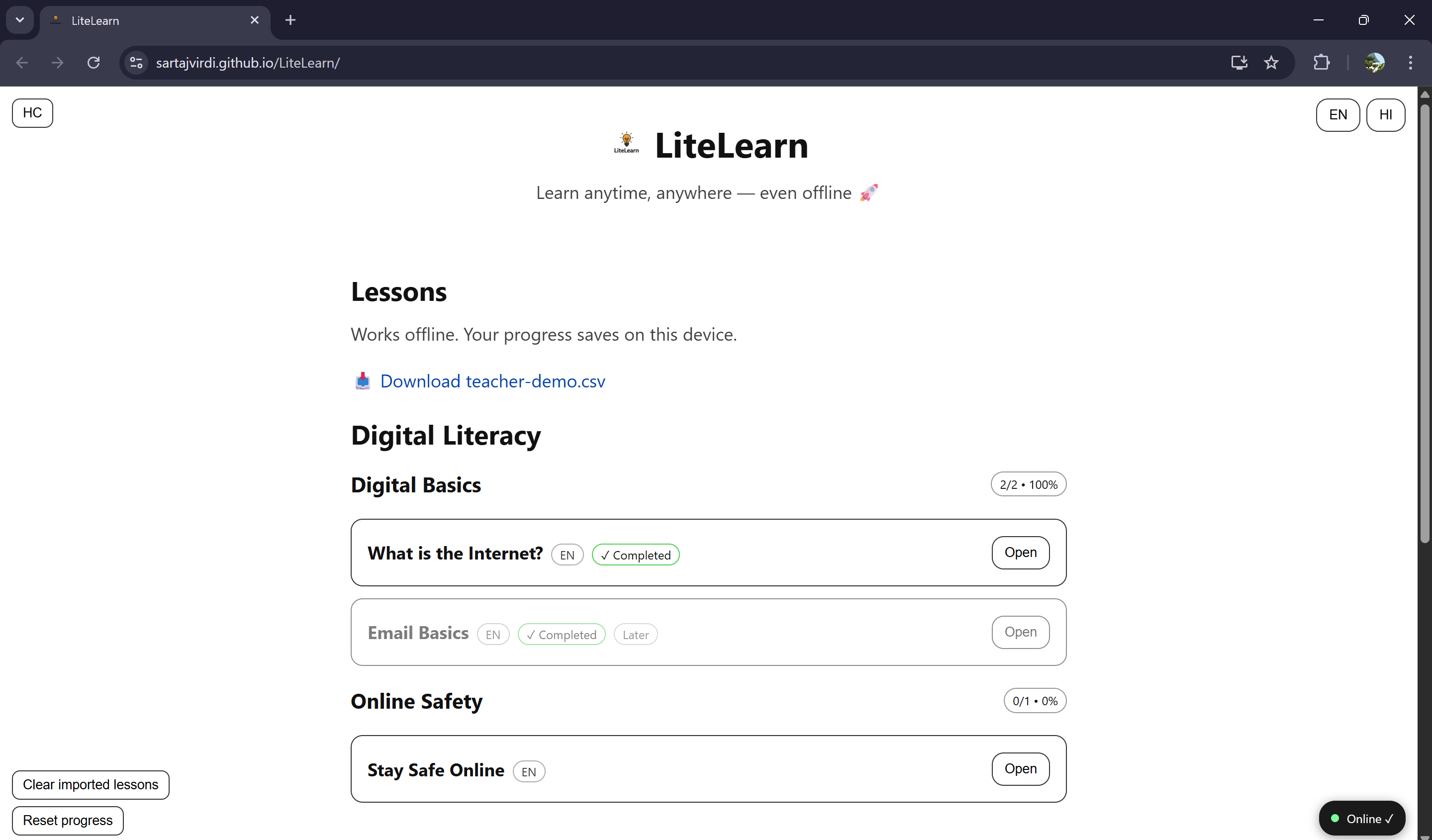
Lessons in English with progress tracking, badges for ✓ Completed and Later, plus CSV demo download option.
-
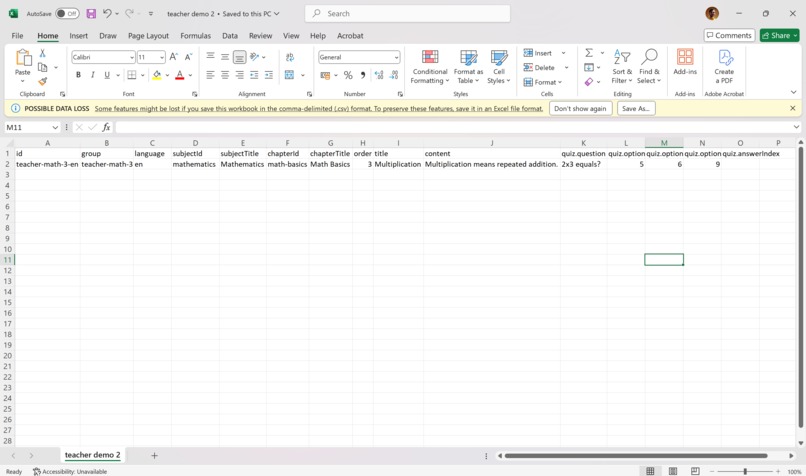
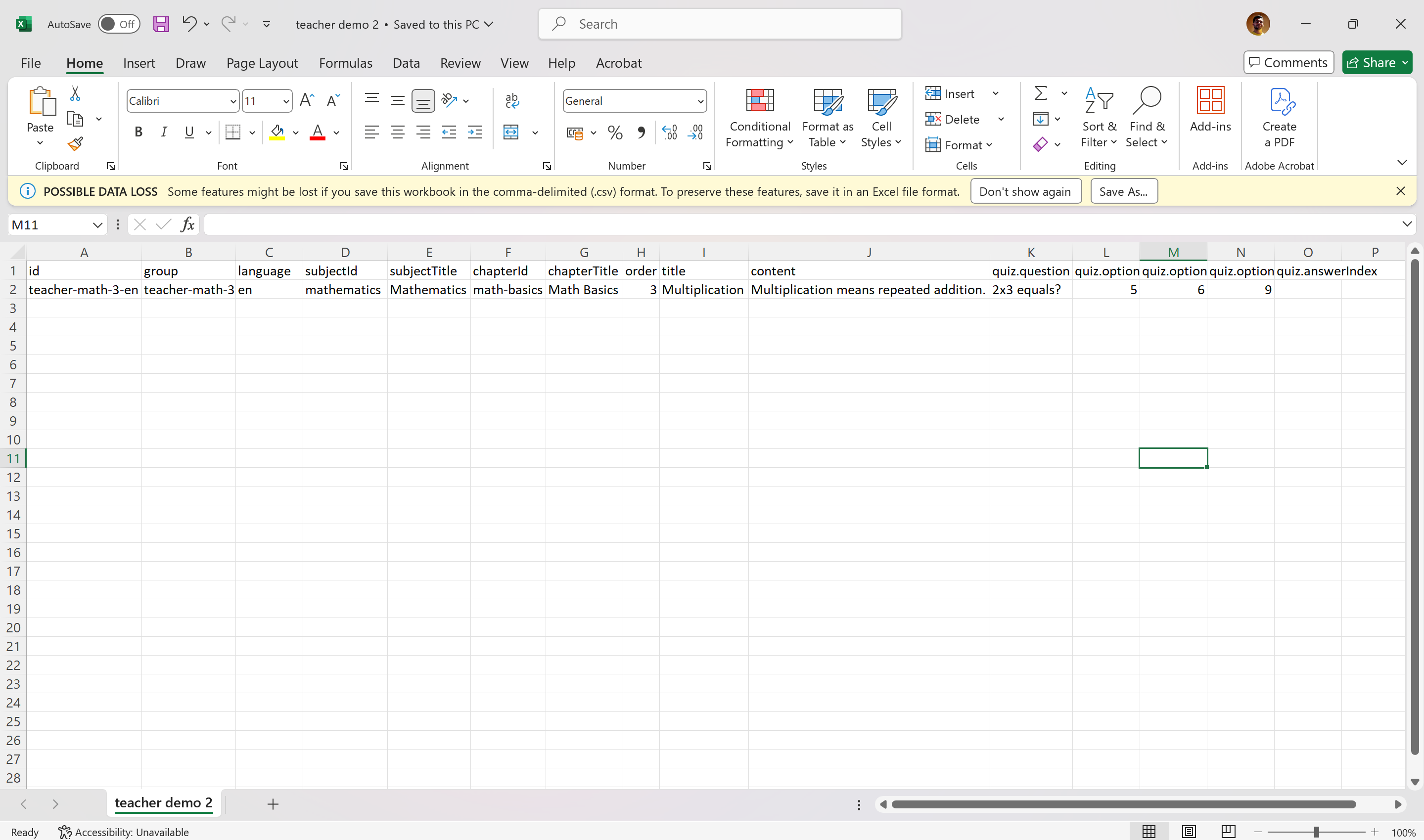
CSV file in Excel defines lessons with columns for id, title, content, and quiz fields like question and options.
-
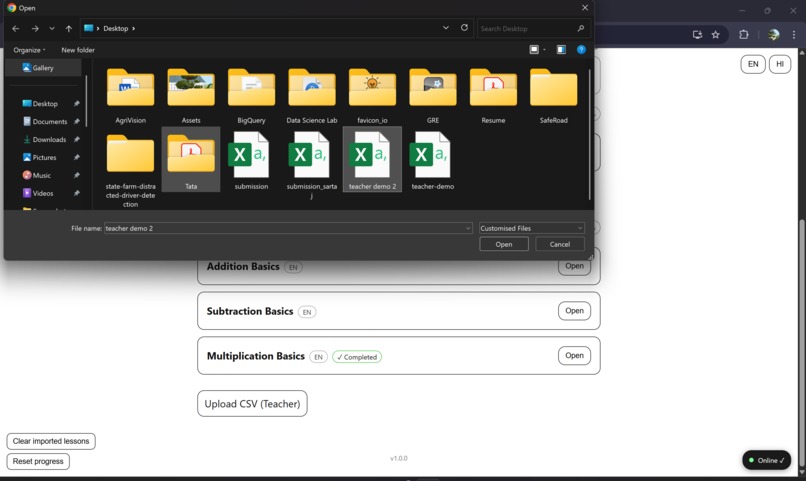
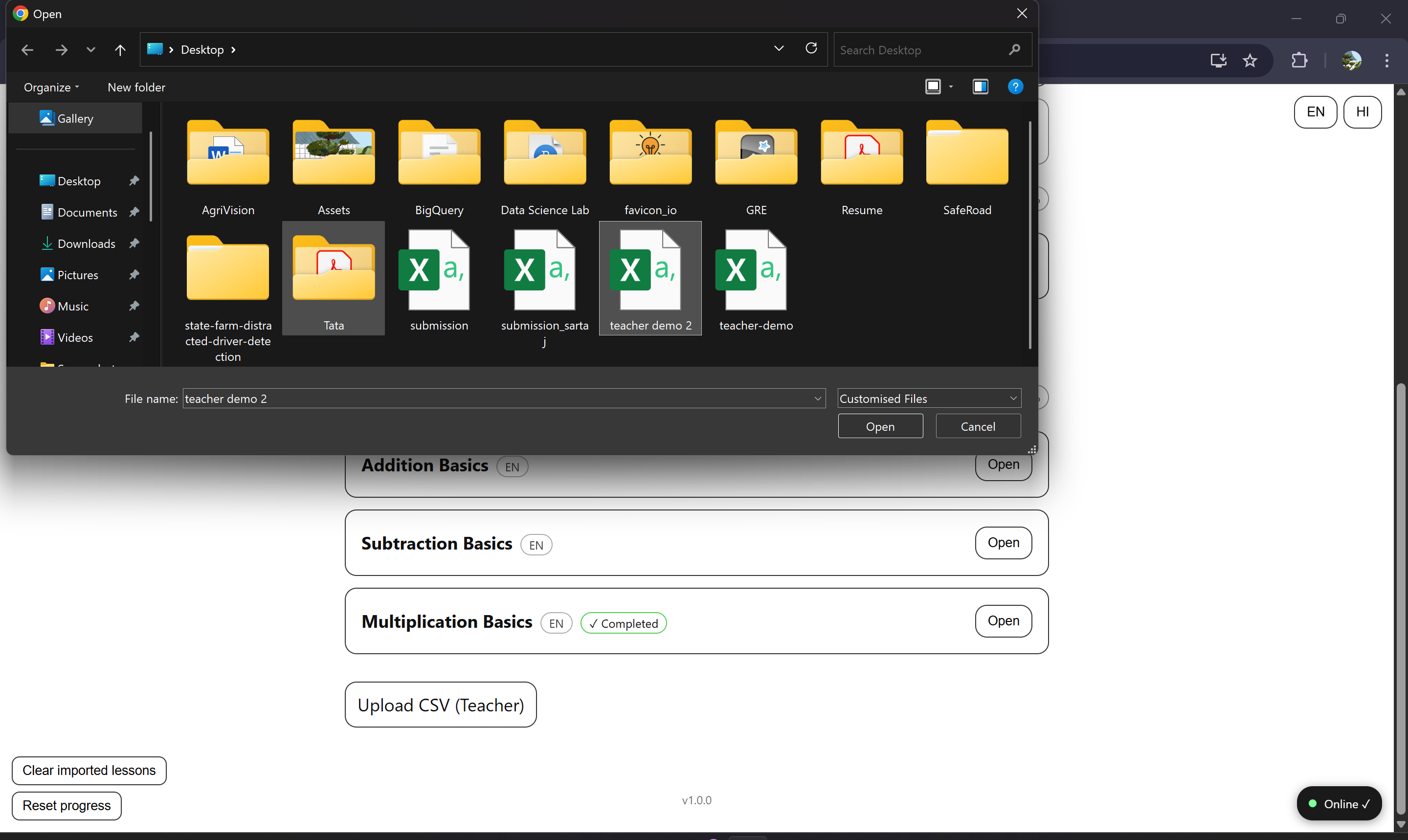
Teacher uploads custom CSV, instantly adding lessons to LiteLearn. Content syncs offline and appears in the app.
Inspiration
During my interactions with students, I realized many lacked access to stable internet and personalized learning tools. I wanted to build something lightweight, offline-first, and multilingual so learning could reach everyone, anywhere. That inspired me to create LiteLearn.
What it does
LiteLearn is a simple yet powerful learning platform that:
- Works offline-first (saves progress on the device).
- Supports multilingual lessons (English + Hindi).
- Uses spaced repetition so students retain knowledge longer.
- Lets teachers upload CSV files to create their own lessons instantly.
- Provides adaptive badges like Later and Completed to motivate learners.
How we built it
- Frontend: React (with functional components and hooks).
- Data handling: CSV parsing using PapaParse.
- State & storage: Browser localStorage for offline capability.
- Deployment: GitHub Pages.
- Languages used: JavaScript, HTML, CSS.
Challenges we ran into
- Getting offline support and caching right.
- Ensuring CSV files from teachers parsed reliably and didn’t break lessons.
- Synchronizing progress across English and Hindi versions of the same lesson.
- Making the UI minimal yet informative (progress percentages, badges, ticks).
Accomplishments that I'm proud of
- A working offline-first app that anyone can try instantly.
- Teacher import system with a clear CSV structure.
- Adaptive learning features like Later scheduling and Completed tracking.
- Clean, simple UI that works across devices.
What I learned
- How to handle localStorage effectively for offline-first apps.
- Designing for multilingual education and accessibility.
- Importance of structured CSV imports for teacher-created content.
- Balancing simplicity with functionality.
What's next
- Add support for more languages.
- Include images and audio in lessons.
- Teacher dashboard for better lesson management.
- Mobile app version using React Native.
Built With
- css
- github
- html
- javascript
- localstorage
- papaparse
- react


Log in or sign up for Devpost to join the conversation.