-
-
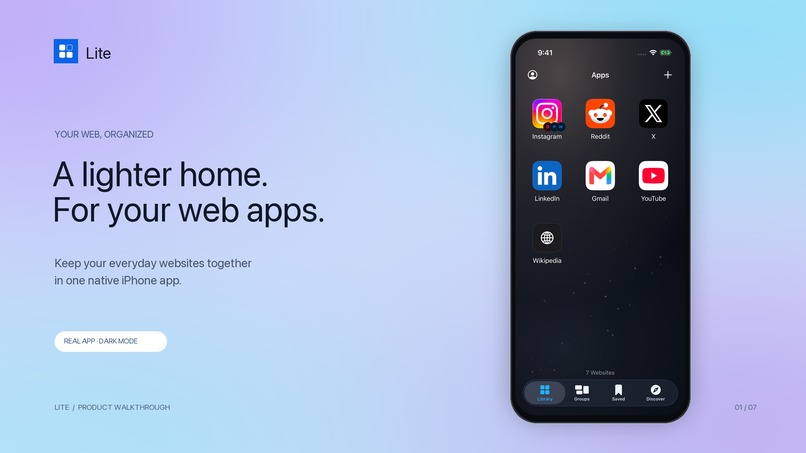
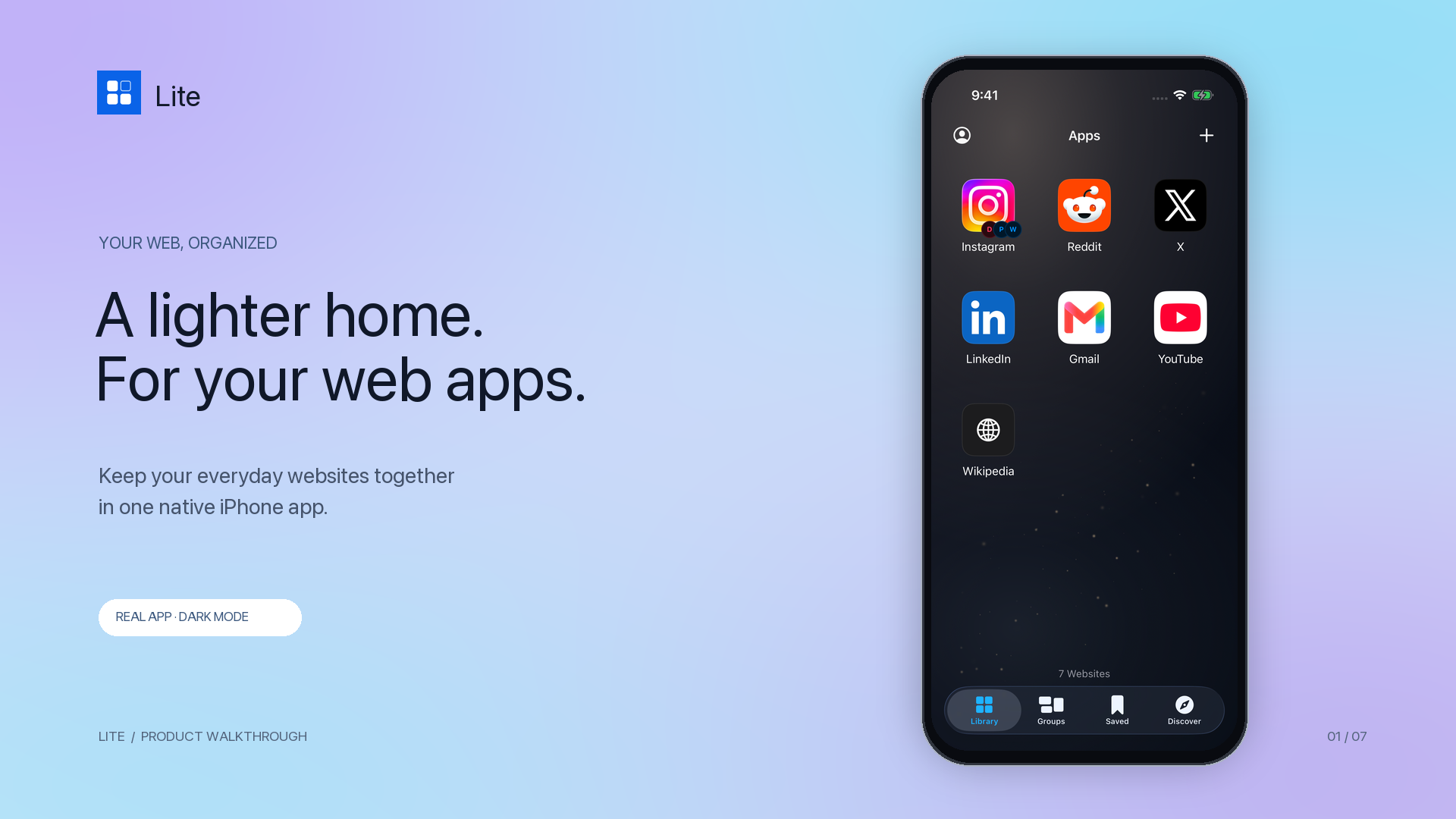
A lighter home for your everyday web apps. Actual Lite app in dark mode.
-
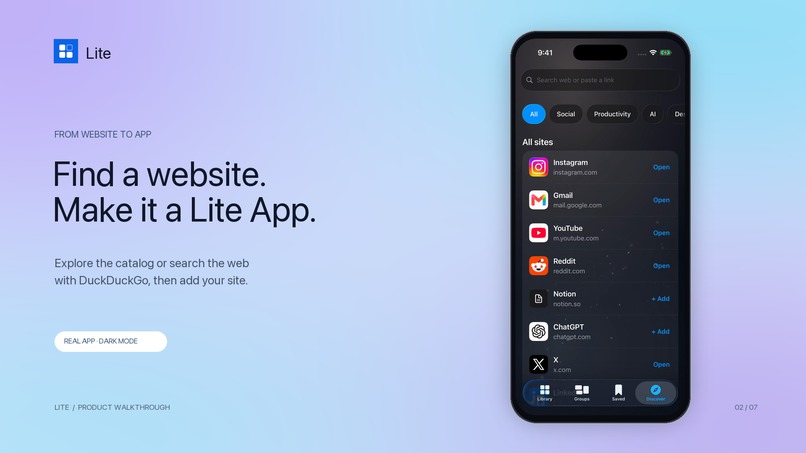
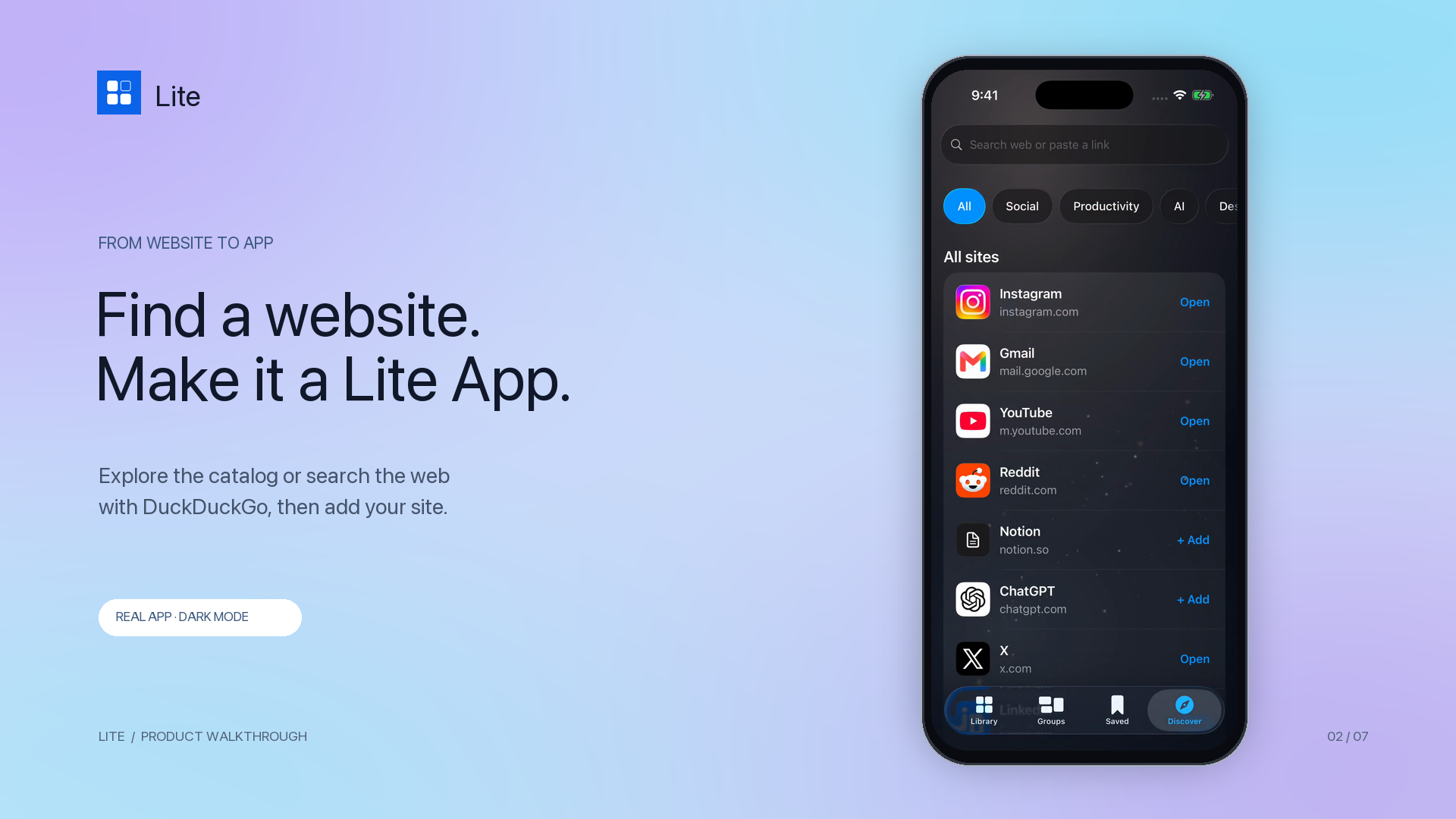
Discover a service or search with DuckDuckGo, then add it to Lite.
-
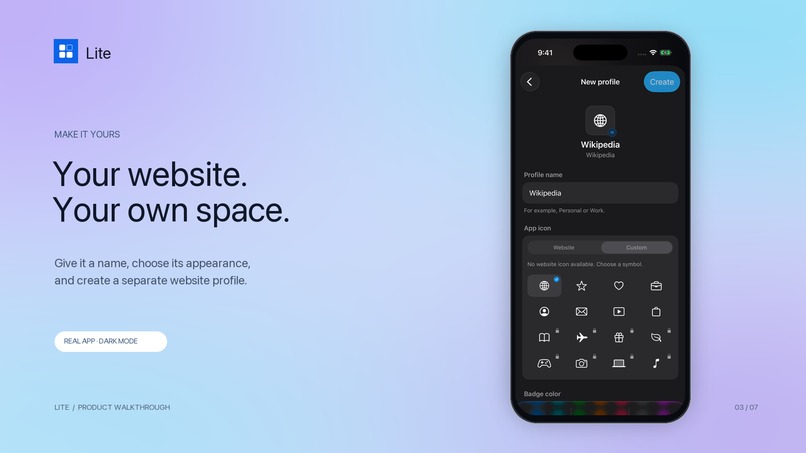
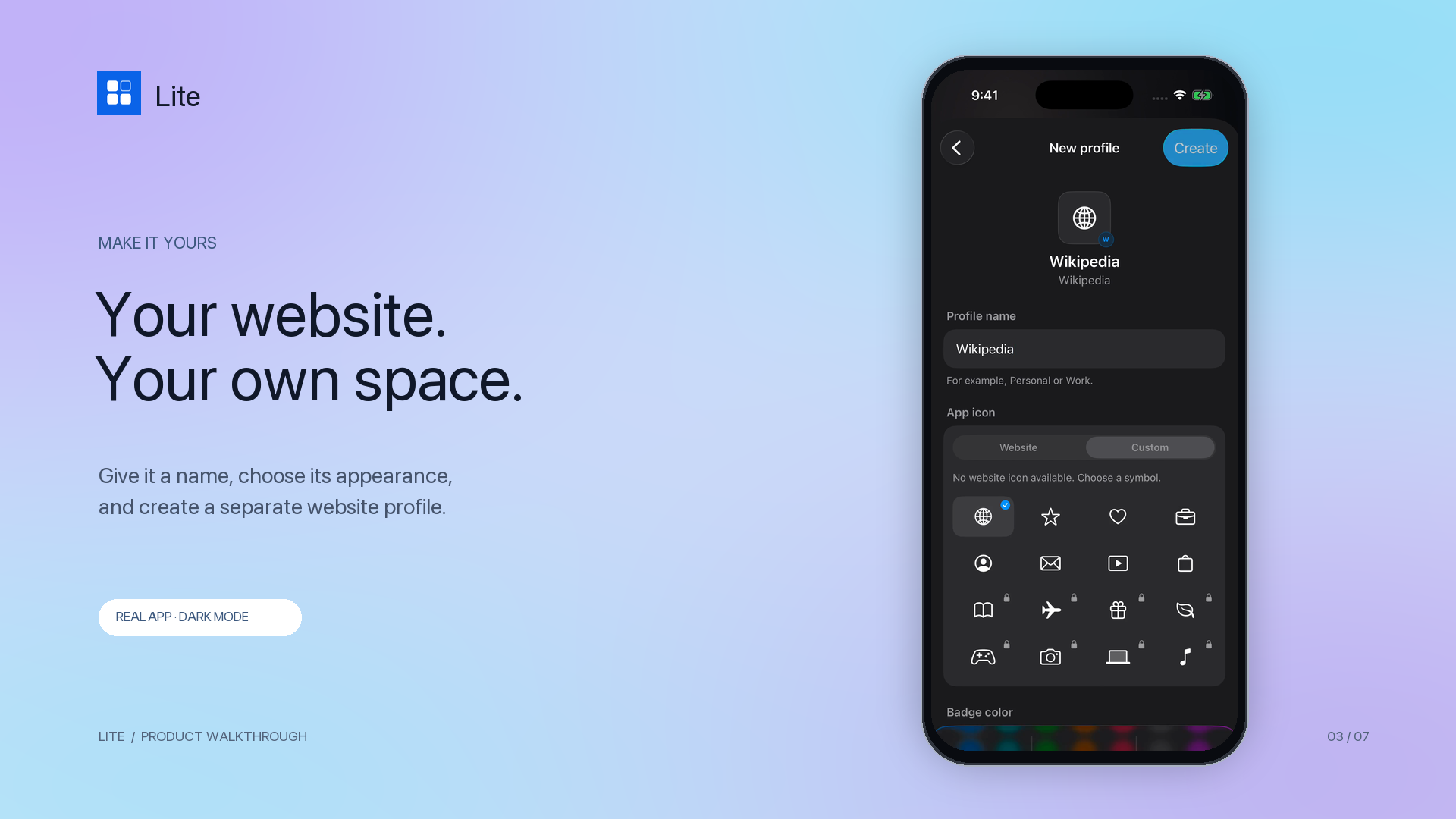
Name and customize a separate website profile.
-
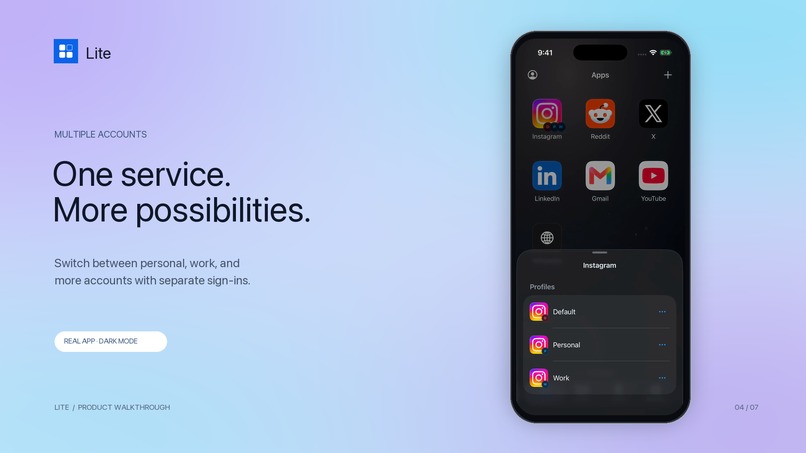
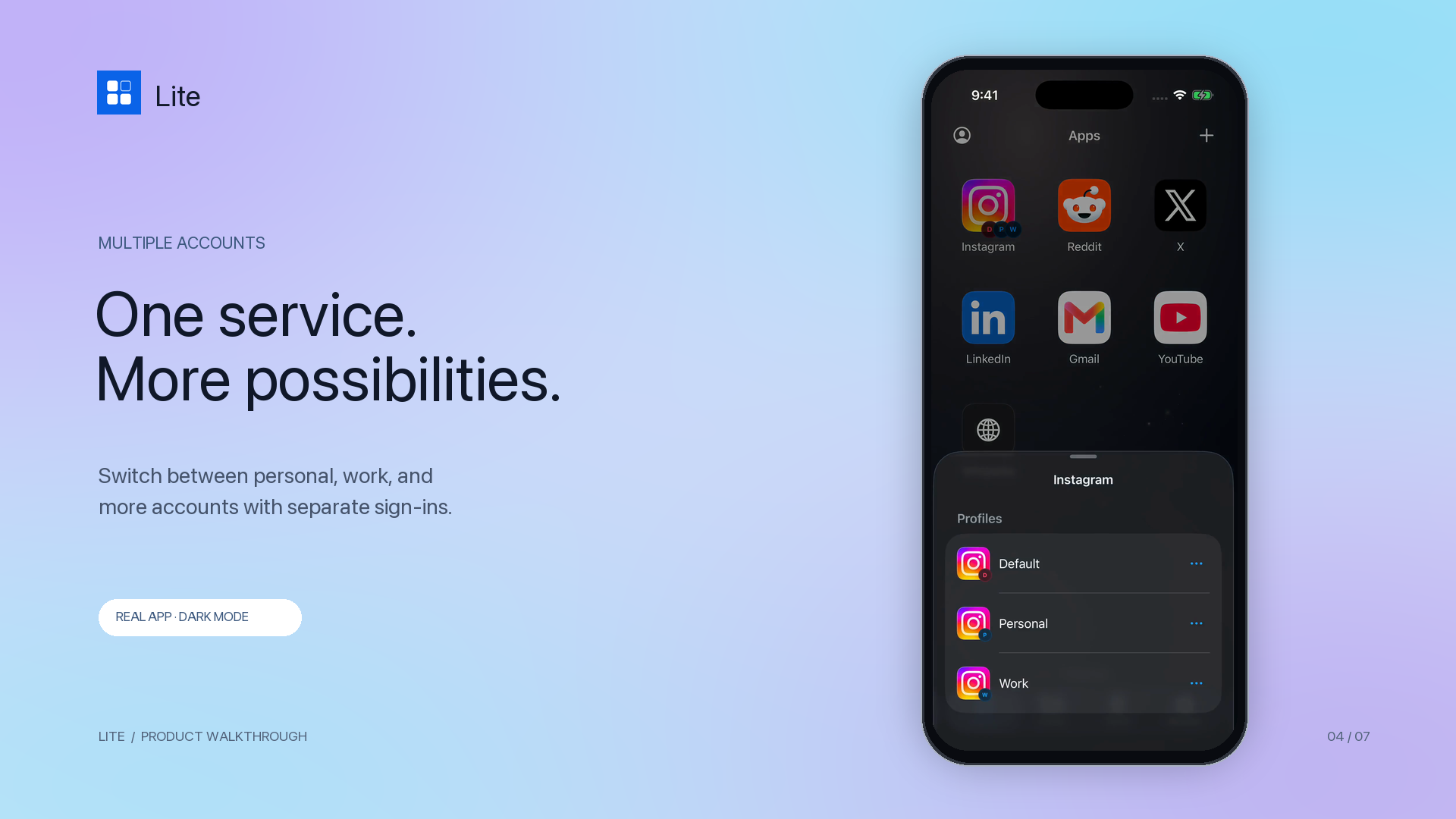
Multiple profiles for the same service, with separate website sessions.
-
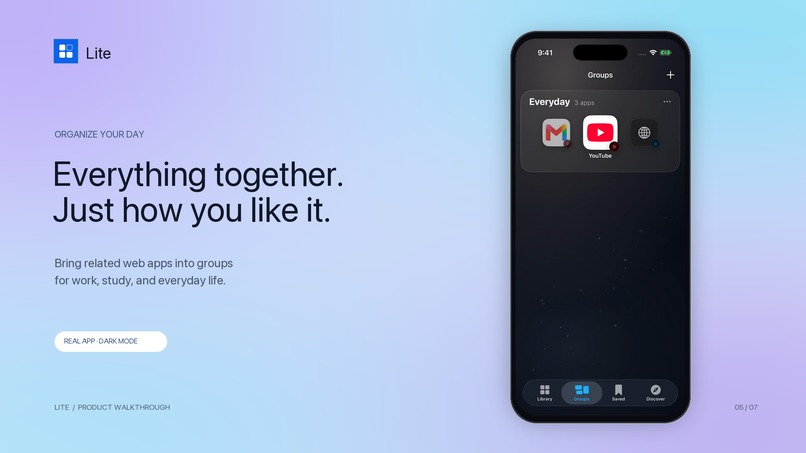
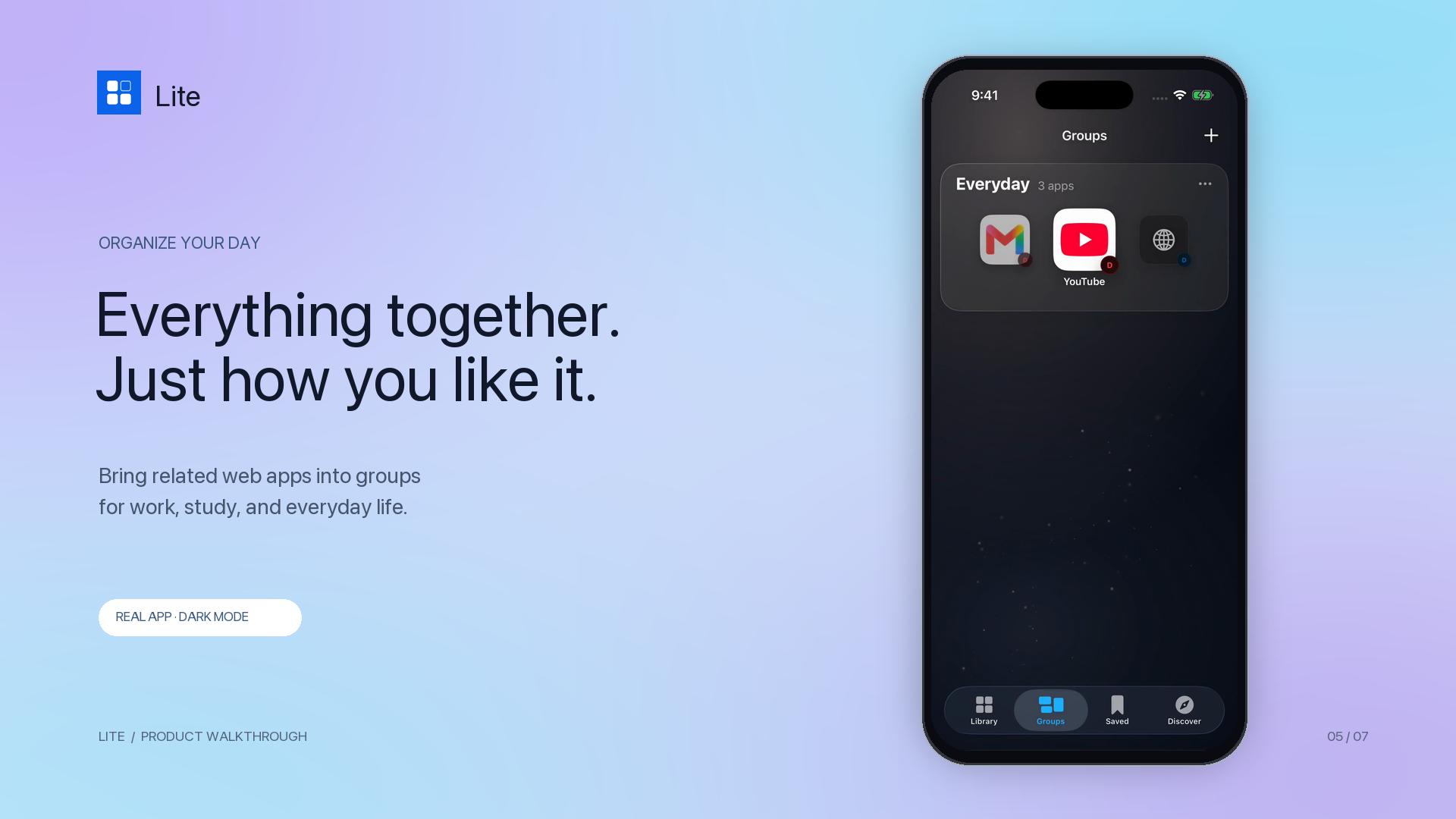
Organize related Lite Apps into groups.
-
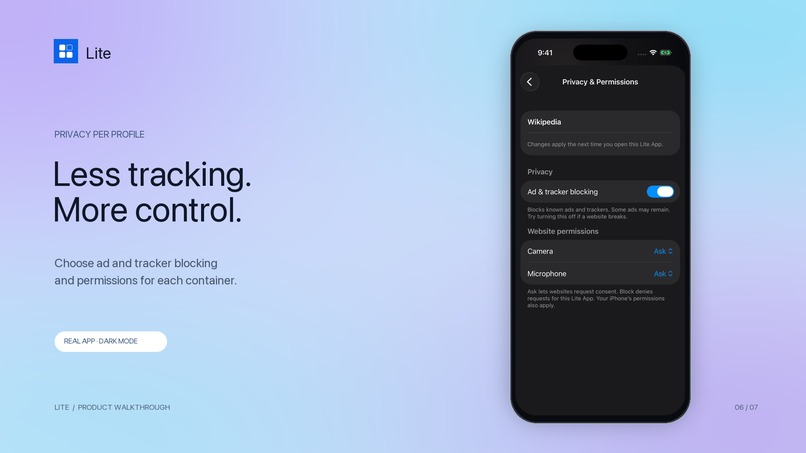
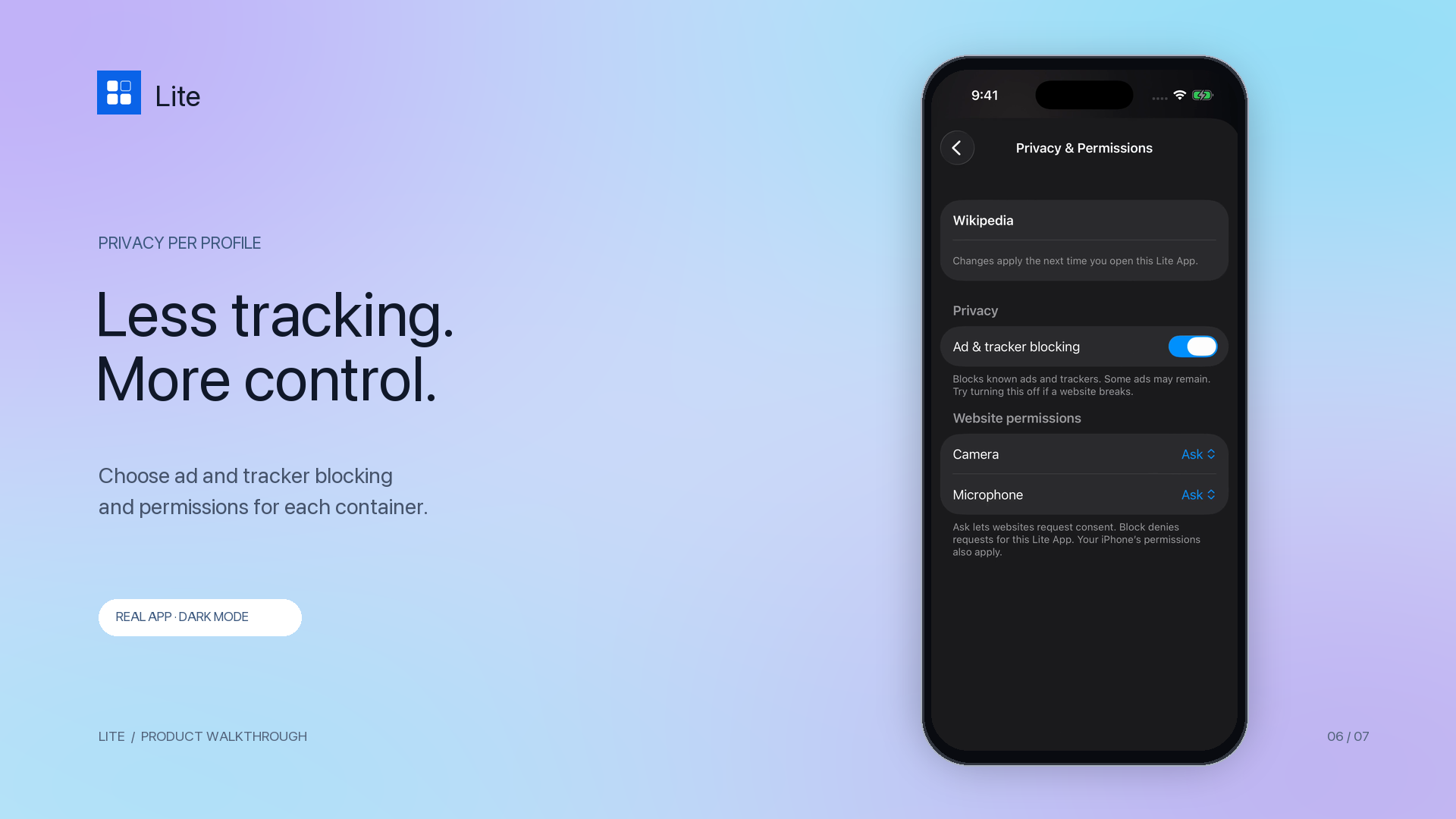
Ad/tracker blocking and website permissions are configured per container.
-
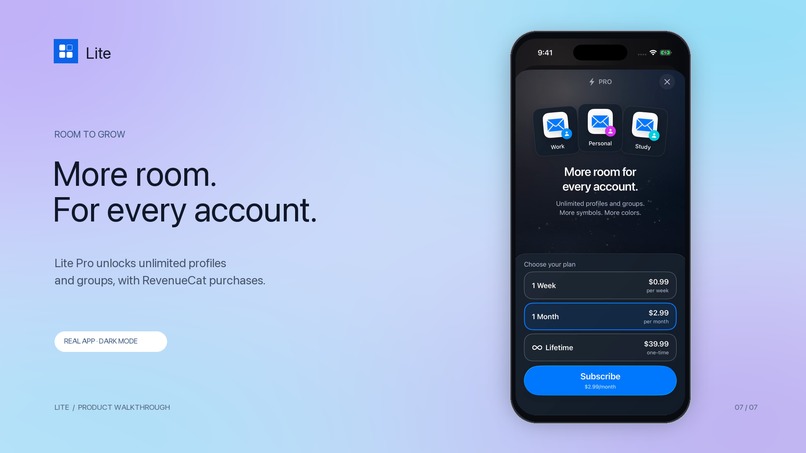
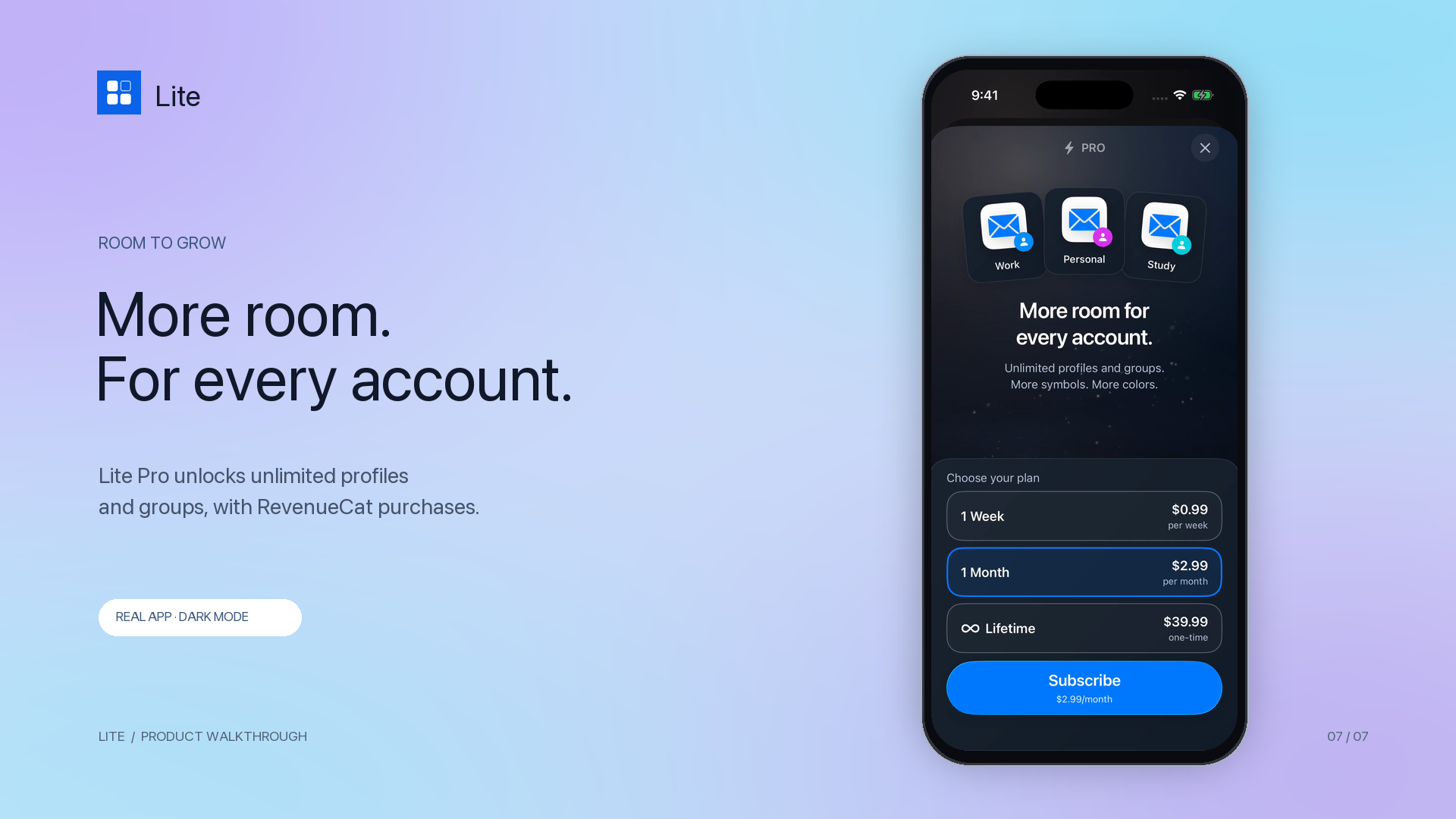
Lite Pro: unlimited profiles and groups, powered by RevenueCat.
-
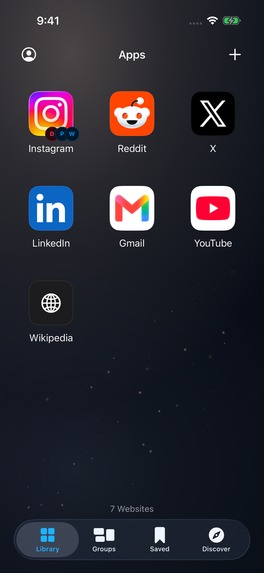
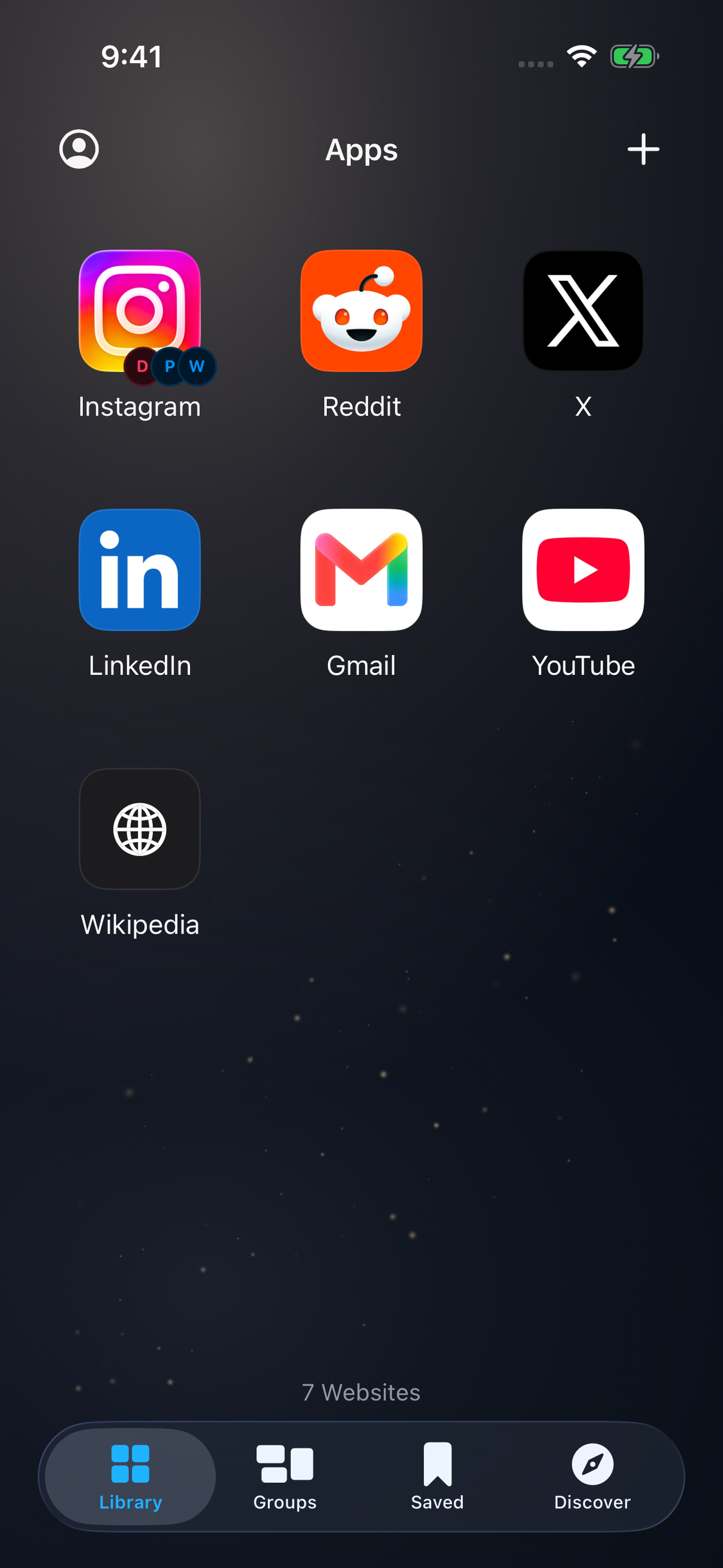
Frameless app screenshot — 1179 × 2556. Actual Lite library in dark mode.
-

Lite app icon — uncropped 1024 × 1024.

Inspiration
Our phones fill up with apps, even when many of the services we use also work on the web. Meanwhile, switching between personal, college, and work accounts often means signing out, opening another browser, or keeping track of scattered tabs.
Lite brings those everyday websites into one native iPhone home. The idea is simple: keep access to the services you need, with separate spaces for the different parts of your life.
What it does
Lite turns websites into lightweight web apps inside a native iOS library. You can discover a service, search the web with DuckDuckGo, or add a website address, then give that website its own profile.
Each Lite App uses a separate persistent WebKit website-data store. That lets you create multiple profiles for the same service with independent website sessions and cookies. Personal, Work, and Study can live side by side rather than repeatedly replacing one another's sign-in.
Working features include:
- A visual library for opening and organizing your everyday web apps.
- An in-app Discover catalog and DuckDuckGo search, with an Add to Lite flow.
- Multiple profiles for a service, profile customization, and account switching.
- Groups that bring related web apps together in a native carousel.
- Ad and tracker blocking and website permissions configured per container.
- Optional Face ID or device-authentication protection for individual app spaces.
- Saved pages, container downloads, website-data controls, widgets, and Shortcuts.
- A five-screen onboarding flow that explains the product before the first visit.
Using a service's website can reduce the need to install its native app. Actual storage savings depend on the service, its cache, and how it is used; Lite does not promise a fixed amount of storage saved.
How I built it
Lite is a native iOS app built with Swift and SwiftUI. WebKit powers the website experience, SwiftData stores the library and organization, and LocalAuthentication protects locked app spaces. WidgetKit and App Intents provide quick ways to reopen selected Lite Apps.
A separate WebKit data-store identity is associated with each profile. Browsing controls, account switching, popup handling, permissions, and saved website data need to respect that identity throughout the app.
RevenueCat manages optional Lite Pro purchases. The app loads offerings, purchases packages, restores purchases, and refreshes entitlement state. Lite Pro unlocks unlimited profile and group creation plus additional customization. The free tier retains the core browsing and privacy tools. Expiry does not delete existing profiles or block access to their saved content.
The current offering includes weekly, monthly, and lifetime options. Pricing shown in the app comes from StoreKit's localized product data. RevenueCat receives purchase-related data; Lite does not send browsing history, website cookies, bookmarks, or downloaded files to RevenueCat.
Challenges I worked through
The central challenge was making websites feel organized and comfortable inside a native app while preserving separate sessions. A new profile must remain distinct even when it points to the same service as another profile.
Another challenge was explaining the idea quickly. I iterated on the onboarding, app library, profile sheets, groups, privacy controls, and demo pacing so a new user can understand how a website becomes a Lite App.
The purchase experience also needs to remain honest about state: a pending or failed purchase should not unlock Pro, while existing saved content should remain accessible after a subscription expires.
What I am proud of
Lite combines useful profile separation with a deliberate native interface: dark-mode surfaces, clear typography, grouped app cards, focused sheets, and short transitions. The demo follows a continuous journey from onboarding through adding a website, managing accounts and groups, and viewing privacy and Pro controls.
What I learned
Good onboarding needs to explain the benefit before exposing the settings. I also learned that a polished demo depends on leaving enough time to understand each interaction, not just moving quickly between screens.
I used Codex during implementation and iteration, debugging, test preparation, and the production of the launch and demo materials. Lite itself does not claim to have an AI assistant or an AI inference feature; its core functionality is native browsing and organization.
What is next
I want to improve website compatibility, refine account-management workflows, and use feedback from real users to make common tasks faster. Wider compatibility and additional polish are future work, not claims about features already delivered.
Demo and scope
Recording note: Lite runs smoothly during normal use. The demo recording may show occasional stutters or skipped frames due to screen-capture frame drops and editing; it may not fully reflect the app’s on-device smoothness.
The video combines a product introduction with a real dark-mode app walkthrough. Website behavior depends on the service; some native-only features and authentication flows may not work in an embedded browser. Blocking targets known ads and trackers and does not guarantee removal of every advertisement. Profile separation is not anonymity from the websites themselves.

Log in or sign up for Devpost to join the conversation.