-
-
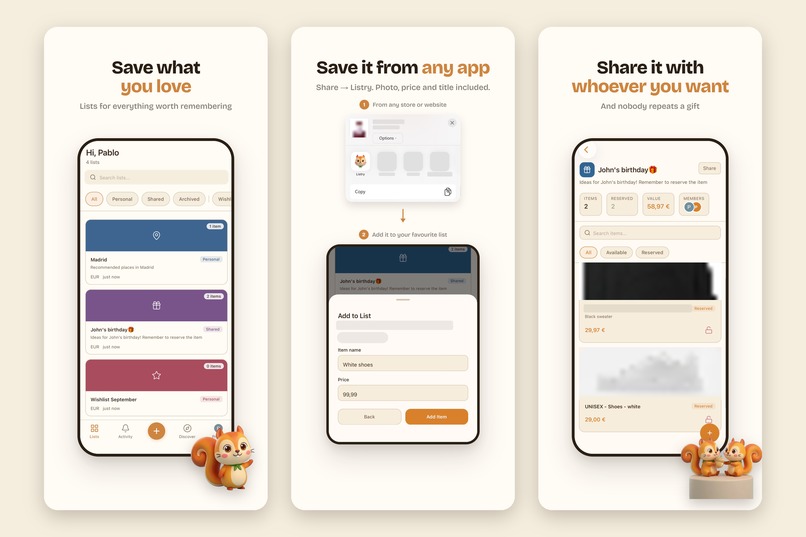
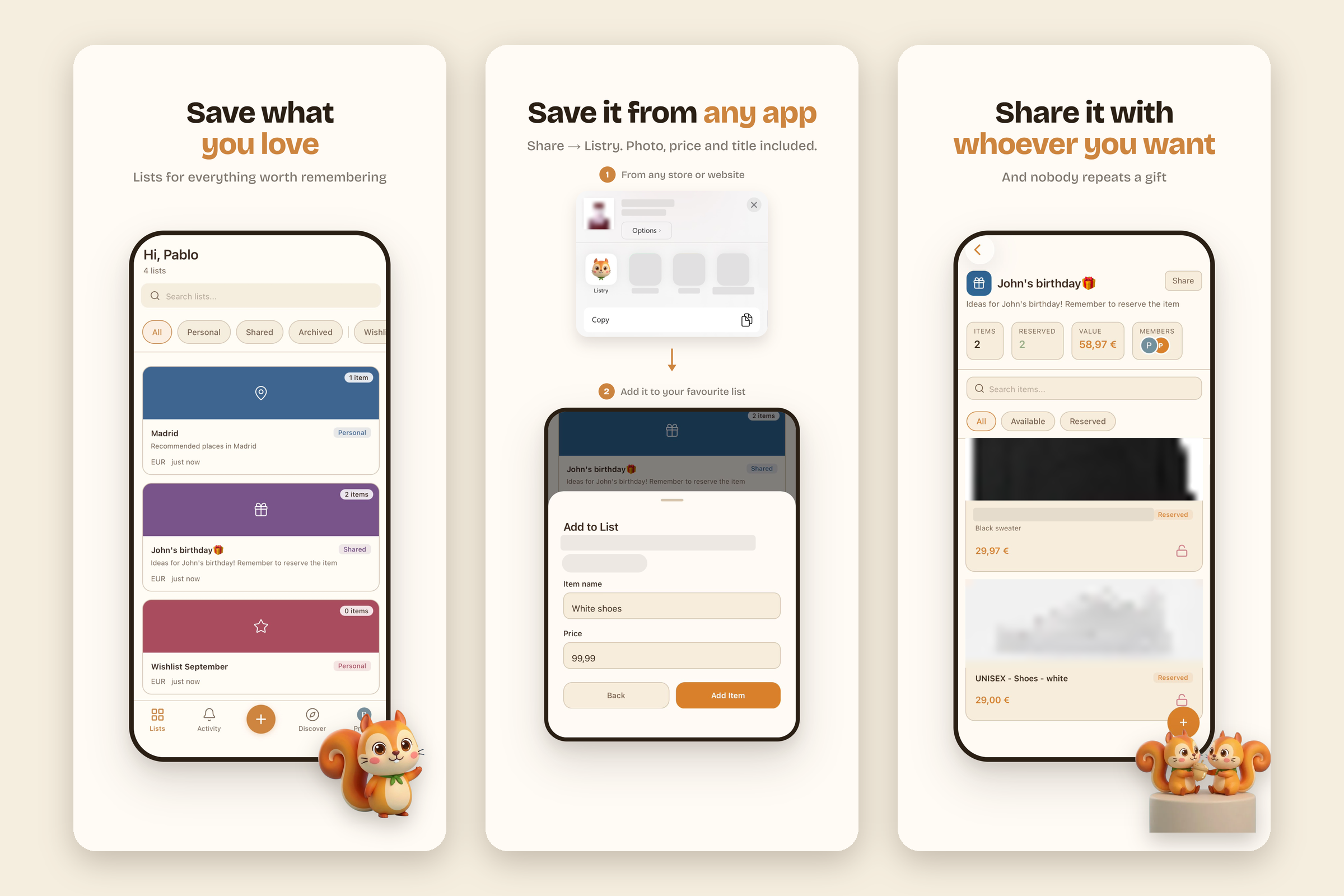
Save what you love: save from any app, share lists with whoever you want, and nobody buys the same gift twice.
-
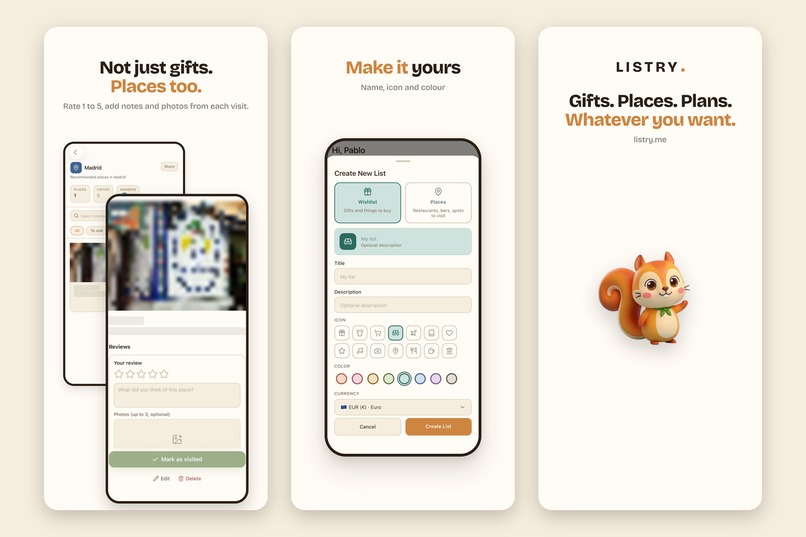
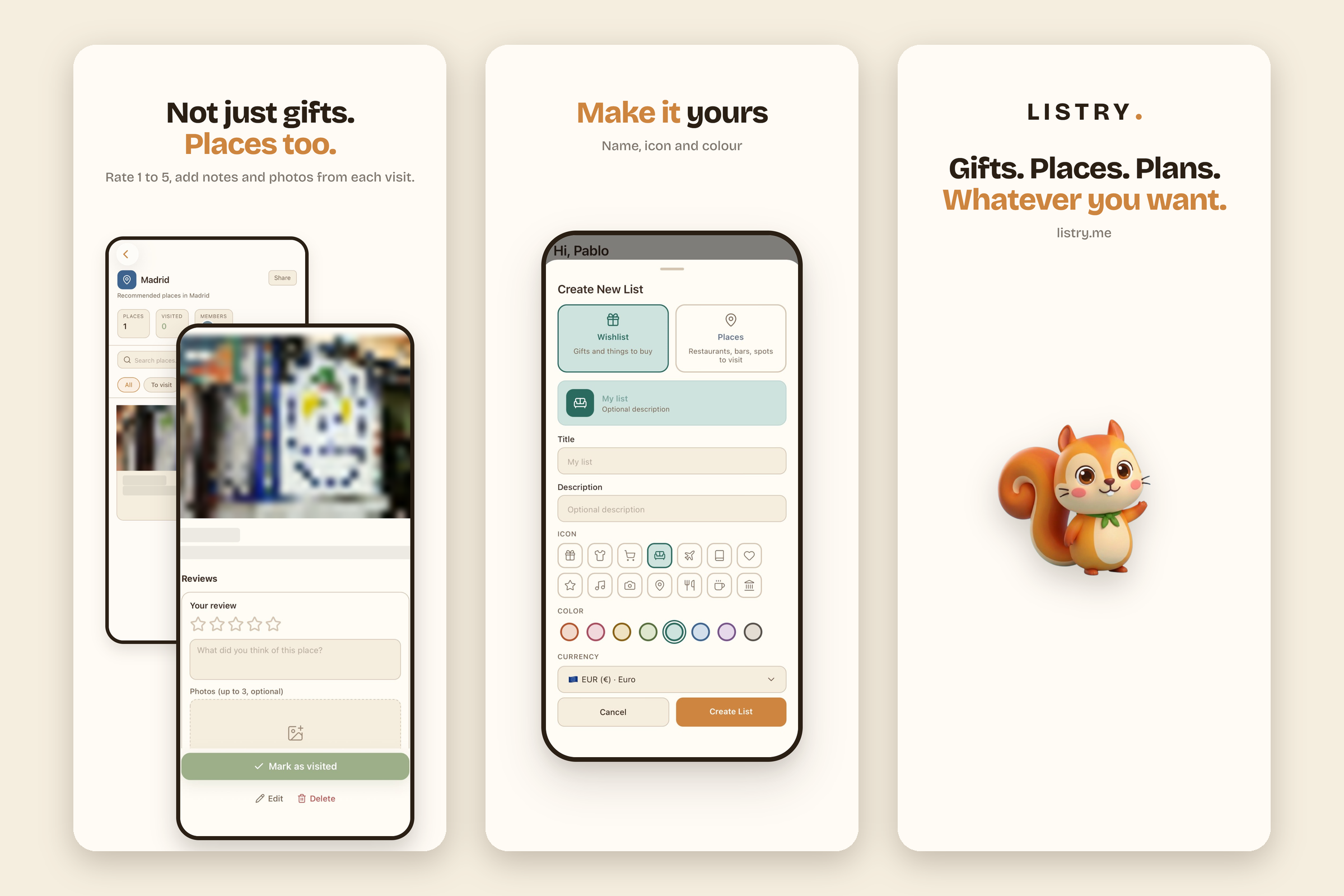
Not just gifts: save places, mark visits and leave reviews. Make every list yours, on iPhone and at listry.me.
-

The Listry app icon: Stash, the squirrel who stashes the things you love.
-
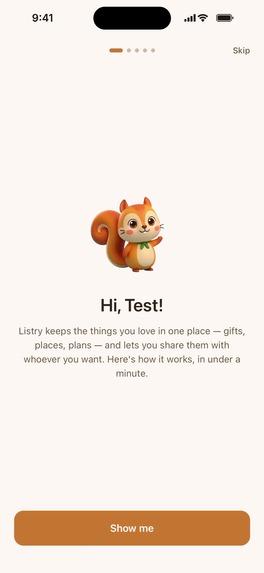
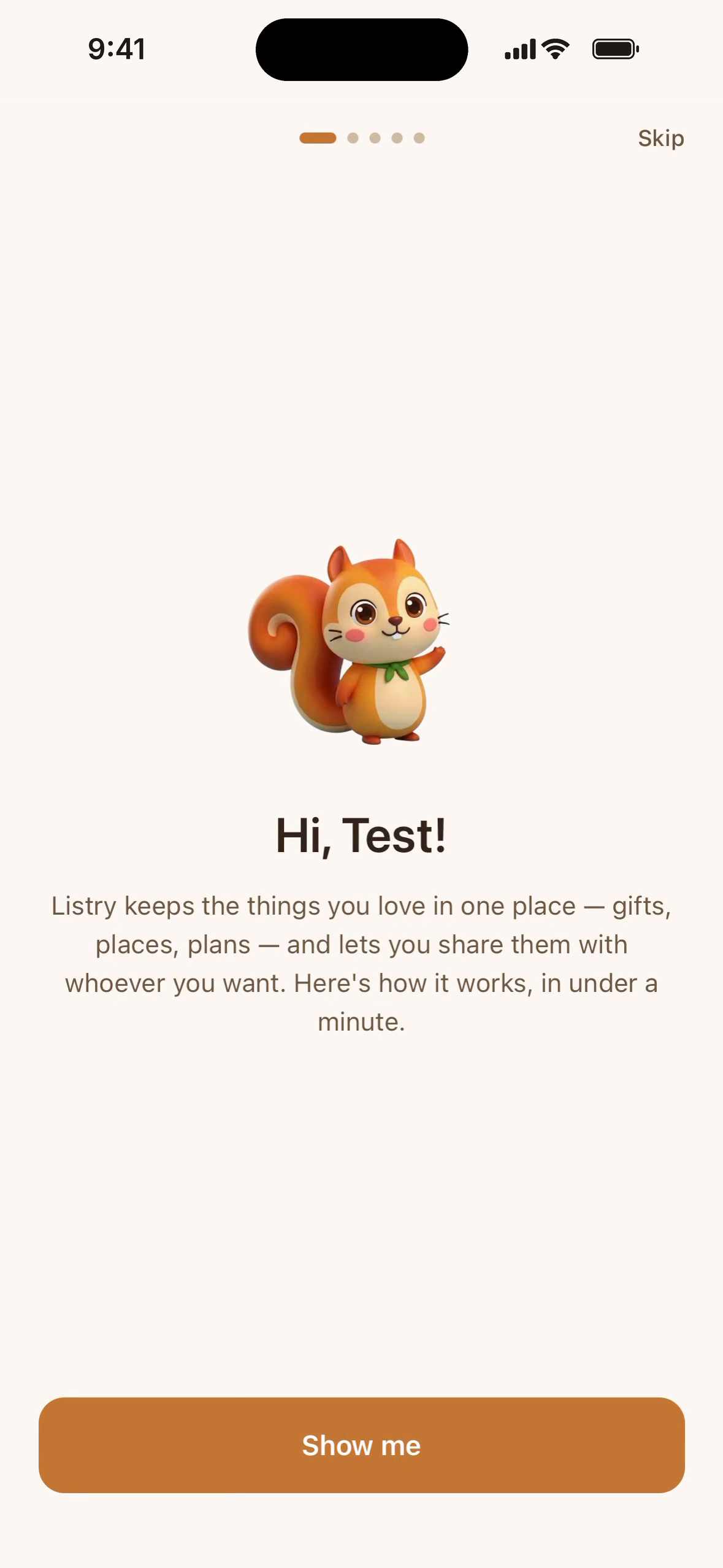
Onboarding, step 1: a friendly welcome that explains Listry in under a minute.
-
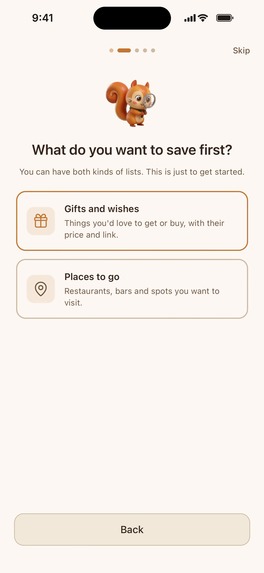
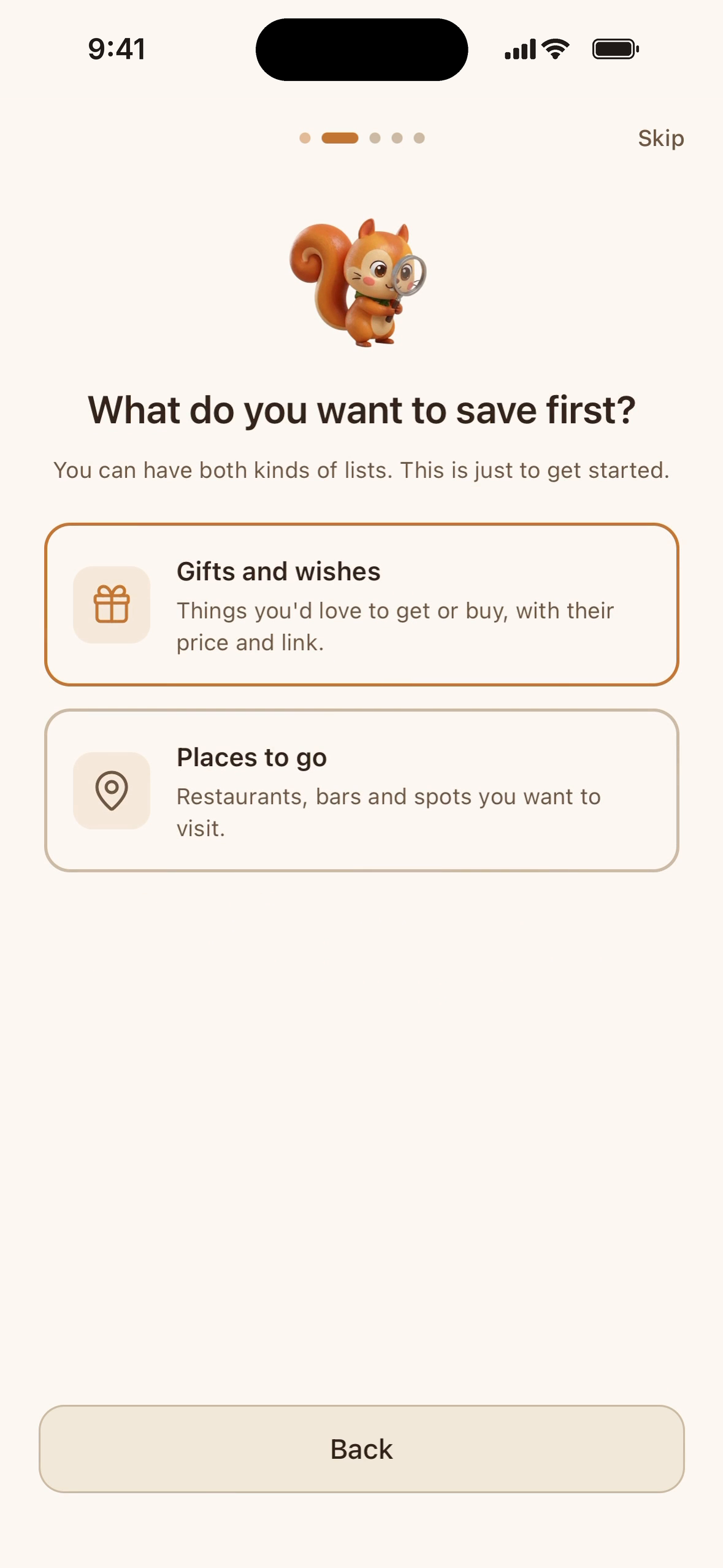
Step 2: choose what to save first, gifts and wishes or places to go.
-
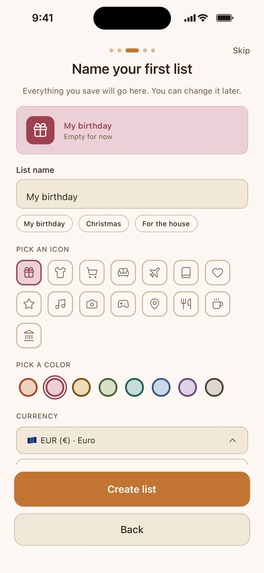
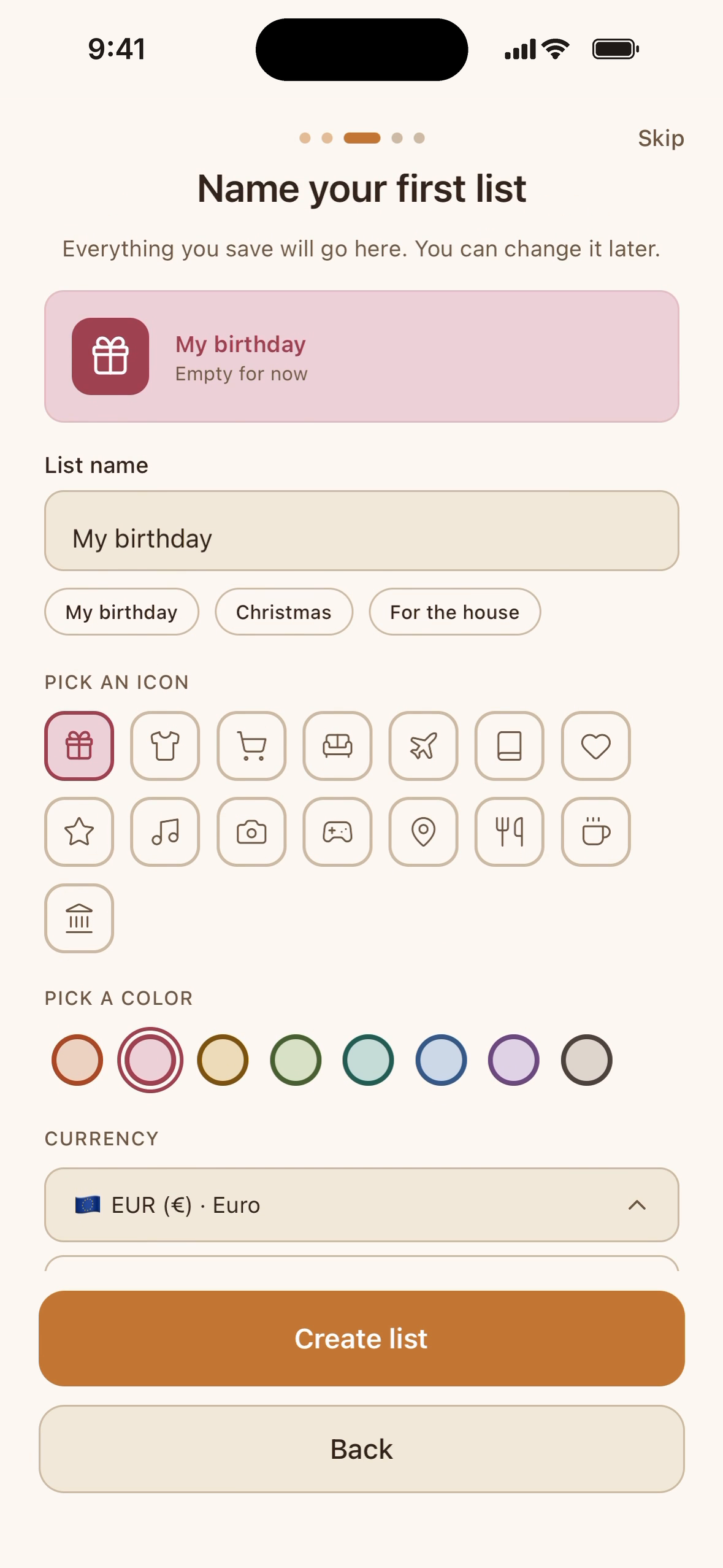
Step 3: name your first list and pick its icon and color, with a live preview.
-
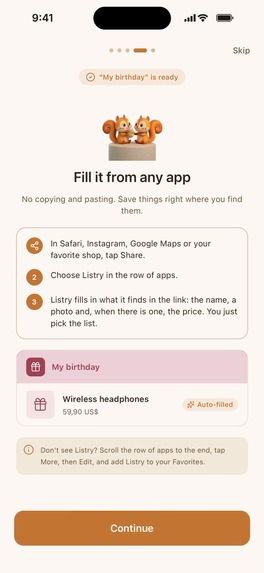
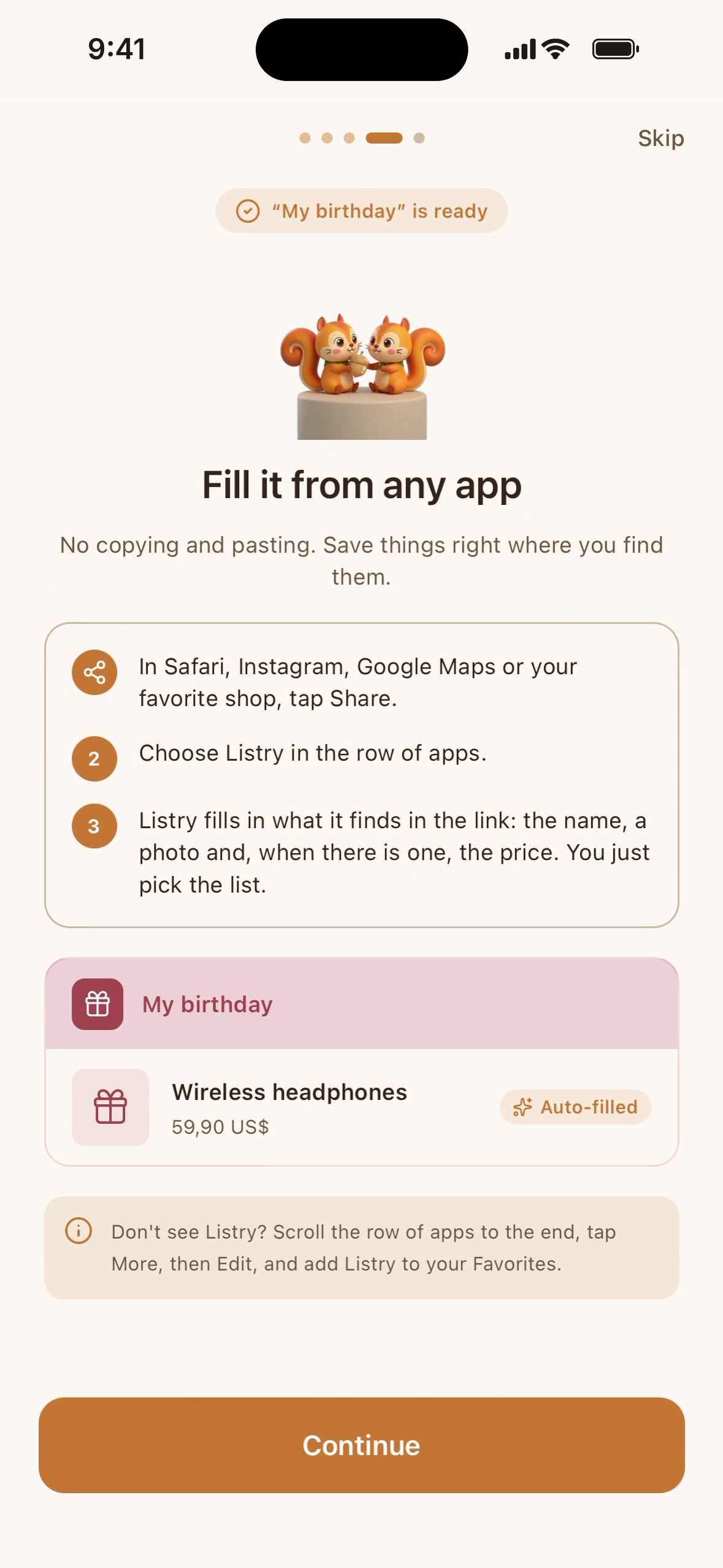
Step 4: learn to save from any app. Tap Share, pick Listry, and the name, photo and price are filled in.
-
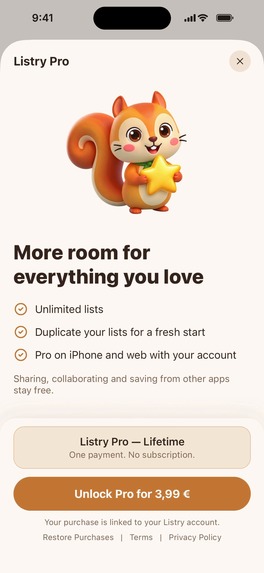
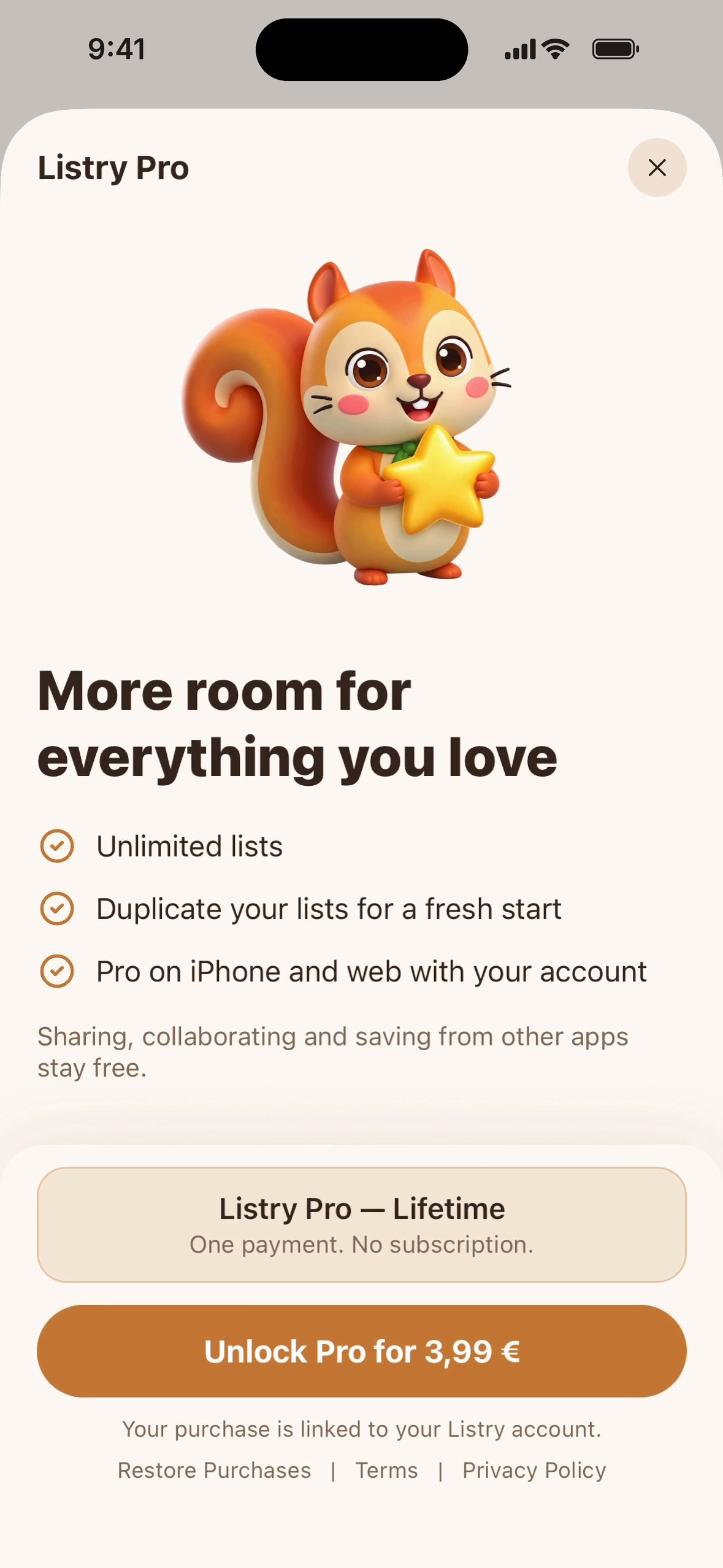
The Listry Pro paywall comes last, after the value: one payment, no subscription, with Restore Purchases.
-
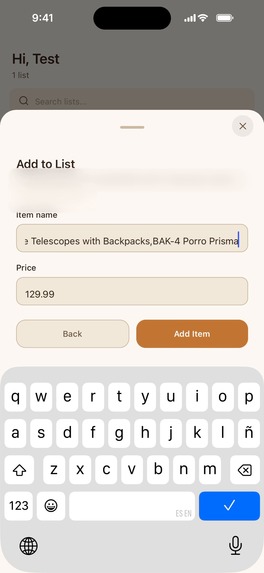
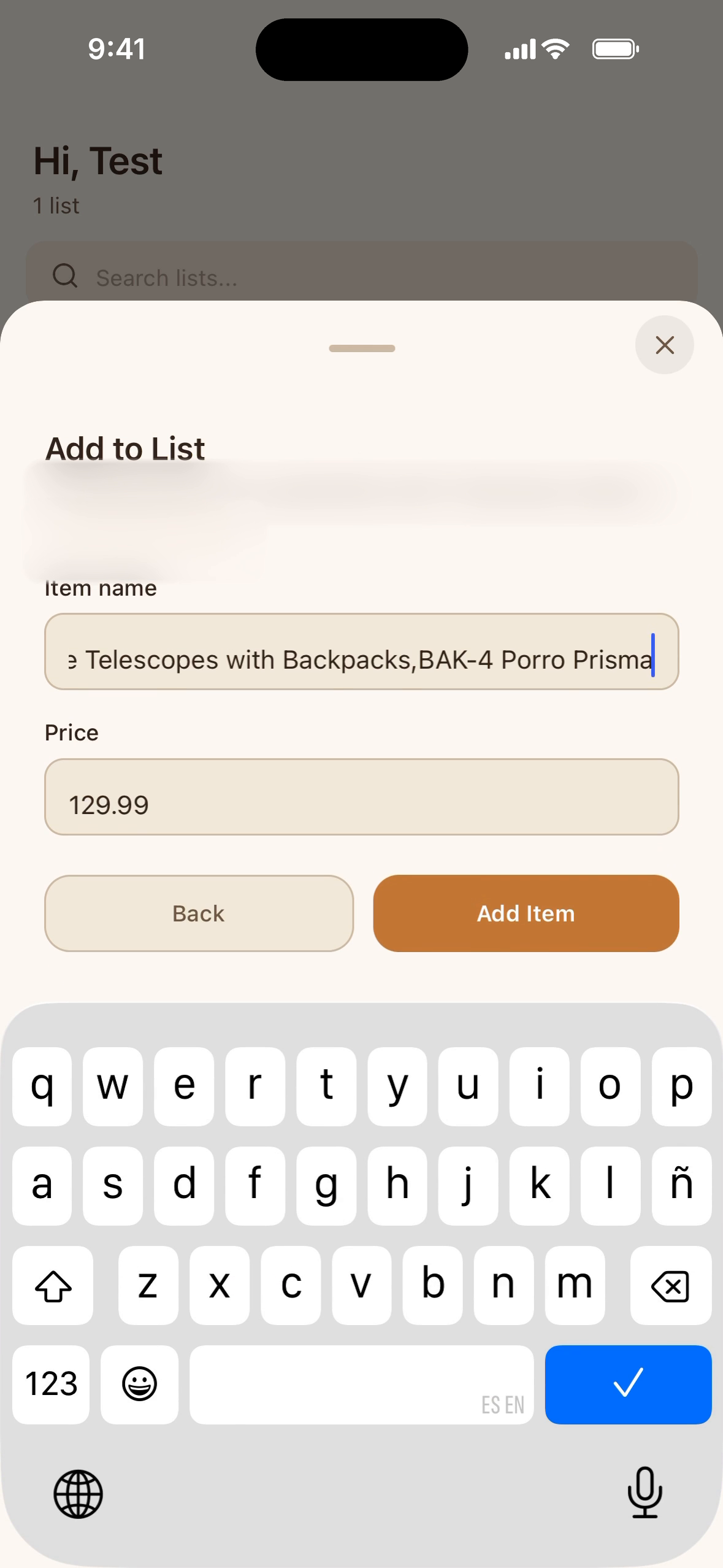
Saved from Safari: Listry filled in the product name and price from the link. You just pick the list.
-
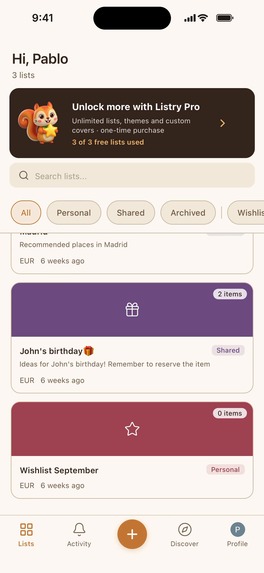
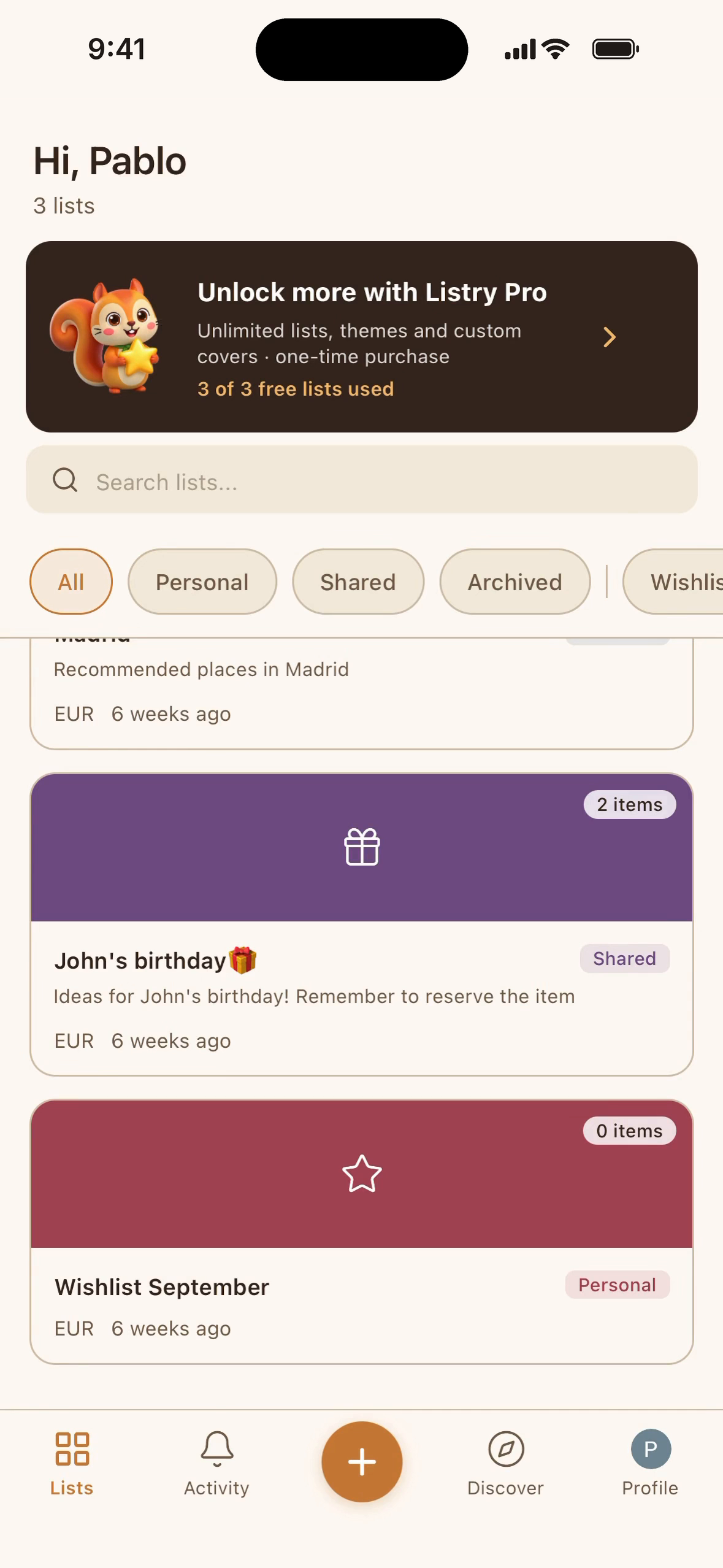
The Lists tab with the Listry Pro banner. Free accounts include 3 lists.
-
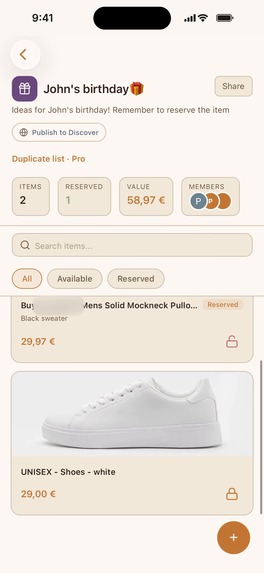
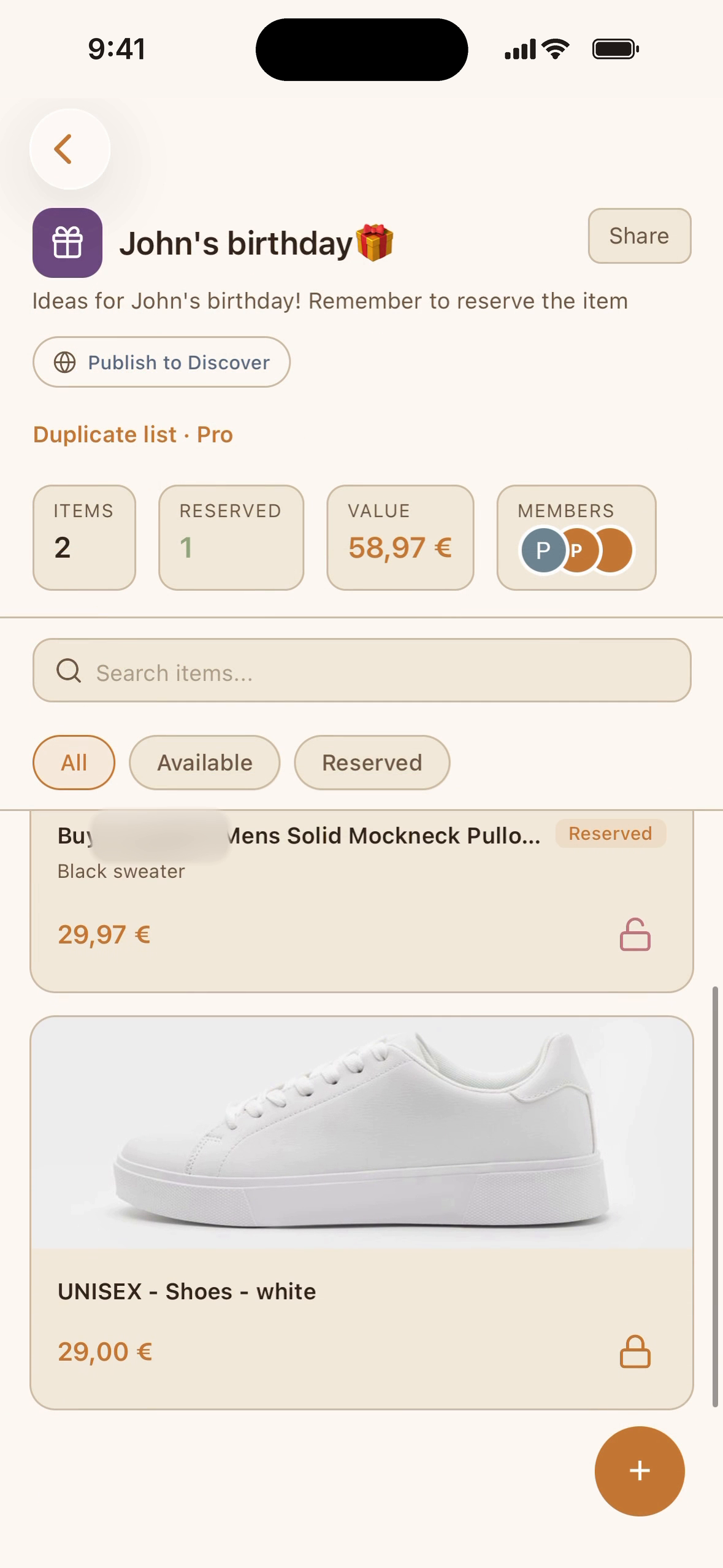
A shared gift list: its items, what's reserved, the total value and the people on the list.
-
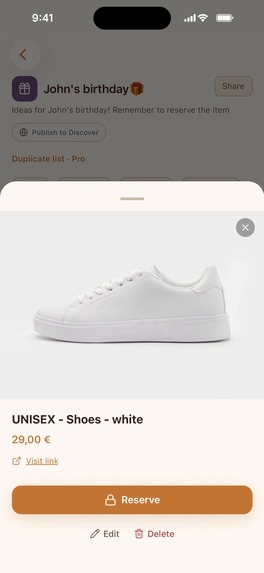
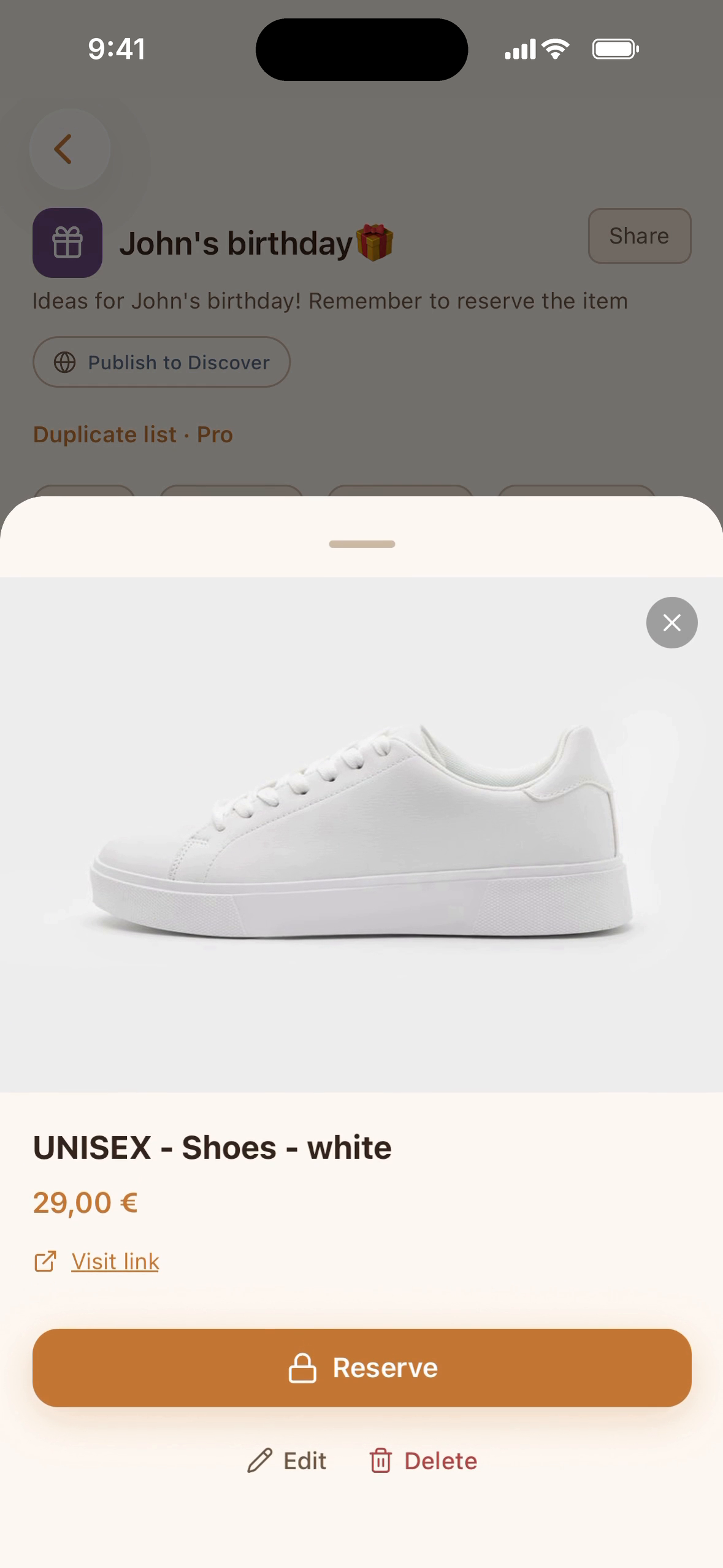
Tap Reserve on a gift so nobody else buys it.
-
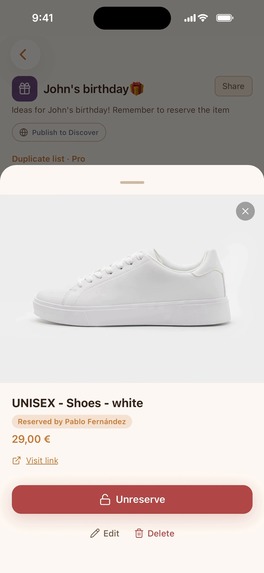
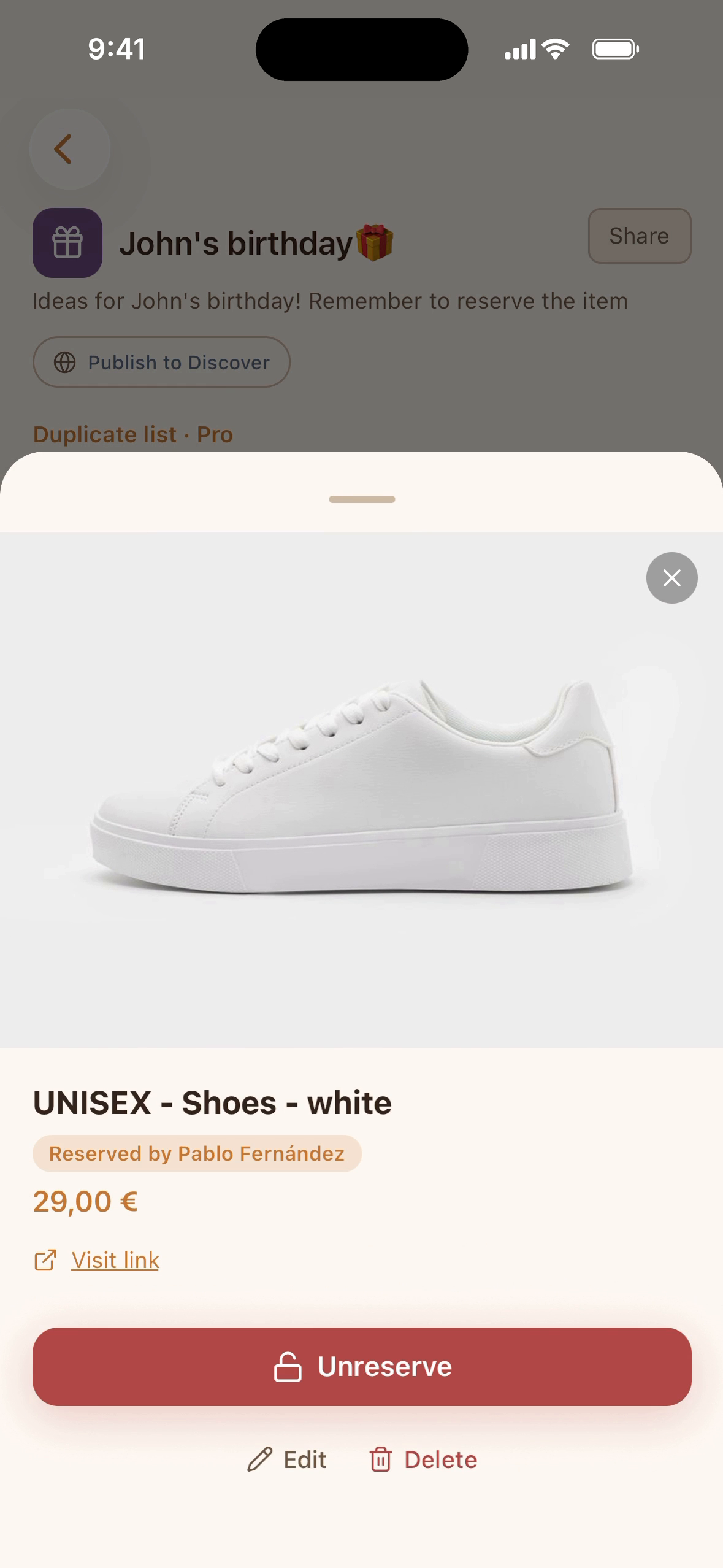
Reserved: everyone on the list sees it's taken. Turn on surprise mode and the owner won't see it.
-
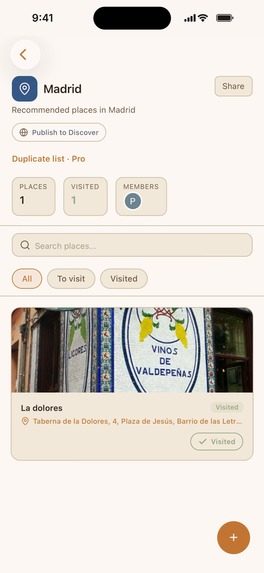
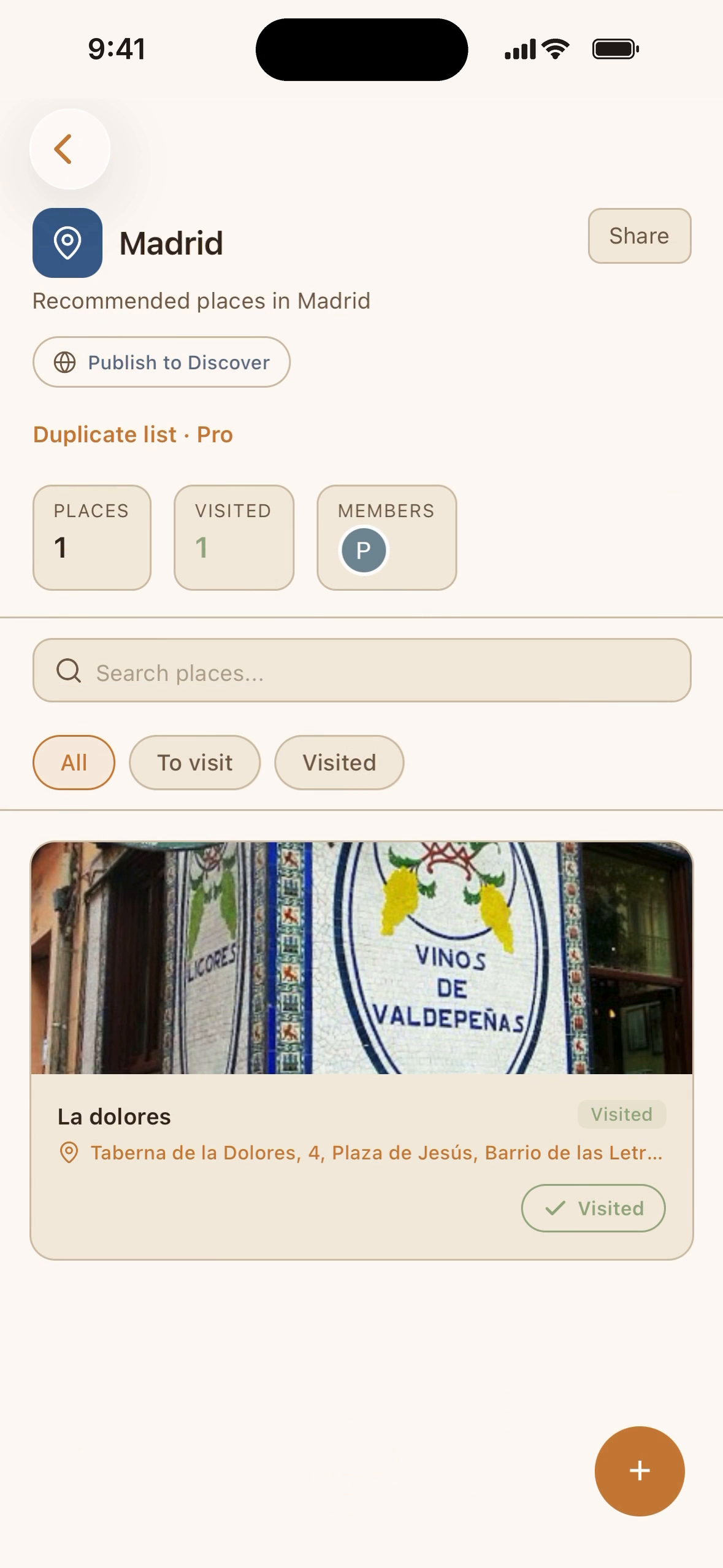
A place list: photo, address and whether you've been there yet.
-
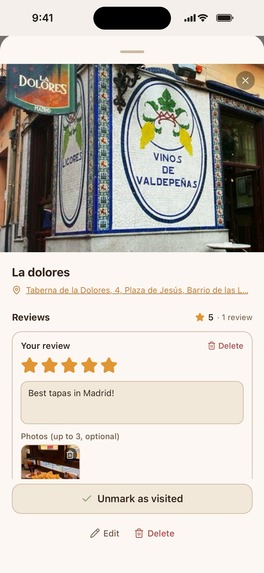
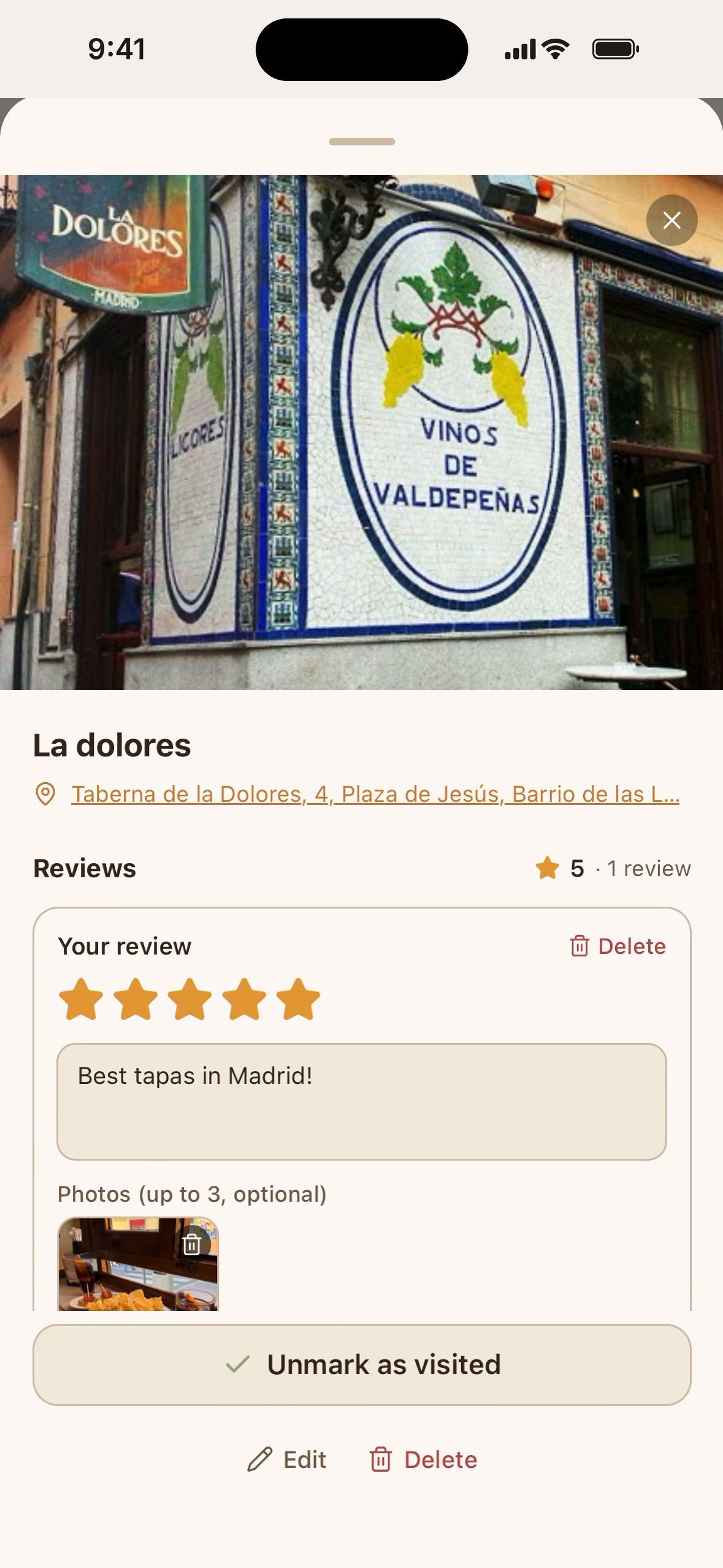
Your own review of a place: 1–5 stars, notes and up to 3 photos, shared with the people on the list.

Inspiration
We all save things we mean to come back to: a gift idea, a restaurant a friend recommended, a link we don't want to lose. They end up scattered across the notes app, the camera roll and chats with ourselves. And when a birthday comes around, two people buy the same present.
I built Listry to give those things one home that you can share with the people involved.
What it does
Listry is an iOS app, also available on the web at listry.me, for lists of the things you love. There are two kinds:
- Wishlists. Paste a link and Listry fills in the name, the photo and the price. Or tap Share in Safari or a shopping app and choose Listry. Share the list and friends can reserve gifts, so nobody buys the same one twice. With surprise mode on, you don't see what has been reserved.
- Places. Restaurants, bars, museums and other spots, each with its address and map pin. Mark the ones you've been to and leave a review with a 1–5 rating, notes and up to three photos, visible to everyone on the list.
Lists are private unless you share them. Everyone signs in with their own account, so you can see who added what. Discover shows public lists and works without an account.
Monetization
Listry is free for up to 3 lists. Listry Pro is a one-time purchase ($3.99), not a subscription. It unlocks unlimited lists, list duplication, and list themes and custom covers.
The paywall comes after the value, not before it. New users go through a welcome flow that takes under a minute:
- Choose what to save first: gifts or places.
- Create that first list.
- Learn to fill it from any app with the share extension.
- See how to share it.
Only then does the Listry Pro screen appear, with a visible close button and Restore Purchases. After that, Pro stays within reach without getting in the way: a banner on the Lists tab, a card in Profile, and the paywall again when a free user tries to create a fourth list.
The paywall is built with RevenueCat Paywalls, so I can change its design and copy without an app update.
How we built it
- App: Expo SDK 54 and React Native 0.81, with expo-router, NativeWind and TanStack Query. The share extension uses expo-share-intent and an App Group to pass the shared page to the app.
- Backend: NestJS and Prisma on PostgreSQL (Neon). better-auth handles sign-in with email, Apple and Google. Images are stored in Cloudflare R2. Everything runs on Render, with separate staging and production environments.
- Web: React, Vite and TanStack Router. Public lists are rendered on the server so search engines can index them.
- Purchases: the RevenueCat SDK, RevenueCat Paywalls, one non-consumable product and a
proentitlement. Before lifting the list limit, the API checks the entitlement through RevenueCat's REST API, so Pro applies on the web too. If RevenueCat can't be reached, the API returns an error instead of guessing: an outage is never treated as a refund. - Everything else: a pnpm monorepo with shared packages for UI, translations (English and Spanish) and the mascot, and Sentry for crash reports.
Challenges we ran into
Most of them came from App Review.
- The first submission (1.0) was rejected for two reasons. Some permission prompts used generic text like "Allow Listry to access your camera", which Apple doesn't accept, and some were for permissions the app never requests: installed packages were adding them on their own. Discover also required an account, which Apple doesn't allow for features that aren't tied to one. I rewrote the prompts with concrete examples, removed the unused ones and opened Discover to guests.
- The first version with Listry Pro (1.0.1) was rejected because the reviewer couldn't find the in-app purchase. I was sure the paywall worked, and it did. The production logs showed what had happened: the reviewer browsed Discover as a guest and never signed in, and every way into Pro required an account. I turned the onboarding into the flow above so it ends on the paywall, wrote step-by-step notes for the reviewer, and made the API accept sandbox purchases from any account, because App Review buys in Apple's sandbox against the production API. The next build was approved.
The other challenge is that old app versions stay installed for months. A web deploy reaches everyone in minutes; an app update doesn't. Every API change has to be additive, so the version in review and the versions already on people's phones can share the same backend.
Accomplishments that we're proud of
- A native iOS app and a web app that share one account, one backend and the same lists.
- The whole product in English and Spanish.
- A paywall that appears only after the user has created something, for a price paid once.
- Finding the real cause of a rejection in the logs instead of guessing.
- Stash, the squirrel who shows up throughout the app.
What we learned
- Reviewers may never sign in. Every purchase needs a short path from launch, and the review notes should start with "sign in".
- Show the value before asking for money. That's why the paywall comes at the end of the onboarding, once the first list exists.
- Check entitlements on the server. The app decides what to show; the server decides what the user can do.
- The API is a contract with every app version still installed.
What's next for Listry
- More list types, each with its own fields: trips, books, movies and series.
- Smarter pasting: a Google Maps link that fills in a restaurant, an IMDb link that fills in a movie.
- Discovery by category, like "top restaurants in Madrid" or "most-saved books this month".
- Measuring the funnel from onboarding to purchase to improve conversion.
- Android.
Built With
- better-auth
- cloudflare-r2
- expo.io
- nativewind
- neon
- nestjs
- node.js
- postgresql
- prisma
- react
- react-native
- render
- revenuecat
- sentry
- tailwindcss
- tanstack-query
- typescript
- vite
- zod


Log in or sign up for Devpost to join the conversation.