-
-
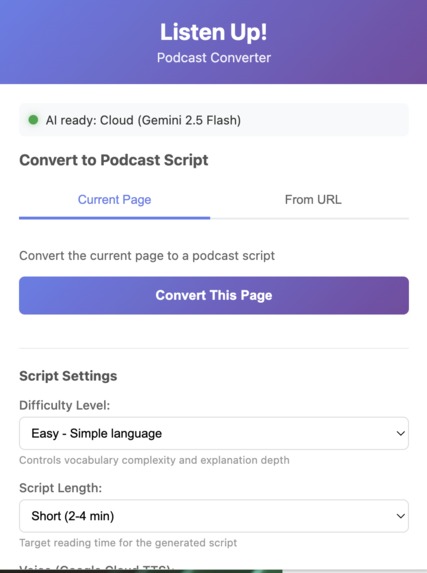
Interface
-
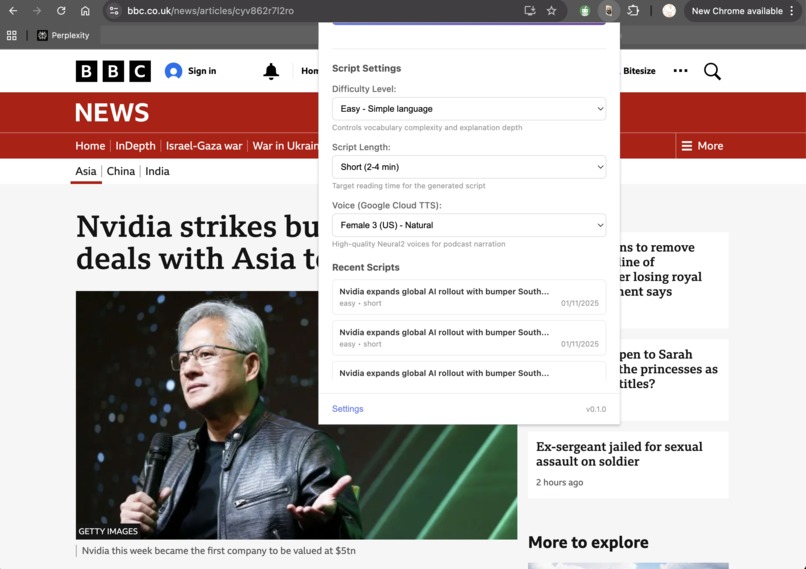
Translate website contents to podcast
-

Icon

Inspiration
I wanted an easy way to turn long-form web content and written podcasts into listenable audio so people can consume articles, docs, and web pages hands-free. We wanted to make knowledge more accessible by transforming it into engaging podcast-style audio that people can enjoy during commutes, workouts, or while multitasking. The goal was to create a tool that doesn't just read text robotically but actually rewrites it into natural and conversational podcast scripts with AI.
We also target users with learning difficulties and provide accessibility & learning support. With conditions like ADHD or visual disabilities, it offers an auditory learning path. By turning dense text into dynamic and chaptered audio, we provide a focused and adaptable way to learn and consume information.
What it does
Listen Up! converts the visible textual content (and detected audio) on a web page into natural-sounding podcast audio files (MP3, M4A, OGG) using Firebase AI (Gemini 2.5 Flash) for content processing and Google Cloud Text‑to‑Speech for voice generation. It detects media on pages, provides a popup UI to start conversions, persists conversion history with chrome.storage.local, and delivers downloadable audio files via the browser downloads API.
It converts any web article into a professional-sounding podcast in under 15 seconds. Users simply:
- Navigate to any article or blog post
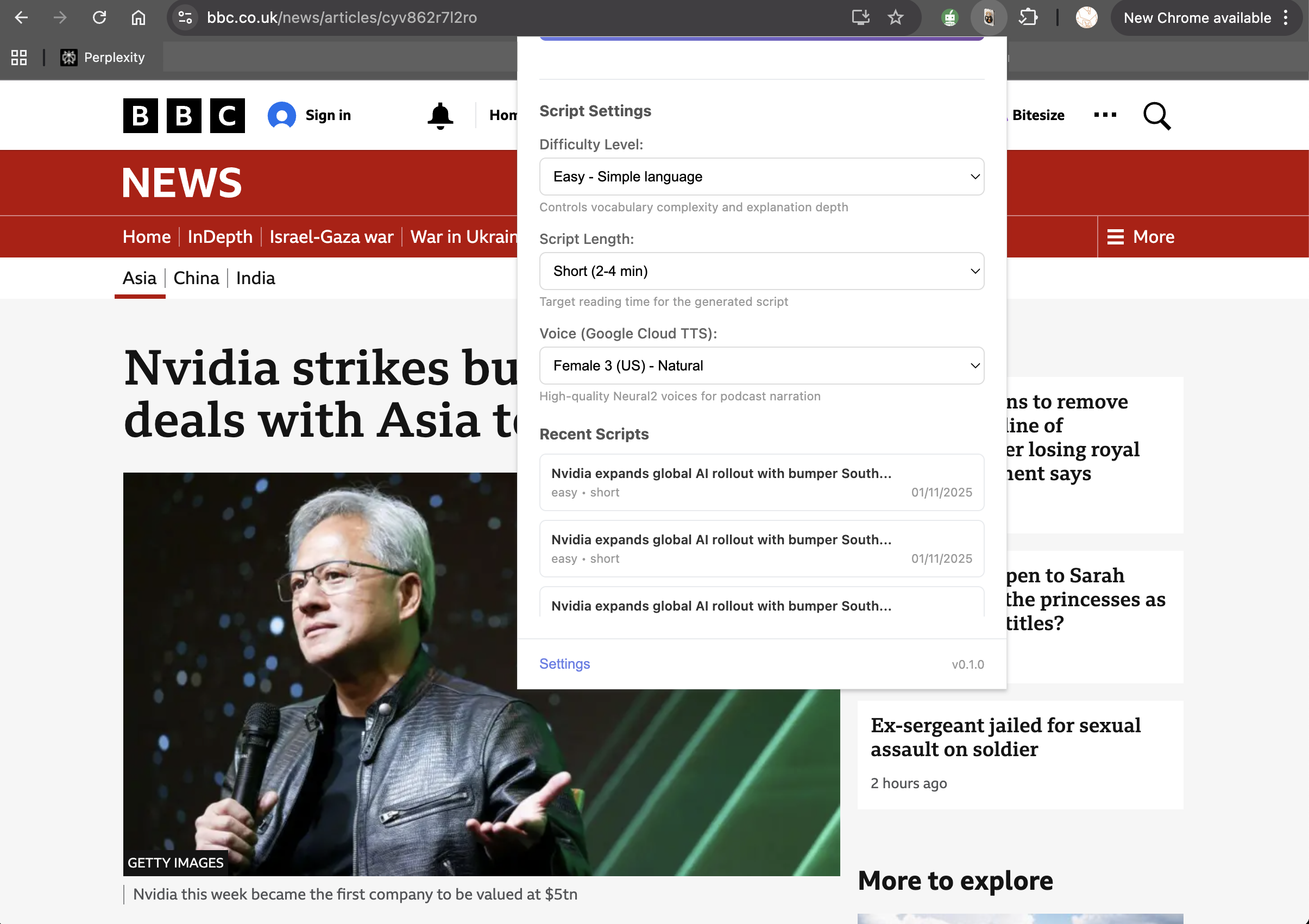
- Click the extension icon
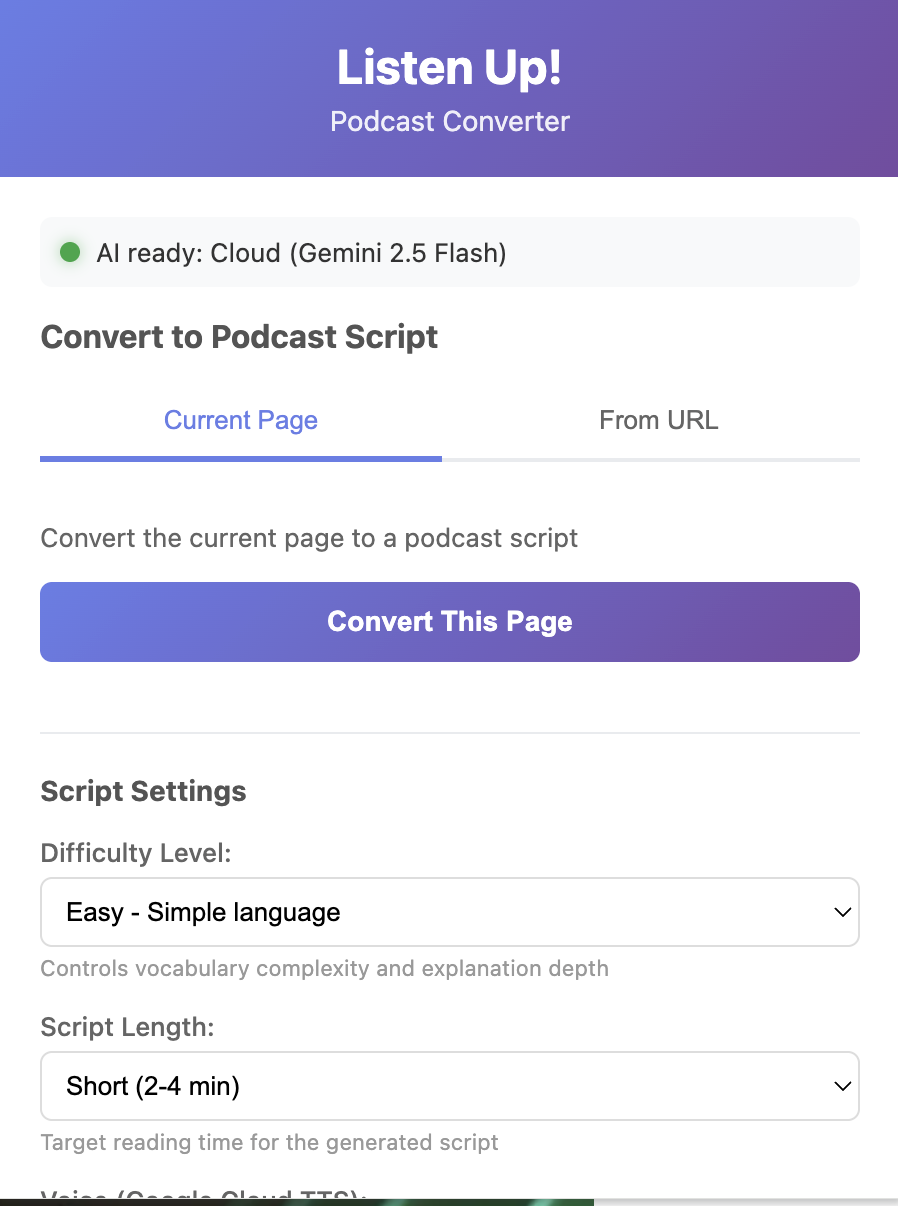
- Choose your preferred hard level, podcast length and voices
- Click "Convert This Page"
- Check the script generated, then click "Play Audio"
- Listen to the podcast based on the webpage content with natural narration powered by AI
How we built it
Technology Stack:
- Chrome Extension (Manifest V3): Modern browser extension architecture
- Chrome Built-in AI- Summarizer API: On-device Gemini Nano for privacy-preserving content summarization
- Chrome Prompt API - Alternative on-device AI for text generation (as a fallback)
- Firebase AI Logic SDK: Integration with Gemini 2.5 Flash for cloud-based script rewriting
- Google Cloud Text-to-Speech API: Neural2 voices for natural-sounding audio synthesis
- SSML Processing: Custom conversion layer to remove formatting and add natural pauses
- Offscreen Document Pattern: Isolated execution context for Firebase SDK to avoid CSP violations
- esbuild: Bundler for Firebase dependencies (152KB optimized bundle)
Architecture Implemented a 5-stage hybrid AI pipeline: Content extraction: scrapes and cleans article text from the current tab On-Device summarization: Chrome Summarizer API (Prompt API as a fallback) condenses the article using on-device Gemini Nano. Conversational rewriting: Firebase AI Logic (Gemini 2.5 Flash) transforms the summary into engaging podcast dialogue SSML conversion: Removes markdown formatting and adds speech-optimized markup for natural pauses Audio synthesis: Google Cloud Text-to-Speech generates high-quality audio with Neural2 voices
Chrome Built-in AI APIs Used
Summarizer API For content summarization and key point extraction
Implementation Location: js/pipelineOrchestrator.js lines 276-349
We use it in:
- Input: Raw article text extracted from web page
- Process: Creates on-device Gemini Nano summarizer with customizable length settings
- Output: Condensed summary highlighting key points Why this API:
- Privacy-preserving: Content never leaves the user's device for summarization
- Fast: On-device processing is instant (no network latency)
- Offline-capable: Works without internet for summarization step
- Resource-efficient: Gemini Nano optimized for local execution
Challenges we ran into
The main challenge was building an extension that was always reliable. Because the Chrome Built-in AI APIs often fail due to missing flags, incompatible devices, or the large Gemini Nano download requirement, the extension had to guarantee functionality.
The solution was the hybrid system. Continuously check for on-device AI capability; if it's not ready, the system instantly shifts the processing workload to Firebase AI Logic (Gemini 2.5 Flash). This ensures the user always receives a polished podcast script. We also created a unified API wrapper to handle the distinct requirements of the task-specific APIs, resulting in a single, resilient codebase that works consistently on-device or on the cloud.
Other challenges: Firebase SDK CSP issues Chrome extensions have a strict Content Security Policy that prevented direct Firebase SDK usage. We solved this by implementing an offscreen document pattern with isolated execution context and message-based communication.
SSML formatting bug The TTS engine was reading asterisks and markdown symbols literally ("asterisk asterisk Host colon asterisk asterisk"). We fixed this by building a comprehensive SSML converter that strips formatting while preserving emphasis through proper SSML tags.
Audio interruption Long podcasts would cut off mid-sentence. We refactored the speakLongText() function to properly chunk text, wait for each segment to complete, and handle the speech queue correctly.
Content extraction bug The extension was extracting content from the popup window instead of the active tab. We fixed the chrome.tabs.query() logic to correctly target the user's current page.
Bundle caching Chrome aggressively cached the old offscreen bundle, causing SSML fixes to not apply. We solved this by versioning the bundle filename (offscreen-bundle-v2.js) and updating manifest references.
Accomplishments that we're proud of
I set out to create a truly seamless audio experience and achieved a robust, polished pipeline that makes content consumption effortless. It is a complete browser extension that takes a long-form webpage without external servers and processes it into a downloadable multi-format podcast script file and podcast player. This end-to-end pipeline handles content extraction, AI scripting, audio generation, and local file management entirely within the extension's environment.
Another accomplishment is that the quality is far beyond standard text-to-speech. By tightly integrating Gemini 2.5 Flash to intelligently rewrite the web content into a conversational script and then utilizing Google Cloud Text-to-Speech for audio synthesis, we produce audio that is natural-sounding and provide dynamic podcasts for users. This is the core feature that delivers on the promise of accessibility and engaging learning.
A modular codebase where the conversion logic (js/background.js and related modules) can be extended or swapped for server-side processing. It was engineered so that the core AI processing and audio generation logic (js/background.js and related modules) are clearly separated. This design makes it easy for other developers to contribute, extend the conversion capabilities (like adding new AI voices or formats), or even swap out components for more robust server-side processing if needed in the future.
What we learned
I had learned the practical strategies for chunking and reassembling long-form text to work within generative model constraints while preserving flow. Also, how to orchestrate multiple cloud APIs (Firebase AI + Google TTS) from a client-side extension safely and efficiently.
Through the project, we worked around Manifest V3 constraints for longer tasks and managed service workers. We also learned how to handle binary audio streams, encode/concatenate, and understand the mechanics of cross-browser downloads.oad mechanics. And the importance of privacy-minded defaults and minimizing data sent to third-party services.
What's next for Listen Up! Web-to-Podcast Converter
The further step is to improve chunking and voice continuity to eliminate audible seams between segments. Also to upgrade the natural-sounding podcast by adding richer voice customization (SSML controls, multiple voices, and multilingual detection). Also, I would want to offer a server-side option or optional cloud queue to handle very long conversions more reliably and to reduce client resource usage. To add automated tests, CI, and accessibility improvements for the UI. The most importantly, if this extension has to be published on to chrome-store, it needs protection like a backend proxy via firebase cloud functions, to secure API keys server-side instead of embedding in the extension.
Built With
- firebase
- gemini-api
- google-cloud
- summarizer-api
- text-to-speech-api

Log in or sign up for Devpost to join the conversation.