-
-
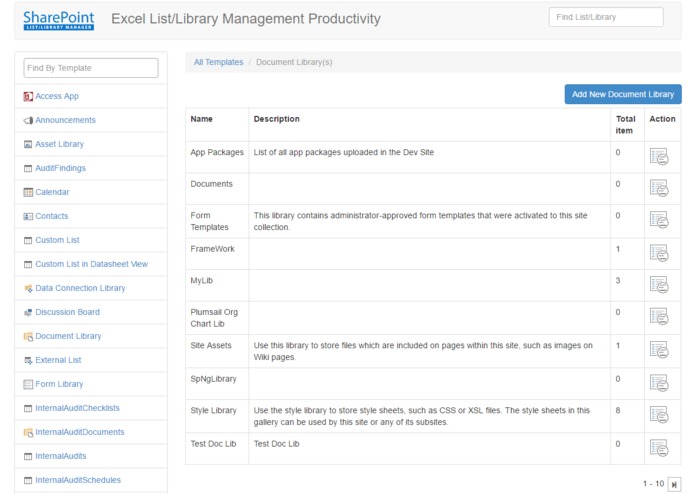
All Document Libraries
-
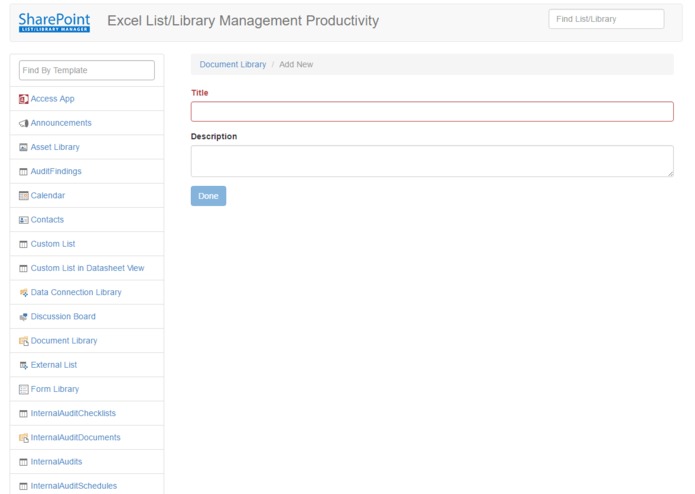
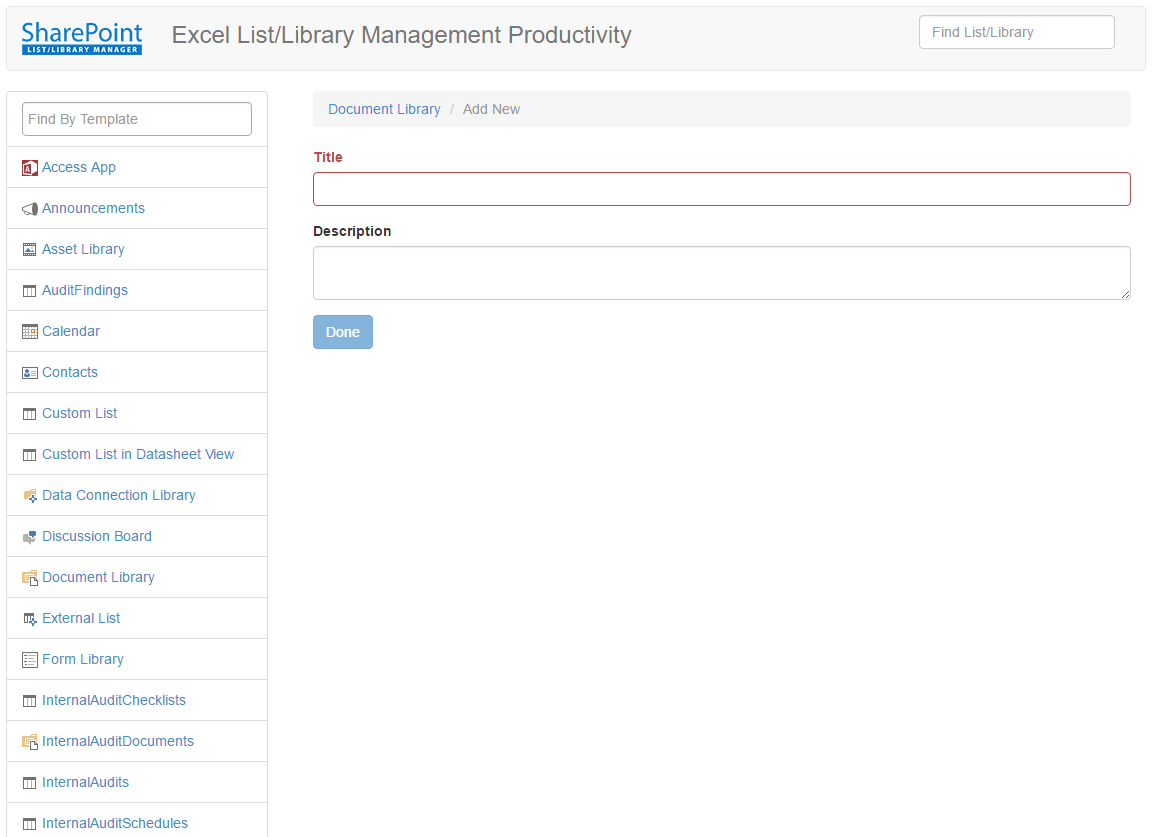
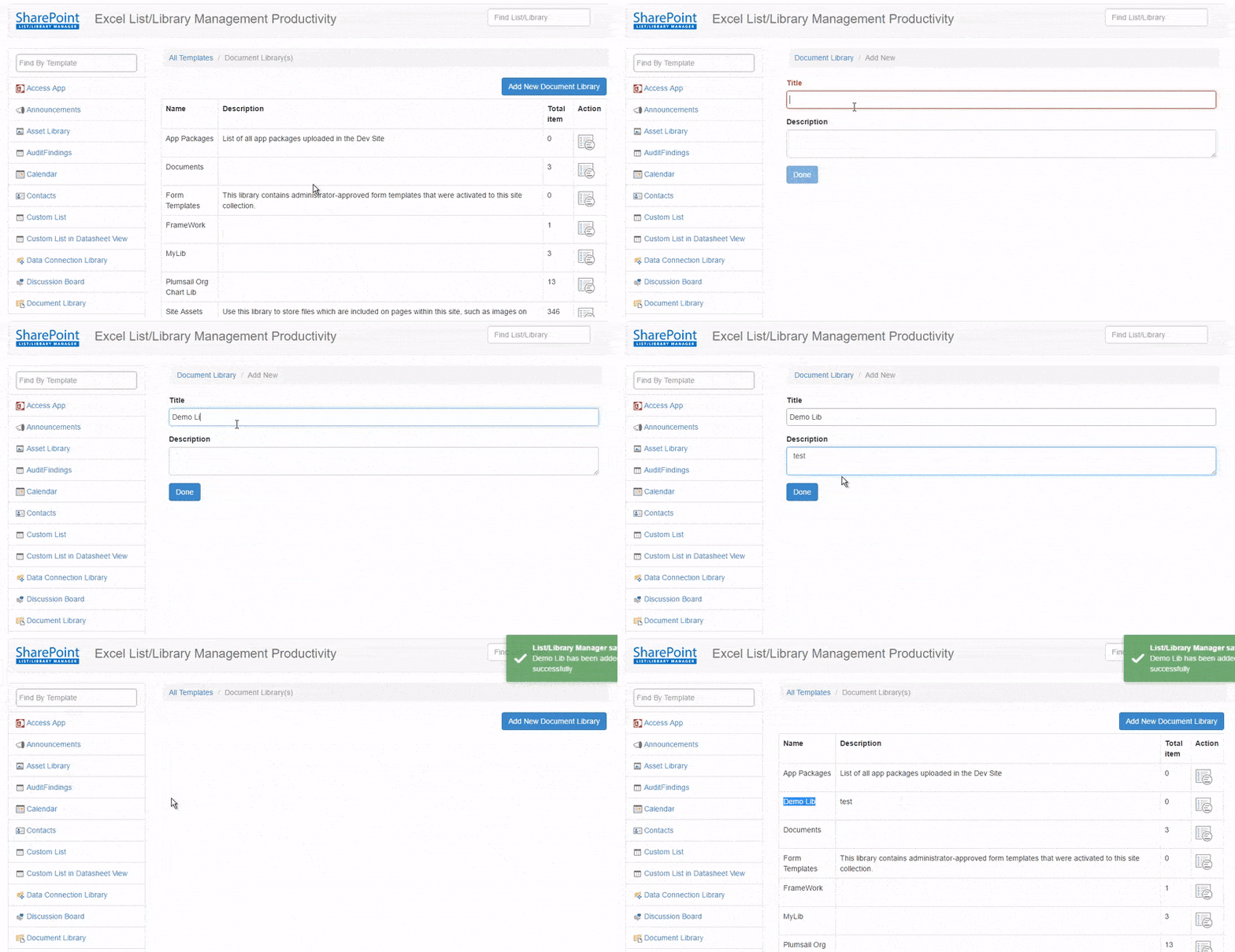
Add New Documents Library
-
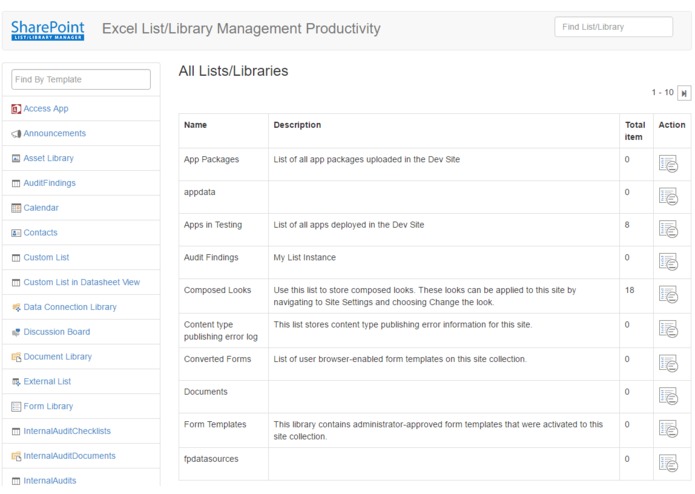
Home
SharePoint List/Library Manager
It's a SharePoint Hosted Add-in for exceling List/Library Management productivity. Managing list/library by SharePoint's default features is always time consuming. This Add-in has been built with AngularJs and SharePoint REST API and its a single page app.
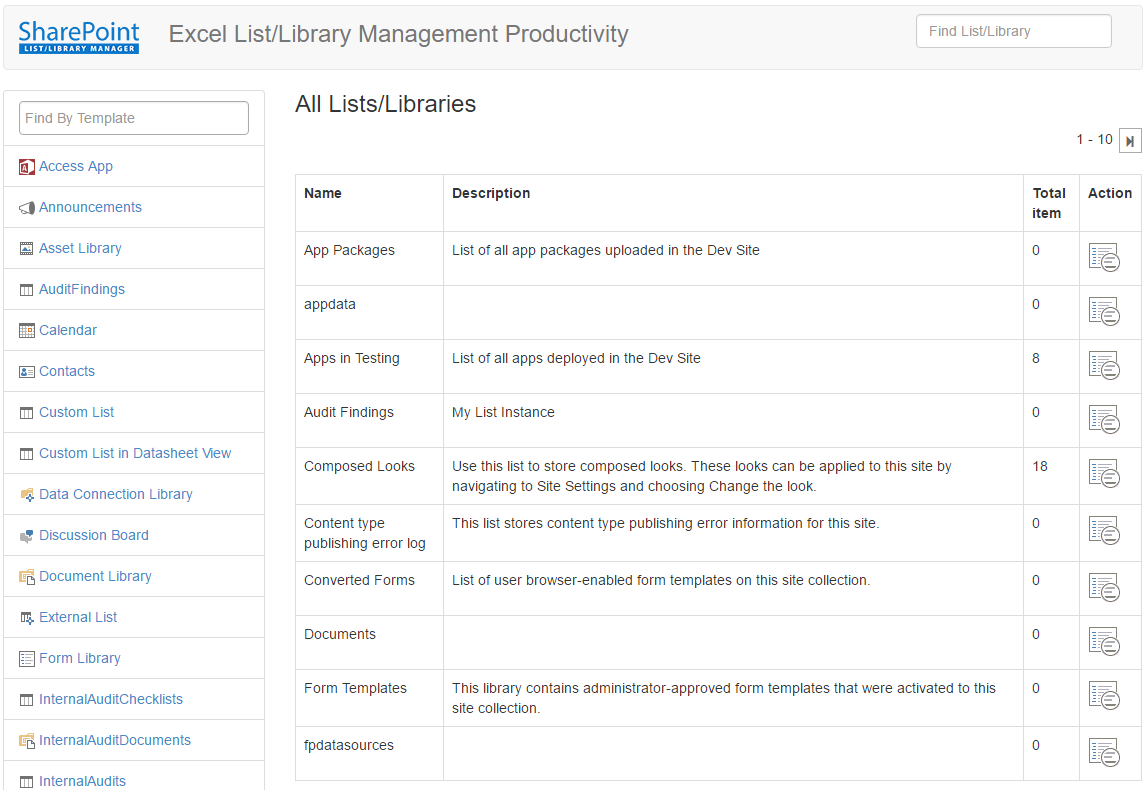
In home page, you will get all lists/libraries with pagination. Let's say now you want to find all Document Library in your site. It's not possible using default feature. In site content, you will get all lists and libraries but find them by a specific template is not possible. So this is your app to find list/library by a specific template.
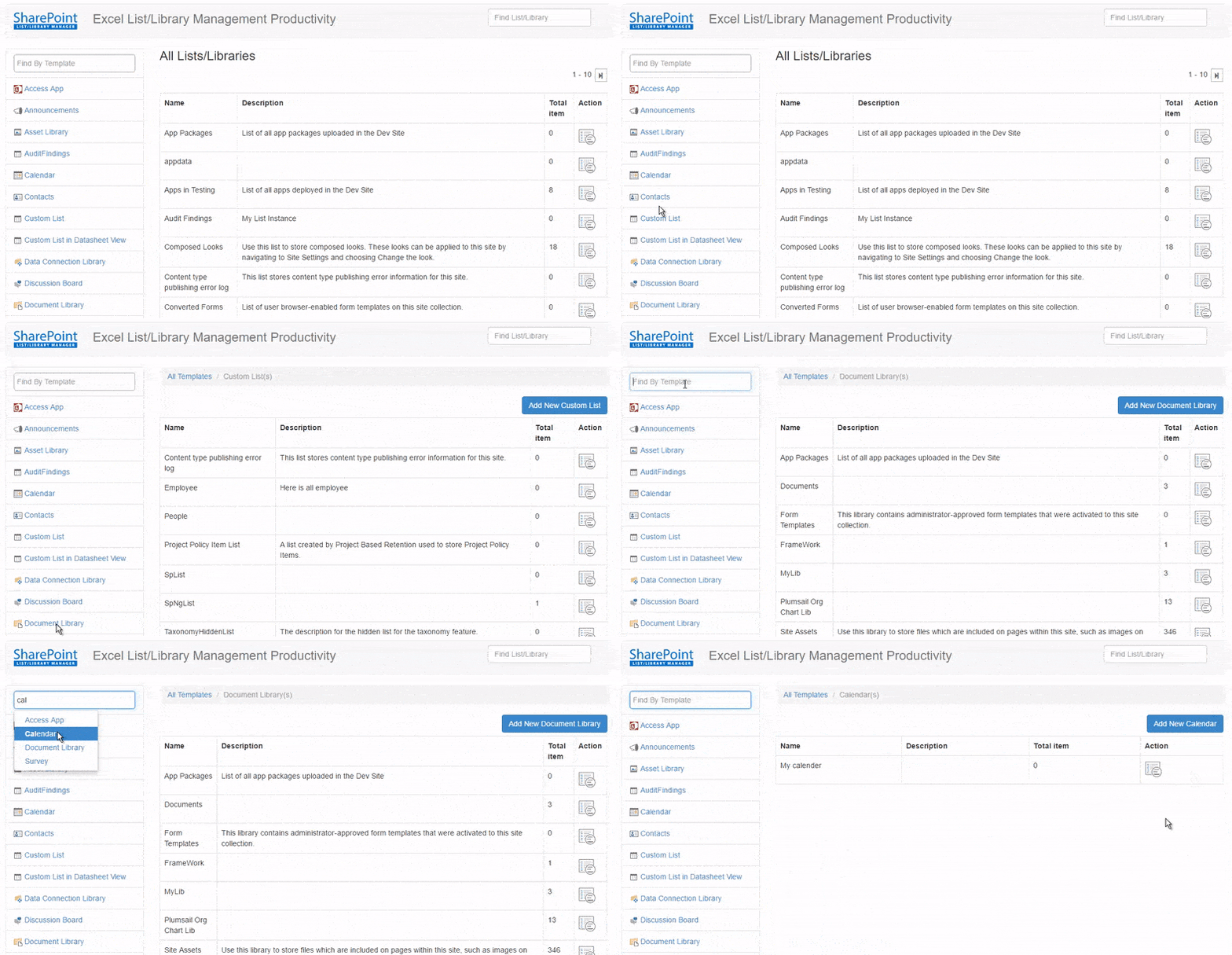
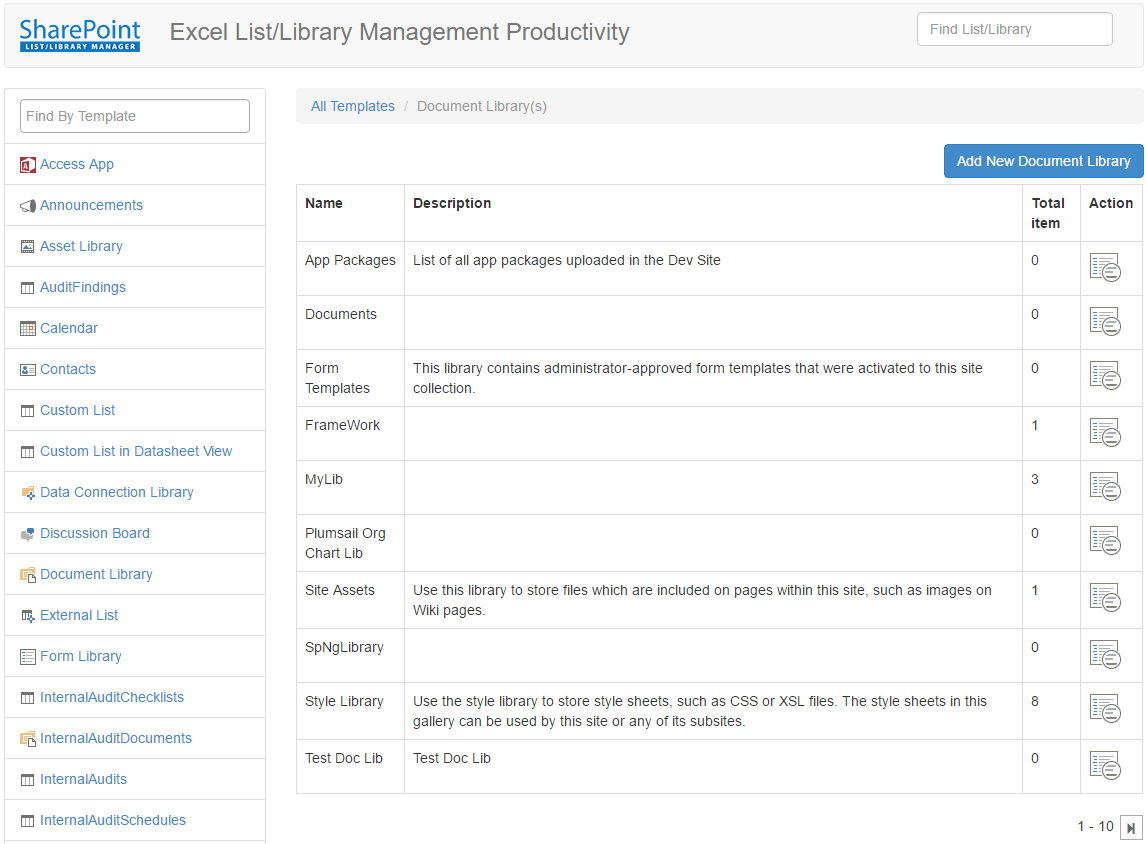
Above picture is showing all Document Librarys. From here, you can add new Document Librarys
If you want to take action on a existing list/library, then just click on Action icon
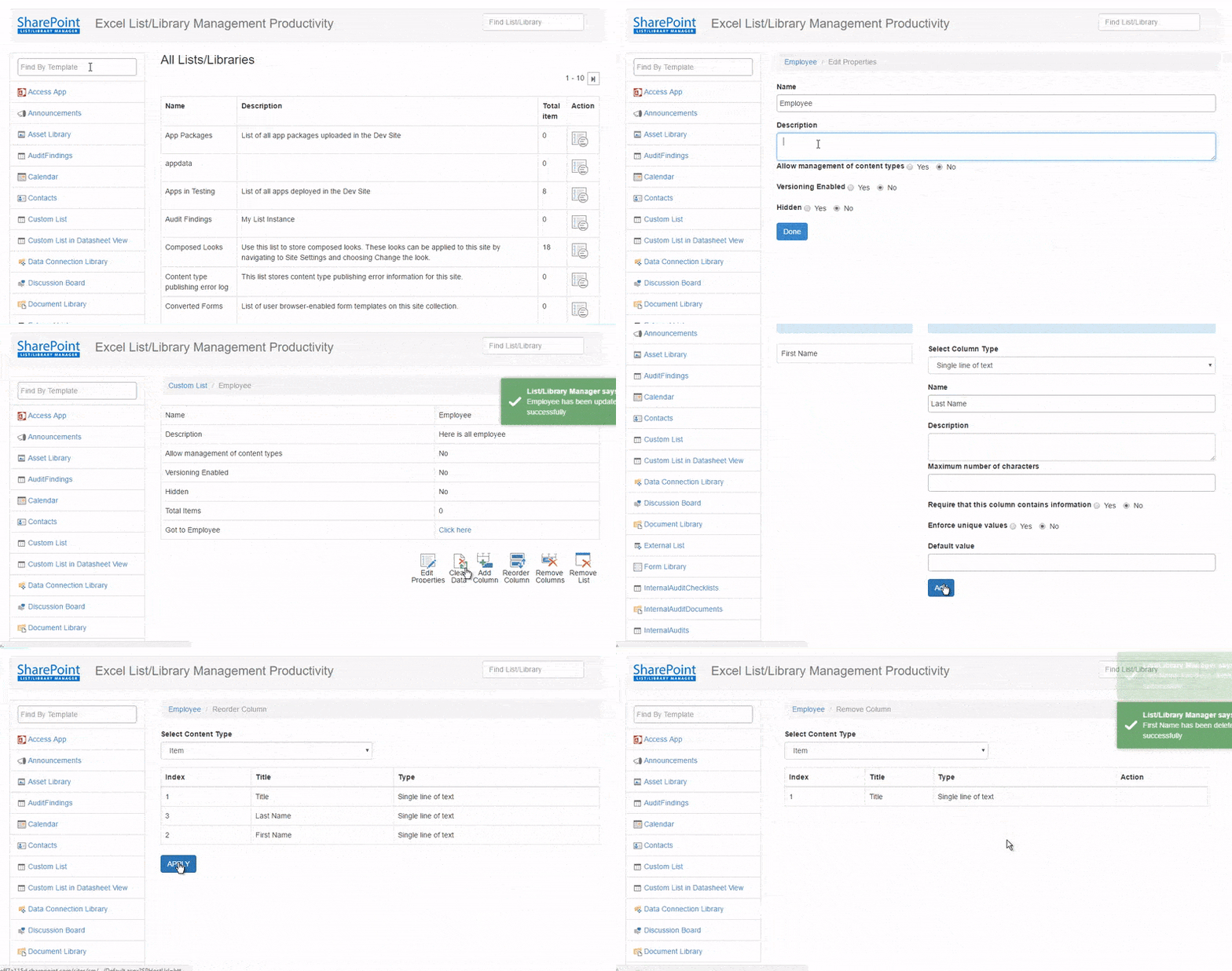
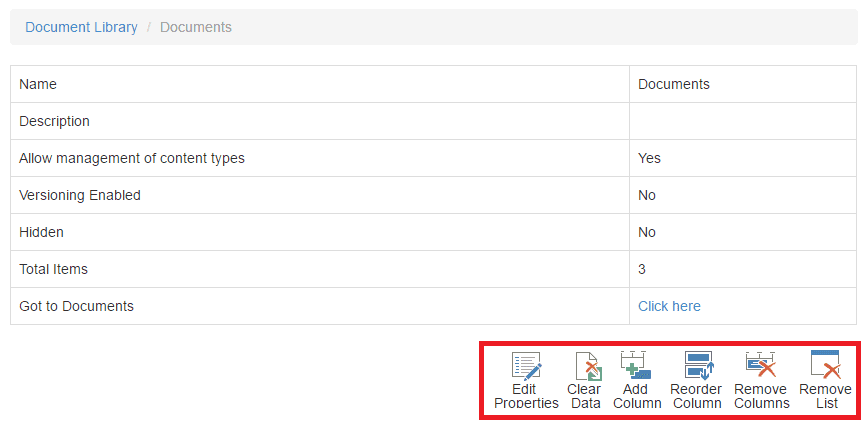 Now you can take following actions on your list/library
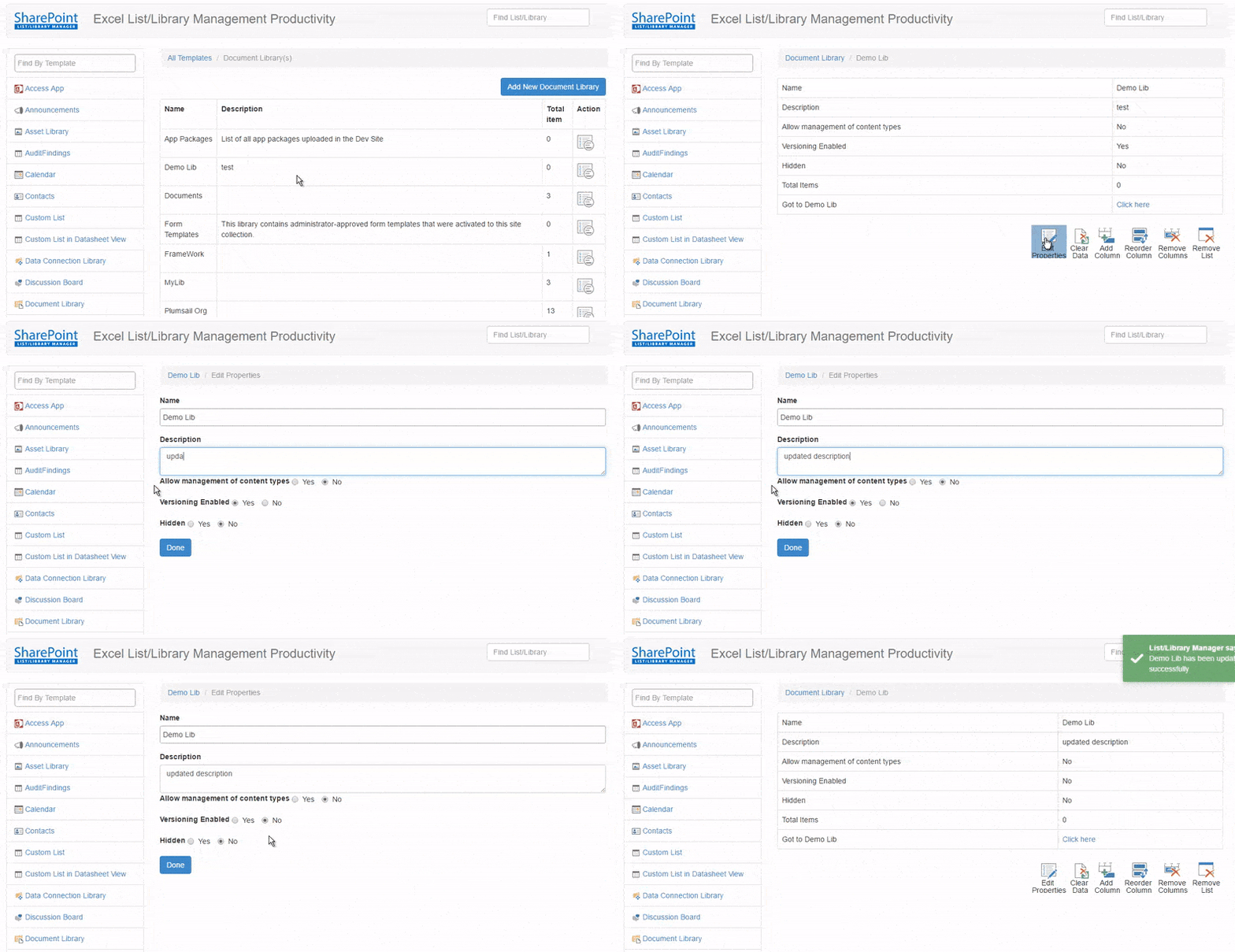
1. Edit Properties
You can quickly change/update your list/library's metadata
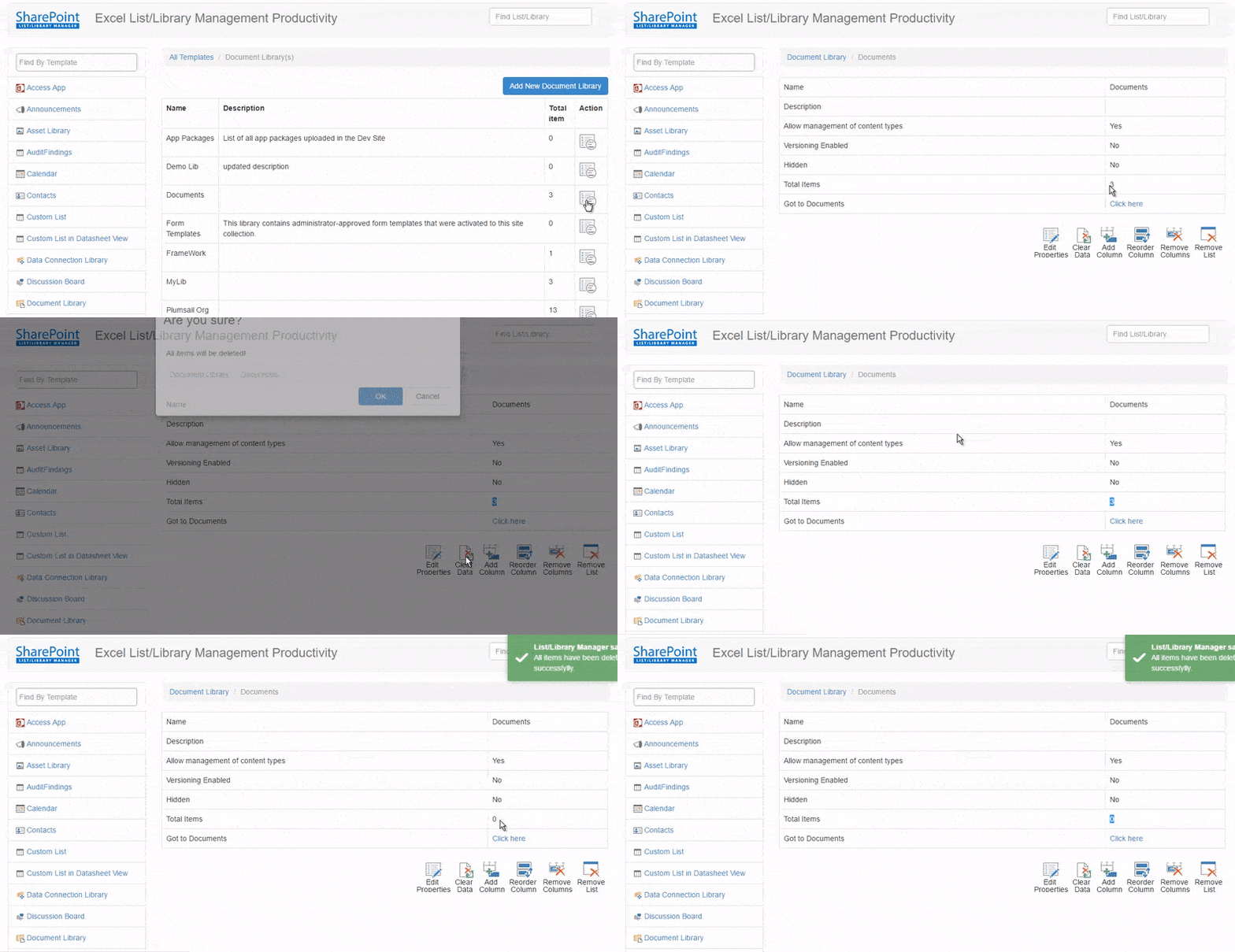
2. Clear Data
You can delete your all items/files from your lists/libraries at a time.
3. Add Column
You can add columns very easily!
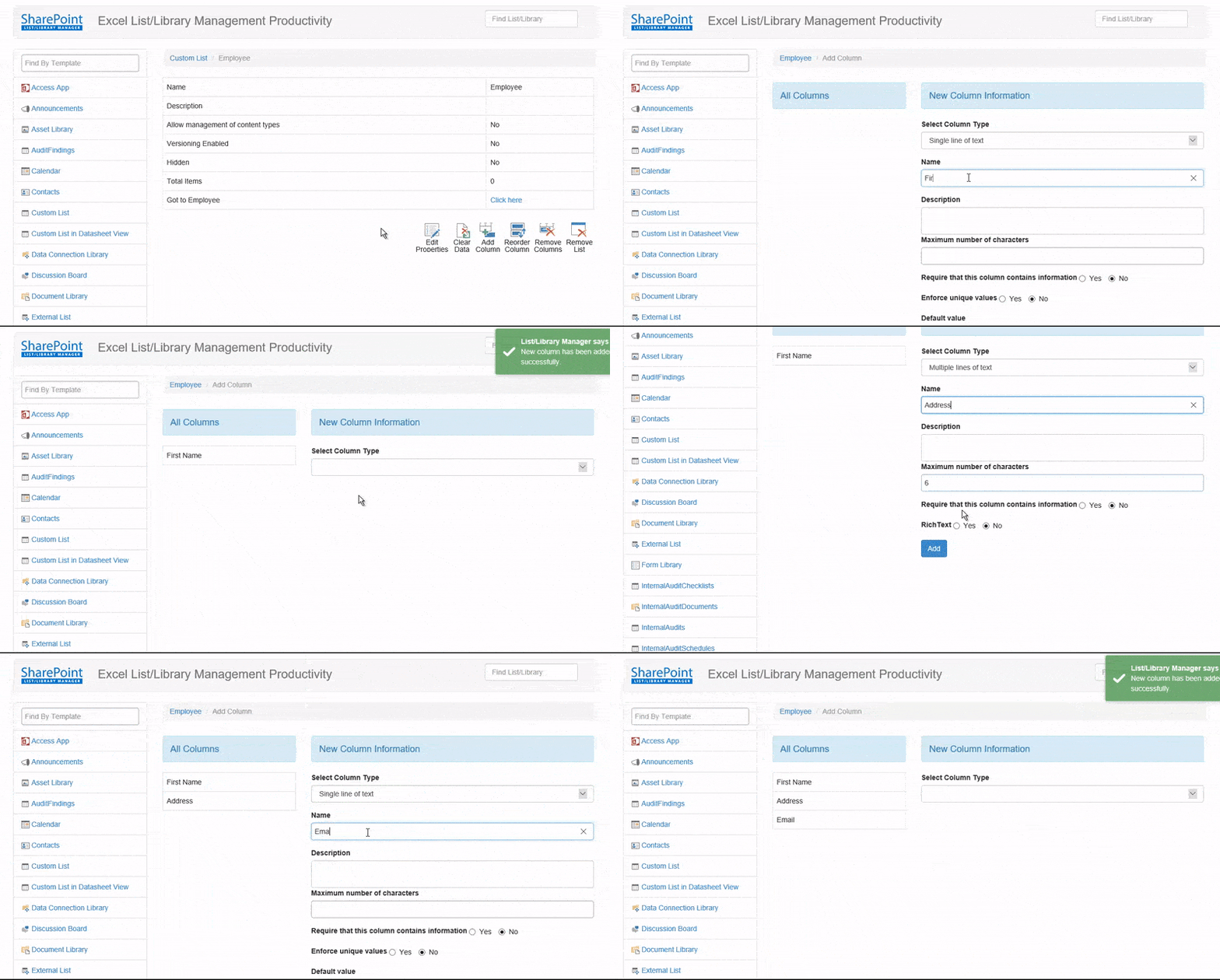
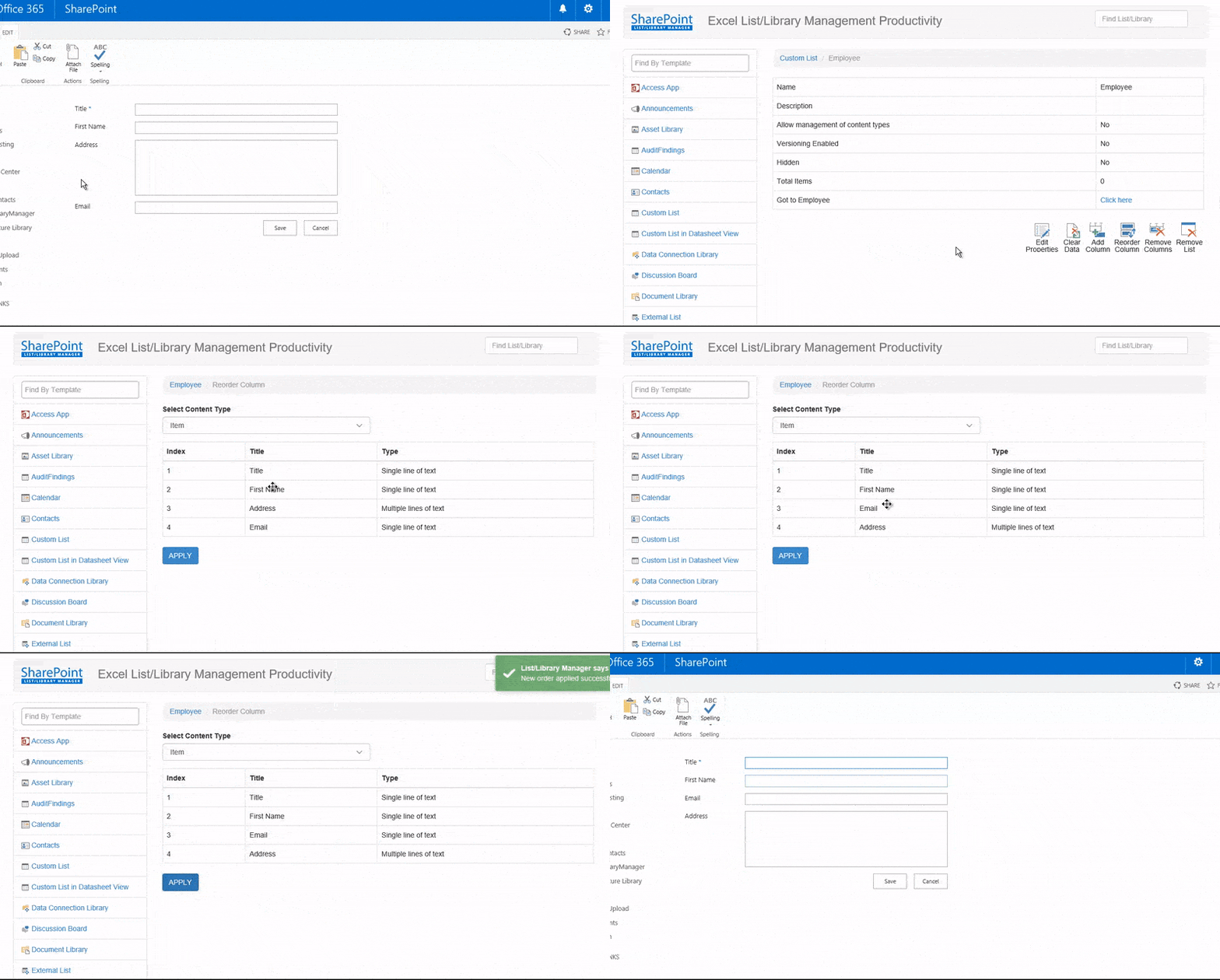
4. Reorder Column
You can easily reorder your columns in Display Form and Edit Form
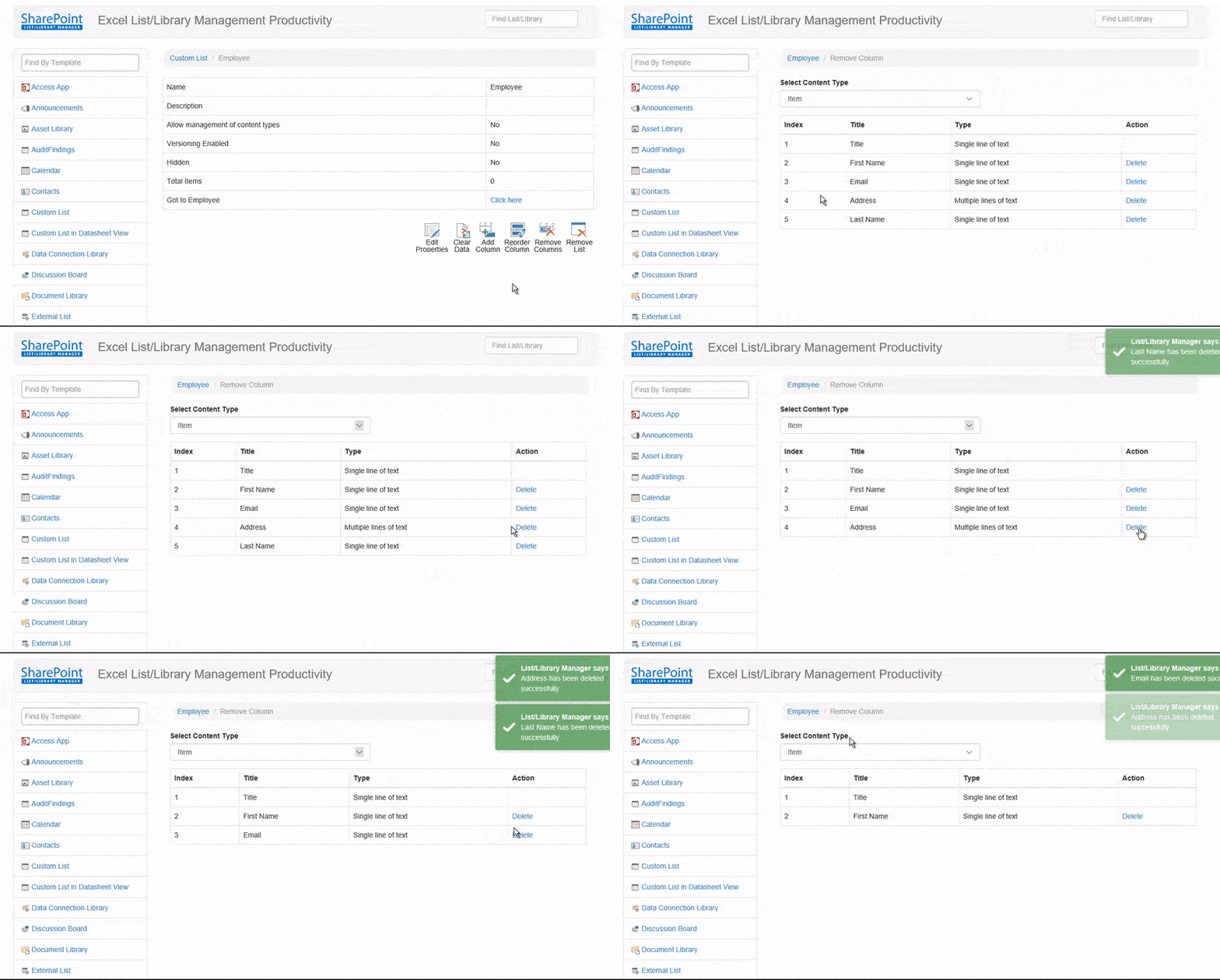
5. Remove Column
See how it is easy to remove multiple columns at a time!!
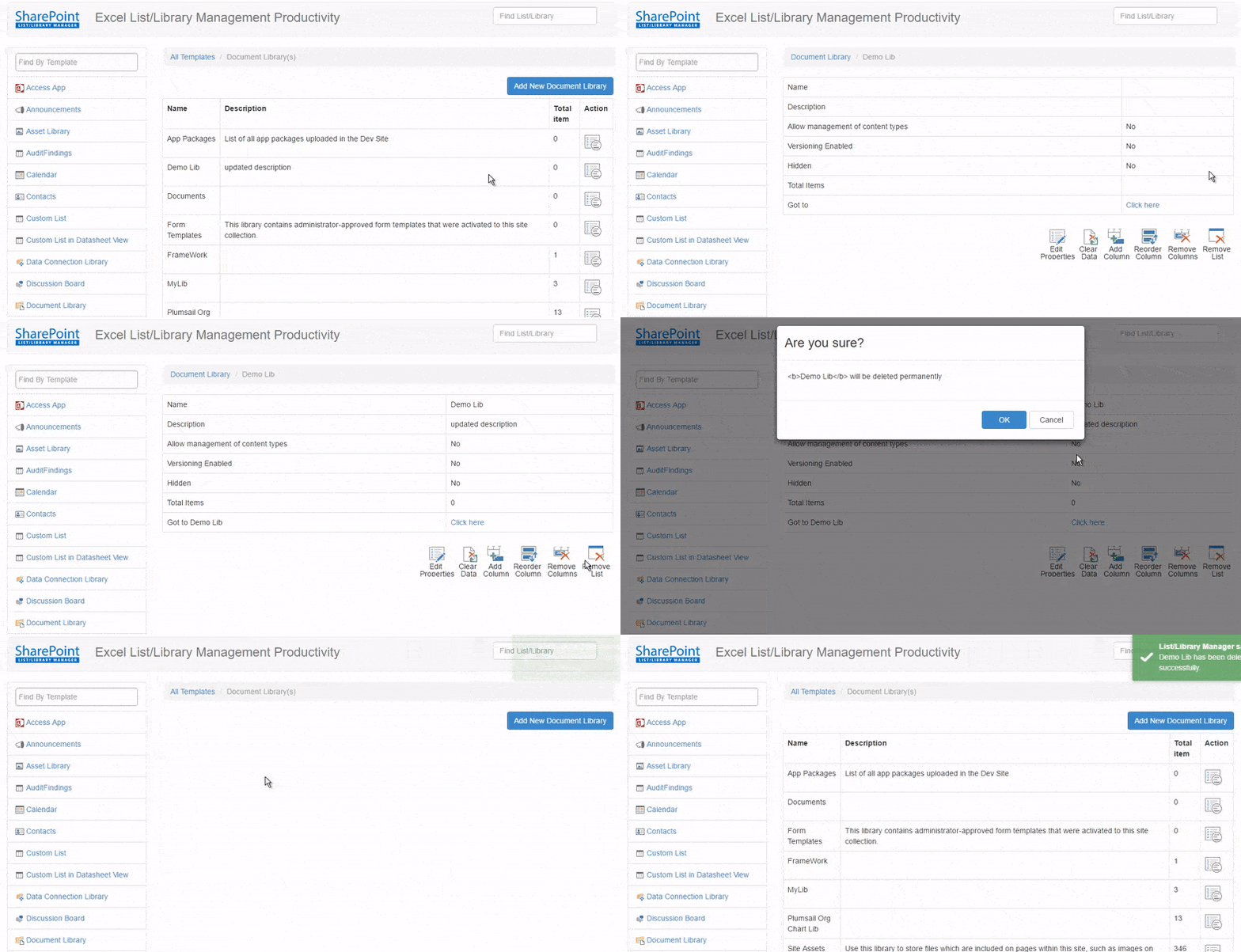
6. Remove List/Library
It's also very easy to remove list/library using this app. Just click on the Remove List icon from list/library details page.
Built With
- angular.js
- bootstrap
- rest-api
- sharepoint


Log in or sign up for Devpost to join the conversation.