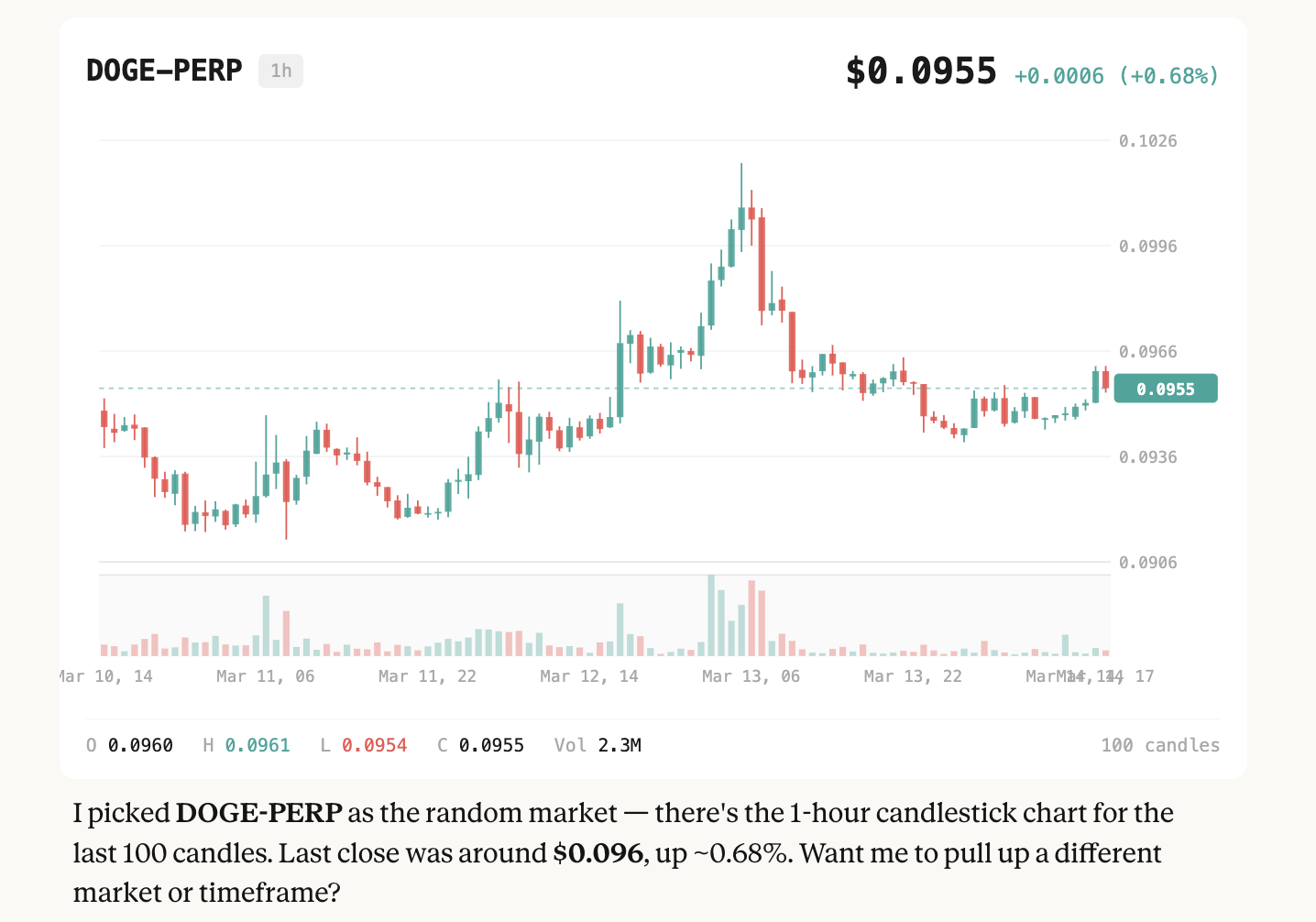
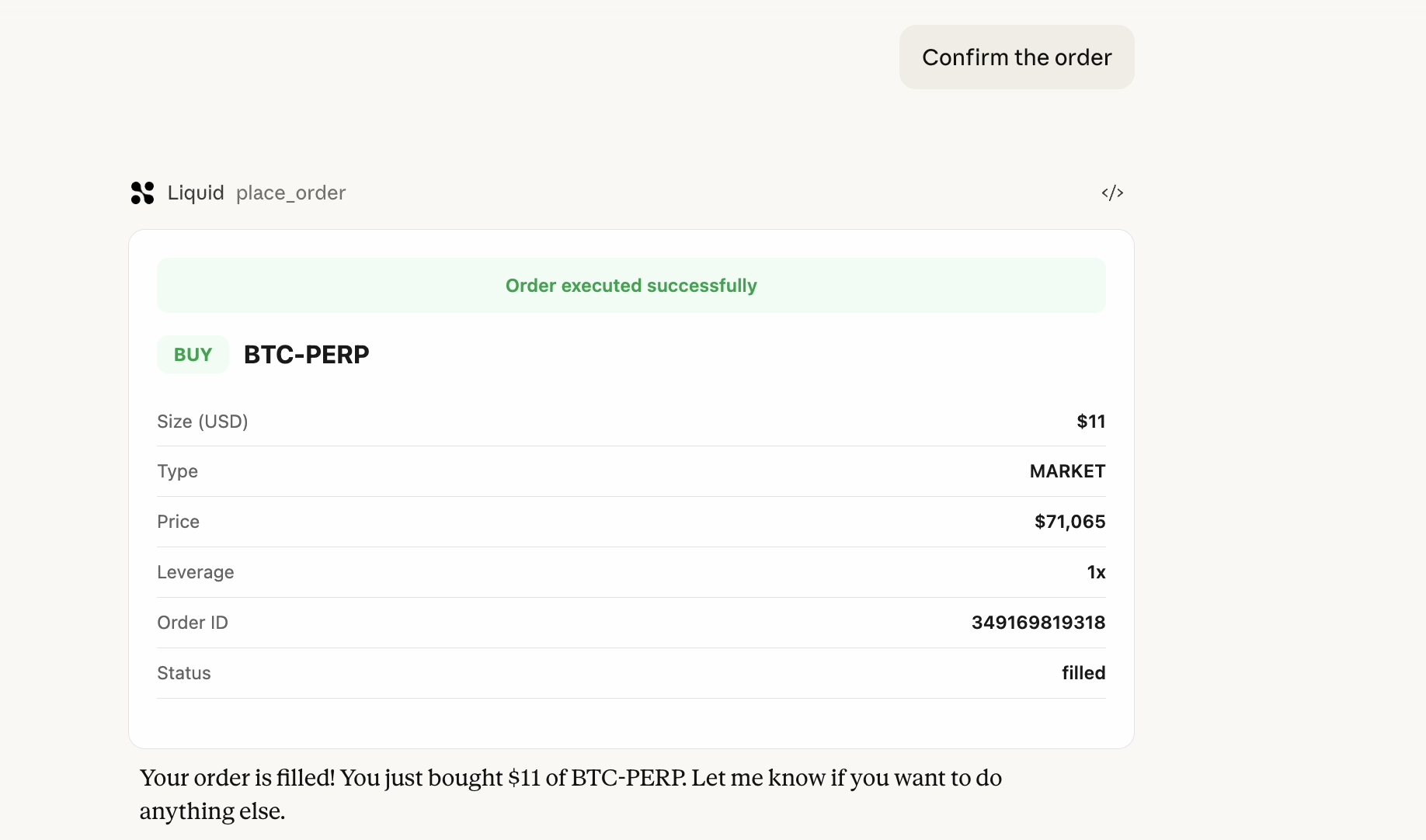
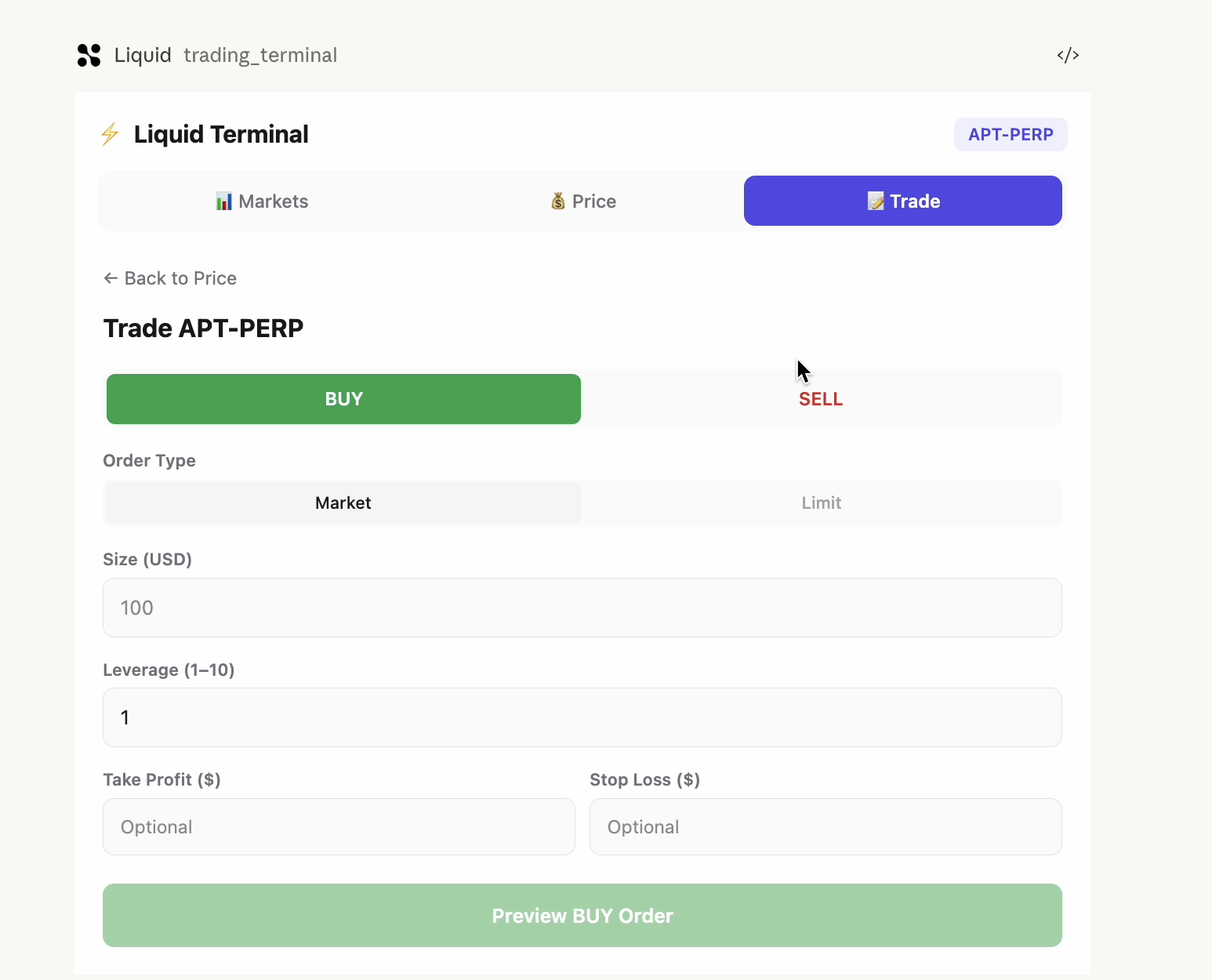
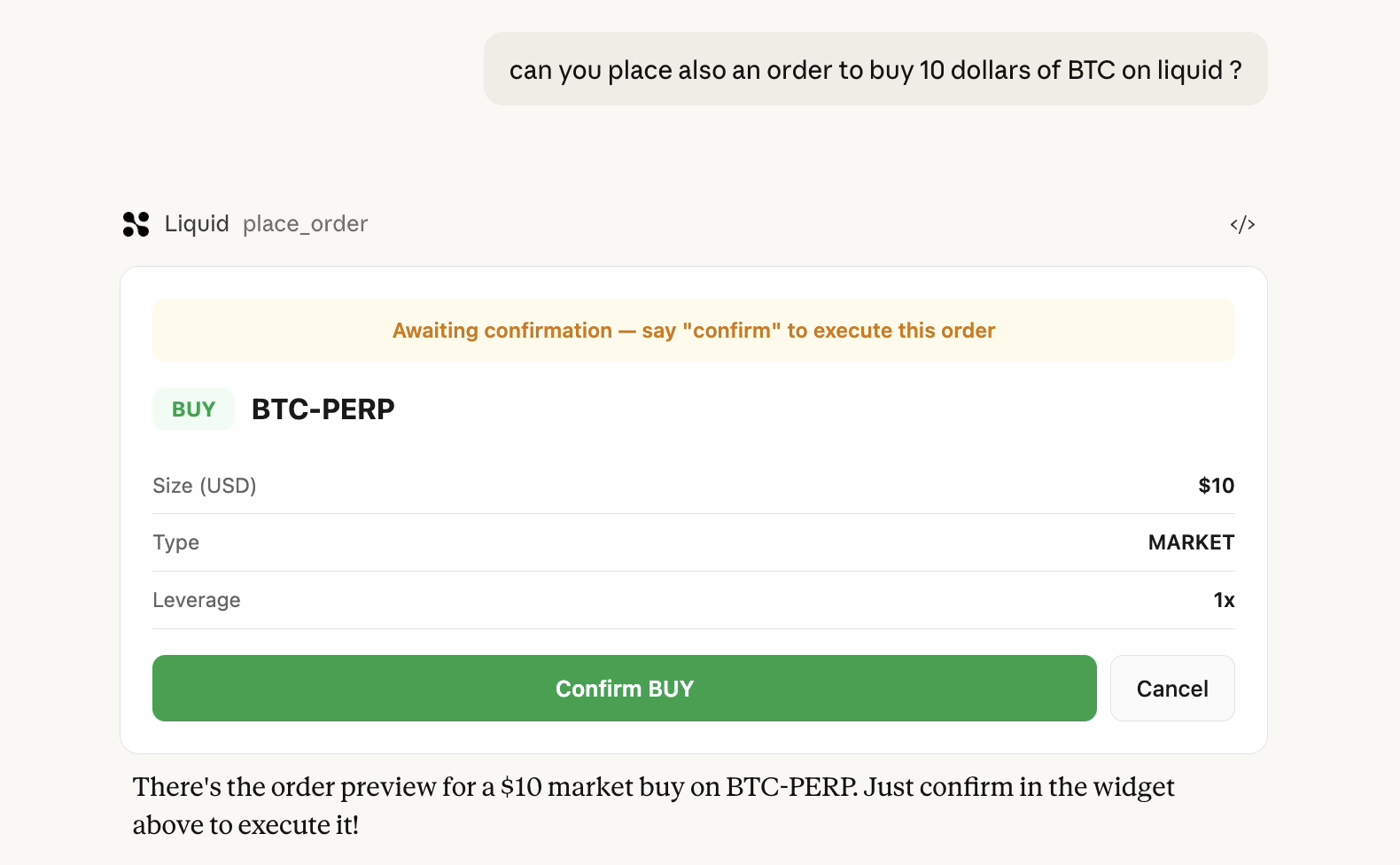
*We think that people will be able to trade from anywhere with anything and there will be no barriers to trade *
In the past you'd have a thesis forming in your head — a narrative about macro flows, funding rate dynamics, basis trades — and then you'd have to context-switch into a clunky terminal UI just to act on it. The thinking and the execution lived in two completely different worlds.
When MCP dropped and AI assistants started gaining tool-use capabilities, the obvious question clicked: what if the terminal was just... the conversation?
Hyperliquid made it concrete. It's a fully on-chain perpetuals exchange with a clean API and deep liquidity — the right substrate for something like this. Liquid Trading was born from wanting to close the gap between having a trading idea and executing it, with zero friction.
How I Built It The architecture is intentionally layered:
src/liquid/client.ts — a thin HMAC-SHA256 signed HTTP client wrapping the Liquid/Hyperliquid API. Every request is authenticated with: $$\text{signature} = \text{HMAC-SHA256}(k_{\text{secret}},\ \text{timestamp} \mathbin| \text{method} \mathbin| \text{path} \mathbin| \text{body})$$
src/tools/ — MCP tool handlers that translate natural language intent into signed API calls, with Zod validation at the boundary.
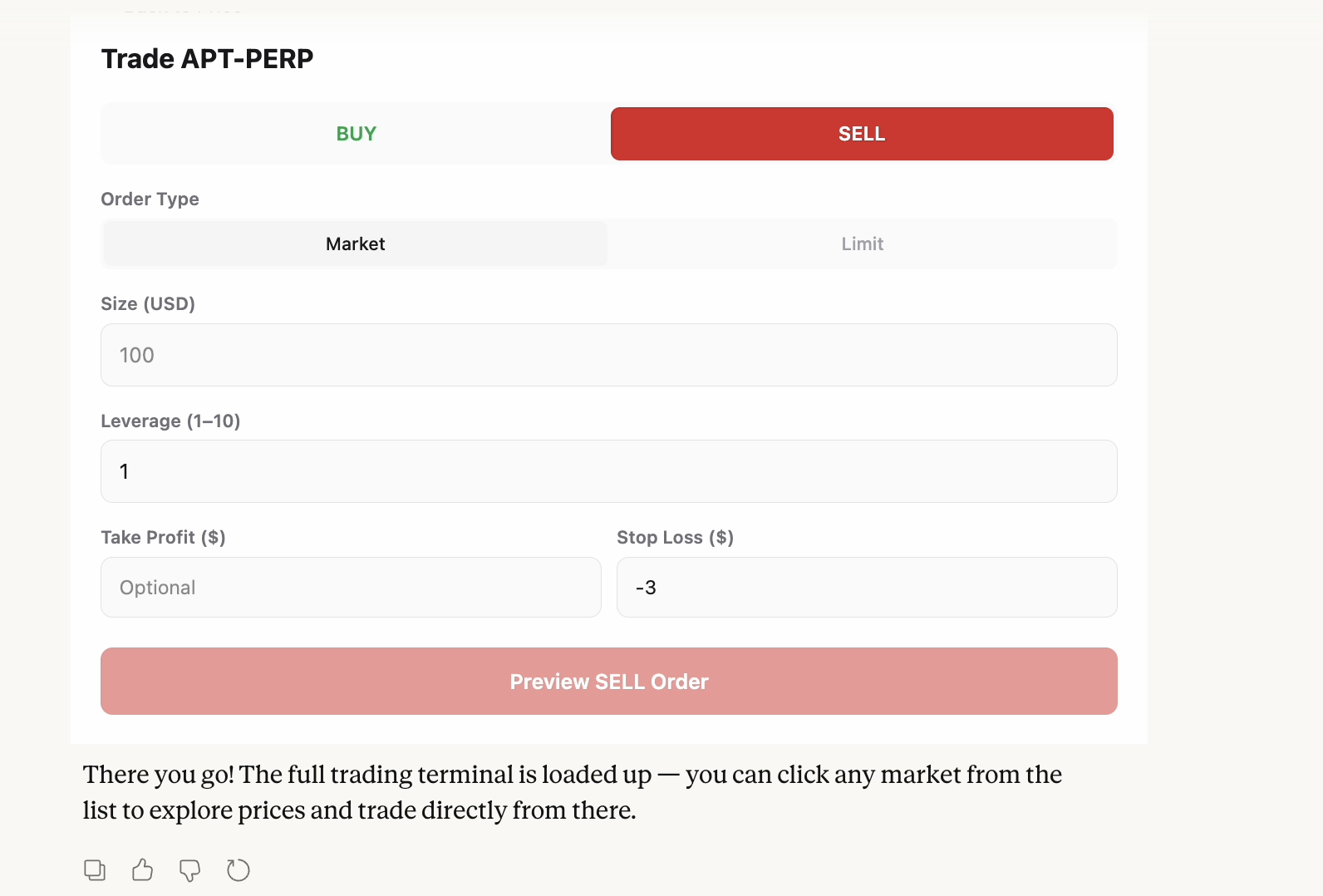
resources/ — React 19 widgets compiled by Vite and served inline. The trading terminal, order book, and confirmation dialogs all render natively in Claude Desktop and ChatGPT via the Apps SDK.
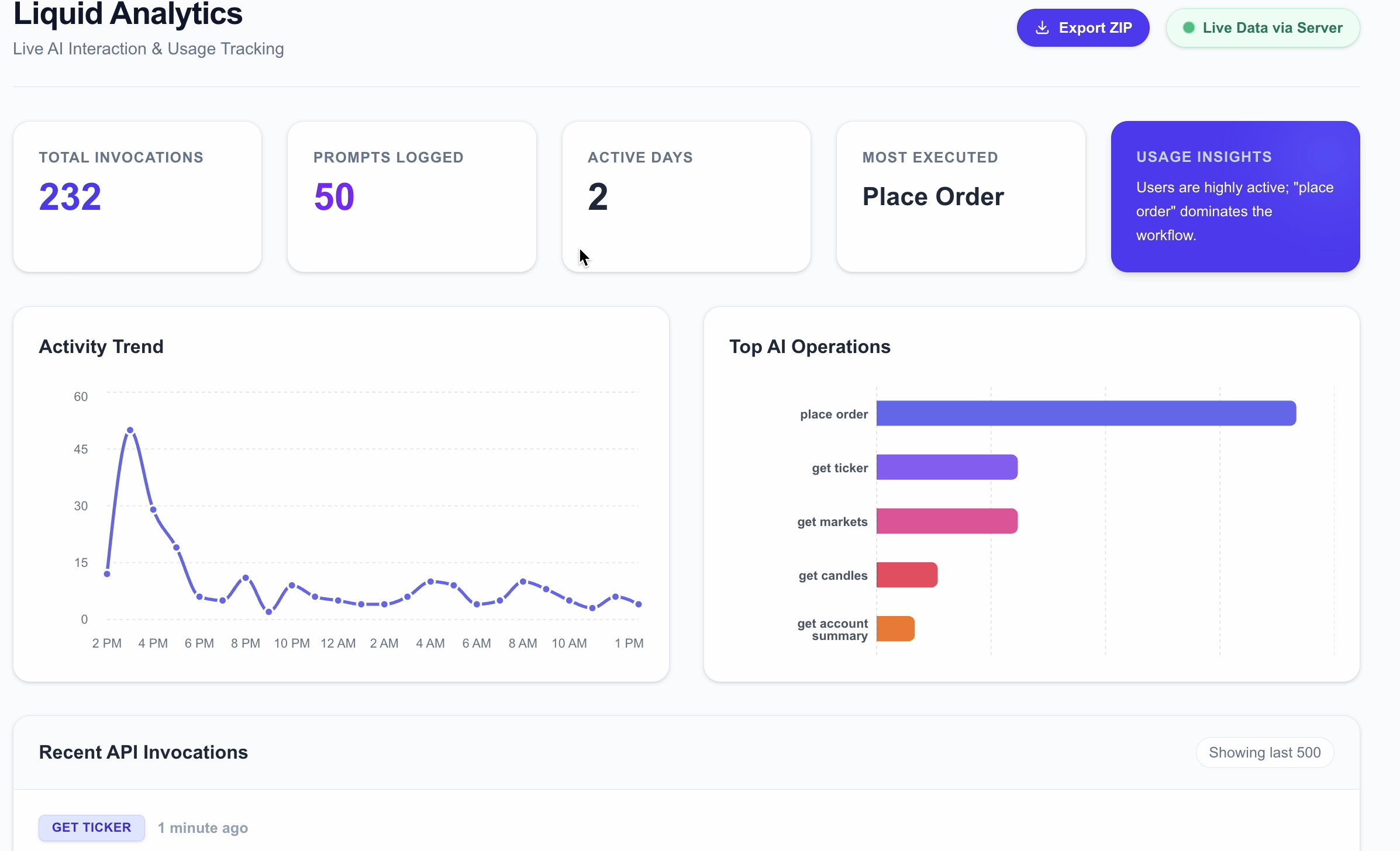
dashboard/ — an optional Next.js analytics layer backed by Supabase, useful for reviewing what prompts led to what trades over time.
The key design decision was treating USD notional as the universal unit of size. No more mental conversion between contracts, coins, and dollars. You say $500 of SOL-PERP at 5x and the server figures out the rest.
Challenges The confirmation problem was harder than it looked.
For read-only tools, the MCP pattern is straightforward. But place_order is a real financial transaction — you can't undo a market order. The solution was a two-step widget flow: the tool renders an OrderConfirmation widget first, which the user must explicitly interact with before the order is ever submitted. Getting this to feel native (not clunky) in both Claude Desktop and ChatGPT took several iterations.
Widget rendering across clients is a moving target. Claude Desktop and ChatGPT have meaningfully different rendering environments. CSS that looks sharp in one can break in the other. I ended up converging on a conservative TailwindCSS 4 subset and testing each widget against both renderers before shipping.
Built With
- anthropic
- mcp
- typescrict

Log in or sign up for Devpost to join the conversation.