-
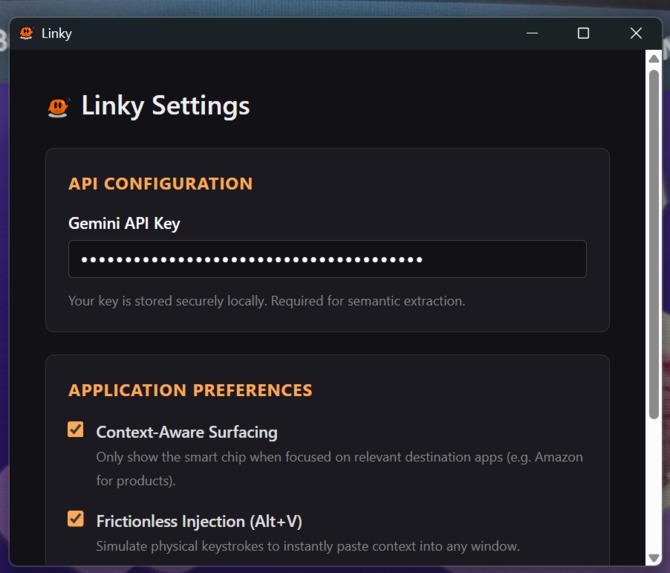
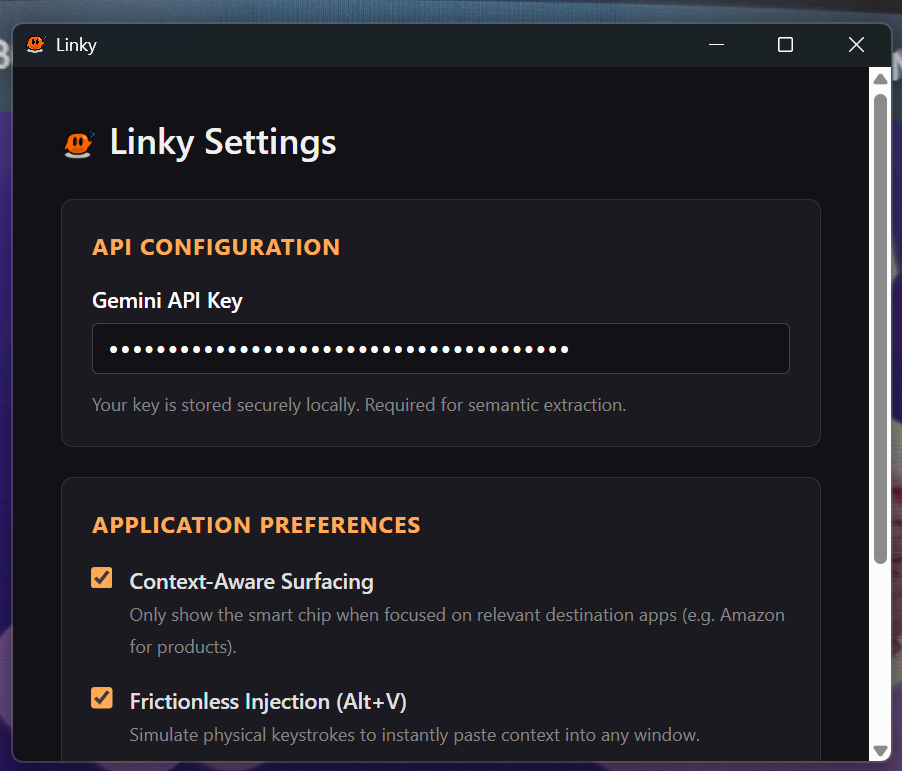
Settings and Configuration
-
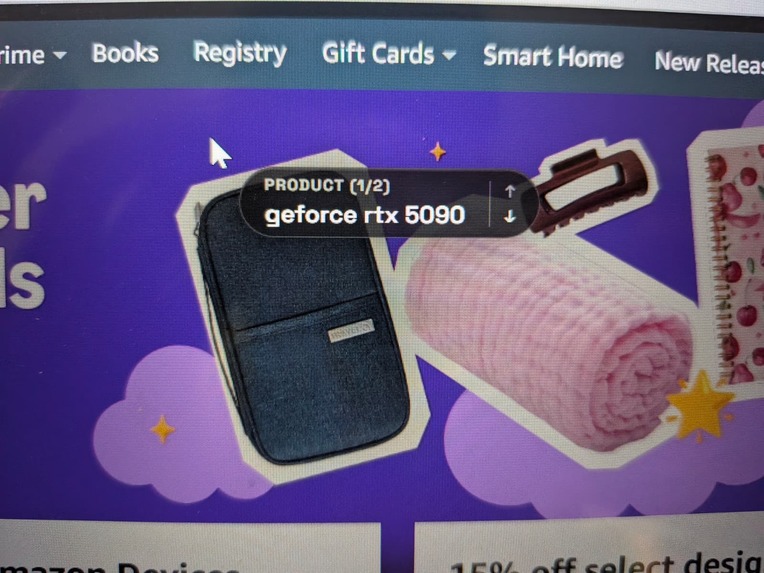
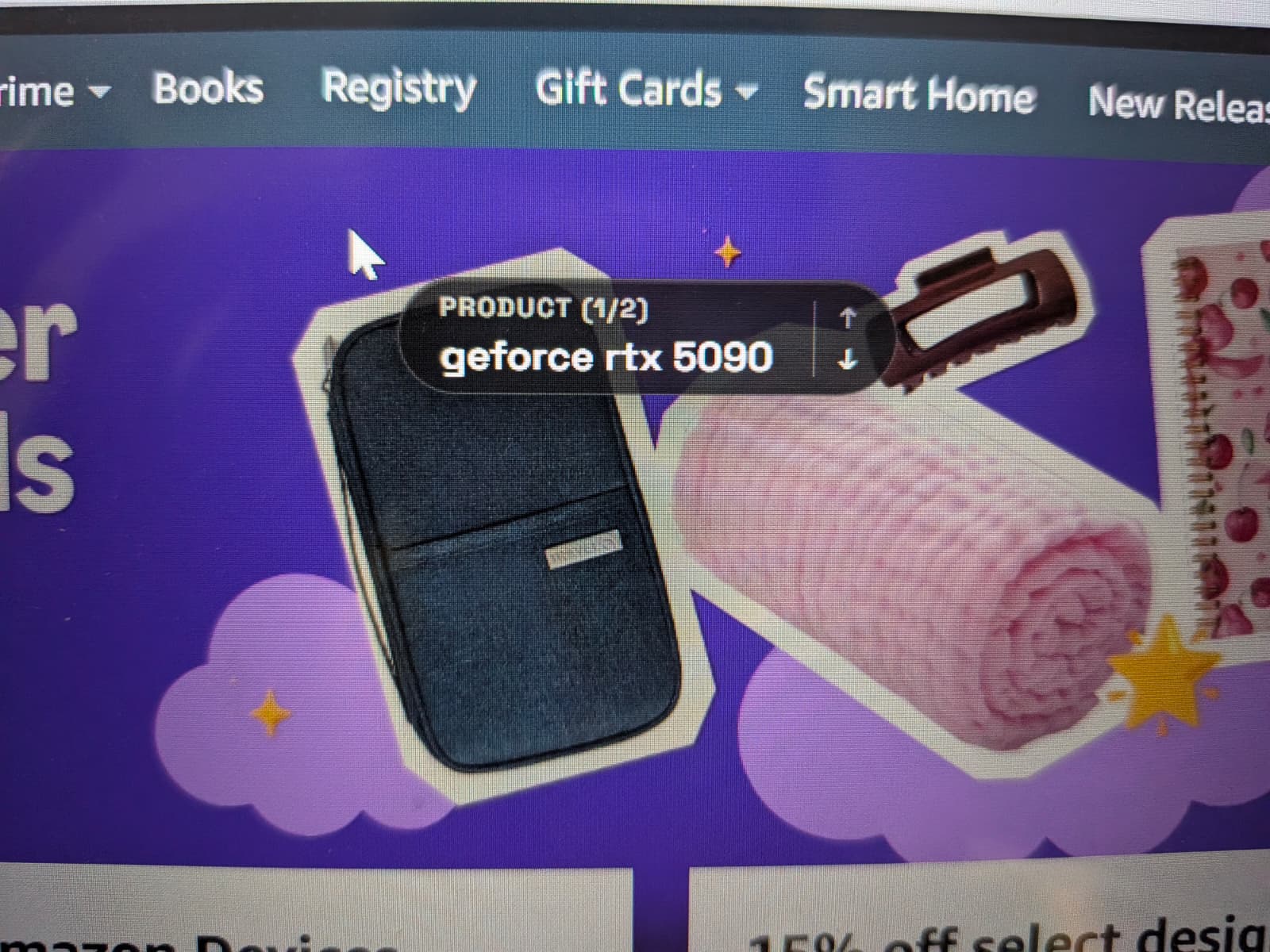
Tab
Inspiration
Have you ever seen an image, a product, or a piece of text on your screen and desperately wanted to know more about it without the hassle of copying, pasting, and opening a new tab? We wanted to build a seamless bridge between your current context and the vast knowledge of the internet. That's how Linky (formerly Magic Cue) was born. Our inspiration was to create a "morphing cursor" or intelligent "chip" that intuitively understands what you're looking at and instantly provides a relevant link right next to your cursor, eliminating context switching completely.
What it does
Linky is an intelligent, always-on-top desktop overlay and companion Chrome extension. As you navigate the web, Linky analyzes the content you're viewing. When you need information on a product, artist, or an interesting subject, Linky summons a beautiful, unobtrusive "chip" directly next to your cursor. Clicking this chip seamlessly takes you to the relevant destination. It filters out the noise (like avoiding clutter on Amazon or Spotify homepages) to focus only on a single, primary subject, making the internet feel truly interactive and connected.
How we built it
We built Linky using a modern, robust tech stack:
- Desktop App: Electron provides the transparent, frameless, and always-on-top window overlay, built with React and Vite for a seamless UI.
- Vision & Context: We integrate a custom image processing pipeline using
sharp. - Text Recognition: We implemented a local Optical Character Recognition (OCR) system powered by
tesseract.js. - AI Engine: The brains of the operation uses Google's Gemini API (
@google/generative-ai). Gemini processes the visual and textual context to accurately identify the primary subject of interest and formulate the most relevant link. - Communication: A custom WebSocket (
ws) server handles secure, low-latency IPC communication between the Chrome extension (which helps track cursor and page context) and the main Electron application.
Challenges we ran into
- Always-on-top Rendering Constraints: Ensuring our React-based Electron window remained completely transparent and click-through until the exact moment the user needed the Linky chip required tricky IPC handling and native OS window management to prevent stealing focus.
- Noise Filtering: At first, Gemini and our vision pipeline would pick up way too much noise on storefront homepages (like an entire list of products on Amazon). Evolving the prompts and context-gathering logic to focus strictly on the single, primary subject was a difficult balancing act.
- State Management Across Processes: Synchronizing the cursor's coordinates smoothly from the Chrome extension to the background WebSocket server, and finally rendering the "morphing cursor" in the Electron renderer without lag, required a lot of optimization and debugging to prevent visual stutters.
Accomplishments that we're proud of
We are incredibly proud of our fast and extremely accurate OCR model. By integrating tesseract.js locally alongside sharp for pre-processing, we managed to capture on-screen text with near-perfect accuracy and ultra-low latency. Because the OCR runs directly on the user's machine, it massively speeds up the context-gathering phase, meaning the Linky chip appears practically instantly. Combining this hyper-accurate text stream with the visual data allows Gemini to confidently pinpoint precisely what the user wants. We're also very proud of the sleek, animated UI of the morphing cursor; it feels like magic to use.
What we learned
We learned an incredible amount about optimizing computer vision pipelines for real-time desktop use. Specifically, working to implement and fine-tune the OCR model was a huge learning curve. We discovered that raw screenshots often yield poor OCR results. We learned how to properly pre-process images (adjusting contrast, grayscaling, and cropping) using sharp before feeding them into Tesseract to achieve the high accuracy we needed. We also learned how to effectively combine local, fast heuristics (like OCR) with slower, cloud-based LLM inferences (Gemini) to create a lag-free user experience.
What's next for Linky
We want to expand Linky beyond just links! Next steps include:
- Direct Actions: Instead of just opening a link, allowing you to directly add a product to your cart or save a song to your playlist natively within the chip.
- Broader OS Support: While we've optimized for Windows primarily, we want to bring the same flawless native window management to macOS and Linux.
- Customizable AI Agents: Allowing users to plug in their own custom instructions for what the chip should prioritize finding (e.g., "Always look for developer documentation").

Log in or sign up for Devpost to join the conversation.