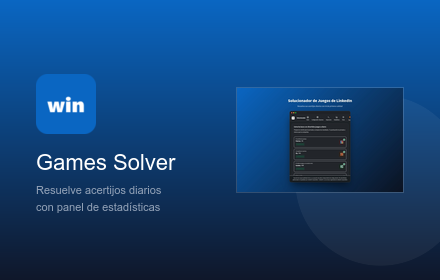

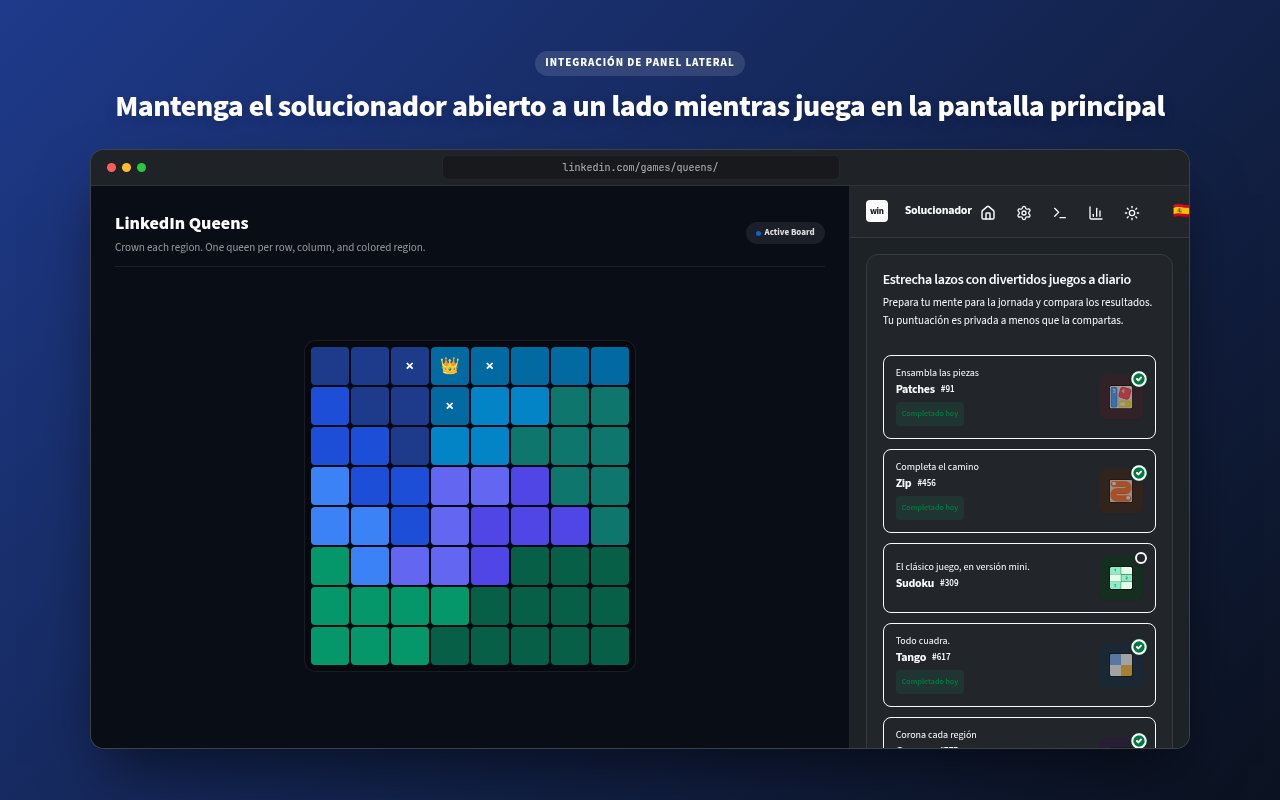


🎮 LinkedIn Games Solver



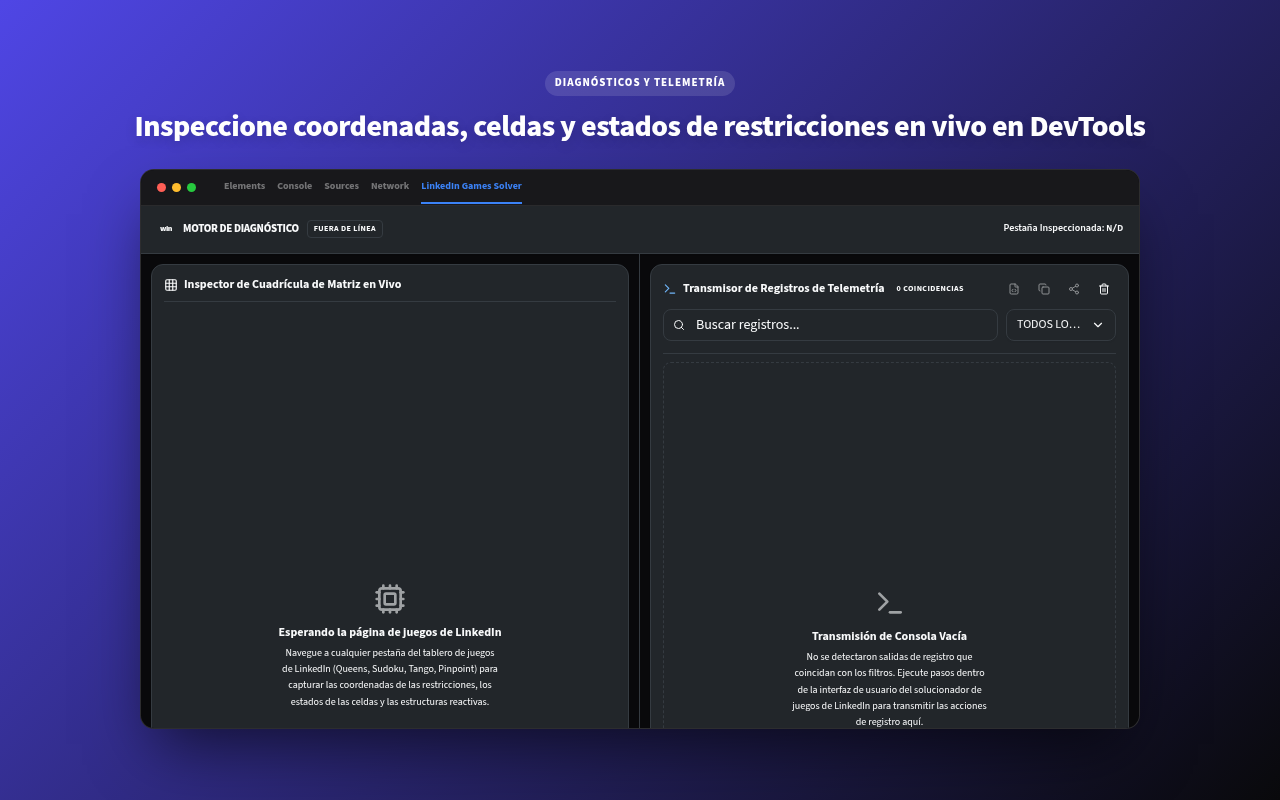
An advanced, obfuscation-proof browser extension compatible with Google Chrome™, Microsoft Edge™, and Mozilla Firefox™ built with React, TypeScript, and WXT that provides interactive overlays, education-centric helpers, and automated solvers for LinkedIn's daily games catalog.



[!IMPORTANT]
Unofficial Educational Companion: This is an independent, open-source educational project developed by Muhammed Mustafa AKŞAM. It is not affiliated with, sponsored by, or endorsed by LinkedIn Corporation or its subsidiaries.
[!TIP]
State-of-the-Art Architecture: This extension features a Main-World React Fiber State extraction bridge that reads daily board states directly from LinkedIn's virtual tree, rendering the solver entirely immune to CSS class obfuscations or UI changes.
🚀 Key Features
- Instant & Guided Solvers: Instantly solve puzzles or receive step-by-step hints to learn best practices and strategies.
- Obfuscation-Proof Engine: Pulls board states, region matrices, relational edges, and constraints directly from React Fiber virtual tree properties rather than scraping fragile DOM coordinates.
- Hybrid Registry / AI Solver: Automatically fetches pre-solved daily trivia answers from a public registry, eliminating API token costs and LLM hallucinations for games like Crossclimb, Pinpoint, and Wend. Falls back to active AI inference if needed.
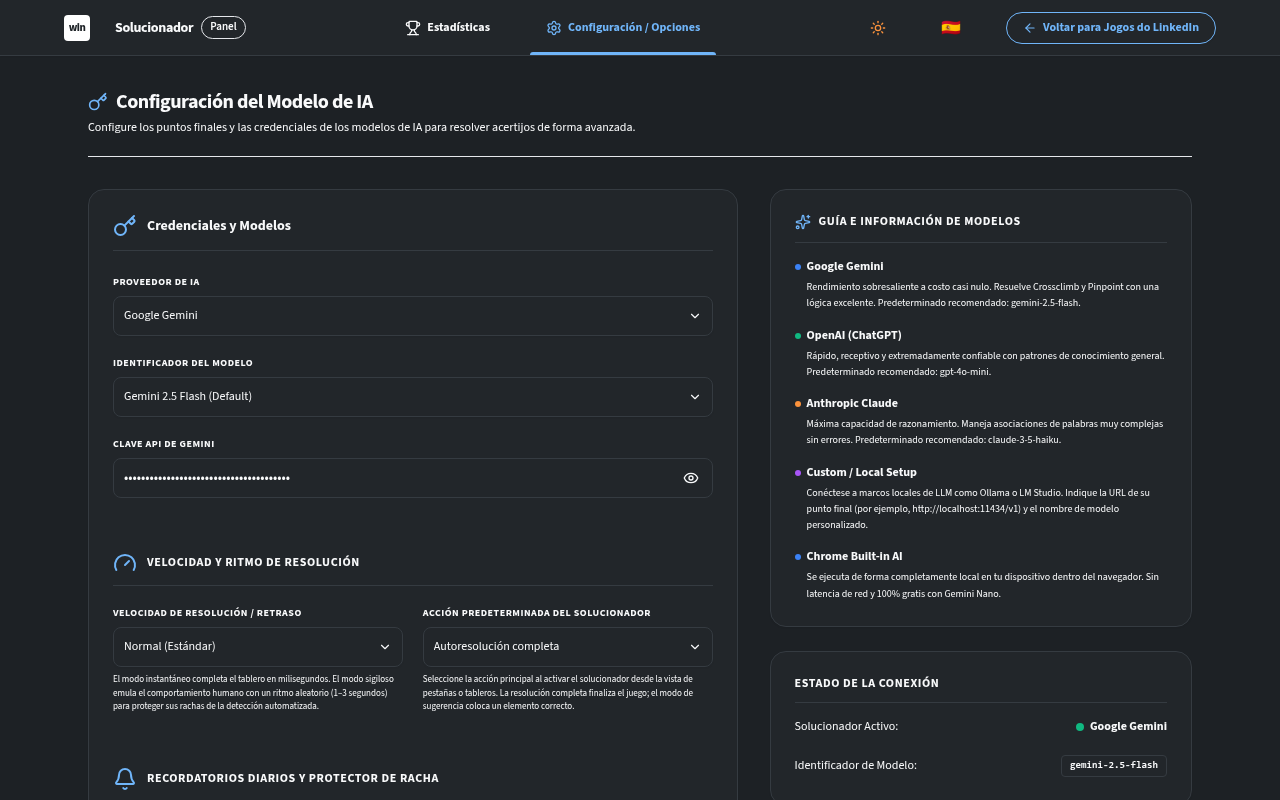
- Multi-Model AI Integration: Uses advanced LLM reasoning (Gemini, Claude, GPT-4o, DeepSeek, or local Ollama) to solve new trivia-based games.
- One-Click Contribution Engine: Easily submit today's board states directly to our registry using the automated "Submit Answer" button, or copy the pre-formatted registry JSON in a single click for manual Pull Requests.
- Human-like Pacing (Stealth Mode): Secure your daily streaks with custom pacing controls featuring randomized click delays, mimicking human patterns.
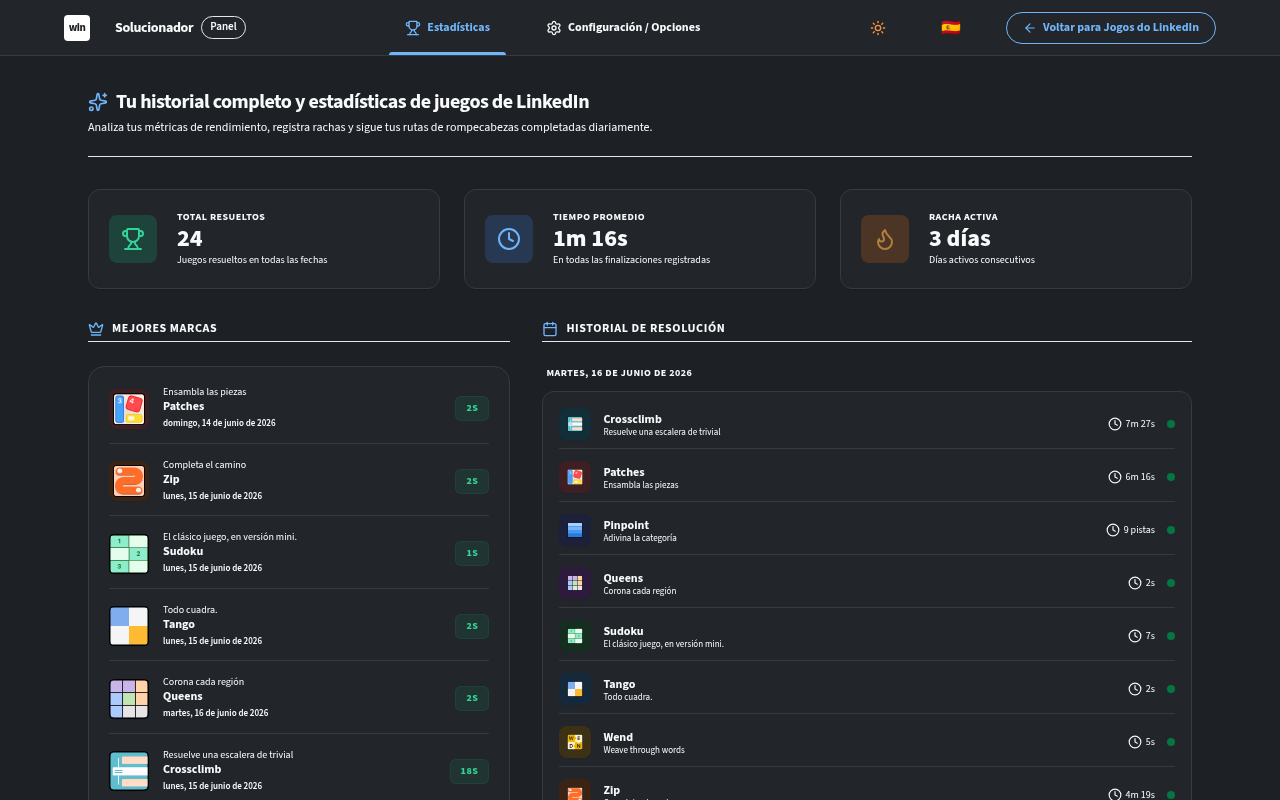
- Detailed Activity Stats: View streaks, average solve metrics, personal records, and visual activity calendar matrices.
- Multilingual UI: Native support for English and Turkish out of the box.
🛠️ Architecture & Extraction Bridge
The extension injects a Main-World (logger-main.ts) script that bypasses isolation sandboxing to query the React component virtual tree properties. When a solver triggers, it executes an asynchronous Promise-based IPC bridge to request and parse the underlying Protobuf schemas.
React Fiber Bridge Flow
sequenceDiagram
    autonumber
    participant Solver as Isolated Solver (games/patches.ts)
    participant Bridge as Content Bridge (games/react-bridge.ts)
    participant MainBridge as Page Logger & Bridge (logger-main.ts)
    participant ReactTree as React Fiber Tree (MAIN World)

    Solver->>Bridge: fetchReactBoardState("patches")
    Bridge->>MainBridge: postMessage("EXTRACT_REACT_STATE", requestId)
    Note over MainBridge: Traverse up element __reactFiber$ return path
    MainBridge->>ReactTree: Locate memoizedProps.game
    ReactTree-->>MainBridge: Rebuilds clean board Protobuf JSON
    MainBridge-->>Bridge: postMessage("REACT_STATE_EXTRACTED", data, success)
    Note over Bridge: Safety Timeout Guard (1500ms)
    Bridge-->>Solver: Resolves clean type-safe JSON representation
    Note over Solver: Falls back to DOM scraping if bridge fails
Hybrid Answers Registry Flow
For trivia-based Ember.js games, the solver optimizes speed and stability through a public answer database, falling back dynamically to active AI models when needed:
sequenceDiagram
    autonumber
    participant User as User Click "Solve"
    participant Solver as Game Solver (e.g., crossclimb.ts)
    participant BG as Background Service Worker
    participant Registry as Public GitHub Answers Registry (raw.githubusercontent.com)
    participant LLM as Active AI Provider (Gemini / OpenAI / Nano)

    User->>Solver: Initiates Solve
    Solver->>BG: fetchRegistry(game)
    BG->>Registry: GET /registry/{game}.json
    Alt Registry Hit (Puzzle Found)
        Registry-->>BG: Returns JSON Database
        BG-->>Solver: Resolves Registry Data
        Solver->>Solver: Matches current Puzzle Number
        Note over Solver: Instantly Solves Game (Zero API Cost, 100% Accuracy)
    Else Registry Miss / Network Offline
        BG-->>Solver: Fails to load / Entry missing
        Solver->>LLM: Requests Solver Inference (with clues & framework DOM state)
        LLM-->>Solver: Returns AI Reasoning Output
        Solver->>Solver: Applies AI Solution
    End
Offscreen Canvas Preprocessing Flow
For visual solvers (like Pinpoint), the extension captures viewport screenshots and processes them entirely on-device using a headless Chrome Offscreen Document with HTML5 Canvas before transmitting data to Gemini. This keeps payload sizes under 50KB, dramatically reduces prompt latency, and guarantees user data privacy by stripping all surrounding tabs, taskbars, and personal text locally.
sequenceDiagram
    autonumber
    participant Content as Content Solver (games/multimodal.ts)
    participant SW as Background Service Worker (captureTab.ts)
    participant Offscreen as Offscreen Document (tabs/offscreen.tsx)
    participant Gemini as Multimodal AI (Gemini Nano)

    Content->>SW: sendToBackground("captureTab", cropRect)
    Note over SW: Capture raw 4K screenshot (Base64)
    SW->>SW: Create Headless Offscreen Document (tabs/offscreen.html)
    SW->>Offscreen: sendMessage("preprocess-image", { dataUrl, cropRect })
    Note over Offscreen: Loads image into hidden <canvas>
    Note over Offscreen: Crops to board & scales down to 512x512
    Note over Offscreen: Compresses to 85% JPEG quality
    Offscreen-->>SW: Resolves compressed base64 JPEG
    SW->>SW: closeDocument()
    SW-->>Content: Returns optimized 40KB image
    Content->>Gemini: Prompts Gemini with tiny optimized image
🗃️ Daily Answers Registry & Contribution
To ensure lightning-fast solving speeds, prevent AI hallucinations on trivia-based games, and keep LLM token usage at absolute zero, the extension leverages a public registry database hosted on GitHub under registry/.
Registry File Schemas
- crossclimb.json: Stores five-word ladder steps, starting/ending anchors, and clues mapped by the puzzle number.
- pinpoint.json: Stores categories and word clues mapped by the puzzle number.
- wend.json: Stores completed word lists (ordered top to bottom) mapped by the puzzle number.
Example Entry (pinpoint.json)
{
  "758": {
    "category": "Words that come after \"door\"",
    "clues": ["Way", "Mat", "Bell", "Jamb", "Knob"]
  }
}
🤝 Easy Contribution (Help Keep Registry Up-to-Date!)
We want to make contributing daily puzzles as simple and accessible as possible. There are three easy ways you can contribute to keep the daily registry fully populated:
🚀 Method 1: 1-Click Submit via Extension Debug Panel (Recommended)
This is the fastest, completely automated way to contribute:
- Navigate to the active game board on LinkedIn (Crossclimb, Pinpoint, or Wend).
- Open the extension popup or side panel, and click on the Debug tab.
- Scroll to the bottom and click the "Submit Answer" button.
- This instantly launches a new tab to our GitHub repository's puzzle submission form, fully pre-filled with today's game type, puzzle ID, clues, and answers using URL query parameters!
- Simply review the fields and click "Submit new issue"! Our automated GitHub Action pipeline will validate the entry, merge it into the registry, and credit you as a contributor automatically.
🌟 Method 2: Manual Issue Template Submission
If you want to manually report a puzzle or type in the fields yourself:
- Go to the Issues tab on our GitHub repository.
- Click New Issue and select the "Submit Daily Puzzle Answers" template.
- Fill out the simple form fields (Game Type, Clues, and Answers) using the board state from today's game.
- Submit the issue! Our automated pipeline will do the rest and credit you as a co-author.
🛠️ Method 3: Direct JSON Copy & Pull Request
If you prefer opening a manual Pull Request:
- Navigate to the active game on LinkedIn.
- Open the extension popup or side panel, and click on the Debug tab.
- Scroll to the bottom and click "Copy JSON" (under today's registry JSON).
- The extension extracts the daily board state, formats it to the exact schema, and copies the formatted JSON block to your clipboard.
- Paste it directly into the respective registry file:
📊 Anonymous Telemetry & Proxy
To continuously improve solving heuristics and monitor error frequencies on dynamic LinkedIn layouts, the extension contains an anonymous performance telemetry module using Google Analytics 4 (GA4) Measurement Protocol.
Telemetry Architecture & Proxy Flow
To bypass Content Security Policy (CSP) headers on the LinkedIn domain and prevent remotely hosted code executions, the extension proxies all UI and content script events through the Background Service Worker:
sequenceDiagram
    autonumber
    participant UI as React UI (Popup / Sidepanel)
    participant CS as Content Script (LinkedIn Games Tab)
    participant BG as Background Service Worker
    participant GA as Google Analytics 4 Endpoint (HTTPS)

    UI->>BG: chrome.runtime.sendMessage("trackEvent", eventDetails)
    CS->>BG: chrome.runtime.sendMessage("trackEvent", eventDetails)
    Note over BG: Checks if telemetryEnabled in syncStorage is True
    BG->>GA: POST /mp/collect (with anonymous random UUID clientId & session)
- 100% Opt-Out Enabled: Users can instantly disable telemetry in the Settings panel (Popup or Sidepanel) at any time.
- Strictly Privacy-First: No Personally Identifiable Information (PII), browser metadata, session cookies, LinkedIn accounts, or board credentials are ever collected or sent off-device.
🎯 Supported Games & Capabilities
| Game | Platform Framework | Extraction Mode | State Mapping Depth | Fallback Stability |
|---|---|---|---|---|
| Queens | ⚛️ React | ⚡ Fiber Bridge | Complete colorGrid region coordinates & existing guesses |
🟢 Active DOM Scraper |
| Tango | ⚛️ React | ⚡ Fiber Bridge | Relational edge constraints & lock states | 🟢 SVG Layout Calculations |
| Zip | ⚛️ React | ⚡ Fiber Bridge | Grid size checkpoint sequence & wall indices | 🟢 Active DOM Scraper |
| Patches | ⚛️ React | ⚡ Fiber Bridge | Clue sizes, shape bounds, and complete solution paths | 🟢 Active DOM Scraper |
| Sudoku | 🐹 Ember.js | 👁️ DOM Scraper | Direct input read-outs & aria accessibility parsing | 🟢 Not Applicable |
| Crossclimb | 🐹 Ember.js | 👁️ DOM Scraper + 🗃️ Registry | Active input values & candidate word arrays | 🟢 100% LLM Reasoning Mode |
| Pinpoint | 🐹 Ember.js | 👁️ DOM Scraper + 🗃️ Registry | Category hints & card text lists | 🟢 100% LLM Reasoning Mode |
| Wend | ⚛️ React | ⚡ Fiber Bridge + 🗃️ Registry | Word length slots, cell letters, hole coordinates & solution paths | 🟢 100% LLM Reasoning Mode |
[!NOTE]
Ember-based Games: Sudoku, Pinpoint, and Crossclimb are built using Ember.js, which does not feature a virtual React state tree. The extension detects framework contexts automatically, logging descriptive skip events in diagnostics and successfully falling back to DOM scraper pipelines. For Pinpoint, Crossclimb, and Wend, the extension first securely Queries the Public GitHub answers registry.
🛠️ Getting Started
📂 Development Installation & Quickstart ### 1. Clone & Install Dependencies Ensure you have Node.js and `pnpm` installed on your machine. ```bash # Clone the repository git clone https://github.com/muhammedaksam/linkedin-games-solver.git cd linkedin-games-solver # Install packages pnpm install ``` ### 2. Configure Environment Variables Before starting the dev server or compiling, copy the example environment file and fill in your details: ```bash cp .env.example .env.local ``` Populate the `PLASMO_PUBLIC_GTAG_ID` and `PLASMO_PUBLIC_SECRET_API_KEY` variables in `.env.local` to enable Google Analytics 4 tracking. If left unset, telemetry will gracefully skip. ### 3. Start Development Server ```bash pnpm dev ``` Open Chrome and navigate to `chrome://extensions`. Enable **Developer Mode**, click **Load Unpacked**, and select the `.output/chrome-mv3` directory in this workspace. ### 4. Production Compilation ```bash pnpm build ``` The output will compile cleanly into the `.output/chrome-mv3` folder, ready for packing and uploading. 🎨 Generate Chrome Web Store & Social Assets This repository includes an automatic generator for Web Store assets and social sharing cards, keeping social visual safe regions in check. ### Run Generator ```bash pnpm generate:store-assets ``` ### Outputs - `store-assets/store-icon-128.png` — listing icon (128×128) - `store-assets/global/small-promo-440x280.jpg` — small listing tile - `store-assets/global/marquee-promo-1400x560.jpg` — marquee card - `store-assets/global/screenshots/` — compiled localized screenshots (1280×800) - `store-assets/social/social-1280x640.jpg` — global social sharing preview cards ### Prerequisites - `rsvg-convert` — SVG rasterizer tool (`apt install librsvg2-bin` or via Homebrew) - `ImageMagick` — Image composition engine (prefers the `magick` binary) - `fontconfig` — Font utilities to auto-locate typography for localized CJK overlay texts.🗺️ Extension Roadmap
- [x] React Fiber Bridge Integration: Zero-downtime, class-obfuscation proof virtual DOM scraping.
- [x] Patches Game Support: Fully integrated clue constraint extraction and layout drag simulators.
- [x] Dynamic Selector Discovery: Adaptive page element scanner supporting Ember.js and React contexts gracefully.
- [x] Strict Type-Safety: Generics-driven IPC messaging constraints.
- [x] Localization Overhaul: Support for multilingual UI strings and layouts.
- [x] AI-Assisted Self-Solving Answers Registry: Secure public pre-cached database for trivia-based games (Pinpoint, Crossclimb, and Wend).
- [x] Automated Registry Updates Pipeline: CI/CD integration to auto-validate and append user-submitted daily game pull requests.
📄 License & Contribution
Contributions are extremely welcome! Feel free to open a Pull Request or report an issue.
Licensed under the terms of the MIT License.
⚖️ Legal & Trademarks
LinkedIn® and the [in]® logo are registered trademarks of LinkedIn Corporation and its affiliates in the United States and/or other countries. This extension is an independent, open-source educational project and is not affiliated with, endorsed by, or sponsored by LinkedIn Corporation.
Google Chrome™, Chrome Web Store™, and Gemini™ are trademarks of Google LLC. Use of these trademarks is subject to Google Permissions.
Microsoft Edge™ and Microsoft Edge Add-ons™ are trademarks of Microsoft Corporation in the United States and/or other countries.
Firefox™ and Mozilla Firefox™ are trademarks of the Mozilla Foundation in the United States and/or other countries.

Log in or sign up for Devpost to join the conversation.