-
-
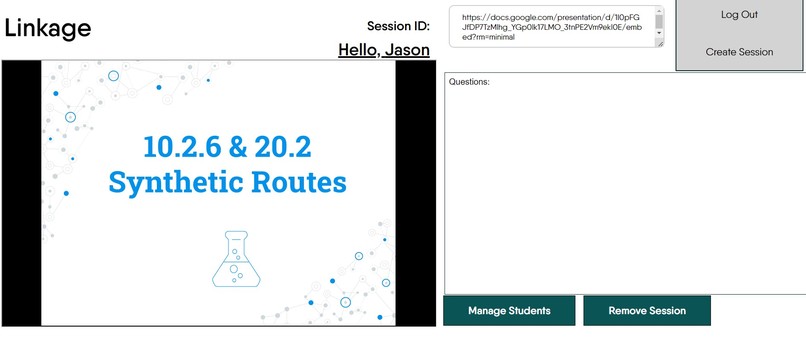
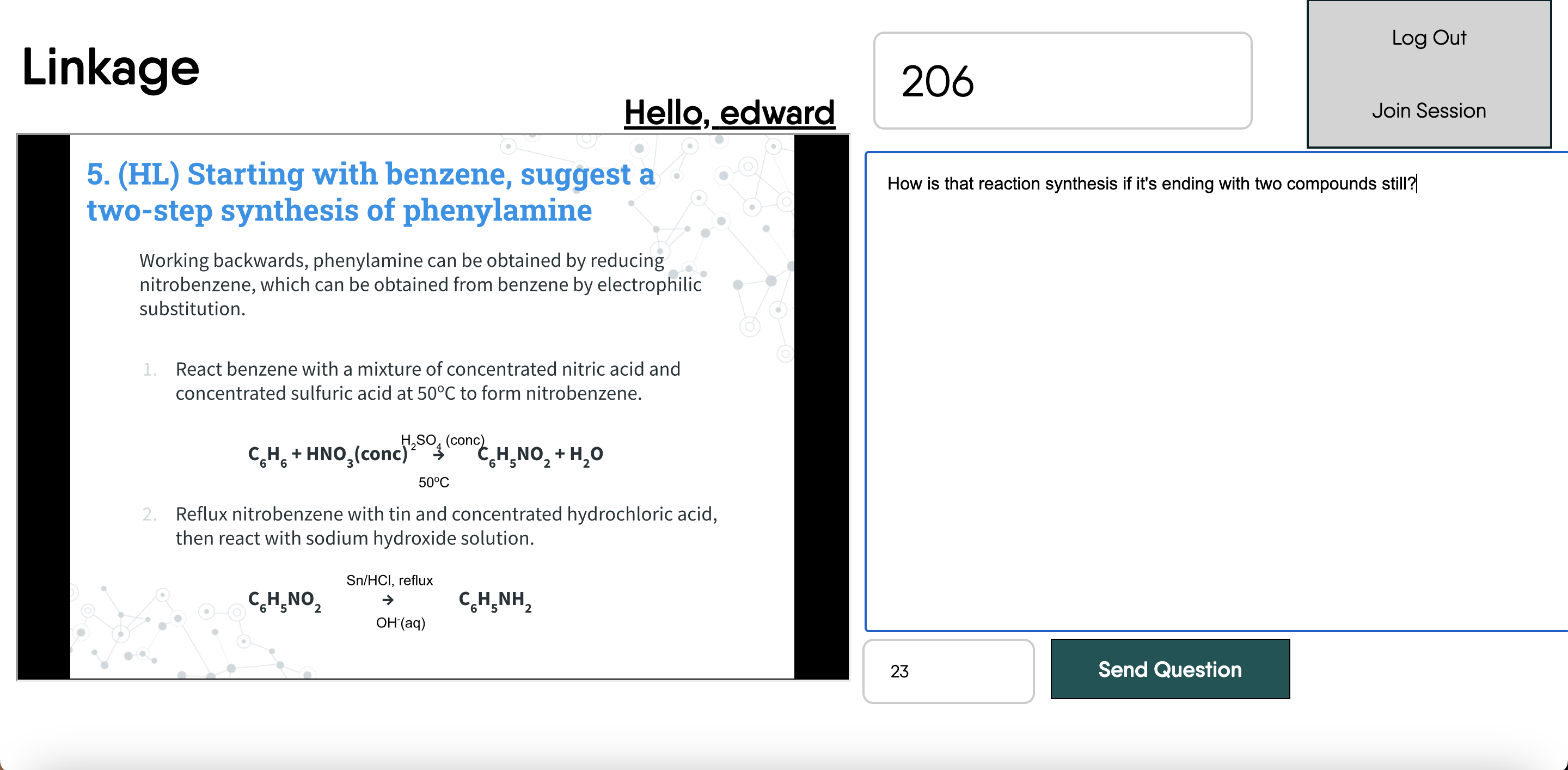
student view
-
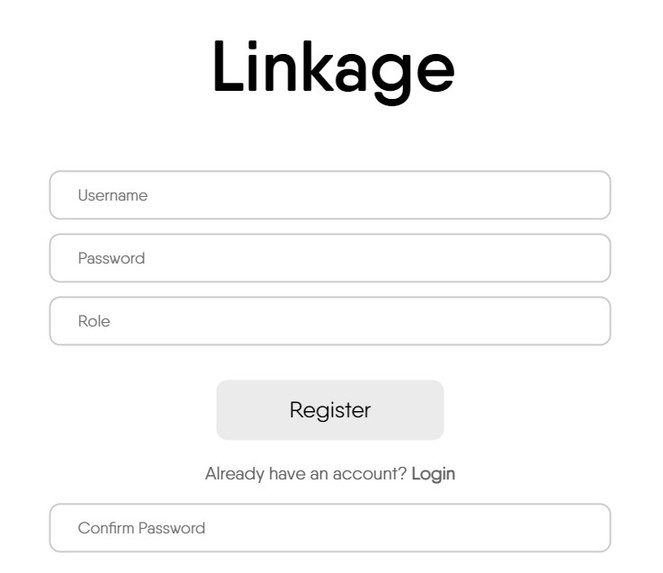
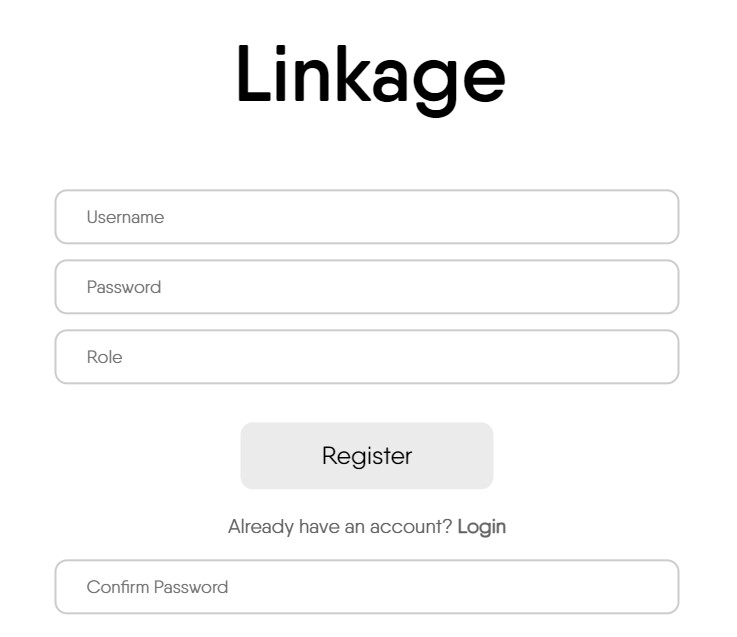
login page
-
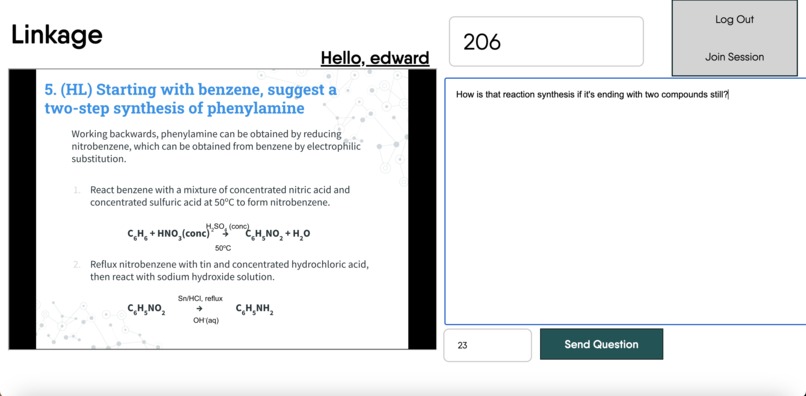
student view
-
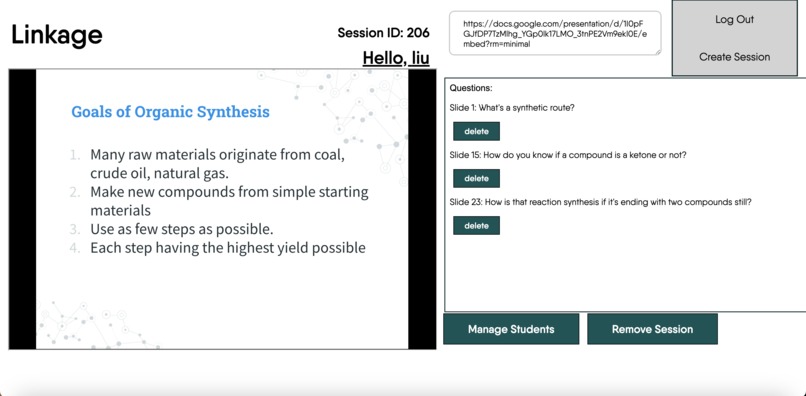
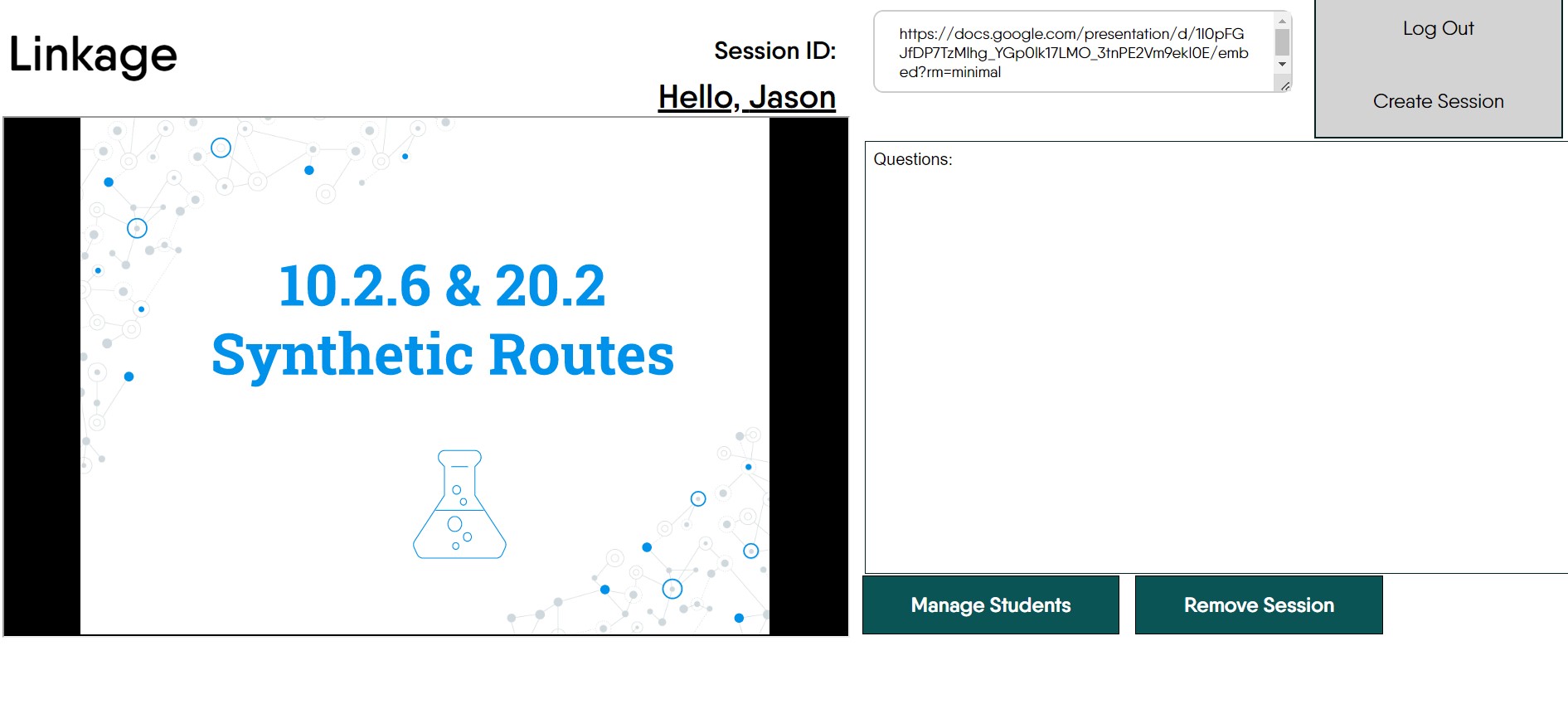
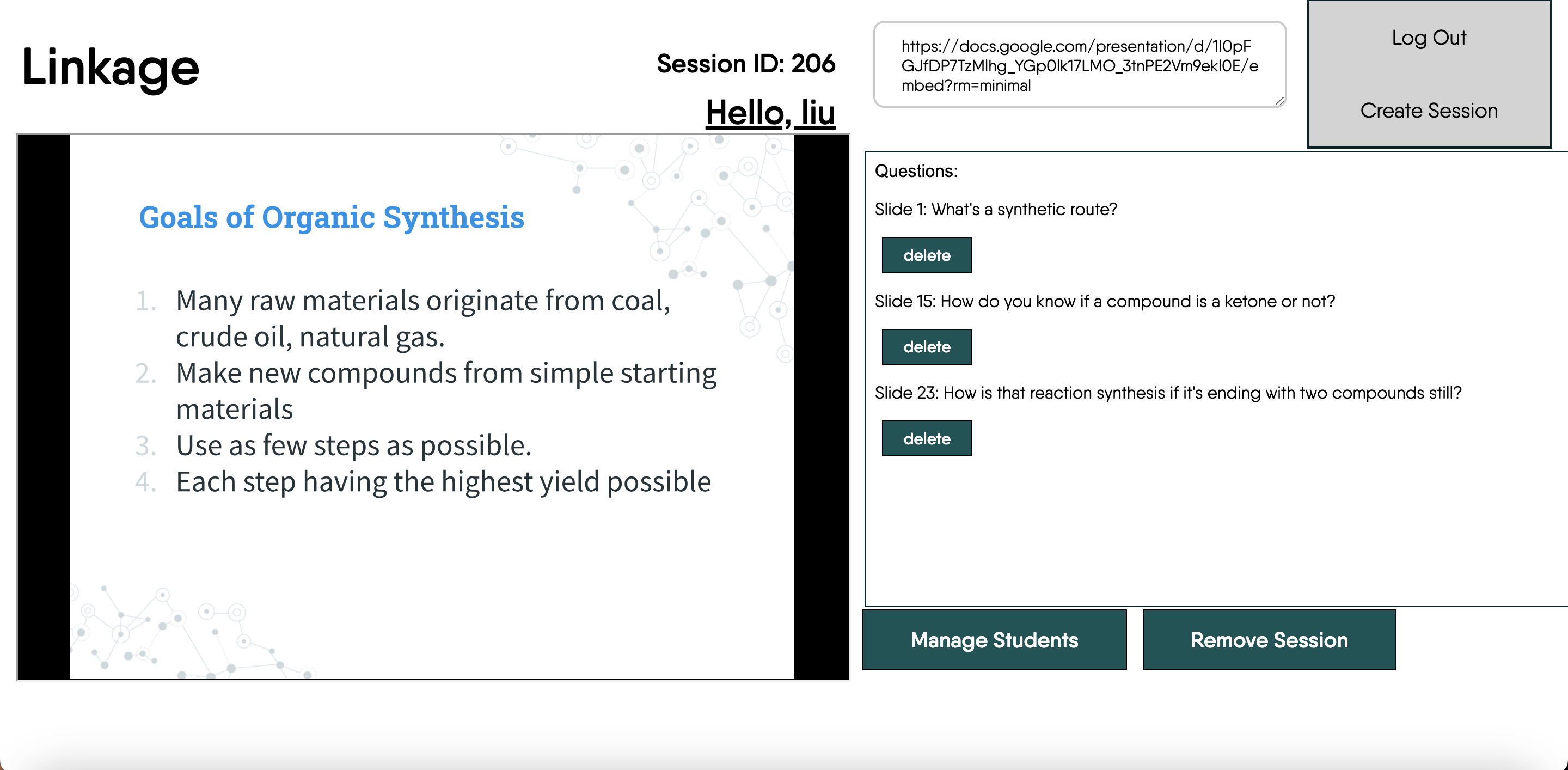
teacher view
Inspiration
Sometimes, asking questions in class can be hard. Maybe you don't want to interrupt the lesson, maybe you think it's a bad question to ask, or maybe you're just shy. There are also times when there's thousands of people in one lecture and asking one question means stopping all those people. That's why we decided to create this app targeting the problem. We were inspired by all the quiet kids in our class who usually never talk and never ask questions, hoping that this app will help them out at school a little bit.
What it does
Our app essentially allows teachers to link their google slide presentation and host a session where students can join. Teachers and students respectively would have to make their own accounts and from then teachers can start creating these sessions. After adding students to a session, students can write out questions and send it over to the teacher, where it pops up on the teacher's display. From then the teacher can do what they want with the question choosing to answer it or leave it unanswered and delete it.
How we built it
Our front-end was mostly done using React and we used Spring Boot Rest Controllers to communicate between front-end and back-end.
For front-end, we would draw out the general layout on photoshop and attempt to recreate it using both a mix of React, CSS, and raw JavaScript.
Some of the more important elements of our front-end were the iframe holding the Google slide and the text area element next to it for writing questions. There would also be an input bar at the top for searching sessions.
The system runs on a tomcat server, coming from the built-in server packaged with Spring Boot Web Application. We chose Spring Boot as our framework for back-end because of its performance, versatility, and our preferred language (being Java). We implemented spring security and JWT tokens to ensure that if this application does ever get hosted online, the security of our application wouldn't be compromised. We set up four different tables in our database to manage and would send JSON files and JWT tokens to map requests and verify user information.
Challenges we ran into
Prior to this hackathon, we had zero experience with react. We decided to spend about a week before this reading up on it and when the hackathon came, decided to try using it. Naturally, this meant we came across a lot of roadblocks. One of the largest issues we encountered was Routing and Conditional Rendering. After doing some research, we figured out that using react, we can just re-render different function components which would load different pages. The problem with this was that we would need to find a way to transfer data between these renders to route the two pages together. Now, for a pair of people basically completely new to react, it took lots of searching to first figure out how to pass information from a child component to a parent and to use that data in our Conditional Rendering.
if (page === "home") {
        return <LoginUI page={getPage} jwtToken={getJWTToken} user={getUsername} />;
    }
    if (page === "student") {
        return <StudentPageUI page={getPage} user={username} jwtToken={jwtToken}/>;
    }
    if (page === "teacher") {
        return <TeacherPageUI page={getPage} owner={username} jwtToken={jwtToken}/>;
    }
    return null;
Looking at the code snippet above, it was a challenge for us to figure out which renders should be able to alter which states and to figure out the routing between our home, student, and teacher renders.
Accomplishments that we're proud of
We're both beginners in web development and the amount we learned from developing and troubleshooting this program is something that you can't just search up and watch a YouTube video to get. Being able to develop both the front-end and back-end of the application and the communication between the two in such a short time frame is already something we're proud of. In addition, the security features we configured with Spring is something that would commonly be used in web applications found online everywhere so creating something that could fit in with one of the many web apps found online feels like a pretty awesome accomplishment.
What we learned
We would find new things to learn everywhere during our development of Linkage. Some of those things would be figuring out the best times to use different types of hooks, or how to use a state to display certain information at a time, or how to transfer data between different renders, or even... Honestly, it wouldn't be surprising for us to say that we literally started from scratch and learned how to implement react to create our front-end during this hackathon.
We also learned that we can still finish a project with only two people. Originally, we planned on joining this hackathon with around 4, but two of them couldn't make it at the very last second, so we were disappointed to hear that. However, instead of dropping out we decided to try our best to see what we could do on our own and we managed to create a functioning web app! That's why it's important to still do things even if it might seem hard as even if we didn't finish making our web app, I'd still be glad to have joined this hackathon for everything I learned.
What's next for Linkage
Moving forward, there are still a lot of refining that can be done with Linkage. We think that the UI could use some improvements in terms of aesthetics, but there's also many ways we could add more functionality to it if we had time. One of the things we could add is synchronizing the slides with the teacher's so it's in a format where the student follows what the teacher is presenting rather than the student just asking a question for any slide at any time. Also, we could try pushing our web app into the chrome store as a google slides extension to make it readily available across users.


Log in or sign up for Devpost to join the conversation.