-
-
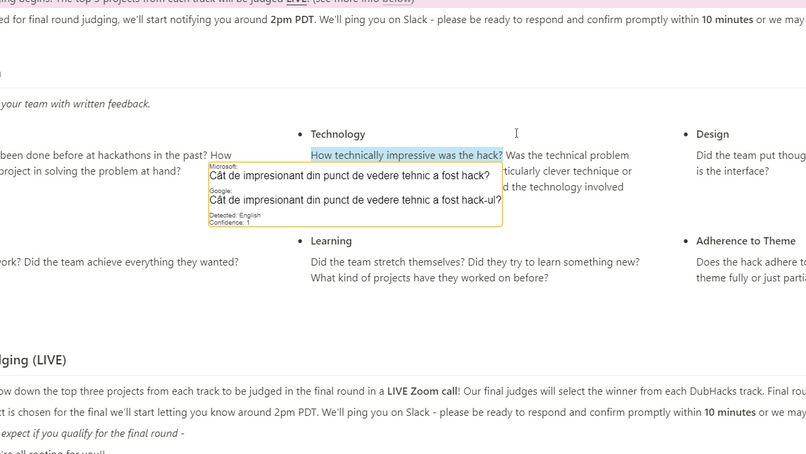
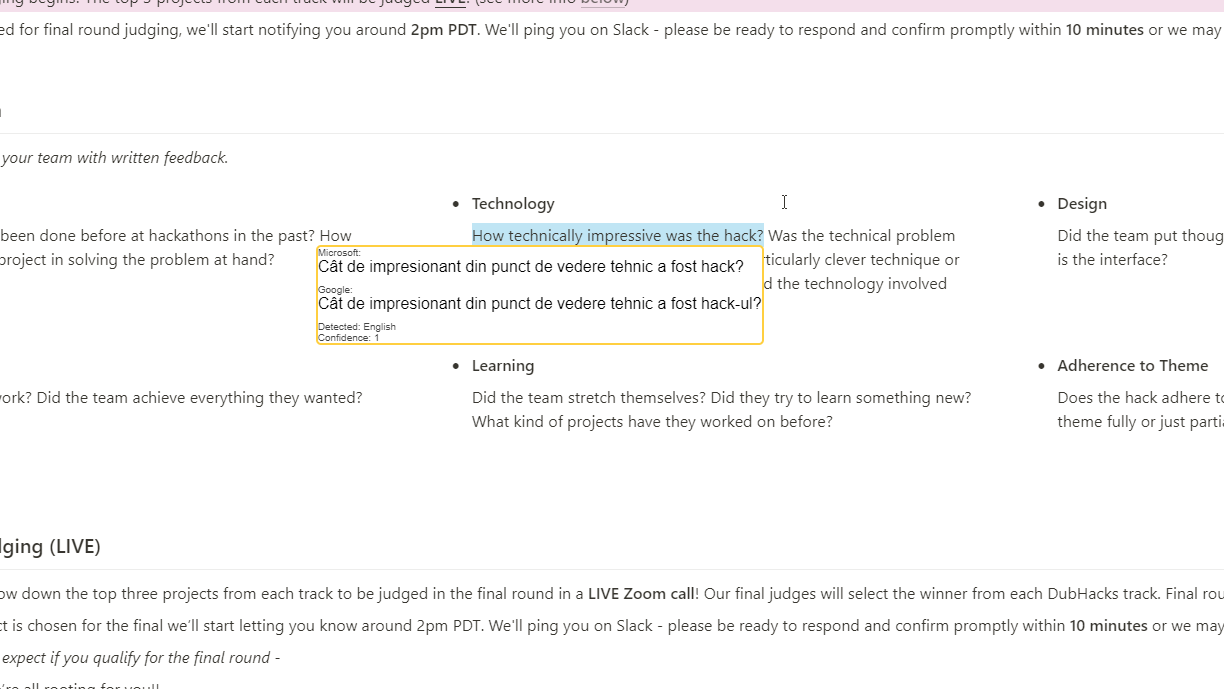
Here we see an example of one translator being better suited for a certain situations that the other. (including the -ul suffix is crucial)
-
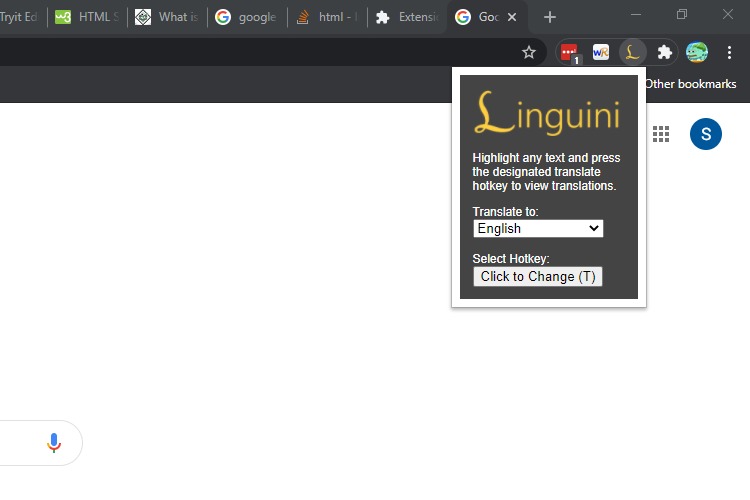
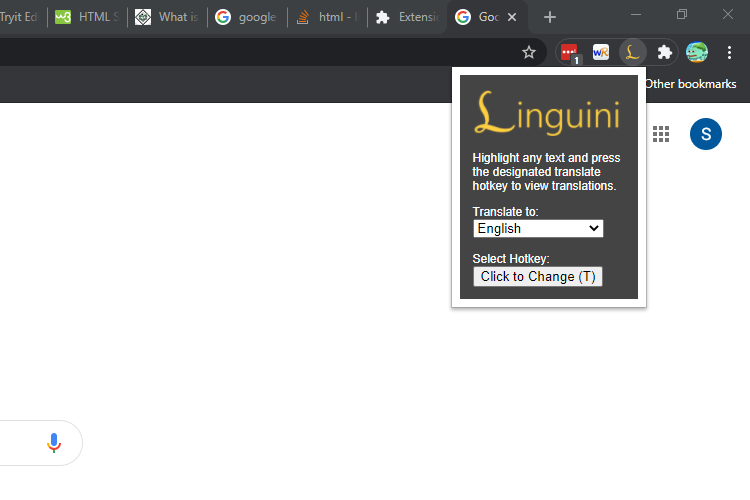
A screenshot of the simple and user friendly design of Linguini's menu popup
-
-
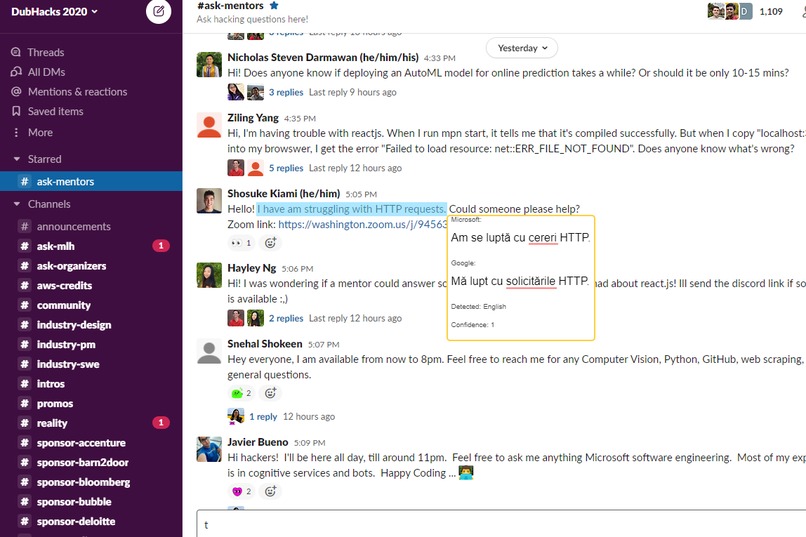
We eventually want Linguini to highlight differences between translations, and potentially have more translating APIs.
Inspiration
Hello! This is Sho, Stefan, and Nicholas, and we are all first-year students at the University of Washington. Although all three of us have grown up in Seattle, we come from differing backgrounds (Lebanese, Romanian, Japanese, Dutch heritage, etc.), and from helping exchange students navigate the school to simply reading books, translation has played a large role in our lives.
However, we know all too well that many of the translation services currently available are not perfect, and we believe that our project, Linguini, is a step forward in combating the language barrier. One flaw we are passionate about is the disadvantage faced by non-European language speakers. For example, "you can find water fountains by the restrooms" in Microsoft Translate returns the completely acceptable "vous pouvez trouver des fontaines d'eau par les toilettes" in French, while returning "トイレには水の噴水があります " or "there is a fountain of water in the toilet" in Japanese. Although this difference is unsurprising since French has many syntactic parallels with English while Japanese has a completely different grammatical structure, we see this as a serious inequity issue. In Linguini, we attempt to tackle this obstacle by providing a scalable method for adding language translation services from multiple sources at the click of a button, providing the user with a variety of translations from different translational API services. Translational API’s are unique, and have different strengths and weaknesses. It is rare for any machine translated writing to fully encapsulate the meaning of any given passage, but by combining different answers from different API’s, Linguini allows users to form a more full understanding of what they are reading.
Another limitation that we relate to on a personal level is the lack of convenience of these translation services when it comes to reading. All three of us have taken many years of language courses in school, and have experience with running into unfamiliar phrases while viewing various sources. When this happens, we often do what many of our peers agreed that they would do as well: simply skip the phrase as it is a lot of work to open up a new tab, copy the phrase, navigate to said translational service, paste in the relevant text, see the translation, and then of course return back to the original reading. For Linguini, our vision was that users would only have to highlight text with their cursor and press a hotkey to display a popup instantly providing access to translations. We hope that this will save users time when reading documents not in their native language and therefore also increase their capacity for being more thorough with their understanding.
We come from a diverse community, and as enriching as it has been growing up in this melting pot of cultures while navigating our own heritages, linguistic diversity can also be an obstacle to communication. Ultimately, our goal through this project is to meet the needs of our multifaceted community while promoting beneficial cultural exchange.
What it does
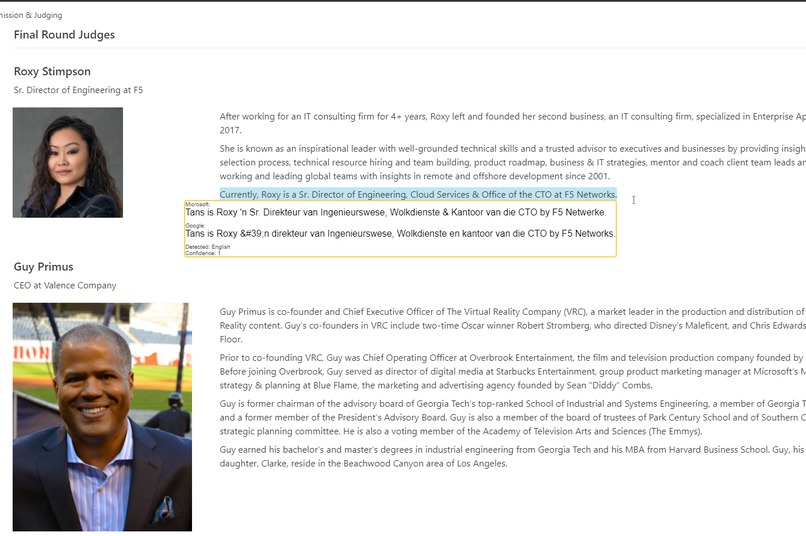
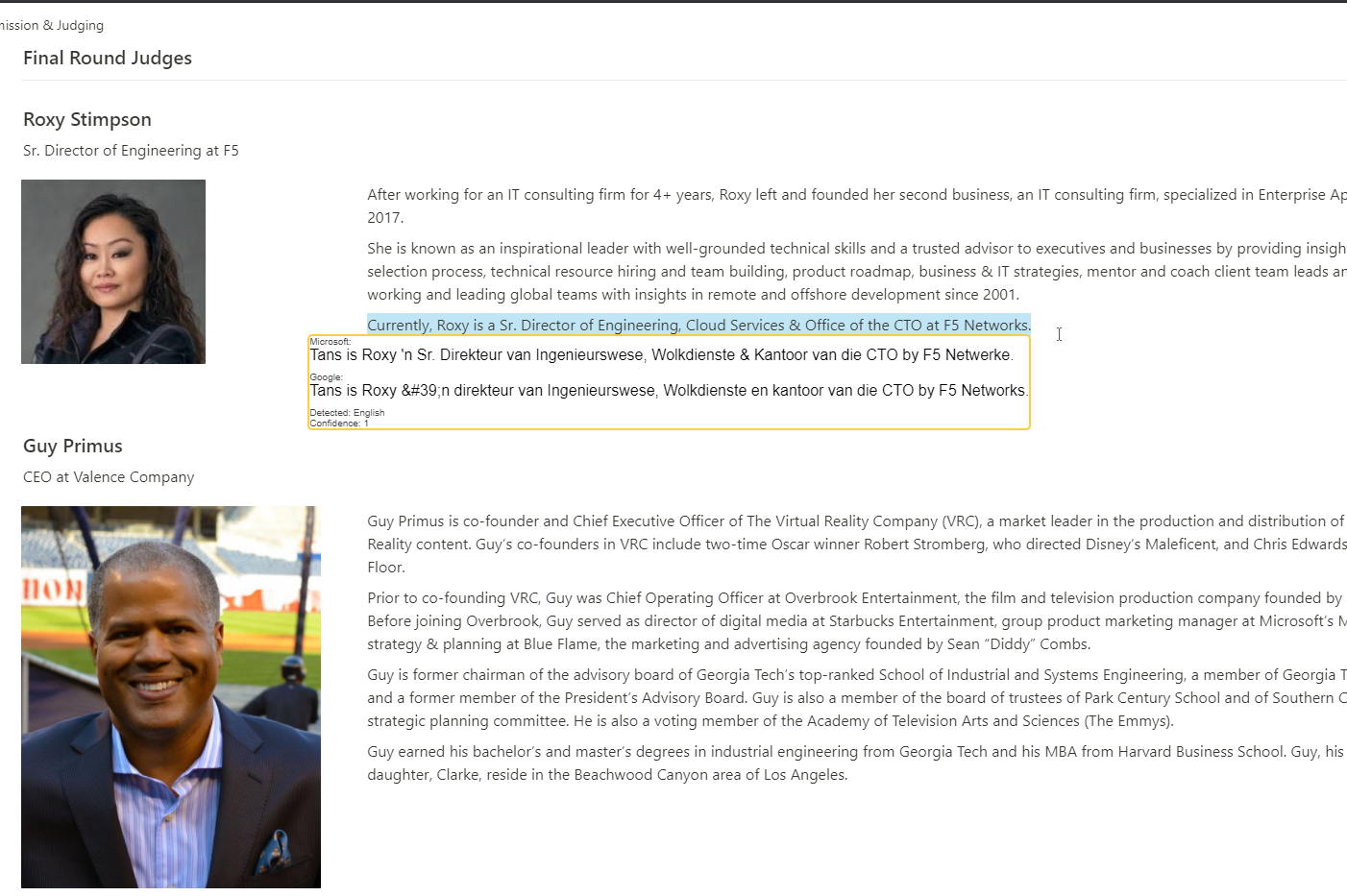
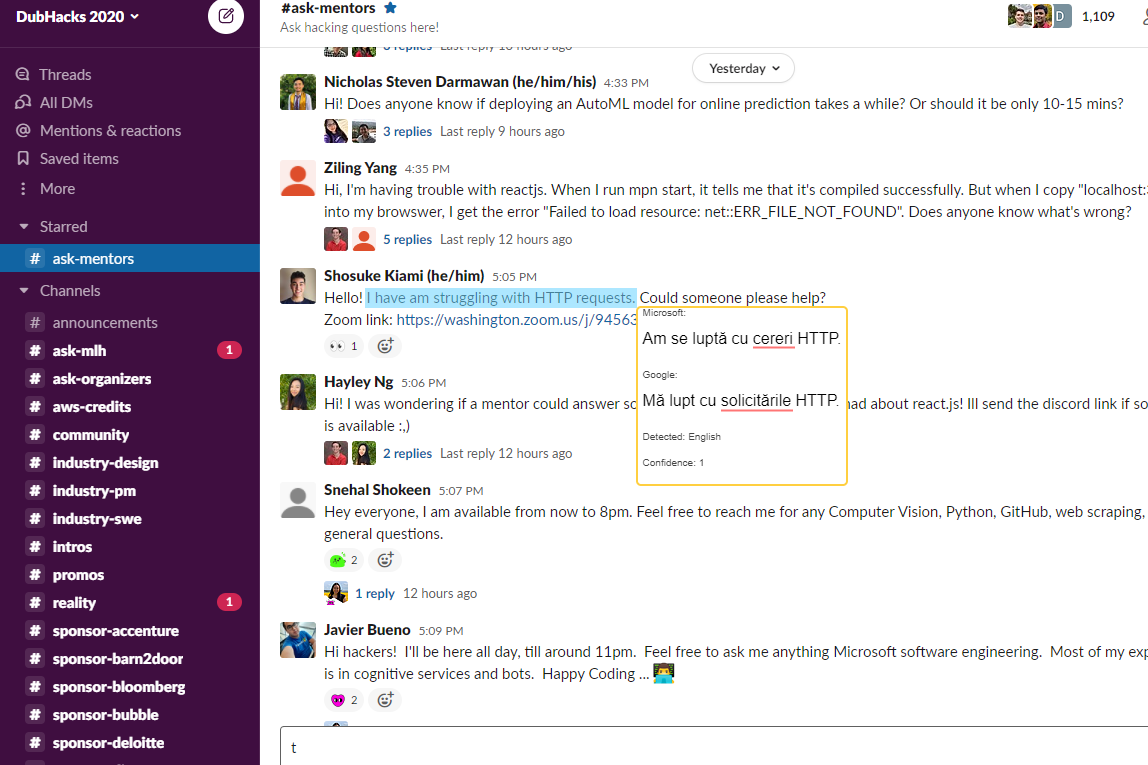
Linguini's sleek, low-profile interface seamlessly integrates into chrome to help you translate words and phrases at the press of a button. No matter the website or language, simply highlight the passage to be translated, press the hotkey, and voilà! In addition to near instant translation, linguini doesn't just give you one translation. Online translation tools are unique and have their own advantages and disadvantages, so Linguini shows both Microsoft and Google translations, allowing the user to compare and contrast to ensure they get the most accurate information possible.
How we built it
To provide the clean user experience that Linguini has, there has to be a lot going on in the background. The extension has a background script that runs on the current web page, waiting for the specified hotkey. When the hotkey is pressed, the background script grabs the selected text, along with the position of the selection on the screen, and passes this text to the translation API's. When the responses are received, all of the text and position data is passed to a function that constructs the popup to be displayed on the screen. This popup is made of HTML elements injected into the current website, and positioned next to the text selection. With that, the process is complete, and the translation is beautifully provided to the user!
Challenges we ran into
This app covered a variety of topics and areas of computer science, from low level API calls to graphical design. Inevitably, this resulted in many challenges as we were experimenting in areas that we had little prior knowledge in. The first major challenge we ran into was calling the Google and Microsoft translation API's from the chrome extension. The chrome extension used Javascript, as opposed to NodeJS, which is what was best supported by the translate API. However, we were able to reverse engineer the NodeJS libraries and use Javascript's fetch function to send http requests and get the API data. In overcoming this challenge, we learned a lot about how API's function and how they communicate with the client. Another challenge we faced was the time pressure of this hackathon. As we were working, there were many cool features we wanted to add, but we had to put off or drop some entirely to make sure we had enough time to finish with a working product. In the end, we were able to stay focused and on track, and we finished with a fully working final product. It is a little rough around the edges, but we put our effort in the areas that mattered, and we think it payed of in the final result!
Accomplishments that we're proud of
The accomplishment that we are most proud of is the really tight time constraint we have done all of our work under. It's hard to believe that 24 hours ago we had nothing, and in that time we have built this idea into a fully functional product. There were many different times when we were stuck on a bug, pulling our hair out as the minutes ticked by, and we thought there was no way we would finish. However in the end, we persevered through the night and brought everything together.
What we learned
In this project we expired a lot of topics and areas that were completely new to our team. First of all, we didn't have much experience on how to build a chrome extension. Now that we have finished the project, I think that we all have learned a lot about how to design and code a chrome extension. Another area that we were going in to blind was the translation API's. None of us had used an API like these, and the documentation provided was not helpful for pure Javascript. However, with the help of mentors, and some reverse engineering, we were able to get the API's working in the extension. Now, we are much more knowledgeable about API's as well as how they communicate with different programs.
What's next for Linguini
We believe that Linguini has the potential to be a very helpful and successful extension, and so we don't want to limit ourselves to just one day of work. One major improvement that may come is more translation services. We were especially excited about using a dictionary API, so the definitions of words could also be displayed, however we didn't have time to implement it. We also would like to find a way to better use the different translations together. Some ideas we had were highlighting the differences between translations in a different color, or combining similar parts of the translation. Linguini is a project that we think has a great potential, and so we hope we can continue to improve it!


Log in or sign up for Devpost to join the conversation.