-
-
-
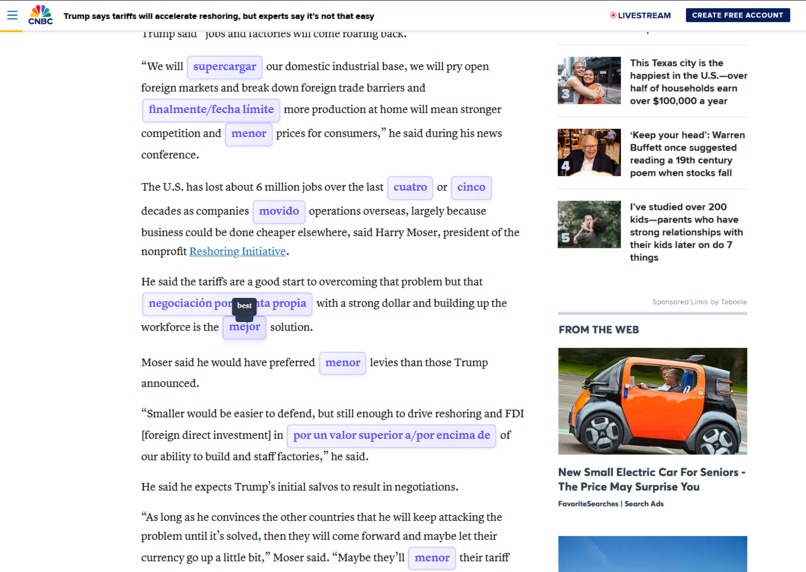
API Translation
-
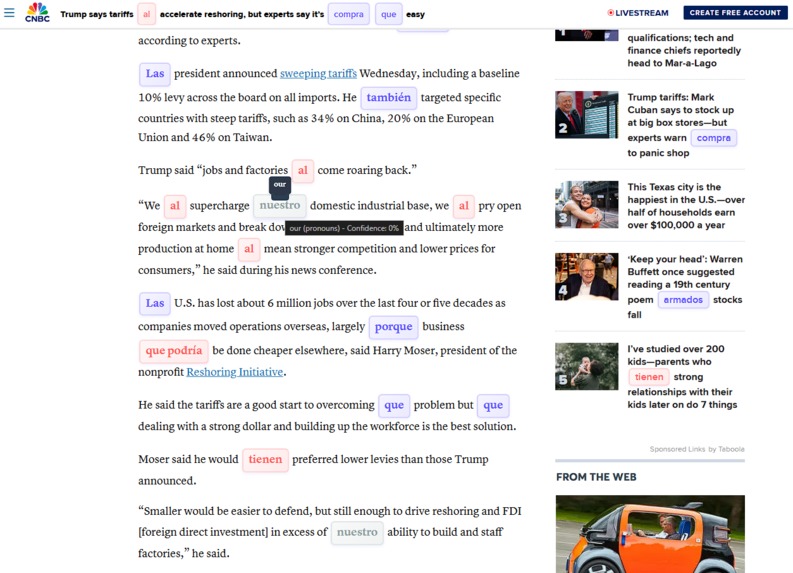
Custom Word List (color-coded)

Inspiration
As someone who loves languages and speaks four of them, I know firsthand how overwhelming learning a new one can be. From grammar drills to countless flashcards, it’s easy to feel discouraged. But what if learning could feel natural, like how we picked up our first language?
What it does
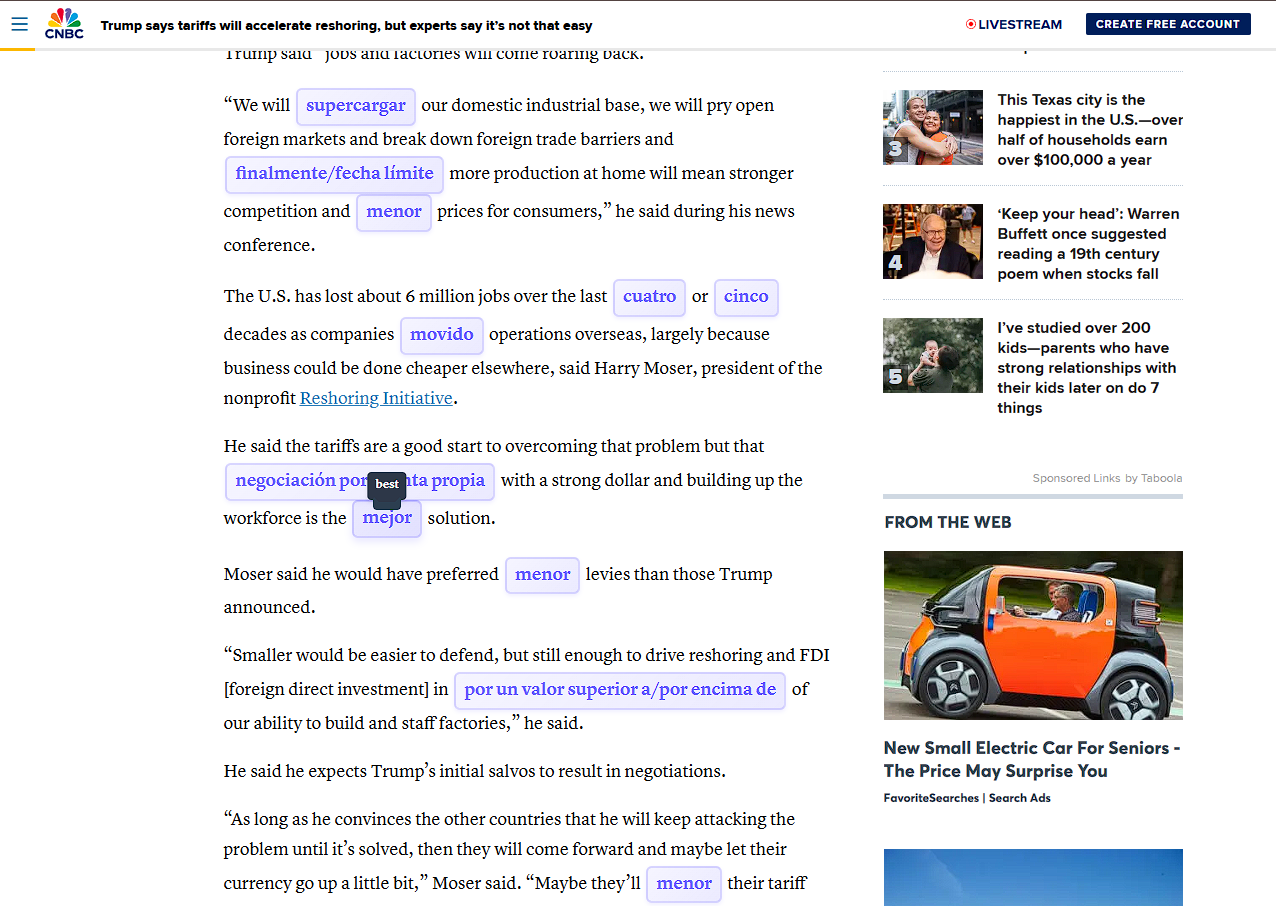
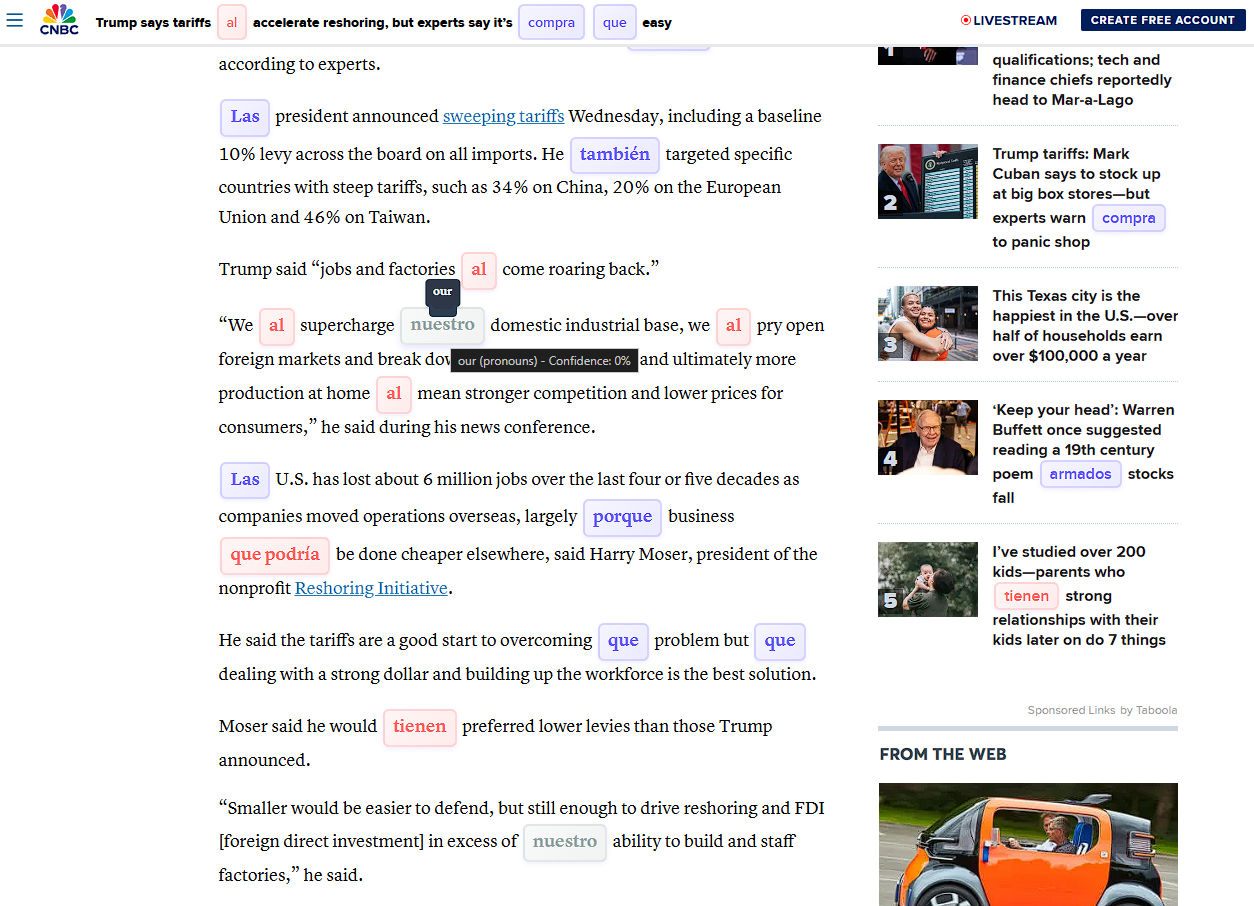
LinguaSwap is a Chrome extension designed to help learn new languages by replacing words on web pages with their translations. Key features include:
- Word Replacement: Automatically replaces words on web pages with their translations in the target language.
- Custom Word Lists: Users can upload their own word lists in Excel format to customize their learning experience.
- Difficulty Levels: Users can choose from beginner, intermediate, and advanced levels to match their learning stage. (It changes the amount of translated words per page and their length)
- Interactive UI: Provides a user-friendly interface.
How we built it
Initial planning and setup: we didn't have "good" ideas for the theme tracks so we decided to do whatever we thought best and LinguaSwap was created.
we first planned and set up a structured project environment using Node.js and npm for dependency management. We divided the project into key components: the Popup UI for user interaction, the Content Script for core translation functionality, and the Background Script for managing extension state and tasks.
Directory Structure:
- Popup UI: popup.html, popup.css, popup.js
- Content Script: content.js, content.css
- Background Script: background.js
Challenges we ran into
Performance Optimization: processing and translating words on a large web page using MyMemory API takes time. So, when we started the implementation an API was not included, the extension used only a custom Excel file with random words, and the translation was to Spanish only.
API rate limiting: MyMemory API has daily translation limits, and during the initial implementation and testing, we didn't set any usage limits and we blew through the free daily limit 😅
The color-coded words feature only works with the custom excel words list.
Accomplishments that we're proud of
It works! although it's not fully complete and still has a few bugs and some optimization issues, we successfully built a working extension.
What we learned
- Chrome Extension Development: Although we had some experience with Chrome extension development, I haven't done something this somewhat advanced with APIs.
- API Integration: Working with the MyMemory API taught us about handling API requests, rate limiting, and error handling.
- UX/UI experience
What's next for LinguaSwap
Probably going to try and improve it further, fix the bugs, improve translation quality, increase optimization, and maybe publish it
Built With
- ai
- chatgpt
- chrome-devloper-tools
- css
- font-awesome
- html
- javascript
- mymemory
- node.js
- webpack
- xlsx


Log in or sign up for Devpost to join the conversation.