-
-
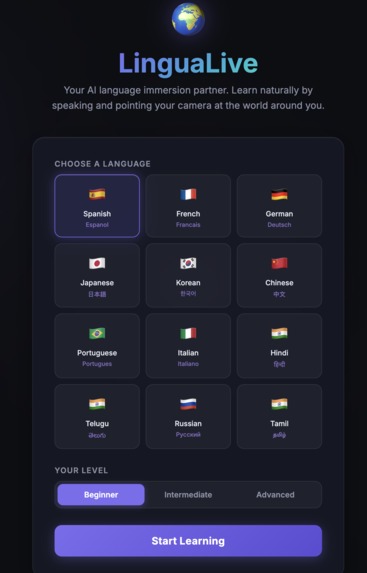
LiguaLive Home Page
-
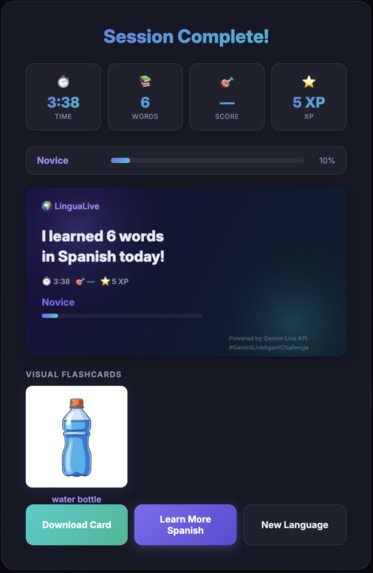
flashcard generated
-
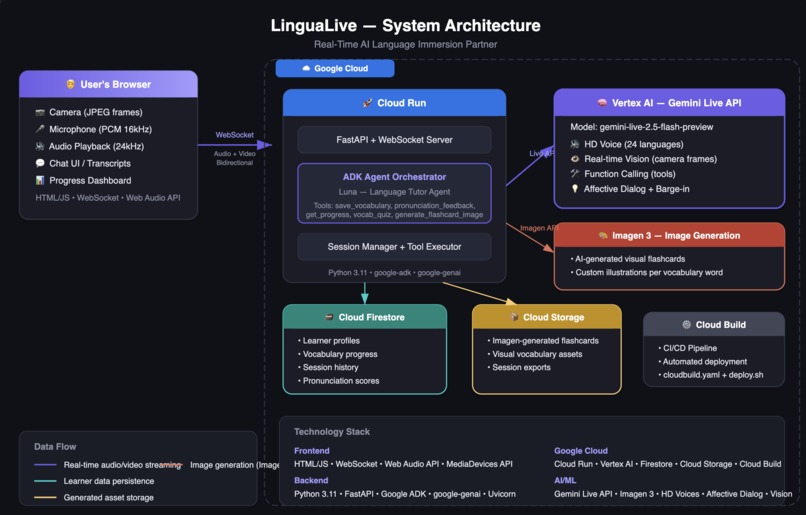
Architecture
Inspiration
Language learning apps are disconnected from real life. I downloaded multiple apps but never learnt a language. You tap flashcards on a screen, but the moment you're in a real kitchen trying to remember the word for "knife," that knowledge doesn't transfer. Immersion — learning language in context, surrounded by the things you're naming — is widely regarded as one of the most effective paths to acquisition. But it typically requires expensive human tutors or living abroad. We asked: what if the Gemini Live API could give everyone a patient, always-available immersion partner that literally sees their world through a camera and teaches vocabulary grounded in their actual environment?
What it does
LinguaLive is a real-time AI language tutor named Luna that creates an immersive learning experience through natural conversation:
- Sees through your camera — point at a coffee mug, an apple, or a water bottle, and Luna teaches you the word in your target language
- Hears your pronunciation — Luna gives specific, actionable feedback with a 1–5 score, not just "good" or "bad"
- Speaks back with native voices in 12 languages — and you can interrupt her naturally (barge-in) just like a real conversation
- Detects your scene — Luna recognizes you're in a kitchen and launches cooking vocabulary, or at a desk and teaches office words
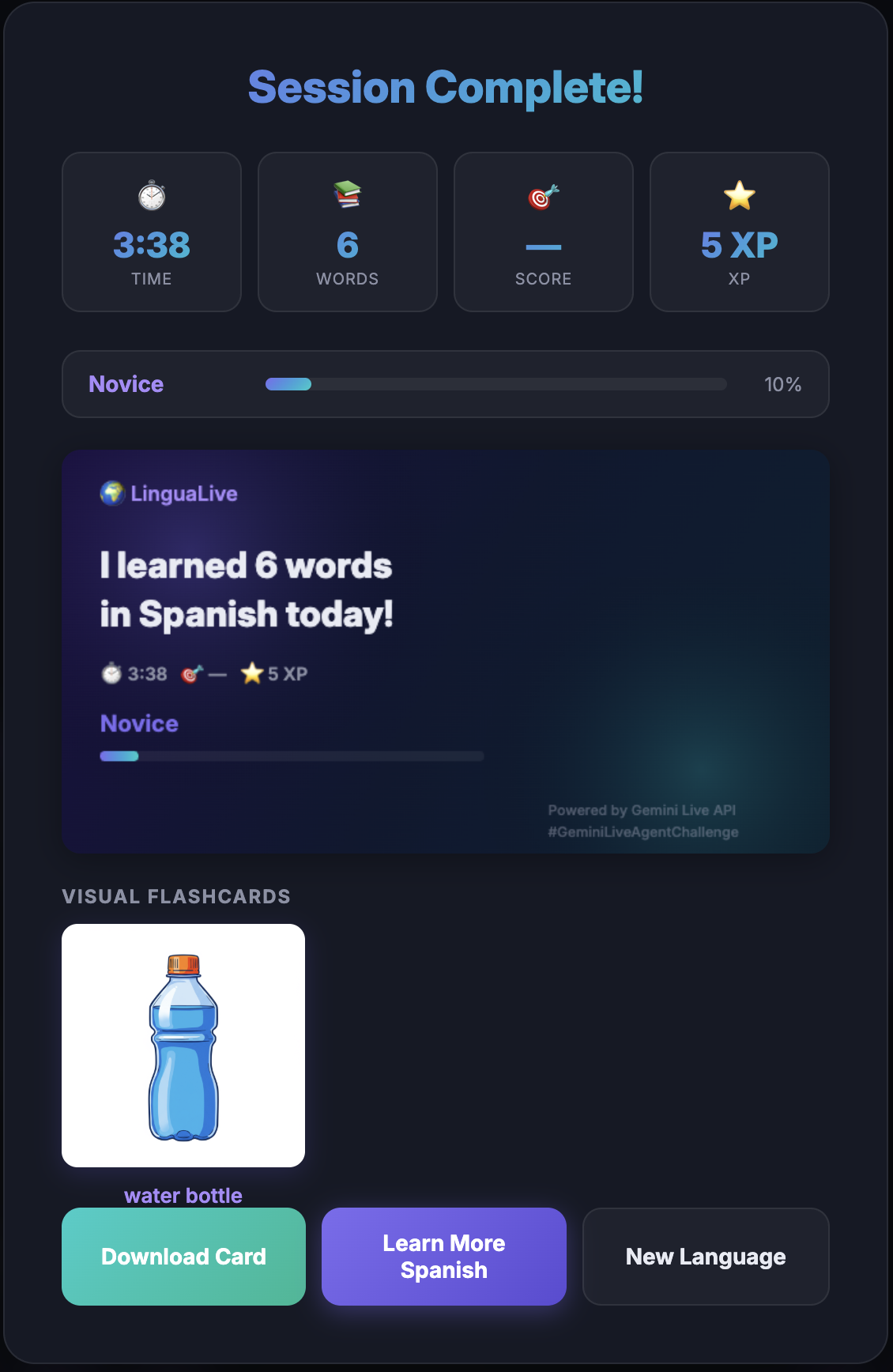
- Generates visual flashcards — Imagen 3 creates custom illustrations for key vocabulary, stored in Cloud Storage
- Tracks your progress — XP, 10 achievements, a leveling system (Novice → Master), vocabulary quizzes, and a shareable session summary card
- Remembers you — Firestore persistence means Luna knows what you learned last time and builds on it No text boxes. No multiple choice. Just point your camera and start talking.
How I built it
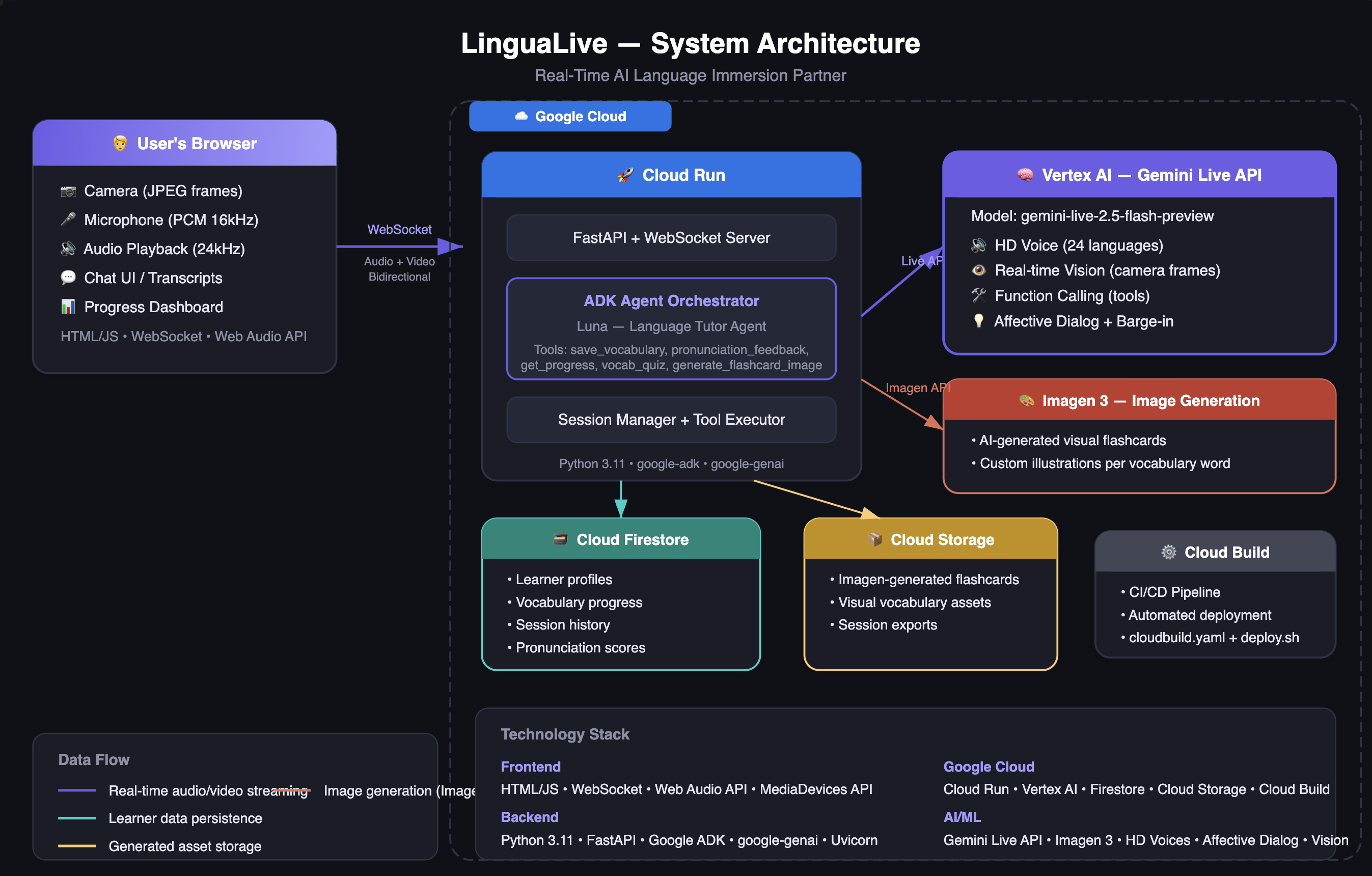
The architecture is a browser ↔ FastAPI ↔ Gemini Live API pipeline connected via WebSocket:
- The browser captures microphone audio (PCM 16kHz via AudioWorklet) and camera frames (JPEG at ~1fps via getUserMedia())
- A FastAPI WebSocket endpoint bridges these to the Gemini Live API's bidirectional streaming via client.aio.live.connect() from the Google GenAI SDK
- Gemini processes audio + video simultaneously, responds with native audio (PCM 24kHz), and makes function calls for scene detection, quizzes, flashcard generation, and progress tracking
- Audio streams back to the browser in real-time; tool results update the UI (vocabulary cards, pronunciation scores, achievements)
We use Google ADK to define Luna as an agent — her persona, system instruction, and 7 registered tools. For the actual live streaming, ADK's standard runner doesn't support real-time bidirectional audio/video, so we use the GenAI SDK directly. This combination gives us structured agent definition with low-latency streaming.
Imagen 3 generates flashcard illustrations via a background task (asyncio.create_task()) so image generation never blocks the audio stream.
Everything runs on Cloud Run with session affinity, Cloud Firestore (async client) for session persistence, Cloud Storage for flashcard images, and Cloud Build for CI/CD. Deployment is automated via deploy.sh.
Challenges we ran into
The receive() generator ending after each turn was the most subtle bug. The Gemini Live API's receive generator completes after each model turn — it looked like sessions were dropping after a single exchange. The fix was wrapping it in a while True loop to re-enter for multi-turn conversations. This took significant debugging to identify.
Tool calls pause the audio stream. Every time Gemini calls a function, audio output halts until the response is returned. Our initial design had save_vocabulary and record_pronunciation_feedback as Gemini tools, which meant Luna would pause mid-sentence every time she taught a word. We solved this by removing those high-frequency tools from Gemini's declarations and tracking vocabulary automatically via output transcription on the client side.
Imagen 3 takes 3–8 seconds per generation. Awaiting it inside the receive loop froze audio completely. We solved this by returning a "pending" status to Gemini immediately and spawning the actual generation as a background task.
Browser sample rates are unpredictable. Requesting 16kHz from getUserMedia() doesn't guarantee it — devices return their native rate. We added runtime resampling in the AudioWorklet to ensure Gemini always receives 16kHz PCM.
Speaker echo causing false interruptions. The microphone picks up Luna's audio output from the speaker, which Gemini's VAD interprets as user speech. We added a model_speaking flag to suppress mic forwarding while Luna is talking.
Accomplishments that we're proud of
- Zero-latency feel in conversation — audio streams smoothly with no blocking I/O in the critical path. Tool calls, Firestore writes, and image generation all happen without interrupting the voice conversation.
- The barge-in experience — you can interrupt Luna mid-sentence and she responds naturally, just like a real conversation partner. This required careful coordination of audio playback, queue clearing, and mic management.
- Camera-to-vocabulary pipeline — the moment Luna sees an object, she teaches the word, the UI shows a label overlay on the camera feed, and progress is tracked — all in a single fluid interaction.
- Background flashcard generation — Imagen 3 creates a custom illustration while the conversation continues uninterrupted, and the image appears in the UI when ready.
- The full session lifecycle — from language selection to real-time tutoring to a beautiful summary card with achievements, XP, and CSV export. It feels like a complete product, not a hackathon demo.
What we learned
- The Gemini Live API is remarkably capable — bidirectional audio + video + function calling in a single streaming session enables experiences that simply weren't possible before.
- Grounding matters more for educational AI — users trust a language tutor implicitly. An AI that invents translations erodes that trust immediately. Explicit anti-hallucination prompting in the system instruction is essential.
- Tool call frequency is a UX design decision — every tool call pauses audio. We had to be deliberate about which tools Gemini can invoke vs. what we handle automatically.
- Async patterns are critical for real-time apps — asyncio.Lock() for singleton initialization, asyncio.create_task() for background work, and async Firestore clients made the difference between smooth audio and constant stuttering.
- Cloud Run with session affinity is a natural fit for WebSocket-based applications — long-lived connections stick to the same instance, and the in-memory session cache stays consistent.
What's next for LinguaLive
- Conversation memory across sessions — Luna remembers vocabulary but not conversation context. Storing conversation summaries in Firestore would let her pick up where you left off.
- Spaced repetition — using the vocabulary data in Firestore to schedule review sessions at optimal intervals for long-term retention.
- Multi-user classrooms — two learners practicing conversation together with Luna moderating and correcting both.
- Mobile app — the current web app works on mobile browsers, but a native app could leverage the device camera and microphone more efficiently.
Built With
- cloud-build
- cloud-firestore
- cloud-run
- cloud-storage
- css
- fastapi
- gemini-2.0-flash-live-api
- google-adk
- google-genai-sdk
- html
- imagen-3
- javascript
- python
- vertex-ai
- web-audio-api
- websocket


Log in or sign up for Devpost to join the conversation.