

LinguaEcho
AI Multilingual Video & Audio Translator
Project Summary
LinguaEcho makes foreign-language media easier to understand by allowing users to upload videos or audio files, translate spoken content into their preferred language, and listen to both the original speech and AI-generated translations. Unlike traditional subtitles, LinguaEcho provides sentence-by-sentence bilingual playback, allowing users to hear the original speaker and the translation separately.
Live Website: https://phyulwin.github.io/openai_multilingual_video_audio_translator_linguaecho/ (Public Access Token required)
Project Description
Understanding videos in another language can be challenging, especially when subtitles are unavailable or when users want to hear how words and sentences are spoken. Constantly pausing, rewinding, or switching between translation tools can interrupt the viewing experience. LinguaEcho addresses this by combining transcription, translation, and audio playback into one application.
LinguaEcho is designed for:
- Language learners who want to improve listening comprehension and understand spoken expressions.
- Students and researchers who watch foreign-language lectures, interviews, or educational content.
- International media enthusiasts who enjoy videos, documentaries, and interviews in other languages.
- Multilingual content consumers who want easier access to foreign-language audio and video.
Features
LinguaEcho lets users:
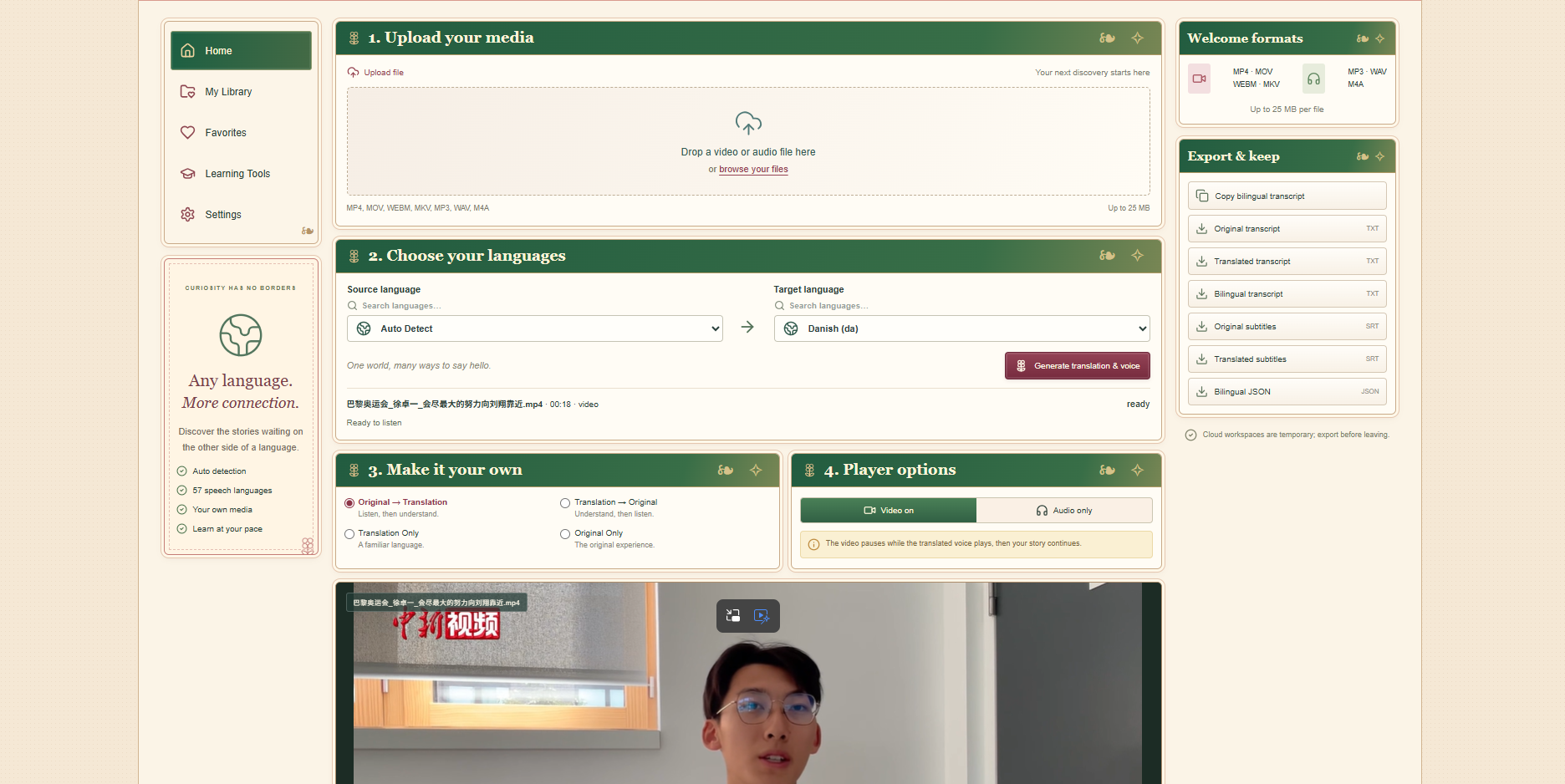
- Upload video and audio files.
- Automatically detect the spoken language or select it manually.
- Choose a target language for translation.
- Generate timestamped transcriptions and translations.
- Listen to AI-generated speech in the selected language.
- Switch between four playback modes:
- Original → Translation: Hear the original sentence, followed by its translation.
- Translation → Original: Hear the translation first, followed by the original sentence.
- Translation Only: Listen to translated speech.
- Original Only: Play the original media normally.
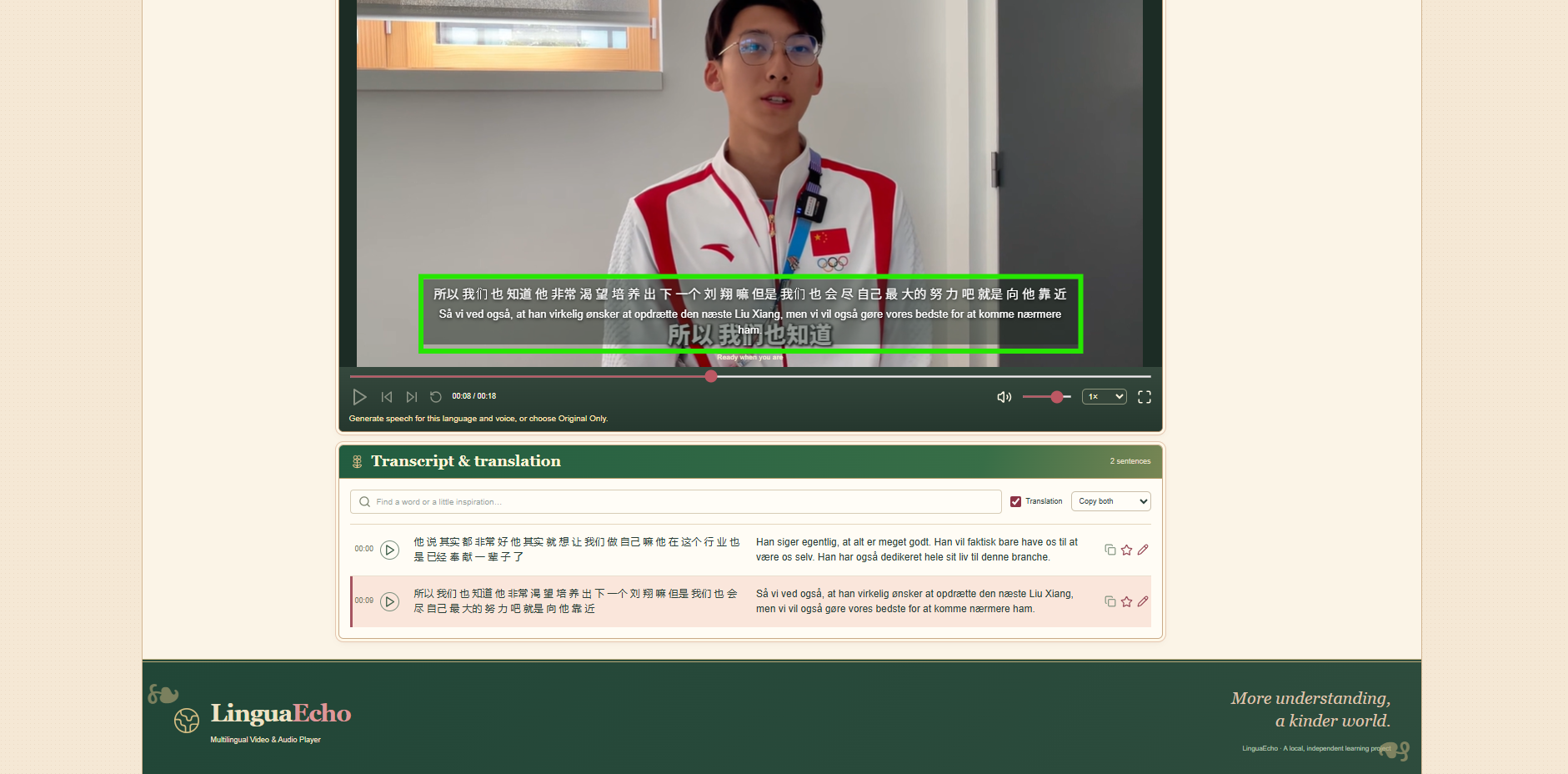
- Follow synchronized bilingual transcripts.
- Replay sentences, adjust playback speed, and navigate the media.
- Export transcripts and translations as TXT, SRT, or JSON files.
During bilingual playback, the original video automatically pauses while the translated voice plays, preventing overlapping speech.
AI & Tech Stack
LinguaEcho uses OpenAI APIs for three main tasks:
- Speech-to-Text: Whisper transcribes spoken audio and provides timestamps.
- AI Translation: GPT translates each sentence while considering context, meaning, and natural language.
- Text-to-Speech: OpenAI generates spoken audio for the translated sentences.
How LinguaEcho Works
- The user uploads a video or audio file.
- FFmpeg extracts the audio.
- OpenAI Whisper transcribes speech into timestamped segments.
- GPT translates the transcript into the selected language.
- OpenAI Text-to-Speech generates translated audio.
- LinguaEcho synchronizes the original media, translated speech, and bilingual transcript.
- The user listens, replays sentences, or exports the results.
Project Impact and Goals
LinguaEcho could help make foreign-language educational and entertainment content more accessible. For language learners, it provides an interactive way to compare original speech with translations and improve listening comprehension. For students, researchers, and everyday viewers, it reduces the need to switch between different transcription and translation tools. The goal is to make multilingual content easier to explore while preserving the original listening experience.
Challenges and Limitations
Although LinguaEcho is functional, it has some limitations:
- Translation accuracy depends on audio quality, language, context, and AI model performance.
- Background noise, overlapping speakers, and regional dialects can affect transcription accuracy.
- Sentence timing and audio synchronization may not always be perfect.
- AI-generated voices do not reproduce the original speaker's voice.
- The application requires an internet connection for live AI processing.
- OpenAI API usage and cloud hosting may generate costs.
- Cloud-hosted projects use temporary storage and can disappear when the backend instance restarts.
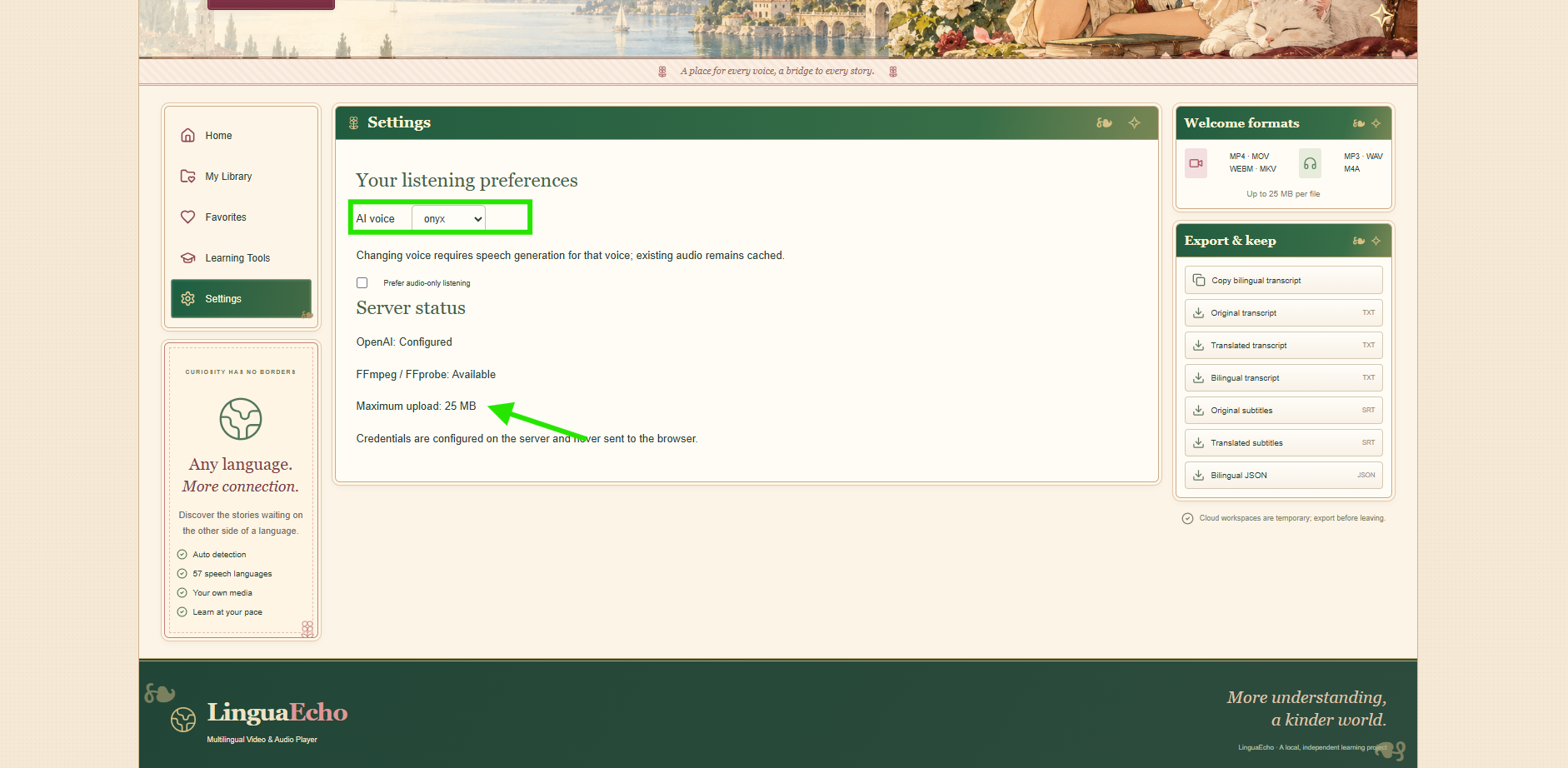
- The deployed version limits uploads to approximately 25 MB and five minutes.
What's Next for LinguaEcho?
Future improvements could include:
- Improving translation accuracy and contextual understanding.
- Supporting more precise speech-to-text synchronization.
- Adding speaker identification for conversations involving multiple people.
- Introducing browser-local project storage using IndexedDB.
- Improving mobile accessibility and playback controls.
- Allowing users to save and restore complete projects locally.
- Expanding language-learning tools and interactive practice features.
Built With
- ai
- audiotranslator
- chatgpt
- flask
- fullstack
- githubpages
- google-cloud
- languagelearning
- machine-learning
- multilingual
- openai
- promptengineering
- python
- react
- speechtotext
- texttospeech
- translation
- translator
- typescript
- videotranslator
- webdevelopment
- whisperai

Log in or sign up for Devpost to join the conversation.