🌍 AI-Powered Interactive Language Tutor
Inspiration
Learning a new language often feels overwhelming, repetitive, and disconnected from real-world conversations. Traditional language apps usually rely on static exercises and pre-written content, which can make practice feel robotic and predictable.
This project was inspired by the idea of combining modern AI with immersive language learning to create something that feels more like interacting with a real tutor than completing exercises. The goal was to build a platform where every lesson feels personalized, adaptive, and conversational.
I wanted users to experience language learning as an interactive journey — one where AI can explain grammar naturally, simulate real conversations, generate reading passages dynamically, and provide encouraging feedback in real time.
✨ What It Does
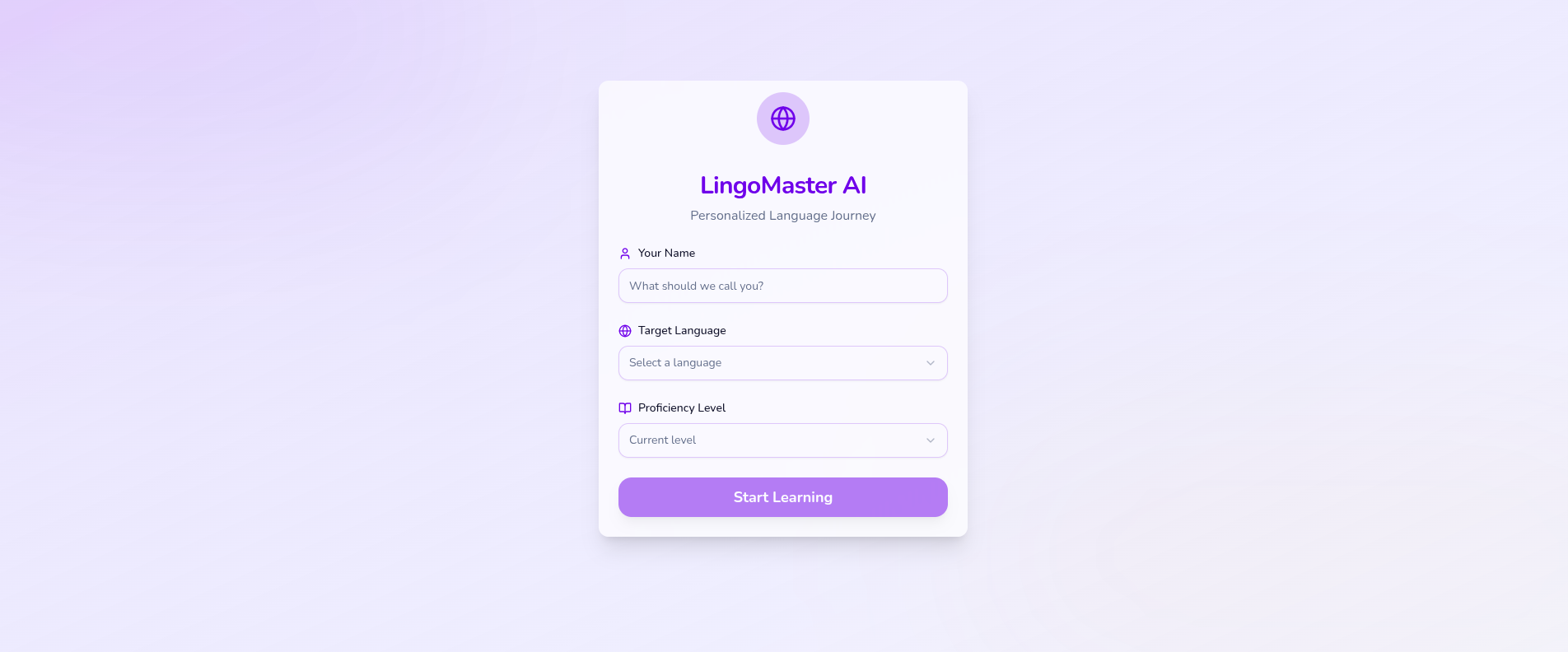
The app is a fully interactive AI-powered language learning platform built in React.
Users can:
- Select a target language and proficiency level
Access multiple AI-generated lesson types:
- Vocabulary Builder
- Grammar Practice
- Conversational Practice
- Reading Comprehension
Chat with an AI tutor in realistic scenarios
Receive instant feedback and corrections
Earn XP and maintain learning streaks
Track lesson progress visually
Save learned vocabulary into a personal notebook
The experience is designed to feel premium, responsive, and gamified while remaining entirely AI-driven.
🛠️ How I Built It
The application was built as a single-file React artifact using:
React Hooks
useStateuseEffectuseRef
Inline CSS styling and animations
Responsive card-based UI architecture
Dynamic state-driven rendering
Example architecture flow:
Onboarding
   ↓
Dashboard
   ↓
Lesson Selection
   ↓
Claude API Request
   ↓
Interactive User Exercise
   ↓
AI Feedback + XP Rewards
   ↓
Progress Tracking
🧠 AI Prompt Engineering
One of the most important parts of the project was designing concise but effective prompts for different lesson modes.
For example:
Vocabulary Prompt
Generate 5 vocabulary words for a beginner Spanish learner.
Include:
- pronunciation
- meaning
- example sentence
- memory tip
Grammar Prompt
Explain one grammar rule with 3 examples.
Then generate 3 fill-in-the-blank exercises.
Evaluate user answers with feedback.
This required balancing:
- educational quality
- response consistency
- token efficiency
- conversational realism
while staying within:
[ \text{max_tokens} = 1000 ]
🎨 UI/UX Design Decisions
The interface was designed to feel modern and engaging rather than academic.
Design Highlights
- Rich indigo primary palette
- Warm amber accent colors
- Smooth hover animations
- Skeleton loaders during AI requests
- Flashcard flip interactions
- Progress bars and XP indicators
- Responsive mobile-first layout
The app uses subtle motion and micro-interactions to make studying feel rewarding and alive.
⚡ Challenges I Faced
1. Managing Dynamic AI Responses
AI-generated content can vary significantly in structure. I had to carefully engineer prompts and parsing logic so lesson data remained predictable enough for the UI.
2. Maintaining Conversation State
The conversational practice module required preserving message history and context between turns while still keeping API requests lightweight.
This involved storing dialogue as structured arrays:
[
  { role: "user", content: "Hola" },
  { role: "assistant", content: "¡Hola! ¿Cómo estás?" }
]
3. Building a Premium Experience Without External Libraries
Since the project avoided external UI libraries, every animation, card transition, progress indicator, and responsive layout had to be handcrafted using pure React and CSS.
4. Balancing Gamification
I wanted the XP system and streak tracking to feel motivating without distracting from learning itself.
The leveling logic evolved into:
[ \text{Level} = \begin{cases} \text{Beginner} & x < 100 \ \text{Explorer} & 100 \le x < 300 \ \text{Conversationalist} & 300 \le x < 700 \ \text{Fluent} & x \ge 700 \end{cases} ]
📚 What I Learned
This project taught me a lot about:
- AI prompt engineering
- conversational UX design
- state management in React
- designing adaptive educational systems
- handling asynchronous API-driven interfaces
- building polished interfaces without component frameworks
More importantly, it showed how AI can transform learning from static memorization into an interactive, personalized experience.
🚀 Future Improvements
Potential future enhancements include:
- Voice pronunciation feedback
- Speech recognition practice
- Multiplayer conversation mode
- Adaptive difficulty adjustment
- Daily AI-generated learning plans
- Achievement systems and leaderboards
- Real-time translation overlays
💡 Final Thoughts
This project explores how AI can make language learning more human, adaptive, and motivating.
Instead of treating learners like users clicking through exercises, the platform treats them like real students interacting with a personal tutor — one capable of generating endless practice opportunities tailored to their level and goals.
The result is a learning experience that feels alive, personalized, and genuinely conversational.


Log in or sign up for Devpost to join the conversation.