Inspiration
Language learners increasingly use AI to understand given texts, but the usual workflow is fragmented: read in one place, copy a confusing sentence into chat, receive an explanation elsewhere, and manually save useful vocabulary.
I wanted to explore a more natural model where the learner and agent share the same reading workspace. The learner stays focused on the text while the agent understands the current passage, proficiency level, annotations, exercises, and learning progress.
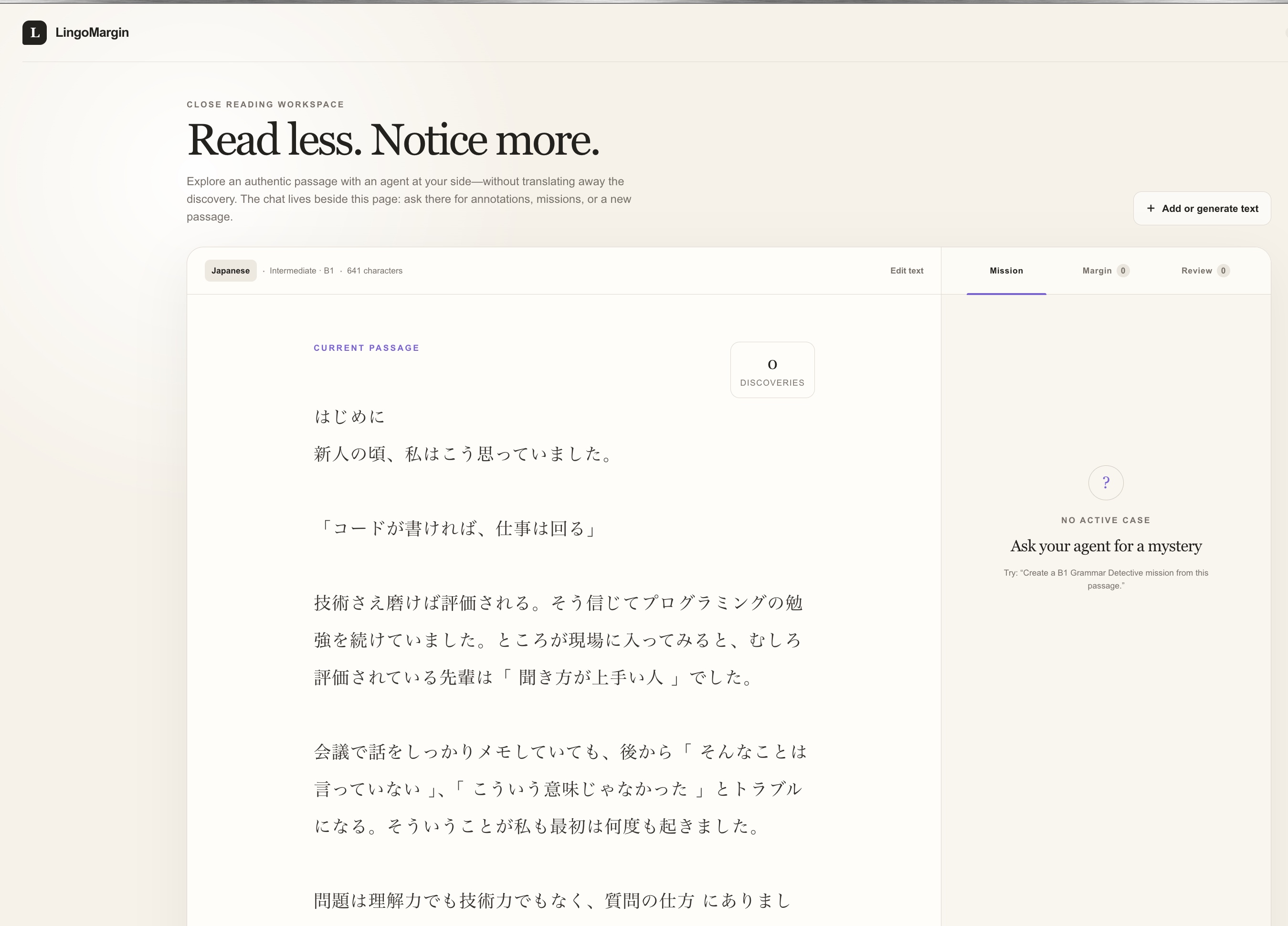
What LingoMargin does
LingoMargin turns any passage into an interactive, level-appropriate language lesson.
Learners can paste their own text or request a new passage by specifying a language, level, length, and topic. They can select unfamiliar phrases, save vocabulary, inspect contextual explanations, complete Grammar Detective missions, review mistakes, and export learning material.
The agent can directly update the workspace by:
- Adding selective vocabulary, grammar, and cultural annotations
- Creating hidden-answer Grammar Detective missions
- Generating contextual review activities
- Leaving feedback in the margin
- Producing new level-appropriate passages
Every agent action creates a visible change in the interface. The learner decides what to study and can undo passage replacements when needed.
How I built it
LingoMargin is built with React, TypeScript, Vinext, and WebMCP, and is deployed using ChatGPT Sites.
The application registers six tools through document.modelContext.registerTool():
get_learning_contextannotate_textcreate_grammar_missioncreate_activityadd_feedbackcreate_generated_passage
These tools give the agent structured access to the current lesson and allow it to make precise, verifiable updates. Mutating tools return confirmation describing what changed, while the learner immediately sees the result in the passage or margin.
The workspace is stored locally in the browser. Passage content and learning state are shared with an agent only when the learner asks for help through a WebMCP tool.
Challenges
The main challenge was designing genuine human-agent collaboration instead of attaching a chatbot to a reading app.
Annotations had to remain anchored to exact character ranges while preventing duplicates and overlaps. Grammar missions needed to accept the complete intended phrase without incorrectly accepting tiny fragments. Agent-generated activities also required validation so malformed exercises could not enter the interface.
Another challenge was preserving learner control. Replacing a passage clears lesson-specific state, so I added confirmation, recovery, and one-step undo. I also had to make the relationship between the page and adjacent agent chat understandable without filling the interface with technical WebMCP terminology.
Finally, the workspace needed to remain usable on mobile, where the mission must appear before a potentially long passage.
What I learned
WebMCP changes interface design, not just integration code. A useful agent-native application needs carefully scoped tools, observable outcomes, reliable validation, and clear boundaries between human and agent responsibilities.
The best result came from giving each participant a distinct role: the agent analyzes and adapts the lesson, while the learner notices, selects, answers, and decides what becomes knowledge.
Links
Built With
- chatgpt
- codex
- react
- typescript
- vinext
- webmcp

Log in or sign up for Devpost to join the conversation.