-
-
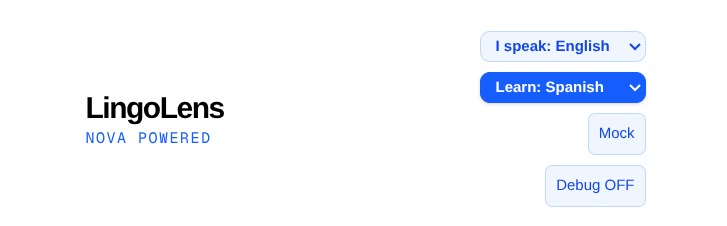
language selection
-

Lingolens
-
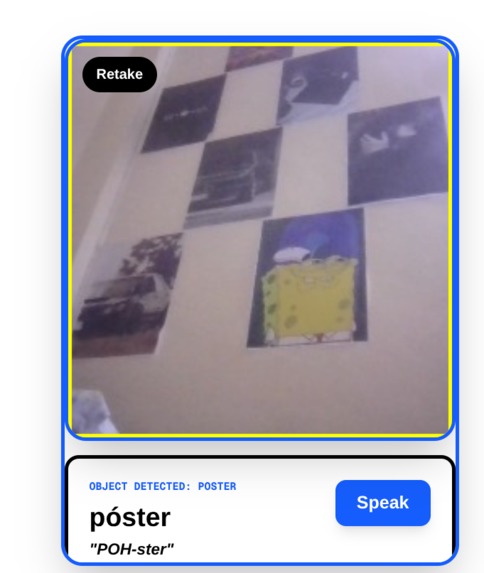
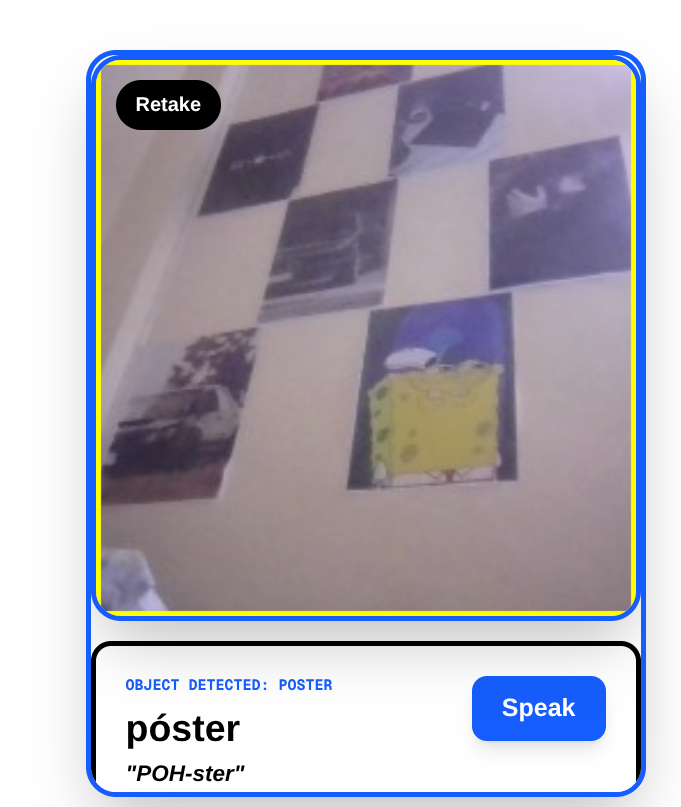
camera captures a poster
Inspiration
Learning a new language often feels disconnected from the real world. Traditional apps, textbooks, and flashcards teach vocabulary in a vacuum, forcing learners to memorize words they might never actually encounter in their day-to-day lives. True fluency, however, comes from context—the ability to look at your environment and instantly know how to interact with it in your target language.
We wanted to bridge this gap by turning the user's surrounding world into a continuous, interactive classroom. LingoLens was inspired by the idea that curiosity is the best teacher. Instead of swiping through random words on a screen, what if you could simply point your camera at anything—a coffee mug, a train, or a street sign—and instantly learn not just how to say it, but how to use it in a sentence?
What it does
LingoLens turns your smartphone into a real-time, interactive language tutor. Simply point your camera at any object, and the app uses Amazon Nova's advanced multimodal vision to instantly identify it.
It overlays a personalized micro-lesson directly on your screen, providing:
The translated word in your target language. A phonetic pronunciation guide. A contextual example sentence. One-tap native Text-to-Speech to hear exactly how it sounds. Learn the language you want, using the world you already know
How we built it
We built LingoLens as a responsive web app using Next.js and Tailwind CSS.
For the core experience, we used the HTML5 getUserMedia API to access the device's camera. When a user snaps a photo, the image is encoded as a Base64 Data URI and securely sent to our Node.js backend.
From there, we pass the image and the user's selected languages to Amazon Nova (nova-2-lite-v1) via the OpenAI SDK. We use strict system prompting to force the LLM to return strictly formatted JSON containing the translation, pronunciation guide, example sentence, and spatial coordinates.
The frontend then maps those coordinates onto a native HTML Canvas to draw the bounding box, displays the translated data, and routes the text through a custom backend proxy to Google TTS to provide reliable, high-quality audio pronunciations on any device.
Challenges we ran into
Taming Text-to-Speech (TTS): Mobile browsers are incredibly aggressive about blocking audio to prevent annoying autoplay ads. To get our native pronunciations working seamlessly across Safari, iOS, Firefox, and Chrome, we had to architect a custom backend proxy endpoint that fetches the TTS and serves it reliably, completely bypassing browser CORS/privacy blocks. JSON Formatting from LLMs: Forcing an LLM to return strictly parsable JSON—without chatty markdown or conversational filler—for our interactive AR overlay required meticulously configuring our system prompt and building intelligent RegEx fallbacks to clean the returned data.
Accomplishments that we're proud of
Zero-Friction "AR" Experience: We successfully built a web-based visual overlay that feels like a native app. Users don't need specialized hardware or app store downloads—just their device's camera to instantly map and identify objects in their environment. Beating Browser Audio Blocks: We engineered a custom backend proxy that reliably serves high-quality Text-to-Speech across all mobile and desktop browsers. This bypassed the strict autoplay, CORS, and privacy restrictions that usually break web audio on mobile devices. Taming Multimodal LLMs: We cracked the code on prompt engineering for Amazon Nova, successfully forcing the vision model to return strict, heavily constrained JSON (including precise spatial bounding boxes!) without hallucinating conversational filler. Dynamic Language Pivoting: We built a highly flexible architecture that allows users to instantly swap between multiple native and learning languages on the fly, dynamically re-prompting the AI in real-time.
What we learned
Audio on the Web is Tricky: Navigating modern mobile browser privacy policies taught us that relying on frontend web audio fetches is severely limited. Server-side proxying is essential for robust, cross-device Text-to-Speech. The Power of Multi-Modality: By combining computer vision, translation models, and text-to-speech in a single AI payload, we learned how "stacked" foundation models can create incredibly dynamic, real-world educational tools.
What's next for Lingolens
Spaced Repetition System (SRS) Integration: We plan to let users save the objects they scan into custom, intelligent flashcard decks that automatically test their recall based on forgetting curves. Continuous Video Mode: Transitioning from single-shot image captures to a continuous web-cam stream, allowing real-time, hovering 3D text overlays over multiple objects at once as the user pans their phone around a room.
Built With
- css
- google-cloud-tts-api
- html5
- html5-media-capture-api
- next.js
- node.js
- nova
- openai
- react
- tailwind
- typescript


Log in or sign up for Devpost to join the conversation.