-
Lineupz App by Arya Tschand
-
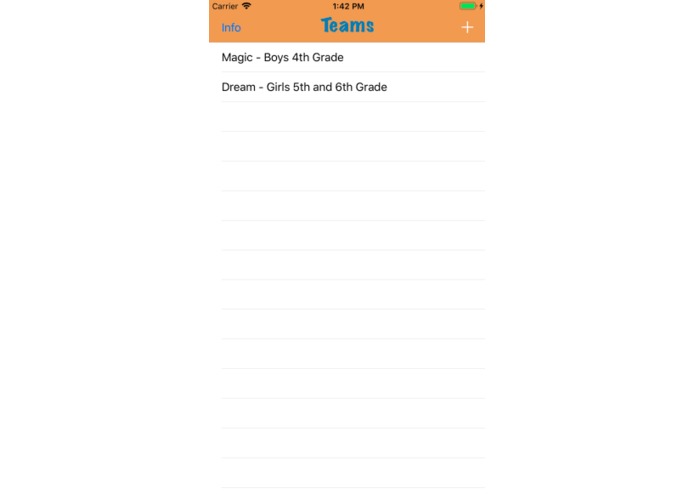
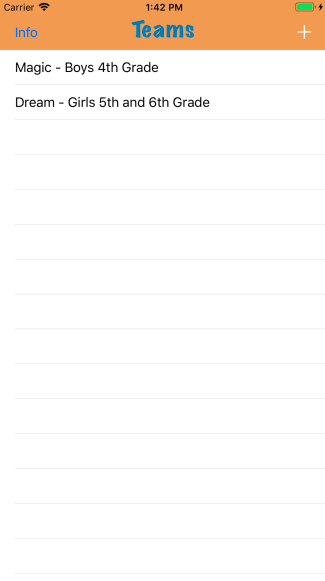
Load your team from the MarlboroBasketball.com website
-
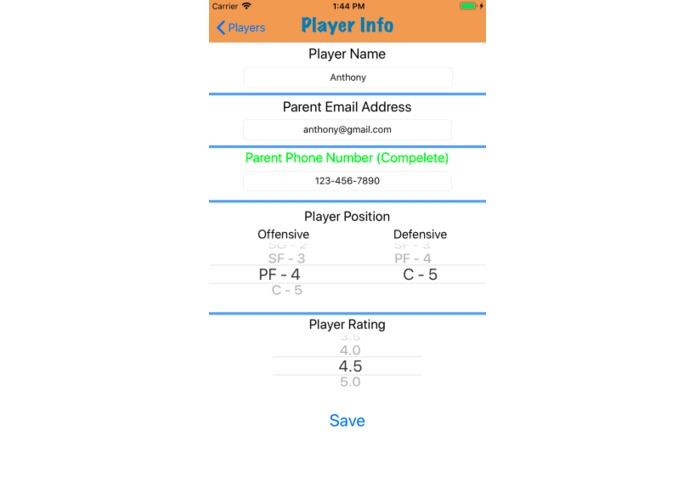
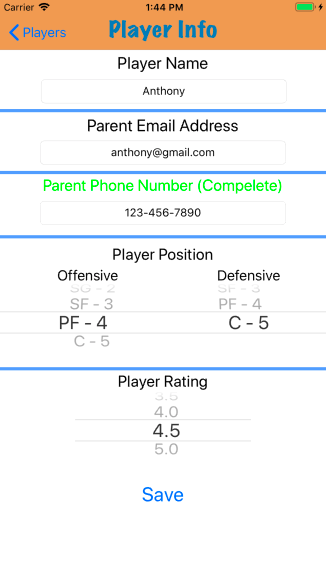
Enter player information for use in automated contacts and lineups
-
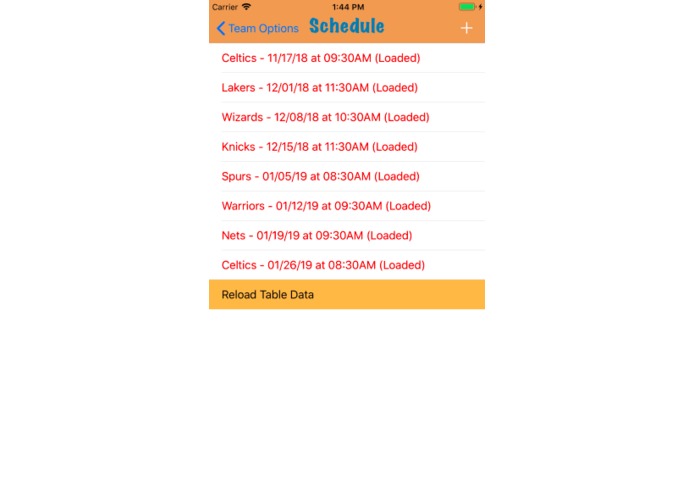
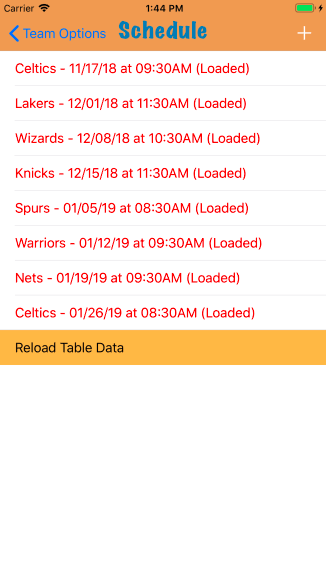
Access your team's full schedule from the league's website with the click of a button
-
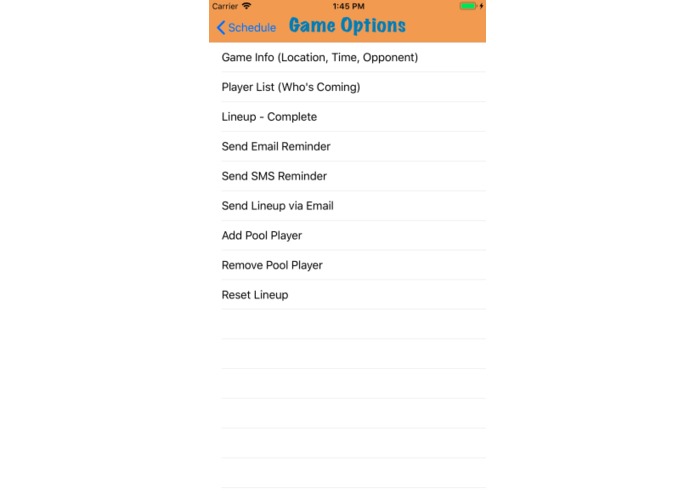
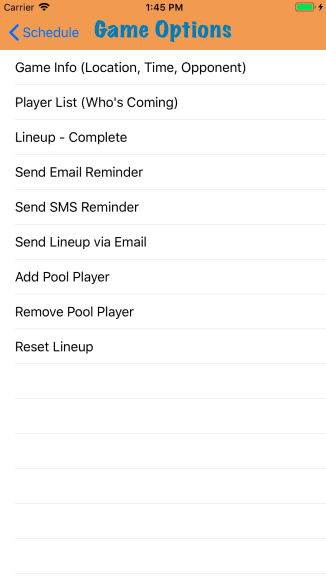
Each game has a profile where you can input player availability, create or auto-generate lineups, and send reminders to parents
-
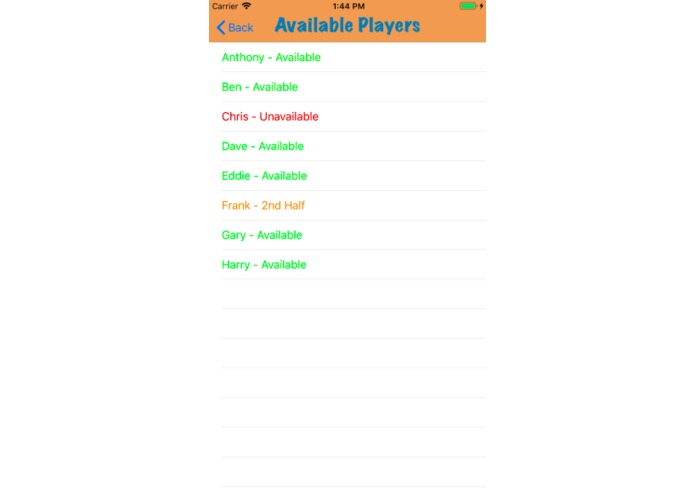
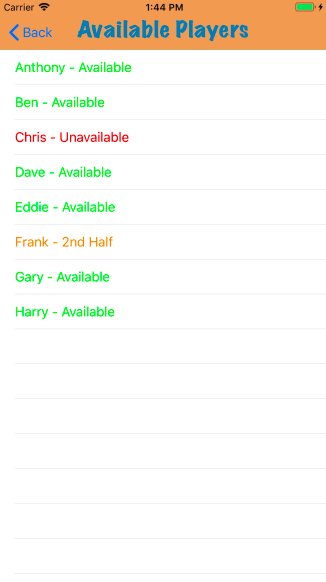
Input player availability as available, unavailable, 1st half, or 2nd half
-
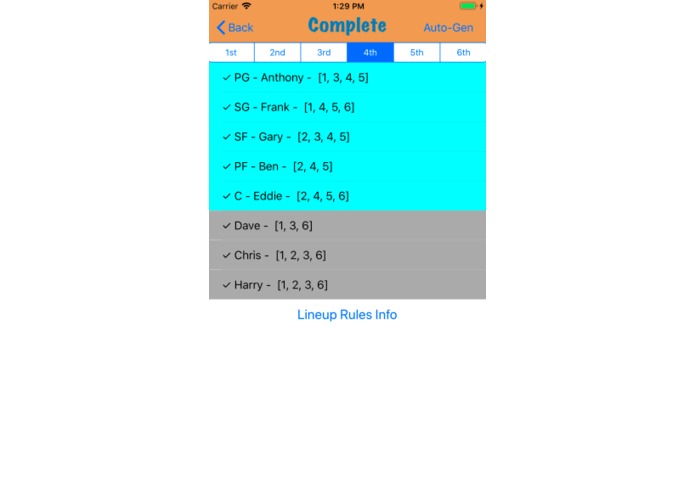
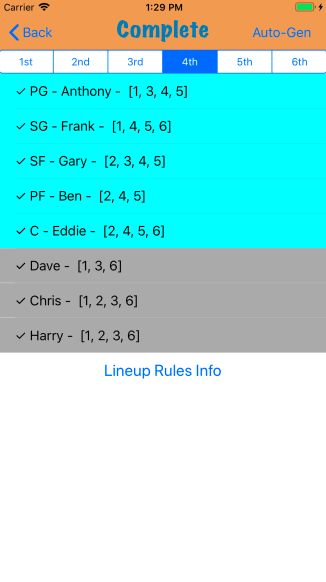
With an easy-to-use interface, auto-generation functionality, and a lineup rules guide, the lineup feature of the app makes your job easy
Inspiration
Since I was a little kid, I have loved basketball more than almost anything else, and I can credit much of this to playing in my town's recreation basketball program since I was 8 years old. When I began making apps, I knew I wanted to build something for my the program, but I couldn't think of what the coaches or players really needed. My dad coached me and my brother for a year and told me that while he loved coaching us, making the lineups that follow the specific rules of the league was a very tedious and time-consuming task. I remember more than a few times when we would spend hours making lineups for every possible combination of players! I knew this was an awesome idea to base my new app around, along with helping the coaches manage their roster and schedules.
What it does
The app is designed to make the tedious parts of coaching easier so they can spend more time coaching and less time managing their schedule, sending reminders, and making lineups. The app takes in a little information about the team from the coach and searches through the marlborobasketball.com website to find the team. When the team is found, the coach can add players to the team. Within each player profile, their name, rating, contact information, and positions are stored. The app then searches through the website for all games that the team is participating in and extracts the time, location and opponent. Within each game profile, the coach selects which players are attending and which are unavailable and a lineup interface is generated based on the coach's inputs. The coach can either build the lineup by hand and be alerted whether the lineup is complete or incomplete or use the auto-generation feature to get a valid lineup in seconds. Lastly, the app can send pre-written reminders to each player with a click or a button.
How I built it
I wrote the app in Swift on Apple's Xcode platform. I also used the SwiftSoup cocoa pod to parse the HTML contents from the marlborobasketball.com website to load the team's information and game schedule.
Challenges I ran into
A major challenge I ran into was the lineup auto-generation feature of the app. While there is no "perfect" lineup, there are many strategies that come with making a lineup. More importantly, however, there are numerous rules that the lineup must follow and when generating a lineup, all players must be playing within a range of segments. To solve this problem, I implemented randomness when generating which players should be playing periods but favored higher rated players to play their maximum time limits. While the algorithm I built worked between 60 and 80 percent of the time, I was able to recognize an incomplete lineup and re-run the algorithm until a valid lineup was generated. While there are many steps to the algorithm, it takes less than 2 seconds to generate. Another major challenge was parsing the HTML contents of the website. While I was able to generate a string containing the contents of the schedule table, it was difficult to sort out the contents and find only relevant games. To solve this, I first separated and grouped each word in the string into its category (date/time, location, teams) and searched for games that the coach's team was a part of.
Accomplishments that I'm proud of
While I am proud of my app as a whole, I am especially proud of the lineup interface I built. At first, the lineup interface of the app was difficult to use and had limited features. However, I continued to add features to the app that prioritized making the lineup interface easy-to-use and effective. While I spent more time on the lineup interface and processing than any other feature in the app, it is the cornerstone of my project and I am extremely proud that I did not take shortcuts in giving the user maximum usability.
What I learned
Before writing this app, I was extremely new to app building and Swift. I spend nearly a year and a half writing this app and learned how to locally save data, search HTML contents of websites, take user inputs, write basic search and processing algorithms, and especially create something that maximizes the user experience.
What's next for Lineupz App
I plan on implementing my app in this year's Marlboro Recreation Basketball League among the coaches from grades 3-12. I hope that the app will be able to make the coach's jobs easier so they can spend more time teaching the kids the game I fell in love with. I also hope to expand my app to other recreation leagues in my area. I know many parents are hesitant to coach because of all the responsibilities associated with it, but I hope my app can encourage more people to coach in recreation league by making all of the other parts of the job a little easier!
Built With
- swift-xcode


Log in or sign up for Devpost to join the conversation.