-
-
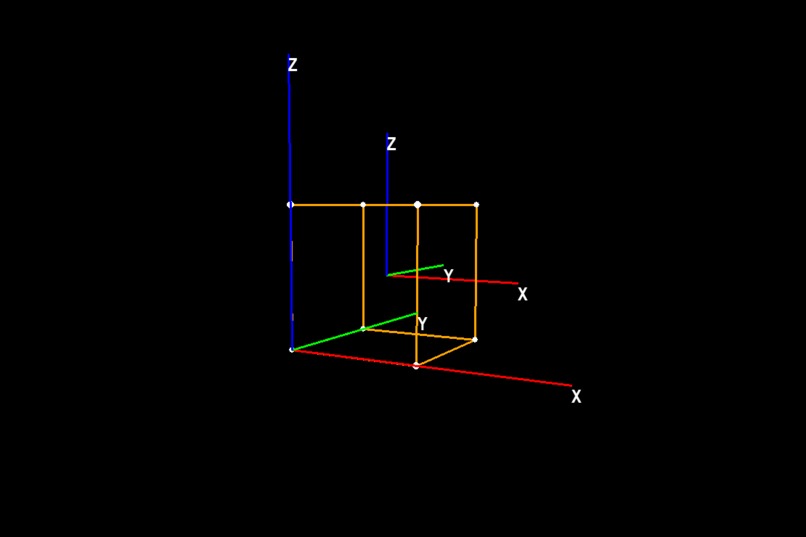
linear-transformation-visualizer

linear-transformation-visualizer
A program that helps you visualize linear transformations - Inspired by Software_3D_engine by StanislavPetrovV.
Why?
- To help students to learn about linear transformations visually and to help professors to teach linear transformations visually.
Key Controls:
- 'w','a','s','d': move forward, backward, left, right
- 'q','e': move up, down
- 'arrow-left', "arrow-right", "arrow-up", "arrow-down": rotate left, right, up, and down
Control Panel:
- animation matrix: this is the linear transformation that you want to visualize
- animation duration: how long to animate the transformation (in seconds)
- show/hide coordinates: show/hide vertex coordinates of the cube
- show/hide basis axis: show/hide basis axis of cube
- show/hide camera coordinates: show/hide camera position of the camera
Structure:
- presentation folder contains an explanation of the math behind the scene
- camera.py file contains camera logic
- control.py file coontains the code for the control panel
- main.py file is the main program that you want to run
- matrix_functions.py contains matrix functions helpers
- object_3d.py contains 3d objects' logics including the cube and the axis
- projection.py contains a static class on projection logic
- square.py contains statis data for the cube
How we built it
- Pygame for the main render, tkinter for control panel logic, numpy for matrix algebra and numba for accelerated math
Challenges we ran into
- the linear algebra behind the scene is quite difficult to understand and program
What we learned
- I learned how perspective projection works with camera.
- I learned the geometric perspective of linear algebra very well through this program
- programming with low level APIs grants you extreme power to realize your idea
What's next for linear-transformation-visualizer
- more custom settings
- to put it on a web (I will have to learn web dev though)

Log in or sign up for Devpost to join the conversation.