-
-
TECH architecture
-
metadata vs data
🛡️ LineageGuard — An AI Agent That Protects ML Models from Silent Data Failures
💡 Inspiration
Most ML failures in production aren't caused by the model—they're caused by silent data failures upstream.
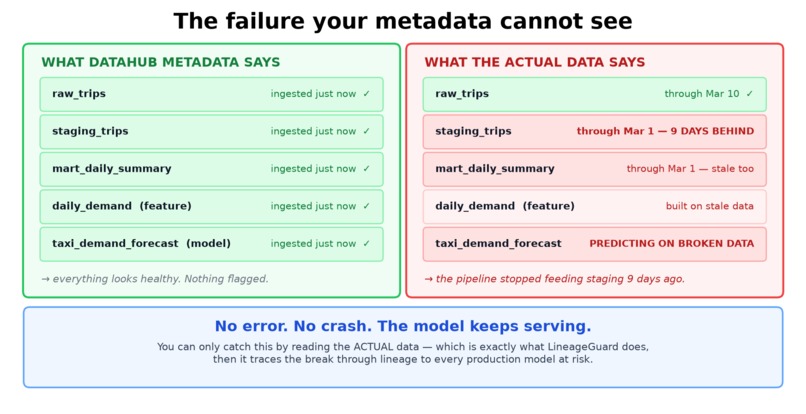
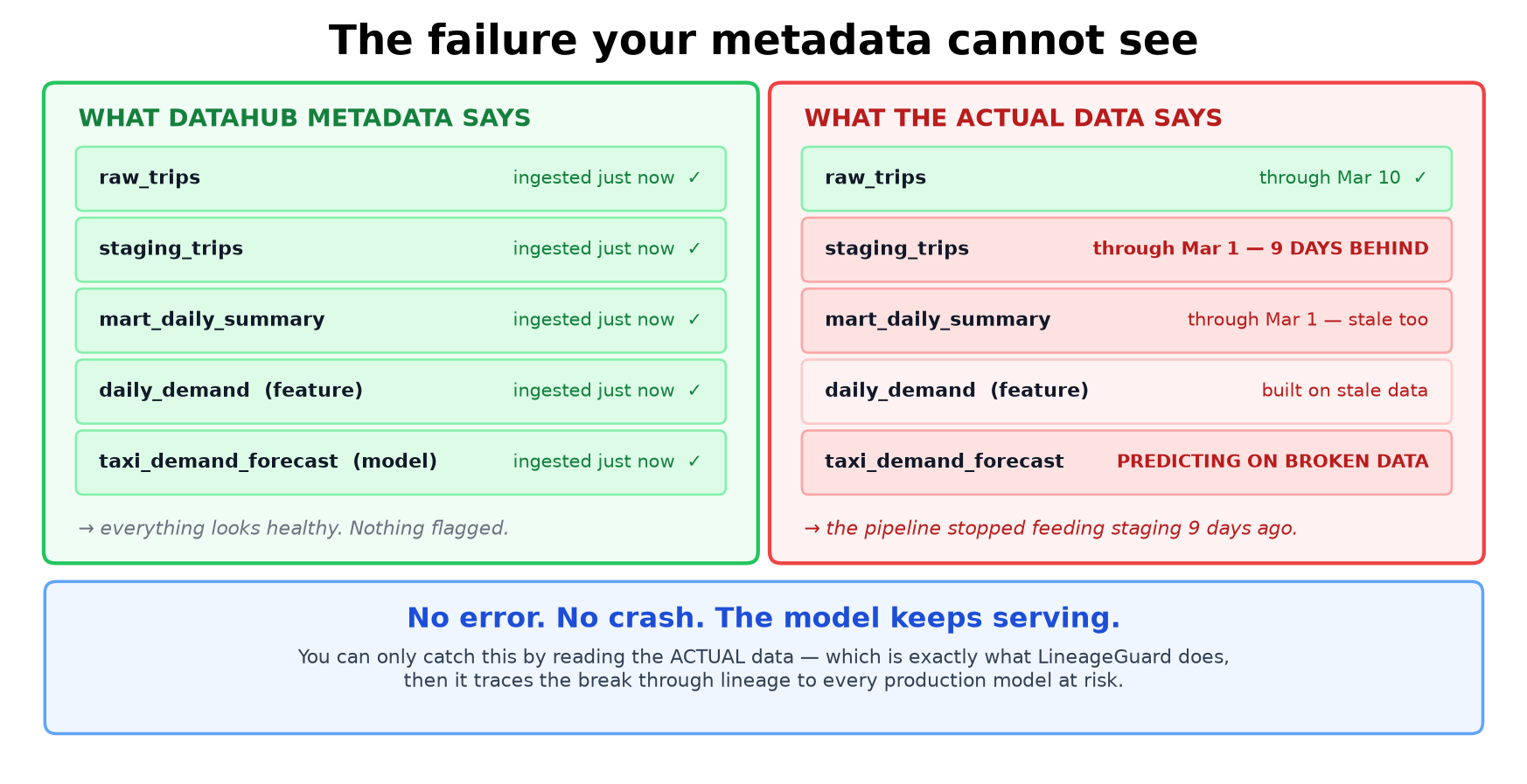
While exploring DataHub's nyc-taxi sample, one detail immediately stood out: the intentionally planted freshness issue is invisible in the metadata. Every dataset appears as "ingested just now", because they genuinely were all ingested together. However, the actual records inside one table had stopped updating nine days earlier.
That's exactly the kind of failure that should worry ML teams.
No error. No crash. No alert.
The model keeps serving predictions on stale data—quietly producing incorrect results until someone eventually notices that the numbers look wrong.
So I built the agent I wish every ML pipeline had watching over it.
🛡️ What It Does
LineageGuard monitors DataHub lineage and detects silent upstream data failures before they impact production ML models.
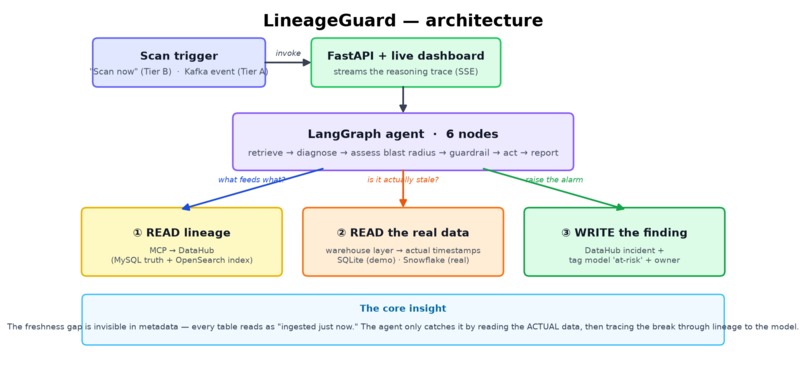
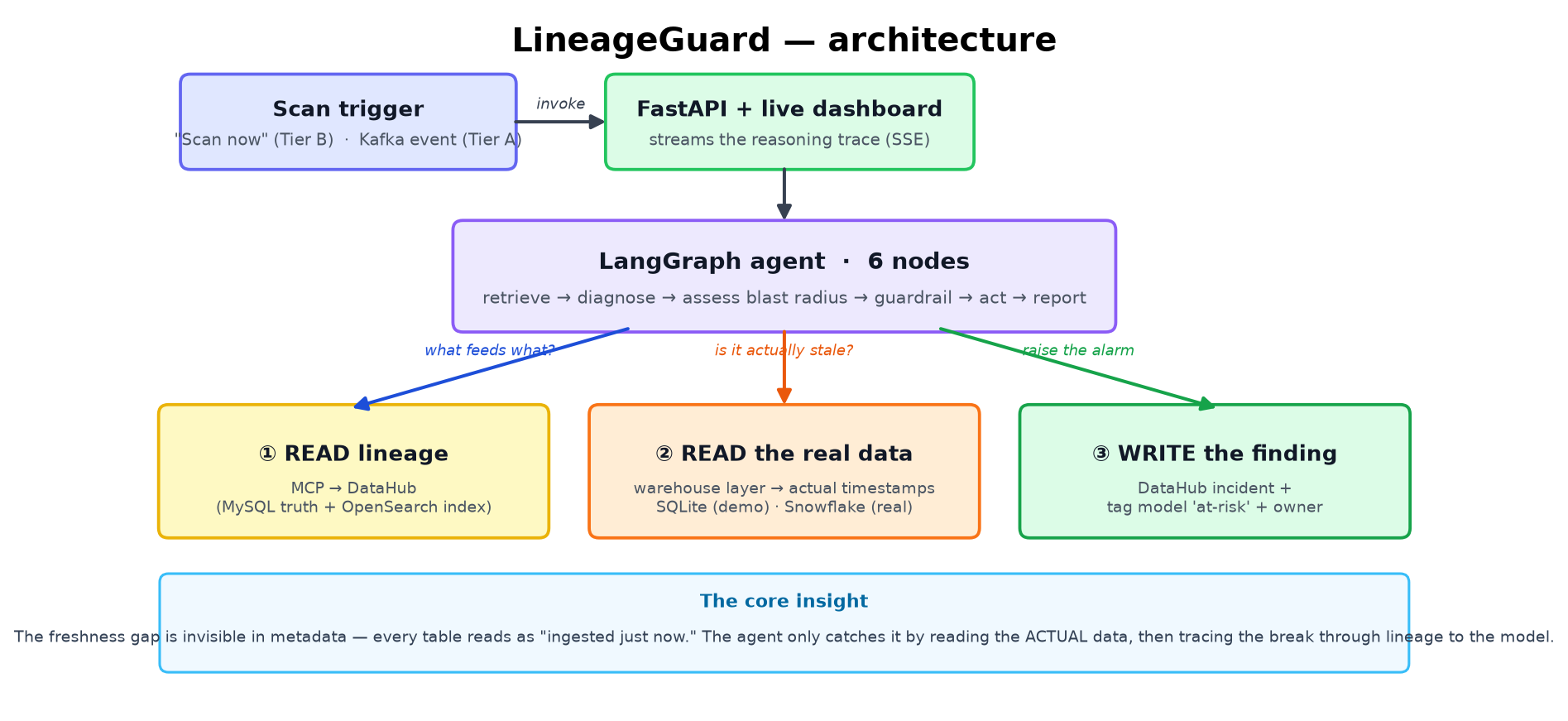
The agent is implemented as a six-node LangGraph state machine.
1. Retrieve Context
Reads schema information together with upstream and downstream lineage from DataHub through the MCP Server.
2. Diagnose
This is the key insight.
Instead of trusting catalog metadata, the agent queries the actual warehouse data and compares:
- Latest data timestamp of the current dataset
- Latest timestamp of its upstream source
If the downstream dataset lags behind its upstream, the pipeline has silently stopped updating.
3. Assess Blast Radius
Traverses downstream lineage to identify:
- Affected datasets
- ML features
- Production models
Everything is ranked by severity.
4. Guardrail Gate
Runs in dry-run mode by default.
Agents that write incorrect incidents quickly become ignored, so every write-back must pass a safety gate first.
5. Act
When confidence is high, the agent writes directly into DataHub:
- Creates an Incident on the failing dataset
- Tags every downstream ML model as at risk
6. Report
Generates a human-readable root cause report explaining:
- What failed
- Why it failed
- Supporting evidence
- Affected models
The finding becomes part of the metadata graph instead of disappearing inside a Slack notification.
The next engineer—or the next AI agent—inherits the knowledge.
🎬 Demo Scenario
The nyc-taxi sample contains two copies of the same three-stage pipeline.
I extended both with an ML lineage:
mart
  ↓
mlFeature
  ↓
mlModel
This creates a realistic production model worth protecting.
Healthy Pipeline
nyc_taxi
Everything stays synchronized.
LineageGuard scans it and remains silent.
No false positives.
Broken Pipeline
nyc_taxi_pipeline
staging_trips silently stops updating nine days before raw_trips.
LineageGuard:
- Detects the freshness gap
- Traces the downstream blast radius
- Identifies
taxi_demand_forecast - Creates an Incident
- Tags the production model as at risk
🔧 Technical Architecture
Context Platform
- DataHub Core (Quickstart)
Read Layer
- DataHub MCP Server
get_lineagelist_schema_fieldssearch
Agent
- LangGraph
- Six explicit state-machine nodes
- Shared typed state
- Append-only reasoning trace
Backend
- FastAPI
/scan/scan/stream(Server-Sent Events)
Frontend
A single self-contained HTML dashboard (no build step) displaying:
- Live reasoning trace
- Node execution
- Verdict
- Blast radius
- Affected models
- Incident feed
Write Layer
- DataHub Python SDK
- Incident creation
- Model tagging
Warehouse Adapter
The demo uses SQLite to inspect real data.
In production, this layer is the only component that changes—point it to Snowflake, BigQuery, Redshift, or another warehouse without modifying the agent logic.
🧪 Evaluation
An autonomous agent must prove that it acts correctly.
I built an evaluation harness that replays scenarios with known ground truth and verifies every decision.
| Scenario | Expected | Result |
|---|---|---|
| Stale pipeline | Raise freshness gap, HIGH severity, flag model | ✅ 7/7 |
| Healthy pipeline | Stay silent | ✅ 3/3 |
| Raw source (no upstream) | No false alarm | ✅ 3/3 |
Overall: 13/13 assertions passing.
The third scenario is the most important.
It proves the agent doesn't raise incidents simply because a production model exists downstream.
It only acts when there is actual evidence of a data problem.
Example evaluation reports and generated incident reports are included in the repository under:
examples/
🧗 Challenges
ML Model Lineage
mlModel doesn't accept the upstreamLineage aspect.
Proper model lineage must flow through an mlFeature, whose sources reference the datasets.
It took several failed metadata emissions before discovering this constraint.
Incident API Limitations
DataHub incidents currently reject mlModel URNs.
The workaround:
- Anchor the Incident on the failing dataset
- Tag downstream models separately
OpenSearch Failure
During development, OpenSearch crashed and the lineage index disappeared.
Every lineage query quietly returned zero results even though the metadata still existed inside MySQL.
datahub docker quickstart --restore-indices currently fails on Windows due to a temporary-file PermissionError, so I restored the indices manually through Docker Compose.
Debugging Someone Else's Bug
While investigating missing lineage, I eventually discovered the issue wasn't in my code.
The helper scripts shipped with the sample dataset contained a real bug.
🤝 Open Source Contribution
The nyc-taxi helper scripts filtered instances using a simple substring comparison.
That meant:
nyc_taxi
also matched
nyc_taxi_pipeline
Datasets with identical names collided, causing lineage from one instance to be written onto the other's URNs.
I fixed the filter to perform an exact instance match, added a before/after explanation, and submitted a pull request.
The change was reviewed and merged by a DataHub maintainer within the hour.
PR: https://github.com/datahub-project/static-assets/pull/213
📚 What I Learned
- Metadata alone is not enough. The most dangerous failures are the ones your catalog reports as healthy.
- Detecting silent failures requires combining metadata with actual warehouse data.
- Lineage transforms "this table is stale" into "this production model is now at risk."
- Writing findings back into the catalog creates durable operational knowledge instead of temporary alerts.
- Good autonomous agents know when not to act.
- Contributing to open source is often less intimidating than expected—identify a real problem, explain it clearly, and keep the fix focused.
🚀 Future Work
The current version focuses on freshness-gap detection using deterministic rules.
The same architecture naturally extends to:
- Schema drift detection
- PII leakage into ML features using an LLM to distinguish harmless schema changes from real risks
- Tier-A event-driven execution through DataHub's
EntityChangeEventActions Framework so the agent runs automatically - Human approval gates for high-severity write-backs
- LLM-as-a-Judge evaluation to assess not only the verdict but also the quality of generated root-cause reports
Conclusion
LineageGuard demonstrates that protecting production ML systems isn't only about monitoring models—it's about understanding how data flows through the entire lineage graph and acting before silent upstream failures become costly downstream mistakes.
Built With
- datahub
- fast
- kafka
- langgraph
- opensearch
- python

Log in or sign up for Devpost to join the conversation.