Inspiration
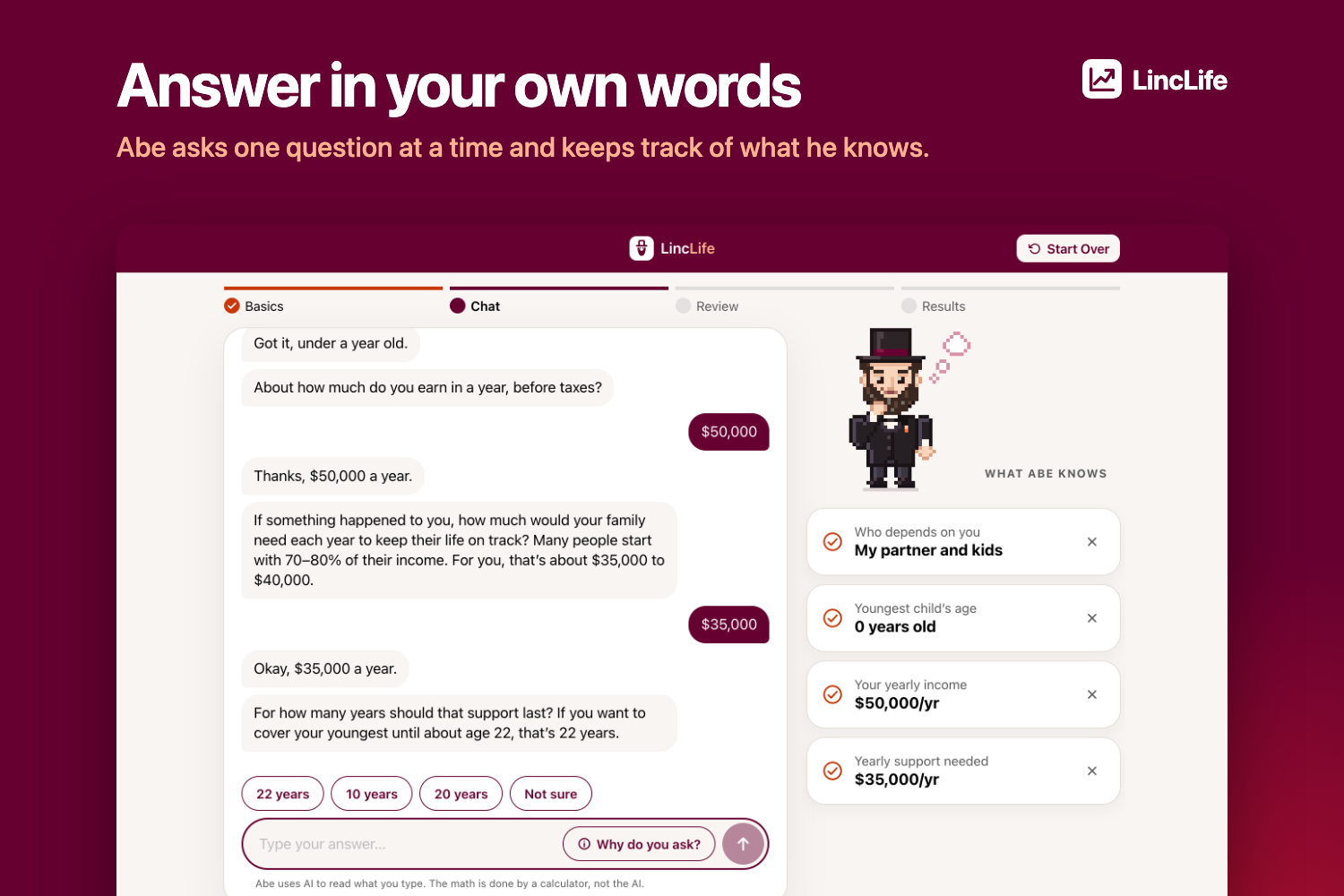
The codeLinc challenge asked for a tool that talks with someone about their dependents, income, debts and existing coverage, then explains how much life insurance they need without confusing or scaring them. Most calculators we found are a long form that ends in one big number and no explanation. We wanted it to feel more like sitting down with someone patient who asks one question at a time and then shows the work. That someone became Abe, a small pixel art Abraham Lincoln.
What it does
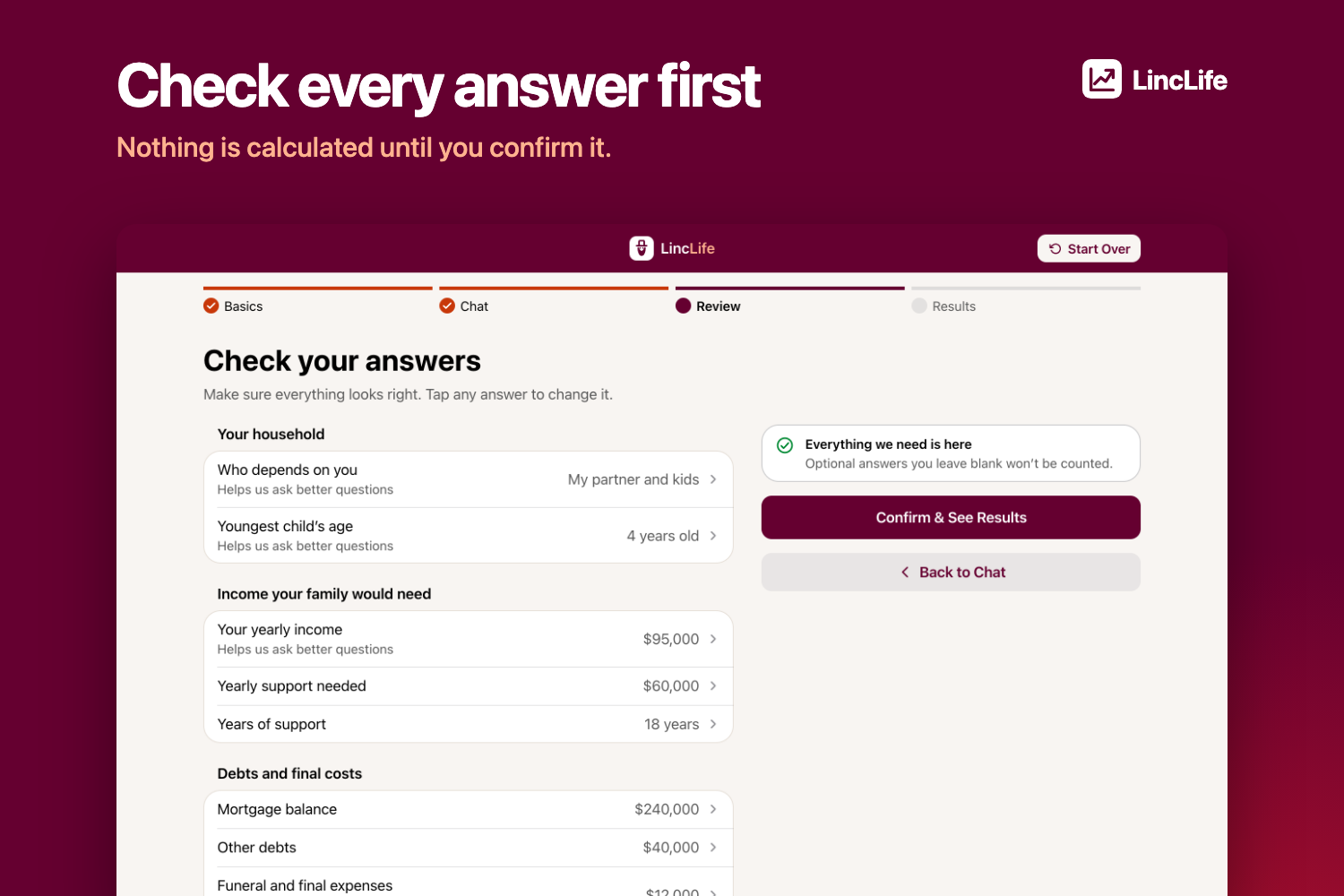
LincLife walks you through a short conversation with Abe. You answer the way you would talk, like "about 85k give or take", and Abe reads that into a real figure. Before anything is calculated you see every answer on a review screen and can fix it.
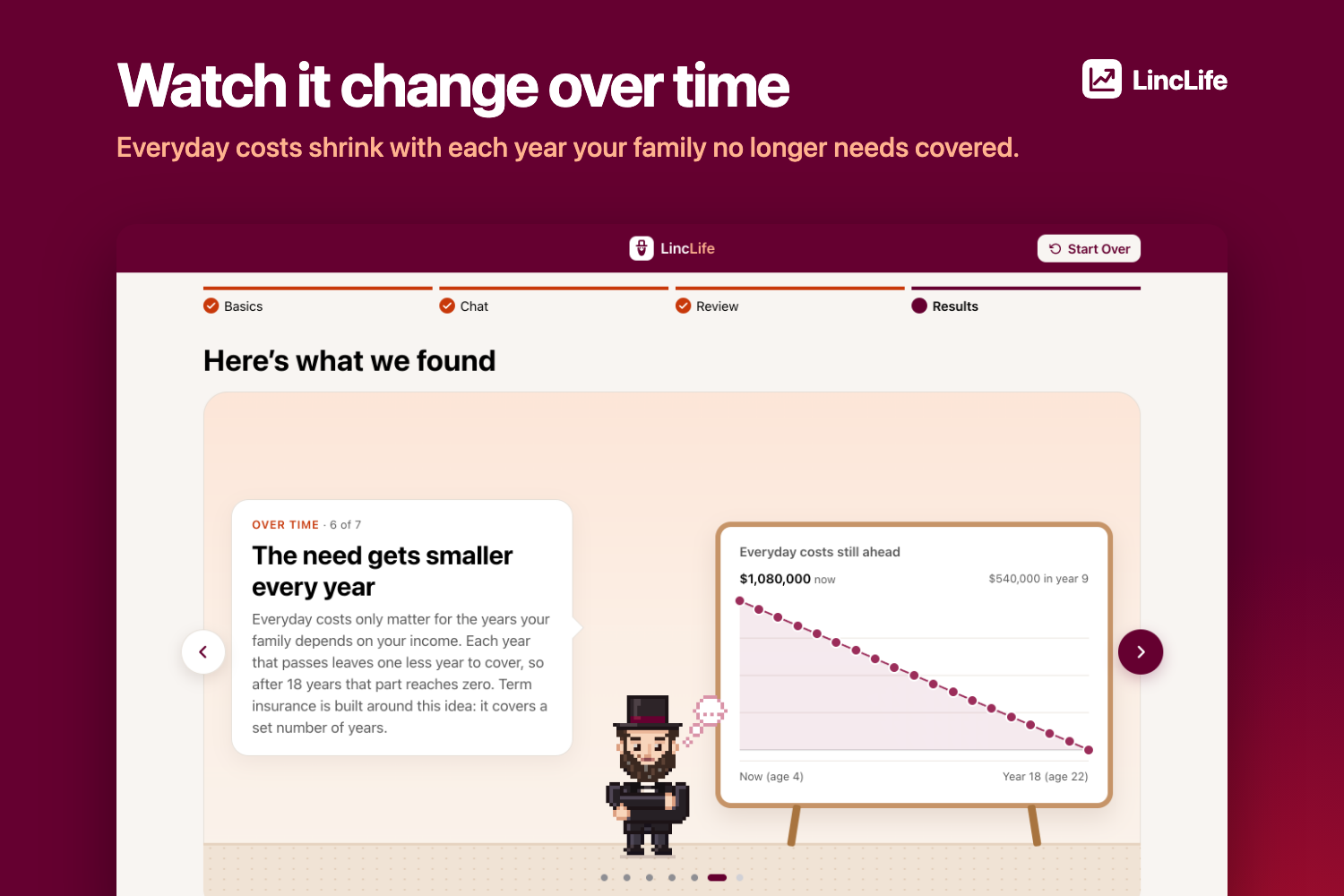
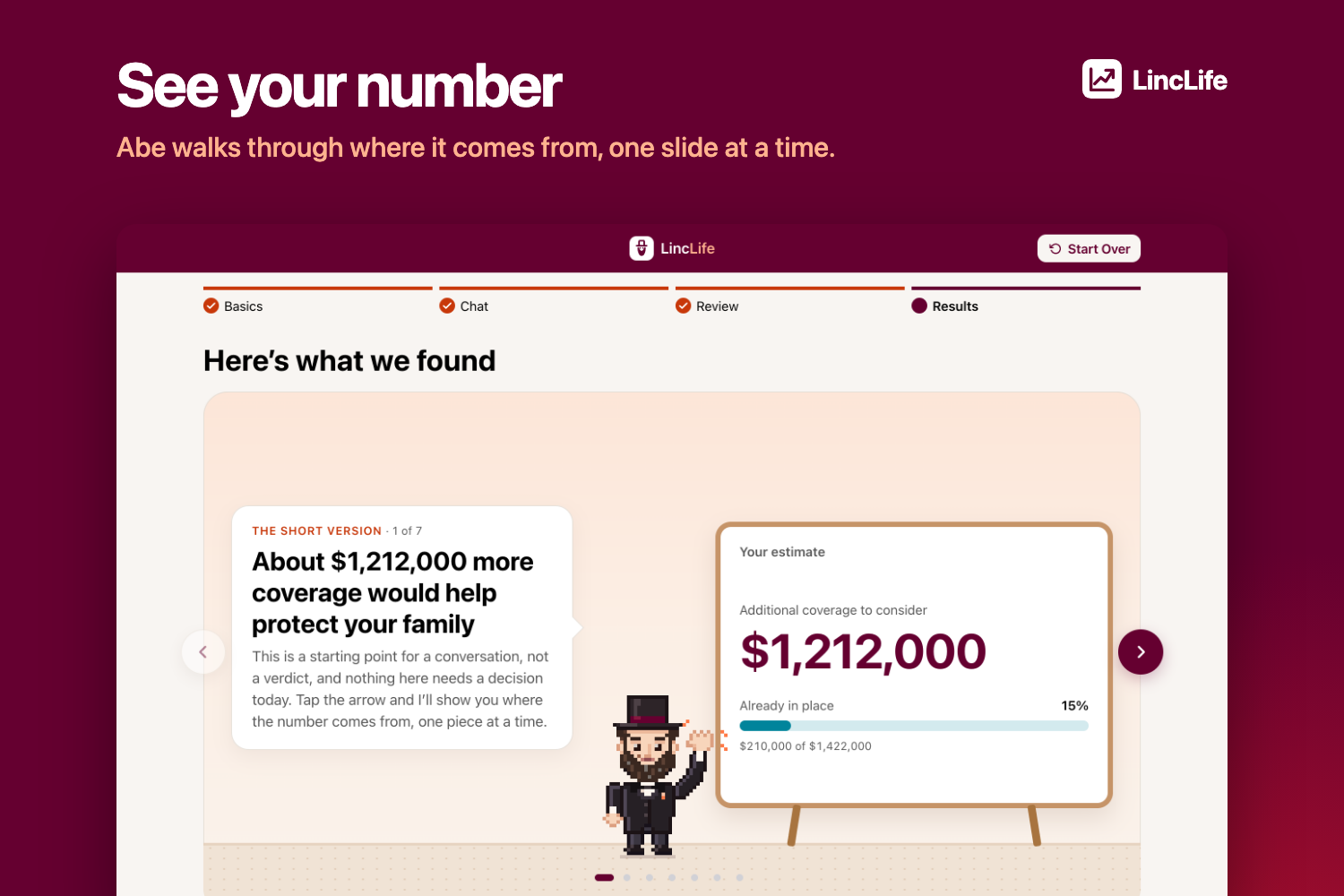
Then you get your estimate as a short slide deck: what your family would need, what you already have, and the gap between them. You can look ten years ahead, try a what-if like a future child or rising prices, compare term and permanent coverage, and ask Abe follow up questions about your results.
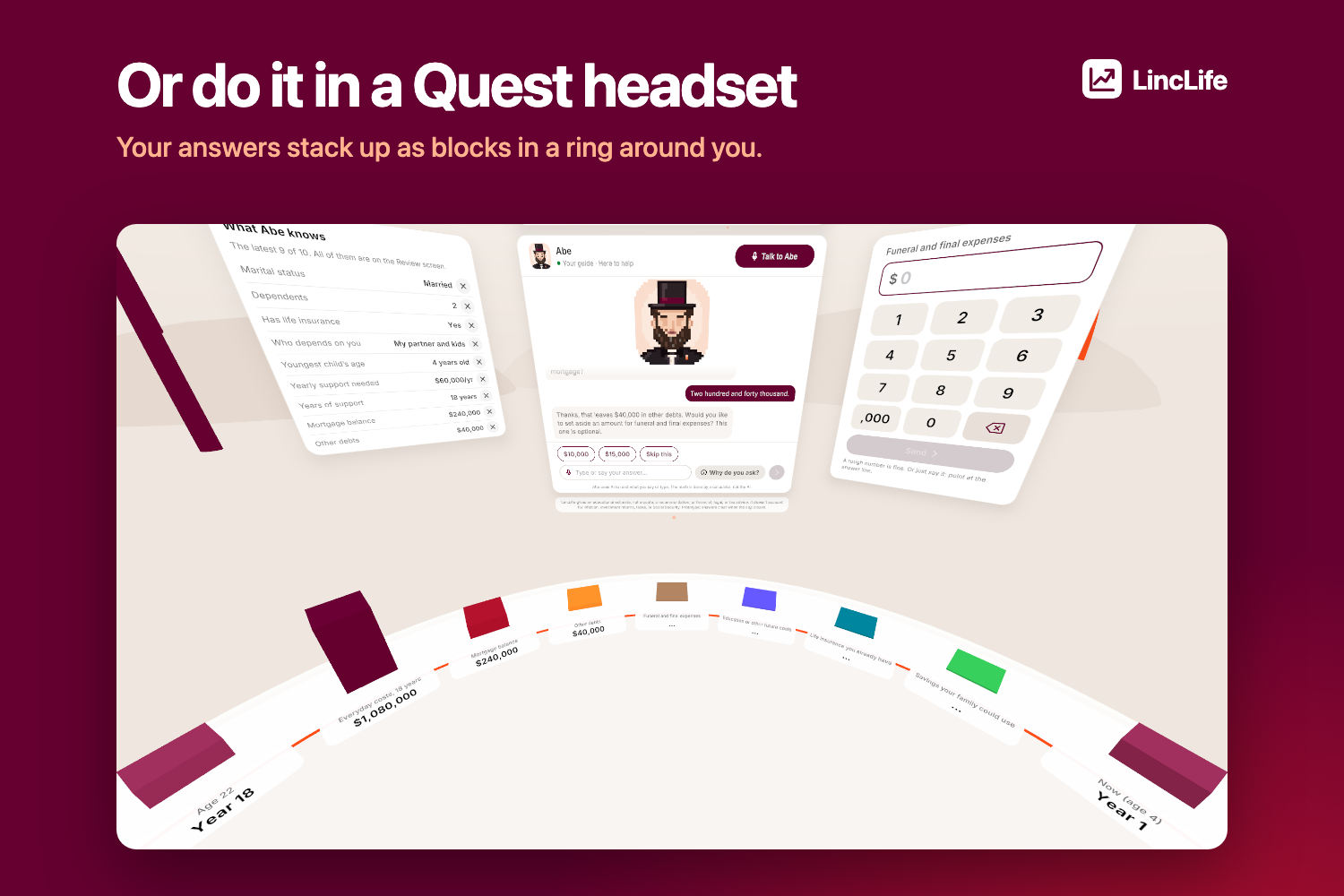
There are two ways to do it. You can type on the website, or scan a QR code and do the conversation in a Meta Quest headset, where your answers stack up as blocks in a ring around you. The headset hands your answers back to the site at the end. You can also fill in the basics from a bank connection (Plaid Sandbox for now).
It is an educational estimate. It does not quote premiums or approve anyone for a policy.
How we built it
The website is React and TypeScript. The backend is a Python Flask API running on AWS Lambda behind CloudFront, and it calls Amazon Nova Pro through Bedrock. The Quest app is native Unity, with OpenAI's Realtime API for the spoken conversation. DynamoDB holds the short lived pairing between a browser and a headset. All of the AWS setup is in CloudFormation and deploys through GitHub Actions.
The rule we built around is that the AI never does the math. The model reads what you said and explains things. A plain calculator works out every dollar amount from the answers you confirmed. On top of that, the server reads every dollar figure in the model's reply and removes any sentence with an amount that did not come from you or the calculator.
Challenges we ran into
The first model we used, Nova Lite, made up values for things people never mentioned. On 14 hard test answers it did that four times. Moving to Nova Pro fixed it for about 0.2 seconds more per reply, but it convinced us to stop trusting the prompt alone and check the output in code.
The same math lives in three places: TypeScript on the site, Python on the server and C# in the headset. Keeping them in agreement overnight was harder than writing any one of them. We ended up running the same example households through all three test suites.
We also renamed the project halfway through, which meant moving live AWS resources and DNS in the middle of the event, and we had several people changing the same web app at the same time at 3 a.m.
Accomplishments that we're proud of
It is live at codelinc.codehawks.org and it runs on a real Quest 3S.
Abe can't quote a number he was not given. If the AI goes down, you keep your answers and a clearly labeled scripted version takes over, so the demo never dead ends.
We keep very little. Answers stay in your browser tab and are gone when you close it. The pairing data for the headset expires after two hours.
And Abe has a hat, a beard and a mouth that moves when he talks.
What we learned
Telling a model not to do something is not the same as it not doing it. Checking its output was worth more than any amount of prompt wording.
Picking the right model mattered more than we expected. One swap fixed a problem we had been trying to prompt our way out of.
Deciding what happens when a call fails is most of the work of making something feel reliable.
Small pull requests merged often kept us from a pile of conflicts at the end.
Built With
- amazon-web-services
- api
- github
- iac
- openai
- react
- typescript
- vr

Log in or sign up for Devpost to join the conversation.